warning HONDA FIT 2014 3.G Owner's Manual
[x] Cancel search | Manufacturer: HONDA, Model Year: 2014, Model line: FIT, Model: HONDA FIT 2014 3.GPages: 289, PDF Size: 6.97 MB
Page 104 of 289
103
Continued
Controls
Adjusting the SeatsAdjusting the Seat Positions
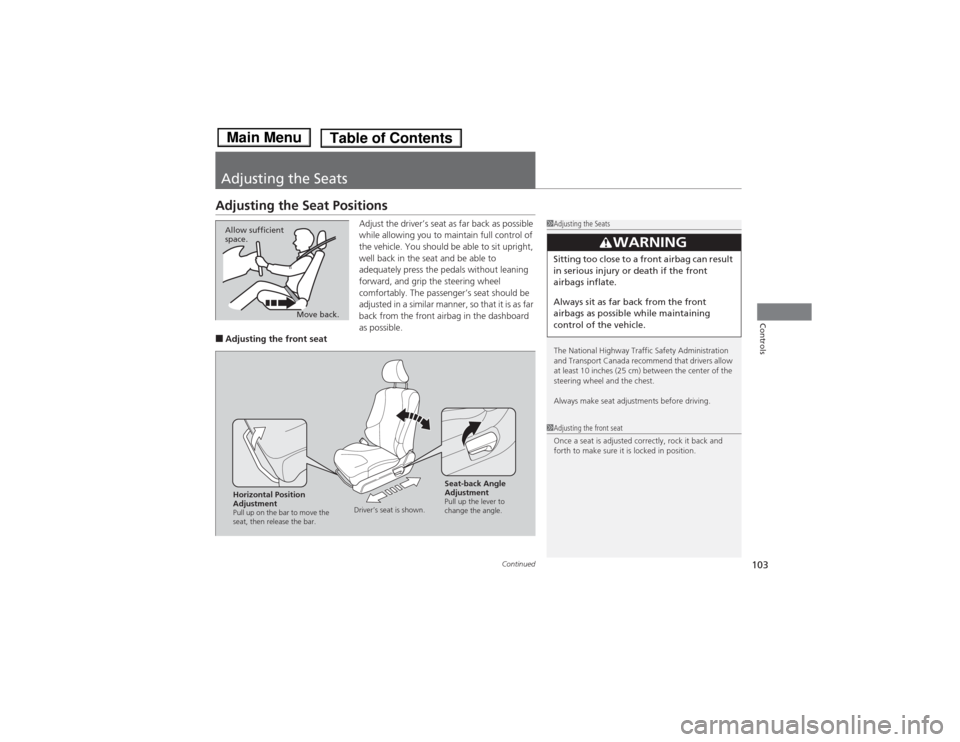
Adjust the driver’s seat as far back as possible
while allowing you to maintain full control of
the vehicle. You should be able to sit upright,
well back in the seat and be able to
adequately press the pedals without leaning
forward, and grip the steering wheel
comfortably. The passenger’s seat should be
adjusted in a similar manner, so that it is as far
back from the front airbag in the dashboard
as possible.
■Adjusting the front seat
1Adjusting the Seats
The National Highway Traffic Safety Administration
and Transport Canada recommend that drivers allow
at least 10 inches (25 cm) between the center of the
steering wheel and the chest.
Always make seat adjustments before driving.
3
WARNING
Sitting too close to a front airbag can result
in serious injury or death if the front
airbags inflate.
Always sit as far back from the front
airbags as possible while maintaining
control of the vehicle.
Move back. Allow sufficient
space.
1Adjusting the front seat
Once a seat is adjusted correctly, rock it back and
forth to make sure it is locked in position.
Horizontal Position
AdjustmentPull up on the bar to move the
seat, then release the bar.Driver’s seat is shown.
Seat-back Angle
AdjustmentPull up the lever to
change the angle.
Page 105 of 289
uuAdjusting the SeatsuAdjusting the Seat Positions
104Controls
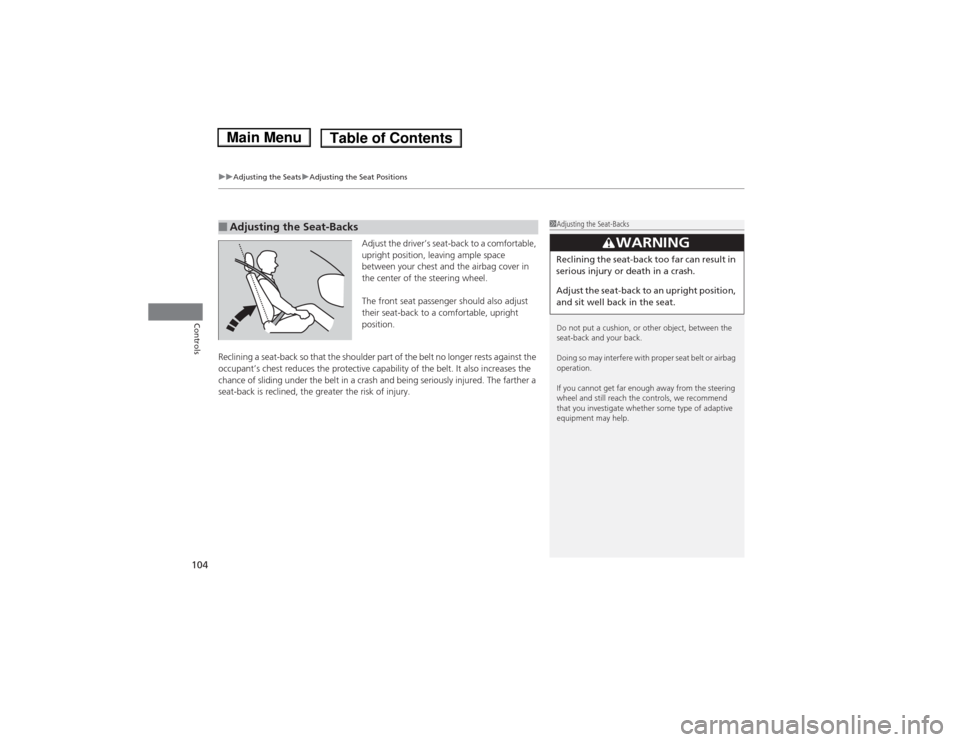
Adjust the driver’s seat-back to a comfortable,
upright position, leaving ample space
between your chest and the airbag cover in
the center of the steering wheel.
The front seat passenger should also adjust
their seat-back to a comfortable, upright
position.
Reclining a seat-back so that the shoulder part of the belt no longer rests against the
occupant’s chest reduces the protective capability of the belt. It also increases the
chance of sliding under the belt in a crash and being seriously injured. The farther a
seat-back is reclined, the greater the risk of injury.
■Adjusting the Seat-Backs
1Adjusting the Seat-Backs
Do not put a cushion, or other object, between the
seat-back and your back.
Doing so may interfere with proper seat belt or airbag
operation.
If you cannot get far enough away from the steering
wheel and still reach the controls, we recommend
that you investigate whether some type of adaptive
equipment may help.
3
WARNING
Reclining the seat-back too far can result in
serious injury or death in a crash.
Adjust the seat-back to an upright position,
and sit well back in the seat.
Page 106 of 289
Continued
105
uuAdjusting the SeatsuAdjusting the Seat Positions
Controls
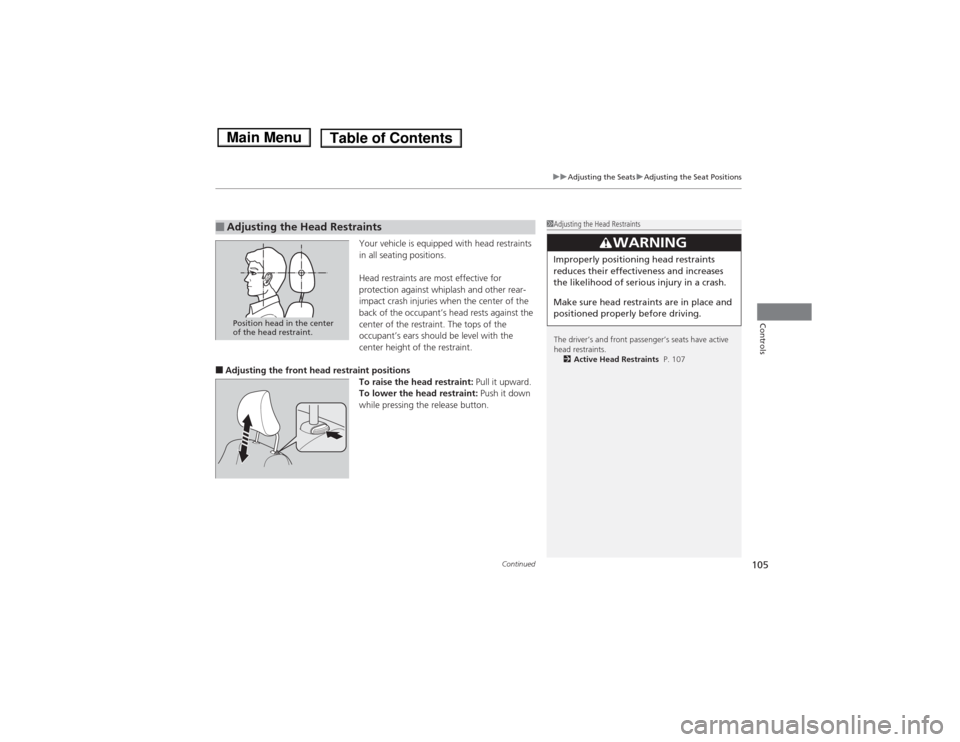
Your vehicle is equipped with head restraints
in all seating positions.
Head restraints are most effective for
protection against whiplash and other rear-
impact crash injuries when the center of the
back of the occupant’s head rests against the
center of the restraint. The tops of the
occupant’s ears should be level with the
center height of the restraint.
■Adjusting the front head restraint positions
To raise the head restraint: Pull it upward.
To lower the head restraint: Push it down
while pressing the release button.■Adjusting the Head Restraints
1Adjusting the Head Restraints
The driver’s and front passenger’s seats have active
head restraints.
2Active Head Restraints P. 107
3
WARNING
Improperly positioning head restraints
reduces their effectiveness and increases
the likelihood of serious injury in a crash.
Make sure head restraints are in place and
positioned properly before driving.
Position head in the center
of the head restraint.
Page 107 of 289
uuAdjusting the SeatsuAdjusting the Seat Positions
106Controls
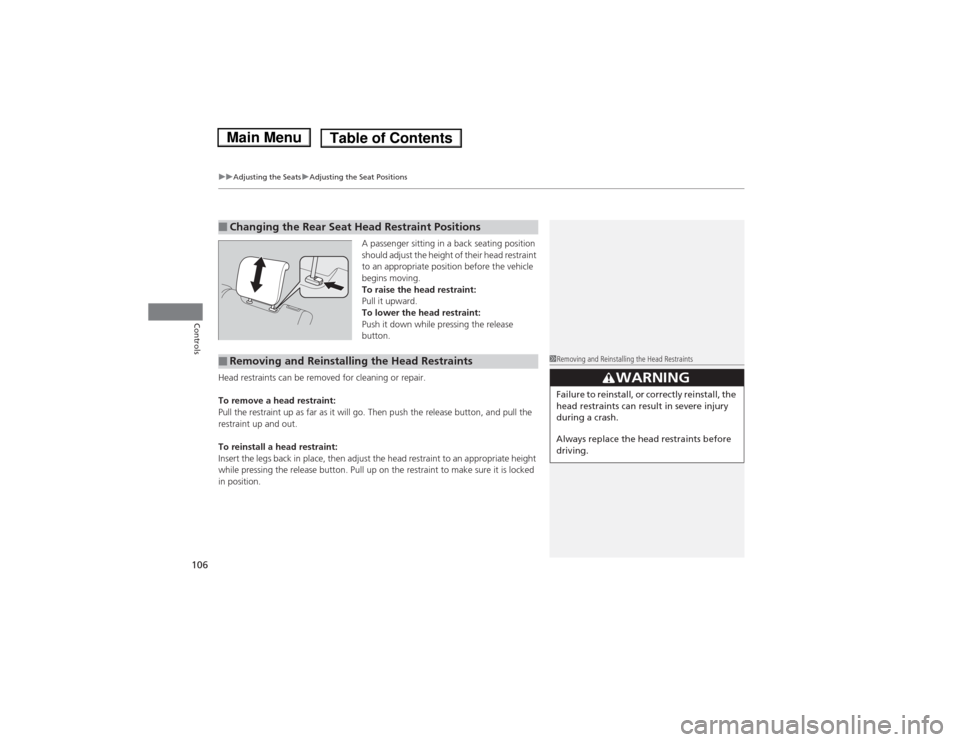
A passenger sitting in a back seating position
should adjust the height of their head restraint
to an appropriate position before the vehicle
begins moving.
To raise the head restraint:
Pull it upward.
To lower the head restraint:
Push it down while pressing the release
button.
Head restraints can be removed for cleaning or repair.
To remove a head restraint:
Pull the restraint up as far as it will go. Then push the release button, and pull the
restraint up and out.
To reinstall a head restraint:
Insert the legs back in place, then adjust the head restraint to an appropriate height
while pressing the release button. Pull up on the restraint to make sure it is locked
in position.
■Changing the Rear Seat Head Restraint Positions■Removing and Reinstalling the Head Restraints
1Removing and Reinstalling the Head Restraints
33
WARNING
Failure to reinstall, or correctly reinstall, the
head restraints can result in severe injury
during a crash.
Always replace the head restraints before
driving.
Page 108 of 289
107
uuAdjusting the SeatsuAdjusting the Seat Positions
Controls
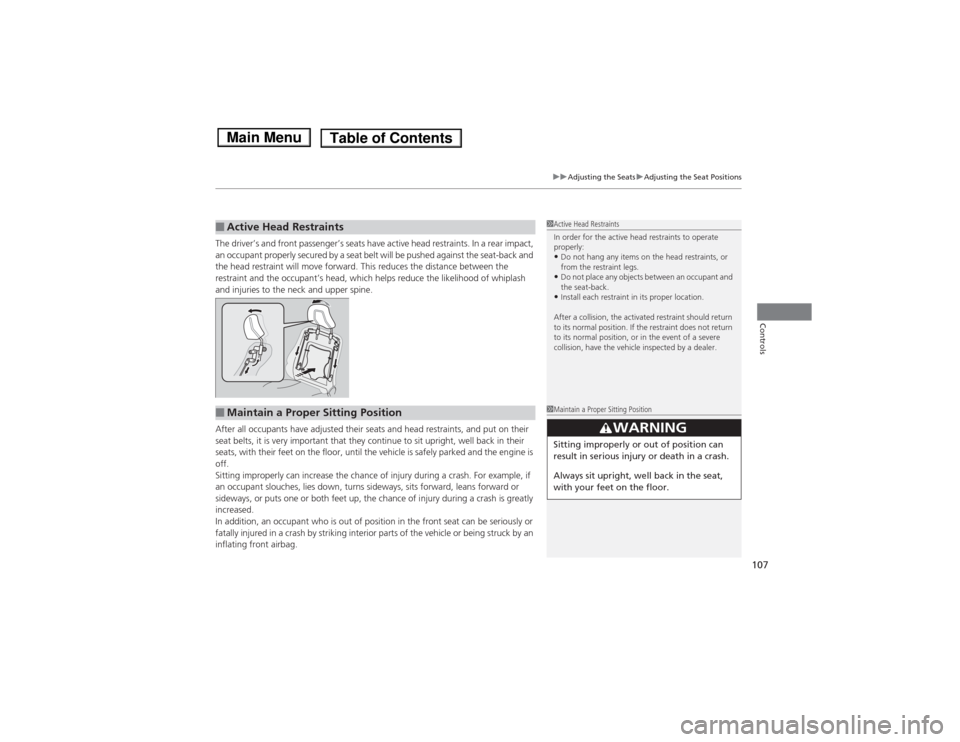
The driver’s and front passenger’s seats have active head restraints. In a rear impact,
an occupant properly secured by a seat belt will be pushed against the seat-back and
the head restraint will move forward. This reduces the distance between the
restraint and the occupant’s head, which helps reduce the likelihood of whiplash
and injuries to the neck and upper spine.
After all occupants have adjusted their seats and head restraints, and put on their
seat belts, it is very important that they continue to sit upright, well back in their
seats, with their feet on the floor, until the vehicle is safely parked and the engine is
off.
Sitting improperly can increase the chance of injury during a crash. For example, if
an occupant slouches, lies down, turns sideways, sits forward, leans forward or
sideways, or puts one or both feet up, the chance of injury during a crash is greatly
increased.
In addition, an occupant who is out of position in the front seat can be seriously or
fatally injured in a crash by striking interior parts of the vehicle or being struck by an
inflating front airbag.■Active Head Restraints
1Active Head Restraints
In order for the active head restraints to operate
properly:•Do not hang any items on the head restraints, or
from the restraint legs.•Do not place any objects between an occupant and
the seat-back.•Install each restraint in its proper location.
After a collision, the activated restraint should return
to its normal position. If the restraint does not return
to its normal position, or in the event of a severe
collision, have the vehicle inspected by a dealer.
■Maintain a Proper Sitting Position
1Maintain a Proper Sitting Position
3
WARNING
Sitting improperly or out of position can
result in serious injury or death in a crash.
Always sit upright, well back in the seat,
with your feet on the floor.
Page 114 of 289
113
uuInterior Lights/Interior Convenience ItemsuInterior Convenience Items
Continued
Controls
Interior Convenience Items
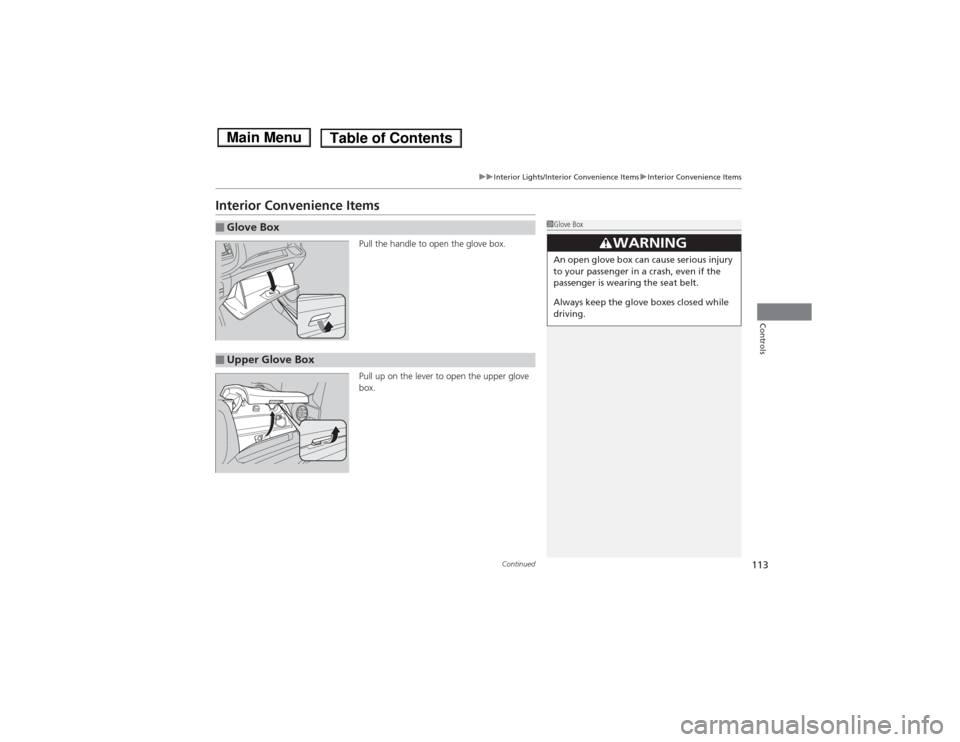
Pull the handle to open the glove box.
Pull up on the lever to open the upper glove
box.
■Glove Box
1Glove Box
3
WARNING
An open glove box can cause serious injury
to your passenger in a crash, even if the
passenger is wearing the seat belt.
Always keep the glove boxes closed while
driving.
■Upper Glove Box
Page 158 of 289
157
uuBefore DrivinguMaximum Load Limit
Continued
Driving
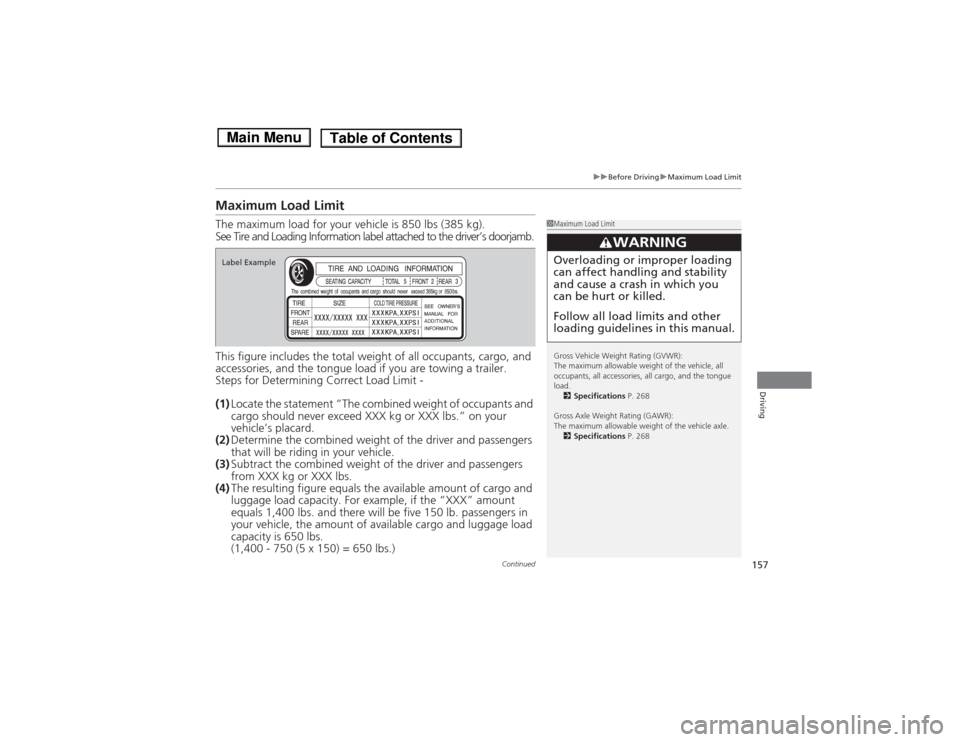
Maximum Load LimitThe maximum load for your vehicle is 850 lbs (385 kg).
See Tire and Loading Information label attached to the driver’s doorjamb.
This figure includes the total weight of all occupants, cargo, and
accessories, and the tongue load if you are towing a trailer.
Steps for Determining Correct Load Limit -
(1)Locate the statement “The combined weight of occupants and
cargo should never exceed XXX kg or XXX lbs.” on your
vehicle’s placard.
(2)Determine the combined weight of the driver and passengers
that will be riding in your vehicle.
(3)Subtract the combined weight of the driver and passengers
from XXX kg or XXX lbs.
(4)The resulting figure equals the available amount of cargo and
luggage load capacity. For example, if the “XXX” amount
equals 1,400 lbs. and there will be five 150 lb. passengers in
your vehicle, the amount of available cargo and luggage load
capacity is 650 lbs.
(1,400 - 750 (5 x 150) = 650 lbs.)
1Maximum Load Limit
Gross Vehicle Weight Rating (GVWR):
The maximum allowable weight of the vehicle, all
occupants, all accessories, all cargo, and the tongue
load.
2Specifications P. 268
Gross Axle Weight Rating (GAWR):
The maximum allowable weight of the vehicle axle.
2Specifications P. 268
3
WARNING
Overloading or improper loading
can affect handling and stability
and cause a crash in which you
can be hurt or killed.
Follow all load limits and other
loading guidelines in this manual.
Label Example
Page 174 of 289
173
uuWhen DrivinguCruise Control
*
Continued
Driving
Cruise Control
*
Maintains a constant vehicle speed without having to keep your foot on the
accelerator. Use cruise control on freeways or open roads where you can travel at a
constant speed with little acceleration or deceleration.
1Cruise Control
*
It may not be possible to maintain a constant speed
when driving uphill or downhill.
When not using cruise control:
Turn off cruise control by pressing the CRUISE
button.
3
WARNING
Improper use of the cruise control can lead
to a crash.
Use the cruise control only when traveling
on open highways in good weather.
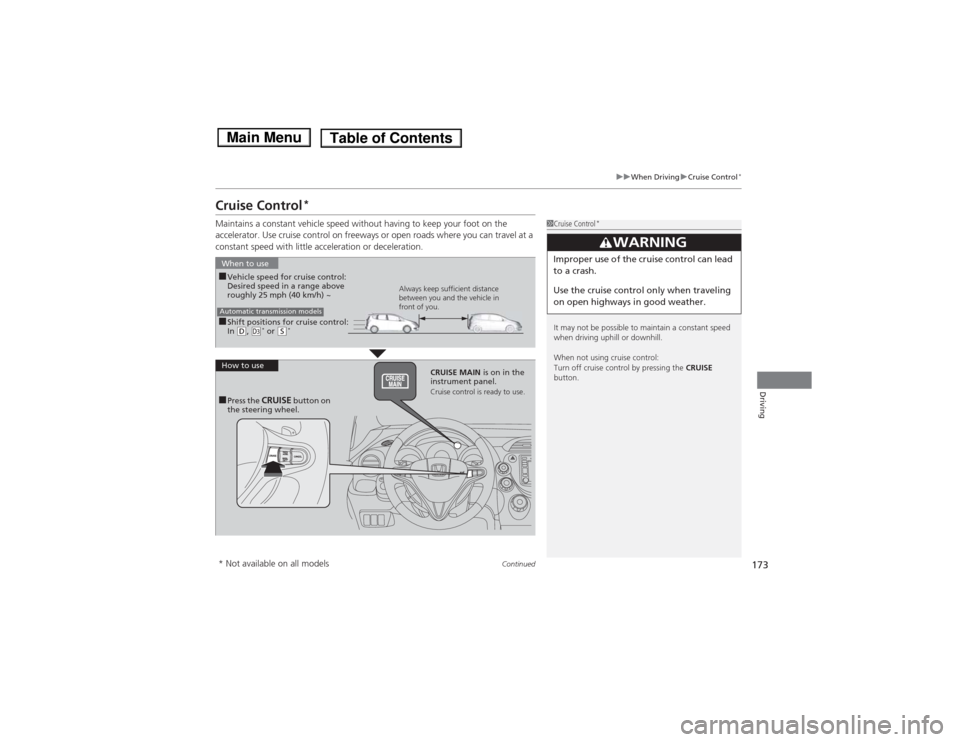
■Shift positions for cruise control:
In (D, (d* or
(S*
When to use
Always keep sufficient distance
between you and the vehicle in
front of you.
Automatic transmission models■Vehicle speed for cruise control:
Desired speed in a range above
roughly 25 mph (40 km/h) ~
How to use
CRUISE MAIN is on in the
instrument panel.
Cruise control is ready to use.
■Press the
CRUISE
button on
the steering wheel.
* Not available on all models
Page 182 of 289
181
Continued
Driving
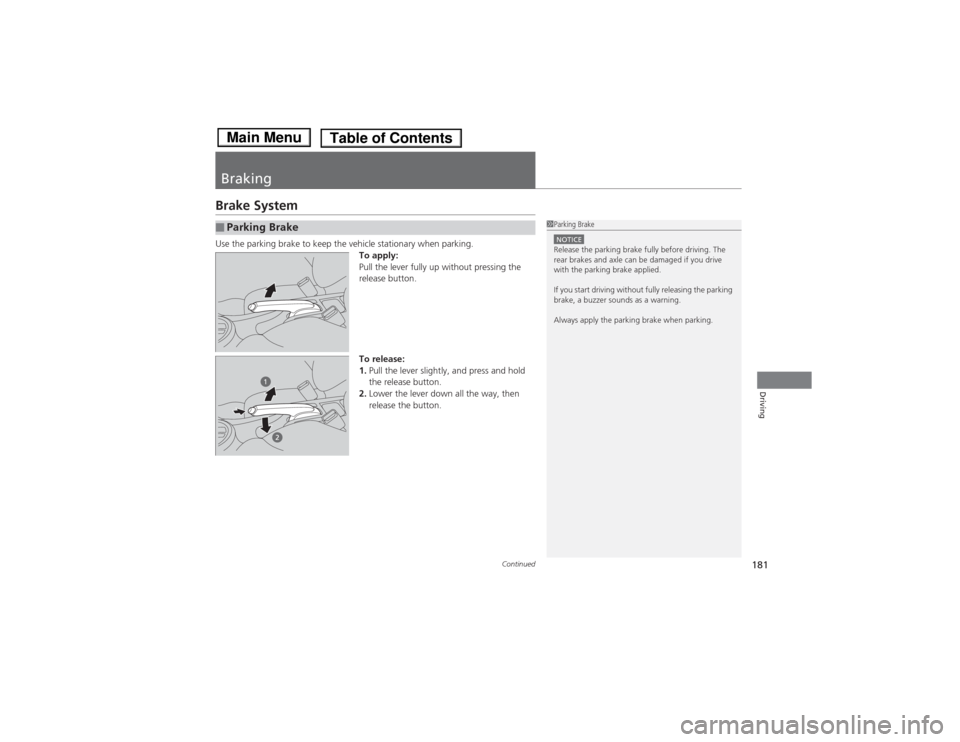
BrakingBrake SystemUse the parking brake to keep the vehicle stationary when parking.
To apply:
Pull the lever fully up without pressing the
release button.
To release:
1.Pull the lever slightly, and press and hold
the release button.
2.Lower the lever down all the way, then
release the button.■Parking Brake
1Parking BrakeNOTICERelease the parking brake fully before driving. The
rear brakes and axle can be damaged if you drive
with the parking brake applied.
If you start driving without fully releasing the parking
brake, a buzzer sounds as a warning.
Always apply the parking brake when parking.
Page 188 of 289
Continued
187
uuRefuelinguHow to Refuel
Driving
■Gasoline containing ethanol
Some gasoline today is blended with oxygenates such as ethanol. Your vehicle is
designed to operate on oxygenated gasoline containing up to 10% ethanol by
volume. Do not use gasoline containing methanol. If you notice any undesirable
operating symptoms, try another service station or switch to another brand of
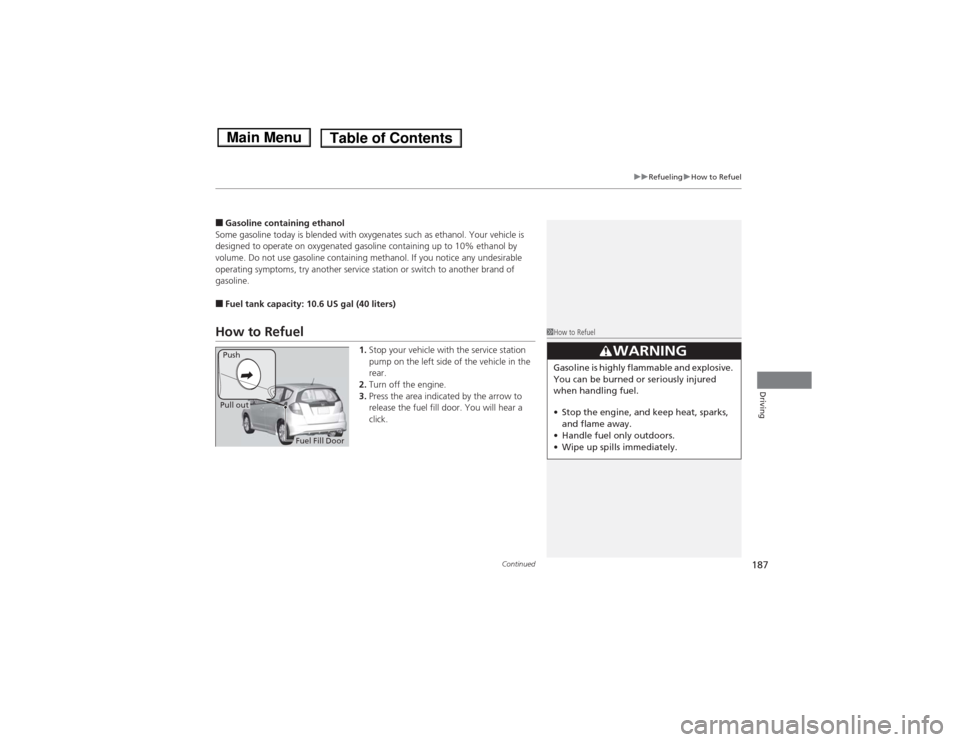
gasoline.■Fuel tank capacity: 10.6 US gal (40 liters)How to Refuel
1.Stop your vehicle with the service station
pump on the left side of the vehicle in the
rear.
2.Turn off the engine.
3.Press the area indicated by the arrow to
release the fuel fill door. You will hear a
click.
1How to Refuel
3
WARNING
Gasoline is highly flammable and explosive.
You can be burned or seriously injured
when handling fuel.
•Stop the engine, and keep heat, sparks,
and flame away.
•Handle fuel only outdoors.
•Wipe up spills immediately.
Fuel Fill Door Push
Pull out