instrument HONDA FIT 2015 3.G Owner's Manual
[x] Cancel search | Manufacturer: HONDA, Model Year: 2015, Model line: FIT, Model: HONDA FIT 2015 3.GPages: 453, PDF Size: 21.19 MB
Page 86 of 453
85
uuGauges and Displays uInformation Display
Instrument Panel
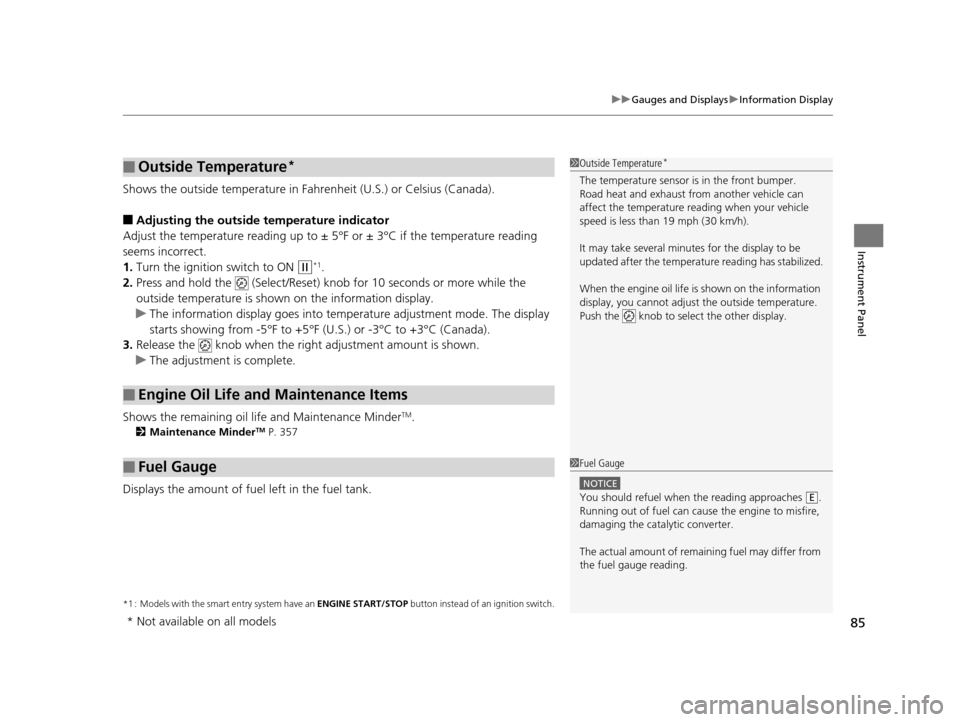
Shows the outside temperature in Fahr enheit (U.S.) or Celsius (Canada).
■Adjusting the outside temperature indicator
Adjust the temperature reading up to ± 5°F or ± 3°C if the temperature reading
seems incorrect.
1. Turn the ignition switch to ON
(w*1.
2. Press and hold the (Select/Reset) knob for 10 seconds or more while the
outside temperature is shown on the information display.
u The information display goes into temp erature adjustment mode. The display
starts showing from -5°F to +5°F (U .S.) or -3°C to +3°C (Canada).
3. Release the knob when the right adjustment amount is shown.
u The adjustment is complete.
Shows the remaining oil life and Maintenance Minder
TM.
2 Maintenance MinderTM P. 357
Displays the amount of fuel left in the fuel tank.
*1 : Models with the smart entry system have an ENGINE START/STOP button instead of an ignition switch.
■Outside Temperature*
■Engine Oil Life and Maintenance Items
■Fuel Gauge
1Outside Temperature*
The temperature sensor is in the front bumper.
Road heat and exhaust fr om another vehicle can
affect the temperature reading when your vehicle
speed is less than 19 mph (30 km/h).
It may take several minutes for the display to be
updated after the temperature reading has stabilized.
When the engine oil life is shown on the information
display, you cannot adjust the outside temperature.
Push the knob to select the other display.
1 Fuel Gauge
NOTICE
You should refuel when the reading approaches .
Running out of fuel can cause the engine to misfire,
damaging the cata lytic converter.
The actual amount of remain ing fuel may differ from
the fuel gauge reading.E
* Not available on all models
15 US FIT-31T5A6000.book 85 ページ 2014年3月6日 木曜日 午後7時5分
Page 112 of 453
Continued111
uuSecurity System uSecurity System Alarm*
Controls
■To deactivate the security system alarm
Unlock the vehicle using the remote transmi tter or smart entry remote, or turn the
ignition switch to ON
(w*1. The system, along with the horn and flashing lights, is
deactivated.
■Setting the security system alarm
The security system alarm automatically sets when the following conditions have
been met:
• The ignition switch is in LOCK
(0*1, and the key has been removed from the
ignition switch.
• The hood is closed.
• All doors and the tailgate are locked from outside with the key, remote
transmitter, or smart entry system.
■When the security system alarm sets
The security system alarm indicator in the instrument panel blinks. When the
blinking interval changes after about 15 se conds, the security system alarm is set.
■To cancel the security system alarm
The security system alarm is canceled when the vehicle is unlocked using the remote
transmitter or smart entry system, or th e ignition switch is turned to ON
(w*1. The
security system alarm indicato r goes off at the same time.
*1 : Models with the smart entry system have an ENGINE START/STOP button instead of an ignition switch.
1Security System Alarm*
Do not set the security system alarm when someone
is in the vehicle or a window is open. The system can
accidentally activate when:
•Unlocking the door with the lock tab.•Opening the hood with the hood release handle.
•Moving the shift lever out of ( P.
If the battery goes dead after you have set the
security system alarm, the security alarm may go off
once the battery is re charged or replaced.
If this occurs, deactivate the security system alarm by
unlocking a door using the ke y, remote transmitter,
or smart entry system.
Do not attempt to alter th is system or add another
device to it.
Automatic transmission (CVT) models
* Not available on all models
15 US FIT-31T5A6000.book 111 ページ 2014年3月6日 木曜日 午後7時5分
Page 124 of 453
123
uuOperating the Switches Around the Steering Wheel uLight Switches
Controls
The headlights automatically come on when the wipers are used several times within
a certain intervals with the headlight switch in AUTO.
The headlights automatically go off a few minutes later if the wipers are stopped.
The headlights, all other exterior lights, a nd the instrument panel lights turn off 15
seconds after you remove the key or set the power mode to VEHICLE OFF (LOCK),
take the remote with you, and close the driver's door.
If you turn the igniti on switch to LOCK
(0*1 with the headlight switch on, but do
not open the door, the lights turn off afte r 10 minutes (three minutes, if the switch
is in the AUTO position).
The lights turn on again when you unlock or open the driver's door. If you unlock
the door, but do not open it within 15 seconds, the lights go off. If you open the
driver's door, you will hear a lights on reminder chime.
*1 : Models with the smart entry system have an ENGINE START/STOP button instead of an ignition switch.
■Headlight Integration with Wipers*
■Automatic Lighting Off Feature
1Headlight Integration with Wipers*
This feature activates while the headlights are off in
AUTO .
The instrument panel br ightness does not change
when the headlights come on.
When the ambient light is at dark, the automatic
lighting control feature over rides, and the headlights
come on with or without the wipers sweeping more
than several times.
* Not available on all models
15 US FIT-31T5A6000.book 123 ページ 2014年3月6日 木曜日 午後7時5分
Page 125 of 453
124
uuOperating the Switches Around the Steering Wheel uFog Lights*
Controls
Fog Lights*
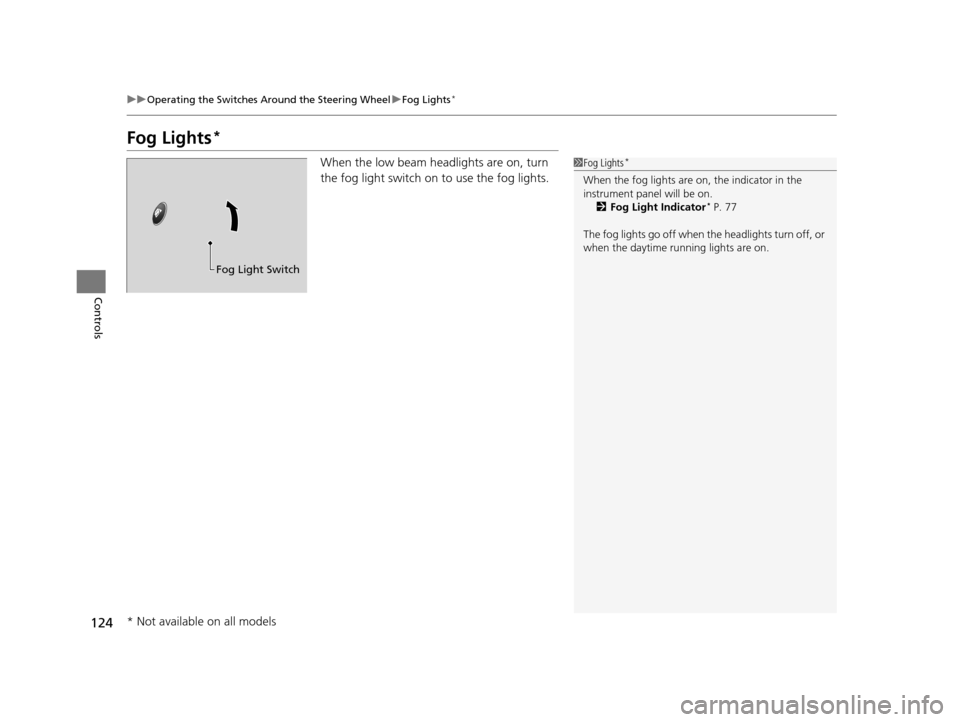
When the low beam headlights are on, turn
the fog light switch on to use the fog lights.1Fog Lights*
When the fog lights are on, the indicator in the
instrument pane l will be on.
2 Fog Light Indicator
* P. 77
The fog lights go off when th e headlights turn off, or
when the daytime running lights are on.
Fog Light Switch
* Not available on all models
15 US FIT-31T5A6000.book 124 ページ 2014年3月6日 木曜日 午後7時5分
Page 129 of 453
128
uuOperating the Switches Around the Steering Wheel uBrightness Control
Controls
Brightness Control
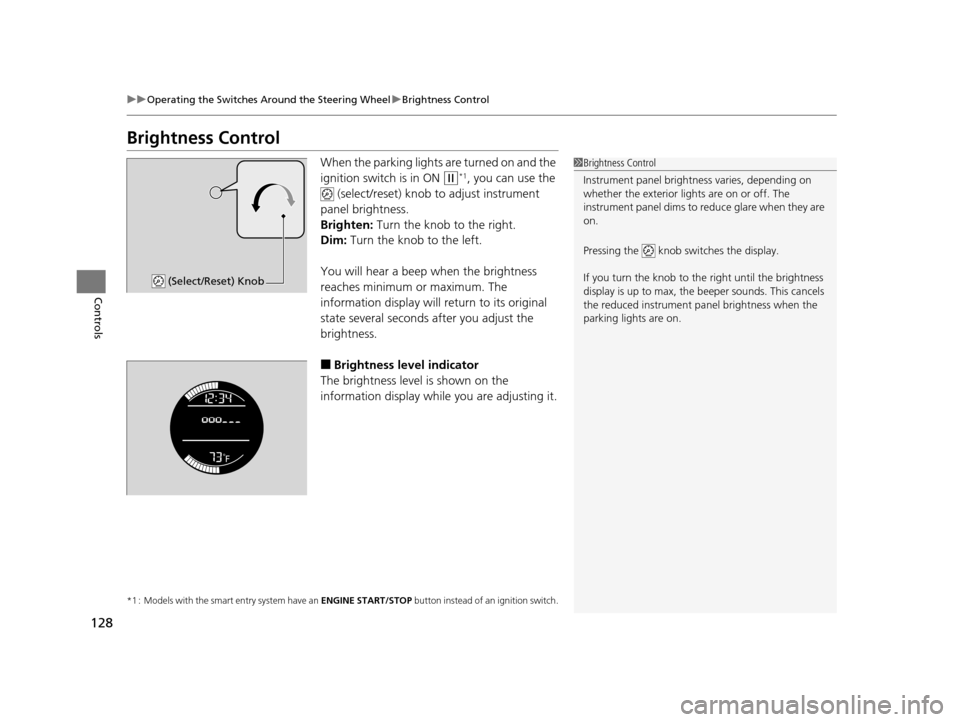
When the parking lights are turned on and the
ignition switch is in ON
(w*1, you can use the
(select/reset) knob to adjust instrument
panel brightness.
Brighten: Turn the knob to the right.
Dim: Turn the knob to the left.
You will hear a beep when the brightness
reaches minimum or maximum. The
information display will return to its original
state several seconds after you adjust the
brightness.
■Brightness level indicator
The brightness level is shown on the
information display while you are adjusting it.
*1 : Models with the smart entry system have an ENGINE START/STOP button instead of an ignition switch.
1Brightness Control
Instrument panel brightne ss varies, depending on
whether the exterior lights are on or off. The
instrument panel dims to reduce glare when they are
on.
Pressing the knob switches the display.
If you turn the knob to the right until the brightness
display is up to max, the beeper sounds. This cancels
the reduced instrument panel brightness when the
parking lights are on.
(Select/Reset) Knob
15 US FIT-31T5A6000.book 128 ページ 2014年3月6日 木曜日 午後7時5分
Page 131 of 453
130
uuOperating the Switches Around the Steering Wheel uAdjusting the Steering Wheel
Controls
Adjusting the Steering Wheel
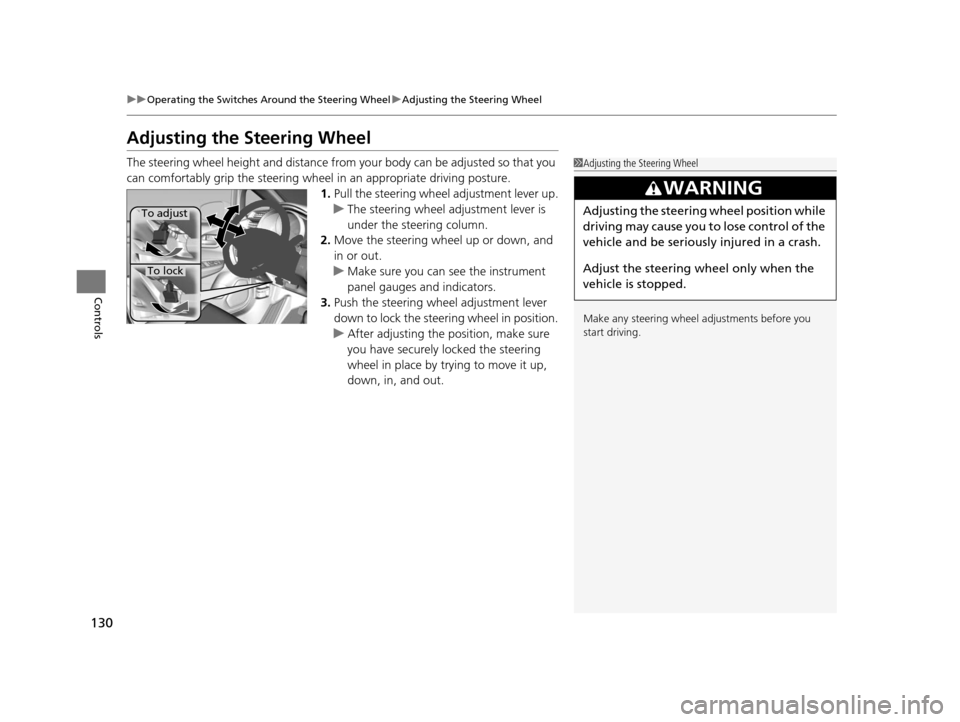
The steering wheel height and distance from your body can be adjusted so that you
can comfortably grip the steering wheel in an appropriate driving posture.
1.Pull the steering wheel adjustment lever up.
u The steering wheel adjustment lever is
under the steering column.
2. Move the steering wheel up or down, and
in or out.
u Make sure you can see the instrument
panel gauges and indicators.
3. Push the steering wheel adjustment lever
down to lock the steering wheel in position.
u After adjusting the position, make sure
you have securely locked the steering
wheel in place by trying to move it up,
down, in, and out.1Adjusting the Steering Wheel
Make any steering wheel adjustments before you
start driving.
3WARNING
Adjusting the steering wheel position while
driving may cause you to lose control of the
vehicle and be seriously injured in a crash.
Adjust the steering wheel only when the
vehicle is stopped.To adjust
To lock
15 US FIT-31T5A6000.book 130 ページ 2014年3月6日 木曜日 午後7時5分
Page 330 of 453
329
uuWhen Driving uCruise Control*
Continued
Driving
Cruise Control*
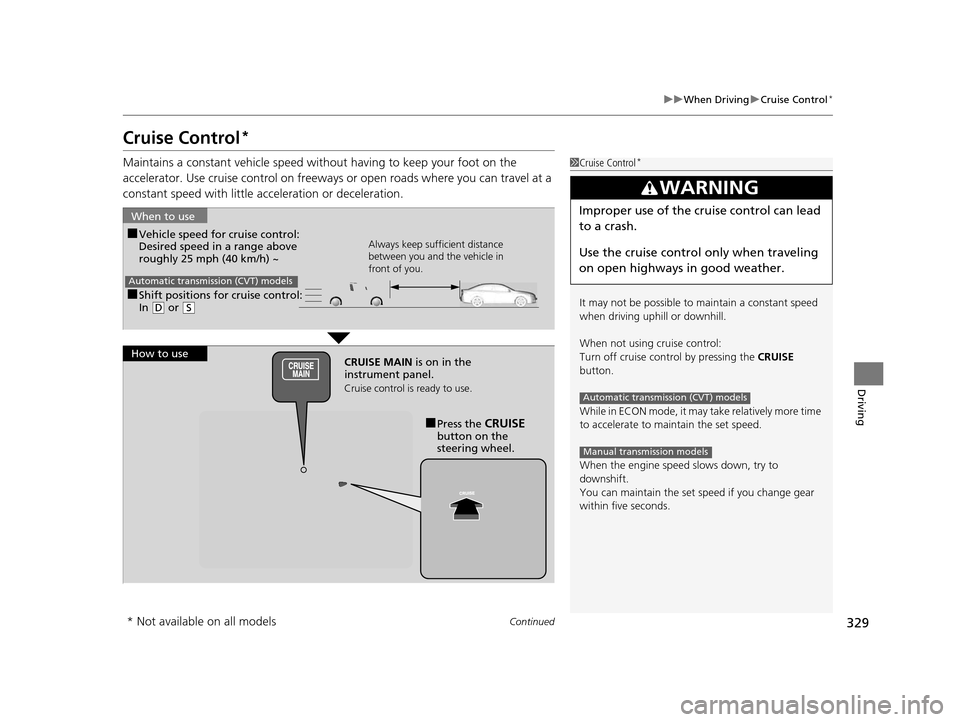
Maintains a constant vehicle speed without having to keep your foot on the
accelerator. Use cruise control on freeways or open road s where you can travel at a
constant speed with little ac celeration or deceleration.1Cruise Control*
It may not be possible to maintain a constant speed
when driving uphill or downhill.
When not using cruise control:
Turn off cruise control by pressing the CRUISE
button.
While in ECON mode, it may take relatively more time
to accelerate to maintain the set speed.
When the engine speed slows down, try to
downshift.
You can maintain the set sp eed if you change gear
within five seconds.
3WARNING
Improper use of the cruise control can lead
to a crash.
Use the cruise control only when traveling
on open highways in good weather.
Automatic transmission (CVT) models
Manual transmission models
■Shift positions for cruise control:
In ( D or (S
When to use
Always keep sufficient distance
between you and the vehicle in
front of you.
Automatic transmission (CVT) models
■Vehicle speed for cruise control:
Desired speed in a range above
roughly 25 mph (40 km/h) ~
How to use CRUISE MAIN is on in the
instrument panel.
Cruise control is ready to use.
■Press the CRUISE
button on the
steering wheel.
* Not available on all models
15 US FIT-31T5A6000.book 329 ページ 2014年3月6日 木曜日 午後7時5分
Page 358 of 453
357Continued
Maintenance
Maintenance MinderTM
If the engine oil life is less than 15%, you will see the Maintenance Minder messages
appear on the information display every ti me you turn the ignition switch to ON
(w*1. The messages notify you when to change the engine oil, or when to bring your
vehicle to a dealer for indicated maintenance services.
To Use Maintenance MinderTM
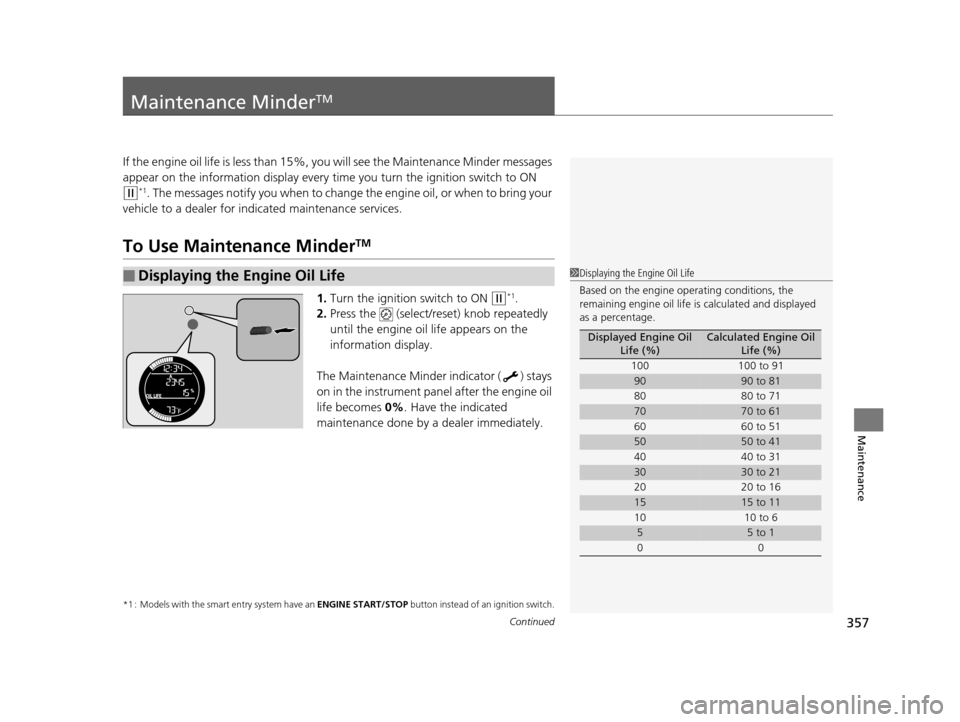
1. Turn the ignition switch to ON (w*1.
2. Press the (select/reset) knob repeatedly
until the engine oil life appears on the
information display.
The Maintenance Minder indicator ( ) stays
on in the instrument panel after the engine oil
life becomes 0% . Have the indicated
maintenance done by a dealer immediately.
*1 : Models with the smart entry system have an ENGINE START/STOP button instead of an ignition switch.
■Displaying the Engine Oil Life1Displaying the Engine Oil Life
Based on the engine ope rating conditions, the
remaining engine oi l life is calculated and displayed
as a percentage.
Displayed Engine Oil Life (%)Calculated Engine Oil Life (%)
100 100 to 91
9090 to 81
80 80 to 71
7070 to 61
60 60 to 51
5050 to 41
40 40 to 31
3030 to 21
20 20 to 16
1515 to 11
10 10 to 6
55 to 1
00
15 US FIT-31T5A6000.book 357 ページ 2014年3月6日 木曜日 午後7時5分
Page 426 of 453
425
uuFuses uFuse Locations
Continued
Handling the Unexpected
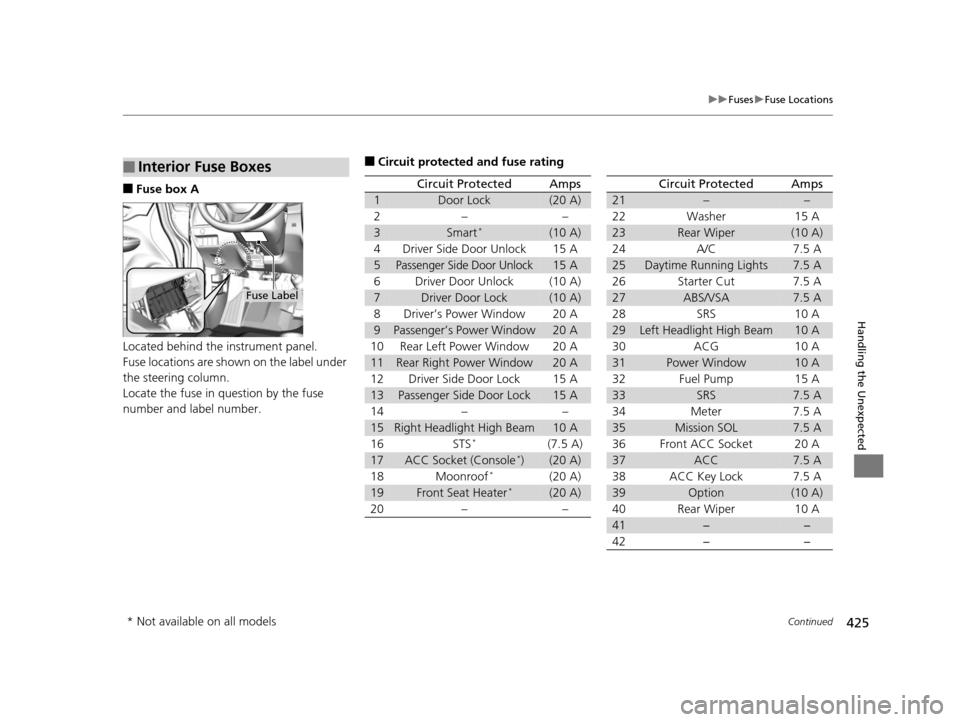
■Fuse box A
Located behind the instrument panel.
Fuse locations are shown on the label under
the steering column.
Locate the fuse in question by the fuse
number and label number.
■Interior Fuse Boxes
Fuse Label
■Circuit protected and fuse rating
Circuit ProtectedAmps
1Door Lock(20 A)
2––
3Smart*(10 A)
4Driver Side Door Unlock15 A
5Passenger Side Door Unlock15 A
6Driver Door Unlock(10 A)
7Driver Door Lock(10 A)
8Driver’s Power Window20 A
9Passenger’s Power Window20 A
10Rear Left Power Window20 A
11Rear Right Power Window20 A
12Driver Side Door Lock15 A
13Passenger Side Door Lock15 A
14––
15Right Headlight High Beam10 A
16STS*(7.5 A)
17ACC Socket (Console*)(20 A)
18Moonroof*(20 A)
19Front Seat Heater*(20 A)
20––
Circuit ProtectedAmps
21––
22Washer15 A
23Rear Wiper(10 A)
24A/C7.5 A
25Daytime Running Lights7.5 A
26Starter Cut7.5 A
27ABS/VSA7.5 A
28SRS10 A
29Left Headlight High Beam10 A
30ACG10 A
31Power Window10 A
32Fuel Pump15 A
33SRS7.5 A
34Meter7.5 A
35Mission SOL7.5 A
36Front ACC Socket20 A
37ACC7.5 A
38ACC Key Lock7.5 A
39Option(10 A)
40Rear Wiper10 A
41−−
42−−
* Not available on all models
15 US FIT-31T5A6000.book 425 ページ 2014年3月6日 木曜日 午後7時5分
Page 447 of 453
446
Index
Indicator ............................................ 70, 421
Parking Brake .......................................... 340
Brake System Indicator ............................... 70
Brightness Control (Instrument Panel) .... 128
Bulb Replacement ..................................... 373
Back-Up Light and Rear Turn Signal
Lights..................................................... 377
Brake/Tail/Rear Side Marker Lights ........... 378
Fog Lights ................................................ 375
Headlights ............................................... 373
High-Mount Brake Light .......................... 378
Rear License Plate Light............................ 379
Side Turn Signal, Emergency Indicator Lights..................................................... 376
Bulb Specifications .................................... 432
C
Carbon Monoxide Gas ................................ 66
Cargo Area Cover ..................................... 152
Cargo Floor Box ........................................ 148
Carrying Cargo .................................. 303, 305
CD Player ................................................... 179
Certification Label .................................... 434
Changing Bulbs ......................................... 373
Charging System Indicator ................. 71, 419
Child Safety ................................................. 54
Childproof Door Locks ............................. 102
Child Seat .................................................... 54
Booster Seats ............................................. 65
Child Seat for Infants ................................. 56 Child Seat for Small Children ..................... 57
Installing a Child Seat with a Lap/Shoulder
Seat Belt .................................................. 61
Larger Children ......................................... 64
Rear-facing Child Seat ............................... 56
Selecting a Child Seat ................................ 58
Childproof Door Locks ............................. 102
Cleaning the Exterior ............................... 400
Cleaning the Interior ................................ 398
Climate Control System ............................ 157
Clock ............................................................ 88
Coat Hook ................................................. 150
Compact Spare Tire .......................... 405, 433
Controls ....................................................... 87
Coolant (Engine) ...................................... 368
Adding to the Radiator ............................ 369
Adding to the Reserve Tank..................... 368
High Temperature Indicator ....................... 74
Low Temperature Indicator........................ 74
Overheating ............................................ 417
Creeping (Automatic Transmission) ........ 318
Cruise Control ........................................... 329
Indicator.................................................... 79
Cup Holders .............................................. 147
Customer Service Information ................. 442
D
Daytime Running Lights.......................... 125
Dead Battery ............................................ 414
Defrosting the Windshield and Windows ................................................. 156
Devices that Emit Radio Waves ............... 435
Dimming Headlights .............................................. 121
Rearview Mirror ...................................... 131
Dipstick (Engine Oil) ................................ 364
Directional Signals (Turn Signal) ............. 121
Display Setup .................................... 176, 198
Door Mirrors ............................................. 131
Doors .......................................................... 90
Auto Door Locking.................................. 103
Auto Door Unlocking .............................. 103
Door and Tailgate Open Indicator ....... 31, 75
Keys.......................................................... 90
Locking/Unlocking the Doors from the Inside ................................................ 99
Locking/Unlocking the Doors from the Outside ............................................. 93
Lockout Prevention System ....................... 98
DOT Tire Quality Grading ........................ 387
Driving ...................................................... 301
Automatic Transmission .......................... 318
Braking ................................................... 340
Cruise Control ........................................ 329
Shifting Gear .......................... 319, 321, 325
Starting the Engine ......................... 311, 313
Dust and Pollen Filter .............................. 397
15 US FIT-31T5A6000.book 446 ページ 2014年3月6日 木曜日 午後7時5分