manual transmission HONDA FIT 2019 (in English) User Guide
[x] Cancel search | Manufacturer: HONDA, Model Year: 2019, Model line: FIT, Model: HONDA FIT 2019Pages: 599, PDF Size: 53.09 MB
Page 162 of 599
160
uuOperating the Switches Around the Steering Wheel uLight Switches
Controls
Light Switches
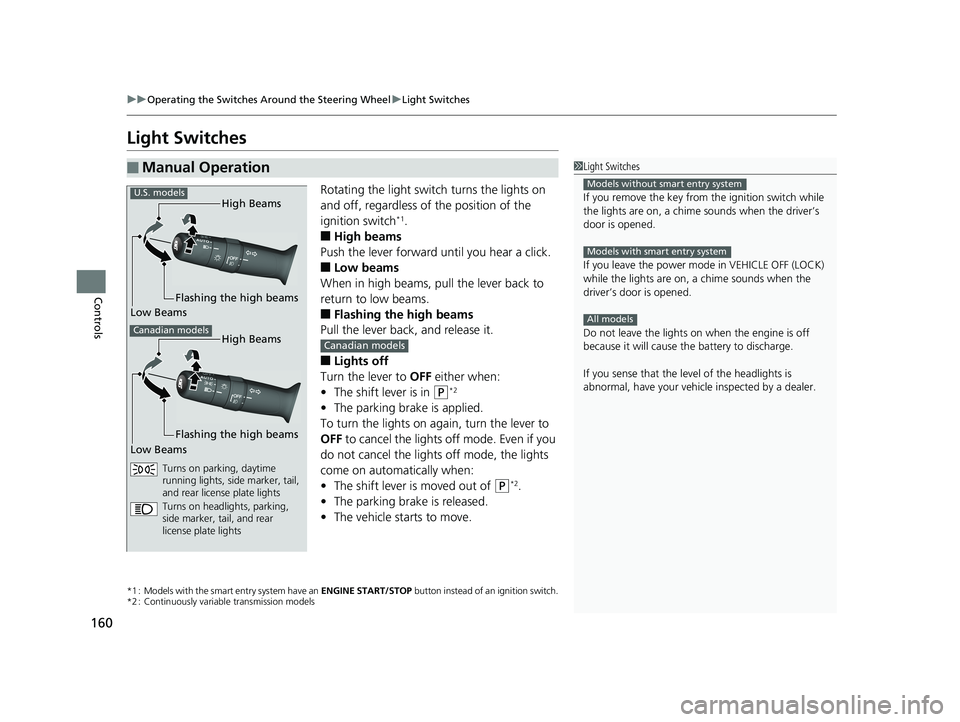
Rotating the light switch turns the lights on
and off, regardless of the position of the
ignition switch
*1.
■High beams
Push the lever forward until you hear a click.
■Low beams
When in high beams, pull the lever back to
return to low beams.
■Flashing the high beams
Pull the lever back, and release it.
■Lights off
Turn the lever to OFF either when:
• The shift lever is in
(P*2
•The parking brake is applied.
To turn the lights on again, turn the lever to
OFF to cancel the lights off mode. Even if you
do not cancel the lights off mode, the lights
come on automatically when:
• The shift lever is moved out of
(P*2.
• The parking brake is released.
• The vehicle starts to move.
*1 : Models with the smart entry system have an ENGINE START/STOP button instead of an ignition switch.
*2 : Continuously variable transmission models
■Manual Operation1 Light Switches
If you remove the key from the ignition switch while
the lights are on, a chime sounds when the driver’s
door is opened.
If you leave the power mode in VEHICLE OFF (LOCK)
while the lights are on, a chime sounds when the
driver’s door is opened.
Do not leave the lights on when the engine is off
because it will cause the battery to discharge.
If you sense that the le vel of the headlights is
abnormal, have your vehicle inspected by a dealer.
Models without smart entry system
Models with smart entry system
All models
High Beams
Flashing the high beams
Low Beams
Turns on parking, daytime
running lights, side marker, tail,
and rear license plate lights
Turns on headlights, parking,
side marker, tail, and rear
license plate lights
U.S. models
Canadian modelsHigh Beams
Flashing the high beams
Low Beams
Canadian models
19 FIT JAZZ-31T5A6400.book 160 ページ 2018年2月26日 月曜日 午後4時30分
Page 288 of 599
286
uuAudio System Basic Operation uWi-Fi Connection
Features
Wi-Fi Connection
You can connect the display audio system to the Internet using Wi-Fi and browse
websites or use online services on the audio/information screen. If your phone has
wireless hotspot capabilities, the system can be tethered to the phone. Use the
following steps to setup.
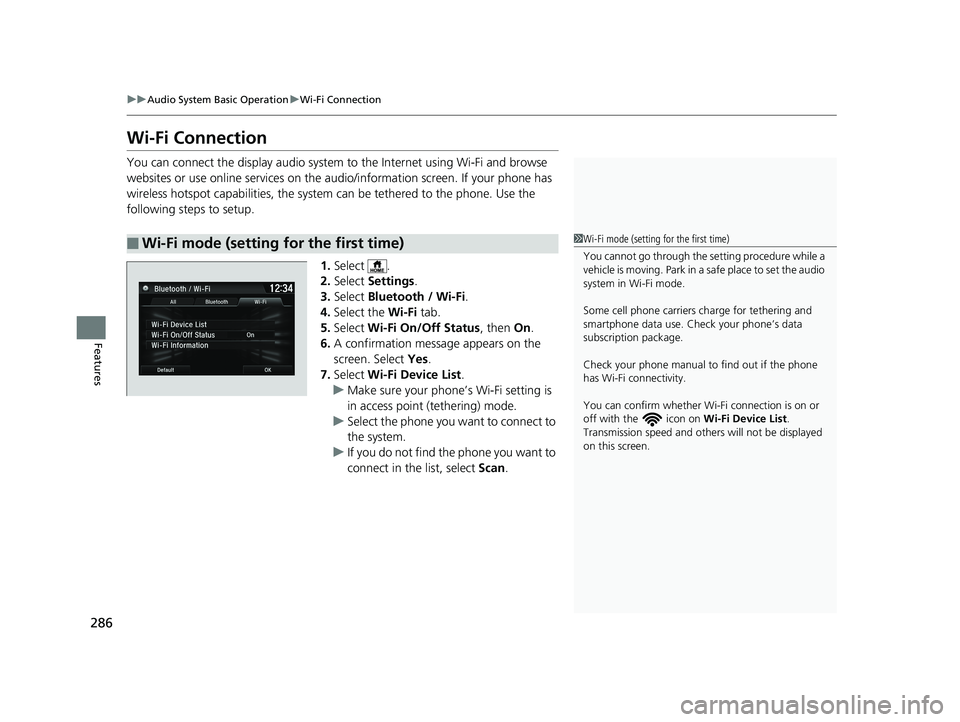
1.Select .
2. Select Settings .
3. Select Bluetooth / Wi-Fi .
4. Select the Wi-Fi tab.
5. Select Wi-Fi On/Off Status , then On.
6. A confirmation message appears on the
screen. Select Yes.
7. Select Wi-Fi Device List .
u Make sure your phone’s Wi-Fi setting is
in access point (tethering) mode.
u Select the phone you want to connect to
the system.
u If you do not find the phone you want to
connect in the list, select Scan.
■Wi-Fi mode (setting for the first time)1Wi-Fi mode (setting for the first time)
You cannot go through the setting procedure while a
vehicle is moving. Park in a safe place to set the audio
system in Wi-Fi mode.
Some cell phone carriers charge for tethering and
smartphone data use. Check your phone’s data
subscription package.
Check your phone manual to find out if the phone
has Wi-Fi connectivity.
You can confirm whether Wi -Fi connection is on or
off with the icon on Wi-Fi Device List.
Transmission speed and others will not be displayed
on this screen.
19 FIT JAZZ-31T5A6400.book 286 ページ 2018年2月26日 月曜日 午後4時30分
Page 323 of 599
321Continued
Features
Customized Features
Use the audio/information screen to customize certain features.
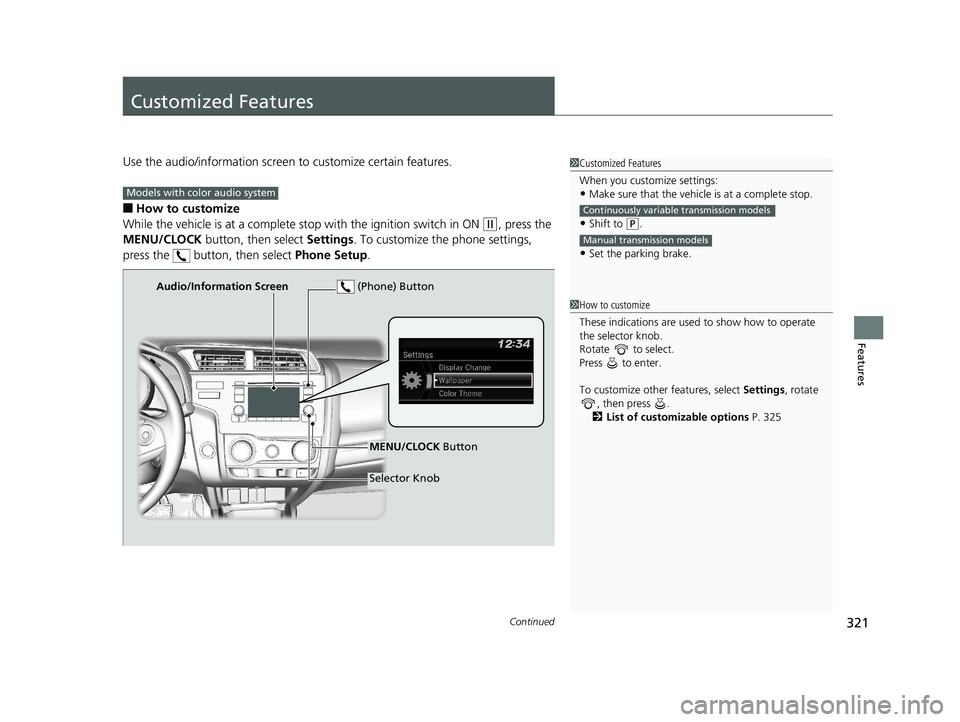
■How to customize
While the vehicle is at a complete st op with the ignition switch in ON
(w, press the
MENU/CLOCK button, then select Settings. To customize the phone settings,
press the button, then select Phone Setup.
1Customized Features
When you customize settings:
•Make sure that the vehicle is at a complete stop.
•Shift to (P.
•Set the parking brake.
Continuously variable transmission models
Manual transmission models
Models with color audio system
1 How to customize
These indications are used to show how to operate
the selector knob.
Rotate to select.
Press to enter.
To customize other features, select Settings, rotate
, then press .
2 List of customizable options P. 325
Audio/Information Screen
MENU/CLOCK Button
Selector Knob
(Phone) Button
19 FIT JAZZ-31T5A6400.book 321 ページ 2018年2月26日 月曜日 午後4時30分
Page 330 of 599
328
Features
Customized Features
Use the audio/information screen to customize certain features.
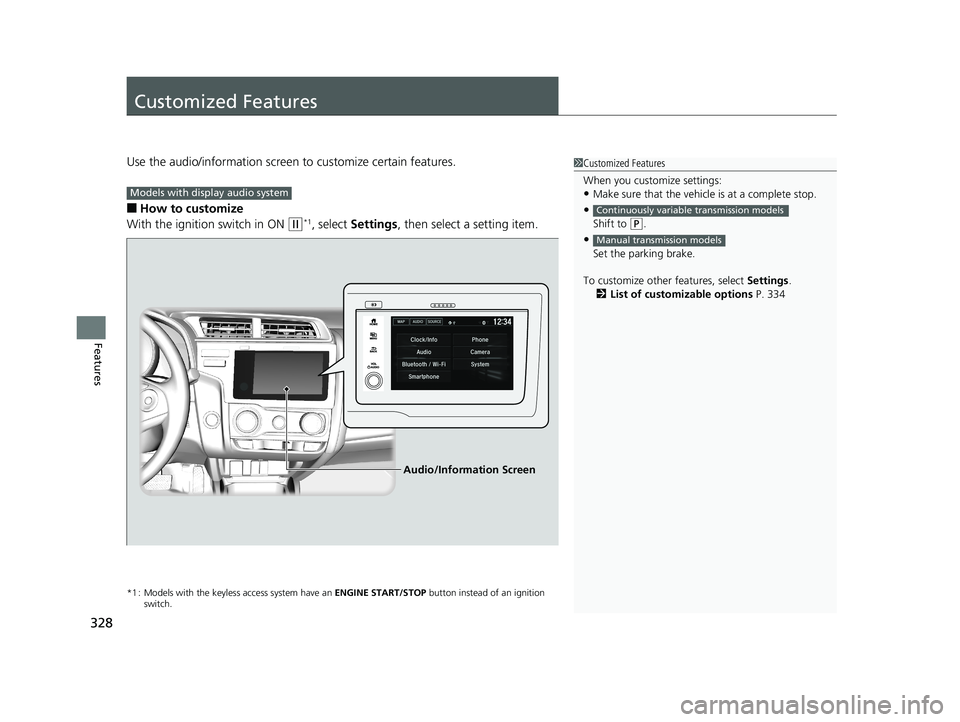
■How to customize
With the ignition switch in ON
(w*1, select Settings , then select a setting item.
*1 : Models with the keyless access system have an ENGINE START/STOP button instead of an ignition
switch.
1 Customized Features
When you customize settings:
•Make sure that the vehicle is at a complete stop.
•
Shift to (P.
•
Set the parking brake.
To customize other features, select Settings.
2 List of customizable options P. 334
Continuously variable transmission models
Manual transmission models
Models with display audio system
Audio/Information Screen
19 FIT JAZZ-31T5A6400.book 328 ページ 2018年2月26日 月曜日 午後4時30分
Page 401 of 599
399
Driving
This chapter discusses driving and refueling.
Before DrivingDriving Preparation .............................. 400
Maximum Load Limit............................ 403
Towing a Trailer .................................... 405
Towing Your Vehicle ............................ 406
When Driving
Starting the Engine .............................. 409
Starting the Engine .............................. 411
Precautions While Driving..................... 415
Continuously Variable Transmission
*.... 416
Shifting ................................................ 417
Models without smart entry system
Models with smart entry system
Continuously variable transmission models
without paddle shifters
Shifting................................................ 419
Shifting................................................ 423
ECON Button
*..................................... 427
Cruise Control*................................... 428
Front Sensor Camera*......................... 431
Adaptive Cruise Control (ACC)*........... 433Road Departure Mitigation (RDM) System*.... 447Lane Keeping Assist System (LKAS)*.... 452Vehicle Stability Assist® (VSA®), aka Electronic
Stability Control (ESC), System ............... 459
LaneWatchTM*...................................... 461
Tire Pressure Monitoring System (TPMS)..... 463
Continuously variable transmission models
with paddle shifters
Manual transmission models
Tire Pressure Monitoring System (TPMS) - Required Federal Explanation .............. 466
Braking Brake System ........................................ 468
Anti-lock Brake System (ABS) ................ 470
Brake Assist System .............................. 471
Collision Mitigation Braking SystemTM (CMBSTM)*... 472Parking Your VehicleWhen Stopped ..................................... 480
Multi-View Rear Camera ....................... 481
Refueling
Fuel Information ................................... 483
How to Refuel ...................................... 484
Fuel Economy and CO
2 Emissions
Improving Fuel Economy and Reducing CO2
Emissions ............................................. 486
* Not available on all models
19 FIT JAZZ-31T5A6400.book 399 ページ 2018年2月26日 月曜日 午後4時30分
Page 408 of 599
406
uuTowing a Trailer uTowing Your Vehicle
Driving
Towing Your Vehicle
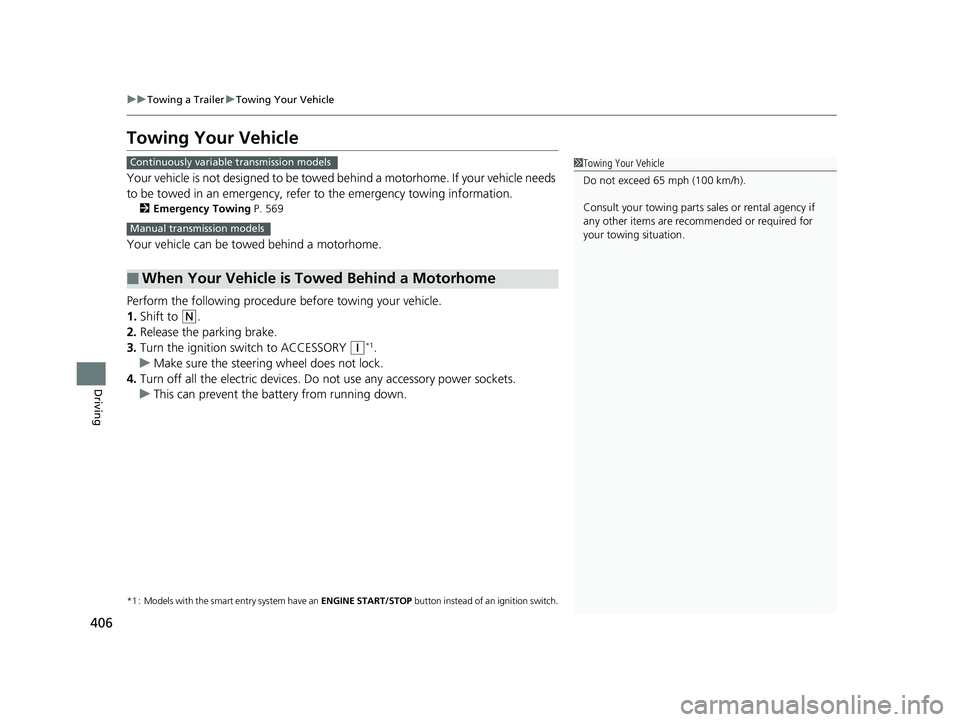
Your vehicle is not designed to be towed be hind a motorhome. If your vehicle needs
to be towed in an emergency, refe r to the emergency towing information.
2Emergency Towing P. 569
Your vehicle can be towed behind a motorhome.
Perform the following procedure before towing your vehicle.
1. Shift to
(N.
2. Release the parking brake.
3. Turn the ignition sw itch to ACCESSORY
(q*1.
u Make sure the steering wheel does not lock.
4. Turn off all the electric devices. Do not use any accessory power sockets.
u This can prevent the battery from running down.
*1 : Models with the smart entry system have an ENGINE START/STOP button instead of an ignition switch.
■When Your Vehicle is Towed Behind a Motorhome
1Towing Your Vehicle
Do not exceed 65 mph (100 km/h).
Consult your towing parts sales or rental agency if
any other items are recommended or required for
your towing situation.Continuously variable transmission models
Manual transmission models
19 FIT JAZZ-31T5A6400.book 406 ページ 2018年2月26日 月曜日 午後4時30分
Page 411 of 599
409Continued
Driving
When Driving
Starting the Engine
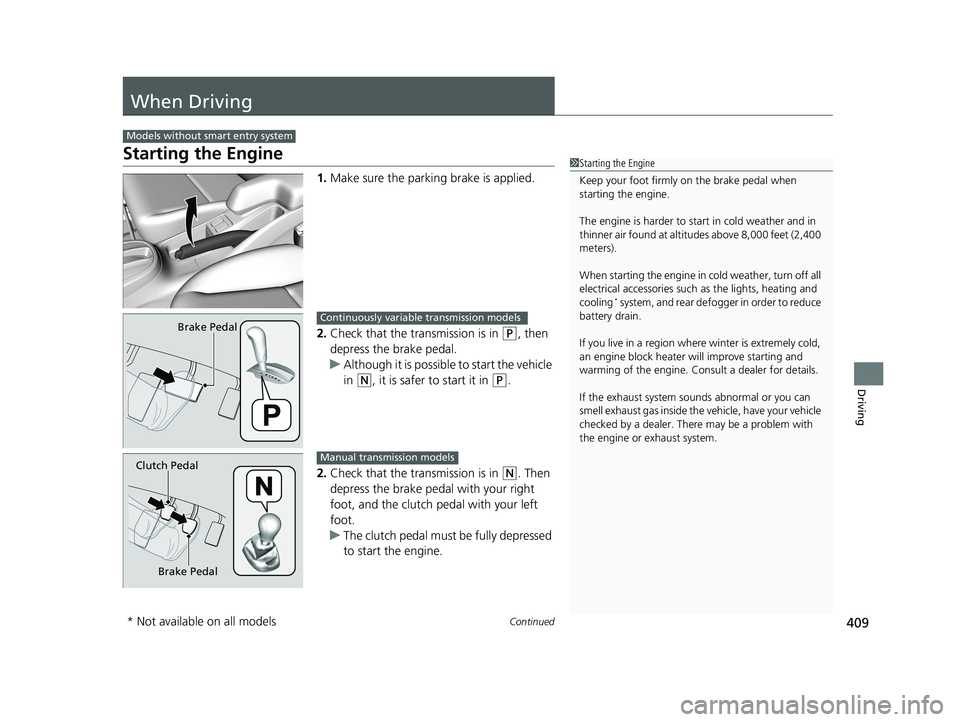
1.Make sure the parkin g brake is applied.
2. Check that the transmission is in
(P, then
depress the brake pedal.
u Although it is possible to start the vehicle
in
(N, it is safer to start it in (P.
2. Check that the transmission is in
(N. Then
depress the brake pedal with your right
foot, and the clutch pedal with your left
foot.
u The clutch pedal must be fully depressed
to start the engine.
Models without smart entry system
1Starting the Engine
Keep your foot firmly on the brake pedal when
starting the engine.
The engine is harder to st art in cold weather and in
thinner air found at altitudes above 8,000 feet (2,400
meters).
When starting the engine in cold weather, turn off all
electrical accessories such as the lights, heating and
cooling
* system, and rear defo gger in order to reduce
battery drain.
If you live in a region where winter is extremely cold,
an engine block heater will improve starting and
warming of the engine. Cons ult a dealer for details.
If the exhaust system sounds abnormal or you can
smell exhaust gas inside the vehicle, have your vehicle
checked by a dealer. There may be a problem with
the engine or exhaust system.
Brake PedalContinuously variable transmission models
Brake Pedal
Clutch Pedal
Manual transmission models
* Not available on all models
19 FIT JAZZ-31T5A6400.book 409 ページ 2018年2月26日 月曜日 午後4時30分
Page 412 of 599
uuWhen Driving uStarting the Engine
410
Driving
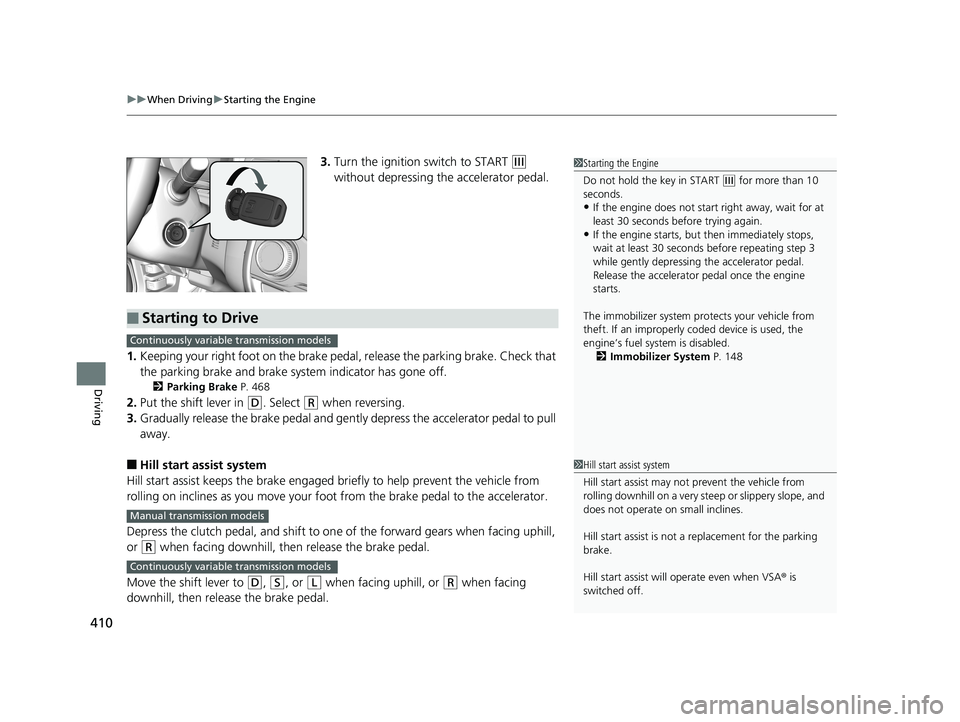
3. Turn the ignition switch to START (e
without depressing the accelerator pedal.
1. Keeping your right foot on the brake peda l, release the parking brake. Check that
the parking brake and brake system indicator has gone off.
2 Parking Brake P. 468
2.Put the shift lever in (D. Select (R when reversing.
3. Gradually release the brake pedal and gently depress the accelerator pedal to pull
away.
■Hill start assist system
Hill start assist keeps the brake engaged br iefly to help prevent the vehicle from
rolling on inclines as you move your fo ot from the brake pedal to the accelerator.
Depress the clutch pedal, and shift to on e of the forward gears when facing uphill,
or
(R when facing downhill, then release the brake pedal.
Move the shift lever to
(D, (S, or (L when facing uphill, or (R when facing
downhill, then release the brake pedal.
1 Starting the Engine
Do not hold the key in START
(e for more than 10
seconds.
•If the engine does not start right away, wait for at
least 30 seconds before trying again.
•If the engine starts, but then immediately stops,
wait at least 30 seconds before repeating step 3
while gently depressing the accelerator pedal.
Release the accelerator pedal once the engine
starts.
The immobilizer system pr otects your vehicle from
theft. If an improperly c oded device is used, the
engine’s fuel system is disabled. 2 Immobilizer System P. 148
■Starting to Drive
Continuously variable transmission models
Manual transmission models
Continuously variable transmission models
1Hill start assist system
Hill start assist may not prevent the vehicle from
rolling downhill on a very st eep or slippery slope, and
does not operate on small inclines.
Hill start assist is not a replacement for the parking
brake.
Hill start assist will operate even when VSA ® is
switched off.
19 FIT JAZZ-31T5A6400.book 410 ページ 2018年2月26日 月曜日 午後4時30分
Page 413 of 599
411
uuWhen Driving uStarting the Engine
Continued
Driving
Starting the Engine
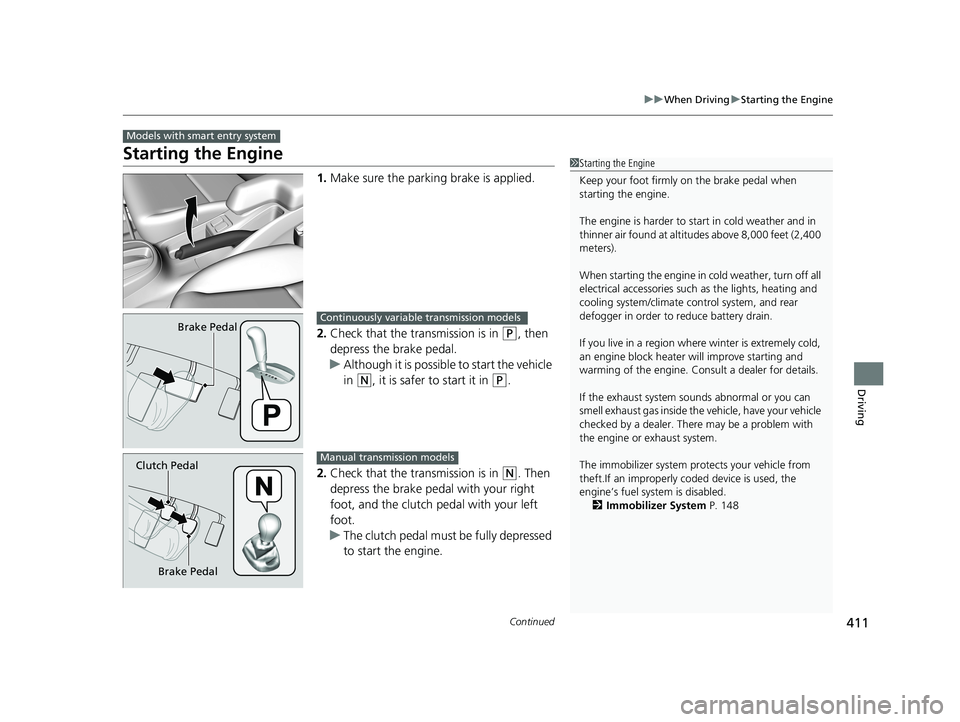
1. Make sure the parkin g brake is applied.
2. Check that the transmission is in
(P, then
depress the brake pedal.
u Although it is possible to start the vehicle
in
(N, it is safer to start it in (P.
2. Check that the transmission is in
(N. Then
depress the brake pedal with your right
foot, and the clutch pedal with your left
foot.
u The clutch pedal must be fully depressed
to start the engine.
Models with smart entry system
1Starting the Engine
Keep your foot firmly on the brake pedal when
starting the engine.
The engine is harder to st art in cold weather and in
thinner air found at altitudes above 8,000 feet (2,400
meters).
When starting the engine in cold weather, turn off all
electrical accessories such as the lights, heating and
cooling system/climate c ontrol system, and rear
defogger in order to reduce battery drain.
If you live in a region where winter is extremely cold,
an engine block heater will improve starting and
warming of the engine. Cons ult a dealer for details.
If the exhaust system sounds abnormal or you can
smell exhaust gas inside the vehicle, have your vehicle
checked by a dealer. There may be a problem with
the engine or exhaust system.
The immobilizer system pr otects your vehicle from
theft.If an improperly c oded device is used, the
engine’s fuel system is disabled.
2 Immobilizer System P. 148
Brake PedalContinuously variable transmission models
Brake Pedal
Clutch Pedal
Manual transmission models
19 FIT JAZZ-31T5A6400.book 411 ページ 2018年2月26日 月曜日 午後4時30分
Page 415 of 599
413
uuWhen Driving uStarting the Engine
Continued
Driving
You can turn the engine off when the vehicle is completely stopped.
1. Put the transmission into to
(P.
2. Press the ENGINE START/STOP button.
• If the transmission is in
(N, press the ENGINE START/STOP button.
• If the transmission is in any gear other than
(N, depress the clutch pedal, then
press the ENGINE START/STOP button.
1. Keeping your right foot on the brake pedal, release the parking brake. Check that
the parking brake and brake system indicator has gone off.
2 Parking Brake P. 468
2.Put the shift lever in (D. Select (R when reversing.
3. Gradually release the brake pedal and gently depress the accelerator pedal to pull
away.
■Stopping the Engine
■Starting to Drive
Continuously variable transmission models
Manual transmission models
Continuously variable transmission models
19 FIT JAZZ-31T5A6400.book 413 ページ 2018年2月26日 月曜日 午後4時30分