audio HONDA HR-V 2016 2.G Navigation Manual
[x] Cancel search | Manufacturer: HONDA, Model Year: 2016, Model line: HR-V, Model: HONDA HR-V 2016 2.GPages: 250, PDF Size: 4.84 MB
Page 126 of 250
125
Audio
This section describes how to operate the audio system. You can play music from a wide
array of media sources, and control the audio system using the touchscreen, remote
control, or voice control.
Audio System........................................ 126
About Your Audio System .................... 126
Audio System Theft Protection ............. 127
Audio Remote Controls ......................
.. 128
Steering Wheel Controls ...................... 128
Audio Settings ....................................
.. 131
Adjusting the Sound ............................ 132
Playing FM/AM Radio .........................
.. 133
Selecting FM/AM Mode........................ 133
Audio Screen Control ........................... 134
Audio Menu ........................................ 135
Playing SiriusXM ® Rad i
o *.....................137
Selecting SiriusXM ® Mode ..................
.. 137
Audio Screen Control ........................... 138
Audio Menu ........................................ 139 SiriusXM
® Radio Serv ice
........................140
Playing a Disc ......................................... 141
Selecting Disc Mode ..............................141
Audio Screen Control............................142
Playing MP3/WMA/AAC Discs ...............143
Audio Menu .........................................144
Recommended Discs .............................145
Playing an iPod ......................................
146
Selecting iPod Mode .............................147
Audio Screen Control............................148
Audio Menu .........................................149
Searching for Music ..............................150
Song By Voice
TM (SBV) ...........................151
Playing Pandora® ................................... 154
Selecting Pandora ® Mode . .....................154 Audio Screen Control ........................... 155
Audio Menu......................................... 156
Playing a USB Flash Drive .....................
157
Selecting USB Mode ............................. 158
Audio Screen Control ........................... 159
Audio Menu......................................... 160
Playing Blue
tooth® Audio .................... 161
Selecting Bluetooth ® Audio Mode
........ 161
Switching to HFL Mode ........................ 162
Audio Screen Control ........................... 163
Audio Menu......................................... 164
Playing a Video Using the HDMI ®........ 165
Se
lecting HDMI ® M ode ........................ 166
* Not available on all models
Page 127 of 250
126
Audio
Audio System
About Your Audio System
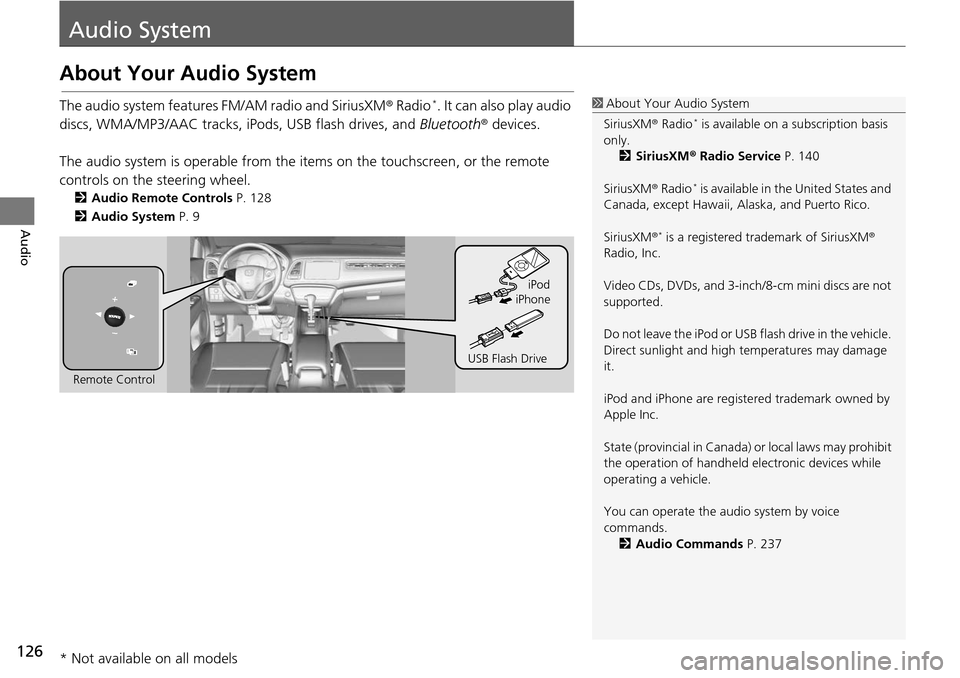
The audio system features FM/AM radio and SiriusXM® Radio *. It can also play audio
discs, WMA/MP3/AAC tracks, iP ods, USB flash drives, and Bluetooth® devices.
The audio system is operable from the it ems on the touchscreen,
or the remote
controls on the steering wheel.
2 Audio Remote Controls P. 128
2 Audio System P. 9
1 About Your Audio System
SiriusXM ® Radio
* is available on a subscription basis
only. 2 SiriusXM ® Radio Service P. 140
SiriusXM ® Radio
* is available in the United States and
Canada, except Ha waii, Alaska, and Puerto Rico.
SiriusXM ®
* is a registered trademark of SiriusXM®
Radio, Inc.
Video CDs, DVDs, and 3-inch /8-cm mini discs are not
supported.
Do not leave the iPod or USB flash drive in the vehicle.
Direct sunlight and high temperatures may damage
it.
iPod and iPhone are regist ered trademark owned by
Apple Inc.
State (provincial in Canada) or local laws may prohibit
the operation of handheld electronic devices while
operating a vehicle.
You can operate the audio system by voice
commands. 2 Audio Commands P. 237
Remote Control iPod
USB Flash Drive iPhone
* Not available on all models
Page 128 of 250
127
uu Audio System u Audio System Theft Protection
Audio
Audio System Theft Protection
The audio system is disabled when it is disconnected from the power source, such as
when the battery is disconnected or goes dead. In certain conditions, the system
may display Enter Code. If this occurs, reactivate the audio system.
■ R
eactivating the audio system
1. Set the power mode to ON.
2. Turn on the audio system.
3. Press and ho ld the au
dio system power button for more than two seconds.
u The audio system is reac tivat
ed when the audio control unit establishes a
connection with the vehicle control unit. If the control unit fails to recognize
the audio unit, you must go to a deal er and have the audio unit checked.
Page 129 of 250
128
Audio
Audio Remote Controls
Steering Wheel Controls
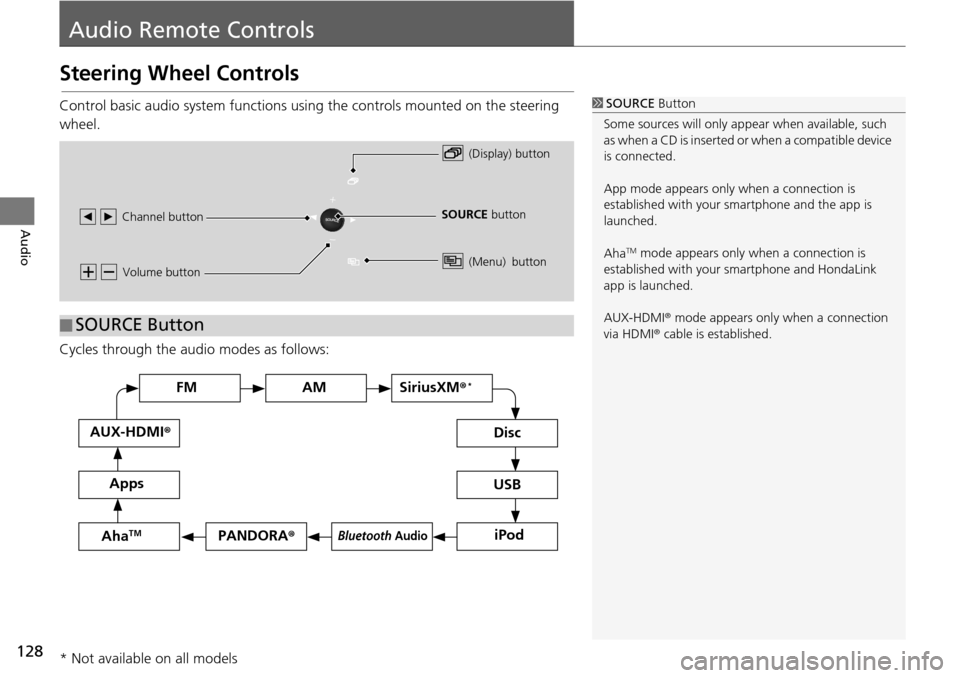
Control basic audio system functions using the controls mounted on the steering
wheel.
Cycles through the au d
i
o modes as follows:
1SOURCE Button
Some sources will only appe ar when available, such
as when a CD is inserted or when a compatible device
is connected.
App mode appears only when a connection is
established with your smartphone and the app is
launched.
Aha
TM mode appears only when a connection is
established with your smartphone and HondaLink
app is launched.
AUX-HDMI ® mode appears only when a connection
via HDMI ® cable is established.
Volume button
SOURCE button
Channel button
(Display) button
(Menu) button
■SOURCE Button
FM
PANDORA
®
AM SiriusXM® *
iPod
Disc
USBBluetooth Audio
Apps
AUX-HDMI
®
AhaTM
* Not available on all models
Page 130 of 250
129
uu Audio Remote Controls u Steering Wheel Controls
Continued
Audio
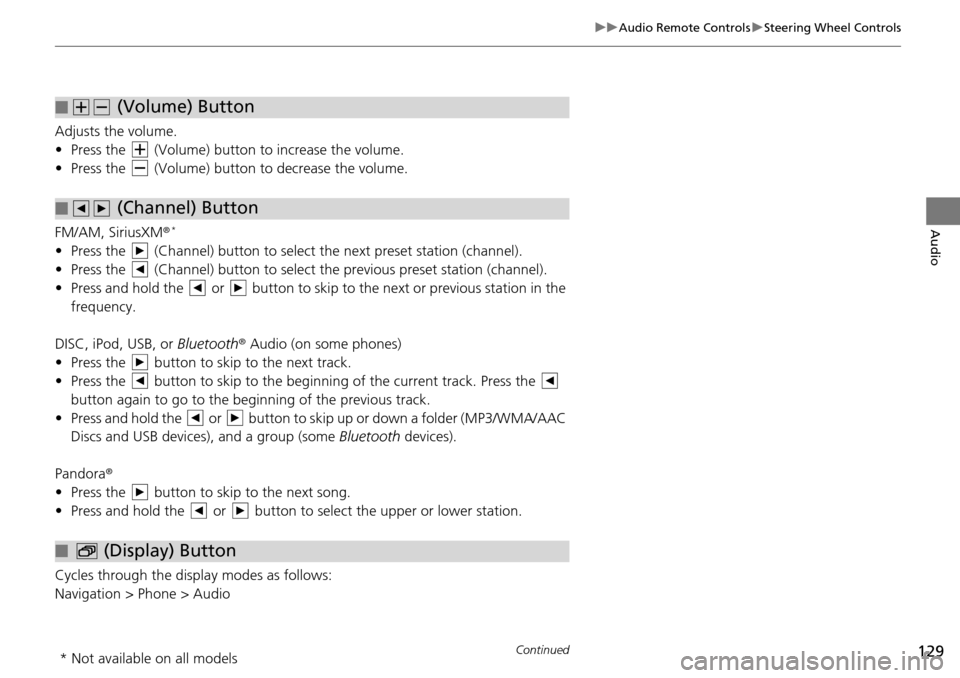
Adjusts the volume.
• Press the (Volume) button to increase the volume .
• Press the (Volume) button to decrease the
volume.
FM/AM, SiriusXM ®
*
• Press the (Channel) button to select the next preset station (channel).
• Press the (Channel) button to select the pr evious
preset station (channel).
• Press and hold the or button to skip to the next or previous station in t
he
frequency.
DISC, iPod, USB, or Bluetooth ® Aud
io (on some phones)
• Press the button to skip to the next track.
• Press the button to skip to the beginning of the current track. Press the
button again to go to the beginning of the previous track.
• Press and hold the or button to skip up or down a folder (MP3/WMA/AAC
Discs and USB devices), and a group (some Bl
uetooth de
vices).
Pandora ®
• Press the button to skip to the next song.
• Press and hold the or button to select the upper or lower station.
Cycles through the display modes as follows:
Navigation > Phone > Audio
■ (Volume) Button
■ (Channel) Button
■ (Display) Button
* Not available on all models
Page 131 of 250
130
uu Audio Remote Controls u Steering Wheel Controls
Audio
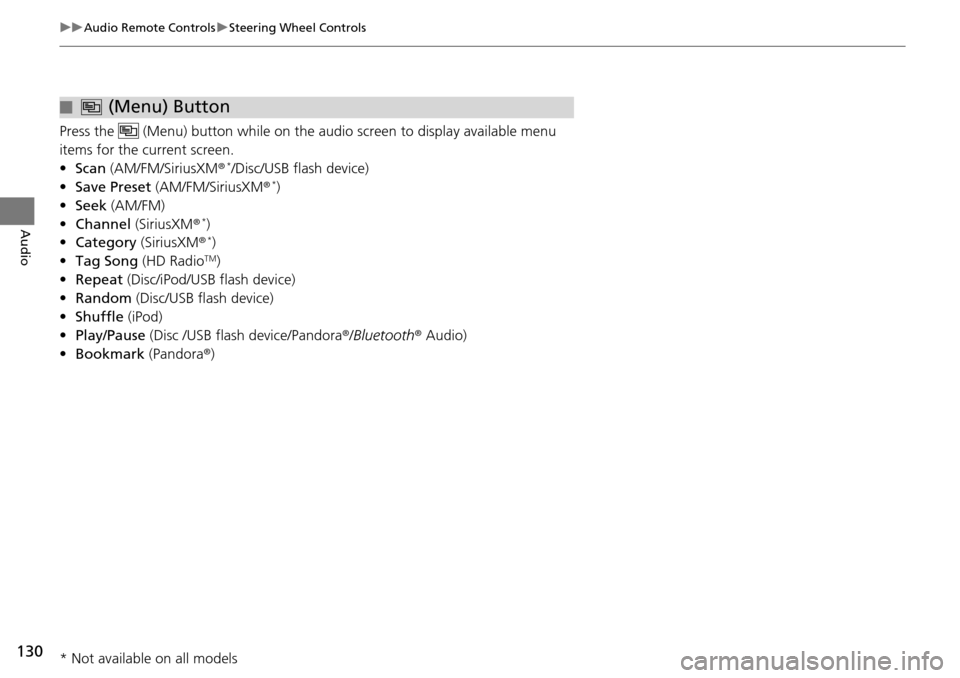
Press the (Menu) button while on the audio screen to display available menu
items for the current screen.
• Scan (AM/F M
/SiriusXM® */Disc/USB flash device)
• Save Preset (AM/F
M/SiriusXM® *)
• Seek (AM/F
M)
• Channel (Sirius
XM® *)
• Cate gory (Siriu
sXM® *)
• Tag Song (HD Ra
dioTM)
• Repeat (Disc/
iPod/USB flash device)
• Rand om (Dis
c/USB flash device)
• Shuffle (iPod)
• Play/Pause
(Disc /USB flash device/Pandora ®/Bluetooth ® Audio)
• Bookma rk (Pandora ®
)
■ (Menu) Button
* Not available on all models
Page 132 of 250
131Continued
Audio
Audio Settings
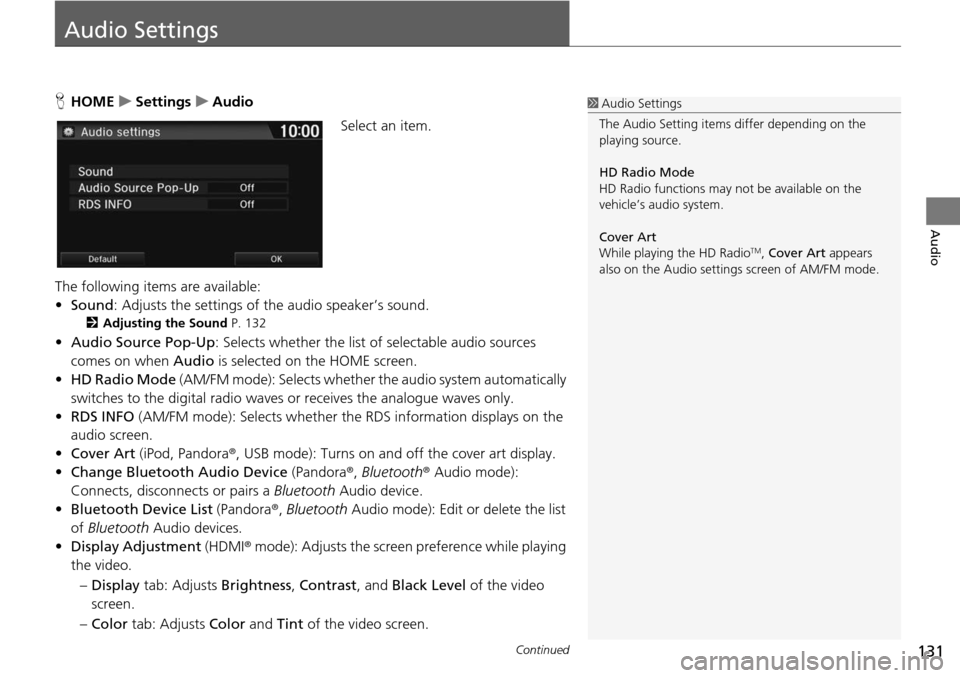
HHOME u Settings u Audio
Select an item.
The following items are available:
• Sound : Adjusts the settings
of the audio speaker’s sound.
2 Adjusting the Sound P. 132
• Audio Source Pop-Up : Selects whether the list of selectable audio sources
comes on when Audio is selected on the HOME screen.
• HD Ra dio Mode
(AM/FM mode): Selects whether the audio system automatically
switches to the digital radio waves or receives the analogue waves only.
• RDS INFO (AM/F
M mode): Selects whether th e RDS information displays on the
audio screen.
• Cover Art (iPod, Pandora ®, USB m
ode): Turns on and off the cover art display.
• Change Bluetooth Audio Device (Pandora®,
Bluetooth® Audio mode):
Connects, disconnects or pairs a Bluetooth Audio device.
• Bluetooth Device List (Pandora ®
, Bluetooth Audio mode): Edit or delete the list
of Bluetooth Audio devices.
• Displa y Adjustment (HDMI®
mode): Adjusts the screen preference while playing
the video.
– Dis play tab: Adj
usts Brightness , Contrast , and Black Level of the video
screen.
– Co lor tab:
Adjusts Color and Tint of the video screen.
1Audio Settings
The Audio Setting items di ffer depending on the
playing source.
HD Radio Mode
HD Radio functions may not be available on the
vehicle’s audio system.
Cover Art
While playing the HD Radio
TM, Cover Art appears
also on the Audio settings screen of AM/FM mode.
Page 133 of 250
uu Audio Settings u Adjusting the Sound
132
Audio
• Aspect Ratio Adjustment (HDMI® mode): Sets the aspect ratio of the image.
–Normal : Displays the image with the ratio of 4 to 3.
– Full: Displays the image in full-
screen.
– Zoom : Displays the enlarged image.
Adjusting the Sound
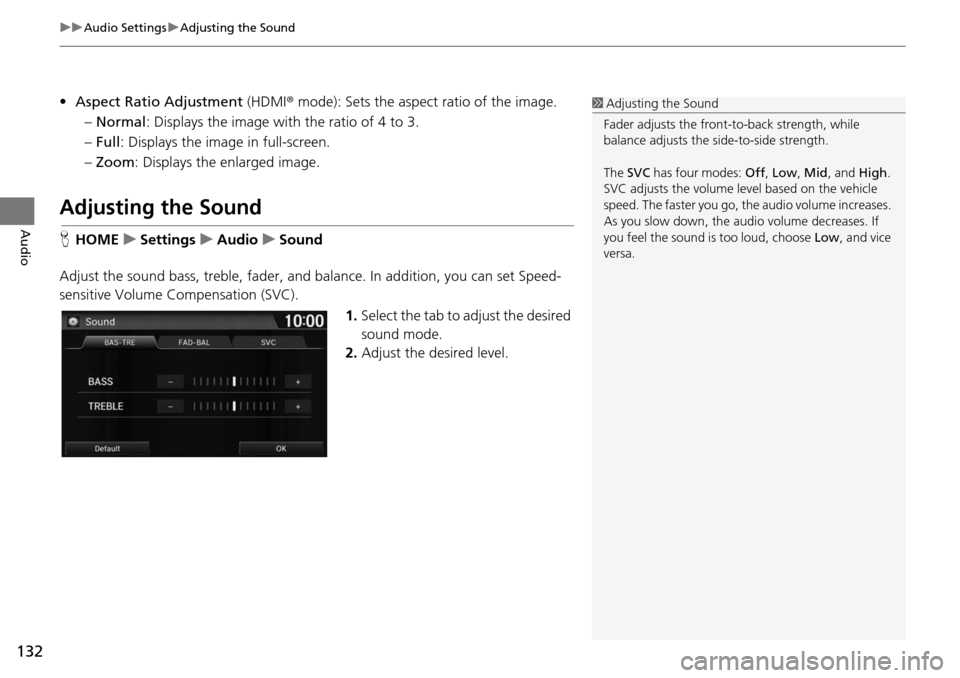
HHOME u Settings u Audio u Sound
Adjust the sound bass, treble, fader, and balance. In addition, you can set Speed-
sensitive Volume Compens
ation (SVC).
1.Select the tab to adjust the desired
so
und mode.
2. Adjust the desired level.
1Adjusting the Sound
Fader adjusts the front-t o-back strength, while
balance adjusts the side-to-side strength.
The SVC has four modes: Off, Low , Mid , and High.
SVC adjusts the volume level based on the vehicle
speed. The faster you go, th e audio volume increases.
As you slow down, the audio volume decreases. If
you feel the sound is too loud, choose Low, and vice
versa.
Page 134 of 250
133
Audio
Playing FM/AM Radio
Selecting FM/AM Mode
1.Select Audio on the HOME screen.
2. Select SOURCE .
3. Select the FM or AM icon.
4. Select the radio frequency with Tune, Seek , Scan or open the tab
and
select from stored presets.
u The band, fre quency, a
nd available subchannel number are displayed.
1Playing FM/AM Radio
“Radio Select FM/AM ”
You can control the radio using voice control
commands. 2 Radio Commands P. 237
A visual guide helps you operate the audio system.
2 System Controls P. 4
2 Basic Operation P. 9
The radio can receive the complete AM and FM
bands:
AM band: 530 to 1710 kHz
FM band: 87.7 to 107.9 MHz
You can store six AM stations and 12 FM stations in
the presets.
Page 135 of 250
134
uu Playing FM/AM Radio u Audio Screen Control
Audio
Audio Screen Control
H HOME u Audio u SOURCE u FM or AM icon
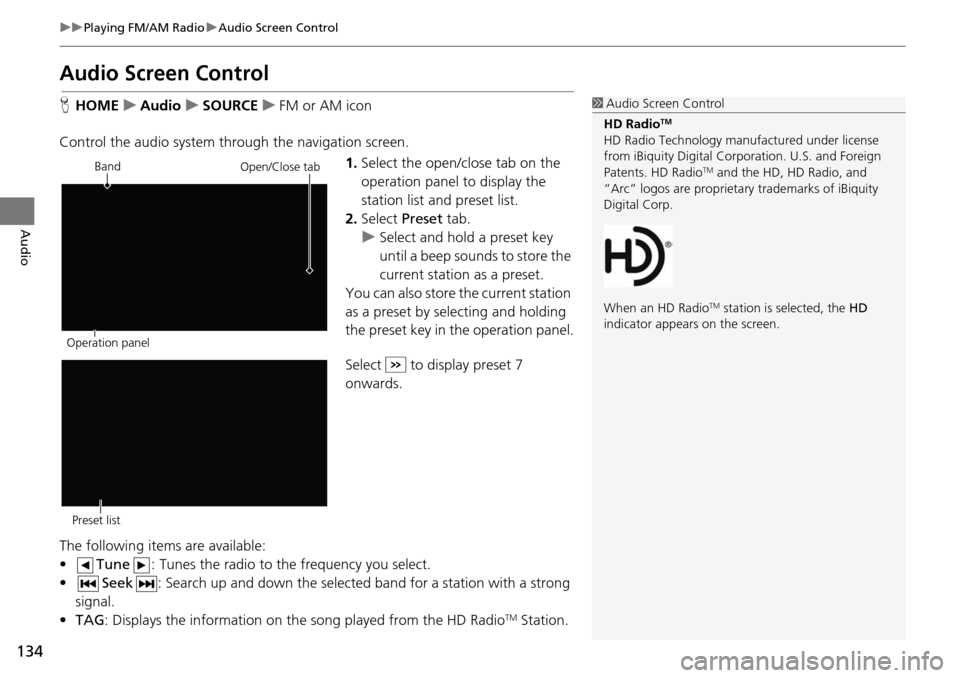
Control the audio system through the navigation screen. 1.Select the open/close tab on the
op
eration panel to display the
station list and preset list.
2. Select Preset tab.
u Select and hold a
preset key
until a beep sounds to store the
current station as a preset.
You can also store the current station
as a
preset by selecting and holding
the preset key in the operation panel.
Select to display preset 7
onwards.
The following items are available:
• Tune : Tunes the radio to the frequency you select.
• Seek : Search up and down the selected band for a station
with a strong
signal.
• TA G: Displays the informa
tion on the song played from the HD RadioTM Station.
1Audio Screen Control
HD Radio
TM
HD Radio Technology manufactured under license
from iBiquity Digital Cor poration. U.S. and Foreign
Patents. HD Radio
TM and the HD, HD Radio, and
“Arc” logos are proprietary trademarks of iBiquity
Digital Corp.
When an HD Radio
TM station is selected, the HD
indicator appears on the screen.
Band
Operation panelOpen/Close tab
Preset list