air condition HONDA HR-V 2016 2.G User Guide
[x] Cancel search | Manufacturer: HONDA, Model Year: 2016, Model line: HR-V, Model: HONDA HR-V 2016 2.GPages: 489, PDF Size: 26.59 MB
Page 167 of 489
uuClimate Control System*uUsing Automatic Climate Control
166
Controls
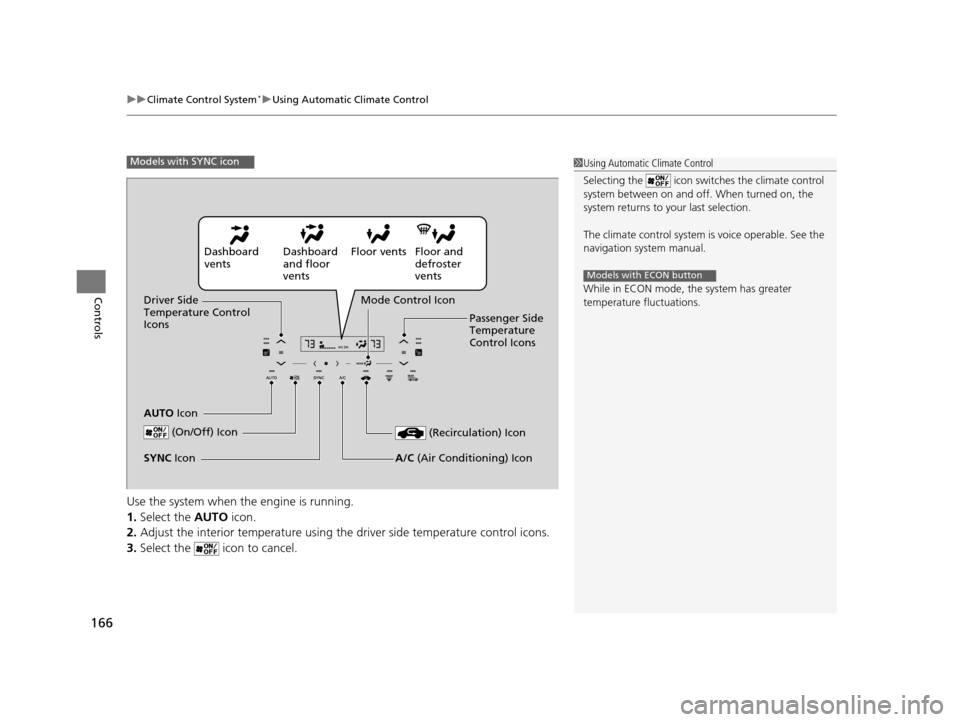
Use the system when the engine is running.
1. Select the AUTO icon.
2. Adjust the interior temperature using th e driver side temperature control icons.
3. Select the icon to cancel.
1Using Automatic Climate Control
Selecting the icon switches the climate control
system between on and off. When turned on, the
system returns to your last selection.
The climate control system is voice operable. See the
navigation sy stem manual.
While in ECON mode, the system has greater
temperature fluctuations.
Models with ECON button
Models with SYNC icon
Dashboard
vents Dashboard
and floor
ventsFloor vents Floor and
defroster
vents
Driver Side
Temperature Control
Icons
AUTO Icon Mode Control Icon
Passenger Side
Temperature
Control Icons
(On/Off) Icon
(Recirculation) Icon
A/C (Air Conditioning) IconSYNC Icon
15 HR-V GAS-31T7A6000.book 166 ページ 2015年6月29日 月曜日 午前11時36分
Page 168 of 489
167
uuClimate Control System*uUsing Automatic Climate Control
Continued
Controls
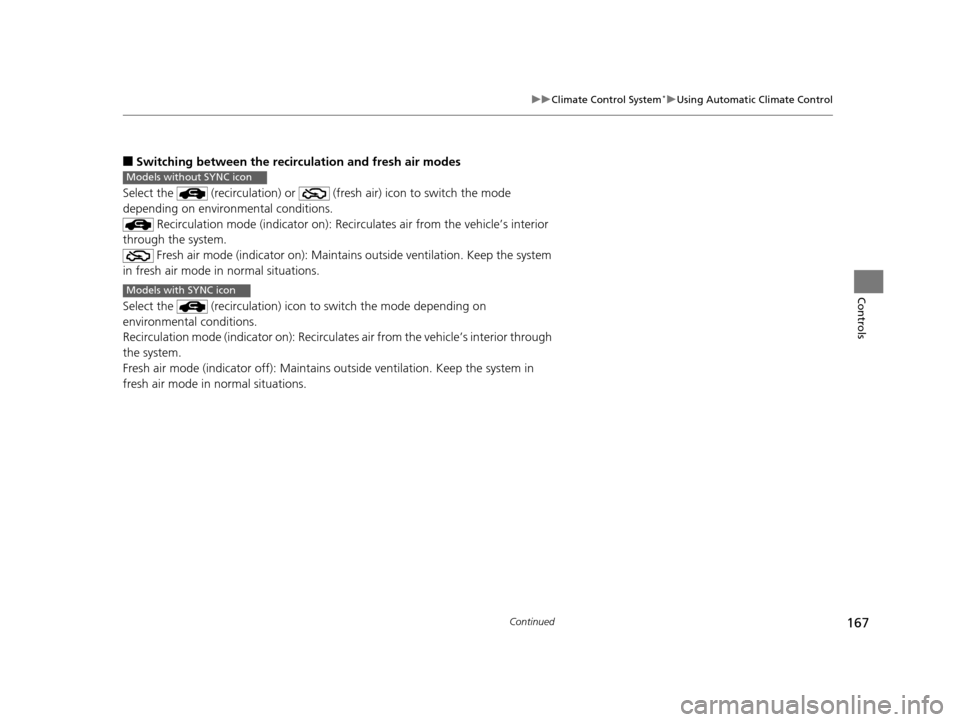
■Switching between the recirc ulation and fresh air modes
Select the (recirculation) or (fre sh air) icon to switch the mode
depending on environmental conditions. Recirculation mode (indicator on): Reci rculates air from the vehicle’s interior
through the system.
Fresh air mode (indicator on): Maintain s outside ventilation. Keep the system
in fresh air mode in normal situations.
Select the (recirculation) icon to switch the mode depending on
environmental conditions.
Recirculation mode (indicator on): Recirculat es air from the vehicle’s interior through
the system.
Fresh air mode (indicator off): Maintains outside ventilation. Keep the system in
fresh air mode in normal situations.
Models without SYNC icon
Models with SYNC icon
15 HR-V GAS-31T7A6000.book 167 ページ 2015年6月29日 月曜日 午前11時36分
Page 169 of 489
uuClimate Control System*uUsing Automatic Climate Control
168
Controls
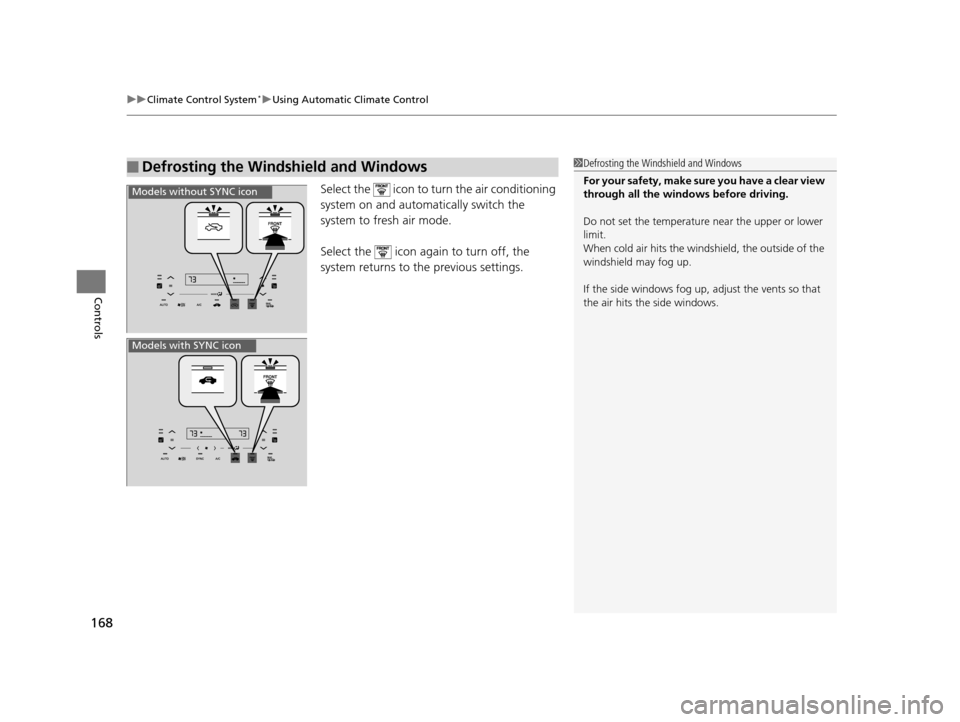
Select the icon to turn the air conditioning
system on and automa tically switch the
system to fresh air mode.
Select the icon again to turn off, the
system returns to the previous settings.
■Defrosting the Windshield and Windows1 Defrosting the Windshield and Windows
For your safety, make sure you have a clear view
through all the windows before driving.
Do not set the temperatur e near the upper or lower
limit.
When cold air hits the winds hield, the outside of the
windshield may fog up.
If the side windows fog up, adjust the vents so that
the air hits th e side windows.
Models without SYNC icon
Models with SYNC icon
15 HR-V GAS-31T7A6000.book 168 ページ 2015年6月29日 月曜日 午前11時36分
Page 305 of 489
uuBluetooth ® HandsFreeLink ®u HFL Menus
304
Features
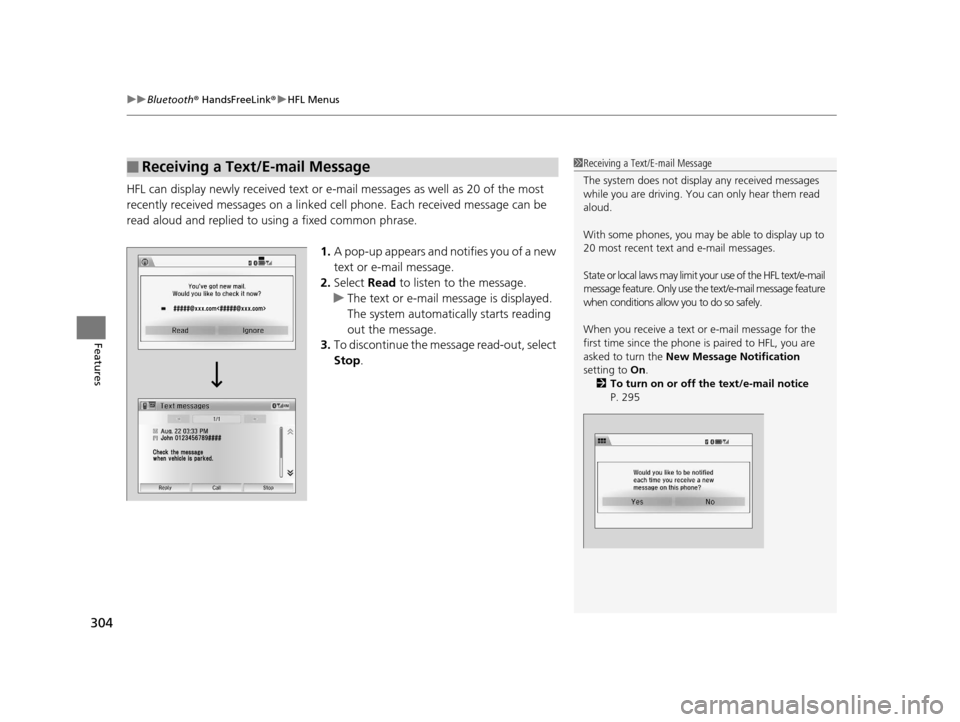
HFL can display newly received text or e- mail messages as well as 20 of the most
recently received messages on a linked cell phone. Each received message can be
read aloud and replied to using a fixed common phrase.
1.A pop-up appears and notifies you of a new
text or e-mail message.
2. Select Read to listen to the message.
u The text or e-mail message is displayed.
The system automatically starts reading
out the message.
3. To discontinue the message read-out, select
Stop .
■Receiving a Text/E-mail Message1Receiving a Text/E-mail Message
The system does not display any received messages
while you are driving. You can only hear them read
aloud.
With some phones, you may be able to display up to
20 most recent text and e-mail messages.
State or local laws may limit your use of the HFL text/e-mail
message feature. Only use the text/e-mail message feature
when conditions allow you to do so safely.
When you receive a text or e-mail message for the
first time since the phone is paired to HFL, you are
asked to turn the New Message Notification
setting to On.
2 To turn on or off the text/e-mail notice
P. 295
15 HR-V GAS-31T7A6000.book 304 ページ 2015年6月29日 月曜日 午前11時36分
Page 311 of 489
uuBluetooth ® HandsFreeLink ®u HFL Menus
310
Features
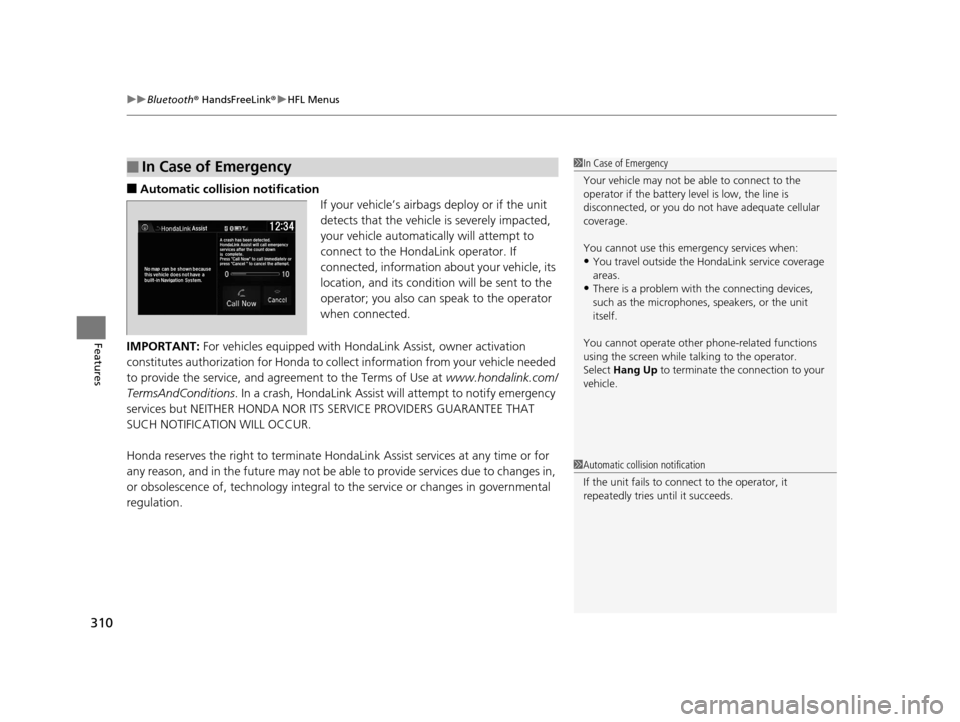
■Automatic collisi on notification
If your vehicle’s airbags deploy or if the unit
detects that the vehicle is severely impacted,
your vehicle automatically will attempt to
connect to the HondaLink operator. If
connected, information about your vehicle, its
location, and its condition will be sent to the
operator; you also can speak to the operator
when connected.
IMPORTANT: For vehicles equipped with Ho ndaLink Assist, owner activation
constitutes authorization for Honda to co llect information from your vehicle needed
to provide the service, and agr eement to the Terms of Use at www.hondalink.com/
TermsAndConditions . In a crash, HondaLink Assist w ill attempt to notify emergency
services but NEITHER HONDA NOR ITS SERVICE PROVIDERS GUARANTEE THAT
SUCH NOTIFICATION WILL OCCUR.
Honda reserves the right to terminate HondaLink Assist services at any time or for
any reason, and in the future may not be ab le to provide services due to changes in,
or obsolescence of, technology integral to the service or changes in governmental
regulation.
■In Case of Emergency1 In Case of Emergency
Your vehicle may not be able to connect to the
operator if the battery level is low, the line is
disconnected, or you do not have adequate cellular
coverage.
You cannot use this emergency services when:
•You travel outside the HondaLink service coverage
areas.
•There is a problem with the connecting devices,
such as the microphones, speakers, or the unit
itself.
You cannot operate othe r phone-related functions
using the screen while talking to the operator.
Select Hang Up to terminate the connection to your
vehicle.
1 Automatic collision notification
If the unit fails to connect to the operator, it
repeatedly tries until it succeeds.
15 HR-V GAS-31T7A6000.book 310 ページ 2015年6月29日 月曜日 午前11時36分
Page 315 of 489
314
Driving
Before Driving
Driving Preparation
Check the following items before you start driving.
• Make sure there are no obstructions on the windows, door mirrors, exterior
lights, or other parts of the vehicle.
u Remove any frost, snow, or ice.
u Remove any snow on the roof, as this can slip down and obstruct your field of
vision while driving. If frozen solid , remove ice once it has softened.
u When removing ice from around the wheels, be sure not to damage the wheel
or wheel components.
• Make sure the hood is securely closed.
u If the hood opens while driving, your front view will be blocked.
• Make sure the tires are in good condition.
u Check air pressure, check for damage and excessive wear.
2 Checking and Maintaining Tires P. 411
•Make sure there are no people or ob jects behind or around the vehicle.
u There are blind spots from the inside.
■Exterior Checks1Exterior Checks
NOTICE
When doors are frozen s hut, use warm water around
the door edges to melt any ice. Do not try to force
them open, as this can damage the rubber trim
around the doors. When done, wipe dry to avoid
further freezing.
Do not pour warm water into the key cylinder.
You will be unable to insert the key if the water
freezes in the hole.
Heat from the engine and exhaust can ignite
flammable material s left under the hood, causing a
fire. If you've parked y our vehicle for an extended
period, inspect and remove any debris that may have
collected, such as dried grass and leaves that have
fallen or have been carried in for use as a nest by a
small animal. Also check under the hood for leftover
flammable materials after you or someone else has
performed maintenance on your vehicle.
15 HR-V GAS-31T7A6000.book 314 ページ 2015年6月29日 月曜日 午前11時36分
Page 353 of 489
uuWhen Driving uLane Departure Warning (LDW)*
352
Driving
The system begins to search for lane mark ings when all the following conditions are
met:
• The vehicle is traveling between at 45-90 mph (72-145 km/h).
• The vehicle is on a straight or slightly curved road.
• The turn signals are off.
• The brake pedal is not pressed.
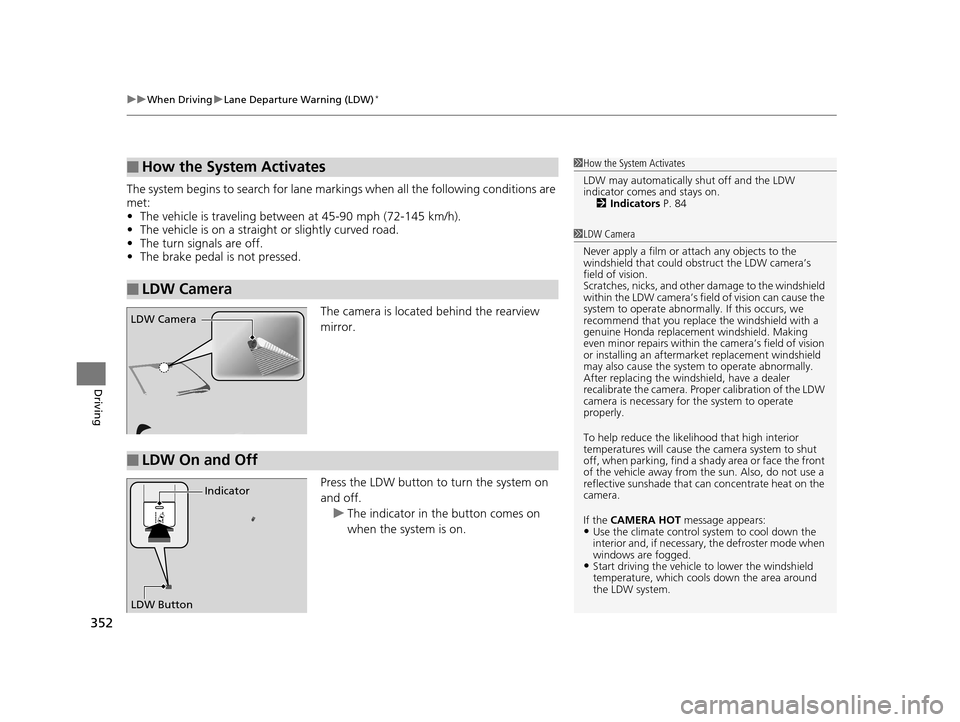
The camera is located behind the rearview
mirror.
Press the LDW button to turn the system on
and off. u The indicator in the button comes on
when the system is on.
■How the System Activates
■LDW Camera
1How the System Activates
LDW may automatically shut off and the LDW
indicator comes and stays on.
2 Indicators P. 84
1LDW Camera
Never apply a film or attach any objects to the
windshield that could obs truct the LDW camera’s
field of vision.
Scratches, nicks, and othe r damage to the windshield
within the LDW camera’s fi eld of vision can cause the
system to operate abnormall y. If this occurs, we
recommend that you replac e the windshield with a
genuine Honda replacem ent windshield. Making
even minor repairs within th e camera’s field of vision
or installing an aftermarket replacement windshield
may also cause the system to operate abnormally.
After replacing the winds hield, have a dealer
recalibrate the camera. Prop er calibration of the LDW
camera is necessary for the system to operate
properly.
To help reduce the likel ihood that high interior
temperatures will cause the camera system to shut
off, when parking, find a sh ady area or face the front
of the vehicle away from the sun. Also, do not use a
reflective sunshade that can concentrate heat on the
camera.
If the CAMERA HOT message appears:
•Use the climate control system to cool down the
interior and, if necessary , the defroster mode when
windows are fogged.
•Start driving the vehicle to lower the windshield
temperature, which cool s down the area around
the LDW system.
LDW Camera
■LDW On and Off
LDW Button Indicator
15 HR-V GAS-31T7A6000.book 352 ページ 2015年6月29日 月曜日 午前11時36分
Page 354 of 489
353
uuWhen Driving uLane Departure Warning (LDW)*
Driving
LDW may not activate or may not recognize lanes, and may activate even when
keeping in the middle of a lane under the following conditions.
■LDW Limitations
Condition
●When you drive in bad weather (rain, fog, etc.).●A heavy load in the rear or modificati ons to the suspension tilts your vehicle.●An abnormal tire condition is detected (wrong tire size, flat tire, etc.).●When the windshield is blocked by dirt, mud, leaves, wet snow, etc.●When the temperature inside the system is high.●A sudden change between light and dark such as an entr ance or exit of a tunnel.●You drive into the sunlight (e.g. at dawn or dusk).●When the windshield is dirty or cloudy.●When you drive in the shadows of trees, buildings, etc.●When you drive on a wet road su rface following another vehicle.
uThe camera may perceive the tire tracks in the water as lane lines.●When there is snow or wheel tracks on the side of the road.●When the road has many repaired areas or an erased lane line.●When the vehicle is running over pa inted signs or crosswalk markings.●When you drive in a lane with worn-out lane markups.
15 HR-V GAS-31T7A6000.book 353 ページ 2015年6月29日 月曜日 午前11時36分
Page 355 of 489
354
uuWhen Driving uVehicle Stability Assist (VSA® ), aka Electronic Stability Control (ESC), System
Driving
Vehicle Stability Assist (VSA®), aka Electronic
Stability Control (ESC), System
Helps to stabilize the vehicle during cornerin g if the vehicle turns more or less than
what was intended. It also assists in mainta ining traction on slippery surfaces. It does
so by regulating engine output and selectively applying the brakes.
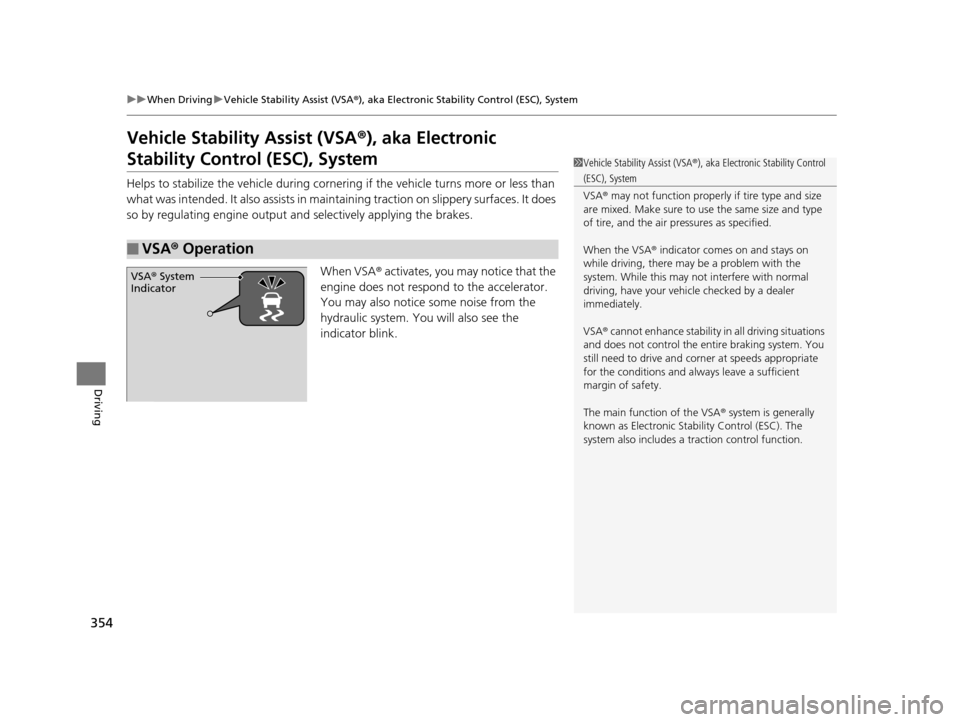
When VSA® activates, you may notice that the
engine does not respond to the accelerator.
You may also notice some noise from the
hydraulic system. You will also see the
indicator blink.
■VSA ® Operation
1 Vehicle Stability Assist (VSA ®), aka Electronic Stability Control
(ESC), System
VSA ® may not function properly if tire type and size
are mixed. Make sure to use the same size and type
of tire, and the air pr essures as specified.
When the VSA ® indicator comes on and stays on
while driving, there may be a problem with the
system. While this may not interfere with normal
driving, have your vehi cle checked by a dealer
immediately.
VSA ® cannot enhance stability in all driving situations
and does not control the entire braking system. You
still need to drive and corner at speeds appropriate
for the conditions and always leave a sufficient
margin of safety.
The main function of the VSA ® system is generally
known as Electronic Stability Control (ESC). The
system also includes a traction control function.
VSA® System
Indicator
15 HR-V GAS-31T7A6000.book 354 ページ 2015年6月29日 月曜日 午前11時36分
Page 378 of 489
377
Driving
Accessories and Modifications
Accessories
When installing accessories, check the following:
• Do not install accessories on the windsh ield. They can obstruct your view and
delay your reaction to driving conditions.
• Do not install accessories over areas marked SRS AIRBAG, on the sides or backs
of the front seats, on front or side pillars, or near the side windows.
Accessories installed in these areas may interfere with proper operation of the
vehicle’s airbags or may be propelled into you or another occupant if the airbags
deploy.
• Be sure electronic accessories do not overload electrical circuits or interfere with
proper operation of your vehicle.
2 Fuses P. 456
•Before installing any electro nic accessory, have the installer contact a dealer for
assistance. If possible, have a deal er inspect the final installation.
Modifications
Do not modify your vehicle or use non- Honda components that can affect its
handling, stability, and reliability.
Overall vehicle performance can be affect ed. Always make sure all equipment is
properly installed and maintained, and that it meets federal, state, province,
territory, and local regulations.
1 Accessories and Modifications
Honda Genuine accessor ies are recommended to
ensure proper operati on on your vehicle.
3WARNING
Improper accessories or modifications can
affect your vehicle’s handling, stability, and
performance, and cause a crash in which
you can be seriously hurt or killed.
Follow all instruction s in this owner’s
manual regarding accessories and
modifications.
15 HR-V GAS-31T7A6000.book 377 ページ 2015年6月29日 月曜日 午前11時36分