shield HONDA HR-V 2016 2.G User Guide
[x] Cancel search | Manufacturer: HONDA, Model Year: 2016, Model line: HR-V, Model: HONDA HR-V 2016 2.GPages: 489, PDF Size: 26.59 MB
Page 165 of 489
uuHeating and Cooling System*uUsing Vents, Heating and A/C
164
Controls
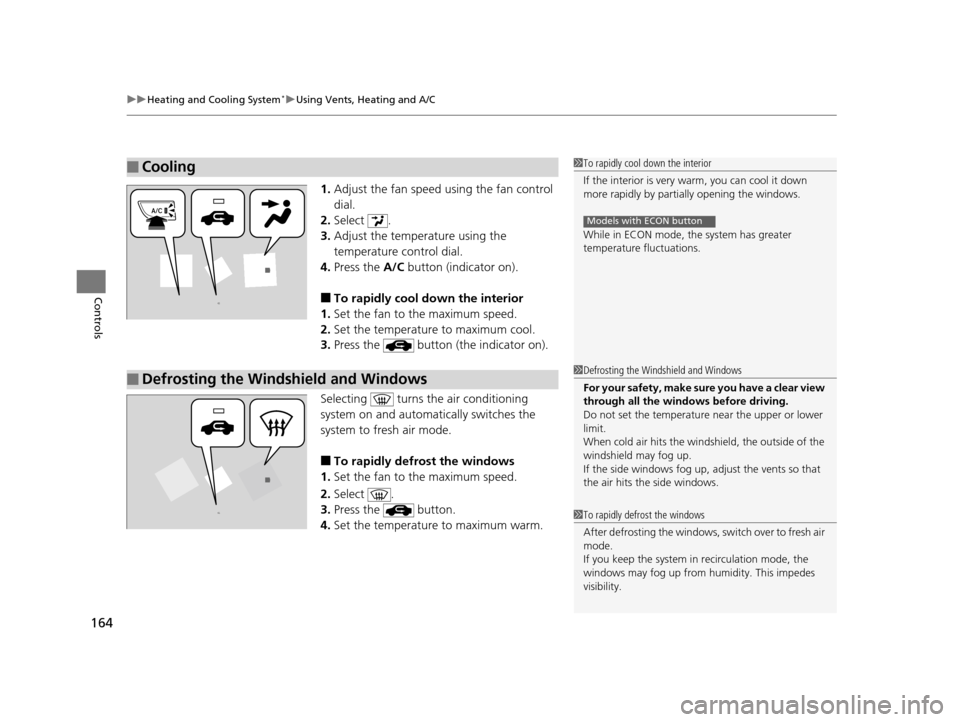
1. Adjust the fan speed using the fan control
dial.
2. Select .
3. Adjust the temperature using the
temperature control dial.
4. Press the A/C button (indicator on).
■To rapidly cool down the interior
1. Set the fan to the maximum speed.
2. Set the temperature to maximum cool.
3. Press the button (the indicator on).
Selecting turns th e air conditioning
system on and automa tically switches the
system to fresh air mode.
■To rapidly defrost the windows
1. Set the fan to the maximum speed.
2. Select .
3. Press the button.
4. Set the temperature to maximum warm.
■Cooling1To rapidly cool down the interior
If the interior is very warm, you can cool it down
more rapidly by parti ally opening the windows.
While in ECON mode, the system has greater
temperature fluctuations.
Models with ECON button
■Defrosting the Windshield and Windows1 Defrosting the Windshield and Windows
For your safety, make sure you have a clear view
through all the windows before driving.
Do not set the temperatur e near the upper or lower
limit.
When cold air hits the windshield, the outside of the
windshield may fog up.
If the side windows fog up, adjust the vents so that
the air hits th e side windows.
1To rapidly defrost the windows
After defrosting the windows, switch over to fresh air
mode.
If you keep the system in recirculation mode, the
windows may fog up from humidity. This impedes
visibility.
15 HR-V GAS-31T7A6000.book 164 ページ 2015年6月29日 月曜日 午前11時36分
Page 169 of 489
uuClimate Control System*uUsing Automatic Climate Control
168
Controls
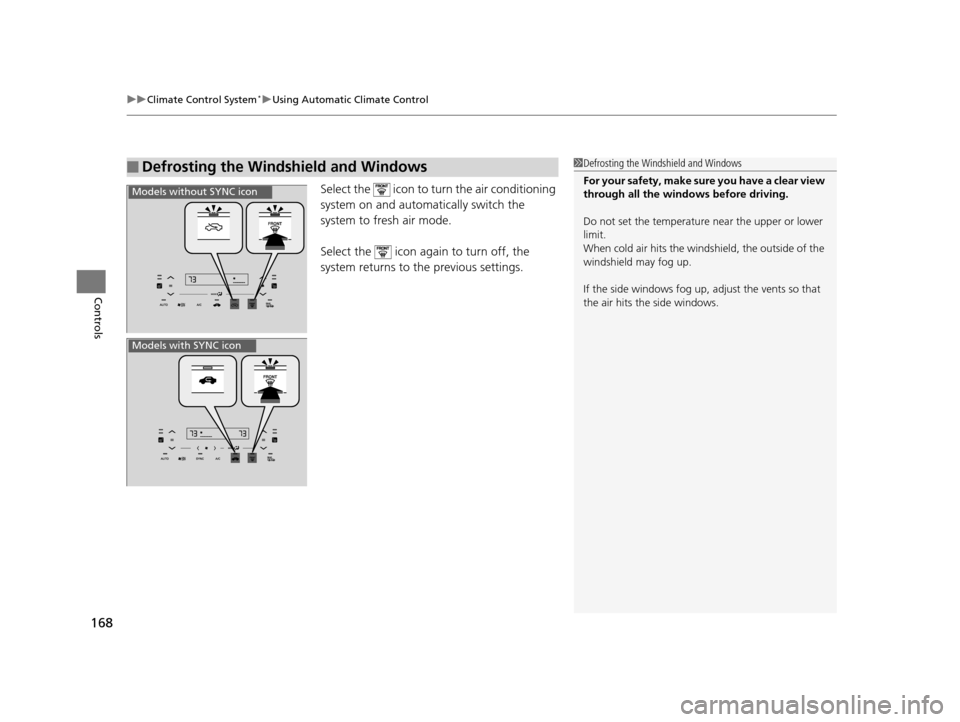
Select the icon to turn the air conditioning
system on and automa tically switch the
system to fresh air mode.
Select the icon again to turn off, the
system returns to the previous settings.
■Defrosting the Windshield and Windows1 Defrosting the Windshield and Windows
For your safety, make sure you have a clear view
through all the windows before driving.
Do not set the temperatur e near the upper or lower
limit.
When cold air hits the winds hield, the outside of the
windshield may fog up.
If the side windows fog up, adjust the vents so that
the air hits th e side windows.
Models without SYNC icon
Models with SYNC icon
15 HR-V GAS-31T7A6000.book 168 ページ 2015年6月29日 月曜日 午前11時36分
Page 349 of 489
uuWhen Driving uForward Collision Warning (FCW)*
348
Driving
1Forward Collision Warning (FCW)*
Never apply a film or attach any objects to the
windshield that could obs truct the FCW camera’s
field of vision.
Scratches, nicks, and othe r damage to the windshield
within the FCW camera’s fi eld of vision can cause the
system to operate abnormall y. If this occurs, we
recommend that you replac e the windshield with a
genuine Honda replacem ent windshield. Making
even minor repairs within th e camera’s field of vision
or installing an aftermarket replacement windshield
may also cause the system to operate abnormally.
After replacing the winds hield, have a dealer
recalibrate the camera. Prop er calibration of the FCW
camera is necessary for the system to operate
properly.
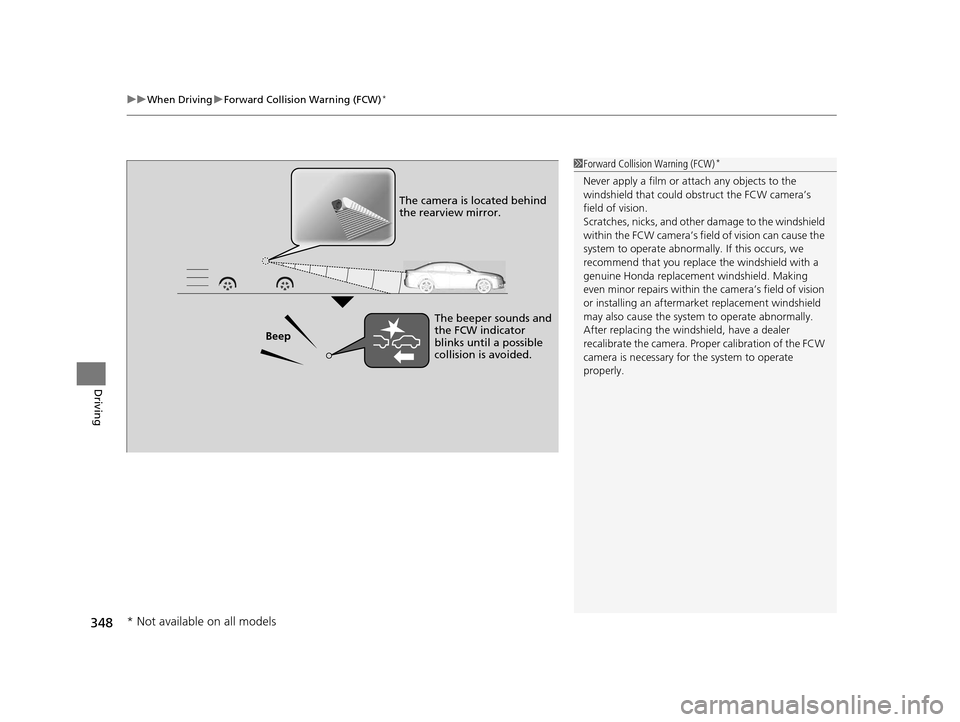
Beep The camera is located behind
the rearview mirror.
The beeper sounds and
the FCW indicator
blinks until a possible
collision is avoided.
* Not available on all models
15 HR-V GAS-31T7A6000.book 348 ページ 2015年6月29日 月曜日 午前11時36分
Page 350 of 489
Continued349
uuWhen Driving uForward Collision Warning (FCW)*
Driving
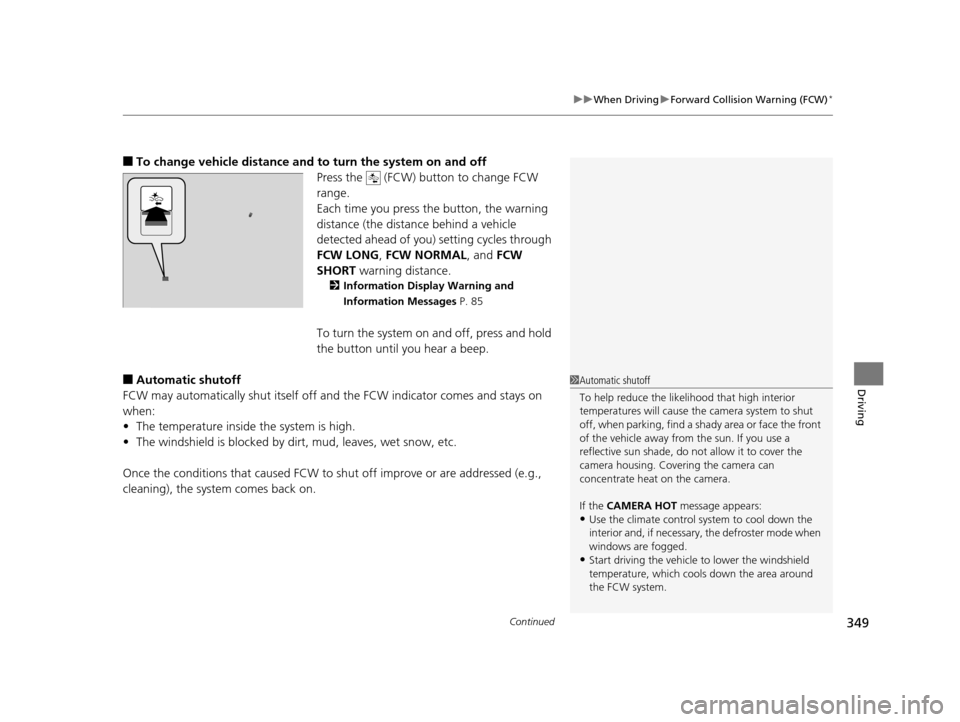
■To change vehicle distance and to turn the system on and off
Press the (FCW) button to change FCW
range.
Each time you press the button, the warning
distance (the distance behind a vehicle
detected ahead of you) setting cycles through
FCW LONG , FCW NORMAL , and FCW
SHORT warning distance.
2Information Display Warning and
Information Messages P. 85
To turn the system on and off, press and hold
the button until you hear a beep.
■Automatic shutoff
FCW may automatically shut itself off and the FCW indicator comes and stays on
when:
• The temperature inside the system is high.
• The windshield is blocked by dirt, mud, leaves, wet snow, etc.
Once the conditions that caused FCW to sh ut off improve or are addressed (e.g.,
cleaning), the system comes back on.1 Automatic shutoff
To help reduce the likel ihood that high interior
temperatures will cause the camera system to shut
off, when parking, find a shady area or face the front
of the vehicle away from the sun. If you use a
reflective sun shade, do not allow it to cover the
camera housing. Cove ring the camera can
concentrate heat on the camera.
If the CAMERA HOT message appears:
•Use the climate control system to cool down the
interior and, if necessary, the defroster mode when
windows are fogged.
•Start driving the vehicle to lower the windshield
temperature, which cool s down the area around
the FCW system.
15 HR-V GAS-31T7A6000.book 349 ページ 2015年6月29日 月曜日 午前11時36分
Page 351 of 489
350
uuWhen Driving uForward Collision Warning (FCW)*
Driving
FCW may not activate or may not detect a vehicle in front of your vehicle, and may activate even when you are aware of a vehicl e ahead
of you, or when there is no vehicl e ahead under the following conditions.
■FCW Limitations
Condition
●The distance between your vehicle and the vehicle ahead of you is too short.●A vehicle cuts in front of you at a slow speed, and it brakes suddenly.●A vehicle suddenly crosses in front of you.●When either your vehicle or the vehi cle ahead of you accelerates rapidly.●The vehicle ahead of you is a motorcycle, a small vehicle, or a unique vehicle such as a tractor.●When you drive off-road or on a mountain road, or curved and windi ng road for an extended period that makes it difficult for the camera to properly
detect a vehicle in front of you.
●When there are pedestrians or animals in front of your vehicle.●When you drive in bad weather (rain, fog, etc.).●A heavy load in the rear or modificati ons to the suspension tilts your vehicle.●An abnormal tire condition is detected (wrong tire size, flat tire, etc.).●When the windshield is blocked by dirt, mud, leaves, wet snow, etc.●When the temperature inside the system is high.●A sudden change between light and dark such as an entrance or exit of a tunnel.●You drive into the sunlight (e.g. at dawn or dusk).●When the windshield is dirty or cloudy.●When streetlights are perceived as the ta illight of a vehicle in front of yours.●When driving at night, the vehi cle ahead of you is running with either taillight bulb burned out.●When you drive in the shadows of trees, buildings, etc.
15 HR-V GAS-31T7A6000.book 350 ページ 2015年6月29日 月曜日 午前11時36分
Page 353 of 489
uuWhen Driving uLane Departure Warning (LDW)*
352
Driving
The system begins to search for lane mark ings when all the following conditions are
met:
• The vehicle is traveling between at 45-90 mph (72-145 km/h).
• The vehicle is on a straight or slightly curved road.
• The turn signals are off.
• The brake pedal is not pressed.
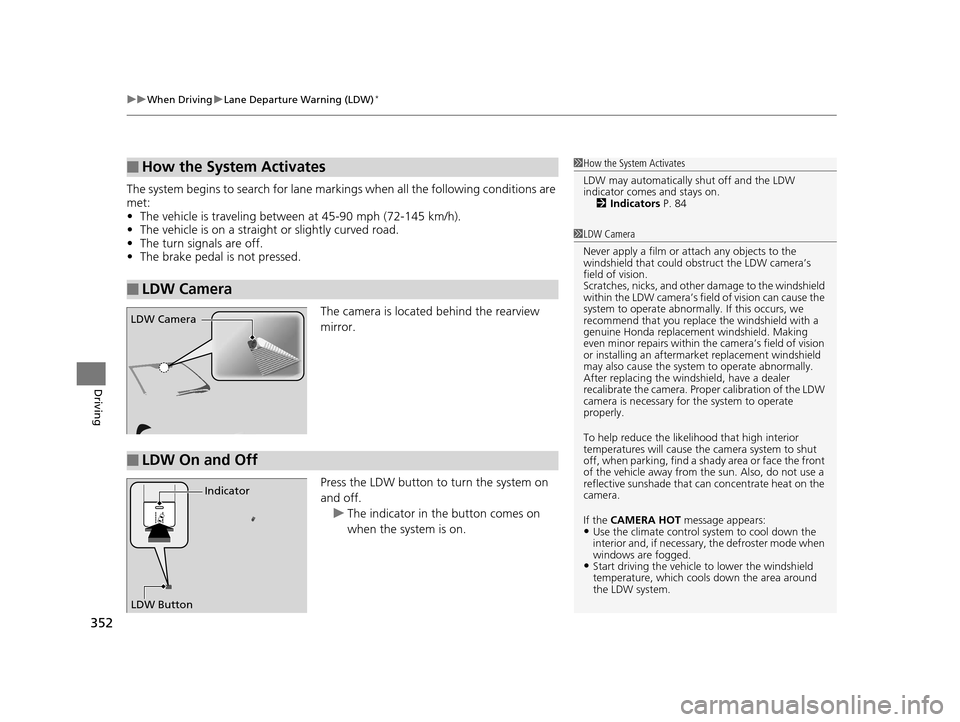
The camera is located behind the rearview
mirror.
Press the LDW button to turn the system on
and off. u The indicator in the button comes on
when the system is on.
■How the System Activates
■LDW Camera
1How the System Activates
LDW may automatically shut off and the LDW
indicator comes and stays on.
2 Indicators P. 84
1LDW Camera
Never apply a film or attach any objects to the
windshield that could obs truct the LDW camera’s
field of vision.
Scratches, nicks, and othe r damage to the windshield
within the LDW camera’s fi eld of vision can cause the
system to operate abnormall y. If this occurs, we
recommend that you replac e the windshield with a
genuine Honda replacem ent windshield. Making
even minor repairs within th e camera’s field of vision
or installing an aftermarket replacement windshield
may also cause the system to operate abnormally.
After replacing the winds hield, have a dealer
recalibrate the camera. Prop er calibration of the LDW
camera is necessary for the system to operate
properly.
To help reduce the likel ihood that high interior
temperatures will cause the camera system to shut
off, when parking, find a sh ady area or face the front
of the vehicle away from the sun. Also, do not use a
reflective sunshade that can concentrate heat on the
camera.
If the CAMERA HOT message appears:
•Use the climate control system to cool down the
interior and, if necessary , the defroster mode when
windows are fogged.
•Start driving the vehicle to lower the windshield
temperature, which cool s down the area around
the LDW system.
LDW Camera
■LDW On and Off
LDW Button Indicator
15 HR-V GAS-31T7A6000.book 352 ページ 2015年6月29日 月曜日 午前11時36分
Page 354 of 489
353
uuWhen Driving uLane Departure Warning (LDW)*
Driving
LDW may not activate or may not recognize lanes, and may activate even when
keeping in the middle of a lane under the following conditions.
■LDW Limitations
Condition
●When you drive in bad weather (rain, fog, etc.).●A heavy load in the rear or modificati ons to the suspension tilts your vehicle.●An abnormal tire condition is detected (wrong tire size, flat tire, etc.).●When the windshield is blocked by dirt, mud, leaves, wet snow, etc.●When the temperature inside the system is high.●A sudden change between light and dark such as an entr ance or exit of a tunnel.●You drive into the sunlight (e.g. at dawn or dusk).●When the windshield is dirty or cloudy.●When you drive in the shadows of trees, buildings, etc.●When you drive on a wet road su rface following another vehicle.
uThe camera may perceive the tire tracks in the water as lane lines.●When there is snow or wheel tracks on the side of the road.●When the road has many repaired areas or an erased lane line.●When the vehicle is running over pa inted signs or crosswalk markings.●When you drive in a lane with worn-out lane markups.
15 HR-V GAS-31T7A6000.book 353 ページ 2015年6月29日 月曜日 午前11時36分
Page 408 of 489
407Continued
Maintenance
Checking and Maintaining Wiper Blades
Checking Wiper Blades
If the wiper blade rubber has deteriorated, it will leave streaks and the hard surfaces
of the blade may scratch the window glass.
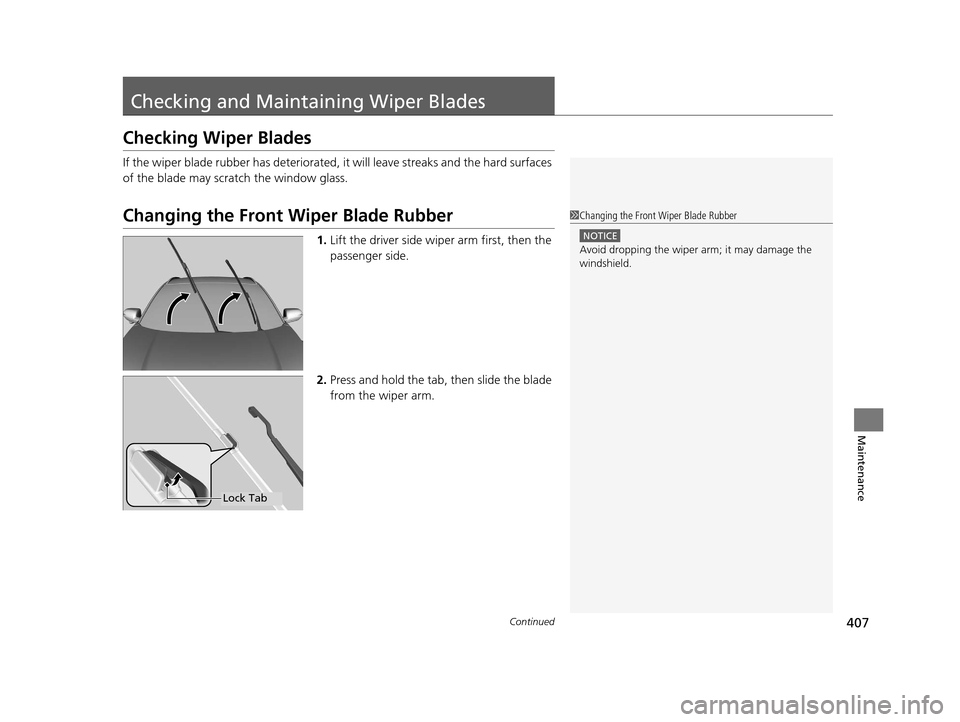
Changing the Front Wiper Blade Rubber
1.Lift the driver side wiper arm first, then the
passenger side.
2. Press and hold the tab, then slide the blade
from the wiper arm.
1Changing the Front Wiper Blade Rubber
NOTICE
Avoid dropping the wiper ar m; it may damage the
windshield.
Lock Tab
15 HR-V GAS-31T7A6000.book 407 ページ 2015年6月29日 月曜日 午前11時36分
Page 421 of 489
420
Maintenance
Battery
Checking the Battery
The battery condition is being monitored by the sensor on the negative terminal. If
there is a problem with the sensor, the warning message on the information display
will let you know. Have your vehicle checked by a dealer.
Check the battery termina ls for corrosion monthly.
If your vehicle’s battery is disconnected or goes dead:
• The audio system is disabled.
2 Audio System Theft Protection P. 179
•The clock resets.
2 Clock P. 94
•The navigation system* is disabled.
2 Refer to the navigation system manual
1Battery
WARNING: Battery post, terminals,
and related accessories contain lead
and lead compounds.
Wash your hands after handling.
When replacing the battery, the replacement must be
of the same specifications.
Consult a dealer for more information.
3WARNING
The battery gives off explosive hydrogen
gas during normal operation.
A spark or flame can cause the battery to
explode with enough force to kill or
seriously hurt you.
When conducting any battery
maintenance, wear prot ective clothing and
a face shield, or have a skilled technician do
it.
* Not available on all models
15 HR-V GAS-31T7A6000.book 420 ページ 2015年6月29日 月曜日 午前11時36分
Page 479 of 489
Index
478
Index
Index
Numbers
7-Speed Manual Shift Mode.................... 338
A
ABS (Anti-lock Brake System) ................... 369
Accessories and Modifications ................. 377
Accessory Power Sockets .......................... 156
Additives Coolant ................................................... 394
Engine Oil ................................................ 389
Washer .................................................... 398
Additives, Engine Oil ................................ 389
Adjusting Armrest ................................................... 149
Front Seats .............................................. 140
Head Restraints........................................ 142
Headlights ............................................... 399
Mirrors .................................................... 138
Rear Seats................................................ 146
Steering Wheel ........................................ 137
Adjusting the Sound ......................... 187, 209
Air Conditioning System Climate Control System ........................... 165
Defrosting the Windshield and Windows ....................................... 164, 168
Dust and Pollen Filter ............................... 424
Heating and Cooling System .................... 161
Air Conditioning System (Climate Control System)
Synchronized Mode ................................. 172 Air Conditioning System (Heating and
Cooling System)
Cooling ................................................... 164
Heating ................................................... 163
Air Pressure ....................................... 412, 467
Airbags ........................................................ 44
Advanced Airbags ..................................... 50
Airbag Care............................................... 56
Event Data Recorder .................................... 0
Front Airbags (SRS) .................................... 47
Indicator.............................................. 54, 77
Passenger Airbag Off Indicator .................. 55
Sensors ..................................................... 44
Side Airbags .............................................. 51
Side Curtain Airbags.................................. 53
All-Wheel Drive (AWD) ............................ 358
Anti-lock Brake System (ABS) .................. 369
Indicator.................................................... 77
Armrest ..................................................... 149
Audio Remote Controls ........................... 180
Audio System ............................................ 176
Adjusting the Sound........................ 187, 209
Auxiliary Input Jack.................................. 178
Error Messages ........................................ 231
General Information ................................ 235
HDMI ® Port ............................................. 178
iPod ................................................ 194, 217
MP3/WMA/AAC .............................. 197, 222
Recommended CDs ................................. 235
Recommended Devices............................ 237
Remote Controls ................................. 5, 180 Security Code ......................................... 179
Theft Protection ...................................... 179
USB Flash Drives...................................... 237
USB Port(s) .............................................. 177
Audio/Information Screen ............... 183, 204
Authorized Manuals ................................ 475
Auto Door Locking/Unlocking ................ 109
Customize .............................................. 110
Automatic Brake Hold ............................. 366
Indicator ........................................... 74, 366
Automatic Brake Hold System
Indicator ........................................... 73, 366
Automatic Climate Control Sensors ........ 173
Auxiliary Input Jack ................................. 178
Average Fuel Economy .............................. 90
B
Battery...................................................... 420
Charging System Indicator ................ 75, 451
Jump Starting ......................................... 446
Maintenance (Checking the Battery) ....... 420
Maintenance (Replacing) ......................... 422
Belts (Seat) .................................................. 35
Beverage Holders ..................................... 153
Bluetooth ® HandsFreeLink ®............. 260, 283
Booster Seats (For Children) ...................... 68
Brake System ............................................ 363
Anti-lock Brake System (ABS) .................. 369
Automatic Brake Hold ............................. 366
Brake Assist System................................. 370
15 HR-V GAS-31T7A6000.book 478 ページ 2015年6月29日 月曜日 午前11時36分