switch HONDA HR-V 2016 2.G Repair Manual
[x] Cancel search | Manufacturer: HONDA, Model Year: 2016, Model line: HR-V, Model: HONDA HR-V 2016 2.GPages: 489, PDF Size: 26.59 MB
Page 136 of 489
135
uuOperating the Switches Around the Steering Wheel uDefogger/Heated Door Mirror*/Heater Windshield*
Continued
Controls
Defogger/Heated Door Mirror*/Heater Windshield*
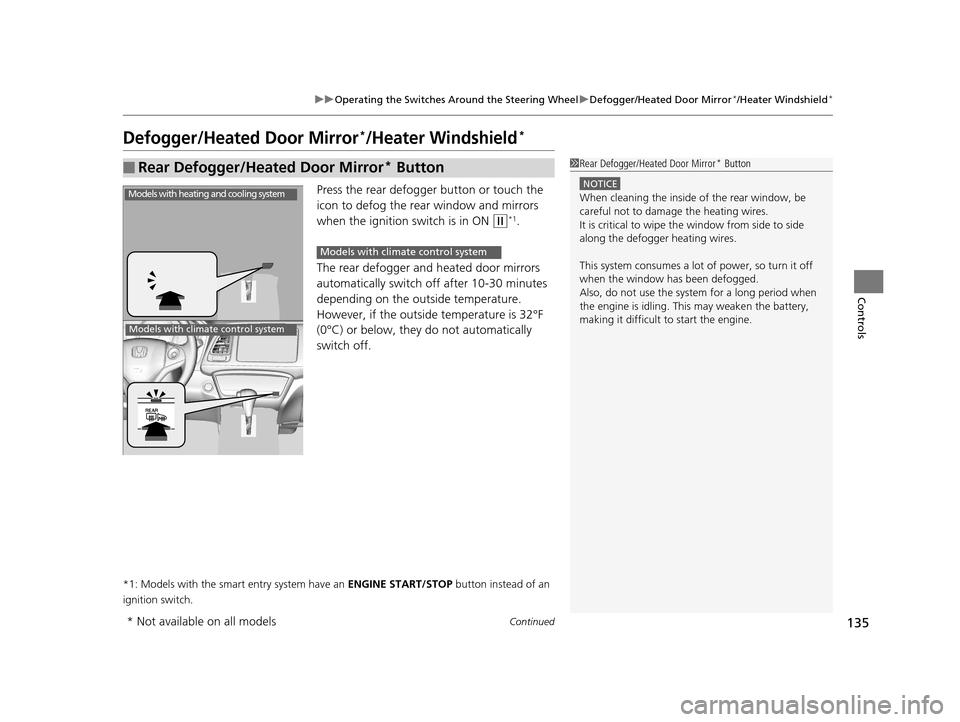
Press the rear defogger button or touch the
icon to defog the rear window and mirrors
when the ignition switch is in ON
(w*1.
The rear defogger and heated door mirrors
automatically switch of f after 10-30 minutes
depending on the outside temperature.
However, if the outsid e temperature is 32°F
(0°C) or below, they do not automatically
switch off.
*1: Models with the smart entry system have an ENGINE START/STOP button instead of an
ignition switch.
■Rear Defogger/Heated Door Mirror* Button1 Rear Defogger/Heated Door Mirror* Button
NOTICE
When cleaning the inside of the rear window, be
careful not to damage the heating wires.
It is critical to wipe the window from side to side
along the defogger heating wires.
This system consumes a lot of power, so turn it off
when the window has been defogged.
Also, do not use the system for a long period when
the engine is idling. This may weaken the battery,
making it difficult to start the engine.Models with heating and cooling system
Models with climate control system
Models with climate control system
* Not available on all models
15 HR-V GAS-31T7A6000.book 135 ページ 2015年6月29日 月曜日 午前11時36分
Page 137 of 489
uuOperating the Switches Around the Steering Wheel uDefogger/Heated Door Mirror*/Heater Windshield*
136
Controls
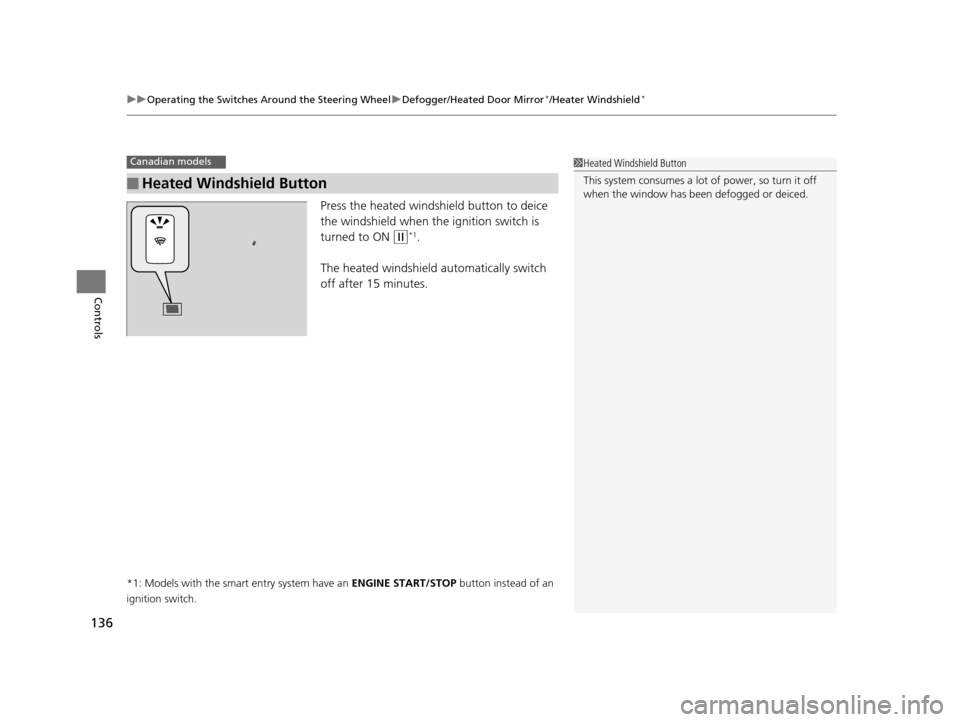
Press the heated windshield button to deice
the windshield when the ignition switch is
turned to ON
(w*1.
The heated windshield automatically switch
off after 15 minutes.
*1: Models with the smart entry system have an ENGINE START/STOP button instead of an
ignition switch.
■Heated Windshield Button
Canadian models1 Heated Windshield Button
This system consumes a lot of power, so turn it off
when the window has been defogged or deiced.
15 HR-V GAS-31T7A6000.book 136 ページ 2015年6月29日 月曜日 午前11時36分
Page 138 of 489
137
uuOperating the Switches Around the Steering Wheel uAdjusting the Steering Wheel
Controls
Adjusting the Steering Wheel
The steering wheel height and distance from your body can be adjusted so that you
can comfortably grip the steering wheel in an appropriate driving posture.
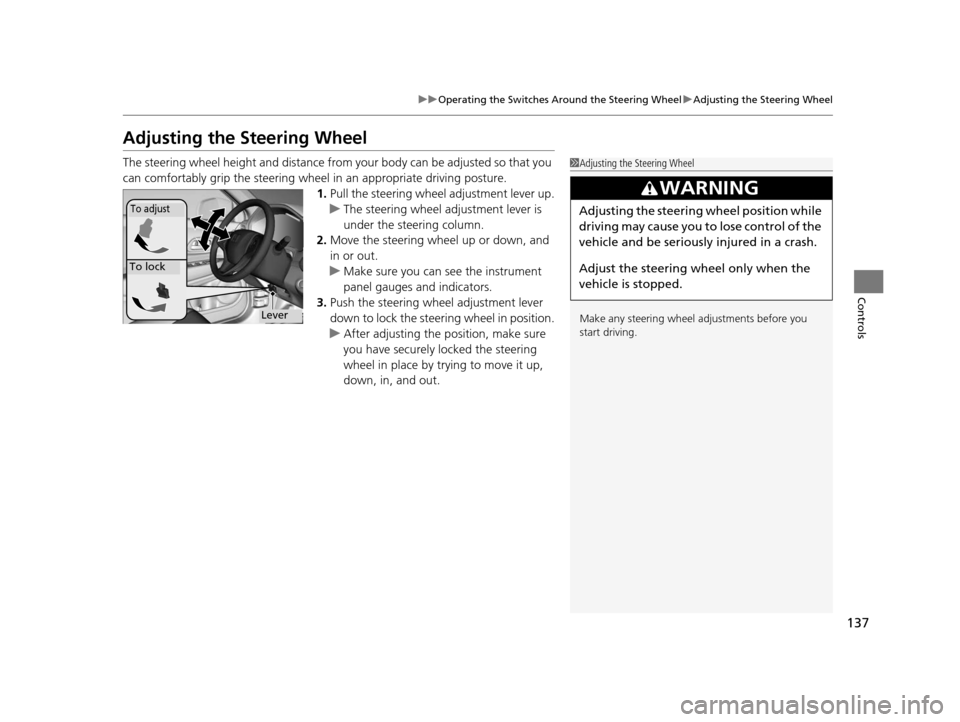
1. Pull the steering wheel adjustment lever up.
u The steering wheel adjustment lever is
under the steering column.
2. Move the steering wheel up or down, and
in or out.
u Make sure you can see the instrument
panel gauges and indicators.
3. Push the steering wheel adjustment lever
down to lock the steering wheel in position.
u After adjusting the position, make sure
you have securely locked the steering
wheel in place by trying to move it up,
down, in, and out.1Adjusting the Steering Wheel
Make any steering wheel adjustments before you
start driving.
3WARNING
Adjusting the steering wheel position while
driving may cause you to lose control of the
vehicle and be seriously injured in a crash.
Adjust the steering wheel only when the
vehicle is stopped.To adjust
To lock
Lever
15 HR-V GAS-31T7A6000.book 137 ページ 2015年6月29日 月曜日 午前11時36分
Page 139 of 489
138
Controls
Adjusting the Mirrors
Interior Rearview Mirror
Adjust the angle of the rearview mirror when you are sitting in the correct driving
position.
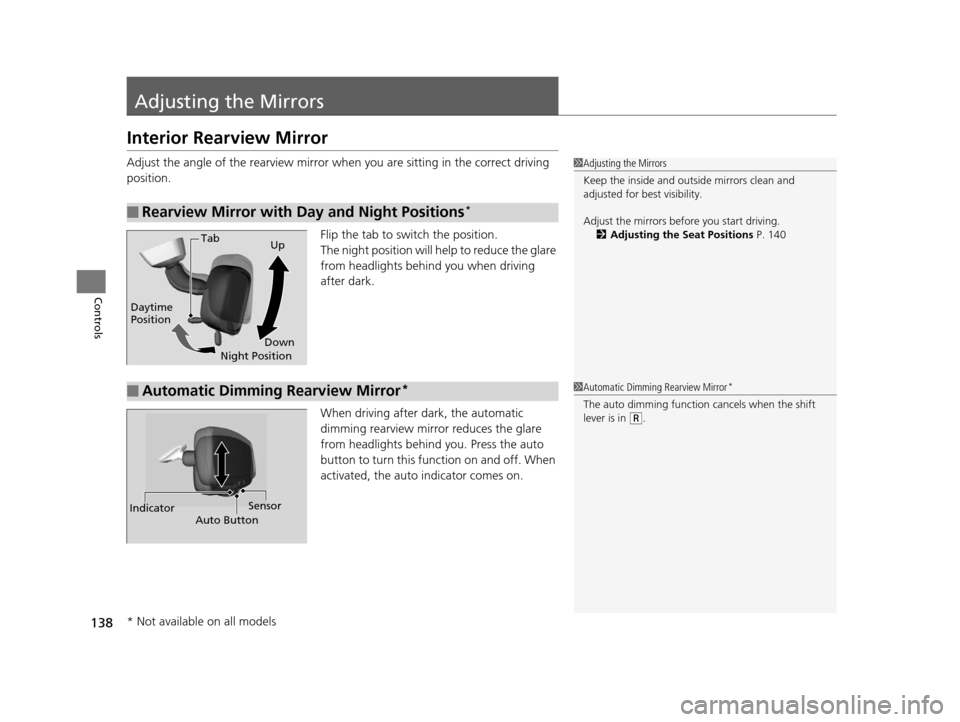
Flip the tab to switch the position.
The night position will help to reduce the glare
from headlights behind you when driving
after dark.
When driving after dark, the automatic
dimming rearview mirror reduces the glare
from headlights behind you. Press the auto
button to turn this function on and off. When
activated, the auto indicator comes on.
■Rearview Mirror with Day and Night Positions*
1 Adjusting the Mirrors
Keep the inside and out side mirrors clean and
adjusted for best visibility.
Adjust the mirrors before you start driving. 2 Adjusting the Seat Positions P. 140
Tab
Daytime
Position Night PositionUp
Down
■Automatic Dimming Rearview Mirror*1 Automatic Dimming Rearview Mirror*
The auto dimming function cancels when the shift
lever is in
(R.
Sensor
Auto Button
Indicator
* Not available on all models
15 HR-V GAS-31T7A6000.book 138 ページ 2015年6月29日 月曜日 午前11時36分
Page 140 of 489
139
uuAdjusting the Mirrors uPower Door Mirrors
Controls
Power Door Mirrors
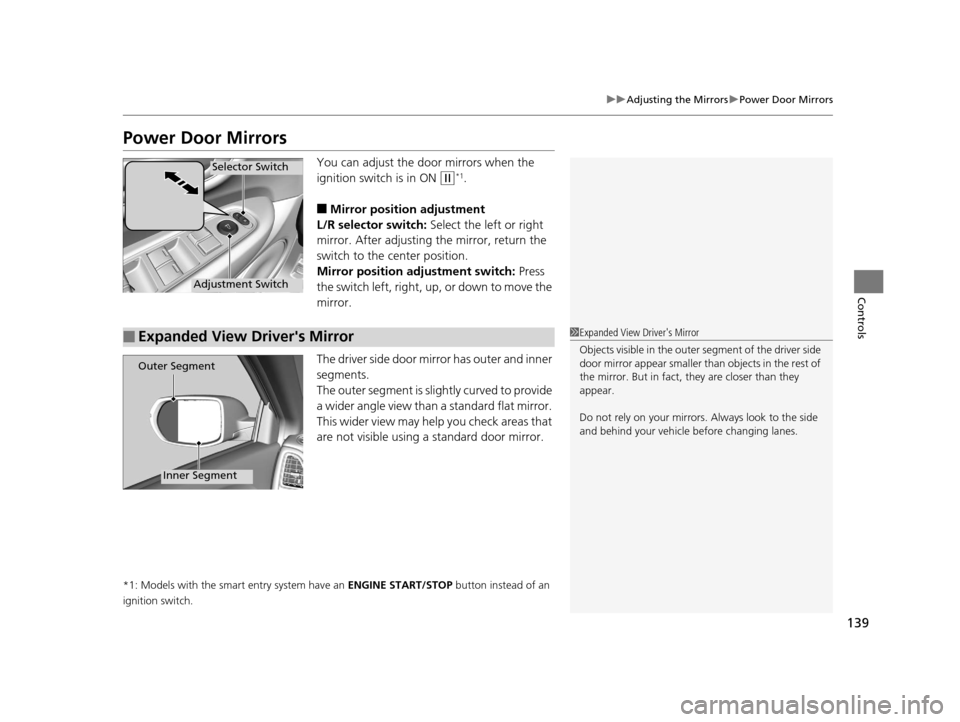
You can adjust the door mirrors when the
ignition switch is in ON
(w*1.
■Mirror position adjustment
L/R selector switch: Select the left or right
mirror. After adjusting the mirror, return the
switch to the center position.
Mirror positi on adjustment switch: Press
the switch left, right, up, or down to move the
mirror.
The driver side door mirror has outer and inner
segments.
The outer segment is slig htly curved to provide
a wider angle view than a standard flat mirror.
This wider view may help you check areas that
are not visible using a standard door mirror.
*1: Models with the smart entry system have an ENGINE START/STOP button instead of an
ignition switch.
Selector Switch
Adjustment Switch
■Expanded View Driver's Mirror1 Expanded View Driver's Mirror
Objects visible in the outer segment of the driver side
door mirror appear smaller than objects in the rest of
the mirror. But in fact, they are closer than they
appear.
Do not rely on your mirrors. Always look to the side
and behind your vehicle before changing lanes.
Outer Segment
Inner Segment
15 HR-V GAS-31T7A6000.book 139 ページ 2015年6月29日 月曜日 午前11時36分
Page 151 of 489
150
Controls
Interior Lights/Interior Convenience Items
Interior Lights
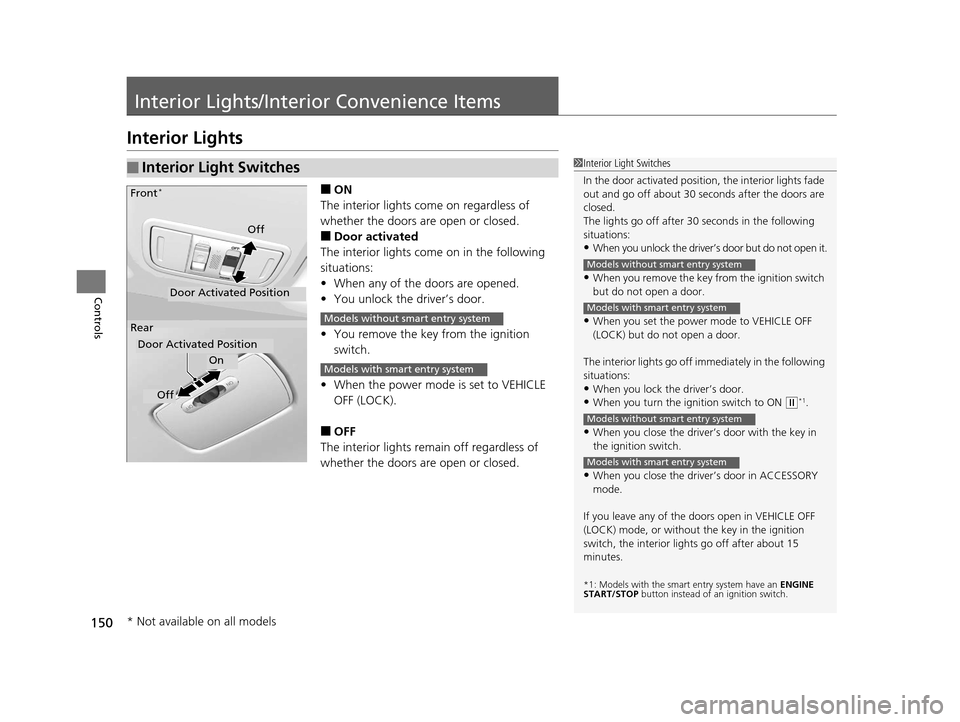
■ON
The interior lights come on regardless of
whether the doors are open or closed.
■Door activated
The interior lights come on in the following
situations:
• When any of the doors are opened.
• You unlock the driver’s door.
• You remove the key from the ignition
switch.
• When the power mode is set to VEHICLE
OFF (LOCK).
■OFF
The interior lights remain off regardless of
whether the doors are open or closed.
■Interior Light Switches1 Interior Light Switches
In the door activated position, the interior lights fade
out and go off about 30 se conds after the doors are
closed.
The lights go off after 30 seconds in the following
situations:
•When you unlock the driver’s door but do not open it.
•When you remove the key from the ignition switch
but do not open a door.
•When you set the power mode to VEHICLE OFF
(LOCK) but do not open a door.
The interior lights go off i mmediately in the following
situations:
•When you lock the driver’s door.
•When you turn the ignition switch to ON ( w*1.
•When you close the driver’s door with the key in
the ignition switch.
•When you close the driver’s door in ACCESSORY
mode.
If you leave any of the doors open in VEHICLE OFF
(LOCK) mode, or without the key in the ignition
switch, the interior li ghts go off after about 15
minutes.
*1: Models with the sma rt entry system have an ENGINE
START/STOP button instead of an ignition switch.
Models without smart entry system
Models with smart entry system
Models without smart entry system
Models with smart entry system
On
Off
Door Activated Position
Front
*
Rear
Door Activated Position
Off
Models without smart entry system
Models with smart entry system
* Not available on all models
15 HR-V GAS-31T7A6000.book 150 ページ 2015年6月29日 月曜日 午前11時36分
Page 152 of 489
151
uuInterior Lights/Interior Convenience Items uInterior Lights
Controls
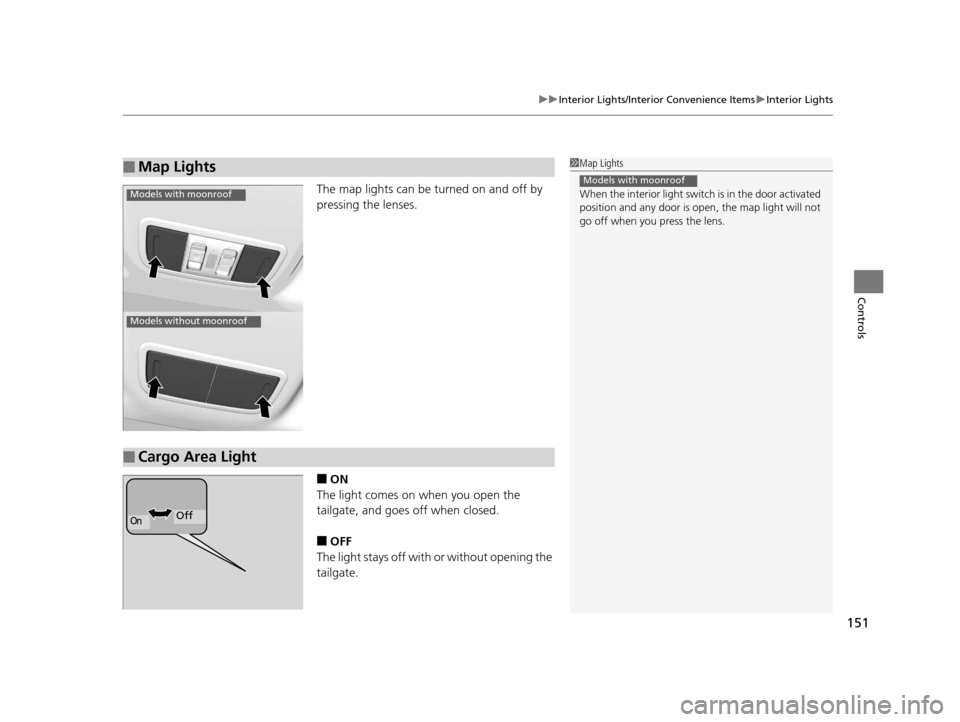
The map lights can be turned on and off by
pressing the lenses.
■ON
The light comes on when you open the
tailgate, and goes off when closed.
■OFF
The light stays off with or without opening the
tailgate.
■Map Lights1 Map Lights
When the interior light switch is in the door activated
position and any door is open, the map light will not
go off when you press the lens.
Models with moonroof
Models with moonroof
Models without moonroof
■Cargo Area Light
OnOff
15 HR-V GAS-31T7A6000.book 151 ページ 2015年6月29日 月曜日 午前11時36分
Page 157 of 489
uuInterior Lights/Interior Convenience Items uInterior Convenience Items
156
Controls
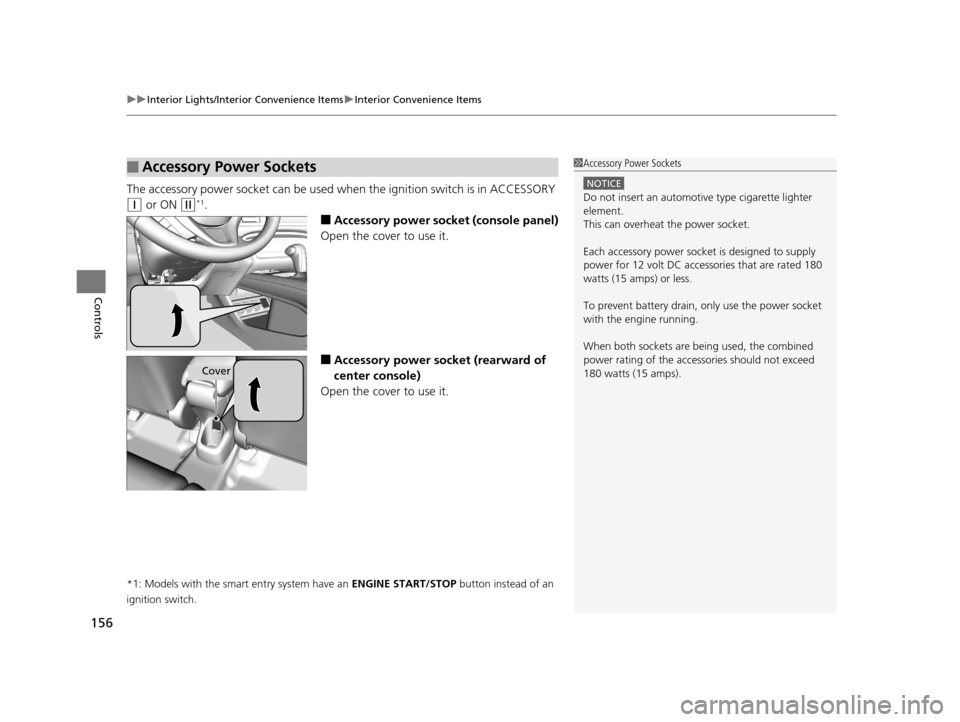
The accessory power socket can be used wh en the ignition switch is in ACCESSORY
(q or ON (w*1.
■Accessory power socket (console panel)
Open the cover to use it.
■Accessory power socket (rearward of
center console)
Open the cover to use it.
*1: Models with the smart entry system have an ENGINE START/STOP button instead of an
ignition switch.
■Accessory Power Sockets1 Accessory Power Sockets
NOTICE
Do not insert an automotive type cigarette lighter
element.
This can overheat the power socket.
Each accessory power soc ket is designed to supply
power for 12 volt DC access ories that are rated 180
watts (15 amps) or less.
To prevent battery drain, only use the power socket
with the engine running.
When both sockets are being used, the combined
power rating of the accessories should not exceed
180 watts (15 amps).
Cover
15 HR-V GAS-31T7A6000.book 156 ページ 2015年6月29日 月曜日 午前11時36分
Page 161 of 489
uuInterior Lights/Interior Convenience Items uInterior Convenience Items
160
Controls
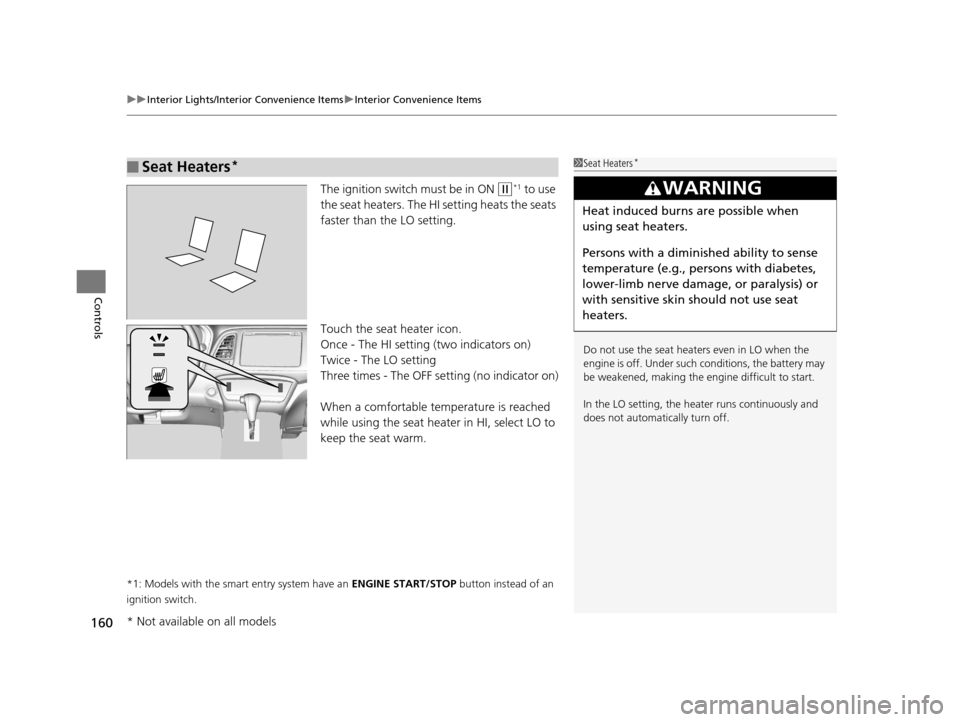
The ignition switch must be in ON (w*1 to use
the seat heaters. The HI setting heats the seats
faster than the LO setting.
Touch the seat heater icon.
Once - The HI setting (two indicators on)
Twice - The LO setting
Three times - The OFF setting (no indicator on)
When a comfortable temperature is reached
while using the seat heater in HI, select LO to
keep the seat warm.
*1: Models with the smart entry system have an ENGINE START/STOP button instead of an
ignition switch.
■Seat Heaters*1 Seat Heaters*
Do not use the seat heaters even in LO when the
engine is off. Under such conditions, the battery may
be weakened, making the engine difficult to start.
In the LO setting, the heater runs continuously and
does not automatically turn off.
3WARNING
Heat induced burns are possible when
using seat heaters.
Persons with a diminished ability to sense
temperature (e.g., persons with diabetes,
lower-limb nerve damage, or paralysis) or
with sensitive skin should not use seat
heaters.
* Not available on all models
15 HR-V GAS-31T7A6000.book 160 ページ 2015年6月29日 月曜日 午前11時36分
Page 162 of 489
161Continued
Controls
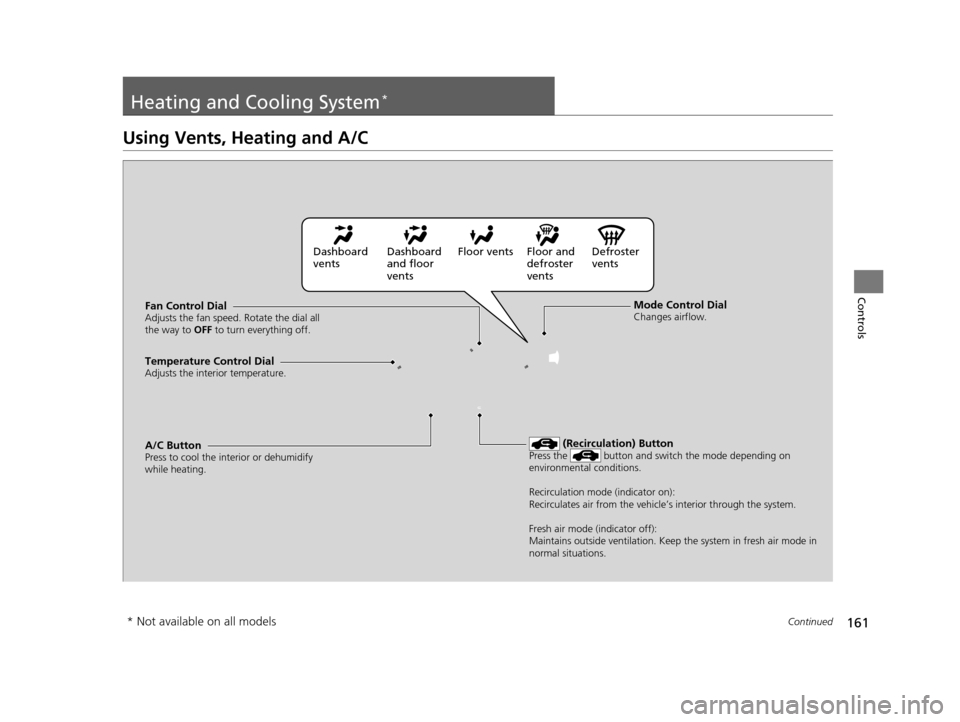
Heating and Cooling System*
Using Vents, Heating and A/C
Mode Control DialChanges airflow.Fan Control DialAdjusts the fan speed. Rotate the dial all
the way to OFF to turn everything off.
A/C ButtonPress to cool the interior or dehumidify
while heating.
Temperature Control DialAdjusts the interior temperature.
(Recirculation) ButtonPress the button and switch the mode depending on
environmental conditions.
Recirculation mode (indicator on):
Recirculates air from the vehicle’s interior through the system.
Fresh air mode (indicator off):
Maintains outside ventilation. Keep the system in fresh air mode in
normal situations.
Dashboard
vents Dashboard
and floor
ventsFloor vents Floor and
defroster
ventsDefroster
vents
* Not available on all models
15 HR-V GAS-31T7A6000.book 161 ページ 2015年6月29日 月曜日 午前11時36分