start HONDA HR-V 2017 2.G Manual PDF
[x] Cancel search | Manufacturer: HONDA, Model Year: 2017, Model line: HR-V, Model: HONDA HR-V 2017 2.GPages: 489, PDF Size: 29.22 MB
Page 222 of 489
221
uuAudio System Basic Operation uPlaying Internet Radio
Features
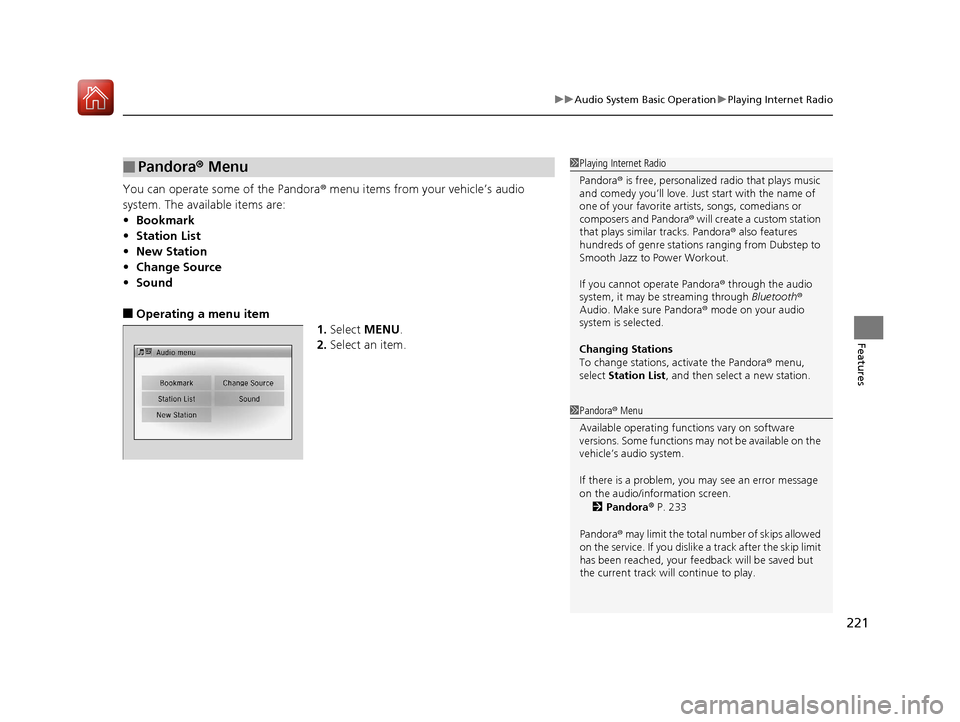
You can operate some of the Pandora ® menu items from your vehicle’s audio
system. The available items are:
• Bookmark
• Station List
• New Station
• Change Source
• Sound
■Operating a menu item
1.Select MENU .
2. Select an item.
■Pandora ® Menu1 Playing Internet Radio
Pandora ® is free, personalized radio that plays music
and comedy you’ll love. Just start with the name of
one of your favorite arti sts, songs, comedians or
composers and Pandora ® will create a custom station
that plays similar tracks. Pandora ® also features
hundreds of genre stations ranging from Dubstep to
Smooth Jazz to Power Workout.
If you cannot operate Pandora ® through the audio
system, it may be streaming through Bluetooth®
Audio. Make sure Pandora ® mode on your audio
system is selected.
Changing Stations
To change stations, activate the Pandora ® menu,
select Station List , and then select a new station.
1Pandora ® Menu
Available operating functi ons vary on software
versions. Some functions ma y not be available on the
vehicle’s audio system.
If there is a problem, you may see an error message
on the audio/information screen.
2 Pandora ® P. 233
Pandora ® may limit the total number of skips allowed
on the service. If you dislike a track after the skip limit
has been reached, your fe edback will be saved but
the current track will continue to play.
17 HR-V HDMC-31T7A6100.book 221 ページ 2016年7月20日 水曜日 午前9時50分
Page 246 of 489
Continued245
uuCustomized Features u
Features
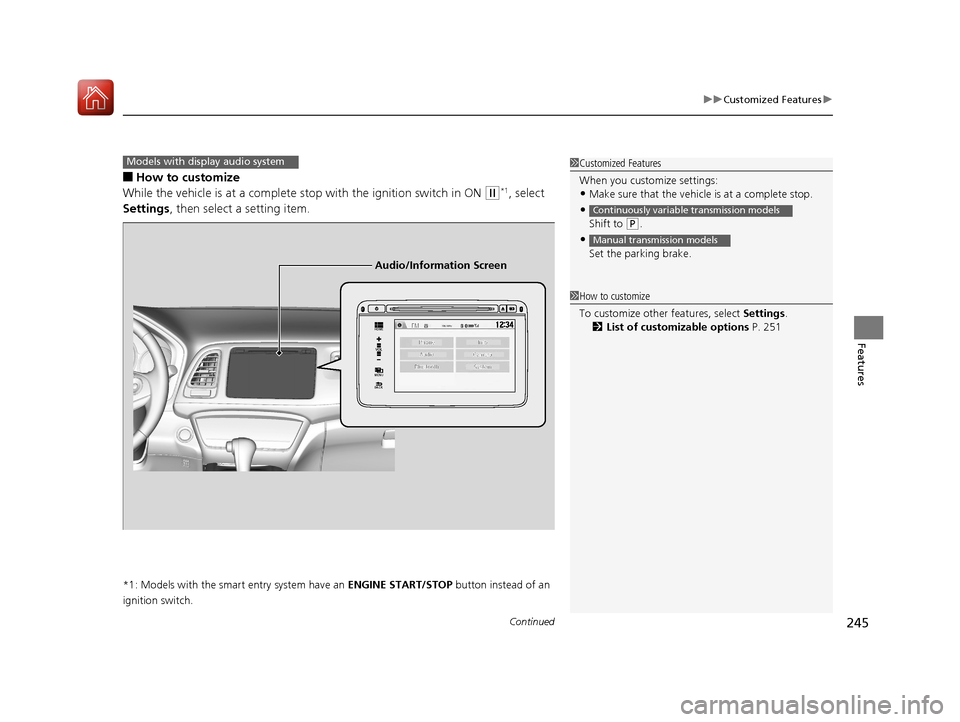
■How to customize
While the vehicle is at a complete st op with the ignition switch in ON
(w*1, select
Settings , then select a setting item.
*1: Models with the smart entry system have an ENGINE START/STOP button instead of an
ignition switch.
Models with display audio system1 Customized Features
When you customize settings:
•Make sure that the vehicle is at a complete stop.
•
Shift to (P.
•
Set the parking brake.
Continuously variable transmission models
Manual transmission models
1 How to customize
To customize other features, select Settings .
2 List of customizable options P. 251
VOL
HOME
MENU
BACK
Audio/Information Screen
17 HR-V HDMC-31T7A6100.book 245 ページ 2016年7月20日 水曜日 午前9時50分
Page 268 of 489
Continued267
uuBluetooth ® HandsFreeLink ®u HFL Menus
Features
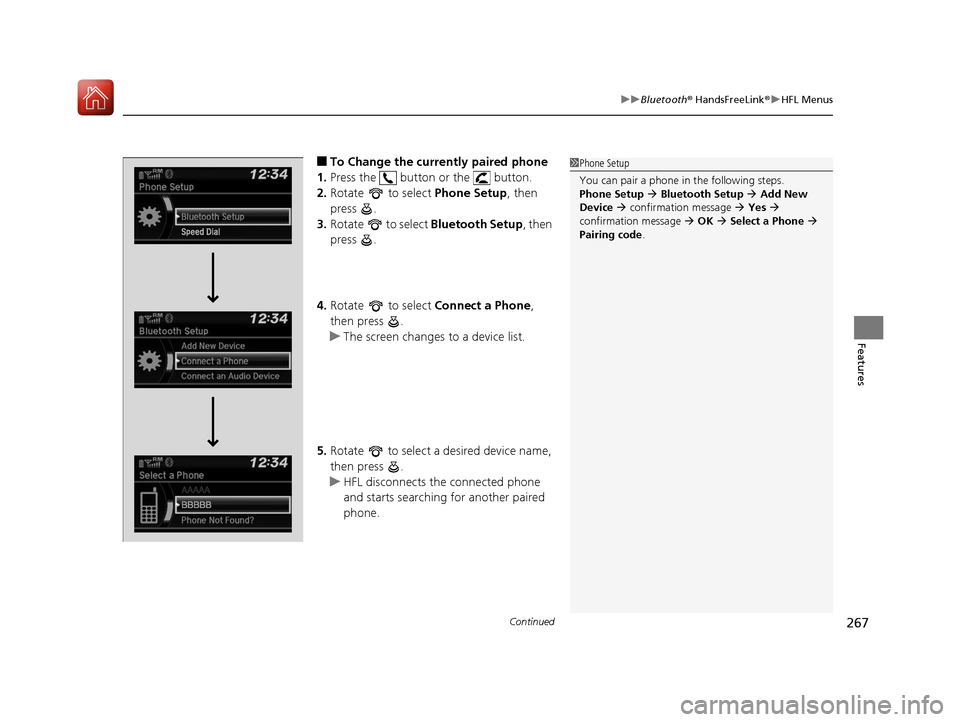
■To Change the currently paired phone
1. Press the button or the button.
2. Rotate to select Phone Setup, then
press .
3. Rotate to select Bluetooth Setup , then
press .
4. Rotate to select Connect a Phone,
then press .
u The screen changes to a device list.
5. Rotate to select a desired device name,
then press .
u HFL disconnects the connected phone
and starts searching for another paired
phone.1Phone Setup
You can pair a phone in the following steps.
Phone Setup Bluetooth Setup Add New
Device confirmation message Yes
confirmation message OK Select a Phone
Pairing code .
17 HR-V HDMC-31T7A6100.book 267 ページ 2016年7月20日 水曜日 午前9時50分
Page 279 of 489
uuBluetooth ® HandsFreeLink ®u HFL Menus
278
Features
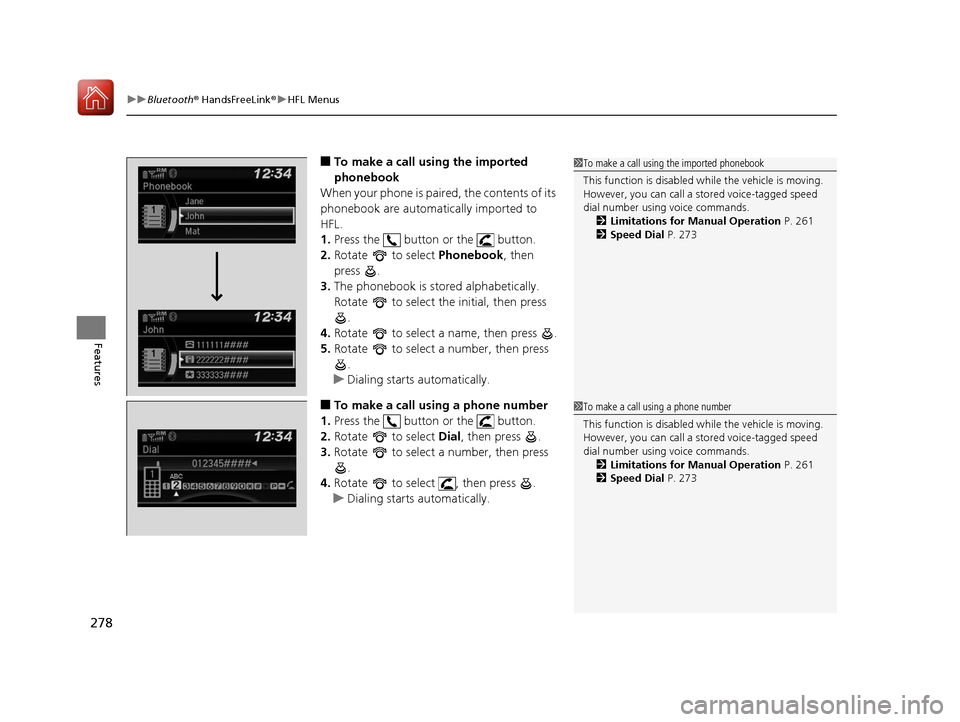
■To make a call using the imported
phonebook
When your phone is paired, the contents of its
phonebook are automatically imported to
HFL.
1. Press the button or the button.
2. Rotate to select Phonebook, then
press .
3. The phonebook is stored alphabetically.
Rotate to select the initial, then press
.
4. Rotate to select a name, then press .
5. Rotate to select a number, then press
.
u Dialing starts automatically.
■To make a call using a phone number
1. Press the button or the button.
2. Rotate to select Dial, then press .
3. Rotate to select a number, then press
.
4. Rotate to select , then press .
u Dialing starts automatically.
1To make a call using the imported phonebook
This function is disabled while the vehicle is moving.
However, you can call a stored voice-tagged speed
dial number using voice commands. 2 Limitations for Manual Operation P. 261
2 Speed Dial P. 273
1To make a call using a phone number
This function is disabled while the vehicle is moving.
However, you can call a stored voice-tagged speed
dial number using voice commands. 2 Limitations for Manual Operation P. 261
2 Speed Dial P. 273
17 HR-V HDMC-31T7A6100.book 278 ページ 2016年7月20日 水曜日 午前9時50分
Page 280 of 489
Continued279
uuBluetooth ® HandsFreeLink ®u HFL Menus
Features
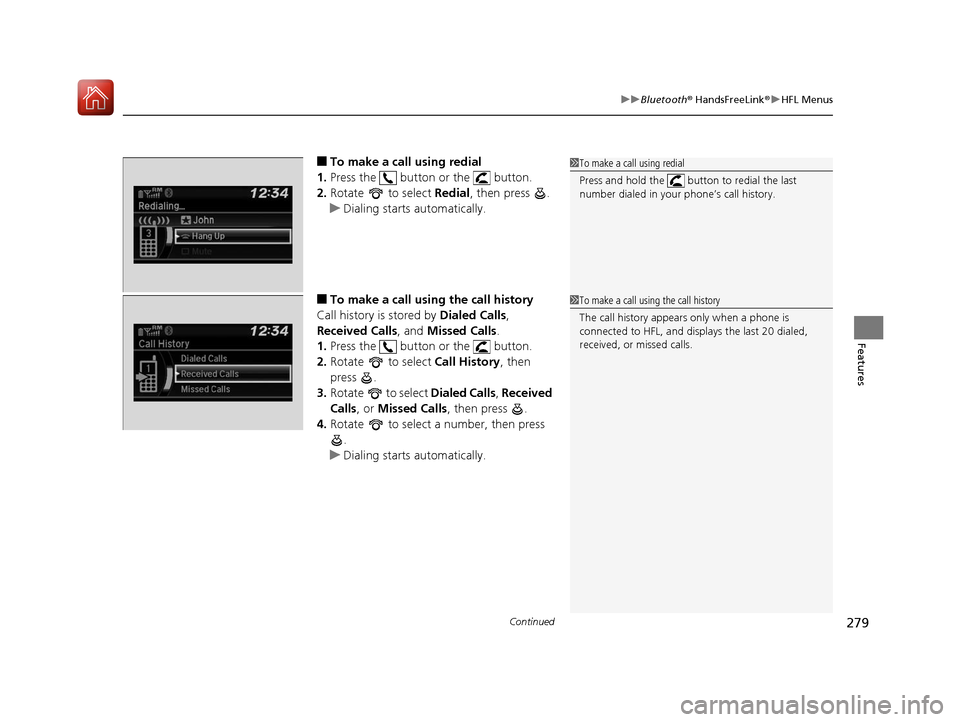
■To make a call using redial
1. Press the button or the button.
2. Rotate to select Redial, then press .
u Dialing starts automatically.
■To make a call usin g the call history
Call history is stored by Dialed Calls,
Received Calls , and Missed Calls .
1. Press the button or the button.
2. Rotate to select Call History, then
press .
3. Rotate to select Dialed Calls, Received
Calls , or Missed Calls , then press .
4. Rotate to select a number, then press
.
u Dialing starts automatically.
1To make a call using redial
Press and hold the butt on to redial the last
number dialed in your phone’s call history.
1 To make a call using the call history
The call history appears only when a phone is
connected to HFL, and disp lays the last 20 dialed,
received, or missed calls.
17 HR-V HDMC-31T7A6100.book 279 ページ 2016年7月20日 水曜日 午前9時50分
Page 281 of 489
uuBluetooth ® HandsFreeLink ®u HFL Menus
280
Features
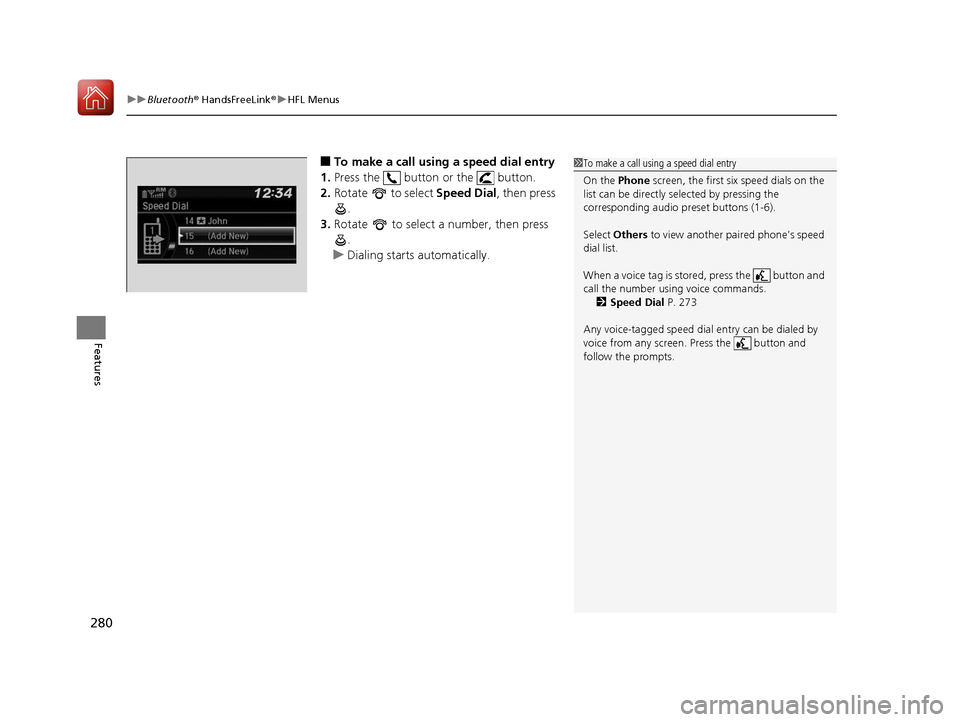
■To make a call using a speed dial entry
1. Press the button or the button.
2. Rotate to select Speed Dial, then press
.
3. Rotate to select a number, then press
.
u Dialing starts automatically.1To make a call using a speed dial entry
On the Phone screen, the first six speed dials on the
list can be directly selected by pressing the
corresponding audio preset buttons (1-6).
Select Others to view another paired phone’s speed
dial list.
When a voice tag is stored, press the button and
call the number using voice commands. 2 Speed Dial P. 273
Any voice-tagged speed dial entry can be dialed by
voice from any screen. Press the button and
follow the prompts.
17 HR-V HDMC-31T7A6100.book 280 ページ 2016年7月20日 水曜日 午前9時50分
Page 287 of 489
286
uuBluetooth ® HandsFreeLink ®u HFL Menus
Features
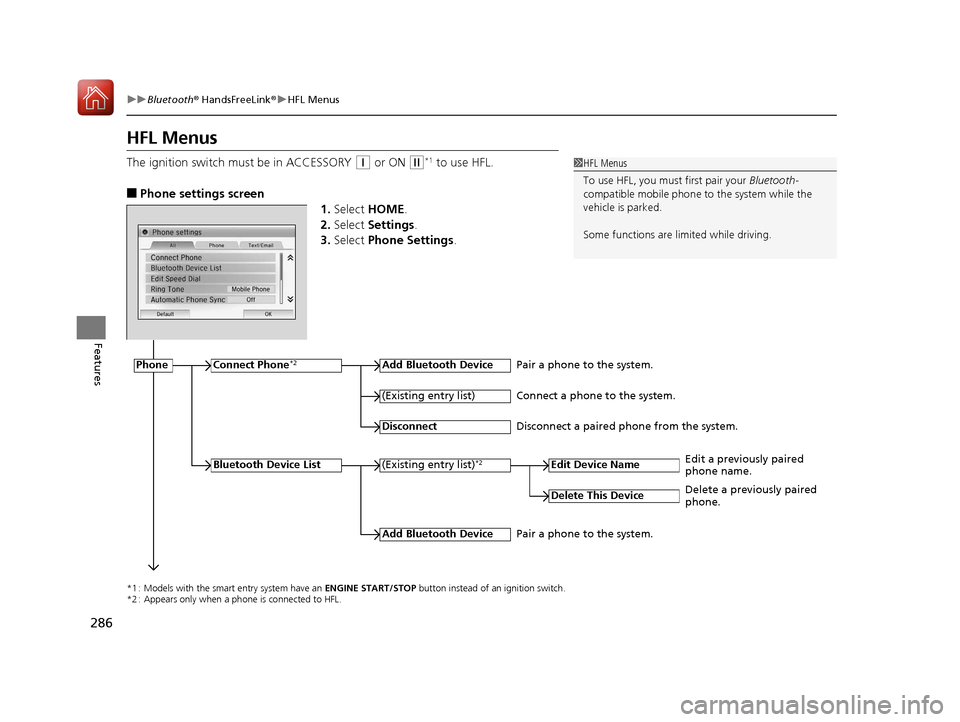
HFL Menus
The ignition switch must be in ACCESSORY (q or ON (w*1 to use HFL.
■Phone settings screen
1.Select HOME .
2. Select Settings .
3. Select Phone Settings .
1HFL Menus
To use HFL, you must first pair your Bluetooth-
compatible mobile phone to the system while the
vehicle is parked.
Some functions are li mited while driving.
*1 : Models with the smart entry system have an ENGINE START/STOP button instead of an ignition switch.
*2 : Appears only when a phone is connected to HFL.
PhoneConnect Phone*2Add Bluetooth Device
(Existing entry list)*2
(Existing entry list)
Disconnect
Edit Device Name
Add Bluetooth Device
Bluetooth Device List
Delete This Device
Pair a phone to the system.
Connect a phone to the system.
Disconnect a paired phone from the system.
Edit a previously paired
phone name.
Pair a phone to the system. Delete a previously paired
phone.
17 HR-V HDMC-31T7A6100.book 286 ページ 2016年7月20日 水曜日 午前9時50分
Page 293 of 489
uuBluetooth ® HandsFreeLink ®u HFL Menus
292
Features
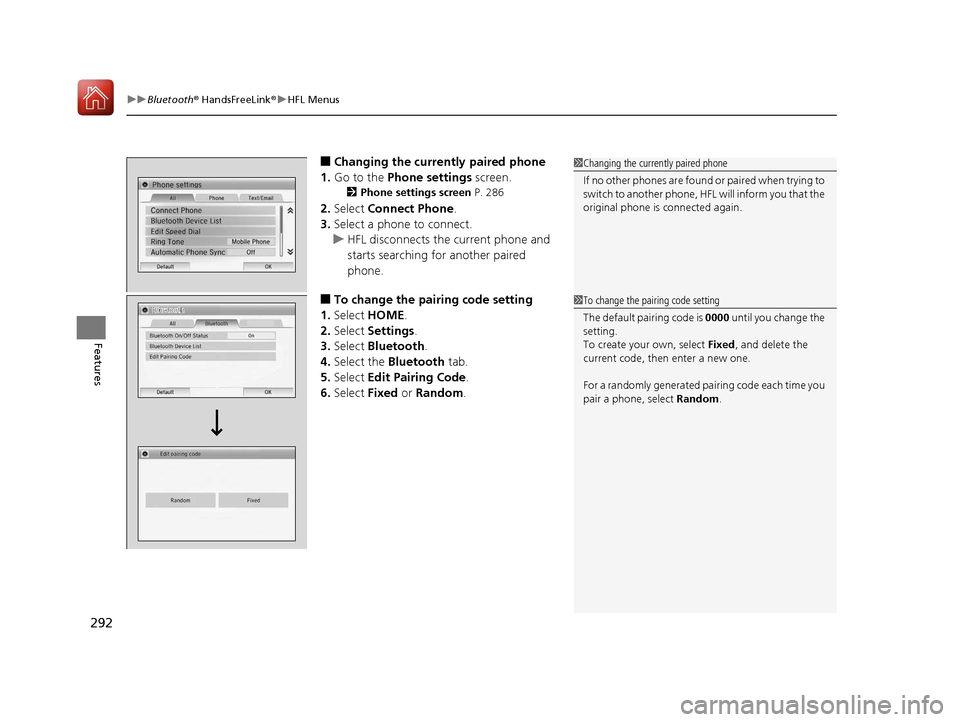
■Changing the currently paired phone
1. Go to the Phone settings screen.
2Phone settings screen P. 286
2.Select Connect Phone .
3. Select a phone to connect.
u HFL disconnects the current phone and
starts searching for another paired
phone.
■To change the pairing code setting
1. Select HOME .
2. Select Settings .
3. Select Bluetooth .
4. Select the Bluetooth tab.
5. Select Edit Pairing Code .
6. Select Fixed or Random .
1Changing the currently paired phone
If no other phones are found or paired when trying to
switch to another phone, HFL will inform you that the
original phone is connected again.
1 To change the pairing code setting
The default pair ing code is 0000 until you change the
setting.
To create your own, select Fixed, and delete the
current code, then enter a new one.
For a randomly generated pa iring code each time you
pair a phone, select Random.
17 HR-V HDMC-31T7A6100.book 292 ページ 2016年7月20日 水曜日 午前9時50分
Page 302 of 489
Continued301
uuBluetooth ® HandsFreeLink ®u HFL Menus
Features
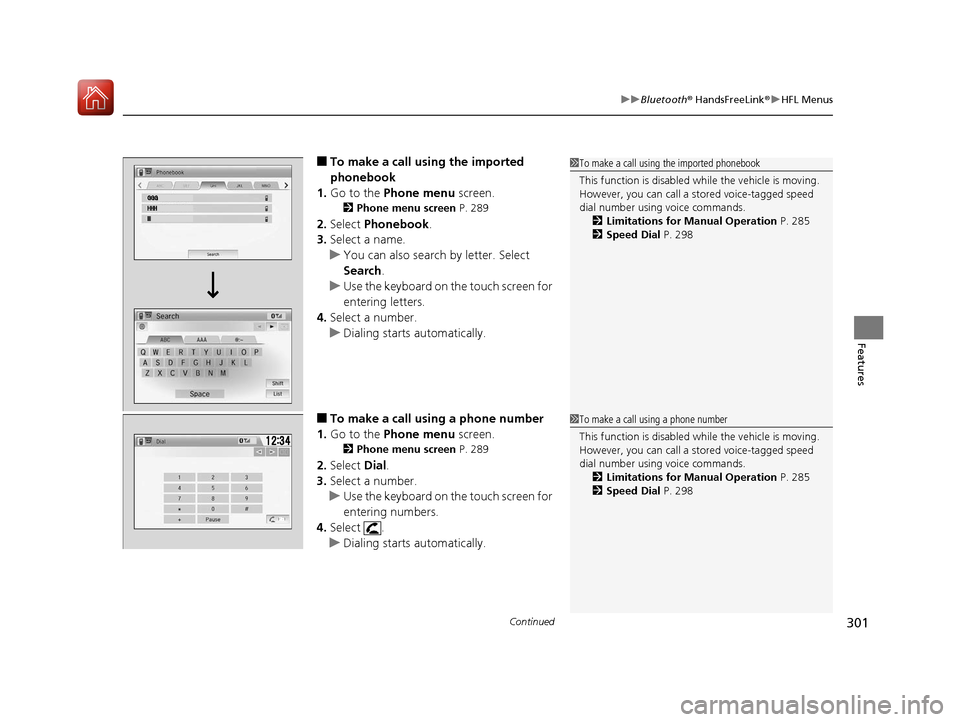
■To make a call us ing the imported
phonebook
1. Go to the Phone menu screen.
2Phone menu screen P. 289
2.Select Phonebook .
3. Select a name.
u You can also search by letter. Select
Search .
u Use the keyboard on the touch screen for
entering letters.
4. Select a number.
u Dialing starts automatically.
■To make a call using a phone number
1. Go to the Phone menu screen.
2Phone menu screen P. 289
2.Select Dial.
3. Select a number.
u Use the keyboard on the touch screen for
entering numbers.
4. Select .
u Dialing starts automatically.
1To make a call using the imported phonebook
This function is disabled while the vehicle is moving.
However, you can call a stored voice-tagged speed
dial number using voice commands. 2 Limitations for Manual Operation P. 285
2 Speed Dial P. 298
1To make a call using a phone number
This function is disabled while the vehicle is moving.
However, you can call a stored voice-tagged speed
dial number using voice commands. 2 Limitations for Manual Operation P. 285
2 Speed Dial P. 298
17 HR-V HDMC-31T7A6100.book 301 ページ 2016年7月20日 水曜日 午前9時50分
Page 303 of 489
uuBluetooth ® HandsFreeLink ®u HFL Menus
302
Features
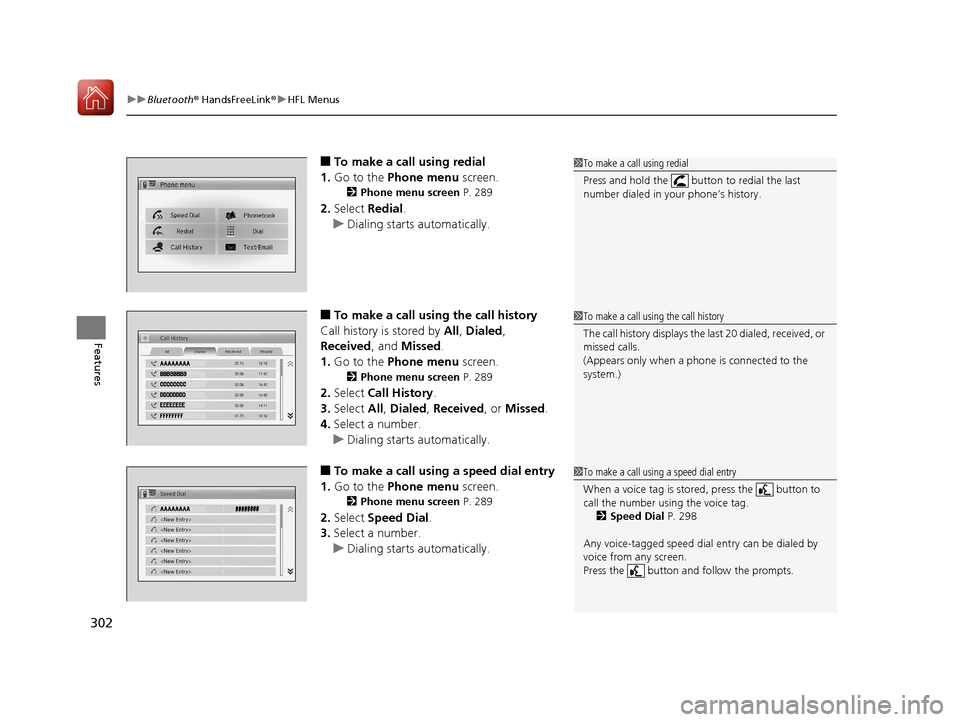
■To make a call using redial
1. Go to the Phone menu screen.
2Phone menu screen P. 289
2.Select Redial .
u Dialing starts automatically.
■To make a call using the call history
Call history is stored by All, Dialed ,
Received, and Missed .
1. Go to the Phone menu screen.
2Phone menu screen P. 289
2.Select Call History .
3. Select All, Dialed , Received, or Missed .
4. Select a number.
u Dialing starts automatically.
■To make a call using a speed dial entry
1. Go to the Phone menu screen.
2Phone menu screen P. 289
2.Select Speed Dial .
3. Select a number.
u Dialing starts automatically.
1To make a call using redial
Press and hold the butt on to redial the last
number dialed in your phone’s history.
1 To make a call using the call history
The call history disp lays the last 20 dialed, received, or
missed calls.
(Appears only when a phone is connected to the
system.)
1 To make a call using a speed dial entry
When a voice tag is stored, press the button to
call the number using the voice tag.
2 Speed Dial P. 298
Any voice-tagged speed dial entry can be dialed by
voice from any screen.
Press the button and follow the prompts.
17 HR-V HDMC-31T7A6100.book 302 ページ 2016年7月20日 水曜日 午前9時50分