change time HONDA HR-V 2018 Navigation Manual (in English)
[x] Cancel search | Manufacturer: HONDA, Model Year: 2018, Model line: HR-V, Model: HONDA HR-V 2018Pages: 263, PDF Size: 56.63 MB
Page 197 of 263
195Continued
Bluetooth® HandsFreeLink®
HondaLink Assist
If your vehicle’s airbags deploy or if the unit detects that the vehicle is severely
impacted, your vehicle automatically will attempt to connect to the HondaLink
operator. If connected, information about your vehicle, its location and its condition
will be sent to the operator; you also can speak to the operator when connected.
To use this function, you need to connect a phone via Bluetooth® in advance.
2Pairing a Phone P. 170
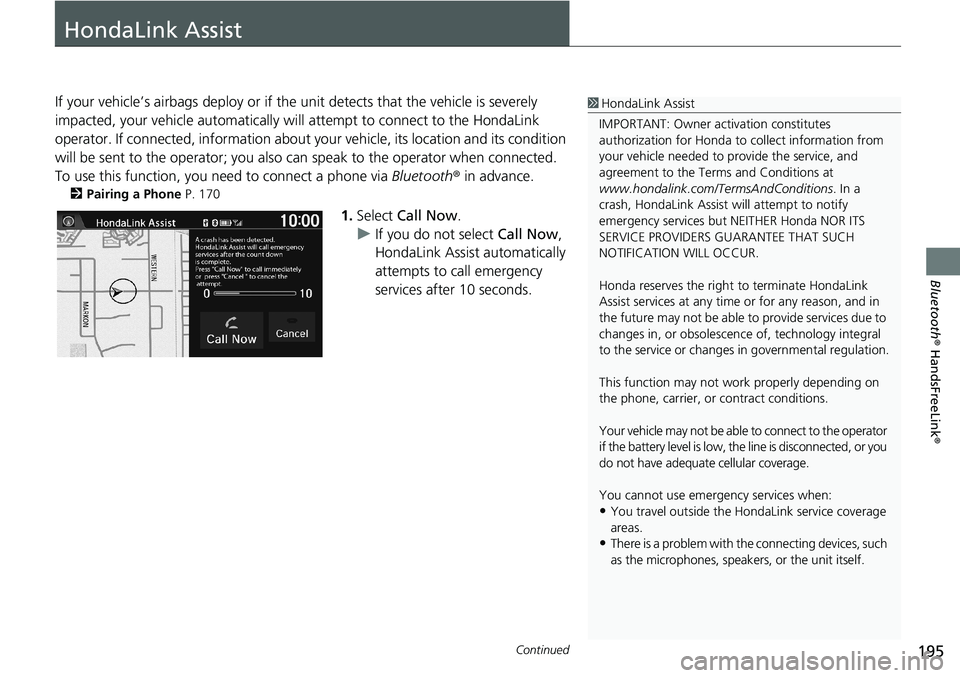
1.Select Call Now.
uIf you do not select Call Now,
HondaLink Assist automatically
attempts to call emergency
services after 10 seconds.
1HondaLink Assist
IMPORTANT: Owner activation constitutes
authorization for Honda to collect information from
your vehicle needed to provide the service, and
agreement to the Terms and Conditions at
www.hondalink.com/TermsAndConditions. In a
crash, HondaLink Assist will attempt to notify
emergency services but NEITHER Honda NOR ITS
SERVICE PROVIDERS GUARANTEE THAT SUCH
NOTIFICATION WILL OCCUR.
Honda reserves the right to terminate HondaLink
Assist services at any time or for any reason, and in
the future may not be able to provide services due to
changes in, or obsolescence of, technology integral
to the service or changes in governmental regulation.
This function may not work properly depending on
the phone, carrier, or contract conditions.
Your vehicle may not be able to connect to the operator
if the battery level is low, the line is disconnected, or you
do not have adequate cellular coverage.
You cannot use emergency services when:
•You travel outside the HondaLink service coverage
areas.
•There is a problem with the connecting devices, such
as the microphones, speakers, or the unit itself.
Page 209 of 263
207
uuTroubleshootinguMap, Voice, Entering Destinations
Troubleshooting
The voice control system is having difficulty
recognizing my voice commands.●Check that the vents are not blowing air onto the microphones at the top of the
navigation screen, the vehicle interior is as quiet as possible, and you are using
the correct command when speaking.
2Voice Recognition P. 23●Say “Help” on any screen to see a list of the applicable voice commands.
The navigation system pronunciation of destination
address sounds strange.The basic guidance phrases use a studio-recorded voice, but destination address is
pronounced using a machine-generated voice. Consequently, it may be
mispronounced or sound strange at times.
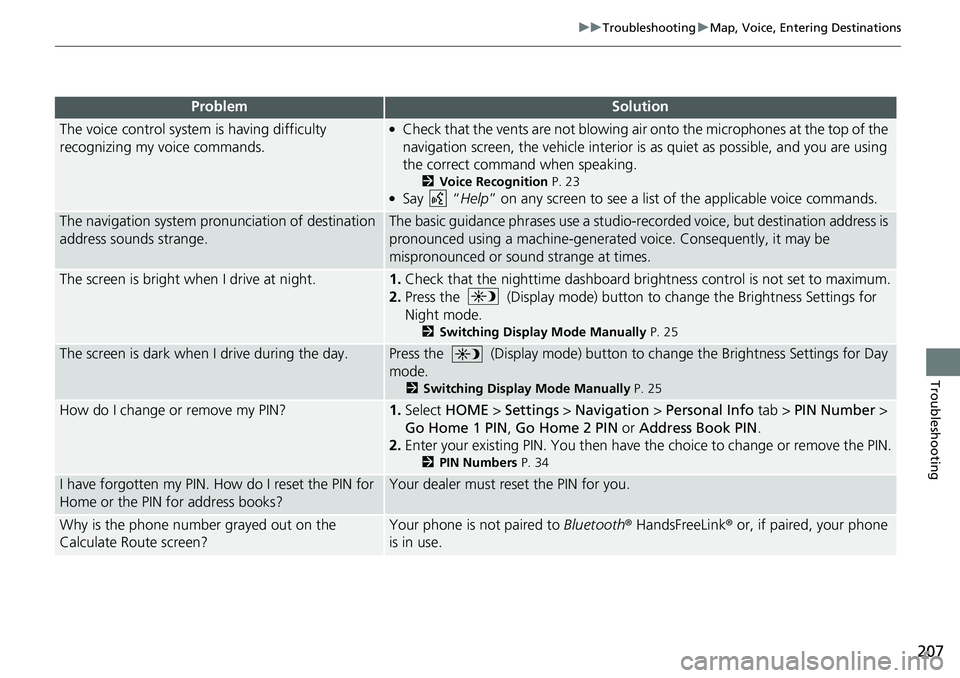
The screen is bright when I drive at night.1.Check that the nighttime dashboard brightness control is not set to maximum.
2.Press the (Display mode) button to change the Brightness Settings for
Night mode.
2Switching Display Mode Manually P. 25
The screen is dark when I drive during the day.Press the (Display mode) button to change the Brightness Settings for Day
mode.
2Switching Display Mode Manually P. 25
How do I change or remove my PIN?1.Select HOME > Settings > Navigation > Personal Info tab > PIN Number >
Go Home 1 PIN, Go Home 2 PIN or Address Book PIN.
2.Enter your existing PIN. You then have the choice to change or remove the PIN.
2PIN Numbers P. 34
I have forgotten my PIN. How do I reset the PIN for
Home or the PIN for address books?Your dealer must reset the PIN for you.
Why is the phone number grayed out on the
Calculate Route screen?Your phone is not paired to Bluetooth® HandsFreeLink® or, if paired, your phone
is in use.
ProblemSolution
Page 211 of 263
209
uuTroubleshootinguGuidance, Routing
Continued
Troubleshooting
Guidance, Routing
ProblemSolution
The navigation system does not route me the same
way I would go or the same way as other mapping
systems.The navigation system attempts to generate the optimal route. You can change
the route preferences used when calculating a route.
2Route Preference P. 39
The street I’m on is not shown on the map screen.The mapping database is constantly undergoing revision. You can access the most
recent information on the internet.
2Map Coverage P. 227
The vehicle position icon is not following the road
and the “GPS icon” text in the upper left hand
corner of the screen is white or missing.●Check that the GPS antenna (located in the dashboard) is not blocked. For best
reception, remove items from the dashboard, such as radar detectors, cell
phones, or loose articles.
●Metallic tinting or other aftermarket devices can interfere with GPS reception.
Please consult your dealer.
2GPS P. 224
The blue highlighted route and voice guidance
stopped or turned into a pink line before I got to my
destination.Your route has entered an unverified area.
2Unverified Routing P. 40
How do I stop the map from rotating as I drive
along?Select the map orientation icon on the map screen to select the north-up icon, or
say “Display north-up” to change the map orientation.
Sometimes, I cannot select between the North-up,
Heading-up and 3D map orientations.The Heading-up map orientation can only be shown in the lower scales (1/20 - 1
mile (80 m-1.6 km) scales). The 3D map orientation can only be shown in the
lower scales (1/20 - 2 mile (80 m-3 km) scales).
2Map Scale and Functions P. 58
The “time to destination” display sometimes
increases even though I am getting closer to my
destination.If your speed reduces due to slower traffic, the navigation system updates the
“time to destination” based on your actual road speed to give you a better
estimate of arrival time.
Page 215 of 263
213
uuTroubleshootinguMiscellaneous Questions
Troubleshooting
Miscellaneous Questions
ProblemSolution
My clock frequently changes forward and backward
by one hour.The clock setting is automatically updated based on your GPS location. If you live
and work on the boundary between two time zones, you can turn off this feature.
2Clock Adjustment P. 70
The clock changes even when I am not driving near
a time zone boundary.The time zone boundaries are only approximated in the navigation system.
Depending on the geography of the time zone boundary, the switch to a different
zone can be erratic.
2Clock Adjustment P. 70
My state does not observe daylight saving time.
How do I turn off this feature?Select HOME > Settings > Clock/Info > Clock tab, and set Auto Daylight to Off.
2Clock Adjustment P. 70
Daylight saving time has started, but the navigation
system did not change time even though Auto
Daylight is set to ON.The automatic daylight saving time feature does not work in regions where the
daylight saving time system has not been adopted.
The navigation system automatic daylight feature is
not switching the navigation system clock on the
correct dates.Select HOME > Settings > Clock/Info > Clock tab, and set Auto Daylight to On.
Note that the automatic daylight feature does not work in regions where the
daylight saving time system has not been adopted.
2Clock Adjustment P. 70
The navigation system clock switched by one hour
for no apparent reason.You may be driving near a time zone boundary.
2Clock Adjustment P. 70
My battery was disconnected or went dead, and the
navigation system is asking for a code.Press and hold the (Audio Power) button for two seconds. The system should
reactivate. If you have installed an aftermarket system, see your dealer.
2Entering the Security Code P. 222
How do I change the interface language?Select HOME > Settings > System > Others tab > Language, and set the
language to English, Français, or Español.
Page 239 of 263
237
uuLegal InformationuHonda App License Agreement
Continued
Reference Information
or any portion thereof will be available at all
times or in all areas. You acknowledge and
agree that HONDA is not responsible for
performance degradation, interruption or
delays. You acknowledge that HONDA shall
not be liable to you if the SOFTWARE or
SERVICES in a given location are not
available. If the SOFTWARE or SERVICES are
not available within your intended location,
you agree that your sole remedy shall be to
cease using the SOFTWARE and SERVICES.
J. PRODUCT SUPPORT: Product support
for the SOFTWARE is provided by HONDA.
For product support, please refer to HONDA
instructions provided in the
DOCUMENTATION. Should you have any
questions concerning this AGREEMENT, or
if you desire to contact HONDA for any
other reason, please refer to the HONDA
contact information provided in the
DOCUMENTATION.
K. Termination and Transfer.
1. Termination. This AGREEMENT is
effective until terminated by you or US. WE
may terminate this AGREEMENT for any or
no reason, and with or without notice to you. Your rights under this AGREEMENT will
terminate automatically without notice
from US if you fail to comply with any term
of this AGREEMENT. Upon termination of
this AGREEMENT, you shall cease all use of
the SOFTWARE and SERVICES.
2. Transfer: You may permanently transfer
your rights under this AGREEMENT only as
part of a sale or transfer of the VEHICLE,
provided you retain no copies, you transfer
all of the SOFTWARE and HONDA SERVICES
(including all component parts, the media
and printed materials, and any upgrades),
and the recipient agrees to the terms of this
AGREEMENT. You agree to notify HONDA
upon the sale or transfer of the VEHICLE. To
contact HONDA, please refer to the HONDA
contact information provided in the
DOCUMENTATION.
L. Changes to the SOFTWARE or
SERVICES. WE may change, modify, or
update the SOFTWARE or SERVICES from
time to time. Unless explicitly stated
otherwise, any new features or services that
augment or enhance the SOFTWARE or
SERVICES in the future shall respectively be
considered part of the SOFTWARE or SERVICES and subject to this AGREEMENT.
WE reserve the right at any time and from
time to time to interrupt, restrict, modify,
suspend, discontinue, temporarily or
permanently, the SOFTWARE or SERVICES
(or any portion thereof), with or without
notice to you, and you agree that HONDA
shall not be liable to you or to any third
party for any modification, suspension or
discontinuance of the SOFTWARE or
SERVICES.
M. ARBITRATION:
PLEASE READ THIS ARBITRATION
PROVISION CAREFULLY TO UNDERSTAND
YOUR RIGHTS. YOU AGREE THAT ANY
CLAIM THAT YOU MAY HAVE IN THE
FUTURE MUST BE RESOLVED THROUGH
BINDING ARBITRATION. YOU WAIVE THE
RIGHT TO HAVE YOUR DISPUTE HEARD IN
COURT AND WAIVE THE RIGHT TO BRING
CLASS CLAIMS. YOU UNDERSTAND THAT
DISCOVERY AND APPEAL RIGHTS ARE
MORE LIMITED IN ARBITRATION.
Arbitration is a method of resolving a claim,
dispute or controversy without filing a
lawsuit. By agreeing to arbitrate, the right
to go to court is waived and instead claims,
Page 257 of 263
Index
255
Index
Index
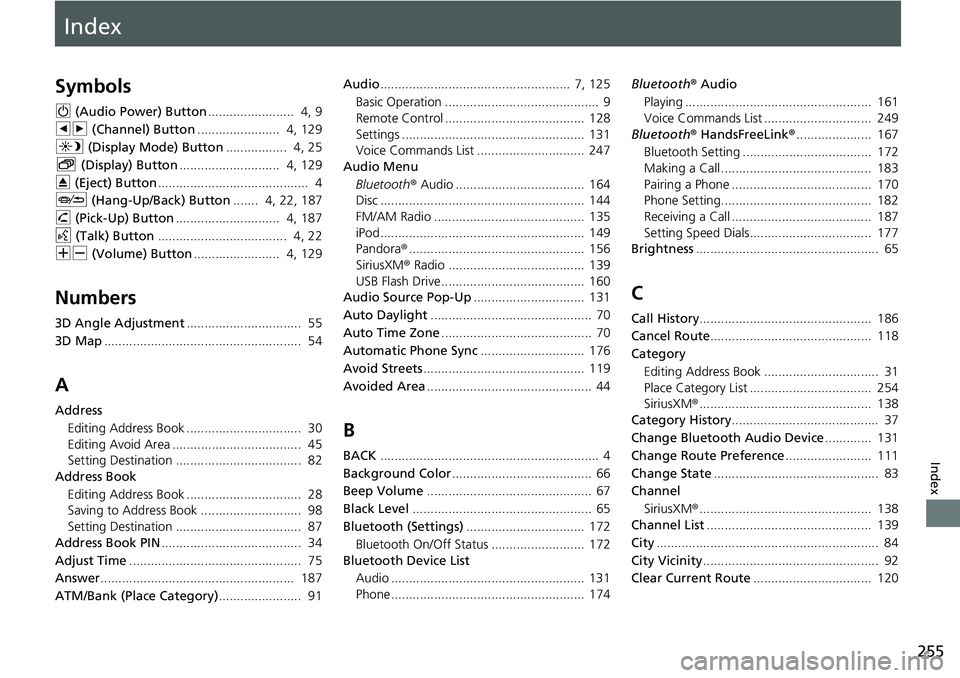
Symbols
9 (Audio Power) Button........................ 4, 9
bn (Channel) Button....................... 4, 129
a (Display Mode) Button................. 4, 25
b (Display) Button............................ 4, 129
E (Eject) Button.......................................... 4
J (Hang-Up/Back) Button....... 4, 22, 187
h (Pick-Up) Button............................. 4, 187
d (Talk) Button.................................... 4, 22
NB (Volume) Button........................ 4, 129
Numbers
3D Angle Adjustment................................ 55
3D Map....................................................... 54
A
Address
Editing Address Book ................................ 30
Editing Avoid Area .................................... 45
Setting Destination ................................... 82
Address Book
Editing Address Book ................................ 28
Saving to Address Book ............................ 98
Setting Destination ................................... 87
Address Book PIN....................................... 34
Adjust Time................................................ 75
Answer...................................................... 187
ATM/Bank (Place Category)....................... 91Audio..................................................... 7, 125
Basic Operation ........................................... 9
Remote Control ....................................... 128
Settings ................................................... 131
Voice Commands List .............................. 247
Audio Menu
Bluetooth® Audio .................................... 164
Disc ......................................................... 144
FM/AM Radio .......................................... 135
iPod ......................................................... 149
Pandora®................................................. 156
SiriusXM® Radio ...................................... 139
USB Flash Drive ........................................ 160
Audio Source Pop-Up............................... 131
Auto Daylight............................................. 70
Auto Time Zone.......................................... 70
Automatic Phone Sync............................. 176
Avoid Streets............................................. 119
Avoided Area.............................................. 44
B
BACK............................................................. 4
Background Color....................................... 66
Beep Volume.............................................. 67
Black Level.................................................. 65
Bluetooth (Settings)................................. 172
Bluetooth On/Off Status .......................... 172
Bluetooth Device List
Audio ...................................................... 131
Phone ...................................................... 174Bluetooth® Audio
Playing .................................................... 161
Voice Commands List .............................. 249
Bluetooth® HandsFreeLink®..................... 167
Bluetooth Setting .................................... 172
Making a Call .......................................... 183
Pairing a Phone ....................................... 170
Phone Setting.......................................... 182
Receiving a Call ....................................... 187
Setting Speed Dials.................................. 177
Brightness................................................... 65
C
Call History................................................ 186
Cancel Route............................................. 118
Category
Editing Address Book ................................ 31
Place Category List .................................. 254
SiriusXM®................................................ 138
Category History......................................... 37
Change Bluetooth Audio Device............. 131
Change Route Preference........................ 111
Change State.............................................. 83
Channel
SiriusXM®................................................ 138
Channel List.............................................. 139
City.............................................................. 84
City Vicinity................................................. 92
Clear Current Route................................. 120