pairing phone HONDA HR-V 2018 Navigation Manual (in English)
[x] Cancel search | Manufacturer: HONDA, Model Year: 2018, Model line: HR-V, Model: HONDA HR-V 2018Pages: 263, PDF Size: 56.63 MB
Page 26 of 263
24
uuVoice Control SystemuSiri Eyes Free
System Setup
Siri Eyes Free
When your iPhone is paired and linked to the system via Bluetooth®, you can say Siri-
related commands. Make sure Siri on your iPhone is turned on.
2Pairing a Phone P. 170
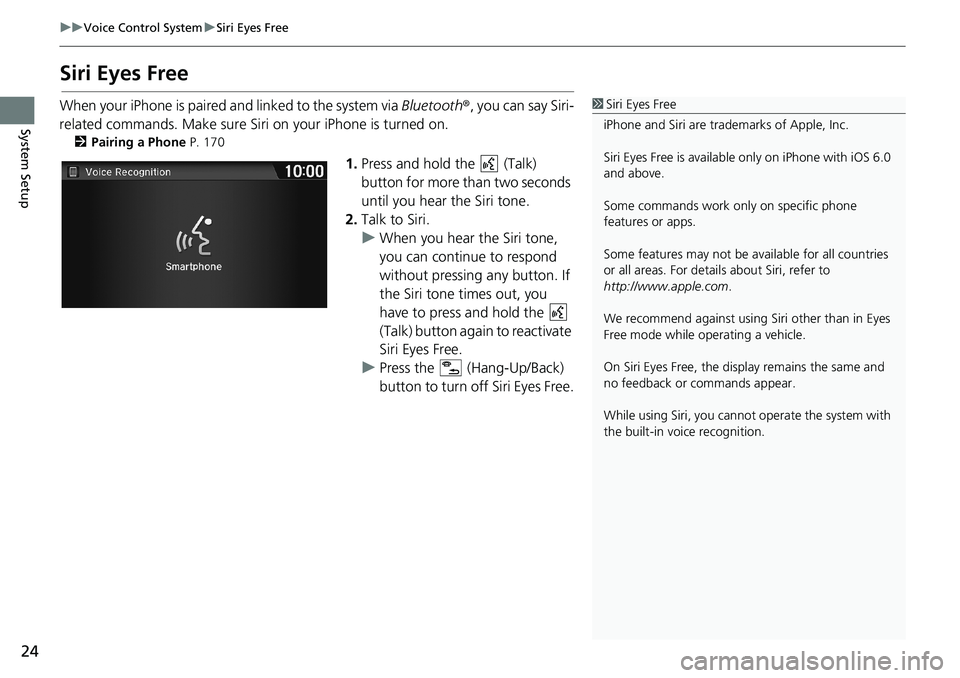
1.Press and hold the (Talk)
button for more than two seconds
until you hear the Siri tone.
2.Talk to Siri.
uWhen you hear the Siri tone,
you can continue to respond
without pressing any button. If
the Siri tone times out, you
have to press and hold the
(Talk) button again to reactivate
Siri Eyes Free.
uPress the (Hang-Up/Back)
button to turn off Siri Eyes Free.
1Siri Eyes Free
iPhone and Siri are trademarks of Apple, Inc.
Siri Eyes Free is available only on iPhone with iOS 6.0
and above.
Some commands work only on specific phone
features or apps.
Some features may not be available for all countries
or all areas. For details about Siri, refer to
http://www.apple.com.
We recommend against using Siri other than in Eyes
Free mode while operating a vehicle.
On Siri Eyes Free, the display remains the same and
no feedback or commands appear.
While using Siri, you cannot operate the system with
the built-in voice recognition.
Page 163 of 263
161
Audio
Playing Bluetooth® Audio
Your audio system allows you to listen to music tracks stored on your Bluetooth-
compatible phone.
This function is available when the phone is linked to the vehicle’s Bluetooth®
HandsFreeLink® (HFL) system.
2Bluetooth® HandsFreeLink® P. 167
Selecting Bluetooth® Audio Mode
1.Make sure that your phone is on, paired, and linked to HFL.
2Pairing a Phone P. 170
2.Select Audio on the HOME screen.
3.Select SOURCE.
4.Select the Bluetooth icon.
5.Select the track with Group or Track, or open the tab and select
from the track list.
uThe current track name and artist name are displayed.
Check the following if the phone is not recognized:
• Another HFL-compatible phone, which is not compatible for Bluetooth Audio, is
already connected.
1Playing Bluetooth® Audio
“BTA play”, “Bluetooth audio play”
You can control the Bluetooth Audio using voice
commands.
2Bluetooth® Audio Commands P. 249
Not all Bluetooth-enabled phones with streaming
audio capabilities are compatible. To check if your
phone is compatible:
•U.S.: Visit automobiles.honda.com/handsfreelink/.
•Canada: Visit www.handsfreelink.ca.
In some states, it may be illegal to perform some data
device functions while driving.
In some cases, the name of the artist, album, or track
may not appear correctly.
Only one phone can be used with HFL at a time.
When there are more than two paired phones in the
vehicle, the first paired phone the system finds is
automatically linked.
If more than one phone is paired to the HFL system,
there may be a delay before the system begins to
play.
Page 169 of 263
167
B l u e t o o t h® HandsFreeLink®
This section describes how to operate Bluetooth® HandsFreeLink®. You can place and
receive phone calls using your vehicle’s audio system without handling your cell phone.
Bluetooth® HandsFreeLink®................. 168
Pairing a Phone .................................... 170
Bluetooth Setting ................................. 172
Automatic Phone Sync ......................... 176
Setting Up Speed Dialing...................... 177
Phonebook Phonetic Modification ........ 180
Phone Setting ...................................... 182
Making a Call....................................... 183
Receiving a Call .................................... 187
HFL Menus ........................................... 188
Text/E-mail Message............................ 192
Text/Email Setting ................................ 194
HondaLink Assist.................................. 195
Page 170 of 263
168
Bluetooth® HandsFreeLink®
Bluetooth® HandsFreeLink®
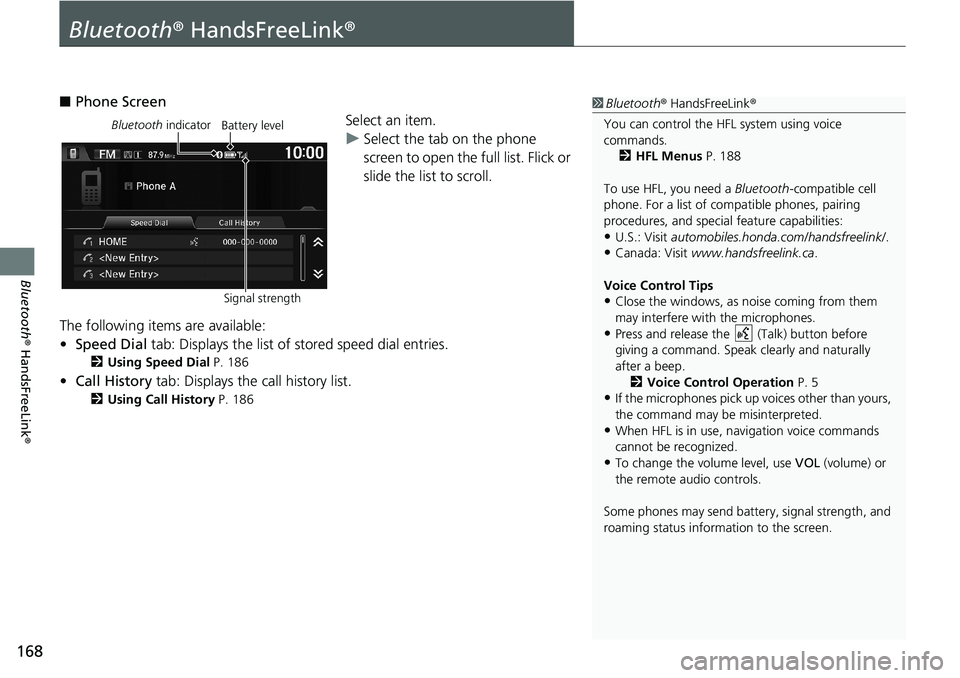
■Phone Screen
Select an item.
uSelect the tab on the phone
screen to open the full list. Flick or
slide the list to scroll.
The following items are available:
•Speed Dial tab: Displays the list of stored speed dial entries.
2Using Speed Dial P. 186
•Call History tab: Displays the call history list.
2Using Call History P. 186
1Bluetooth® HandsFreeLink®
You can control the HFL system using voice
commands.
2HFL Menus P. 188
To use HFL, you need a Bluetooth-compatible cell
phone. For a list of compatible phones, pairing
procedures, and special feature capabilities:
•U.S.: Visit automobiles.honda.com/handsfreelink/.
•Canada: Visit www.handsfreelink.ca.
Voice Control Tips
•Close the windows, as noise coming from them
may interfere with the microphones.
•Press and release the (Talk) button before
giving a command. Speak clearly and naturally
after a beep.
2Voice Control Operation P. 5
•If the microphones pick up voices other than yours,
the command may be misinterpreted.
•When HFL is in use, navigation voice commands
cannot be recognized.
•To change the volume level, use VOL (volume) or
the remote audio controls.
Some phones may send battery, signal strength, and
roaming status information to the screen.
Bluetooth indicator
Signal strengthBattery level
Page 172 of 263
170
uuBluetooth® HandsFreeLink®uPairing a Phone
Bluetooth® HandsFreeLink®
Pairing a Phone
HHOMEuPhone
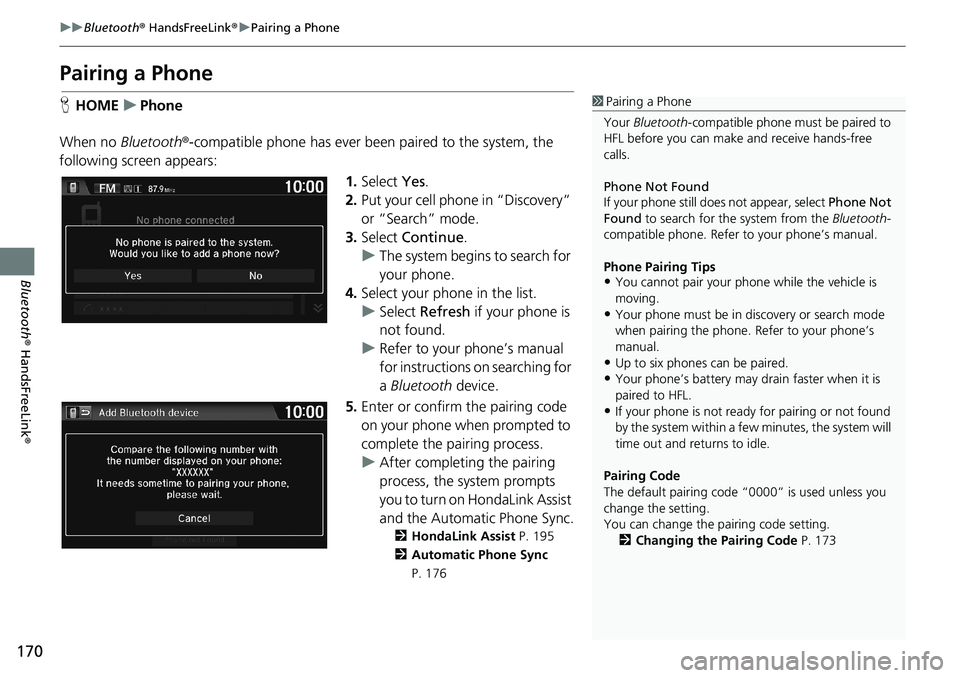
When no Bluetooth®-compatible phone has ever been paired to the system, the
following screen appears:
1.Select Yes.
2.Put your cell phone in “Discovery”
or “Search” mode.
3.Select Continue.
uThe system begins to search for
your phone.
4.Select your phone in the list.
uSelect Refresh if your phone is
not found.
uRefer to your phone’s manual
for instructions on searching for
a Bluetooth device.
5.Enter or confirm the pairing code
on your phone when prompted to
complete the pairing process.
uAfter completing the pairing
process, the system prompts
you to turn on HondaLink Assist
and the Automatic Phone Sync.
2HondaLink Assist P. 195
2Automatic Phone Sync
P. 176
1Pairing a Phone
Your Bluetooth-compatible phone must be paired to
HFL before you can make and receive hands-free
calls.
Phone Not Found
If your phone still does not appear, select Phone Not
Found to search for the system from the Bluetooth-
compatible phone. Refer to your phone’s manual.
Phone Pairing Tips
•You cannot pair your phone while the vehicle is
moving.
•Your phone must be in discovery or search mode
when pairing the phone. Refer to your phone’s
manual.
•Up to six phones can be paired.
•Your phone’s battery may drain faster when it is
paired to HFL.
•If your phone is not ready for pairing or not found
by the system within a few minutes, the system will
time out and returns to idle.
Pairing Code
The default pairing code “0000” is used unless you
change the setting.
You can change the pairing code setting.
2Changing the Pairing Code P. 173
Page 173 of 263
171
uuBluetooth® HandsFreeLink®uPairing a Phone
Bluetooth® HandsFreeLink®
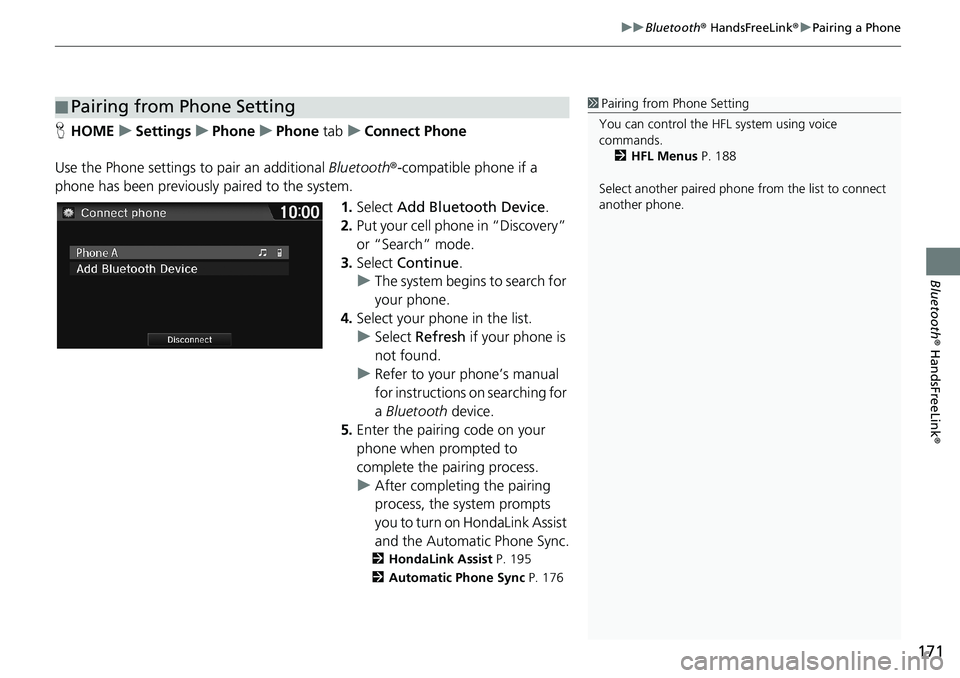
HHOMEuSettingsuPhoneuPhone tabuConnect Phone
Use the Phone settings to pair an additional Bluetooth®-compatible phone if a
phone has been previously paired to the system.
1.Select Add Bluetooth Device.
2.Put your cell phone in “Discovery”
or “Search” mode.
3.Select Continue.
uThe system begins to search for
your phone.
4.Select your phone in the list.
uSelect Refresh if your phone is
not found.
uRefer to your phone’s manual
for instructions on searching for
a Bluetooth device.
5.Enter the pairing code on your
phone when prompted to
complete the pairing process.
uAfter completing the pairing
process, the system prompts
you to turn on HondaLink Assist
and the Automatic Phone Sync.
2HondaLink Assist P. 195
2Automatic Phone Sync P. 176
■Pairing from Phone Setting1Pairing from Phone Setting
You can control the HFL system using voice
commands.
2HFL Menus P. 188
Select another paired phone from the list to connect
another phone.
Page 174 of 263
172
uuBluetooth® HandsFreeLink®uBluetooth Setting
Bluetooth® HandsFreeLink®
Bluetooth Setting
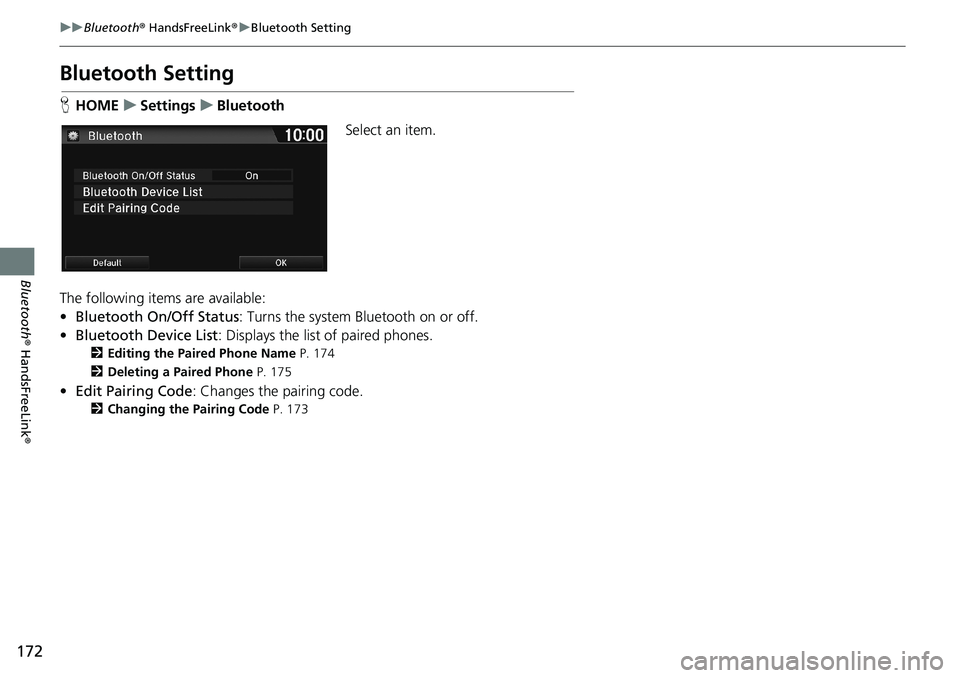
HHOMEuSettingsuBluetooth
Select an item.
The following items are available:
•Bluetooth On/Off Status: Turns the system Bluetooth on or off.
•Bluetooth Device List: Displays the list of paired phones.
2Editing the Paired Phone Name P. 174
2Deleting a Paired Phone P. 175
•Edit Pairing Code: Changes the pairing code.
2Changing the Pairing Code P. 173
Page 175 of 263
Continued173
uuBluetooth® HandsFreeLink®uBluetooth Setting
Bluetooth® HandsFreeLink®
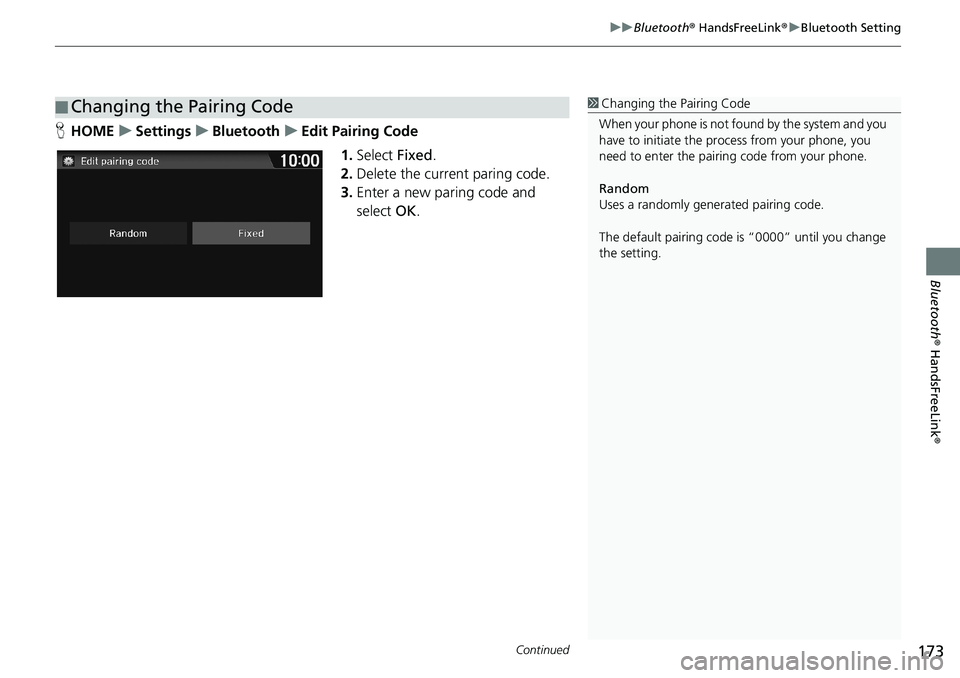
HHOMEuSettingsuBluetoothuEdit Pairing Code
1.Select Fixed.
2.Delete the current paring code.
3.Enter a new paring code and
select OK.
■Changing the Pairing Code1Changing the Pairing Code
When your phone is not found by the system and you
have to initiate the process from your phone, you
need to enter the pairing code from your phone.
Random
Uses a randomly generated pairing code.
The default pairing code is “0000” until you change
the setting.
Page 184 of 263
182
uuBluetooth® HandsFreeLink®uPhone Setting
Bluetooth® HandsFreeLink®
Phone Setting
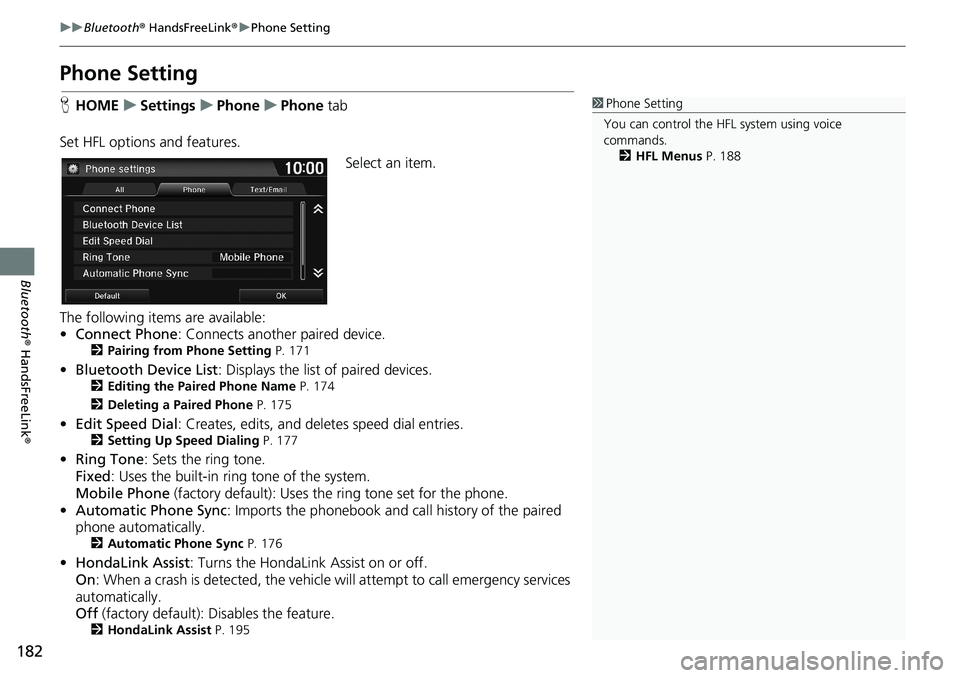
HHOMEuSettingsuPhoneuPhone tab
Set HFL options and features.
Select an item.
The following items are available:
•Connect Phone: Connects another paired device.
2Pairing from Phone Setting P. 171
•Bluetooth Device List: Displays the list of paired devices.2Editing the Paired Phone Name P. 174
2Deleting a Paired Phone P. 175
•Edit Speed Dial: Creates, edits, and deletes speed dial entries.2Setting Up Speed Dialing P. 177
•Ring Tone: Sets the ring tone.
Fixed: Uses the built-in ring tone of the system.
Mobile Phone (factory default): Uses the ring tone set for the phone.
•Automatic Phone Sync: Imports the phonebook and call history of the paired
phone automatically.
2Automatic Phone Sync P. 176
•HondaLink Assist: Turns the HondaLink Assist on or off.
On: When a crash is detected, the vehicle will attempt to call emergency services
automatically.
Off (factory default): Disables the feature.
2HondaLink Assist P. 195
1Phone Setting
You can control the HFL system using voice
commands.
2HFL Menus P. 188
Page 190 of 263
188
uuBluetooth® HandsFreeLink®uHFL Menus
Bluetooth® HandsFreeLink®
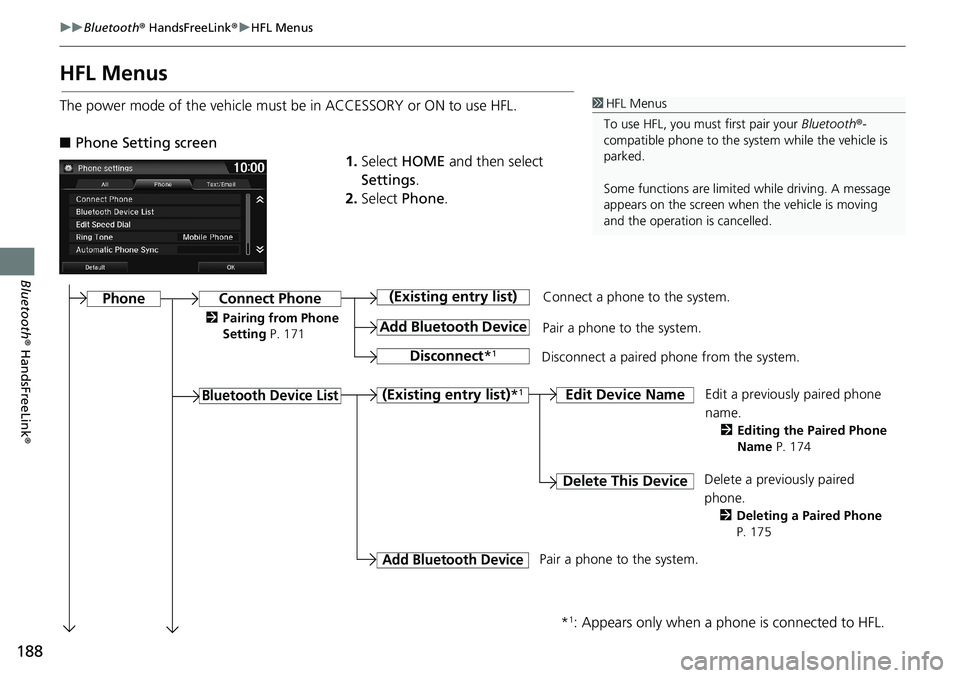
HFL Menus
The power mode of the vehicle must be in ACCESSORY or ON to use HFL.
■Phone Setting screen
1.Select HOME and then select
Settings.
2.Select Phone.1HFL Menus
To use HFL, you must first pair your Bluetooth®-
compatible phone to the system while the vehicle is
parked.
Some functions are limited while driving. A message
appears on the screen when the vehicle is moving
and the operation is cancelled.
Connect a phone to the system.
Edit a previously paired phone
name.
2Editing the Paired Phone
Name P. 174
Connect Phone
Bluetooth Device List
(Existing entry list)
Add Bluetooth Device
Disconnect*1
Pair a phone to the system.
Disconnect a paired phone from the system.
(Existing entry list)*1Edit Device Name
Delete This DeviceDelete a previously paired
phone.
2Deleting a Paired Phone
P. 175
Add Bluetooth Device
*1: Appears only when a phone is connected to HFL.
Pair a phone to the system.
Phone
2Pairing from Phone
Setting P. 171