information HONDA HRV 2022 Owners Manual
[x] Cancel search | Manufacturer: HONDA, Model Year: 2022, Model line: HRV, Model: HONDA HRV 2022Pages: 641, PDF Size: 21.37 MB
Page 468 of 641
466
uuHonda Sensing ®*u
Driving
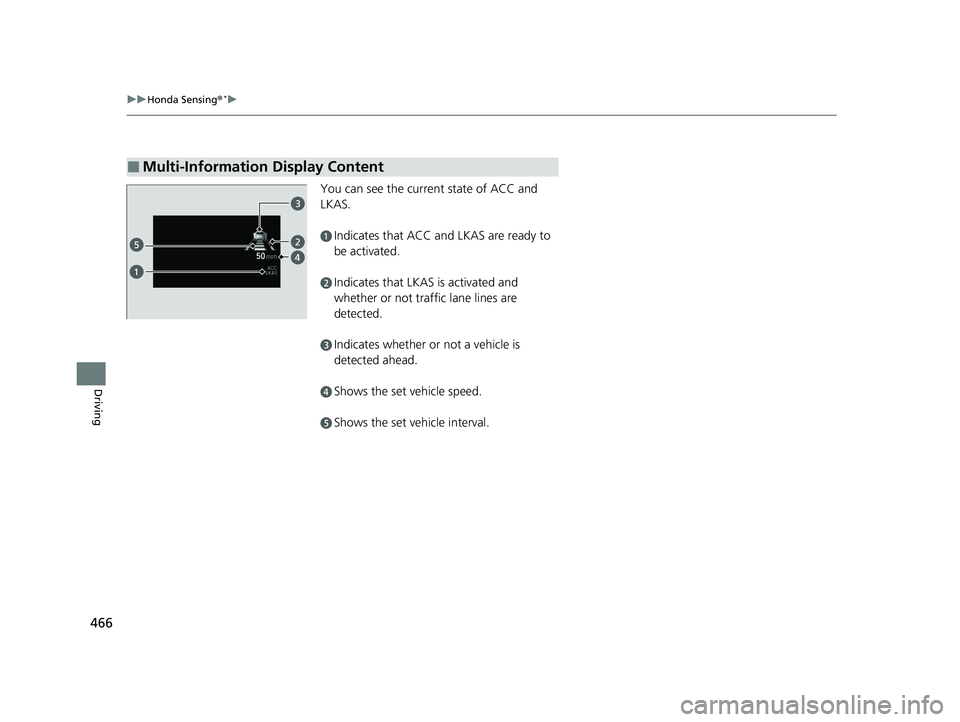
You can see the current state of ACC and
LKAS.
aIndicates that ACC and LKAS are ready to
be activated.
bIndicates that LKAS is activated and
whether or not traffic lane lines are
detected.
cIndicates whether or not a vehicle is
detected ahead.
dShows the set vehicle speed.
eShows the set vehicle interval.
■Multi-Information Display Content
22 HR-V HDMC-31T7A6600.book 466 ページ 2021年4月12日 月曜日 午前10時50分
Page 469 of 641
467
uuHonda Sensing ®*uCollision Mitigation Braking SystemTM (CMBSTM)
Continued
Driving
Collision Mitigation Braking SystemTM (CMBSTM)
The system can assist you when it determines there is a possibility of your vehicle
colliding with a vehicle or a pedestrian dete cted in front of your vehicle. The CMBSTM
is designed to alert you when the potential for a collision is determined, as well \
as to
reduce your vehicle speed to help minimize collision severity when a collision is
deemed unavoidable.
■How the system works
1 Collision Mitigation Braking SystemTM (CMBSTM)
Important Safety Reminder
The CMBS
TM is designed to reduce the severity of an
unavoidable collision. It do es not prevent a collision
nor stop the vehicle automati cally. It is still your
responsibility to operate the brake pedal and steering
wheel appropriately acco rding to the driving
conditions.
The CMBS
TM may not activate or may not detect a
vehicle in front of y our vehicle under certain
conditions:
2 CMBS
TM Conditions and Limitations P. 471
You can read about handling information for the
camera equipped with this system. 2 Front Sensor Camera P. 504
For directions on the prop er handling of the radar
sensor, refer to the following page. 2 Radar Sensor P. 506
1How the system works
Rapid vibrations on the steering wheel alert you
when your vehicle speed is between 19 and 62 mph
(30 and 100 km/h) with an oncoming vehicle
detected in front of you.
When the CMBS
TM activates, it may automatically
apply the brake. It will be canceled when your vehicle
stops or a potential coll ision is not determined.
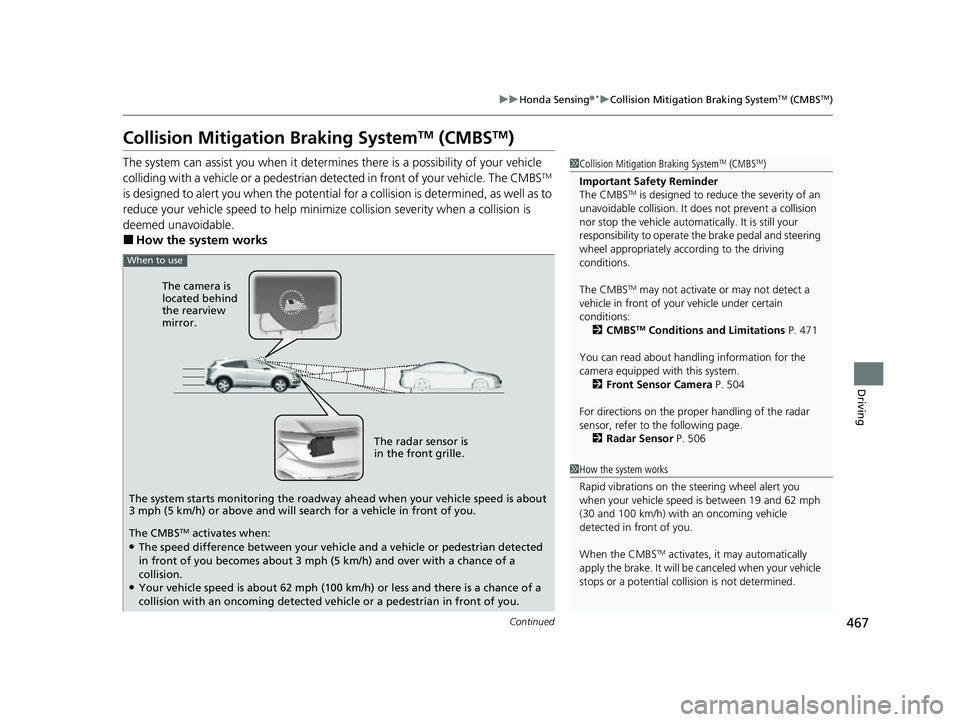
When to use
The camera is
located behind
the rearview
mirror.
The radar sensor is
in the front grille.
The system starts monitoring the roadway ahead when your vehicle speed is about
3 mph (5 km/h) or above and will search for a vehicle in front of you.
The CMBS
TM activates when:●The speed difference between your vehicl e and a vehicle or pedestrian detected
in front of you becomes about 3 mph (5 km/h) and over with a chance of a
collision.
●Your vehicle speed is about 62 mph (100 km/h) or less and there is a chance of a
collision with an oncoming detected ve hicle or a pedestrian in front of you.
22 HR-V HDMC-31T7A6600.book 467 ページ 2021年4月12日 月曜日 午前10時50分
Page 470 of 641
uuHonda Sensing ®*uCollision Mitigation Braking SystemTM (CMBSTM)
468
Driving
■When the system activates
You can change the distance ( Long/Normal /Short ) between vehicles at which the
system’s earliest collision alert will co me on through audio/information screen
setting options.
2 List of customizable options P. 362
■Vibration alert on the steering wheel
When a potential collision to an oncoming detected vehicle is determined, the
system alerts you with rapid vibration on the steering wheel, in addition to visual and
audible alerts. u Take appropriate action to prevent a co llision (apply the brakes, operate the
steering wheel, etc.).
1 When the system activates
The camera in the CMBS
TM is also designed to detect
pedestrians.
However, this pedestrian detection feature may not
activate or may not detect a pedestrian in front of
your vehicle under certain conditions.
Refer to the ones indicating the pedestrian detection
limitations from the list. 2 CMBS
TM Conditions and Limitations P. 471
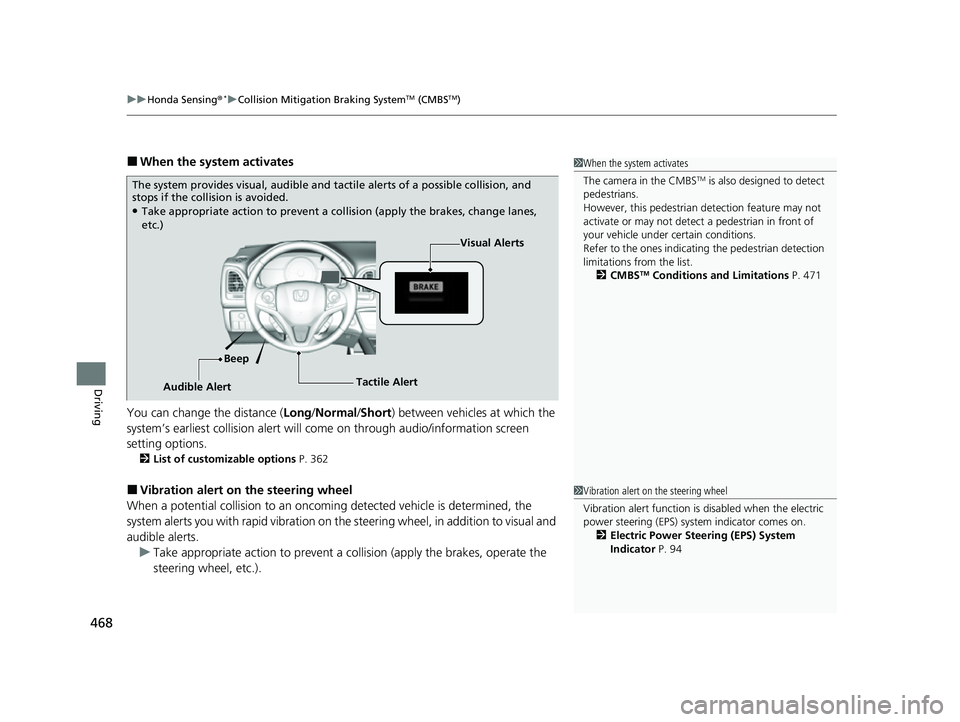
The system provides visual, audible and ta ctile alerts of a possible collision, and
stops if the collision is avoided.
●Take appropriate action to prevent a collision (apply the brakes, change lanes,
etc.)
Visual Alerts
Beep
Audible Alert Tactile Alert
1
Vibration alert on the steering wheel
Vibration alert function is disabled when the electric
power steering (EPS) system indicator comes on.
2 Electric Power Steering (EPS) System
Indicator P. 94
22 HR-V HDMC-31T7A6600.book 468 ページ 2021年4月12日 月曜日 午前10時50分
Page 472 of 641
uuHonda Sensing ®*uCollision Mitigation Braking SystemTM (CMBSTM)
470
Driving
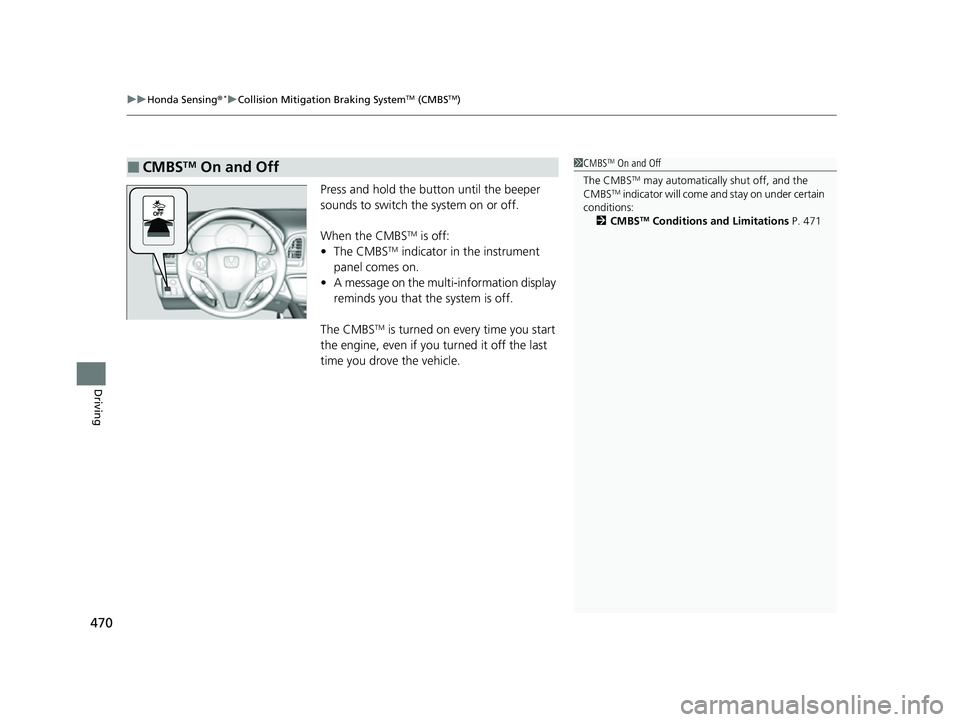
Press and hold the button until the beeper
sounds to switch the system on or off.
When the CMBS
TM is off:
• The CMBSTM indicator in the instrument
panel comes on.
• A message on the multi-information display
reminds you that the system is off.
The CMBS
TM is turned on every time you start
the engine, even if you turned it off the last
time you drove the vehicle.
■CMBSTM On and Off1 CMBSTM On and Off
The CMBS
TM may automatically shut off, and the
CMBSTM indicator will come an d stay on under certain
conditions: 2 CMBS
TM Conditions and Limitations P. 471
22 HR-V HDMC-31T7A6600.book 470 ページ 2021年4月12日 月曜日 午前10時50分
Page 480 of 641
uuHonda Sensing ®*uAdaptive Cruise Control (ACC)
478
Driving
■How to activate the system1Adaptive Cruise Control (ACC)
Important Reminder
As with any system, there are limits to ACC. Use the
brake pedal whenever necessary, and always keep a
safe interval betw een your vehicle and other vehicles.
You can read about handling information for the
camera equipped with this system. 2 Front Sensor Camera P. 504
For directions on the prop er handling of the radar
sensor, refer to the following page.
2 Radar Sensor P. 506
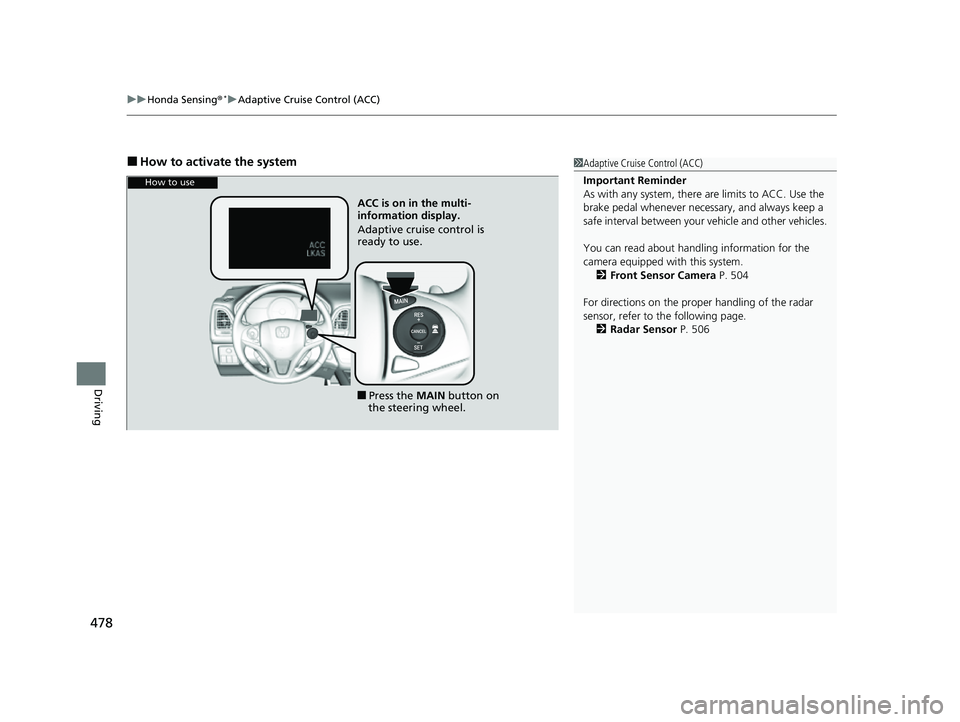
How to use
ACC is on in the multiL
information display.
Adaptive cruise control is
ready to use.
■Press the MAIN button on
the steering wheel.
22 HR-V HDMC-31T7A6600.book 478 ページ 2021年4月12日 月曜日 午前10時50分
Page 481 of 641
Continued479
uuHonda Sensing ®*uAdaptive Cruise Control (ACC)
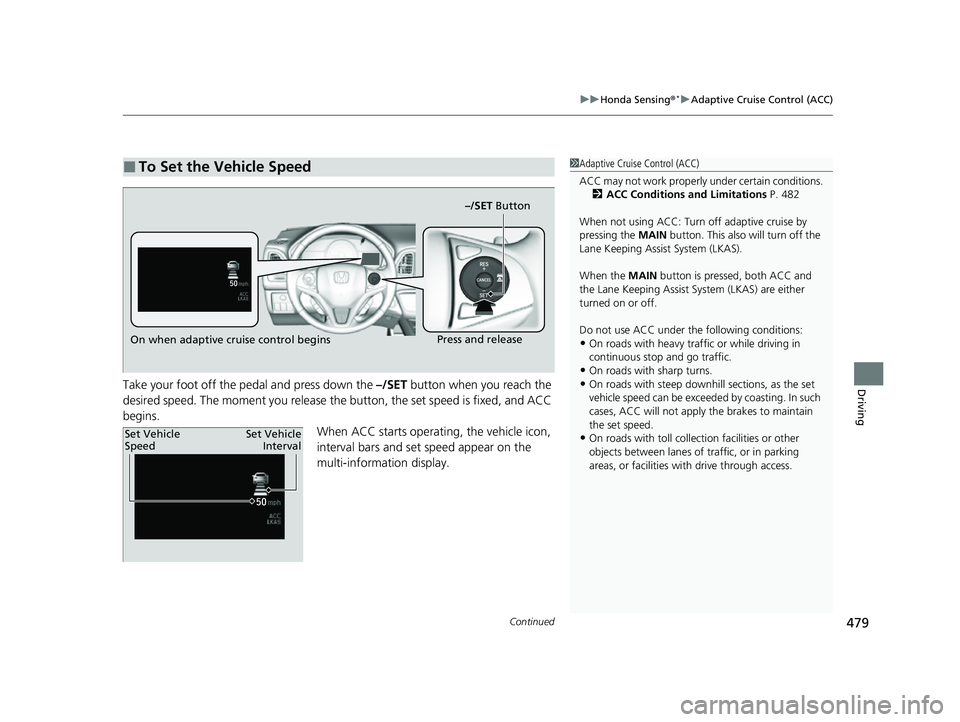
DrivingTake your foot off the pedal and press down the –/SET button when you reach the
desired speed. The moment you release the button, the set speed is fixed, and ACC
begins. When ACC starts operating, the vehicle icon,
interval bars and set speed appear on the
multi-information display.
■To Set the Vehicle Speed1Adaptive Cruise Control (ACC)
ACC may not work properly under certain conditions.
2 ACC Conditions and Limitations P. 482
When not using ACC: Turn off adaptive cruise by
pressing the MAIN button. This also will turn off the
Lane Keeping Assist System (LKAS).
When the MAIN button is pressed, both ACC and
the Lane Keeping Assist System (LKAS) are either
turned on or off.
Do not use ACC under the following conditions:
•On roads with heavy traf fic or while driving in
continuous stop and go traffic.
•On roads with sharp turns.
•On roads with steep downhill sections, as the set
vehicle speed can be exceeded by coasting. In such
cases, ACC will not apply the brakes to maintain
the set speed.
•On roads with toll collection facilities or other
objects between lanes of traffic, or in parking
areas, or faci lities with driv e through access.
On when adaptive cruise control begins –/SET ButtonPress and release
Set Vehicle
Speed
Set Vehicle
Interval
22 HR-V HDMC-31T7A6600.book 479 ページ 2021年4月12日 月曜日 午前10時50分
Page 482 of 641
uuHonda Sensing ®*uAdaptive Cruise Control (ACC)
480
Driving
■There is a vehicle ahead
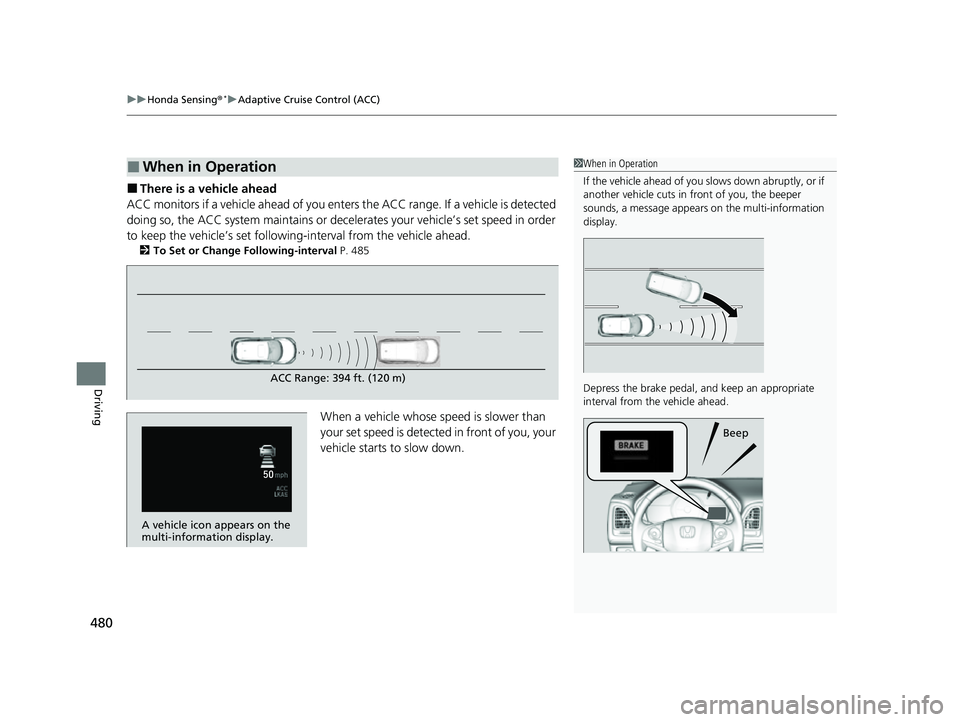
ACC monitors if a vehicle ahead of you ente rs the ACC range. If a vehicle is detected
doing so, the ACC system maintains or decele rates your vehicle’s set speed in order
to keep the vehicle’s se t following-interval from the vehicle ahead.
2To Set or Change Following-interval P. 485
When a vehicle whose speed is slower than
your set speed is detected in front of you, your
vehicle starts to slow down.
■When in Operation1 When in Operation
If the vehicle ahead of you slows down abruptly, or if
another vehicle cuts in front of you, the beeper
sounds, a message appears on the multi-information
display.
Depress the brake pedal, and keep an appropriate
interval from the vehicle ahead.
Beep
ACC Range: 394 ft. (120 m)
A vehicle icon appears on the
multi-information display.
22 HR-V HDMC-31T7A6600.book 480 ページ 2021年4月12日 月曜日 午前10時50分
Page 483 of 641
Continued481
uuHonda Sensing ®*uAdaptive Cruise Control (ACC)
Driving
■There is no vehicle ahead
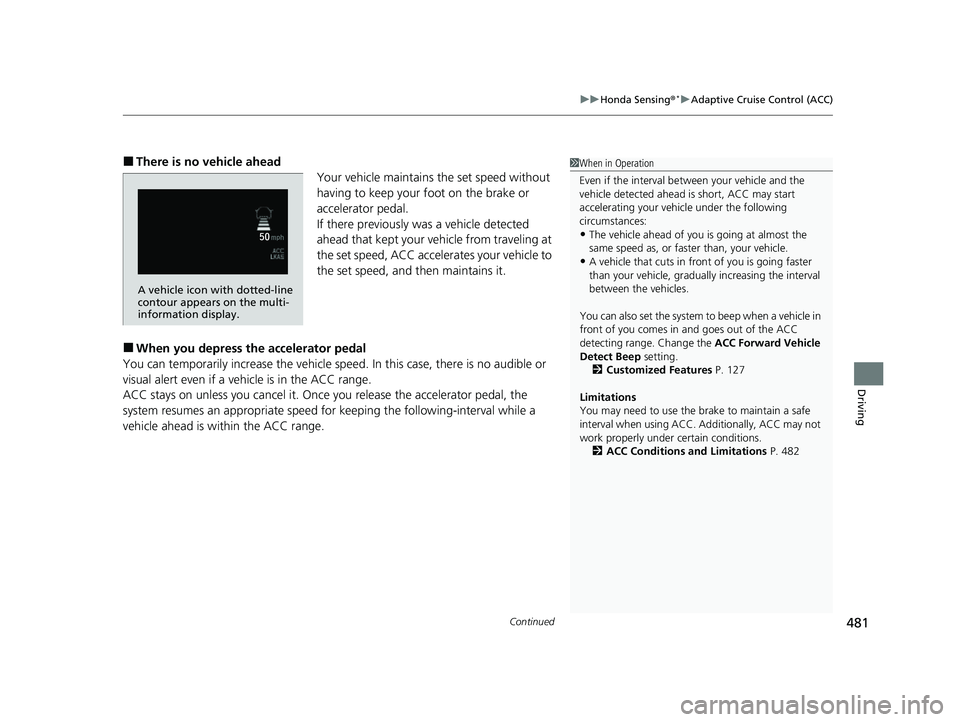
Your vehicle maintains the set speed without
having to keep your foot on the brake or
accelerator pedal.
If there previously was a vehicle detected
ahead that kept your vehicle from traveling at
the set speed, ACC accelerates your vehicle to
the set speed, and then maintains it.
■When you depress the accelerator pedal
You can temporarily increase the vehicle speed . In this case, there is no audible or
visual alert even if a vehicle is in the ACC range.
ACC stays on unless you cancel it. Once you release the accelerator pedal, the
system resumes an appropriate speed fo r keeping the following-interval while a
vehicle ahead is within the ACC range.
1 When in Operation
Even if the interval betw een your vehicle and the
vehicle detected ahead is short, ACC may start
accelerating your vehicle under the following
circumstances:
•The vehicle ahead of you is going at almost the
same speed as, or faster than, your vehicle.
•A vehicle that cuts in front of you is going faster
than your vehicle, gradua lly increasing the interval
between the vehicles.
You can also set the system to beep when a vehicle in
front of you comes in and goes out of the ACC
detecting range. Change the ACC Forward Vehicle
Detect Beep setting.
2 Customized Features P. 127
Limitations
You may need to use the brake to maintain a safe
interval when using ACC. Additionally, ACC may not
work properly under certain conditions.
2 ACC Conditions and Limitations P. 482
A vehicle icon with dotted-line
contour appears on the multi-
information display.
22 HR-V HDMC-31T7A6600.book 481 ページ 2021年4月12日 月曜日 午前10時50分
Page 487 of 641
Continued485
uuHonda Sensing ®*uAdaptive Cruise Control (ACC)
Driving
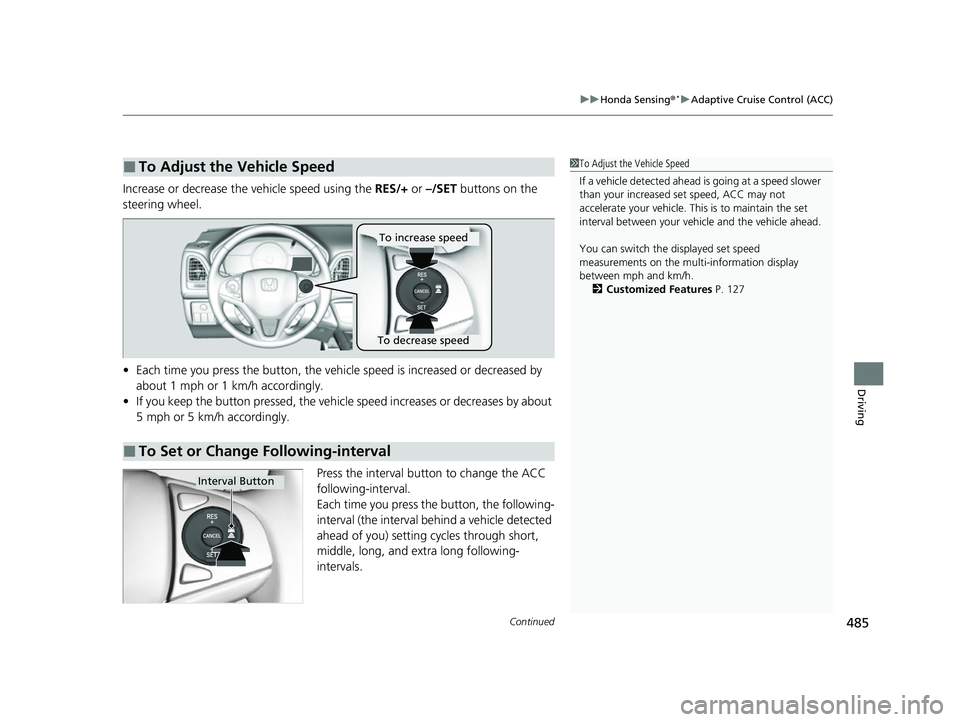
Increase or decrease the vehicle speed using the RES/+ or –/SET buttons on the
steering wheel.
• Each time you press the button, the vehicl e speed is increased or decreased by
about 1 mph or 1 km/h accordingly.
• If you keep the button pressed, the vehicle speed increases or decreases by about
5 mph or 5 km/h accordingly.
Press the interval button to change the ACC
following-interval.
Each time you press the button, the following-
interval (the interval behind a vehicle detected
ahead of you) setting cycles through short,
middle, long, and extra long following-
intervals.
■To Adjust the Vehicle Speed1 To Adjust the Vehicle Speed
If a vehicle detected ahead is going at a speed slower
than your increased set speed, ACC may not
accelerate your vehicle. This is to maintain the set
interval between your vehi cle and the vehicle ahead.
You can switch the displayed set speed
measurements on the mult i-information display
between mph and km/h. 2 Customized Features P. 127
■To Set or Change Following-interval
To increase speed
To decrease speed
Interval Button
22 HR-V HDMC-31T7A6600.book 485 ページ 2021年4月12日 月曜日 午前10時50分
Page 489 of 641
Continued487
uuHonda Sensing ®*uAdaptive Cruise Control (ACC)
Driving
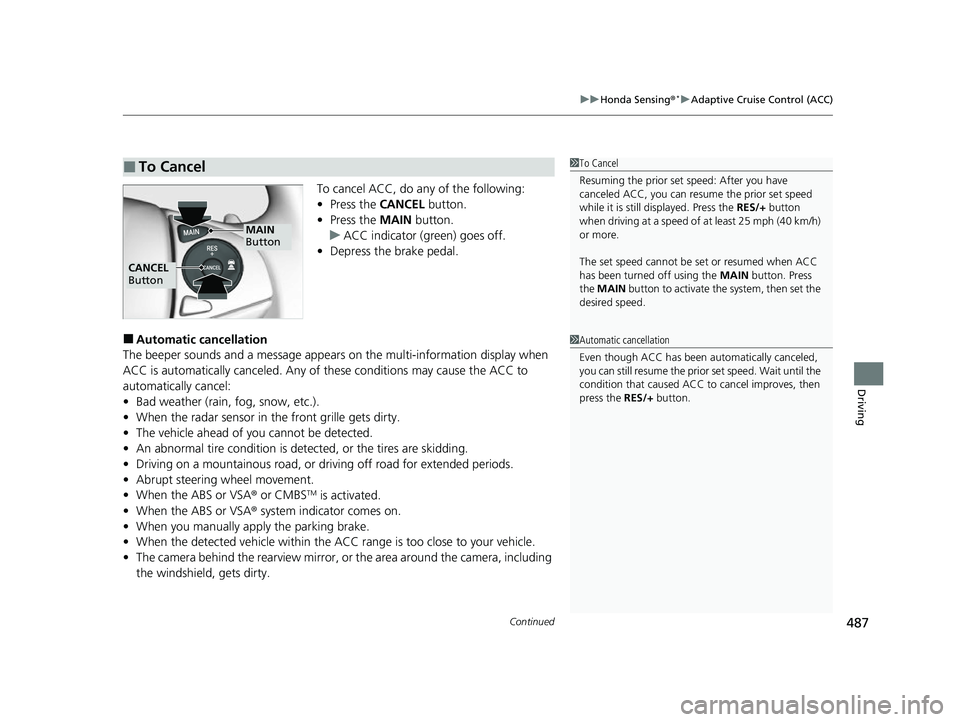
To cancel ACC, do any of the following:
• Press the CANCEL button.
• Press the MAIN button.
u ACC indicator (green) goes off.
• Depress the brake pedal.
■Automatic cancellation
The beeper sounds and a message appears on the multi-information display when
ACC is automatically cancel ed. Any of these conditions may cause the ACC to
automatically cancel:
• Bad weather (rain, fog, snow, etc.).
• When the radar sensor in the front grille gets dirty.
• The vehicle ahead of yo u cannot be detected.
• An abnormal tire condition is de tected, or the tires are skidding.
• Driving on a mountainous road, or driving off road for extended periods.
• Abrupt steering wheel movement.
• When the ABS or VSA ® or CMBS
TM is activated.
• When the ABS or VSA ® system indicator comes on.
• When you manually apply the parking brake.
• When the detected vehicle within the AC C range is too close to your vehicle.
• The camera behind the rearview mirror, or the area around the camera, including
the windshield, gets dirty.
■To Cancel1 To Cancel
Resuming the prior set speed: After you have
canceled ACC, you can resume the prior set speed
while it is still displayed. Press the RES/+ button
when driving at a speed of at least 25 mph (40 km/h)
or more.
The set speed cannot be set or resumed when ACC
has been turned off using the MAIN button. Press
the MAIN button to activate the system, then set the
desired speed.
MAIN
Button
CANCEL
Button
1 Automatic cancellation
Even though ACC has been automatically canceled,
you can still resume the prior set speed. Wait until the
condition that caused ACC to cancel improves, then
press the RES/+ button.
22 HR-V HDMC-31T7A6600.book 487 ページ 2021年4月12日 月曜日 午前10時50分