display HONDA HRV 2022 Workshop Manual
[x] Cancel search | Manufacturer: HONDA, Model Year: 2022, Model line: HRV, Model: HONDA HRV 2022Pages: 641, PDF Size: 21.37 MB
Page 140 of 641
138
Controls
Clock
Adjusting the Clock
You can adjust the time in the clock display with the ignition switch is in ON (w*1.
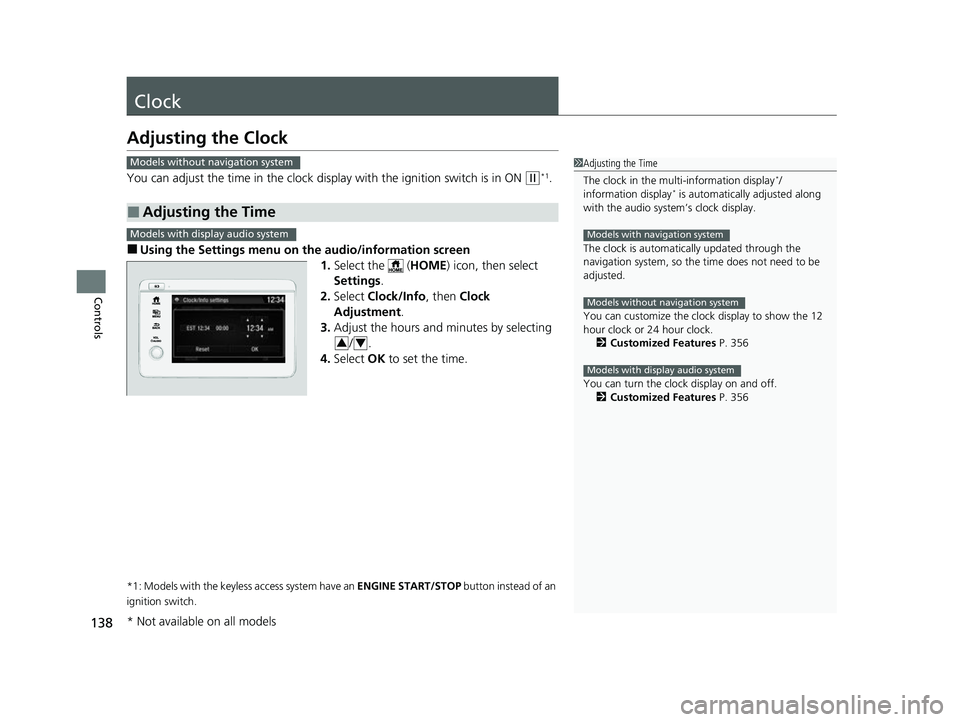
■Using the Settings menu on the audio/information screen
1.Select the ( HOME) icon, then select
Settings .
2. Select Clock/Info , then Clock
Adjustment .
3. Adjust the hours and minutes by selecting
/.
4. Select OK to set the time.
*1: Models with the keyless access system have an ENGINE START/STOP button instead of an
ignition switch.
■Adjusting the Time
Models without navigation system1 Adjusting the Time
The clock in the multi-information display
*/
information display* is automatically adjusted along
with the audio system’s clock display.
The clock is automatica lly updated through the
navigation system, so the ti me does not need to be
adjusted.
You can customize the clock display to show the 12
hour clock or 24 hour clock. 2 Customized Features P. 356
You can turn the clock display on and off. 2 Customized Features P. 356
Models with navigation system
Models without navigation system
Models with display audio system
Models with display audio system
34
* Not available on all models
22 HR-V HDMC-31T7A6600.book 138 ページ 2021年4月12日 月曜日 午前10時50分
Page 146 of 641
uuLocking and Unlocking the Doors uLocking/Unlocking the Doors from the Outside
144
Controls
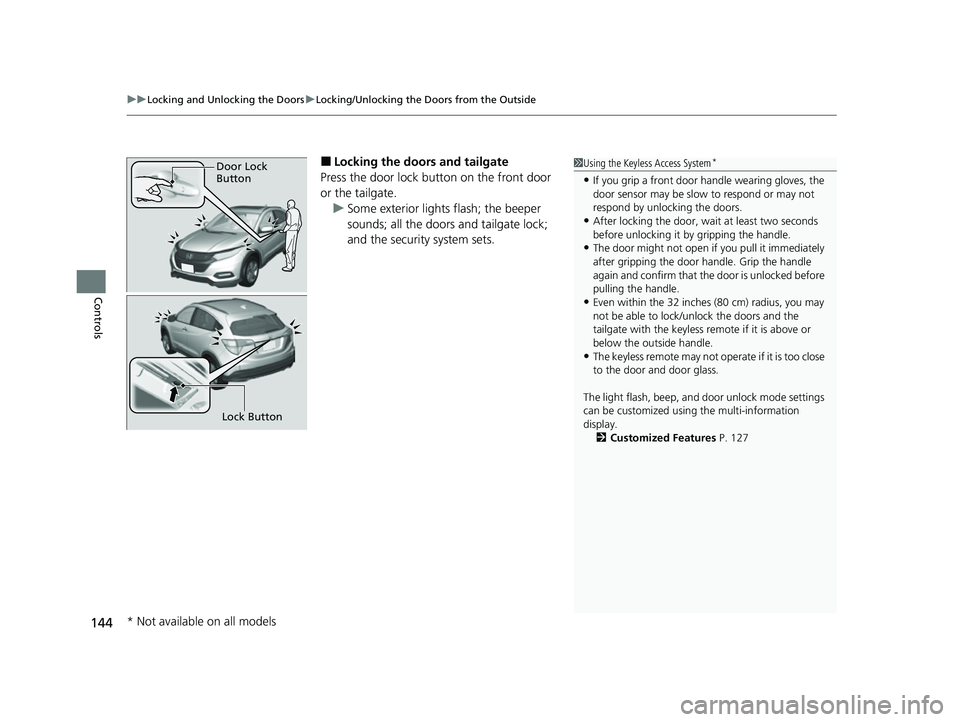
■Locking the doors and tailgate
Press the door lock button on the front door
or the tailgate. u Some exterior lights flash; the beeper
sounds; all the doors and tailgate lock;
and the security system sets.1Using the Keyless Access System*
•If you grip a front door handle wearing gloves, the
door sensor may be slow to respond or may not
respond by unlocking the doors.
•After locking the door, wait at least two seconds
before unlocking it by gripping the handle.
•The door might not open if you pull it immediately
after gripping the door handle. Grip the handle
again and confirm that th e door is unlocked before
pulling the handle.
•Even within the 32 inches (80 cm) radius, you may
not be able to lock/unlock the doors and the
tailgate with the keyless remote if it is above or
below the outside handle.
•The keyless remote may not operate if it is too close
to the door and door glass.
The light flash, beep, a nd door unlock mode settings
can be customized using the multi-information
display. 2 Customized Features P. 127
Door Lock
Button
Lock Button
* Not available on all models
22 HR-V HDMC-31T7A6600.book 144 ページ 2021年4月12日 月曜日 午前10時50分
Page 148 of 641
uuLocking and Unlocking the Doors uLocking/Unlocking the Doors from the Outside
146
Controls
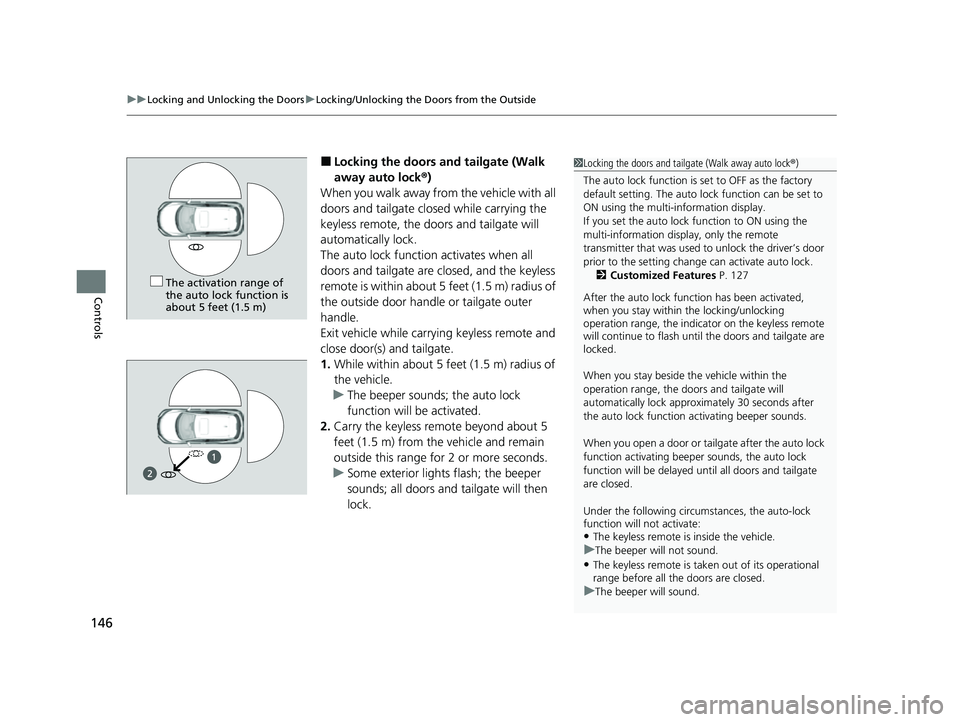
■Locking the doors and tailgate (Walk
away auto lock ®)
When you walk away from the vehicle with all
doors and tailgate closed while carrying the
keyless remote, the doors and tailgate will
automatically lock.
The auto lock function activates when all
doors and tailgate are closed, and the keyless
remote is within about 5 feet (1.5 m) radius of
the outside door handle or tailgate outer
handle.
Exit vehicle while carry ing keyless remote and
close door(s) and tailgate.
1. While within about 5 feet (1.5 m) radius of
the vehicle.
u The beeper sounds; the auto lock
function will be activated.
2. Carry the keyless remote beyond about 5
feet (1.5 m) from the vehicle and remain
outside this range fo r 2 or more seconds.
u Some exterior lights flash; the beeper
sounds; all doors and tailgate will then
lock.1Locking the doors and tailg ate (Walk away auto lock®)
The auto lock function is set to OFF as the factory
default setting. The auto lo ck function can be set to
ON using the multi-information display.
If you set the auto lock function to ON using the
multi-information display, only the remote
transmitter that was used to unlock the driver’s door
prior to the setting change can activate auto lock. 2 Customized Features P. 127
After the auto lock function has been activated,
when you stay within the locking/unlocking
operation range, the indicato r on the keyless remote
will continue to flash until the doors and tailgate are
locked.
When you stay beside the vehicle within the
operation range, the door s and tailgate will
automatically lock approx imately 30 seconds after
the auto lock function activating beeper sounds.
When you open a door or tailgate after the auto lock
function activating beeper sounds, the auto lock
function will be delayed unt il all doors and tailgate
are closed.
Under the following circumstances, the auto-lock
function will not activate:
•The keyless remote is inside the vehicle.
uThe beeper will not sound.
•The keyless remote is taken out of its operational
range before all the doors are closed.
uThe beeper will sound.
The activation range of
the auto lock function is
about 5 feet (1.5 m)
1
22 HR-V HDMC-31T7A6600.book 146 ページ 2021年4月12日 月曜日 午前10時50分
Page 150 of 641
uuLocking and Unlocking the Doors uLocking/Unlocking the Doors from the Outside
148
Controls
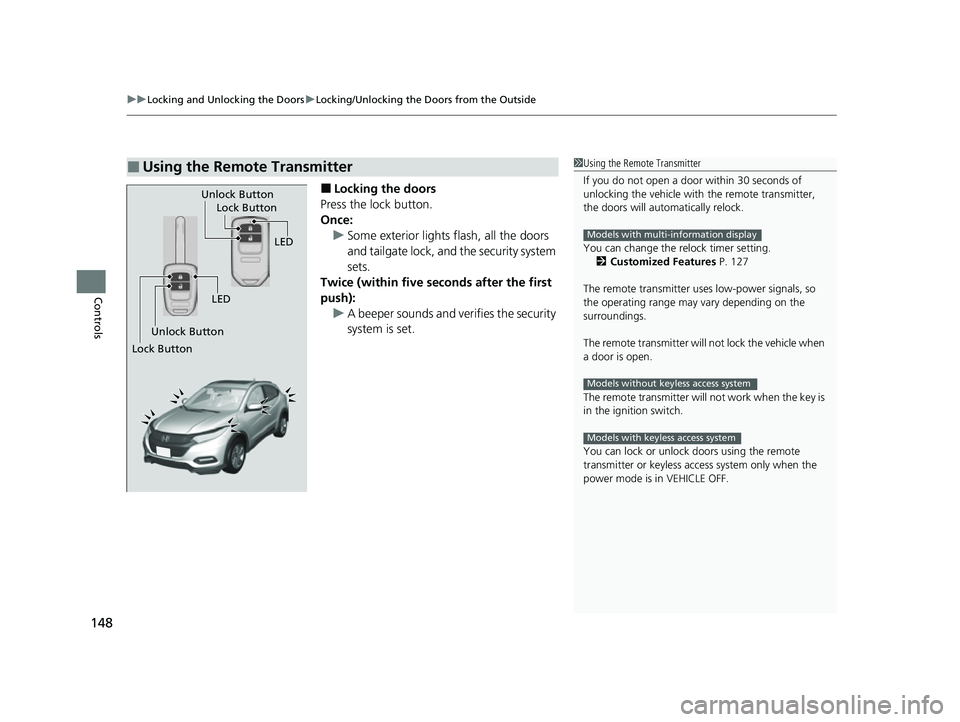
■Locking the doors
Press the lock button.
Once: u Some exterior lights flash, all the doors
and tailgate lock, and the security system
sets.
Twice (within five se conds after the first
push): u A beeper sounds and verifies the security
system is set.
■Using the Remote Transmitter1Using the Remote Transmitter
If you do not open a door within 30 seconds of
unlocking the vehicle with the remote transmitter,
the doors will automatically relock.
You can change the relock timer setting. 2 Customized Features P. 127
The remote transmitter us es low-power signals, so
the operating range may vary depending on the
surroundings.
The remote transmitter will not lock the vehicle when
a door is open.
The remote transmitter will not work when the key is
in the ignition switch.
You can lock or unlock doors using the remote
transmitter or keyless access system only when the
power mode is in VEHICLE OFF.
Models with multi-information display
Models without keyless access system
Models with keyless access system
LED
Unlock Button Lock Button
Unlock Button
LED
Lock Button
22 HR-V HDMC-31T7A6600.book 148 ページ 2021年4月12日 月曜日 午前10時50分
Page 151 of 641
Continued149
uuLocking and Unlocking the Doors uLocking/Unlocking the Doors from the Outside
Controls
■Unlocking the doors
Press the unlock button.
Once: u Some exterior lights flash twice, and the driver’s door unlocks.
Twice: u The remaining doors and the tailgate unlock.1Using the Remote Transmitter
If the distance at which the remote transmitter works
varies, the batter y is probably low.
If the LED does not come on when you press a
button, the battery is dead. 2 Replacing the Remote Battery P. 572
You can customize the door unlock mode setting. 2 Customized Features P. 127
Models with multi-information display
22 HR-V HDMC-31T7A6600.book 149 ページ 2021年4月12日 月曜日 午前10時50分
Page 152 of 641
uuLocking and Unlocking the Doors uLocking/Unlocking the Doors from the Outside
150
Controls
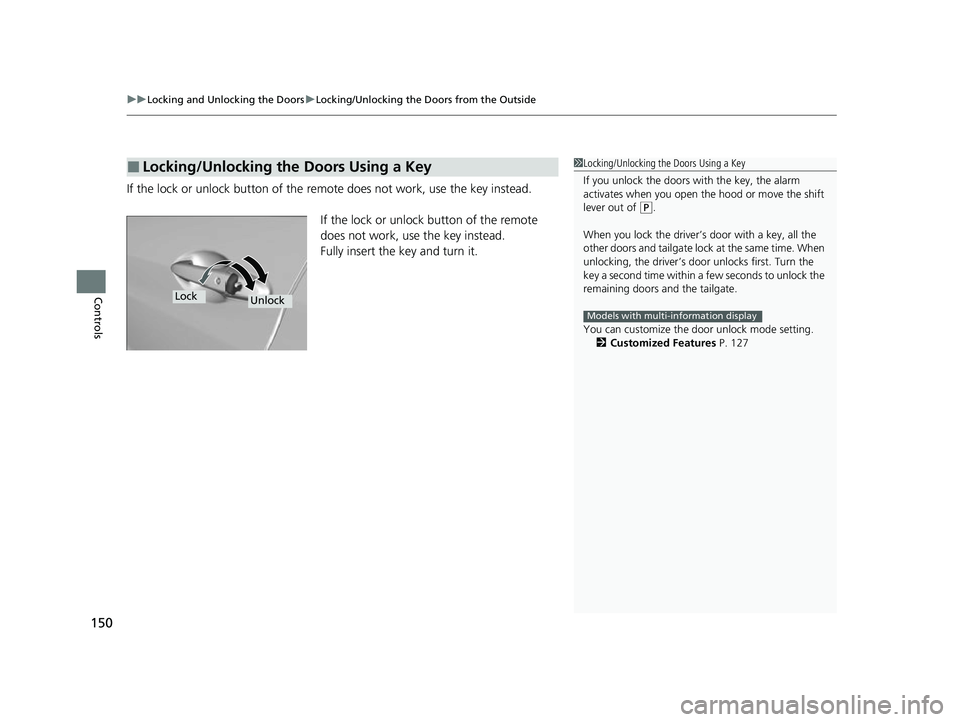
If the lock or unlock button of the re mote does not work, use the key instead.
If the lock or unlock button of the remote
does not work, use the key instead.
Fully insert the key and turn it.
■Locking/Unlocking the Doors Using a Key1 Locking/Unlocking the Doors Using a Key
If you unlock the doors wi th the key, the alarm
activates when you open the hood or move the shift
lever out of
( P.
When you lock the driver’s door with a key, all the
other doors and tailgate lock at the same time. When
unlocking, the driver’s door unlocks first. Turn the
key a second time within a few seconds to unlock the
remaining doors a nd the tailgate.
You can customize the door unlock mode setting. 2 Customized Features P. 127
Models with multi-information display
LockUnlock
22 HR-V HDMC-31T7A6600.book 150 ページ 2021年4月12日 月曜日 午前10時50分
Page 155 of 641
Continued153
uuLocking and Unlocking the Doors uLocking/Unlocking the Doors from the Inside
Controls
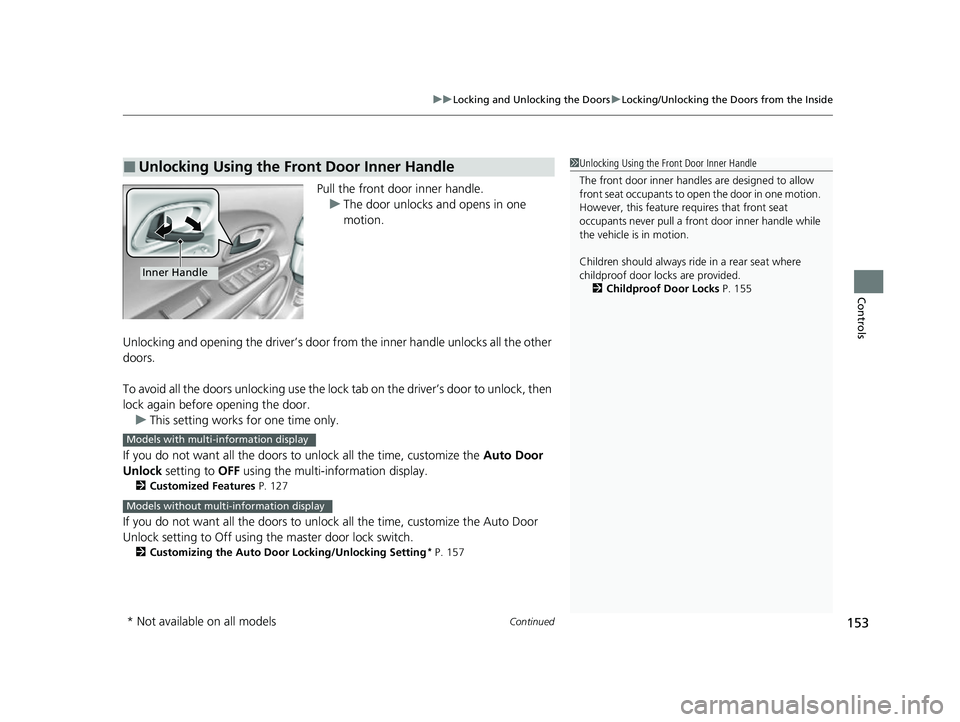
Pull the front door inner handle.
u The door unlocks and opens in one
motion.
Unlocking and opening the driver’s door from the inner handle unlocks all the other
doors.
To avoid all the doors unlocking use the lock tab on the driver’s door to unlock, then
lock again before opening the door. u This setting works for one time only.
If you do not want all the doors to unlock all the time, customize the Auto Door
Unlock setting to OFF using the multi-information display.
2Customized Features P. 127
If you do not want all the doors to unlock all the time, customize the Auto Door
Unlock setting to Off using th e master door lock switch.
2Customizing the Auto Door Locking/Unlocking Setting* P. 157
■Unlocking Using the Front Door Inner Handle1Unlocking Using the Front Door Inner Handle
The front door inne r handles are designed to allow
front seat occupants to ope n the door in one motion.
However, this feature requires that front seat
occupants never pull a front door inner handle while
the vehicle is in motion.
Children should always ride in a rear seat where
childproof door locks are provided.
2 Childproof Door Locks P. 155
Inner Handle
Models with multi-information display
Models without multi-information display
* Not available on all models
22 HR-V HDMC-31T7A6600.book 153 ページ 2021年4月12日 月曜日 午前10時50分
Page 158 of 641
156
uuLocking and Unlocking the Doors uAuto Door Locking/Unlocking
Controls
Auto Door Locking/Unlocking
Your vehicle locks and unlocks all doors automatically when a certain condition is
met.
■Drive lock mode
All doors lock when the vehicle’s speed reaches about 10 mph (15 km/h).
■Driver’s door open mode
All doors and the tailgate unlock when the driver’s door is opened.
■Auto Door Locking
■Auto Door Unlocking
1 Auto Door Locking/Unlocking
You can turn off or cha nge to another auto door
locking/unlocking setting us ing the master door lock
switch. 2 Customizing the Auto Door Locking/
Unlocking Setting
* P. 157
You can turn off or cha nge to another auto door
locking/unlocking setting us ing the multi-information
display. 2 Customized Features P. 127
Models with multi-information display
* Not available on all models
22 HR-V HDMC-31T7A6600.book 156 ページ 2021年4月12日 月曜日 午前10時50分
Page 171 of 641
169
Controls
Operating the Switches Around the Steering Wheel
Ignition Switch
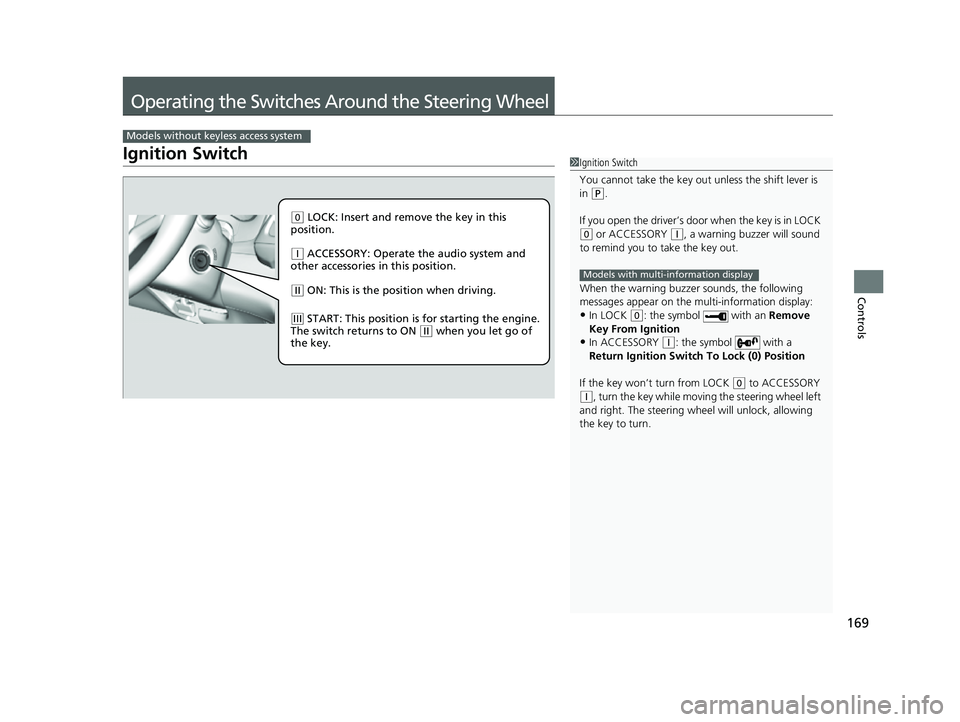
Models without keyless access system
1Ignition Switch
You cannot take the key out unless the shift lever is
in
( P.
If you open the driver’s door when the key is in LOCK
(0 or ACCESSORY (q, a warning buzzer will sound
to remind you to take the key out.
When the warning buzzer sounds, the following
messages appear on the multi-information display:
•In LOCK ( 0: the symbol with an Remove
Key From Ignition
•In ACCESSORY ( q: the symbol with a
Return Ignition Switch To Lock (0) Position
If the key won’t turn from LOCK
( 0 to ACCESSORY
(q, turn the key while moving the steering wheel left
and right. The steering wh eel will unlock, allowing
the key to turn.
Models with multi-information display
( 0 LOCK: Insert and remove the key in this
position.
( q ACCESSORY: Operate the audio system and
other accessories in this position.
( w ON: This is the position when driving.
(e START: This position is for starting the engine.
The switch returns to ON ( w when you let go of
the key.
22 HR-V HDMC-31T7A6600.book 169 ページ 2021年4月12日 月曜日 午前10時50分
Page 179 of 641
177
uuOperating the Switches Around the Steering Wheel uLight Switches
Controls
The headlights automatically come on when the wipers are used several times within
a number of certain intervals with the headlight switch in AUTO.
The headlights automatically go off a few minutes later if the wipers are stopped.
The headlights, all other exterior lights, a nd the instrument panel lights turn off 15
seconds after you remove the key or set the power mode to VEHICLE OFF (LOCK),
take the remote with you, and close the driver’s door.
If you turn the igniti on switch to LOCK
(0*1 with the headlight switch on, but do
not open the door, the lights tu rn off after 10 minutes (3 minutes, if the switch is in
the AUTO
* position).
The lights turn on again when you unlock or open the driver’s door. If you unlock
the door, but do not open it within 15 seconds, the lights go off. If you open the
driver’s door, you will hear a lights on reminder chime.
*1: Models with the keyless access system have an ENGINE START/STOP button instead of an
ignition switch.
■Headlight Integration with Wipers*
■Automatic Lighting Off Feature
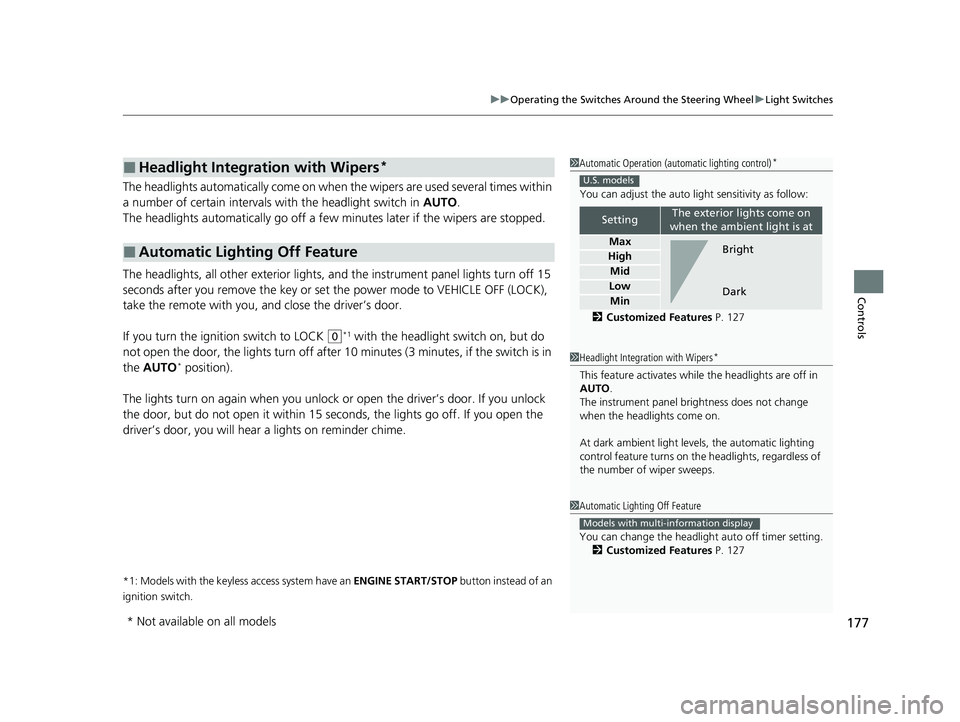
1 Automatic Operation (aut omatic lighting control)*
You can adjust the auto li ght sensitivity as follow:
2 Customized Features P. 127
SettingThe exterior lights come on
when the ambient light is at
Max
High
Mid
Low
Min
U.S. models
Bright
Dark
1 Headlight Integration with Wipers*
This feature activates while the headlights are off in
AUTO .
The instrument panel br ightness does not change
when the headlights come on.
At dark ambient light levels, the automatic lighting
control feature turns on the headlights, regardless of
the number of wiper sweeps.
1 Automatic Lighting Off Feature
You can change the headlight auto off timer setting.
2 Customized Features P. 127
Models with multi-information display
* Not available on all models
22 HR-V HDMC-31T7A6600.book 177 ページ 2021年4月12日 月曜日 午前10時50分