light HONDA HRV 2022 Workshop Manual
[x] Cancel search | Manufacturer: HONDA, Model Year: 2022, Model line: HRV, Model: HONDA HRV 2022Pages: 641, PDF Size: 21.37 MB
Page 209 of 641
207
uuInterior Lights/Interior Convenience Items uInterior Convenience Items
Continued
Controls
Interior Convenience Items
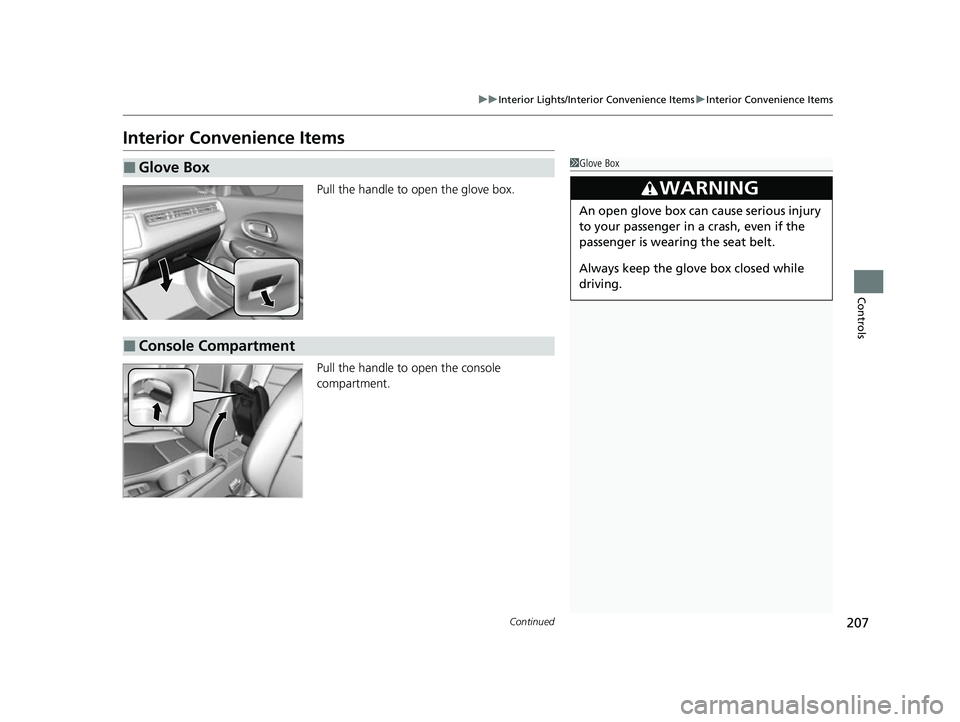
Pull the handle to open the glove box.
Pull the handle to open the console
compartment.
■Glove Box1Glove Box
3WARNING
An open glove box can cause serious injury
to your passenger in a crash, even if the
passenger is wearing the seat belt.
Always keep the glove box closed while
driving.
■Console Compartment
22 HR-V HDMC-31T7A6600.book 207 ページ 2021年4月12日 月曜日 午前10時50分
Page 210 of 641
uuInterior Lights/Interior Convenience Items uInterior Convenience Items
208
Controls
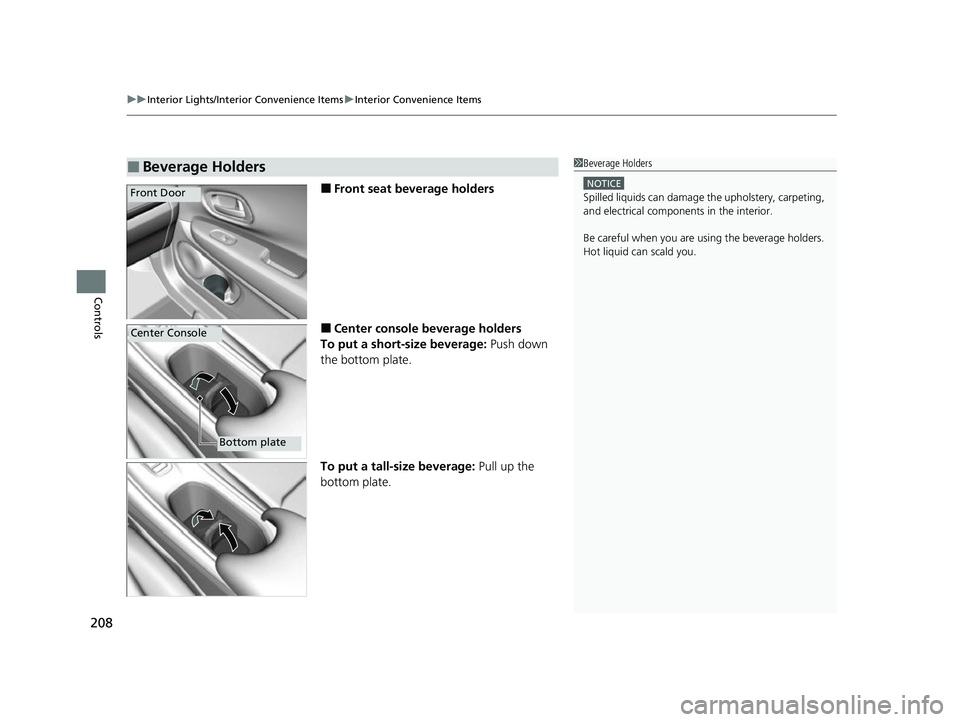
■Front seat beverage holders
■Center console beverage holders
To put a short-size beverage: Push down
the bottom plate.
To put a tall-size beverage: Pull up the
bottom plate.
■Beverage Holders1 Beverage Holders
NOTICE
Spilled liquids ca n damage the upholstery, carpeting,
and electrical components in the interior.
Be careful when you are us ing the beverage holders.
Hot liquid can scald you.Front Door
Center Console
Bottom plate
22 HR-V HDMC-31T7A6600.book 208 ページ 2021年4月12日 月曜日 午前10時50分
Page 211 of 641
209
uuInterior Lights/Interior Convenience Items uInterior Convenience Items
Continued
Controls
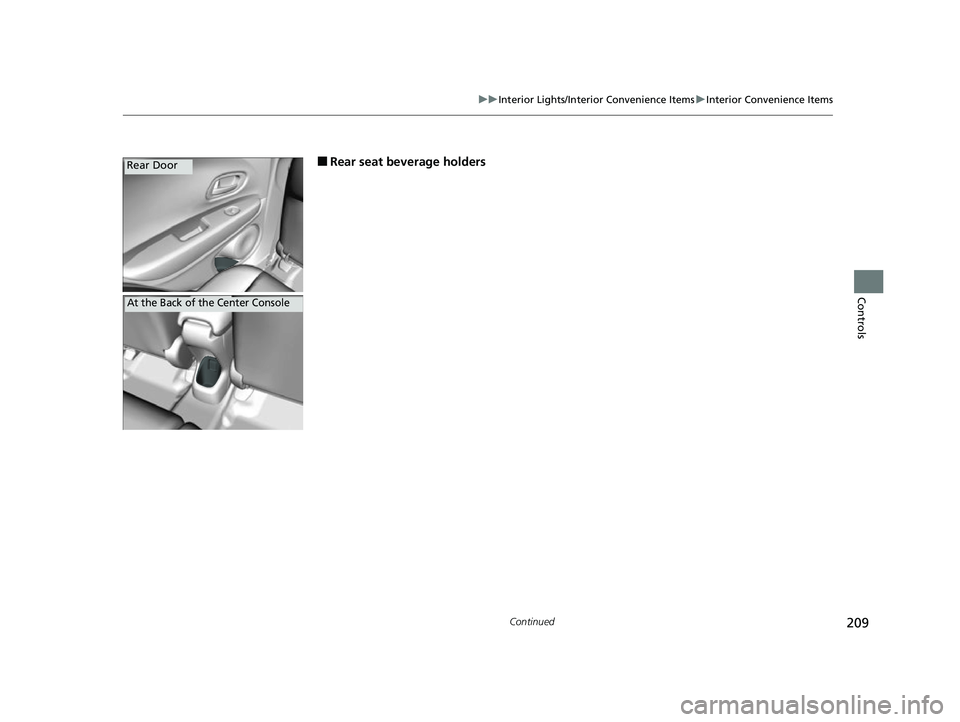
■Rear seat beverage holdersRear Door
At the Back of the Center Console
22 HR-V HDMC-31T7A6600.book 209 ページ 2021年4月12日 月曜日 午前10時50分
Page 212 of 641
210
uuInterior Lights/Interior Convenience Items uInterior Convenience Items
Controls
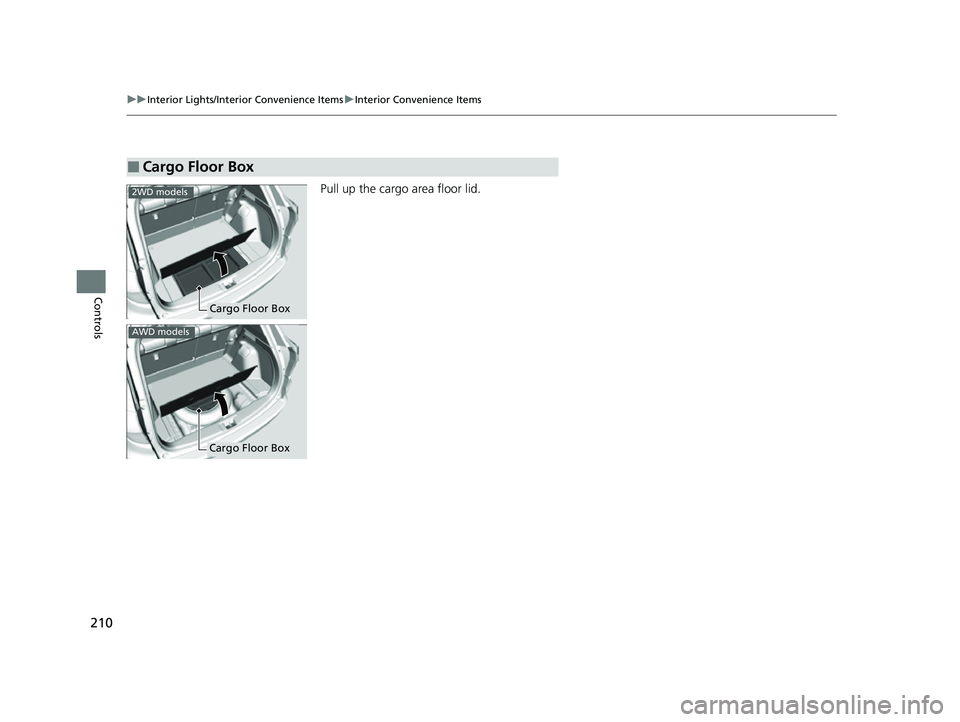
Pull up the cargo area floor lid.
■Cargo Floor Box
Cargo Floor Box
2WD models
AWD models
Cargo Floor Box
22 HR-V HDMC-31T7A6600.book 210 ページ 2021年4月12日 月曜日 午前10時50分
Page 213 of 641
Continued211
uuInterior Lights/Interior Convenience Items uInterior Convenience Items
Controls
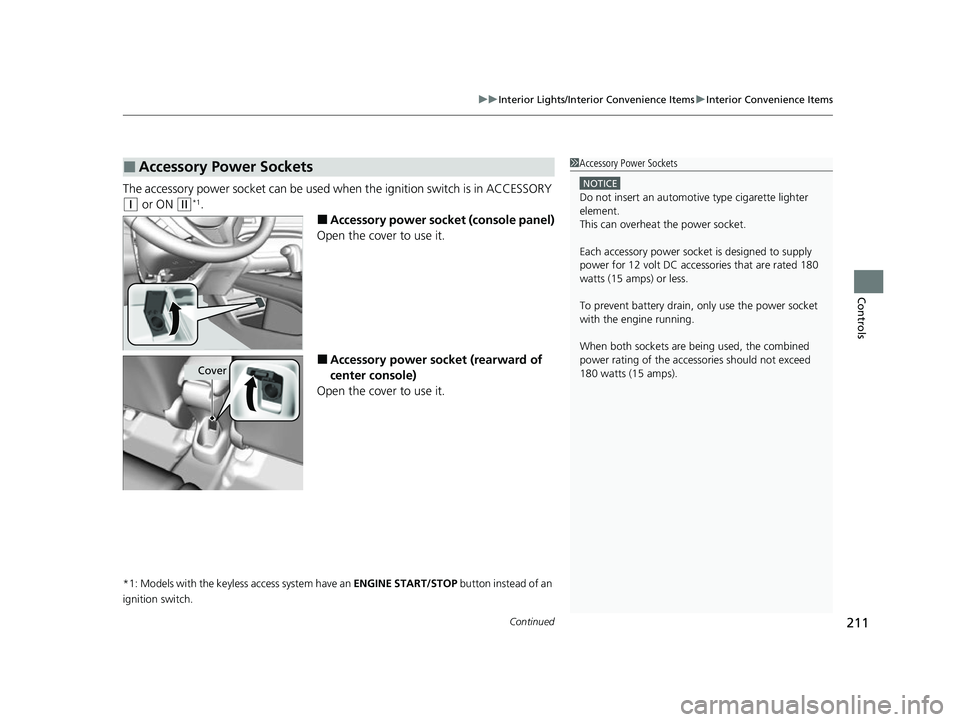
The accessory power socket can be used wh en the ignition switch is in ACCESSORY
(q or ON (w*1.
■Accessory power socket (console panel)
Open the cover to use it.
■Accessory power socket (rearward of
center console)
Open the cover to use it.
*1: Models with the keyless access system have an ENGINE START/STOP button instead of an
ignition switch.
■Accessory Power Sockets1 Accessory Power Sockets
NOTICE
Do not insert an automotive type cigarette lighter
element.
This can overheat the power socket.
Each accessory power soc ket is designed to supply
power for 12 volt DC access ories that are rated 180
watts (15 amps) or less.
To prevent battery drain, only use the power socket
with the engine running.
When both sockets are being used, the combined
power rating of the accesso ries should not exceed
180 watts (15 amps).
Cover
22 HR-V HDMC-31T7A6600.book 211 ページ 2021年4月12日 月曜日 午前10時50分
Page 214 of 641
uuInterior Lights/Interior Convenience Items uInterior Convenience Items
212
Controls
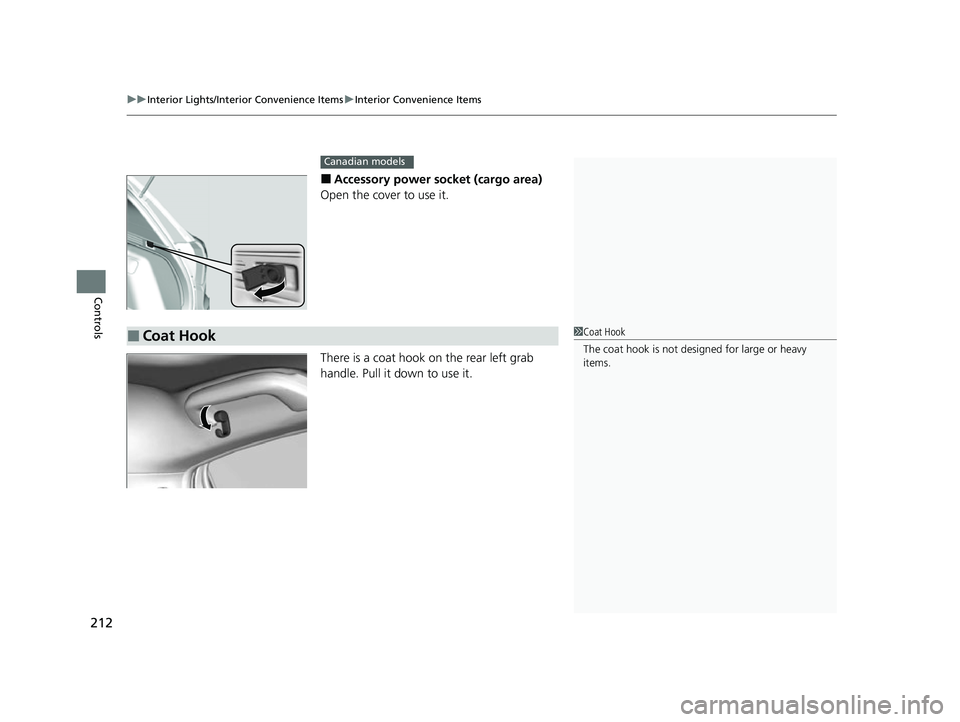
■Accessory power socket (cargo area)
Open the cover to use it.
There is a coat hook on the rear left grab
handle. Pull it down to use it.
Canadian models
■Coat Hook1 Coat Hook
The coat hook is not desi gned for large or heavy
items.
22 HR-V HDMC-31T7A6600.book 212 ページ 2021年4月12日 月曜日 午前10時50分
Page 215 of 641
213
uuInterior Lights/Interior Convenience Items uInterior Convenience Items
Continued
Controls
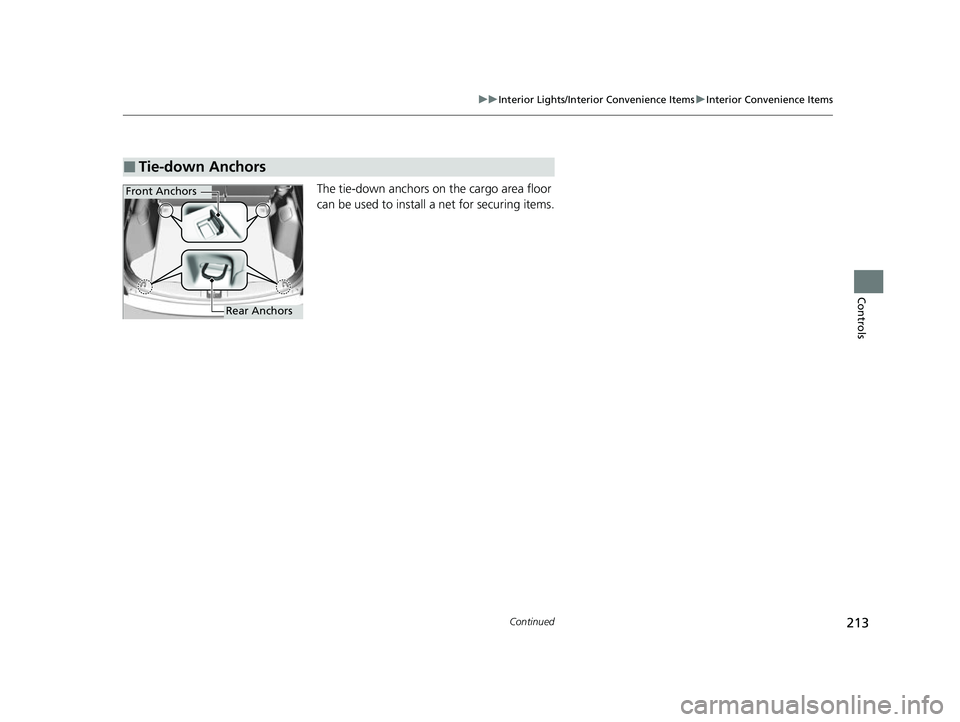
The tie-down anchors on the cargo area floor
can be used to install a net for securing items.
■Tie-down Anchors
Front Anchors
Rear Anchors
22 HR-V HDMC-31T7A6600.book 213 ページ 2021年4月12日 月曜日 午前10時50分
Page 216 of 641
uuInterior Lights/Interior Convenience Items uInterior Convenience Items
214
Controls
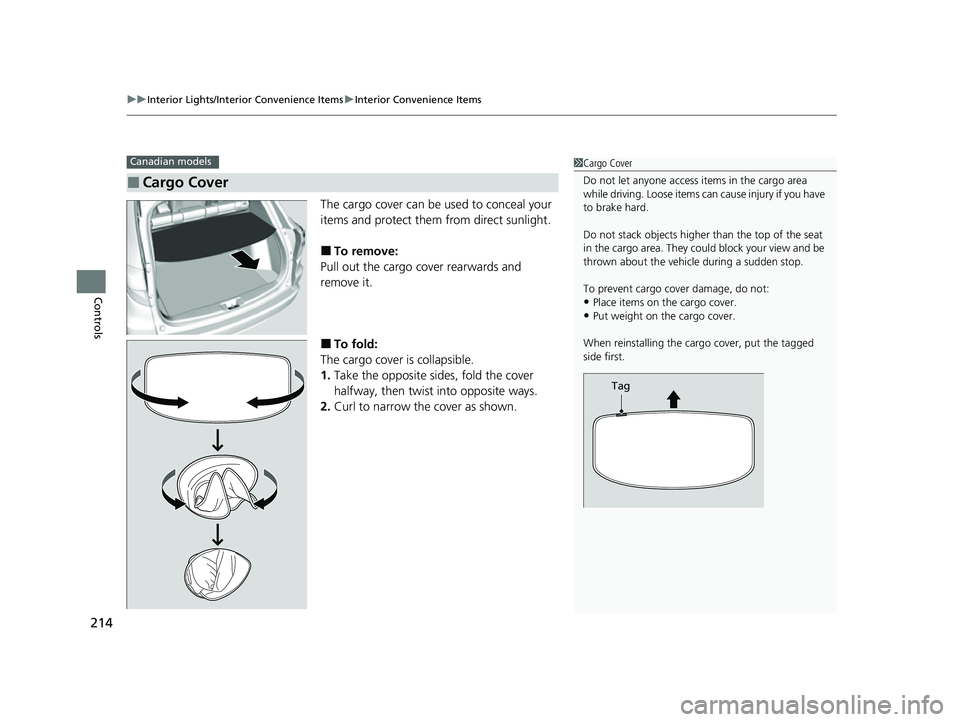
The cargo cover can be used to conceal your
items and protect them from direct sunlight.
■To remove:
Pull out the cargo cover rearwards and
remove it.
■To fold:
The cargo cover is collapsible.
1. Take the opposite sides, fold the cover
halfway, then twist into opposite ways.
2. Curl to narrow the cover as shown.
■Cargo Cover
Canadian models1Cargo Cover
Do not let anyone access items in the cargo area
while driving. Loose items can cause injury if you have
to brake hard.
Do not stack objects higher than the top of the seat
in the cargo area. They could block your view and be
thrown about the vehicle during a sudden stop.
To prevent cargo cover damage, do not:
•Place items on the cargo cover.•Put weight on the cargo cover.
When reinstalling the carg o cover, put the tagged
side first.
Tag
22 HR-V HDMC-31T7A6600.book 214 ページ 2021年4月12日 月曜日 午前10時50分
Page 217 of 641
215
uuInterior Lights/Interior Convenience Items uInterior Convenience Items
Controls
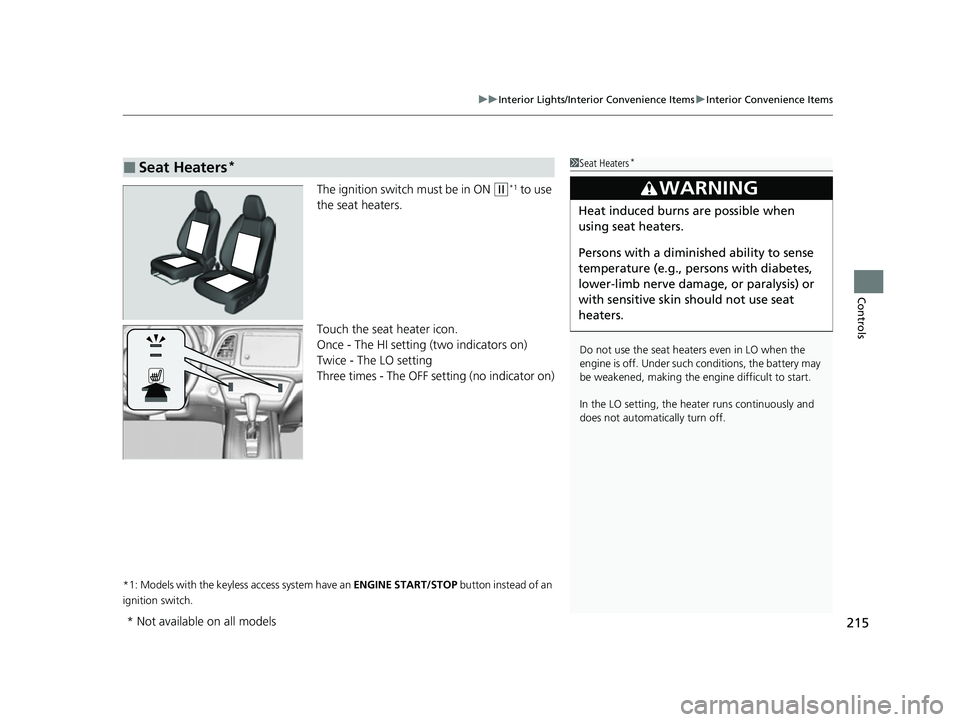
The ignition switch must be in ON (w*1 to use
the seat heaters.
Touch the seat heater icon.
Once - The HI setting (two indicators on)
Twice - The LO setting
Three times - The OFF setting (no indicator on)
*1: Models with the keyless access system have an ENGINE START/STOP button instead of an
ignition switch.
■Seat Heaters*1 Seat Heaters*
Do not use the seat heaters even in LO when the
engine is off. Under such conditions, the battery may
be weakened, making the engine difficult to start.
In the LO setting, the heater runs continuously and
does not automatically turn off.
3WARNING
Heat induced burns are possible when
using seat heaters.
Persons with a diminished ability to sense
temperature (e.g., persons with diabetes,
lower-limb nerve damage, or paralysis) or
with sensitive skin should not use seat
heaters.
* Not available on all models
22 HR-V HDMC-31T7A6600.book 215 ページ 2021年4月12日 月曜日 午前10時50分
Page 235 of 641
233
uuAudio System uUSB Port(s)
Features
USB Port(s)
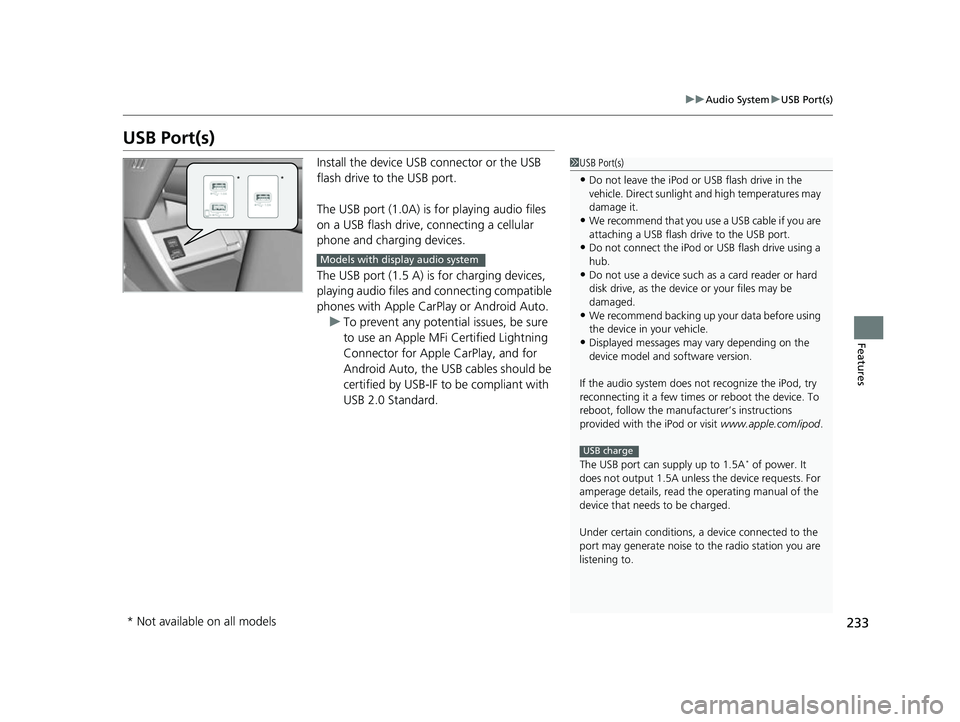
Install the device USB connector or the USB
flash drive to the USB port.
The USB port (1.0A) is for playing audio files
on a USB flash drive, connecting a cellular
phone and charging devices.
The USB port (1.5 A) is for charging devices,
playing audio files and connecting compatible
phones with Apple CarPlay or Android Auto.
u To prevent any potenti al issues, be sure
to use an Apple MFi Certified Lightning
Connector for Apple CarPlay, and for
Android Auto, the USB cables should be
certified by USB-IF to be compliant with
USB 2.0 Standard.1 USB Port(s)
•Do not leave the iPod or USB flash drive in the
vehicle. Direct sunlight and high temperatures may
damage it.
•We recommend that you us e a USB cable if you are
attaching a USB flash drive to the USB port.
•Do not connect the iPod or USB flash drive using a
hub.
•Do not use a device such as a card reader or hard
disk drive, as the device or your files may be
damaged.
•We recommend backing up yo ur data before using
the device in your vehicle.
•Displayed messages may vary depending on the
device model and software version.
If the audio system does not recognize the iPod, try
reconnecting it a few times or reboot the device. To
reboot, follow the manufac turer’s instructions
provided with the iPod or visit www.apple.com/ipod.
The USB port can supply up to 1.5A
* of power. It
does not output 1.5A unless the device requests. For
amperage details, read th e operating manual of the
device that needs to be charged.
Under certain condi tions, a device connected to the
port may generate noise to the radio station you are
listening to.
USB charge
**
Models with display audio system
* Not available on all models
22 HR-V HDMC-31T7A6600.book 233 ページ 2021年4月12日 月曜日 午前10時50分