instrument panel HONDA HRV 2022 Repair Manual
[x] Cancel search | Manufacturer: HONDA, Model Year: 2022, Model line: HRV, Model: HONDA HRV 2022Pages: 641, PDF Size: 21.37 MB
Page 176 of 641
174
uuOperating the Switches Around the Steering Wheel uTurn Signals
Controls
Turn Signals
The turn signals can be used when the ignition
switch is in ON
(w*1.
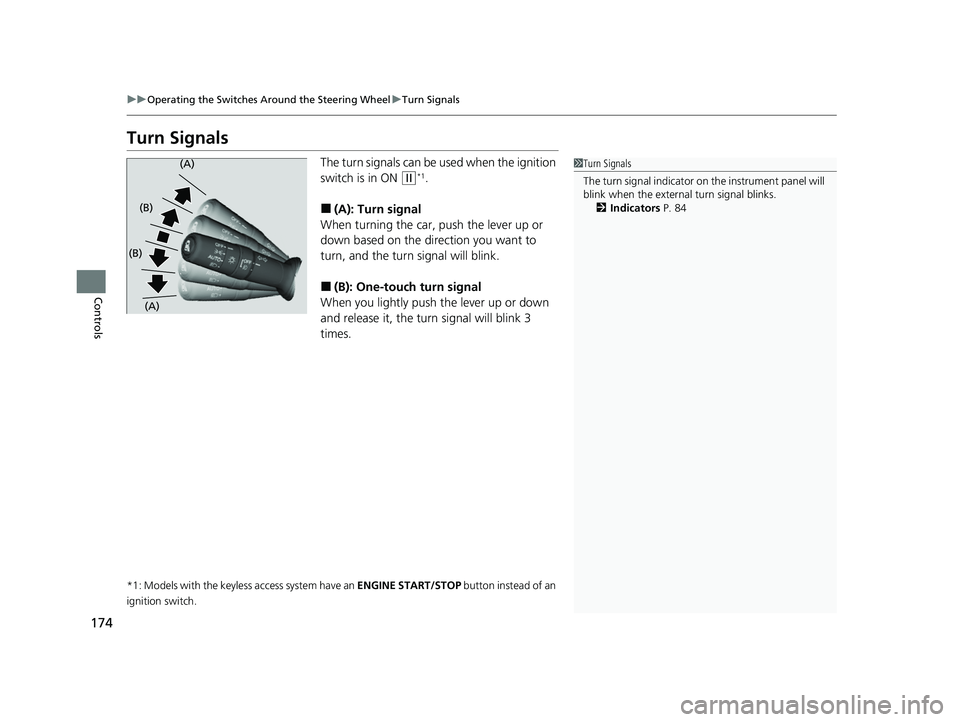
■(A): Turn signal
When turning the car, push the lever up or
down based on the direction you want to
turn, and the turn signal will blink.
■(B): One-touc h turn signal
When you lightly push the lever up or down
and release it, the turn signal will blink 3
times.
*1: Models with the keyless access system have an ENGINE START/STOP button instead of an
ignition switch.
1 Turn Signals
The turn signal indicator on the instrument panel will
blink when the external turn signal blinks.
2 Indicators P. 84(A)
(A)
(B)
(B)
22 HR-V HDMC-31T7A6600.book 174 ページ 2021年4月12日 月曜日 午前10時50分
Page 179 of 641
177
uuOperating the Switches Around the Steering Wheel uLight Switches
Controls
The headlights automatically come on when the wipers are used several times within
a number of certain intervals with the headlight switch in AUTO.
The headlights automatically go off a few minutes later if the wipers are stopped.
The headlights, all other exterior lights, a nd the instrument panel lights turn off 15
seconds after you remove the key or set the power mode to VEHICLE OFF (LOCK),
take the remote with you, and close the driver’s door.
If you turn the igniti on switch to LOCK
(0*1 with the headlight switch on, but do
not open the door, the lights tu rn off after 10 minutes (3 minutes, if the switch is in
the AUTO
* position).
The lights turn on again when you unlock or open the driver’s door. If you unlock
the door, but do not open it within 15 seconds, the lights go off. If you open the
driver’s door, you will hear a lights on reminder chime.
*1: Models with the keyless access system have an ENGINE START/STOP button instead of an
ignition switch.
■Headlight Integration with Wipers*
■Automatic Lighting Off Feature
1 Automatic Operation (aut omatic lighting control)*
You can adjust the auto li ght sensitivity as follow:
2 Customized Features P. 127
SettingThe exterior lights come on
when the ambient light is at
Max
High
Mid
Low
Min
U.S. models
Bright
Dark
1 Headlight Integration with Wipers*
This feature activates while the headlights are off in
AUTO .
The instrument panel br ightness does not change
when the headlights come on.
At dark ambient light levels, the automatic lighting
control feature turns on the headlights, regardless of
the number of wiper sweeps.
1 Automatic Lighting Off Feature
You can change the headlight auto off timer setting.
2 Customized Features P. 127
Models with multi-information display
* Not available on all models
22 HR-V HDMC-31T7A6600.book 177 ページ 2021年4月12日 月曜日 午前10時50分
Page 190 of 641
188
uuOperating the Switches Around the Steering Wheel uBrightness Control
Controls
Brightness Control
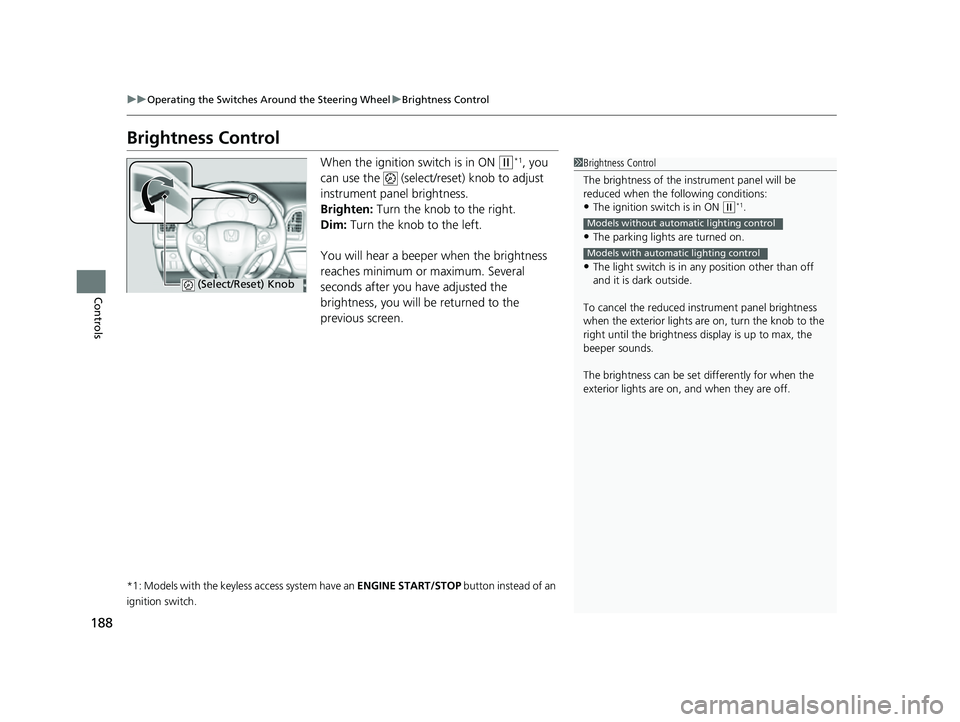
When the ignition switch is in ON (w*1, you
can use the (select/reset) knob to adjust
instrument panel brightness.
Brighten: Turn the knob to the right.
Dim: Turn the knob to the left.
You will hear a beeper when the brightness
reaches minimum or maximum. Several
seconds after you have adjusted the
brightness, you will be returned to the
previous screen.
*1: Models with the keyless access system have an ENGINE START/STOP button instead of an
ignition switch.
1 Brightness Control
The brightness of the in strument panel will be
reduced when the following conditions:
•The ignition switch is in ON ( w*1.
•The parking lights are turned on.
•The light switch is in any position other than off
and it is da rk outside.
To cancel the reduced in strument panel brightness
when the exterior lights are on, turn the knob to the
right until the brightness display is up to max, the
beeper sounds.
The brightness can be set differently for when the
exterior lights are on, and when they are off.
Models without automatic lighting control
Models with automatic lighting control
(Select/Reset) Knob
22 HR-V HDMC-31T7A6600.book 188 ページ 2021年4月12日 月曜日 午前10時50分
Page 192 of 641
190
uuOperating the Switches Around the Steering Wheel uAdjusting the Steering Wheel
Controls
Adjusting the Steering Wheel
The steering wheel height and distance from your body can be adjusted so that you
can comfortably grip the steering wheel in an appropriate driving posture.
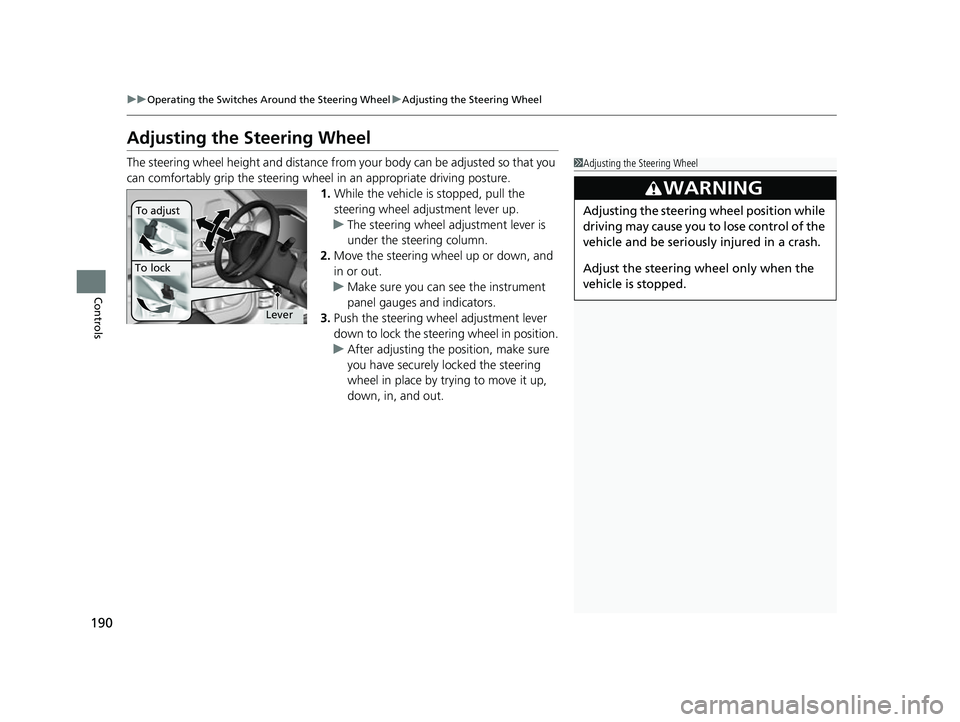
1.While the vehicle is stopped, pull the
steering wheel adjustment lever up.
u The steering wheel adjustment lever is
under the steering column.
2. Move the steering wheel up or down, and
in or out.
u Make sure you can see the instrument
panel gauges and indicators.
3. Push the steering wheel adjustment lever
down to lock the steering wheel in position.
u After adjusting the position, make sure
you have securely locked the steering
wheel in place by trying to move it up,
down, in, and out.1Adjusting the Steering Wheel
3WARNING
Adjusting the steering wheel position while
driving may cause you to lose control of the
vehicle and be seriously injured in a crash.
Adjust the steering wheel only when the
vehicle is stopped.To adjust
To lock
Lever
22 HR-V HDMC-31T7A6600.book 190 ページ 2021年4月12日 月曜日 午前10時50分
Page 453 of 641
451
uuWhen Driving uCruise Control*
Continued
Driving
Cruise Control*
Maintains a constant vehicle speed without having to keep your foot on the
accelerator. Use cruise control on freeways or open road s where you can travel at a
constant speed with little ac celeration or deceleration.1Cruise Control*
It may not be possible to maintain a constant speed
when driving uphill or downhill.
When not using cruise control:
Turn off cruise control by pressing the CRUISE
button.
While in ECON mode, it may take relatively more time
to accelerate to maintain the set speed.
3WARNING
Improper use of the cruise control can lead
to a crash.
Use the cruise control only when traveling
on open highways in good weather.
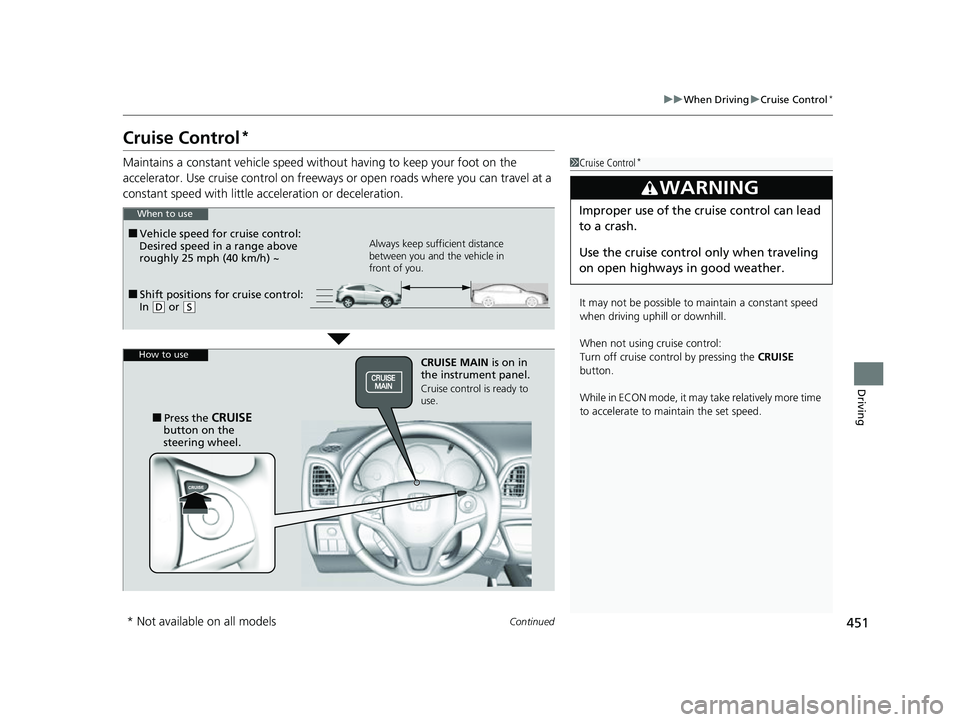
■Shift positions for cruise control:
In ( D or (S Always keep sufficient distance
between you and the vehicle in
front of you.
■Vehicle speed for cruise control:
Desired speed in a range above
roughly 25 mph (40 km/h) ~
When to use
CRUISE MAIN is on in
the instrument panel.
Cruise control is ready to
use.
■Press the CRUISE
button on the
steering wheel.
How to use
* Not available on all models
22 HR-V HDMC-31T7A6600.book 451 ページ 2021年4月12日 月曜日 午前10時50分
Page 472 of 641
uuHonda Sensing ®*uCollision Mitigation Braking SystemTM (CMBSTM)
470
Driving
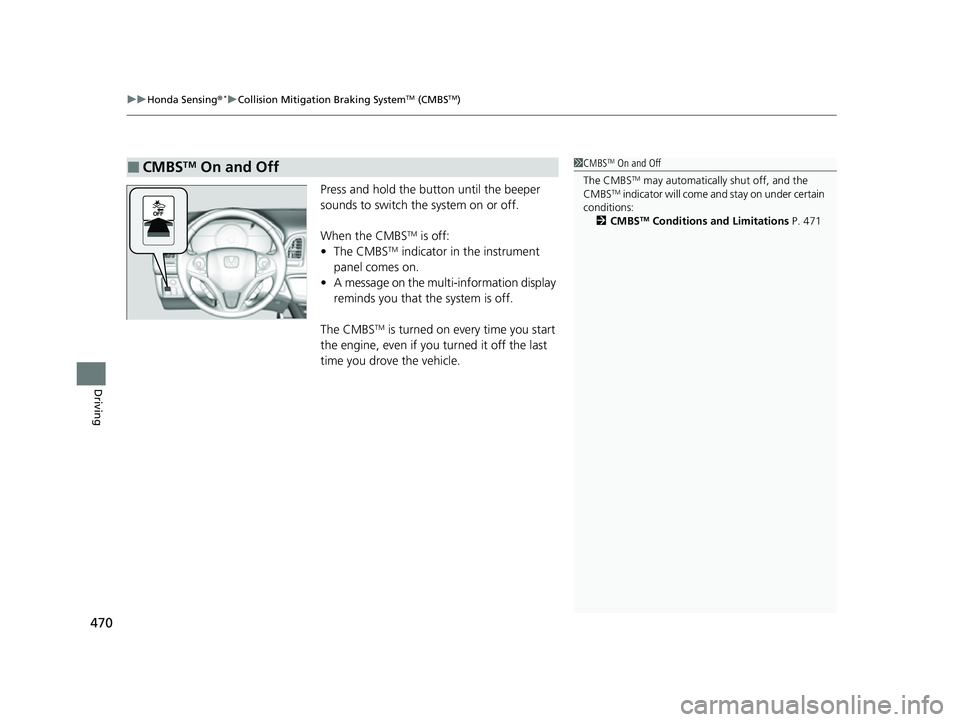
Press and hold the button until the beeper
sounds to switch the system on or off.
When the CMBS
TM is off:
• The CMBSTM indicator in the instrument
panel comes on.
• A message on the multi-information display
reminds you that the system is off.
The CMBS
TM is turned on every time you start
the engine, even if you turned it off the last
time you drove the vehicle.
■CMBSTM On and Off1 CMBSTM On and Off
The CMBS
TM may automatically shut off, and the
CMBSTM indicator will come an d stay on under certain
conditions: 2 CMBS
TM Conditions and Limitations P. 471
22 HR-V HDMC-31T7A6600.book 470 ページ 2021年4月12日 月曜日 午前10時50分
Page 492 of 641
490
uuHonda Sensing ®*uLane Keeping Assist System (LKAS)
Driving
Lane Keeping Assist System (LKAS)
Provides steering input to help keep the vehicle in the middle of a detected lane and
provides tactile and visual alerts if the ve hicle is detected drifting out of its lane.1Lane Keeping Assist System (LKAS)
Important Safety Reminders
The LKAS is for your convenience only. It is not an
autonomous driving system and always requires
driver attention and control. The system does not
work if you take your hands off the steering wheel or
fail to steer the vehicle.
The LKAS is convenient when it is used on freeways.
Do not place objects on the instrument panel.
Objects may reflect on th e front windshield and
prevent correct detectio n of the traffic lanes.
The LKAS only alerts you when lane drift is detected
without a turn signal in use. The LKAS may not detect
all lane markings or lane departures; accuracy will
vary based on weather, speed, and lane marker
condition. It is always your responsibility to safely
operate the vehicle an d avoid collisions.
The LKAS may not work properly or may work
improperly under the certain conditions: 2 LKAS Conditions and Limitations P. 496
You can read about handling information for the
camera equipped with this system. 2 Front Sensor Camera P. 504
When it fails to detect lanes, the system will
temporarily be canceled. When lane is detected,
system will recover automatically.
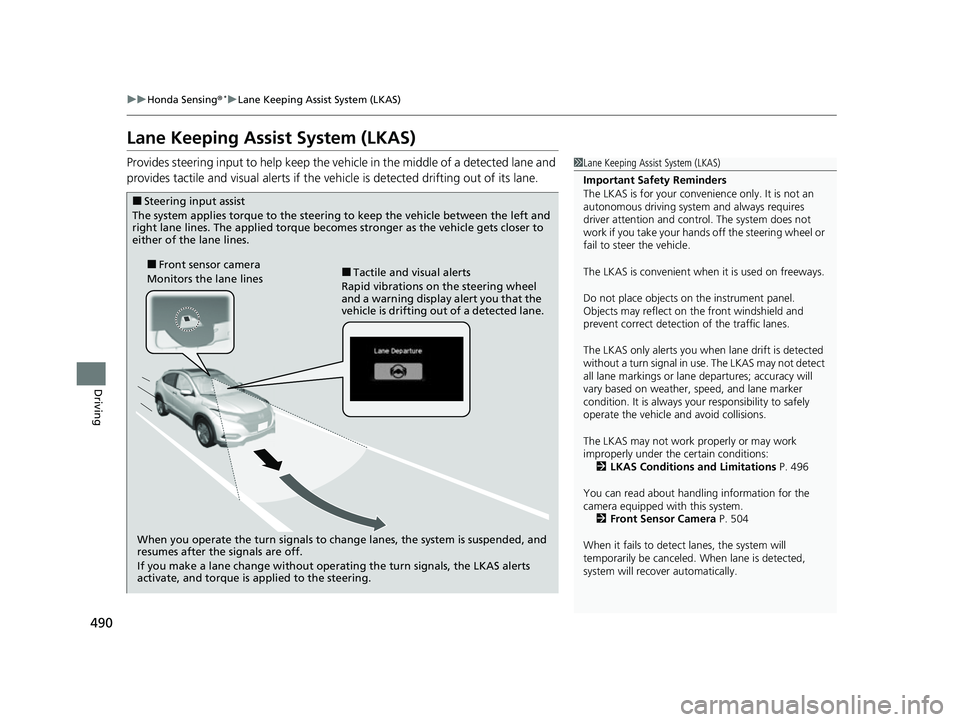
■Tactile and visual alerts
Rapid vibrations on the steering wheel
and a warning display alert you that the
vehicle is drifting out of a detected lane.■Front sensor camera
Monitors the lane lines
■Steering input assist
The system applies torque to the steering to keep the vehicle between the left and
right lane lines. The applied torque becomes stronger as the vehicle gets closer to
either of the lane lines.
When you operate the turn signals to change lanes, the system is suspended, and
resumes after the signals are off.
If you make a lane change without operating the turn signals, the LKAS alerts
activate, and torque is applied to the steering.
22 HR-V HDMC-31T7A6600.book 490 ページ 2021年4月12日 月曜日 午前10時50分
Page 506 of 641
504
uuHonda Sensing ®*uFront Sensor Camera
Driving
Front Sensor Camera
The camera, used in systems such as Lane Keeping Assist System, Road Departure
Mitigation, Adaptive Cruise Control, and Collision Mitigation Braking SystemTM, is
designed to detect an object that triggers any of the systems to operate its
functions.
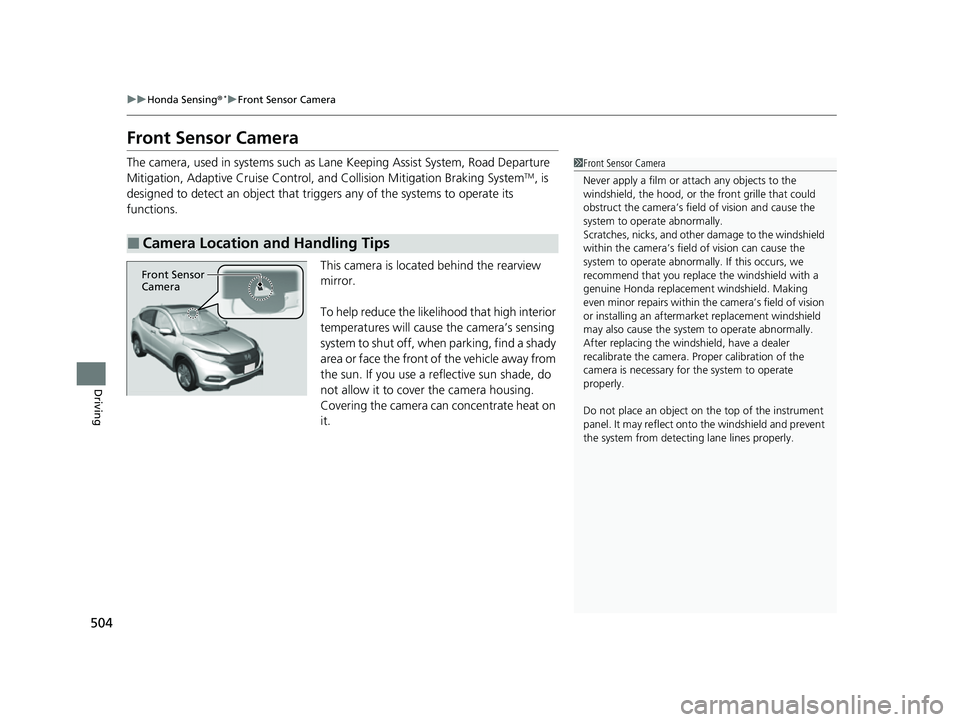
This camera is located behind the rearview
mirror.
To help reduce the likelihood that high interior
temperatures will cause the camera’s sensing
system to shut off, when parking, find a shady
area or face the front of the vehicle away from
the sun. If you use a reflective sun shade, do
not allow it to cover the camera housing.
Covering the camera can concentrate heat on
it.
■Camera Location and Handling Tips
1 Front Sensor Camera
Never apply a film or attach any objects to the
windshield, the hood, or th e front grille that could
obstruct the camera’s fiel d of vision and cause the
system to operate abnormally.
Scratches, nicks, and othe r damage to the windshield
within the camera’s fiel d of vision can cause the
system to operate abnormall y. If this occurs, we
recommend that you replac e the windshield with a
genuine Honda replacem ent windshield. Making
even minor repairs within th e camera’s field of vision
or installing an aftermarket replacement windshield
may also cause the system to operate abnormally.
After replacing the winds hield, have a dealer
recalibrate the camera. Pr oper calibration of the
camera is necessary for the system to operate
properly.
Do not place an object on the top of the instrument
panel. It may reflect onto the windshield and prevent
the system from detecting lane lines properly.
Front Sensor
Camera
22 HR-V HDMC-31T7A6600.book 504 ページ 2021年4月12日 月曜日 午前10時50分
Page 527 of 641
525Continued
Maintenance
Maintenance MinderTM
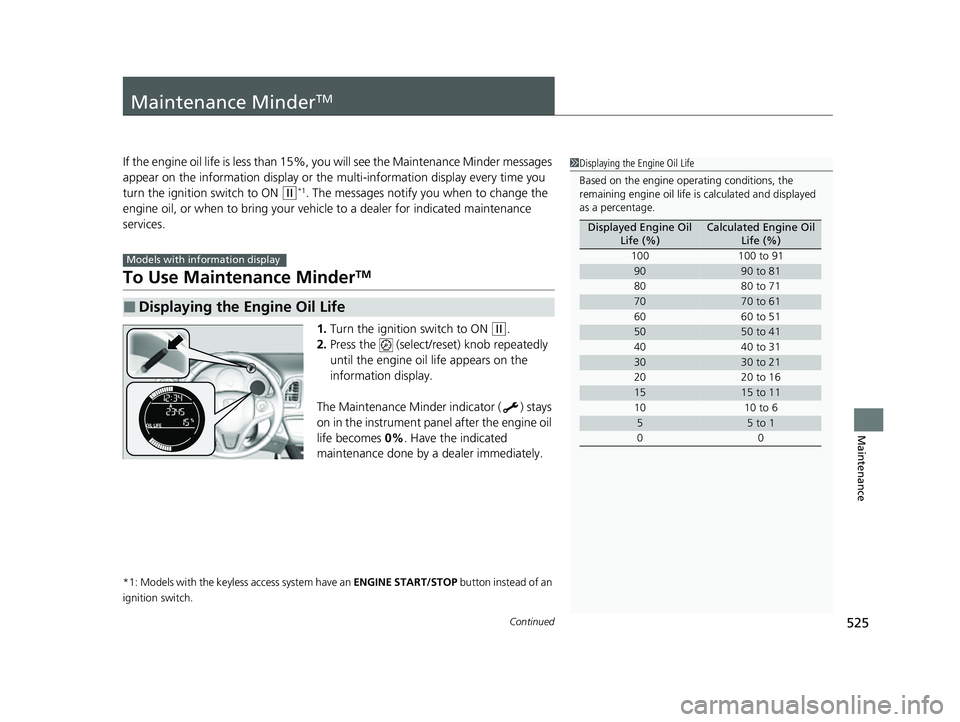
If the engine oil life is less than 15%, you will see the Maintenance Minder messages
appear on the information display or the multi-information display every time you
turn the ignition switch to ON
(w*1. The messages notify you when to change the
engine oil, or when to bring your vehicle to a dealer for indicated maintenance
services.
To Use Maintenance MinderTM
1. Turn the ignition switch to ON (w.
2. Press the (select/reset) knob repeatedly
until the engine oil life appears on the
information display.
The Maintenance Minder indicator ( ) stays
on in the instrument panel after the engine oil
life becomes 0% . Have the indicated
maintenance done by a dealer immediately.
*1: Models with the keyless access system have an ENGINE START/STOP button instead of an
ignition switch.
■Displaying the Engine Oil Life
Models with info rmation display
1Displaying the Engine Oil Life
Based on the engine ope rating conditions, the
remaining engine oi l life is calculated and displayed
as a percentage.
Displayed Engine Oil Life (%)Calculated Engine Oil Life (%)
100 100 to 91
9090 to 81
80 80 to 71
7070 to 61
60 60 to 51
5050 to 41
40 40 to 31
3030 to 21
20 20 to 16
1515 to 11
10 10 to 6
55 to 1
00
22 HR-V HDMC-31T7A6600.book 525 ページ 2021年4月12日 月曜日 午前10時50分
Page 612 of 641
610
uuFuses uFuse Locations
Handling the Unexpected
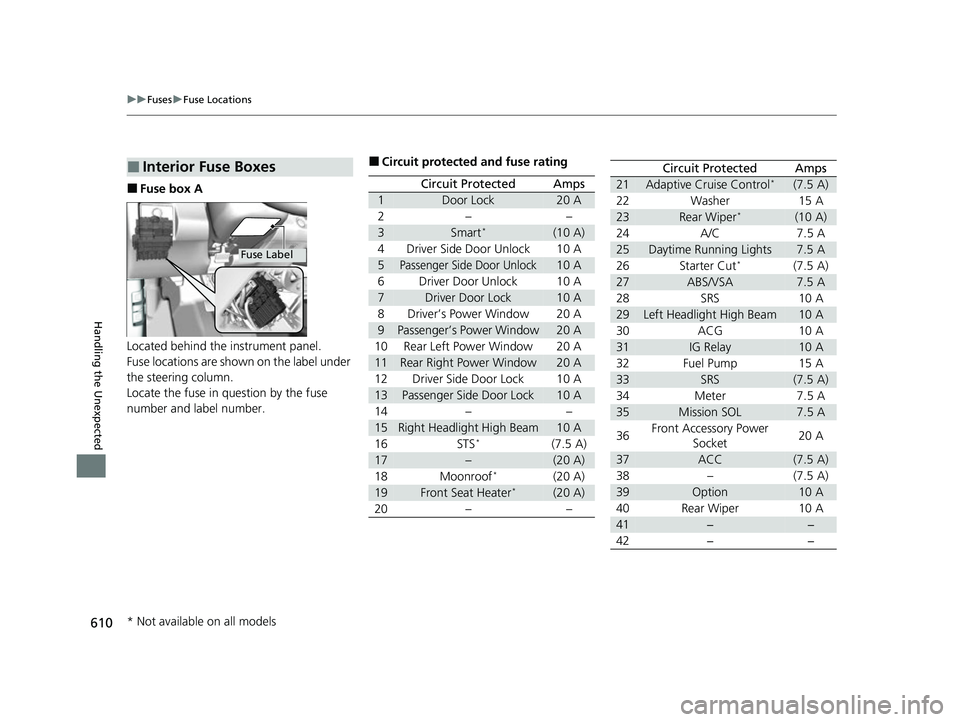
■Fuse box A
Located behind the instrument panel.
Fuse locations are shown on the label under
the steering column.
Locate the fuse in question by the fuse
number and label number.
■Interior Fuse Boxes
Fuse Label
■Circuit protected and fuse rating
Circuit ProtectedAmps
1Door Lock20 A
2––
3Smart*(10 A)
4Driver Side Door Unlock10 A
5Passenger Side Door Unlock10 A
6Driver Door Unlock10 A
7Driver Door Lock10 A
8Driver’s Power Window20 A
9Passenger’s Power Window20 A
10Rear Left Power Window20 A
11Rear Right Power Window20 A
12Driver Side Door Lock10 A
13Passenger Side Door Lock10 A
14––
15Right Headlight High Beam10 A
16STS*(7.5 A)
17–(20 A)
18Moonroof*(20 A)
19Front Seat Heater*(20 A)
20––
Circuit ProtectedAmps
21Adaptive Cruise Control*(7.5 A)
22Washer15 A
23Rear Wiper*(10 A)
24A/C7.5 A
25Daytime Running Lights7.5 A
26Starter Cut*(7.5 A)
27ABS/VSA7.5 A
28SRS10 A
29Left Headlight High Beam10 A
30ACG10 A
31IG Relay10 A
32Fuel Pump15 A
33SRS(7.5 A)
34Meter7.5 A
35Mission SOL7.5 A
36Front Accessory Power Socket20 A
37ACC(7.5 A)
38–(7.5 A)
39Option10 A
40Rear Wiper10 A
41−−
42−−
* Not available on all models
22 HR-V HDMC-31T7A6600.book 610 ページ 2021年4月12日 月曜日 午前10時50分