lock HONDA HRV 2022 Manual Online
[x] Cancel search | Manufacturer: HONDA, Model Year: 2022, Model line: HRV, Model: HONDA HRV 2022Pages: 641, PDF Size: 21.37 MB
Page 216 of 641
uuInterior Lights/Interior Convenience Items uInterior Convenience Items
214
Controls
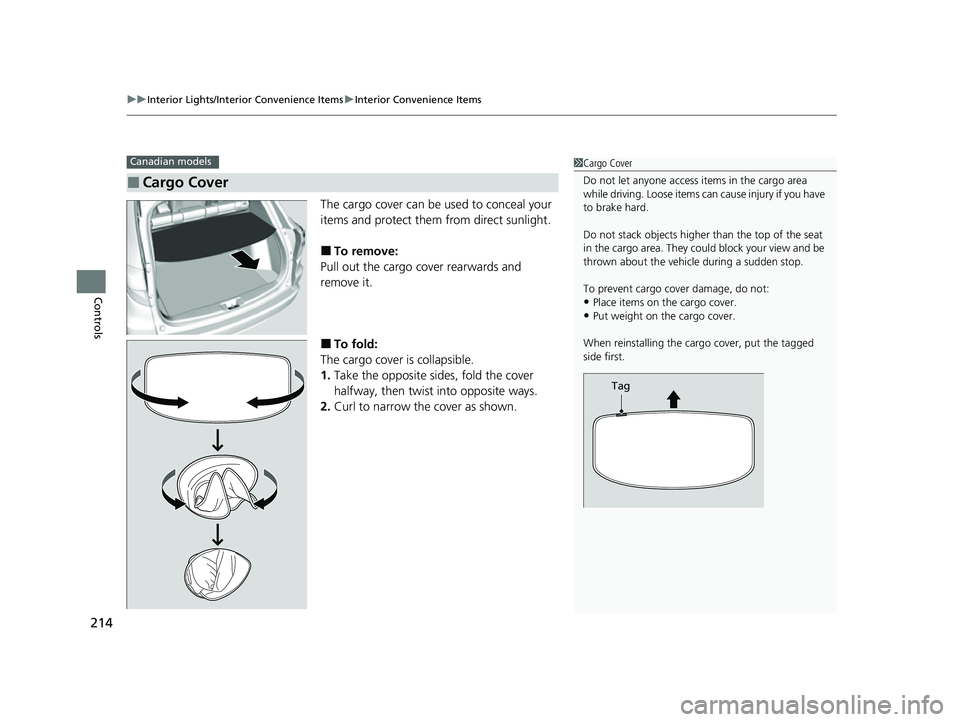
The cargo cover can be used to conceal your
items and protect them from direct sunlight.
■To remove:
Pull out the cargo cover rearwards and
remove it.
■To fold:
The cargo cover is collapsible.
1. Take the opposite sides, fold the cover
halfway, then twist into opposite ways.
2. Curl to narrow the cover as shown.
■Cargo Cover
Canadian models1Cargo Cover
Do not let anyone access items in the cargo area
while driving. Loose items can cause injury if you have
to brake hard.
Do not stack objects higher than the top of the seat
in the cargo area. They could block your view and be
thrown about the vehicle during a sudden stop.
To prevent cargo cover damage, do not:
•Place items on the cargo cover.•Put weight on the cargo cover.
When reinstalling the carg o cover, put the tagged
side first.
Tag
22 HR-V HDMC-31T7A6600.book 214 ページ 2021年4月12日 月曜日 午前10時50分
Page 229 of 641
Continued227
uuClimate Control System*uUsing Automatic Climate Control
Controls
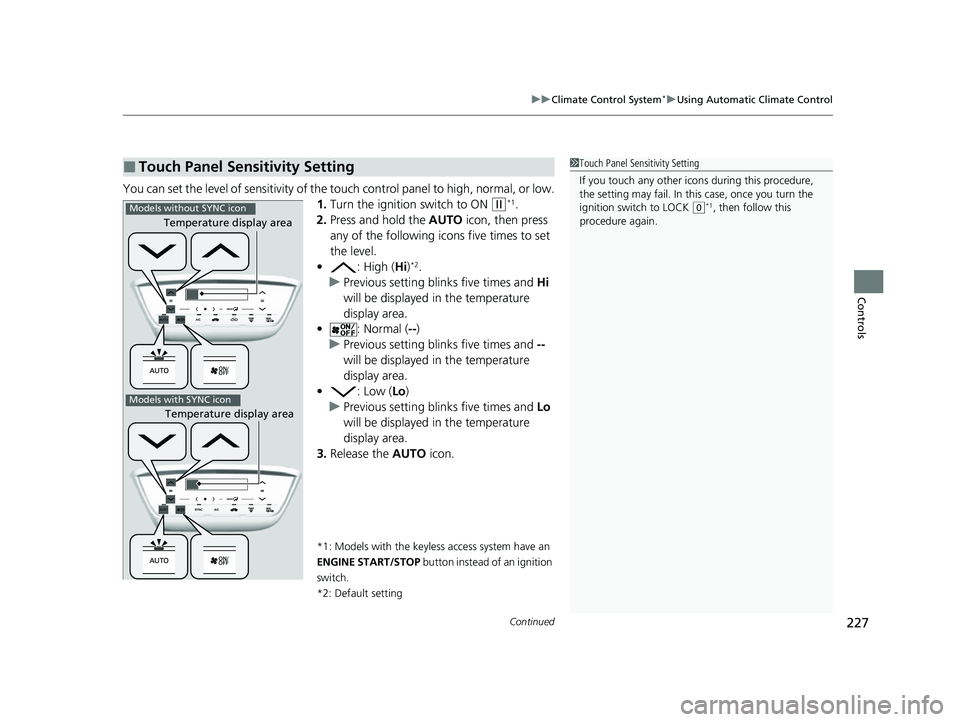
You can set the level of sensitivity of the touch control panel to high, normal, or low.
1. Turn the ignition switch to ON
(w*1.
2. Press and hold the AUTO icon, then press
any of the following ic ons five times to set
the level.
• : High (Hi)
*2.
u Previous setting blinks five times and Hi
will be displayed in the temperature
display area.
• : Normal ( --)
u Previous setting blinks five times and --
will be displayed in the temperature
display area.
• : Low (Lo)
u Previous setting blinks five times and Lo
will be displayed in the temperature
display area.
3. Release the AUTO icon.
*1: Models with the keyless access system have an
ENGINE START/STOP button instead of an ignition
switch.
*2: Default setting
■Touch Panel Sensitivity Setting1 Touch Panel Sensitivity Setting
If you touch any other icon s during this procedure,
the setting may fail. In this case, once you turn the
ignition switch to LOCK
( 0*1, then follow this
procedure again.
Temperature display area
Temperature display area
Models without SYNC icon
Models with SYNC icon
22 HR-V HDMC-31T7A6600.book 227 ページ 2021年4月12日 月曜日 午前10時50分
Page 240 of 641
238
Features
Audio System Basic Operation
To use the audio system, the ignition switch must be in ACCESSORY (q or ON (w.
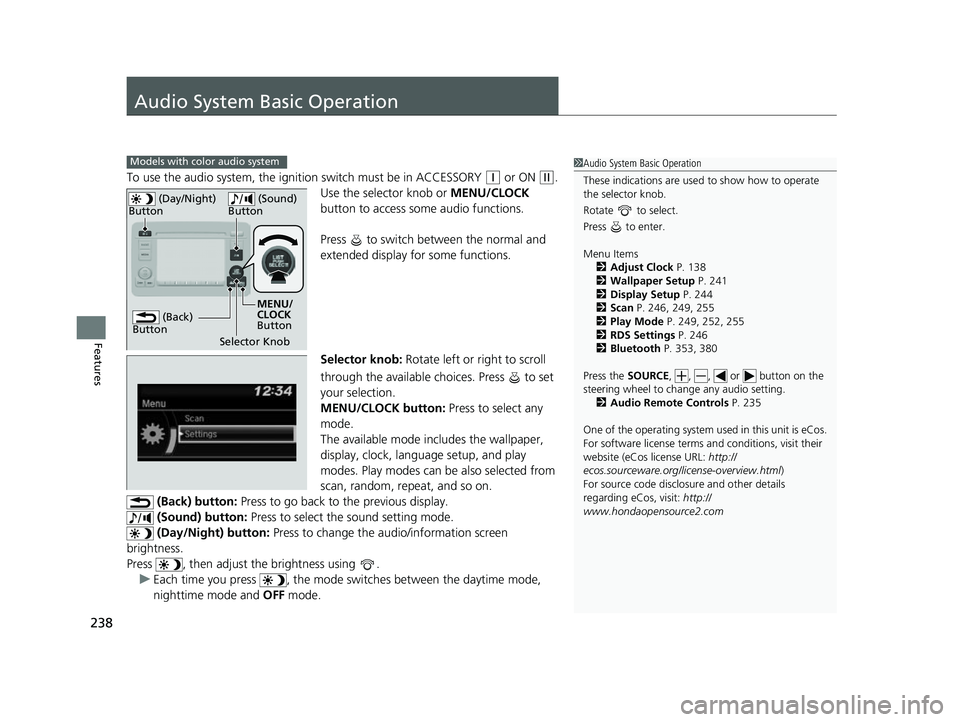
Use the selector knob or MENU/CLOCK
button to access some audio functions.
Press to switch between the normal and
extended display fo r some functions.
Selector knob: Rotate left or right to scroll
through the available choices. Press to set
your selection.
MENU/CLOCK button: Press to select any
mode.
The available mode includes the wallpaper,
display, clock, langu age setup, and play
modes. Play modes can be also selected from
scan, random, rep eat, and so on.
(Back) button: Press to go back to the previous display.
(Sound) button: Press to select the sound setting mode.
(Day/Night) button: Press to change the audio/information screen
brightness.
Press , then adjust th e brightness using .
u Each time you press , the mode switches between the daytime mode,
nighttime mode and OFF mode.
Models with color audio system1Audio System Basic Operation
These indications are used to show how to operate
the selector knob.
Rotate to select.
Press to enter.
Menu Items 2 Adjust Clock P. 138
2 Wallpaper Setup P. 241
2 Display Setup P. 244
2 Scan P. 246, 249, 255
2 Play Mode P. 249, 252, 255
2 RDS Settings P. 246
2 Bluetooth P. 353, 380
Press the SOURCE, , , or button on the
steering wheel to cha nge any audio setting.
2 Audio Remote Controls P. 235
One of the operating system us ed in this unit is eCos.
For software license terms and conditions, visit their
website (eCos license URL: http://
ecos.sourceware.org/li cense-overview.html)
For source code disclo sure and other details
regarding eCos, visit: http://
www.hondaopensource2.com
(Back)
Button
Selector Knob MENU/
CLOCK
Button
(Day/Night)
Button
(Sound)
Button
22 HR-V HDMC-31T7A6600.book 238 ページ 2021年4月12日 月曜日 午前10時50分
Page 241 of 641
239
uuAudio System Basic Operation uAudio/Information Screen
Continued
Features
Audio/Information Screen
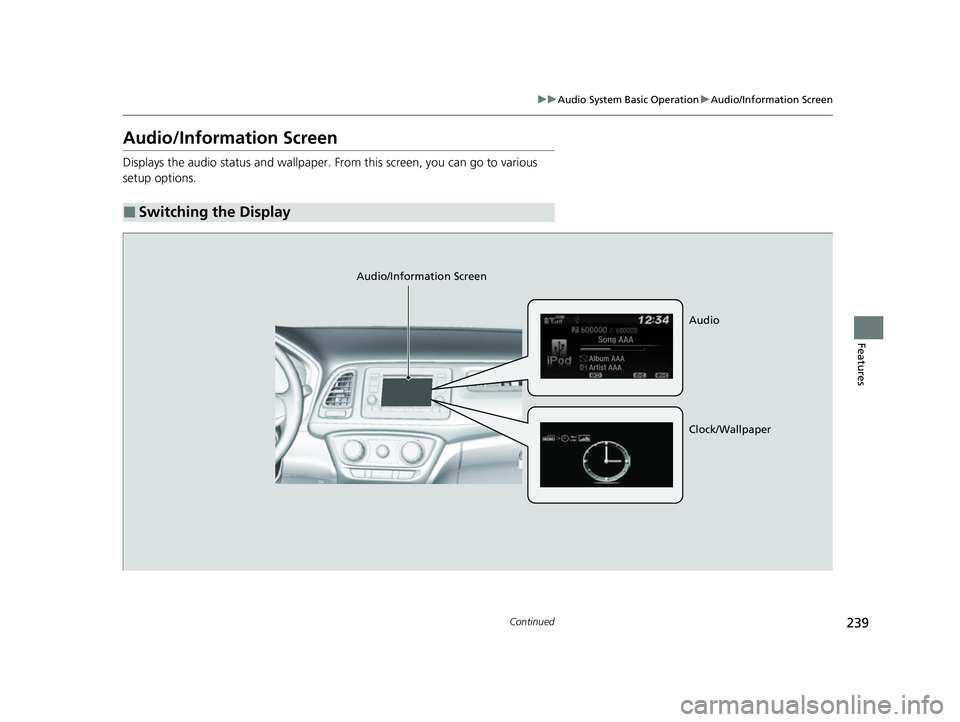
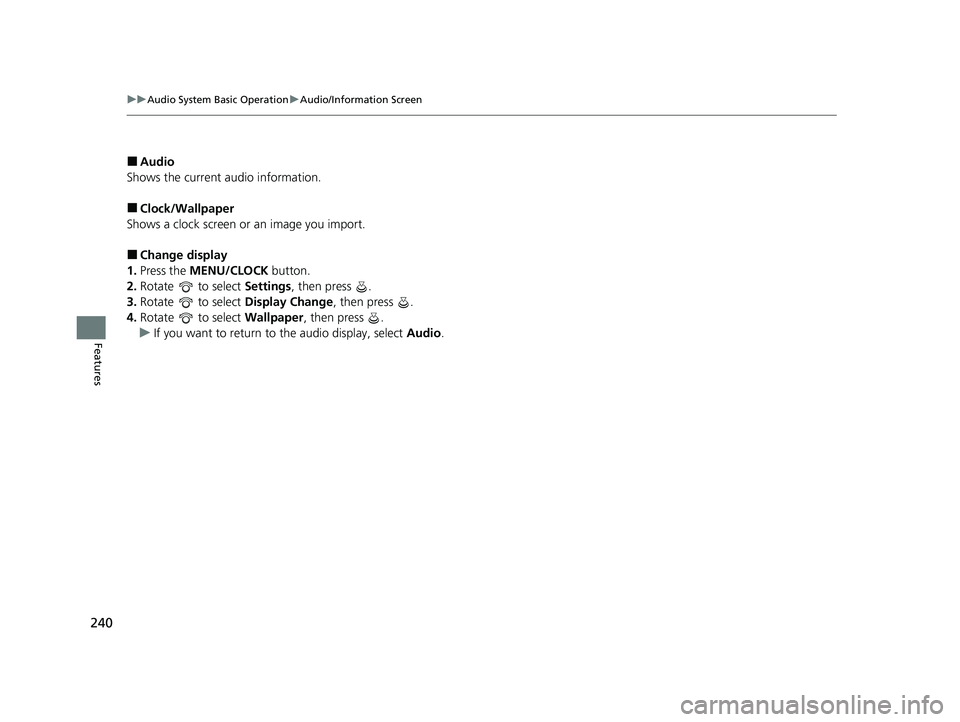
Displays the audio status and wallpaper. From this screen, you can go to various
setup options.
■Switching the Display
Audio/Information Screen
Audio
Clock/Wallpaper
22 HR-V HDMC-31T7A6600.book 239 ページ 2021年4月12日 月曜日 午前10時50分
Page 242 of 641
240
uuAudio System Basic Operation uAudio/Information Screen
Features
■Audio
Shows the current audio information.
■Clock/Wallpaper
Shows a clock screen or an image you import.
■Change display
1. Press the MENU/CLOCK button.
2. Rotate to select Settings, then press .
3. Rotate to select Display Change, then press .
4. Rotate to select Wallpaper, then press .
u If you want to return to the audio display, select Audio.
22 HR-V HDMC-31T7A6600.book 240 ページ 2021年4月12日 月曜日 午前10時50分
Page 243 of 641
Continued241
uuAudio System Basic Operation uAudio/Information Screen
Features
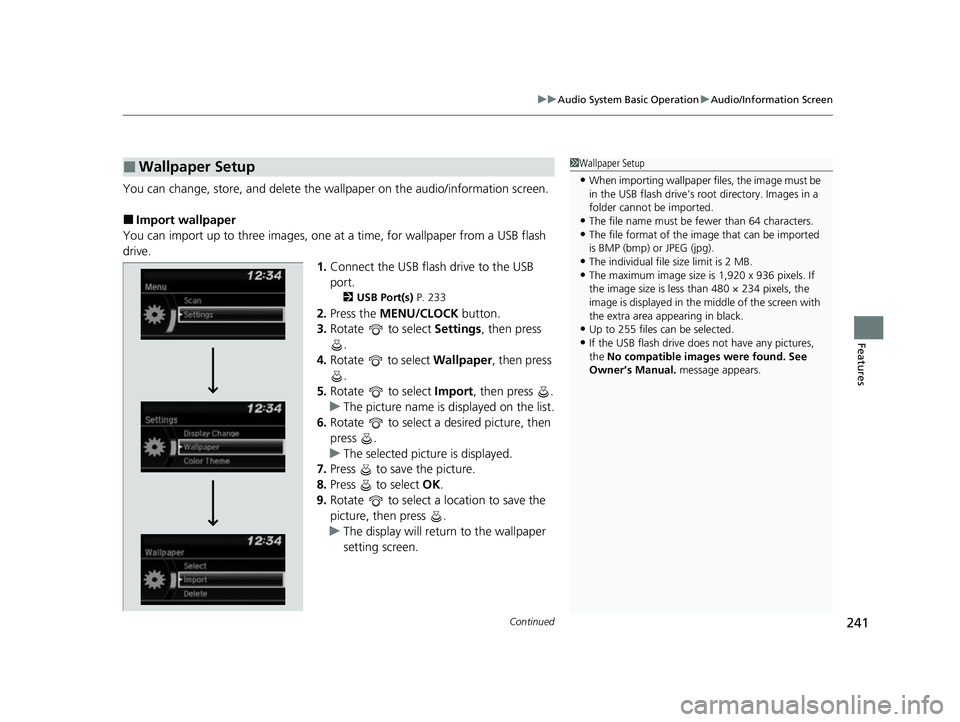
You can change, store, and delete the wa llpaper on the audio/information screen.
■Import wallpaper
You can import up to three images, one at a time, for wallpaper from a USB flash
drive. 1.Connect the USB flash drive to the USB
port.
2 USB Port(s) P. 233
2.Press the MENU/CLOCK button.
3. Rotate to select Settings, then press
.
4. Rotate to select Wallpaper, then press
.
5. Rotate to select Import, then press .
u The picture name is displayed on the list.
6. Rotate to select a desired picture, then
press .
u The selected picture is displayed.
7. Press to save the picture.
8. Press to select OK.
9. Rotate to select a location to save the
picture, then press .
u The display will return to the wallpaper
setting screen.
■Wallpaper Setup1Wallpaper Setup
•When importing wallpaper files, the image must be
in the USB flash drive’s root directory. Images in a
folder cannot be imported.
•The file name must be fewer than 64 characters.•The file format of the im age that can be imported
is BMP (bmp) or JPEG (jpg).
•The individual file size limit is 2 MB.•The maximum image size is 1,920 x 936 pixels. If
the image size is less than 480 × 234 pixels, the
image is displayed in the middle of the screen with
the extra area appearing in black.
•Up to 255 files can be selected.
•If the USB flash drive doe s not have any pictures,
the No compatible images were found. See
Owner’s Manual. message appears.
22 HR-V HDMC-31T7A6600.book 241 ページ 2021年4月12日 月曜日 午前10時50分
Page 244 of 641
uuAudio System Basic Operation uAudio/Information Screen
242
Features
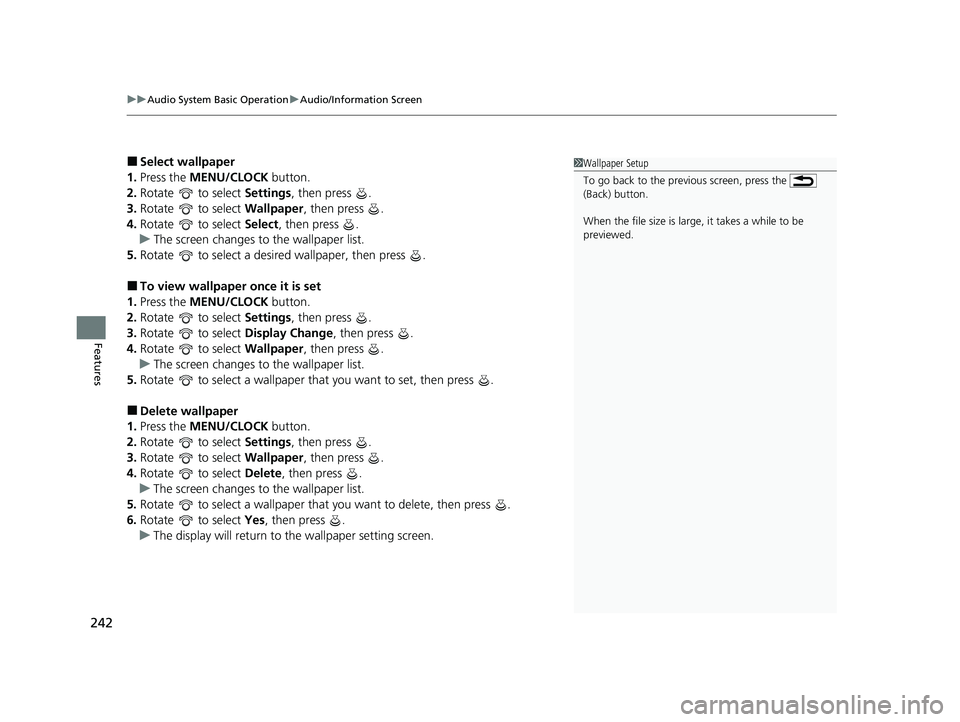
■Select wallpaper
1. Press the MENU/CLOCK button.
2. Rotate to select Settings, then press .
3. Rotate to select Wallpaper, then press .
4. Rotate to select Select, then press .
u The screen changes to the wallpaper list.
5. Rotate to select a desired wallpaper, then press .
■To view wallpaper once it is set
1. Press the MENU/CLOCK button.
2. Rotate to select Settings, then press .
3. Rotate to select Display Change, then press .
4. Rotate to select Wallpaper, then press .
u The screen changes to the wallpaper list.
5. Rotate to select a wallpaper that you want to set, then press .
■Delete wallpaper
1. Press the MENU/CLOCK button.
2. Rotate to select Settings, then press .
3. Rotate to select Wallpaper, then press .
4. Rotate to select Delete, then press .
u The screen changes to the wallpaper list.
5. Rotate to select a wallpaper that you want to delete, then press .
6. Rotate to select Yes, then press .
u The display will return to the wallpaper setting screen.
1Wallpaper Setup
To go back to the previous screen, press the
(Back) button.
When the file size is large, it takes a while to be
previewed.
22 HR-V HDMC-31T7A6600.book 242 ページ 2021年4月12日 月曜日 午前10時50分
Page 246 of 641
244
uuAudio System Basic Operation uDisplay Setup
Features
Display Setup
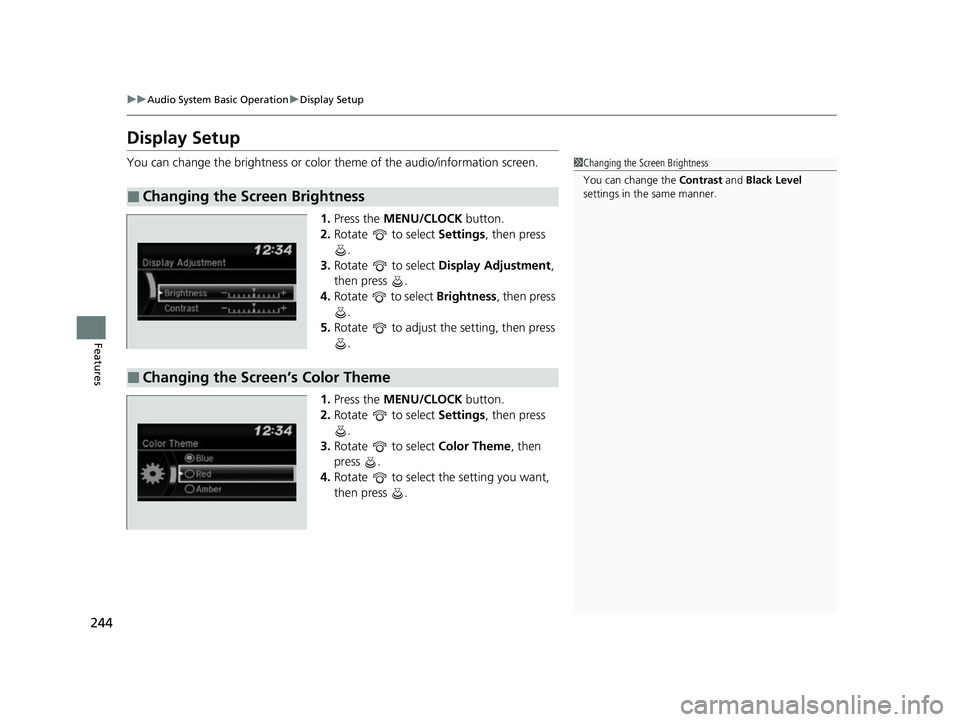
You can change the brightness or color theme of the audio/information screen.
1. Press the MENU/CLOCK button.
2. Rotate to select Settings, then press
.
3. Rotate to select Display Adjustment,
then press .
4. Rotate to select Brightness, then press
.
5. Rotate to adjust the setting, then press
.
1. Press the MENU/CLOCK button.
2. Rotate to select Settings, then press
.
3. Rotate to select Color Theme, then
press .
4. Rotate to select the setting you want,
then press .
■Changing the Screen Brightness
1Changing the Screen Brightness
You can change the Contrast and Black Level
settings in the same manner.
■Changing the Screen’s Color Theme
22 HR-V HDMC-31T7A6600.book 244 ページ 2021年4月12日 月曜日 午前10時50分
Page 247 of 641
245
uuAudio System Basic Operation uPlaying AM/FM Radio
Continued
Features
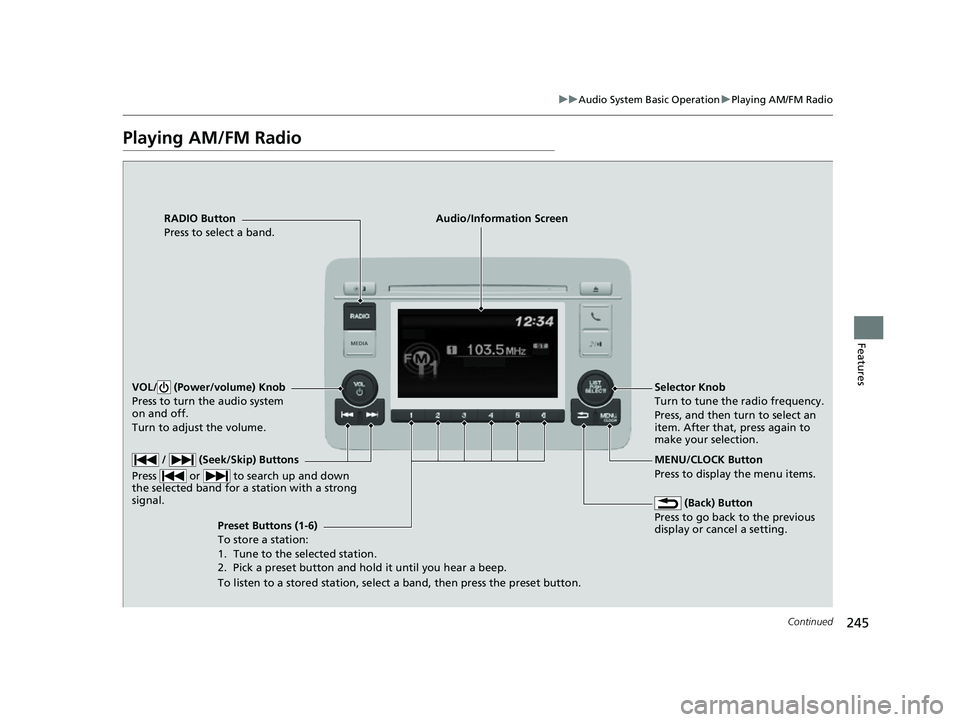
Playing AM/FM Radio
RADIO Button
Press to select a band.
(Back) Button
Press to go back to the previous
display or cancel a setting.
/ (Seek/Skip) Buttons
Press or to search up and down
the selected band for a station with a strong
signal.
VOL/ (Power/volume) Knob
Press to turn the audio system
on and off.
Turn to adjust the volume.
Preset Buttons (1-6)
To store a station:
1. Tune to the selected station.
2. Pick a preset button and hold it until you hear a beep.
To listen to a stored station, select a band, then press the preset button. Selector Knob
Turn to tune the radio frequency.
Press, and then turn to select an
item. After that, press again to
make your selection.
MENU/CLOCK Button
Press to display the menu items.
Audio/Information Screen
22 HR-V HDMC-31T7A6600.book 245 ページ 2021年4月12日 月曜日 午前10時50分
Page 248 of 641
uuAudio System Basic Operation uPlaying AM/FM Radio
246
Features
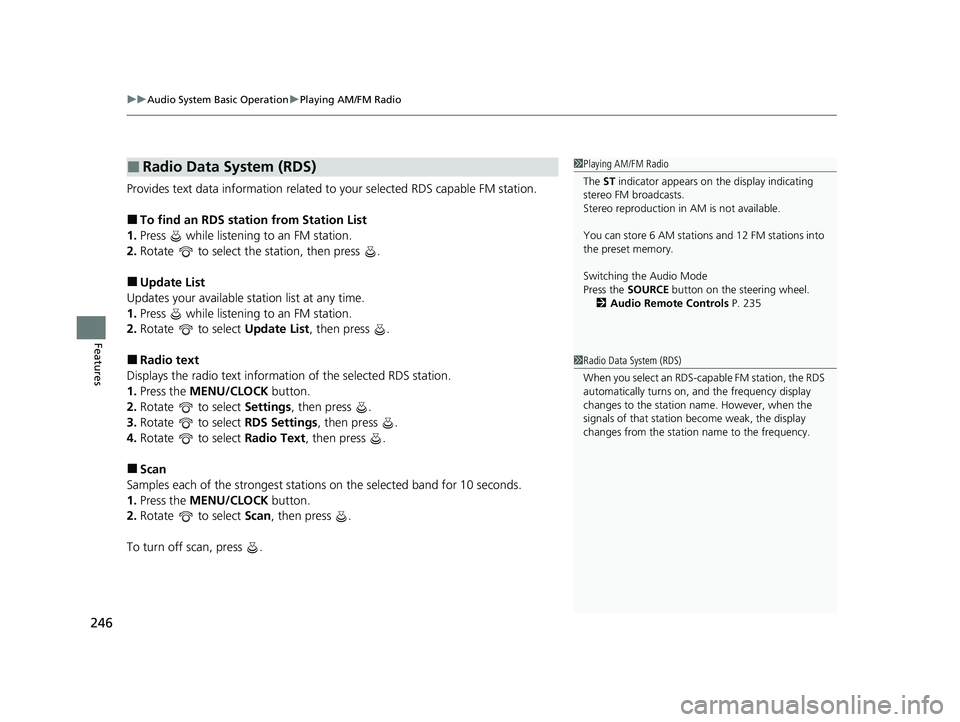
Provides text data information related to your selected RDS capable FM station.
■To find an RDS station from Station List
1. Press while listening to an FM station.
2. Rotate to select the station, then press .
■Update List
Updates your available station list at any time.
1. Press while listening to an FM station.
2. Rotate to select Update List, then press .
■Radio text
Displays the radio text informat ion of the selected RDS station.
1. Press the MENU/CLOCK button.
2. Rotate to select Settings, then press .
3. Rotate to select RDS Settings, then press .
4. Rotate to select Radio Text, then press .
■Scan
Samples each of the strongest stations on the selected band for 10 seconds.
1. Press the MENU/CLOCK button.
2. Rotate to select Scan, then press .
To turn off scan, press .
■Radio Data System (RDS)1 Playing AM/FM Radio
The ST indicator appears on the display indicating
stereo FM broadcasts.
Stereo reproduction in AM is not available.
You can store 6 AM stations and 12 FM stations into
the preset memory.
Switching the Audio Mode
Press the SOURCE button on the steering wheel.
2 Audio Remote Controls P. 235
1Radio Data System (RDS)
When you select an RDS-capable FM station, the RDS
automatically turns on, and the frequency display
changes to the station name. However, when the
signals of that station become weak, the display
changes from the statio n name to the frequency.
22 HR-V HDMC-31T7A6600.book 246 ページ 2021年4月12日 月曜日 午前10時50分