phone HONDA HRV 2022 Manual Online
[x] Cancel search | Manufacturer: HONDA, Model Year: 2022, Model line: HRV, Model: HONDA HRV 2022Pages: 641, PDF Size: 21.37 MB
Page 408 of 641
406
uuBluetooth ® HandsFreeLink ®u HFL Menus
Features
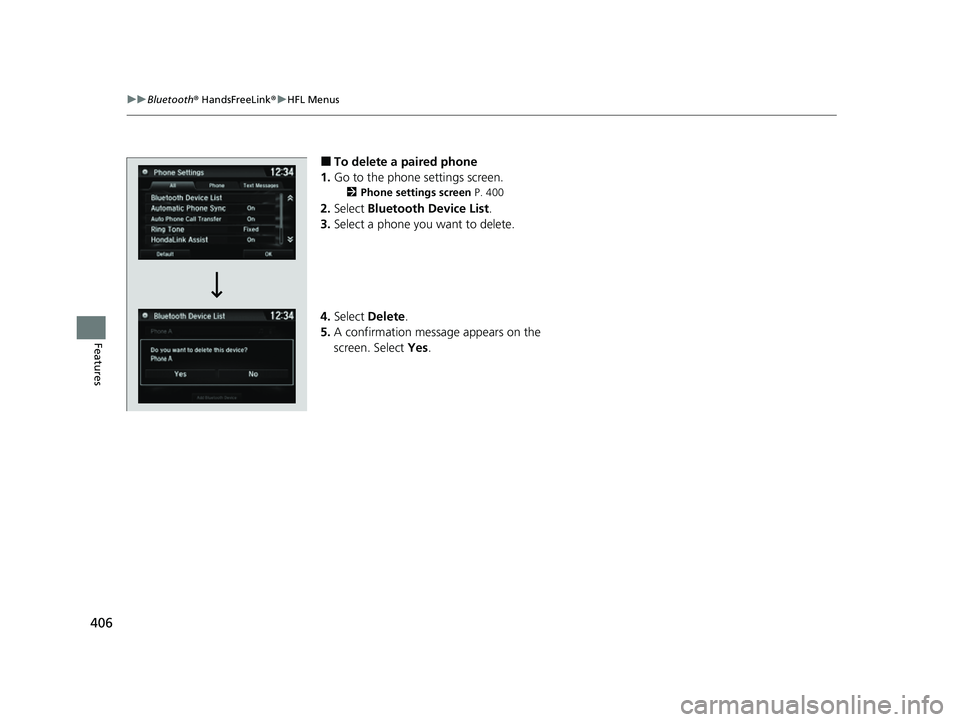
■To delete a paired phone
1. Go to the phone settings screen.
2 Phone settings screen P. 400
2.Select Bluetooth Device List .
3. Select a phone you want to delete.
4. Select Delete.
5. A confirmation message appears on the
screen. Select Yes.
22 HR-V HDMC-31T7A6600.book 406 ページ 2021年4月12日 月曜日 午前10時50分
Page 409 of 641
Continued407
uuBluetooth ® HandsFreeLink ®u HFL Menus
Features
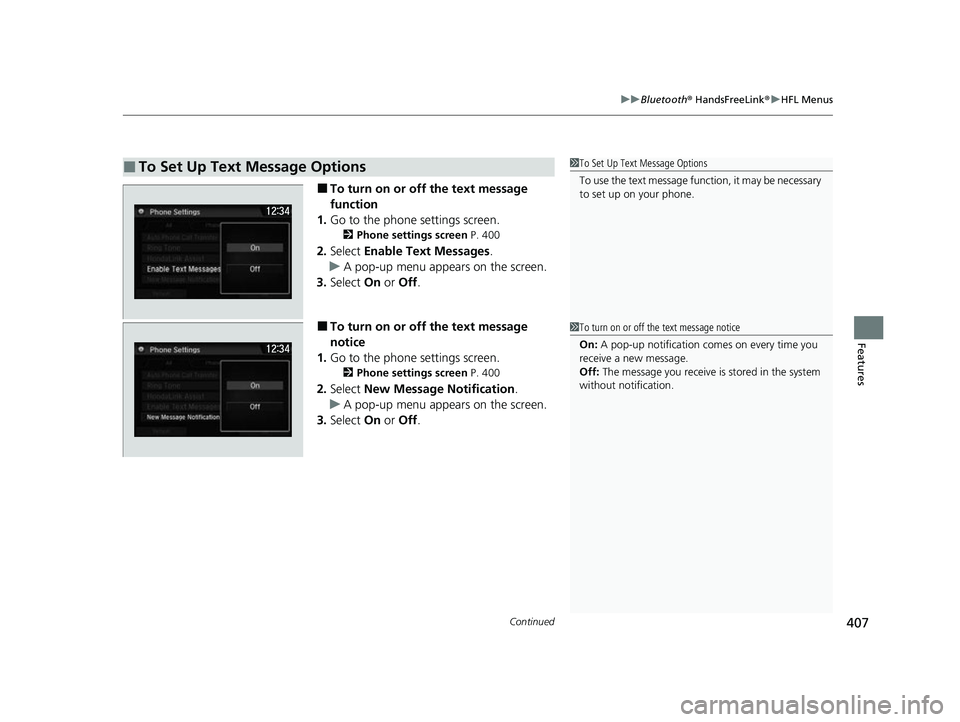
■To turn on or off the text message
function
1. Go to the phone settings screen.
2 Phone settings screen P. 400
2.Select Enable Text Messages .
u A pop-up menu appears on the screen.
3. Select On or Off .
■To turn on or off the text message
notice
1. Go to the phone settings screen.
2 Phone settings screen P. 400
2.Select New Message Notification .
u A pop-up menu appears on the screen.
3. Select On or Off .
■To Set Up Text Message Options1To Set Up Text Message Options
To use the text message func tion, it may be necessary
to set up on your phone.
1 To turn on or off the text message notice
On: A pop-up notification comes on every time you
receive a new message.
Off: The message you receive is stored in the system
without not ification.
22 HR-V HDMC-31T7A6600.book 407 ページ 2021年4月12日 月曜日 午前10時50分
Page 410 of 641
uuBluetooth ® HandsFreeLink ®u HFL Menus
408
Features
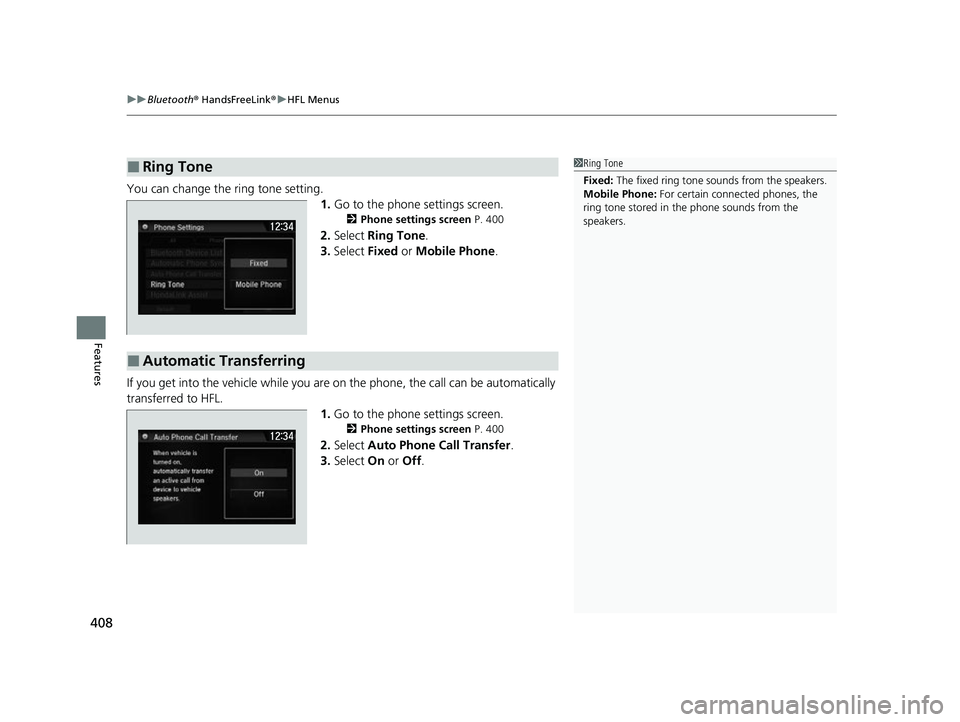
You can change the ring tone setting.
1.Go to the phone settings screen.
2 Phone settings screen P. 400
2.Select Ring Tone.
3. Select Fixed or Mobile Phone .
If you get into the vehicle while you are on the phone, the call can be automatically
transferred to HFL. 1.Go to the phone settings screen.
2 Phone settings screen P. 400
2.Select Auto Phone Call Transfer .
3. Select On or Off .
■Ring Tone1Ring Tone
Fixed: The fixed ring tone sounds from the speakers.
Mobile Phone: For certain connect ed phones, the
ring tone stored in the phone sounds from the
speakers.
■Automatic Transferring
22 HR-V HDMC-31T7A6600.book 408 ページ 2021年4月12日 月曜日 午前10時50分
Page 411 of 641
Continued409
uuBluetooth ® HandsFreeLink ®u HFL Menus
Features
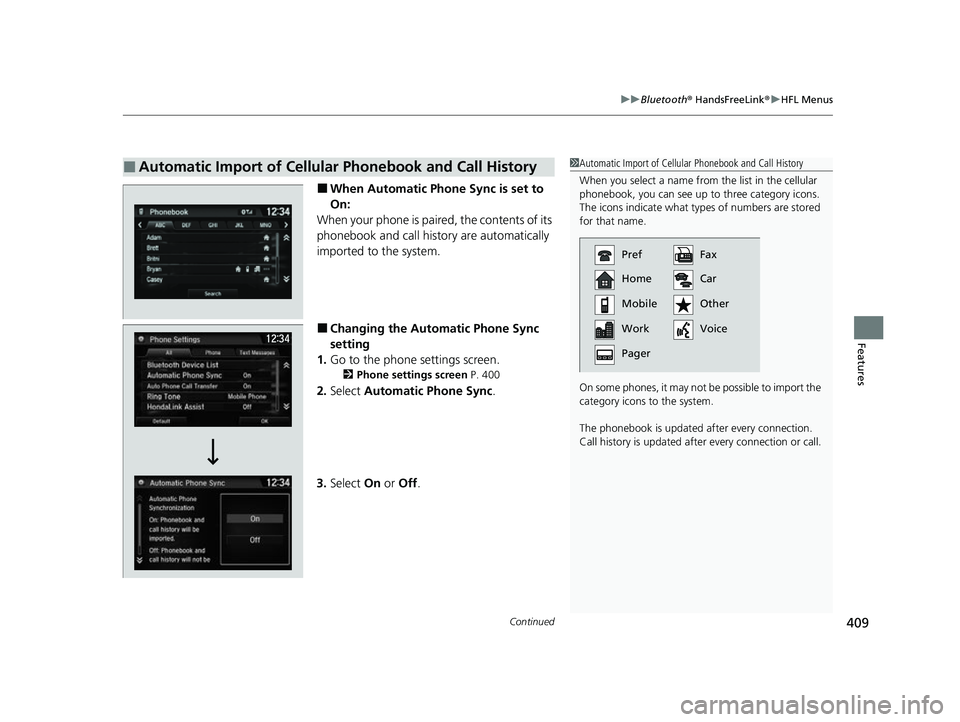
■When Automatic Phone Sync is set to
On:
When your phone is paired, the contents of its
phonebook and call history are automatically
imported to the system.
■Changing the Automatic Phone Sync
setting
1. Go to the phone settings screen.
2 Phone settings screen P. 400
2.Select Automatic Phone Sync .
3. Select On or Off .
■Automatic Import of Cellular Phonebook and Call History1Automatic Import of Cellular Phonebook and Call History
When you select a name from the list in the cellular
phonebook, you can see up to three category icons.
The icons indicate what types of numbers are stored
for that name.
On some phones, it may no t be possible to import the
category icons to the system.
The phonebook is updated af ter every connection.
Call history is updated after every connection or call.
Pref
Home
Mobile
Work
PagerFax
Car
Other
Voice
22 HR-V HDMC-31T7A6600.book 409 ページ 2021年4月12日 月曜日 午前10時50分
Page 412 of 641
uuBluetooth ® HandsFreeLink ®u HFL Menus
410
Features
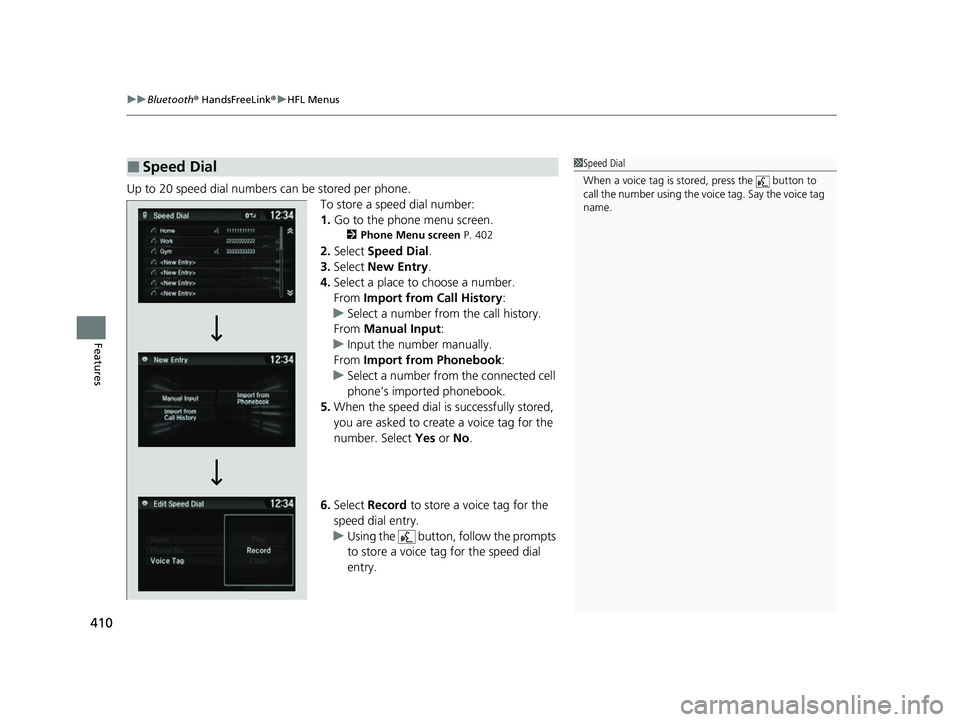
Up to 20 speed dial numbers can be stored per phone.
To store a speed dial number:
1.Go to the phone menu screen.
2 Phone Menu screen P. 402
2.Select Speed Dial .
3. Select New Entry.
4. Select a place to choose a number.
From Import from Call History:
u Select a number from the call history.
From Manual Input :
u Input the number manually.
From Import from Phonebook :
u Select a number from the connected cell
phone’s imported phonebook.
5. When the speed dial is successfully stored,
you are asked to create a voice tag for the
number. Select Yes or No.
6. Select Record to store a voice tag for the
speed dial entry.
u Using the button, follow the prompts
to store a voice tag for the speed dial
entry.
■Speed Dial1Speed Dial
When a voice tag is stored, press the button to
call the number using the voice tag. Say the voice tag
name.
22 HR-V HDMC-31T7A6600.book 410 ページ 2021年4月12日 月曜日 午前10時50分
Page 413 of 641
Continued411
uuBluetooth ® HandsFreeLink ®u HFL Menus
Features
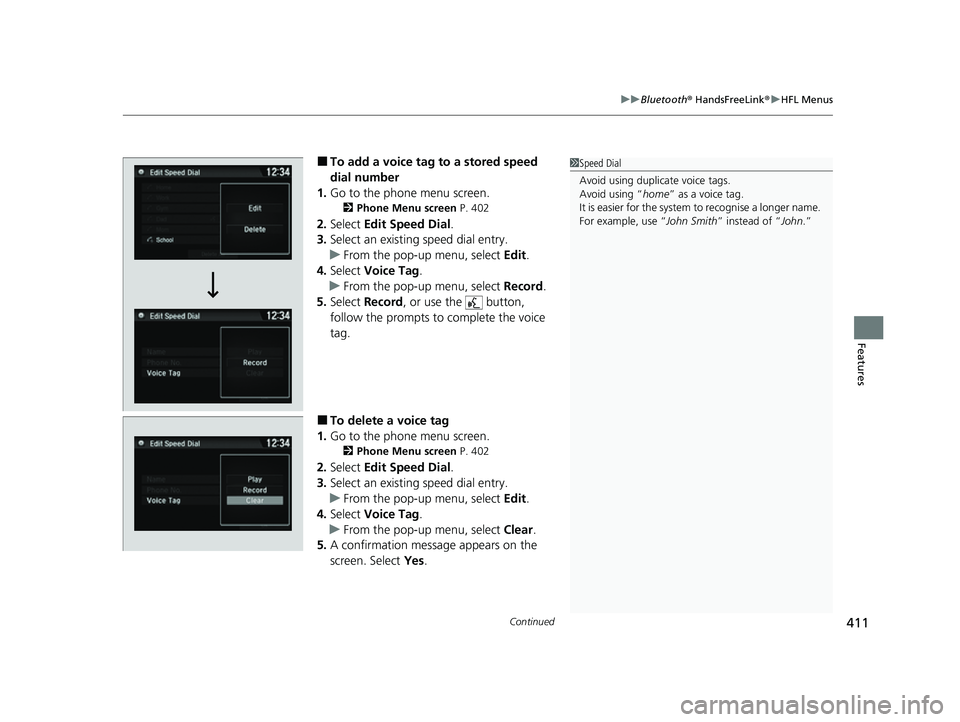
■To add a voice tag to a stored speed
dial number
1. Go to the phone menu screen.
2 Phone Menu screen P. 402
2.Select Edit Speed Dial .
3. Select an existing speed dial entry.
u From the pop-up menu, select Edit.
4. Select Voice Tag .
u From the pop-up menu, select Record.
5. Select Record , or use the button,
follow the prompts to complete the voice
tag.
■To delete a voice tag
1. Go to the phone menu screen.
2 Phone Menu screen P. 402
2.Select Edit Speed Dial .
3. Select an existing speed dial entry.
u From the pop-up menu, select Edit.
4. Select Voice Tag .
u From the pop-up menu, select Clear.
5. A confirmation message appears on the
screen. Select Yes.
1Speed Dial
Avoid using duplicate voice tags.
Avoid using “home ” as a voice tag.
It is easier for the system to recognise a longer name.
For example, use “ John Smith” instead of “John.”
22 HR-V HDMC-31T7A6600.book 411 ページ 2021年4月12日 月曜日 午前10時50分
Page 414 of 641
412
uuBluetooth ® HandsFreeLink ®u HFL Menus
Features
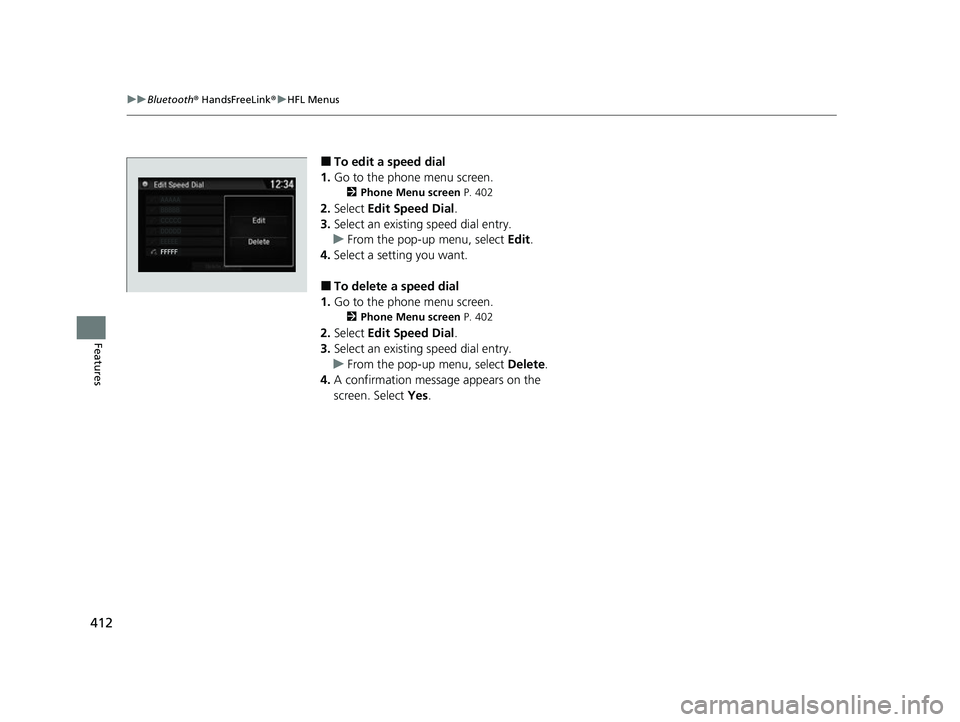
■To edit a speed dial
1. Go to the phone menu screen.
2 Phone Menu screen P. 402
2.Select Edit Speed Dial .
3. Select an existing speed dial entry.
u From the pop-up menu, select Edit.
4. Select a setting you want.
■To delete a speed dial
1. Go to the phone menu screen.
2 Phone Menu screen P. 402
2.Select Edit Speed Dial .
3. Select an existing speed dial entry.
u From the pop-up menu, select Delete.
4. A confirmation message appears on the
screen. Select Yes.
AAAAA
BBBBB
CCCCC
DDDDD
EEEEE
FFFFF
22 HR-V HDMC-31T7A6600.book 412 ページ 2021年4月12日 月曜日 午前10時50分
Page 415 of 641
Continued413
uuBluetooth ® HandsFreeLink ®u HFL Menus
Features
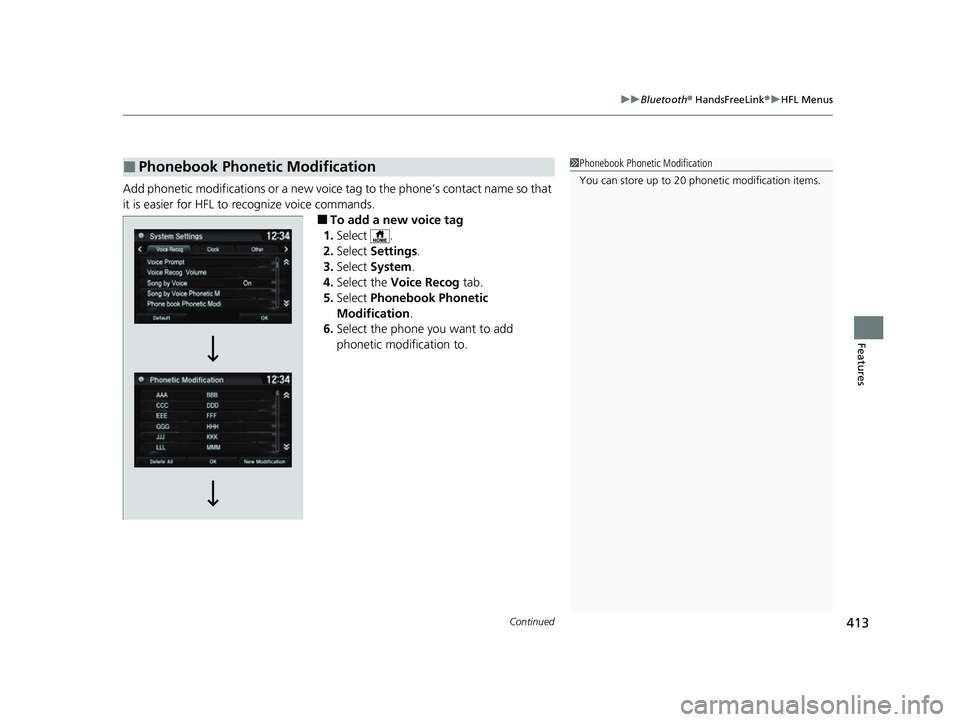
Add phonetic modifications or a new voice tag to the phone’s contact name so that
it is easier for HFL to recognize voice commands.
■To add a new voice tag
1. Select .
2. Select Settings .
3. Select System .
4. Select the Voice Recog tab.
5. Select Phonebook Phonetic
Modification .
6. Select the phone you want to add
phonetic modification to.
■Phonebook Phonetic Modification1Phonebook Phonetic Modification
You can store up to 20 phone tic modification items.
22 HR-V HDMC-31T7A6600.book 413 ページ 2021年4月12日 月曜日 午前10時50分
Page 417 of 641
Continued415
uuBluetooth ® HandsFreeLink ®u HFL Menus
Features
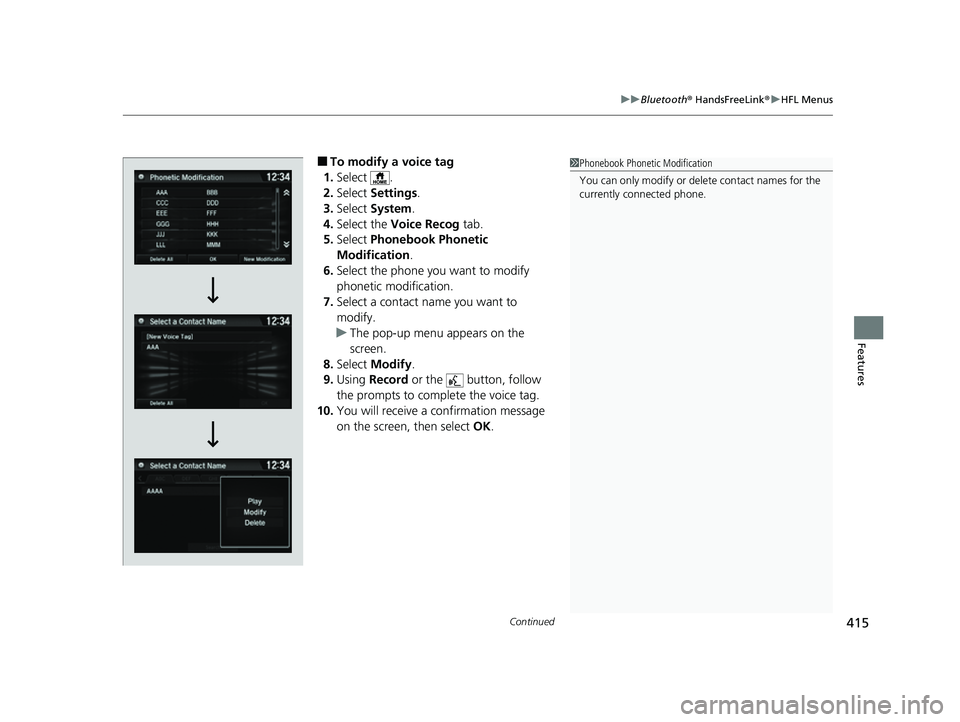
■To modify a voice tag
1. Select .
2. Select Settings .
3. Select System .
4. Select the Voice Recog tab.
5. Select Phonebook Phonetic
Modification .
6. Select the phone you want to modify
phonetic modification.
7. Select a contact name you want to
modify.
u The pop-up menu appears on the
screen.
8. Select Modify .
9. Using Record or the button, follow
the prompts to complete the voice tag.
10. You will receive a confirmation message
on the screen, then select OK.1Phonebook Phonetic Modification
You can only modify or de lete contact names for the
currently connected phone.
22 HR-V HDMC-31T7A6600.book 415 ページ 2021年4月12日 月曜日 午前10時50分
Page 418 of 641
416
uuBluetooth ® HandsFreeLink ®u HFL Menus
Features
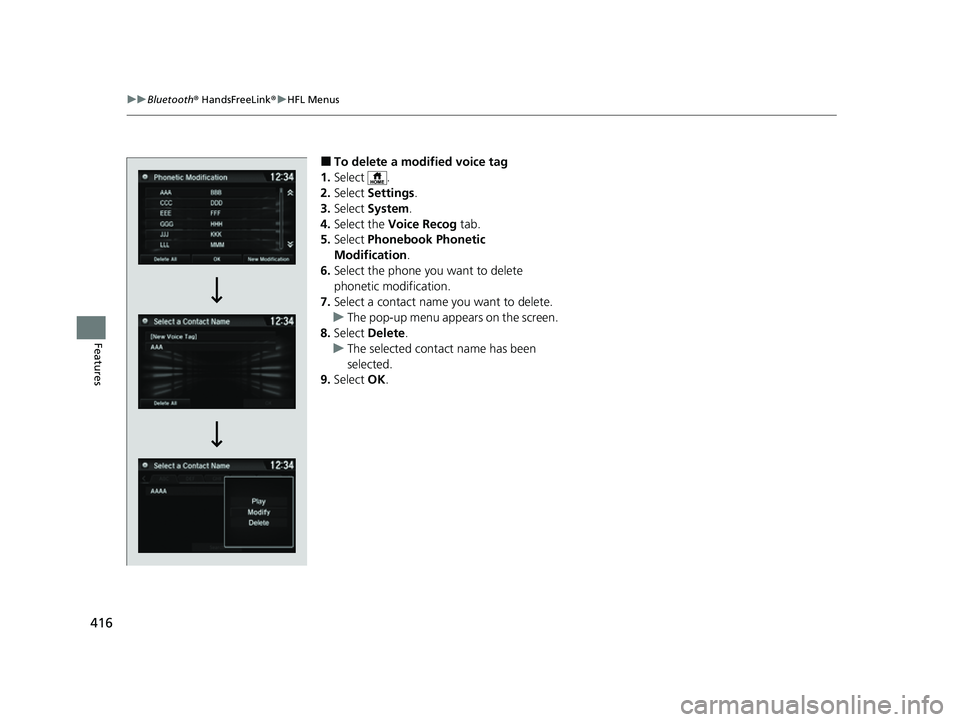
■To delete a modified voice tag
1. Select .
2. Select Settings .
3. Select System .
4. Select the Voice Recog tab.
5. Select Phonebook Phonetic
Modification .
6. Select the phone you want to delete
phonetic modification.
7. Select a contact name you want to delete.
u The pop-up menu appears on the screen.
8. Select Delete.
u The selected contact name has been
selected.
9. Select OK.
22 HR-V HDMC-31T7A6600.book 416 ページ 2021年4月12日 月曜日 午前10時50分