phone HONDA HRV 2023 Owners Manual
[x] Cancel search | Manufacturer: HONDA, Model Year: 2023, Model line: HRV, Model: HONDA HRV 2023Pages: 664, PDF Size: 20.2 MB
Page 402 of 664
400
uuBluetooth ® HandsFreeLink ®u HFL Menus
Features
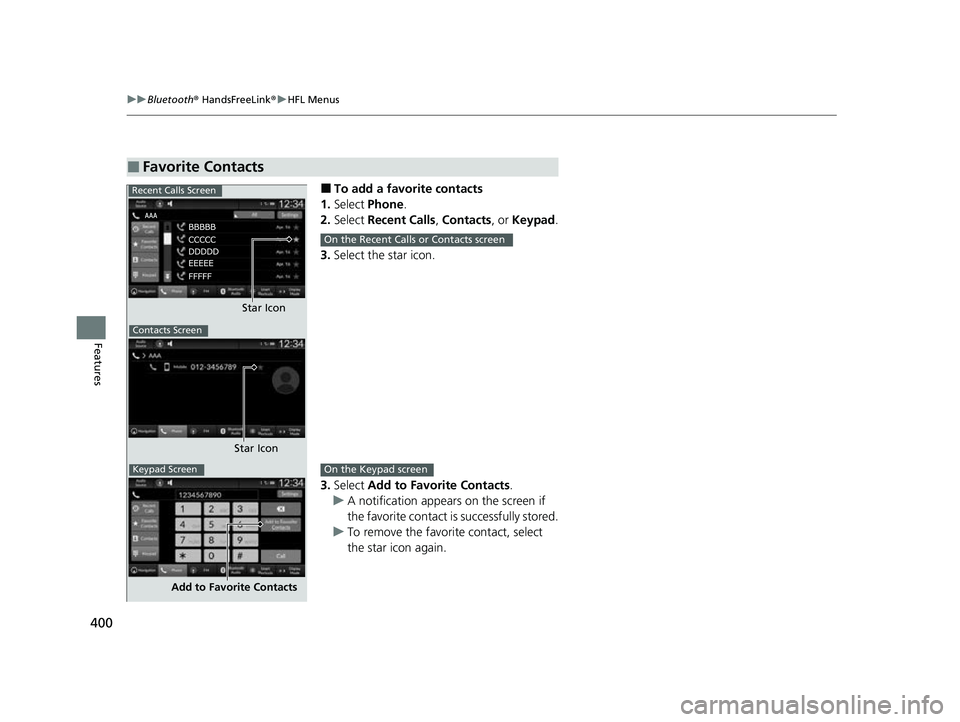
■To add a favorite contacts
1. Select Phone .
2. Select Recent Calls , Contacts , or Keypad .
3. Select the star icon.
3. Select Add to Favorite Contacts.
u A notification appears on the screen if
the favorite contact is successfully stored.
u To remove the favorite contact, select
the star icon again.
■Favorite Contacts
Recent Calls Screen
Star Icon
Contacts Screen
Star Icon
Keypad Screen
Add to Favorite Contacts
On the Recent Calls or Contacts screen
On the Keypad screen
23 HR-V-313V06000_01.book 400 ページ 2022年4月4日 月曜日 午前10時49分
Page 403 of 664
401
uuBluetooth ® HandsFreeLink ®u HFL Menus
Continued
Features
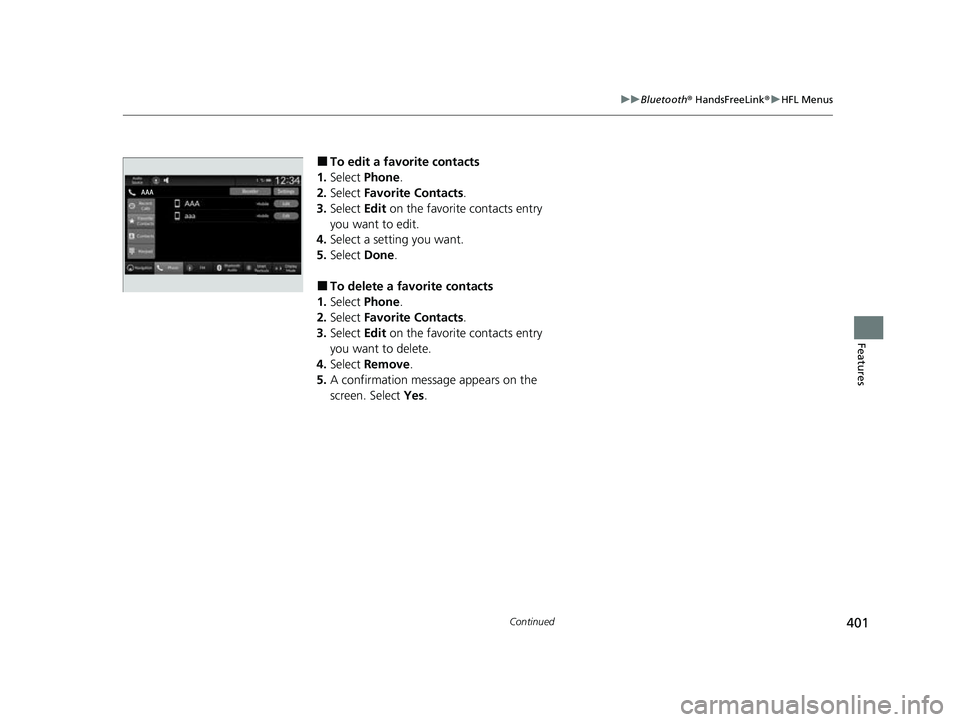
■To edit a favorite contacts
1. Select Phone .
2. Select Favorite Contacts .
3. Select Edit on the favorite contacts entry
you want to edit.
4. Select a setting you want.
5. Select Done.
■To delete a favorite contacts
1. Select Phone .
2. Select Favorite Contacts .
3. Select Edit on the favorite contacts entry
you want to delete.
4. Select Remove .
5. A confirmation message appears on the
screen. Select Yes.
23 HR-V-313V06000_01.book 401 ページ 2022年4月4日 月曜日 午前10時49分
Page 404 of 664
uuBluetooth ® HandsFreeLink ®u HFL Menus
402
Features
You can make calls by inputting any phone
number, or by using the imported Recent
Calls, Favorite Contacts , and Contacts
entries.
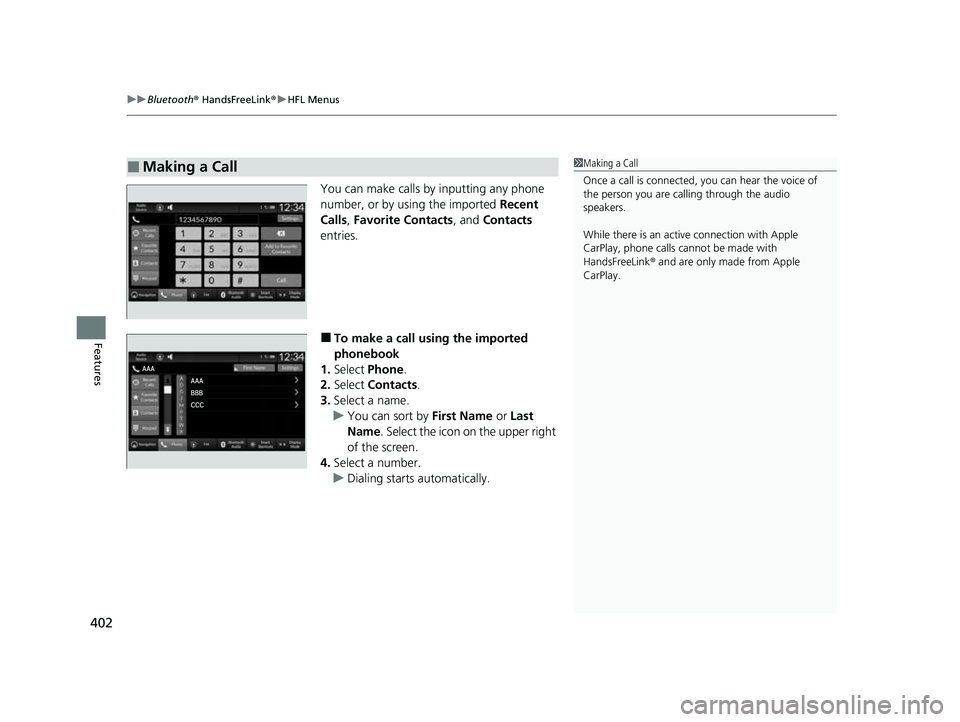
■To make a call using the imported
phonebook
1. Select Phone .
2. Select Contacts .
3. Select a name.
u You can sort by First Name or Last
Name . Select the icon on the upper right
of the screen.
4. Select a number.
u Dialing starts automatically.
■Making a Call1Making a Call
Once a call is connected, you can hear the voice of
the person you are call ing through the audio
speakers.
While there is an active connection with Apple
CarPlay, phone calls ca nnot be made with
HandsFreeLink ® and are only made from Apple
CarPlay.
23 HR-V-313V06000_01.book 402 ページ 2022年4月4日 月曜日 午前10時49分
Page 405 of 664
Continued403
uuBluetooth ® HandsFreeLink ®u HFL Menus
Features
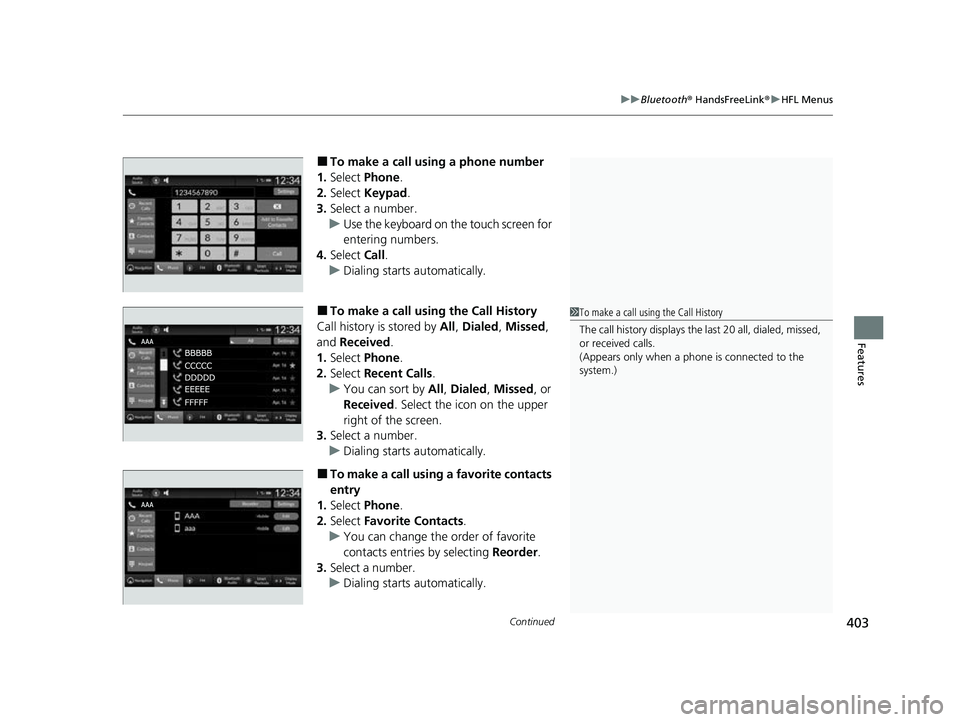
■To make a call using a phone number
1. Select Phone .
2. Select Keypad .
3. Select a number.
u Use the keyboard on the touch screen for
entering numbers.
4. Select Call.
u Dialing starts automatically.
■To make a call using the Call History
Call history is stored by All, Dialed , Missed ,
and Received.
1. Select Phone .
2. Select Recent Calls .
u You can sort by All, Dialed , Missed , or
Received . Select the icon on the upper
right of the screen.
3. Select a number.
u Dialing starts automatically.
■To make a call using a favorite contacts
entry
1. Select Phone .
2. Select Favorite Contacts .
u You can change the order of favorite
contacts entries by selecting Reorder.
3. Select a number.
u Dialing starts automatically.
1To make a call using the Call History
The call history disp lays the last 20 all, dialed, missed,
or received calls.
(Appears only when a phone is connected to the
system.)
23 HR-V-313V06000_01.book 403 ページ 2022年4月4日 月曜日 午前10時49分
Page 407 of 664
405
uuBluetooth ® HandsFreeLink ®u HFL Menus
Features
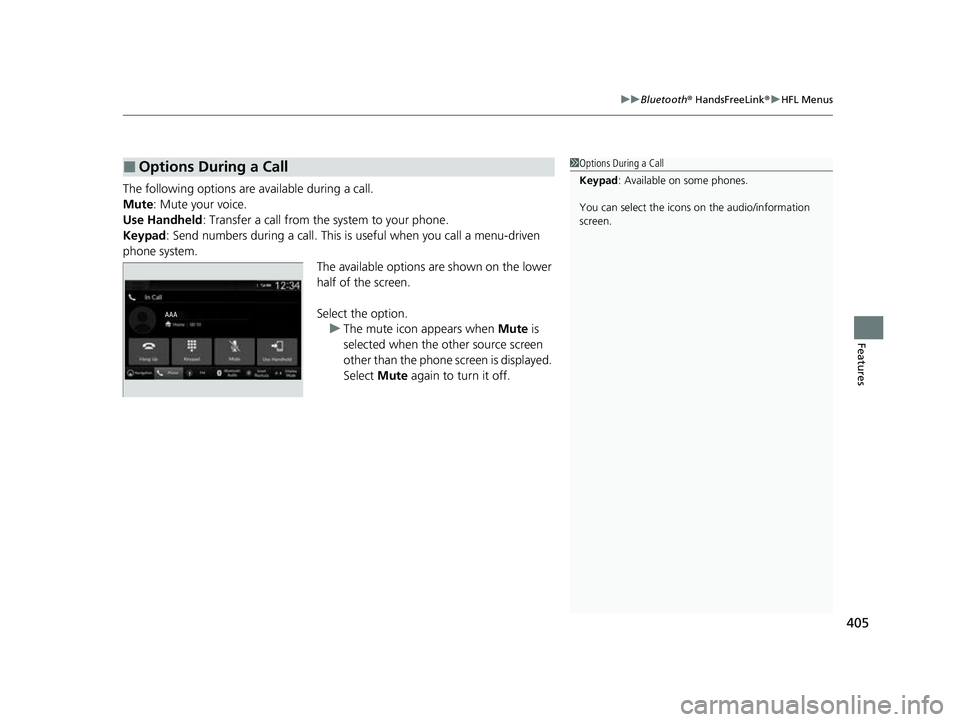
The following options ar e available during a call.
Mute: Mute your voice.
Use Handheld : Transfer a call from the system to your phone.
Keypad : Send numbers during a call. This is useful when you call a menu-driven
phone system. The available options are shown on the lower
half of the screen.
Select the option.u The mute icon appears when Mute is
selected when the other source screen
other than the phone screen is displayed.
Select Mute again to turn it off.
■Options During a Call1Options During a Call
Keypad : Available on some phones.
You can select the icons on the audio/information
screen.
23 HR-V-313V06000_01.book 405 ページ 2022年4月4日 月曜日 午前10時49分
Page 408 of 664
406
uuBluetooth ® HandsFreeLink ®u HondaLink ® Assist
Features
HondaLink ® Assist
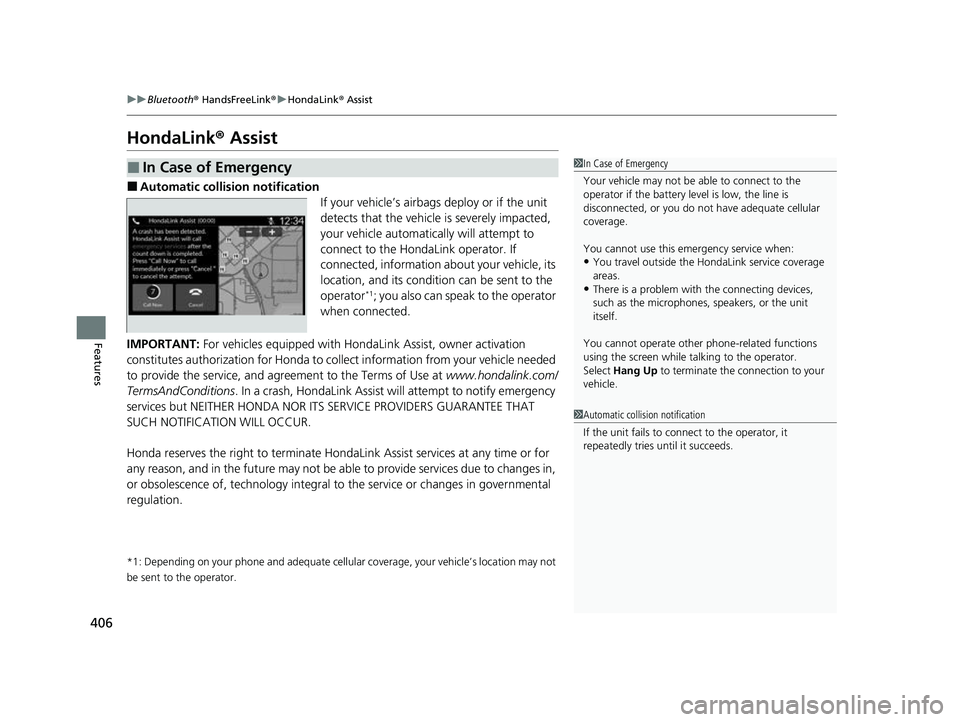
■Automatic collision notification
If your vehicle’s airbags deploy or if the unit
detects that the vehicle is severely impacted,
your vehicle automatically will attempt to
connect to the HondaLink operator. If
connected, information about your vehicle, its
location, and its condition can be sent to the
operator
*1; you also can speak to the operator
when connected.
IMPORTANT: For vehicles equipped with Hond aLink Assist, owner activation
constitutes authorization for Honda to co llect information from your vehicle needed
to provide the service, and agr eement to the Terms of Use at www.hondalink.com/
TermsAndConditions . In a crash, HondaLink Assist w ill attempt to notify emergency
services but NEITHER HONDA NOR ITS SERVICE PROVIDERS GUARANTEE THAT
SUCH NOTIFICATION WILL OCCUR.
Honda reserves the right to terminate HondaLink Assist services at any time or for
any reason, and in the future may not be ab le to provide services due to changes in,
or obsolescence of, technology integral to the service or changes in governmental
regulation.
*1: Depending on your phone and ad equate cellular coverage, your vehicle’s location may not
be sent to the operator.
■In Case of Emergency1 In Case of Emergency
Your vehicle may not be able to connect to the
operator if the battery level is low, the line is
disconnected, or you do not have adequate cellular
coverage.
You cannot use this emergency service when:
•You travel outside the HondaLink service coverage
areas.
•There is a problem with the connecting devices,
such as the microphones, speakers, or the unit
itself.
You cannot operate othe r phone-related functions
using the screen while talking to the operator.
Select Hang Up to terminate the connection to your
vehicle.
1 Automatic collision notification
If the unit fails to connect to the operator, it
repeatedly tries until it succeeds.
23 HR-V-313V06000_01.book 406 ページ 2022年4月4日 月曜日 午前10時49分
Page 409 of 664
407
uuBluetooth® HandsFreeLink ®u HondaLink ® Assist
Features
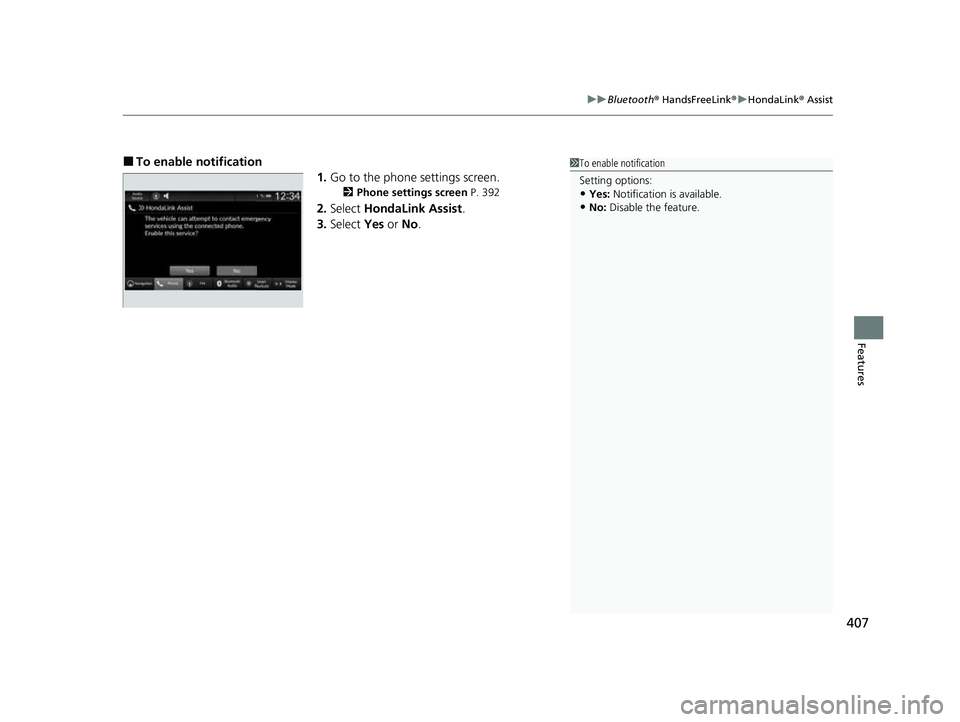
■To enable notification
1.Go to the phone settings screen.
2 Phone settings screen P. 392
2.Select HondaLink Assist .
3. Select Yes or No.
1To enable notification
Setting options:
•Yes: Notification is available.
•No: Disable the feature.
23 HR-V-313V06000_01.book 407 ページ 2022年4月4日 月曜日 午前10時49分
Page 652 of 664
650
Information
Authorized Manuals
■Service Express
For electronic copies of service publications, you can purchase a subscription to
Service Express. Visit www.techinfo.honda.com for pricing and options.
■For U.S. Owners
Manuals can be purchased from Helm Incorporated. You can order a manual by
phone at 1 (800) 782-4356 (credit ca rd orders only), or online at www.helminc.com.
■For Canadian Owners
Please contact a dealer to order any manuals that you may require.
23 HR-V-313V06000_01.book 650 ページ 2022年4月4日 月曜日 午前10時49分
Page 653 of 664
651
Information
Customer Service Information
Honda dealership personnel are trained professionals who should be able to deal
with any problems you may encounter with your vehicle. If, however, you are faced
with a problem that they cannot resolve to your satisfaction, contact Honda
Customer Services.
U.S. Owners
American Honda Motor Co., Inc.
Honda Automobile Customer Service
Mail Stop CHI-5
1919 Torrance Blvd.
Torrance, CA 90501-2746
Tel: 1 (800) 999-1009 Canadian Owners
Honda Canada Inc.
Customer Relations
180 Honda Boulevard
Markham, ON
L6C 0H9
Tel: 1-888-9-HONDA-9
Fax: 1-877-939-0909
E-mail: [email protected]
In Puerto Rico a nd the U.S. Virgin
Islands
Bella International
P.O. Box 190816
San Juan, PR 00919-0816
Tel: 1 (787) 620-7546 In Guam:
Triple J Autogroup
157 S. Marine Corps Drive
Tamuning, GU 96913
(671) 648-2277
In Saipan, Commonwealth of the
Northern Mariana Islands:
Joeten Motor Company, Inc.
P.O. Box 500680
Saipan, MP 96950
(670) 234-55621
Customer Service Information
When you call or write, please give us the following
information:
•Vehicle Identification Number
2Vehicle Identification Number (VIN),
Engine Number, and Transmission
Number P. 642
•Date of purchase•Odometer reading of your vehicle
•Your name, address, and telephone number
•A detailed description of the problem•Name of the dealer who sold the vehicle to you
23 HR-V-313V06000_01.book 651 ページ 2022年4月4日 月曜日 午前10時49分
Page 658 of 664
656
Index
Fuel...................................................... 25, 547
Average Fuel Economy............................. 110
Economy ................................................. 550
Gauge ..................................................... 104
Instant Fuel Economy ............................... 110
Low Fuel Indicator (Amber) ........................ 92
Range ...................................................... 110
Recommendation .................................... 547
Refueling ........................................... 25, 547
Fuel Economy ............................................ 550
Fuel Fill Cap ................................................. 25
Fuel Fill Door ....................................... 25, 548
Unable to Unlock ..................................... 635
Fuses .......................................................... 628
Inspecting and Changing ......................... 632
Locations ......................................... 628, 630
G
Gasoline (Fuel) Average Fuel Economy............................. 110
Economy ................................................. 550
Gauge ..................................................... 104
Information ............................................. 547
Instant Fuel Economy ............................... 110
Low Fuel Indicator (Amber) ........................ 92
Refueling ................................................. 547
Gauges ....................................................... 104
Glass (care) ........................................ 597, 599
Glove Box .................................................. 192
H
Handling the Unexpected ........................ 603
HandsFreeLink ® (HFL) ....................... 369, 389
Automatic Import of Ce llular Phonebook and
Call History .................................... 381, 399
Automatic Transferring.................... 379, 398
Favorite Contacts ............................ 382, 400
HFL Buttons..................................... 369, 389
HFL Menus ...................................... 372, 392
HFL Status Display ........................... 371, 391
In Case of Emergency .............................. 406
Limitations for Manual Operation .... 371, 391
Making a Call .................................. 384, 402
Options During a Call ...................... 388, 405
Phone Setup.................................... 374, 394
Receiving a Call ............................... 387, 404
Ringtone ......................................... 379, 398
Hazard Warning Button .............................. 8
HD Radio
TM................................................ 270
Head Restraints ........................................ 186
Headlights ................................................. 166
Aiming .................................................... 575
Auto High-Beam ..................................... 171
Dimming ................................................. 166
Operating................................................ 166
Heated Steering Wheel ............................ 201
Heated Windshield ................................... 176
Heaters (Front Seat) ................................. 202
HFL (HandsFreeLink ®)....................... 369, 389
High Beam Indicator .................................. 96
Hill Descent Control System ..................... 432Hill Descent Control System Indicator
...... 98
Hill Start Assist System ............................. 423
Honda App License Agreement .............. 318
Honda Sensing ®................................ 26, 449
HondaLink ®............................................ 293
I
Identification Numbers
Engine and Transmission ......................... 642
Vehicle Identification............................... 642
If the Battery Is Dead ............................... 617
Immobilizer System .................................. 156
Indicator ................................................... 97
Important Handling Information .............. 36
Indicators .................................................... 86
Adaptive Cruise Control (ACC) with Low Speed Follow (Amber) ............................. 99
Adaptive Cruise Control (ACC) with Low Speed Follow (White/Green) .................... 99
Anti-lock Brake System (ABS) .................... 93
Auto High-Beam ....................................... 96
Automatic Brake Hold ....................... 90, 532
Automatic Brake Hold System ........... 90, 532
Charging System............................... 91, 623
Cruise Mode (White/Green) ...................... 99
ECON Mode ..................................... 98, 429
Electric Power Steering (EPS) System ............................................ 93, 625
Engine oil pressure low Warning ............. 622
High Beam ................................................ 96
23 HR-V-313V06000_01.book 656 ページ 2022年4月4日 月曜日 午前10時49分