cruise control HONDA HRV 2023 User Guide
[x] Cancel search | Manufacturer: HONDA, Model Year: 2023, Model line: HRV, Model: HONDA HRV 2023Pages: 664, PDF Size: 20.2 MB
Page 453 of 664
451
uuHonda Sensing ®u
Continued
Driving
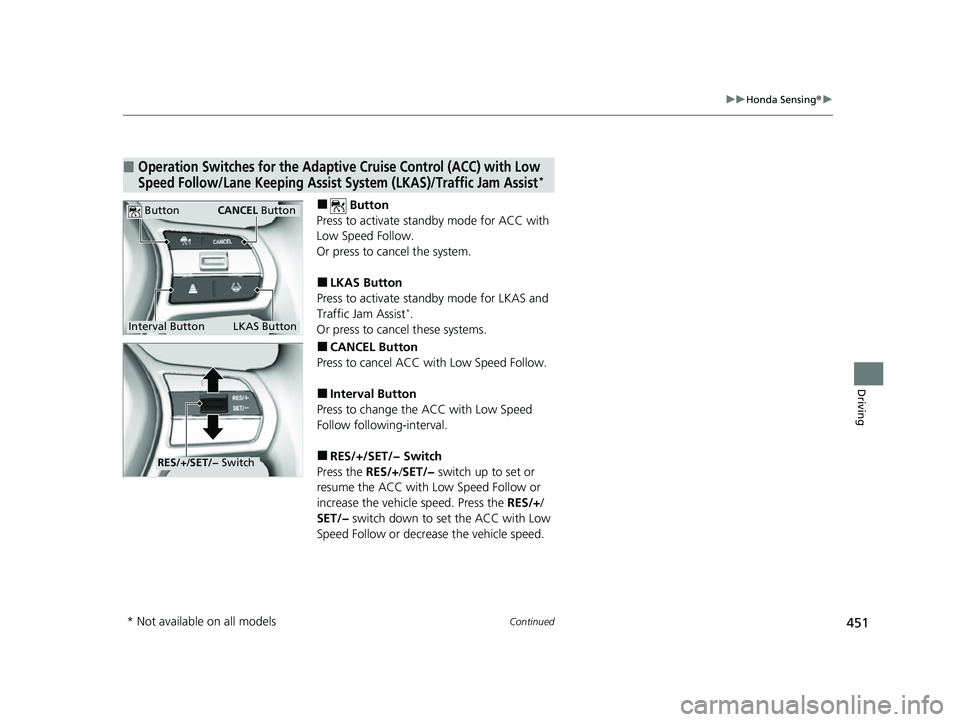
■ Button
Press to activate sta ndby mode for ACC with
Low Speed Follow.
Or press to cancel the system.
■LKAS Button
Press to activate sta ndby mode for LKAS and
Traffic Jam Assist
*.
Or press to cancel these systems.
■CANCEL Button
Press to cancel ACC wi th Low Speed Follow.
■Interval Button
Press to change the ACC with Low Speed
Follow following-interval.
■RES/+/SET/− Switch
Press the RES/+/SET/− switch up to set or
resume the ACC with Low Speed Follow or
increase the vehicle speed. Press the RES/+/
SET/− switch down to set the ACC with Low
Speed Follow or decrea se the vehicle speed.
■Operation Switches for the Adaptive Cruise Control (ACC) with Low
Speed Follow/Lane Keeping Assist System (LKAS)/Traffic Jam Assist*
Interval Button
Button
LKAS Button
CANCEL Button
RES/J/SET/− Switch
* Not available on all models
23 HR-V-313V06000_01.book 451 ページ 2022年4月4日 月曜日 午前10時49分
Page 454 of 664
452
uuHonda Sensing ®u
Driving
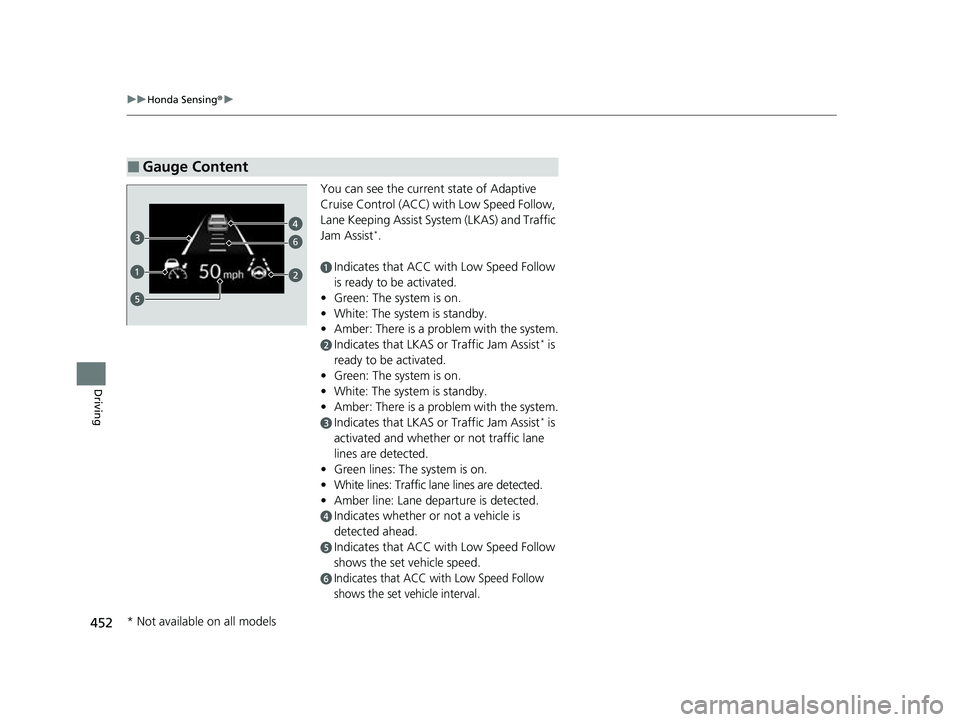
You can see the current state of Adaptive
Cruise Control (ACC) wi th Low Speed Follow,
Lane Keeping Assist System (LKAS) and Traffic
Jam Assist
*.
aIndicates that ACC with Low Speed Follow
is ready to be activated.
• Green: The system is on.
• White: The system is standby.
• Amber: There is a problem with the system.
bIndicates that LKAS or Traffic Jam Assist* is
ready to be activated.
• Green: The system is on.
• White: The system is standby.
• Amber: There is a problem with the system.
cIndicates that LKAS or Traffic Jam Assist* is
activated and whether or not traffic lane
lines are detected.
• Green lines: The system is on.
• White lines: Traffic lane lines are detected.
• Amber line: Lane departure is detected.
dIndicates whether or not a vehicle is
detected ahead.
eIndicates that ACC with Low Speed Follow
shows the set vehicle speed.
fIndicates that ACC with Low Speed Follow
shows the set vehicle interval.
■Gauge Content
6
* Not available on all models
23 HR-V-313V06000_01.book 452 ページ 2022年4月4日 月曜日 午前10時49分
Page 459 of 664
Continued457
uuHonda Sensing ®u Collision Mitigation Braking SystemTM (CMBSTM)
Driving
You can turn the system on and off using the driver information interface.
2 Switching the Display P. 107
2 Safety Support P. 118
The CMBSTM is turned on every time you start th e engine, even if you turned it off
the last time you drove the vehicle.
■CMBSTM On and Off1 Collision Mitigation Braking SystemTM (CMBSTM)
You cannot turn the CMBS
TM off while driving.
The CMBS
TM may automatically shut off, and the
safety support indicator (amb er) will come and stay
on under certain conditions: 2 CMBS
TM Conditions and Limitations P. 458
The CMBS
TM is not activated for about 15 seconds
after the engine starts.
The Vehicle Stability Assist
TM (VSA ®) system, Vehicle
Stability AssistTM (VSA ®) OFF , Adaptive Cruise Control
(ACC) with Low Speed Follow*, low tire pressure/
TPMS*, parking brake and bra ke system and safety
support indicators may come on in amber along with
a message in the gauge when you set the power
mode to ON after re connecting the battery.
Drive a short distance at more than 12 mph (20 km/h).
Each indicator should go off. If any do not, have your
vehicle checked by a dealer.
* Not available on all models
23 HR-V-313V06000_01.book 457 ページ 2022年4月4日 月曜日 午前10時49分
Page 473 of 664
471
uuHonda Sensing ®u Adaptive Cruise Control (ACC) with Low Speed Follow
Continued
Driving
Adaptive Cruise Control (ACC) with Low Speed Follow
Helps maintain a constant vehicle speed and a set following-interval behind a vehicle
detected ahead of yours and, if the detect ed vehicle comes to a stop, can decelerate
and stop your ve hicle, without you having to keep your foot on the brake or the
accelerator.
When ACC with Low Speed Follo w slows your vehicle by applying the brakes, your
vehicle’s brake lights will illuminate.
• Vehicle speed for ACC wi th Low Speed Follow: A vehicle is detected ahead
within ACC with Low Speed Follow range – ACC with Low Speed Follow
operates at speeds up to 90 mph (145 km/h).
No vehicle is detected within ACC with Low Speed Follow range – ACC
with Low Speed Follow operates at th e speed of 25 mph (40 km/h) or above.
• Shift position for ACC with Low Speed Follow: In
(D or (S.
1Adaptive Cruise Control (ACC) with Low Speed Follow
3WARNING
Improper use of ACC with Low Speed
Follow can lead to a crash.
Use ACC with Low Speed Follow only
when driving on expressways or freeways
and in good road and weather conditions.
3WARNING
ACC with Low Speed Follow has limited
braking capability and may not stop your
vehicle in time to avoid a collision with a
vehicle that quickly stops in front of you.
Always be prepared to apply the brake
pedal if the conditions require.
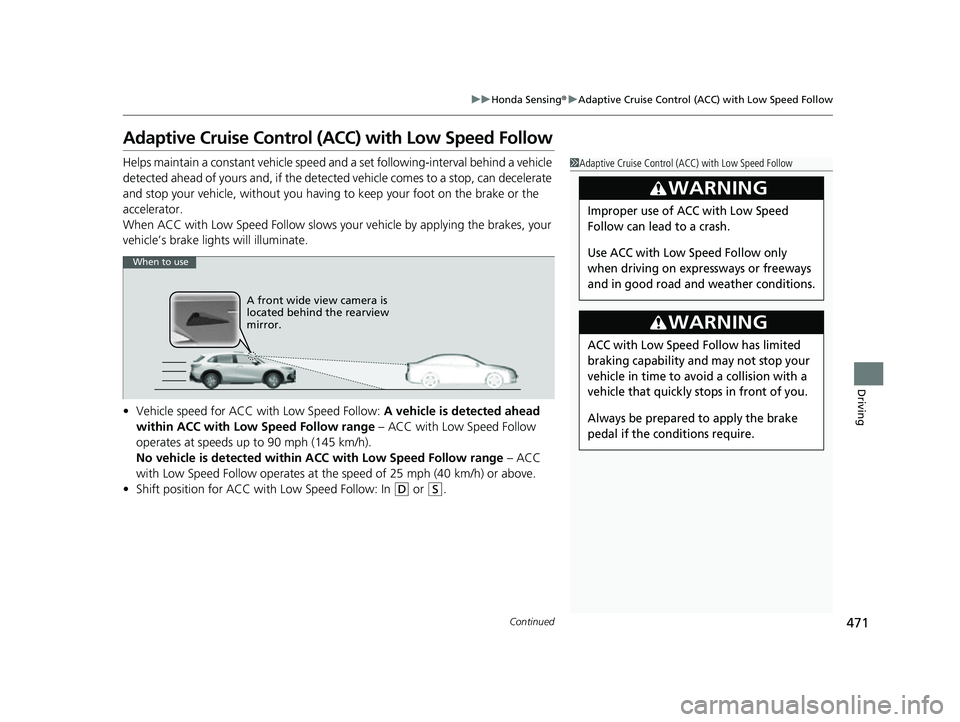
When to use
A front wide view camera is
located behind the rearview
mirror.
23 HR-V-313V06000_01.book 471 ページ 2022年4月4日 月曜日 午前10時49分
Page 474 of 664
uuHonda Sensing ®u Adaptive Cruise Control (ACC) with Low Speed Follow
472
Driving
■How to activate the system1Adaptive Cruise Control (ACC) with Low Speed Follow
Important Reminder
As with any system, there are limits to ACC with Low
Speed Follow. Use the brake pedal whenever
necessary, and always keep a safe interval between
your vehicle and other vehicles.
You can read about handling information for the
camera equipped with this system.
2 Front Wide View Camera P. 525
ACC with Low Speed Follow may not work properly
under certain conditions.
2 ACC with Low Speed Follow Conditions
and Limitations P. 479
When not using ACC with Low Speed Follow: Turn
off adaptive cruise by pressing the button.
3WARNING
Exiting a vehicle that has been stopped
while the ACC with Low Speed Follow
system is operating can result in the
vehicle moving without operator control.
A vehicle that moves without operator
control can cause a crash, resulting in
serious injury or death.
Never exit a vehicle when the vehicle is
stopped by ACC with Low Speed Follow.
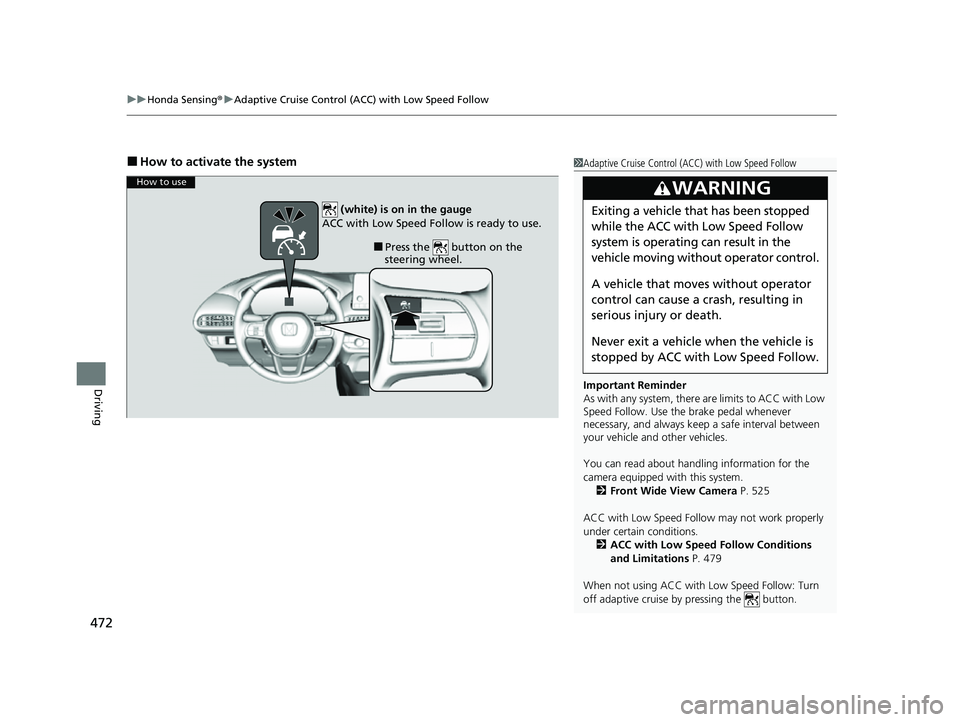
How to use
■Press the button on the
steering wheel.
(white) is on in the gauge
ACC with Low Speed Follow is ready to use.
23 HR-V-313V06000_01.book 472 ページ 2022年4月4日 月曜日 午前10時49分
Page 475 of 664
Continued473
uuHonda Sensing ®u Adaptive Cruise Control (ACC) with Low Speed Follow
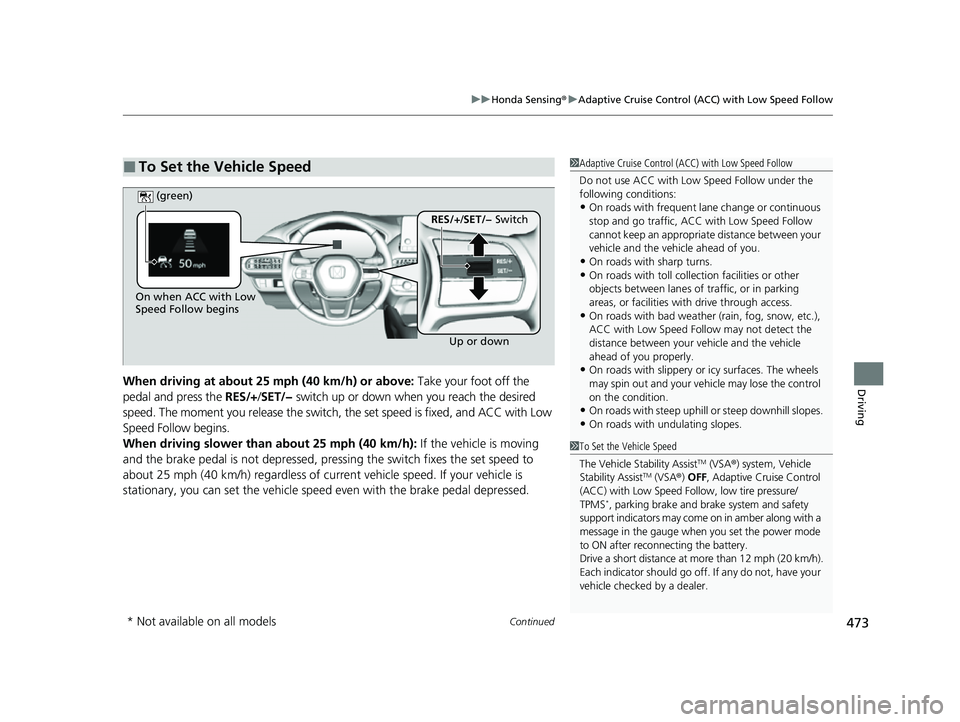
DrivingWhen driving at about 25 mph (40 km/h) or above: Take your foot off the
pedal and press the RES/+/SET/− switch up or down when you reach the desired
speed. The moment you release the switch, the set speed is fixed, and ACC with Low
Speed Follow begins.
When driving slower than about 25 mph (40 km/h): If the vehicle is moving
and the brake pedal is not depressed, pressing the switch fixes the set speed to
about 25 mph (40 km/h) regardless of current vehicle speed. If your vehicle is
stationary, you can set the vehicle speed even with the brake pedal depressed.
■To Set the Vehicle Speed1 Adaptive Cruise Control (ACC) with Low Speed Follow
Do not use ACC with Low Speed Follow under the
following conditions:
•On roads with frequent la ne change or continuous
stop and go traffic, ACC with Low Speed Follow
cannot keep an appropriate distance between your
vehicle and the vehicle ahead of you.
•On roads with sharp turns.•On roads with toll collection facilities or other
objects between lanes of traffic, or in parking
areas, or faci lities with driv e through access.
•On roads with bad weather (rain, fog, snow, etc.),
ACC with Low Speed Follow may not detect the
distance between your vehicle and the vehicle
ahead of you properly.
•On roads with slippery or icy surfaces. The wheels
may spin out and your vehi cle may lose the control
on the condition.
•On roads with steep uphill or steep downhill slopes.
•On roads with undulating slopes.
On when ACC with Low
Speed Follow begins
Up or down
RES/+/SET/− Switch
(green)
1
To Set the Vehicle Speed
The Vehicle Stability Assist
TM (VSA ®) system, Vehicle
Stability AssistTM (VSA ®) OFF , Adaptive Cruise Control
(ACC) with Low Speed Follow, low tire pressure/
TPMS
*, parking brake and brake system and safety
support indicators may come on in amber along with a
message in the gauge when you set the power mode
to ON after reconn ecting the battery.
Drive a short distance at more than 12 mph (20 km/h).
Each indicator should go off. If any do not, have your
vehicle checked by a dealer.
* Not available on all models
23 HR-V-313V06000_01.book 473 ページ 2022年4月4日 月曜日 午前10時49分
Page 476 of 664
uuHonda Sensing ®u Adaptive Cruise Control (ACC) with Low Speed Follow
474
Driving
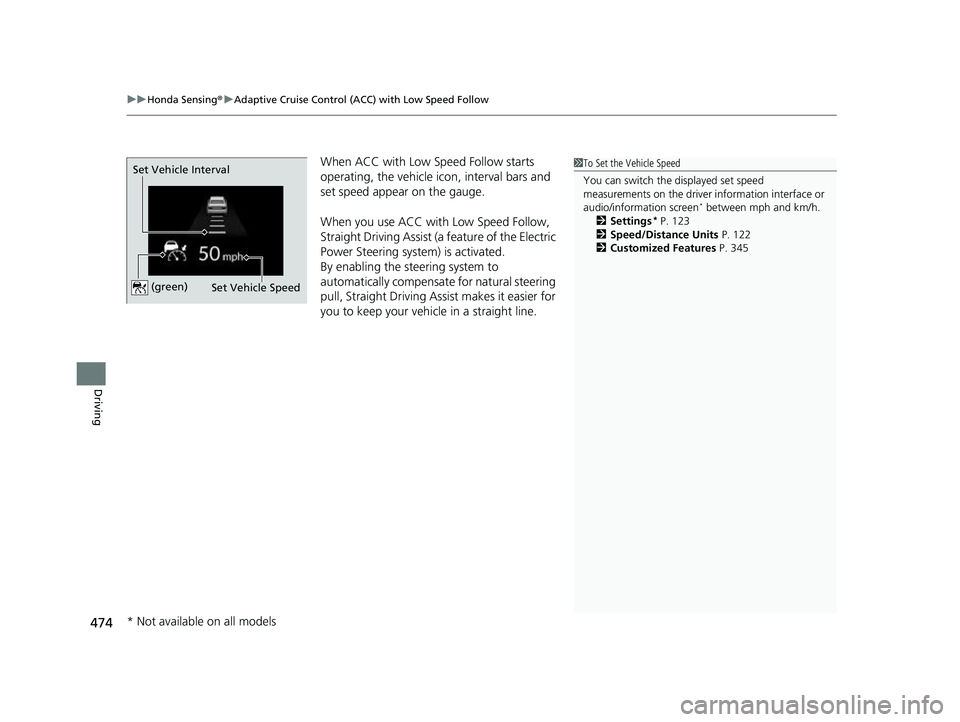
When ACC with Low Speed Follow starts
operating, the vehicle ic on, interval bars and
set speed appear on the gauge.
When you use ACC with Low Speed Follow,
Straight Driving Assist (a feature of the Electric
Power Steering system) is activated.
By enabling the steering system to
automatically compensate for natural steering
pull, Straight Driving Assist makes it easier for
you to keep your vehicl e in a straight line.1To Set the Vehicle Speed
You can switch the displayed set speed
measurements on the driver information interface or
audio/information screen
* between mph and km/h.
2 Settings* P. 123
2 Speed/Distance Units P. 122
2 Customized Features P. 345
Set Vehicle Speed
Set Vehicle Interval (green)
* Not available on all models
23 HR-V-313V06000_01.book 474 ページ 2022年4月4日 月曜日 午前10時49分
Page 477 of 664
Continued475
uuHonda Sensing ®u Adaptive Cruise Control (ACC) with Low Speed Follow
Driving
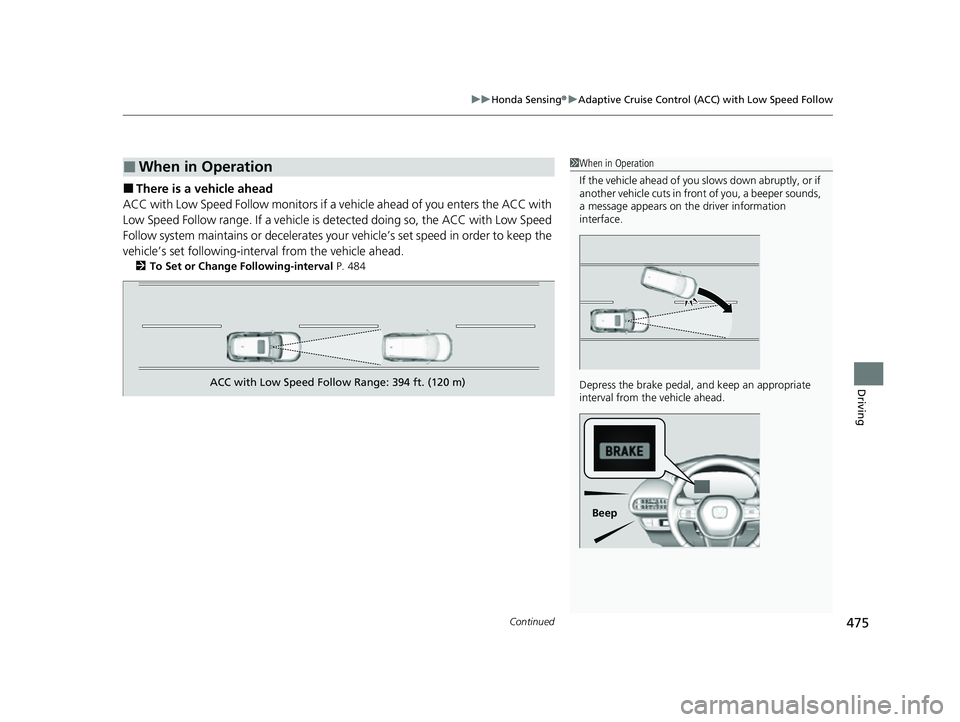
■There is a vehicle ahead
ACC with Low Speed Follow m onitors if a vehicle ahead of you enters the ACC with
Low Speed Follow range. If a vehicle is de tected doing so, the ACC with Low Speed
Follow system maintains or decelerates your vehicle’s set speed in order to keep the
vehicle’s set following-interval from the vehicle ahead.
2 To Set or Change Following-interval P. 484
■When in Operation1When in Operation
If the vehicle ahead of you slows down abruptly, or if
another vehicle cuts in front of you, a beeper sounds,
a message appears on th e driver information
interface.
Depress the brake pedal, and keep an appropriate
interval from the vehicle ahead.
Beep
ACC with Low Speed Follow Range: 394 ft. (120 m)
23 HR-V-313V06000_01.book 475 ページ 2022年4月4日 月曜日 午前10時49分
Page 478 of 664
uuHonda Sensing ®u Adaptive Cruise Control (ACC) with Low Speed Follow
476
Driving
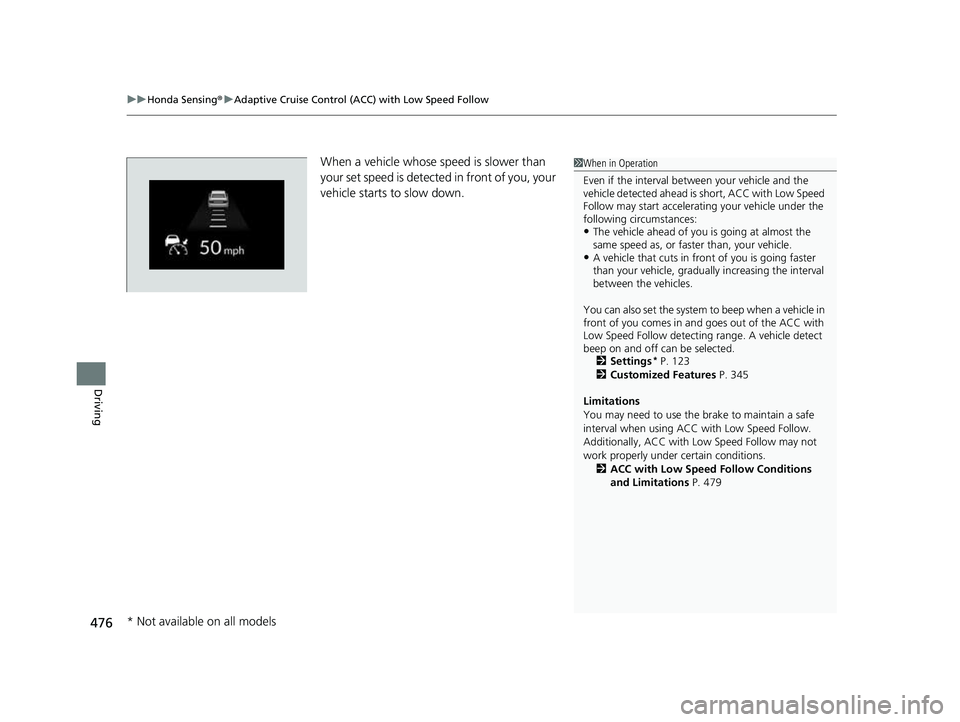
When a vehicle whose sp eed is slower than
your set speed is detected in front of you, your
vehicle starts to slow down.1 When in Operation
Even if the interval betw een your vehicle and the
vehicle detected ahead is short, ACC with Low Speed
Follow may start accelerati ng your vehicle under the
following circumstances:
•The vehicle ahead of you is going at almost the
same speed as, or faster than, your vehicle.
•A vehicle that cuts in front of you is going faster
than your vehicle, gradua lly increasing the interval
between the vehicles.
You can also set the system to beep when a vehicle in
front of you comes in and goes out of the ACC with
Low Speed Follow detecting range. A vehicle detect
beep on and off can be selected. 2 Settings
* P. 123
2 Customized Features P. 345
Limitations
You may need to use the brake to maintain a safe
interval when using ACC with Low Speed Follow.
Additionally, ACC with Lo w Speed Follow may not
work properly under certain conditions.
2 ACC with Low Speed Follow Conditions
and Limitations P. 479
* Not available on all models
23 HR-V-313V06000_01.book 476 ページ 2022年4月4日 月曜日 午前10時49分
Page 479 of 664
Continued477
uuHonda Sensing ®u Adaptive Cruise Control (ACC) with Low Speed Follow
Driving
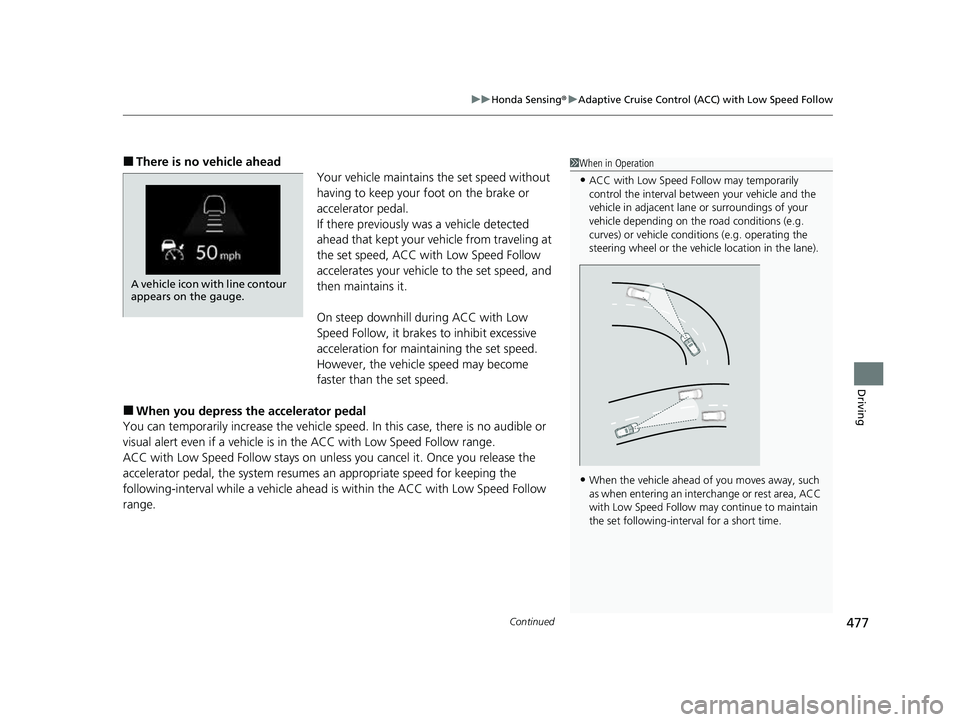
■There is no vehicle ahead
Your vehicle maintains the set speed without
having to keep your foot on the brake or
accelerator pedal.
If there previously was a vehicle detected
ahead that kept your ve hicle from traveling at
the set speed, ACC with Low Speed Follow
accelerates your vehicle to the set speed, and
then maintains it.
On steep downhill during ACC with Low
Speed Follow, it brakes to inhibit excessive
acceleration for maintaining the set speed.
However, the vehicle speed may become
faster than the set speed.
■When you depress the accelerator pedal
You can temporarily increase the vehicle speed . In this case, there is no audible or
visual alert even if a vehicle is in the ACC with Low Speed Follow range.
ACC with Low Speed Follow stays on unle ss you cancel it. Once you release the
accelerator pedal, the system resume s an appropriate speed for keeping the
following-interval while a vehicle ahead is within the ACC with Low Speed Follow
range.
1 When in Operation
•ACC with Low Speed Follow may temporarily
control the interval between your vehicle and the
vehicle in adjacent lane or surroundings of your
vehicle depending on the road conditions (e.g.
curves) or vehicle condi tions (e.g. operating the
steering wheel or the vehicle location in the lane).
•When the vehicle ahead of you moves away, such
as when entering an interchange or rest area, ACC
with Low Speed Follow may continue to maintain
the set following-interval for a short time.
A vehicle icon with line contour
appears on the gauge.
23 HR-V-313V06000_01.book 477 ページ 2022年4月4日 月曜日 午前10時49分