wheel HONDA HRV 2023 Owner's Manual
[x] Cancel search | Manufacturer: HONDA, Model Year: 2023, Model line: HRV, Model: HONDA HRV 2023Pages: 664, PDF Size: 20.2 MB
Page 122 of 664
uuGauges and Driver Information Interface uDriver Information Interface
120
Instrument Panel
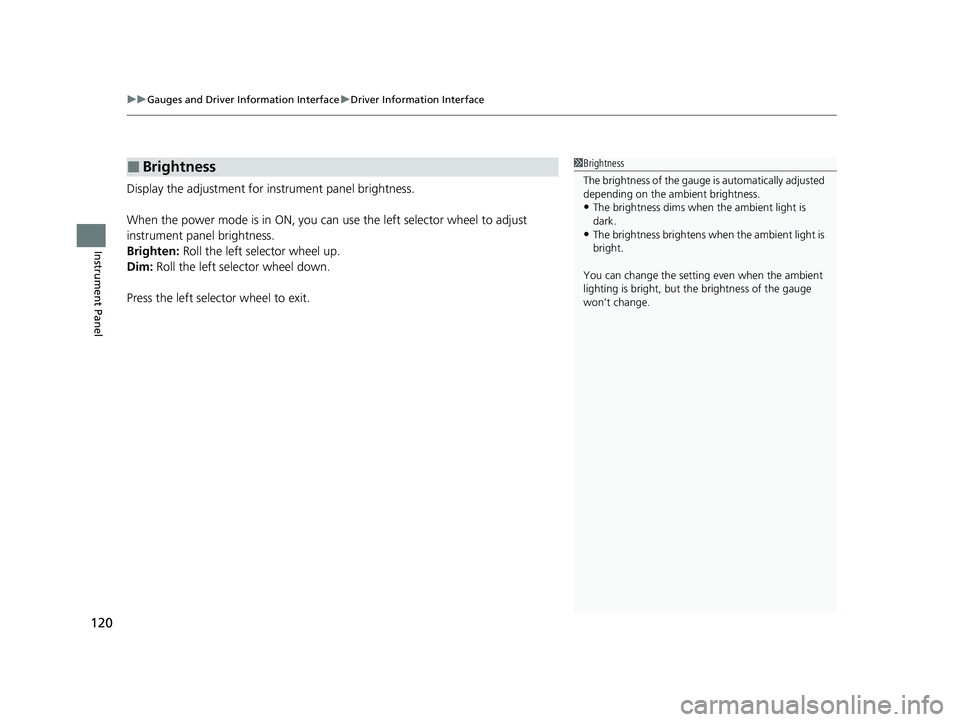
Display the adjustment for instrument panel brightness.
When the power mode is in ON, you can use the left selector wheel to adjust
instrument panel brightness.
Brighten: Roll the left selector wheel up.
Dim: Roll the left selector wheel down.
Press the left selector wheel to exit.
■Brightness1 Brightness
The brightness of the gauge is automatically adjusted
depending on the ambient brightness.
•The brightness dims when the ambient light is
dark.
•The brightness brightens when the ambient light is
bright.
You can change the setting even when the ambient
lighting is bright, but the brightness of the gauge
won’t change.
23 HR-V-313V06000_01.book 120 ページ 2022年4月4日 月曜日 午前10時49分
Page 123 of 664
Continued121
uuGauges and Driver Information Interface uDriver Information Interface
Instrument Panel
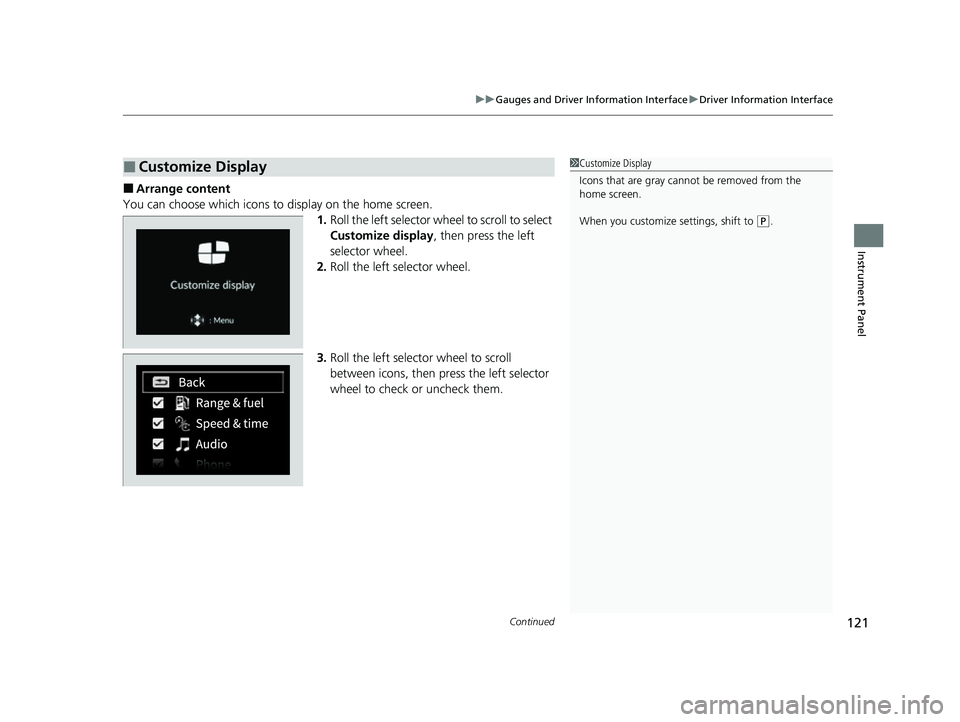
■Arrange content
You can choose which icons to display on the home screen. 1.Roll the left selector wheel to scroll to select
Customize display , then press the left
selector wheel.
2. Roll the left selector wheel.
3. Roll the left selector wheel to scroll
between icons, then press the left selector
wheel to check or uncheck them.
■Customize Display1Customize Display
Icons that are gray cannot be removed from the
home screen.
When you customize settings, shift to
(P.
23 HR-V-313V06000_01.book 121 ページ 2022年4月4日 月曜日 午前10時49分
Page 124 of 664
uuGauges and Driver Information Interface uDriver Information Interface
122
Instrument Panel
2 Tachometer P. 104
■Speed/Distance Units
Enables you to show another unit on th e driver information interface and audio/
information screen and set the displayed m easurements to read in either miles and
mph or km and km/h.
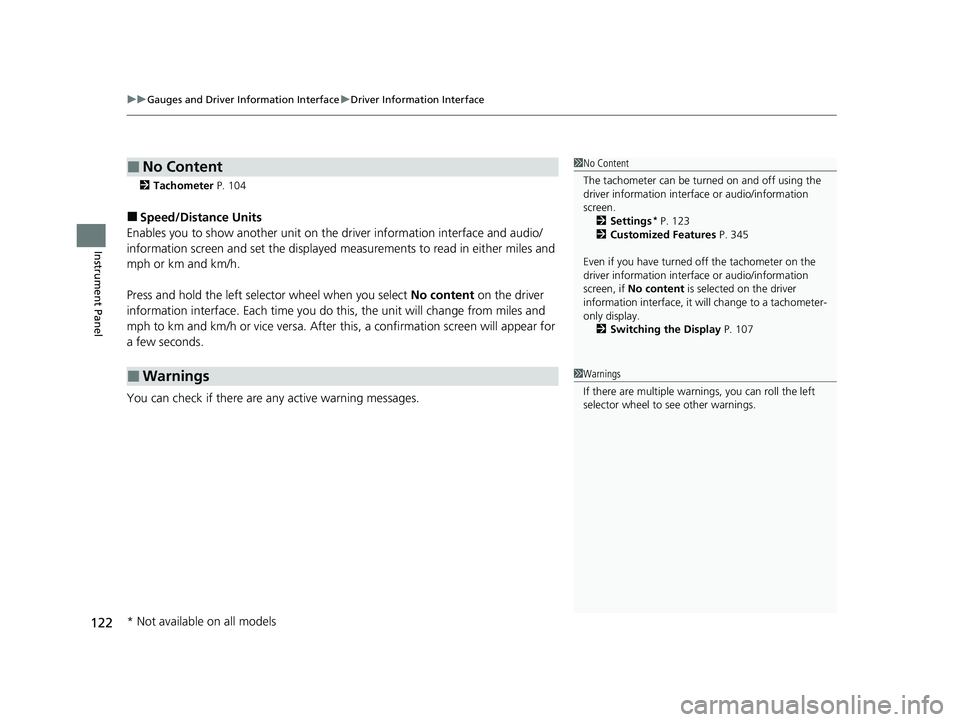
Press and hold the left selector wheel when you select No content on the driver
information interface. Each ti me you do this, the unit will change from miles and
mph to km and km/h or vice versa. After this, a confirmation screen will appear for
a few seconds.
You can check if there are any active warning messages.
■No Content
■Warnings
1 No Content
The tachometer can be tu rned on and off using the
driver information interf ace or audio/information
screen. 2 Settings
* P. 123
2 Customized Features P. 345
Even if you have turned off the tachometer on the
driver information interf ace or audio/information
screen, if No content is selected on the driver
information interface, it will change to a tachometer-
only display. 2 Switching the Display P. 107
1Warnings
If there are multiple warnings, you can roll the left
selector wheel to see other warnings.
* Not available on all models
23 HR-V-313V06000_01.book 122 ページ 2022年4月4日 月曜日 午前10時49分
Page 125 of 664
Continued123
uuGauges and Driver Information Interface uDriver Information Interface
Instrument Panel
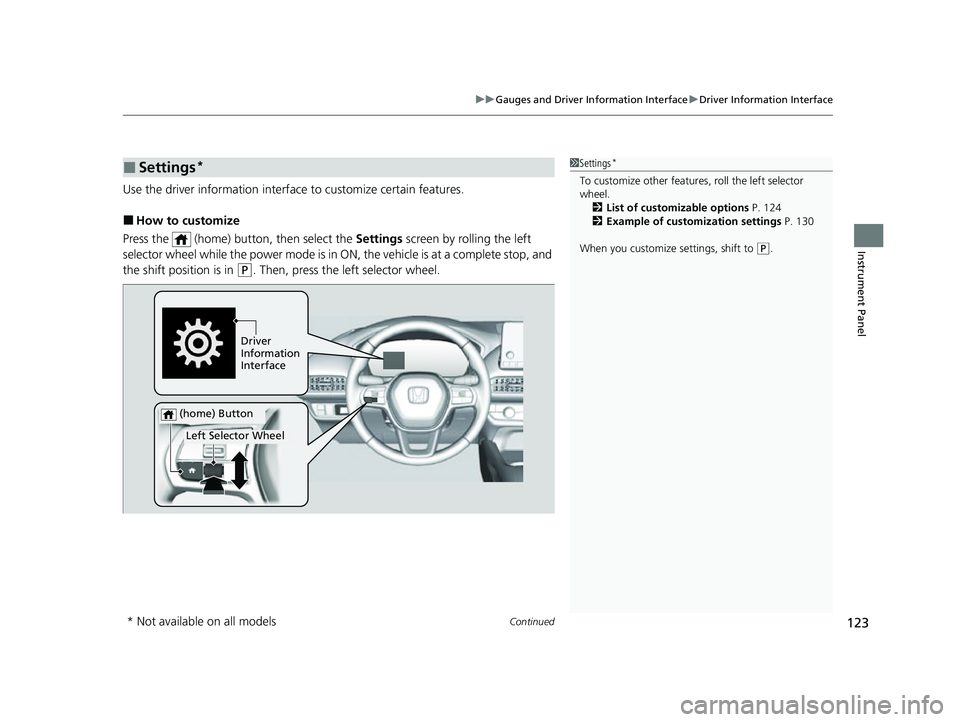
Use the driver information interface to customize certain features.
■How to customize
Press the (home) button, then select the Settings screen by rolling the left
selector wheel while the power mode is in ON, the vehicle is at a complete stop, and
the shift position is in
(P. Then, press the left selector wheel.
■Settings*1 Settings*
To customize other features , roll the left selector
wheel. 2 List of customizable options P. 124
2 Example of customization settings P. 130
When you customize settings, shift to
( P.
Driver
Information
Interface
Left Selector Wheel
(home) Button
* Not available on all models
23 HR-V-313V06000_01.book 123 ページ 2022年4月4日 月曜日 午前10時49分
Page 132 of 664
130
uuGauges and Driver Information Interface uDriver Information Interface
Instrument Panel
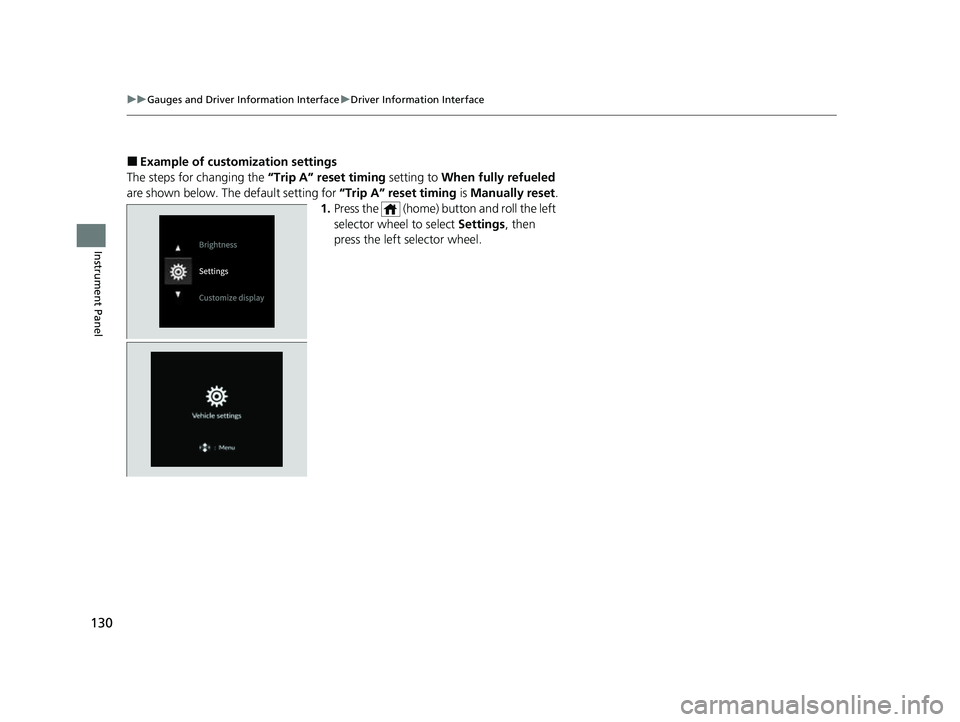
■Example of customization settings
The steps for changing the “Trip A” reset timing setting to When fully refueled
are shown below. The default setting for “Trip A” reset timing is Manually reset.
1. Press the (home) button and roll the left
selector wheel to select Settings, then
press the left selector wheel.
23 HR-V-313V06000_01.book 130 ページ 2022年4月4日 月曜日 午前10時49分
Page 133 of 664
131
uuGauges and Driver Information Interface uDriver Information Interface
Continued
Instrument Panel
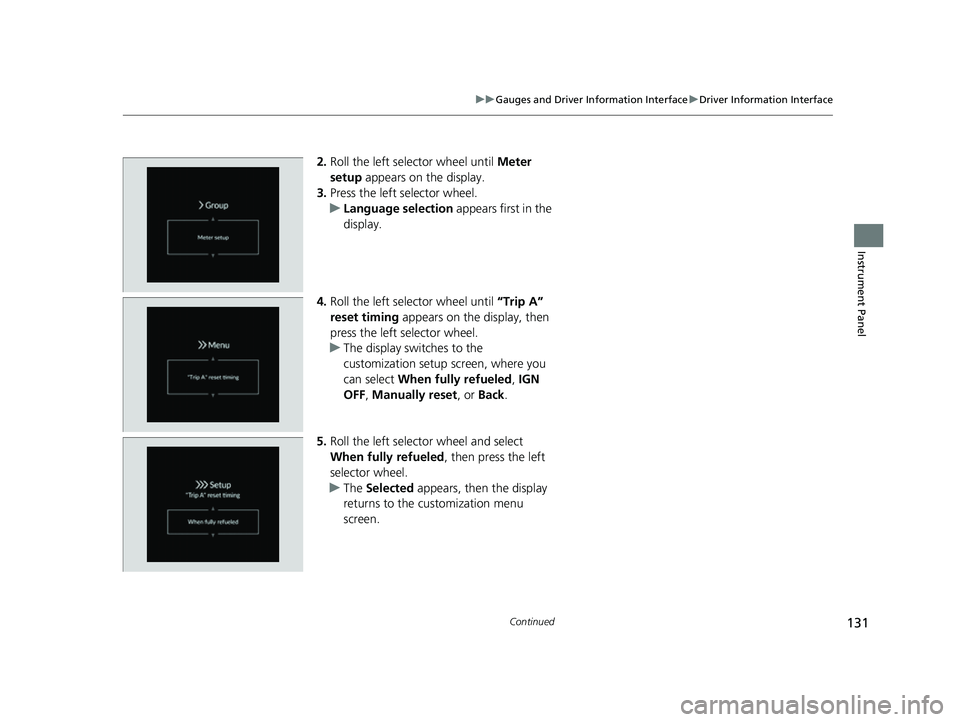
2. Roll the left selector wheel until Meter
setup appears on the display.
3. Press the left selector wheel.
u Language selection appears first in the
display.
4. Roll the left selector wheel until “Trip A”
reset timing appears on the display, then
press the left selector wheel.
u The display swit ches to the
customization setup screen, where you
can select When fully refueled , IGN
OFF , Manually reset , or Back .
5. Roll the left selector wheel and select
When fully refueled , then press the left
selector wheel.
u The Selected appears, then the display
returns to the customization menu
screen.
23 HR-V-313V06000_01.book 131 ページ 2022年4月4日 月曜日 午前10時49分
Page 134 of 664
132
uuGauges and Driver Information Interface uDriver Information Interface
Instrument Panel
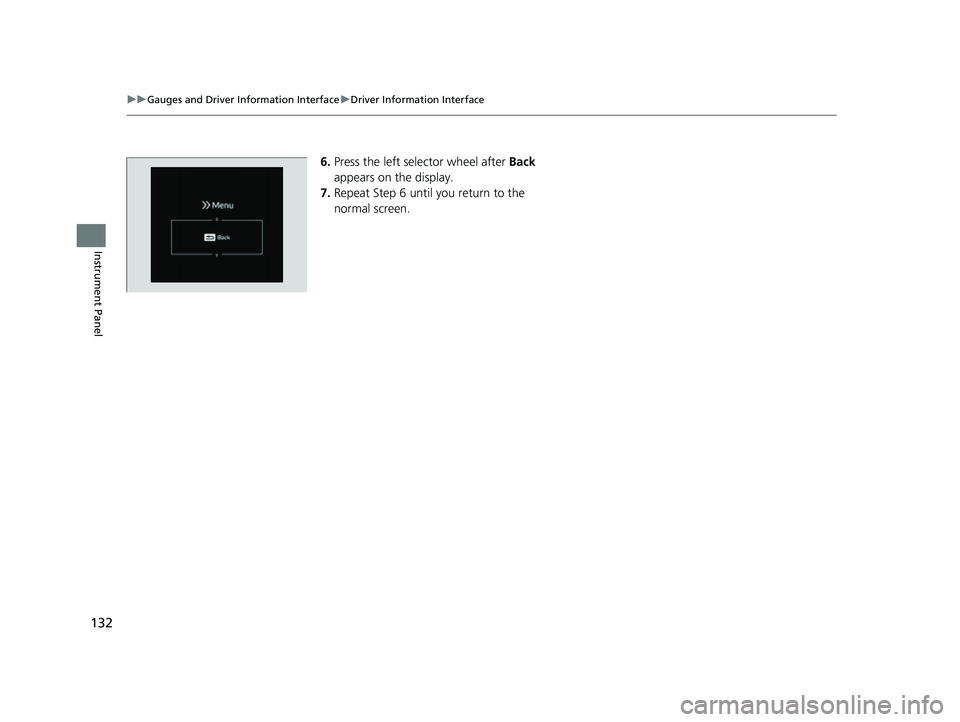
6. Press the left selector wheel after Back
appears on the display.
7. Repeat Step 6 until you return to the
normal screen.
23 HR-V-313V06000_01.book 132 ページ 2022年4月4日 月曜日 午前10時49分
Page 135 of 664
133
Controls
This chapter explains how to operate the various controls necessary for driving.
Clock.................................................. 134
Locking and Unlocking the Doors Key .................................................. 136
Low Keyless Remote Signal Strength ... 138
Locking/Unlocking the Doors from the Outside .......................................... 139
Locking/Unlocking the Doors from the Inside ............................................. 149
Childproof Door Locks ..................... 151
Auto Door Locking/Unlocking .......... 152
Tailgate .............................................. 153
Security System
Immobilizer System .......................... 156
Security System Alarm ...................... 156
Windows ........................................... 159 Moonroof*........................................ 162
Operating the Switches Around the Steering Wheel
ENGINE START/STOP Button............. 163
Lights............................................... 166
Auto High-Beam .............................. 171
Wipers and Washers ........................ 174
Rear Defogger/Heat ed Door Mirror
*
Button ........................................... 176
Heated Windshield Button ............... 176
Adjusting the Steering Wheel........... 177
Canadian models
Mirrors Interior Rearview Mirror ................... 178
Power Door Mirrors ......................... 179
Seats Front Seats ...................................... 180
Rear Seats........................................ 183
Maintain a Proper Sitting Position .... 185
Head Restraints................................ 186
Armrest ........................................... 188
Interior Convenience Items .............. 189
Climate Control System Using Automatic Climate Control .... 203
Automatic Climate Control Sensors ... 209
* Not available on all models
23 HR-V-313V06000_01.book 133 ページ 2022年4月4日 月曜日 午前10時49分
Page 165 of 664
163Continued
Controls
Operating the Switches Around the Steering Wheel
ENGINE START/STOP Button
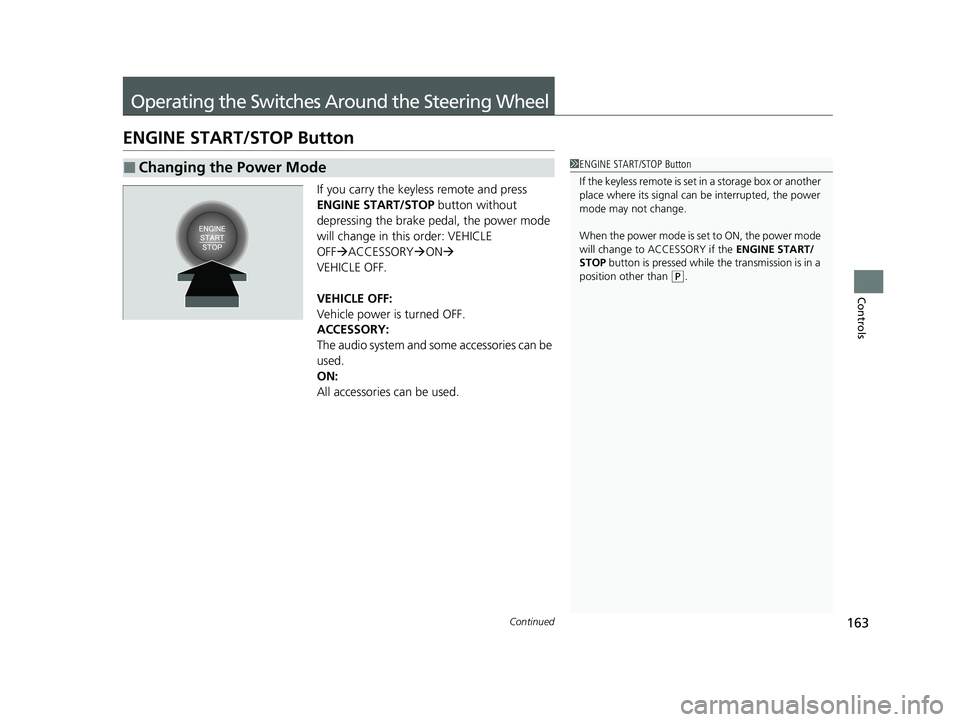
If you carry the keyless remote and press
ENGINE START/STOP button without
depressing the brake pedal, the power mode
will change in this order: VEHICLE
OFF ACCESSORY ON
VEHICLE OFF.
VEHICLE OFF:
Vehicle power is turned OFF.
ACCESSORY:
The audio system and some accessories can be
used.
ON:
All accessories can be used.
■Changing the Power Mode1 ENGINE START/STOP Button
If the keyless remote is set in a storage box or another
place where its signal can be interrupted, the power
mode may not change.
When the power mode is set to ON, the power mode
will change to ACCESSORY if the ENGINE START/
STOP button is pressed while th e transmission is in a
position other than
( P.
23 HR-V-313V06000_01.book 163 ページ 2022年4月4日 月曜日 午前10時49分
Page 166 of 664
164
uuOperating the Switches Around the Steering Wheel uENGINE START/STOP Button
Controls
If you leave the vehicle for 30 to 60 minutes with the transmission in (P and the
power mode in ACCESSORY, the vehicle auto matically goes into the mode similar to
VEHICLE OFF (LOCK) to avoid draining the battery.
If you open the driver’s door when the power mode is set to ACCESSORY, a warning
beep sound.
■Automatic Power Off
■Power Mode Reminder
23 HR-V-313V06000_01.book 164 ページ 2022年4月4日 月曜日 午前10時49分