change time HONDA HRV 2023 Owner's Guide
[x] Cancel search | Manufacturer: HONDA, Model Year: 2023, Model line: HRV, Model: HONDA HRV 2023Pages: 664, PDF Size: 20.2 MB
Page 365 of 664

363
uuCustomized Features u
Continued
Features
■Meter Setup
*1:Default Setting
Customizable Features Description Selectable Settings
Adjust Outside Temp.
DisplaySelects to adjust outside temperature reading by a few degrees.2Outside Temperature P. 105
-5°F ~ ±0°F*1 ~ +5°F (U.S.)
-3°C ~ ±0°C*1 ~ +3°C (Canada)
"Trip A" Reset Timing Selects the timing
to reset Trip A.
2Range/Fuel/Trip Meter P. 109
2 Speed/Time/Trip Meter P. 111When Fully Refueled/IGN OFF /
Manually Reset*1
"Trip B" Reset TimingSelects the timing to reset Trip B.
2 Range/Fuel/Trip Meter P. 109
2 Speed/Time/Trip Meter P. 111When Fully Refueled/IGN OFF /
Manually Reset*1
Adjust Alarm Volume Changes volume level of all system warnings, door opening
warning and indicator. High
/Mid*1/Low
Fuel Efficien cy BacklightTurns the ambient meter feature on and off.ON*1/OFF
Turn By Turn Auto Display Turns on/off the pop-up warning in
the turn-by-turn navigation
in the driver information interface.
2 Turn-by-Turn Directions P. 113ON*1/OFF
Speed/Distance UnitsSelects the trip computer units.
2 Speed/Distance Units P. 122
km/h · km/mph · miles*1 (U.S.)
km/h · km*1/ mph · miles (Canada)
Tachometer Selects whether the tachometer
come on the driver information
interface. ON
*1/
OFF
Rear Seat ReminderTurns the Rear Seat Reminder feature on and off.ON*1/OFF
23 HR-V-313V06000_01.book 363 ページ 2022年4月4日 月曜日 午前10時49分
Page 367 of 664

365
uuCustomized Features u
Continued
Features
■Lighting Setup
*1:Default Setting
Customizable Features Description Selectable Settings
Auto High BeamTurns on/off auto high beam function.ON*1/OFF
Interior Ligh t Dimming Time Selects the length of time the interior lights stay on after doors are
closed.
2
Interior Lights P. 189
60sec/30sec*1/ 15sec
Headlight Auto OFF Timer
Selects the length of time the exterior lights stay on after you close
the driver's door.
2 Automatic Lighting Off Feature P. 169
60sec/30sec /15sec*1/0sec
Auto Light Sensitivity
*Changes the timing for th e headlights to come on. Min/Low/Mid*1/High /Max
Auto Headligh t On with
Wiper OnSelects On/Off headlight function and wiper operation when the
headlight is in AUTO setting.
2Headlight Integration with Wipers P. 169
ON*1/OFF
* Not available on all models
23 HR-V-313V06000_01.book 365 ページ 2022年4月4日 月曜日 午前10時49分
Page 408 of 664
406
uuBluetooth ® HandsFreeLink ®u HondaLink ® Assist
Features
HondaLink ® Assist
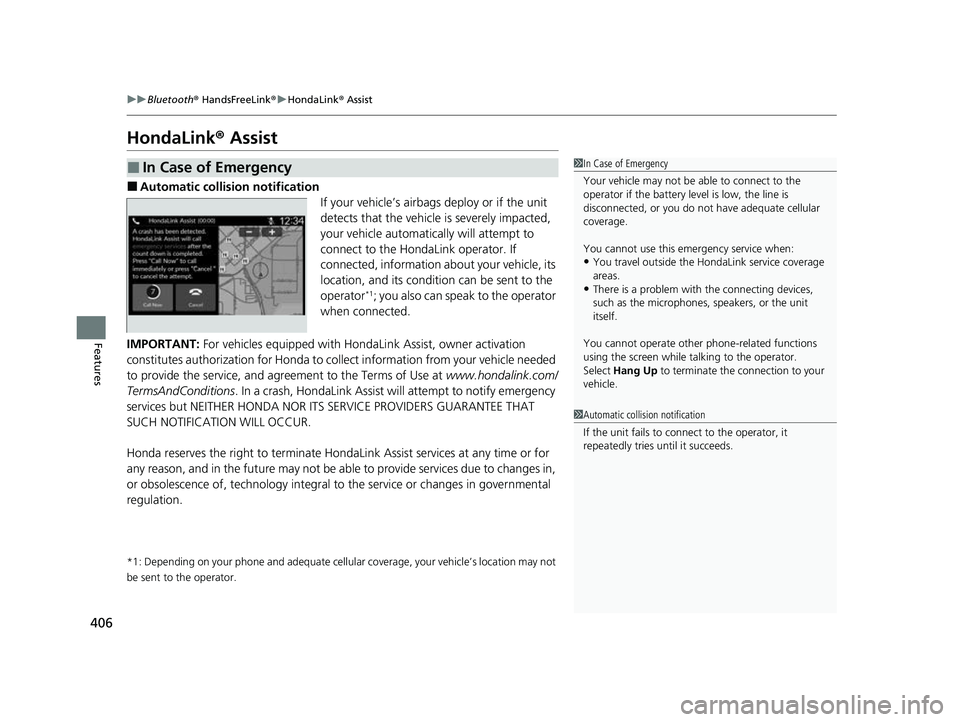
■Automatic collision notification
If your vehicle’s airbags deploy or if the unit
detects that the vehicle is severely impacted,
your vehicle automatically will attempt to
connect to the HondaLink operator. If
connected, information about your vehicle, its
location, and its condition can be sent to the
operator
*1; you also can speak to the operator
when connected.
IMPORTANT: For vehicles equipped with Hond aLink Assist, owner activation
constitutes authorization for Honda to co llect information from your vehicle needed
to provide the service, and agr eement to the Terms of Use at www.hondalink.com/
TermsAndConditions . In a crash, HondaLink Assist w ill attempt to notify emergency
services but NEITHER HONDA NOR ITS SERVICE PROVIDERS GUARANTEE THAT
SUCH NOTIFICATION WILL OCCUR.
Honda reserves the right to terminate HondaLink Assist services at any time or for
any reason, and in the future may not be ab le to provide services due to changes in,
or obsolescence of, technology integral to the service or changes in governmental
regulation.
*1: Depending on your phone and ad equate cellular coverage, your vehicle’s location may not
be sent to the operator.
■In Case of Emergency1 In Case of Emergency
Your vehicle may not be able to connect to the
operator if the battery level is low, the line is
disconnected, or you do not have adequate cellular
coverage.
You cannot use this emergency service when:
•You travel outside the HondaLink service coverage
areas.
•There is a problem with the connecting devices,
such as the microphones, speakers, or the unit
itself.
You cannot operate othe r phone-related functions
using the screen while talking to the operator.
Select Hang Up to terminate the connection to your
vehicle.
1 Automatic collision notification
If the unit fails to connect to the operator, it
repeatedly tries until it succeeds.
23 HR-V-313V06000_01.book 406 ページ 2022年4月4日 月曜日 午前10時49分
Page 447 of 664
445
uuWhen Driving uBlind Spot Information System*
Continued
Driving
Blind Spot Information System*
When the system detects vehicles approaching from behind in adjacent lanes, the
appropriate indicator comes on, providin g assistance when you change lanes.
The system activates when your vehicle is moving forward at about 20 mph (32 km/h)
or above.
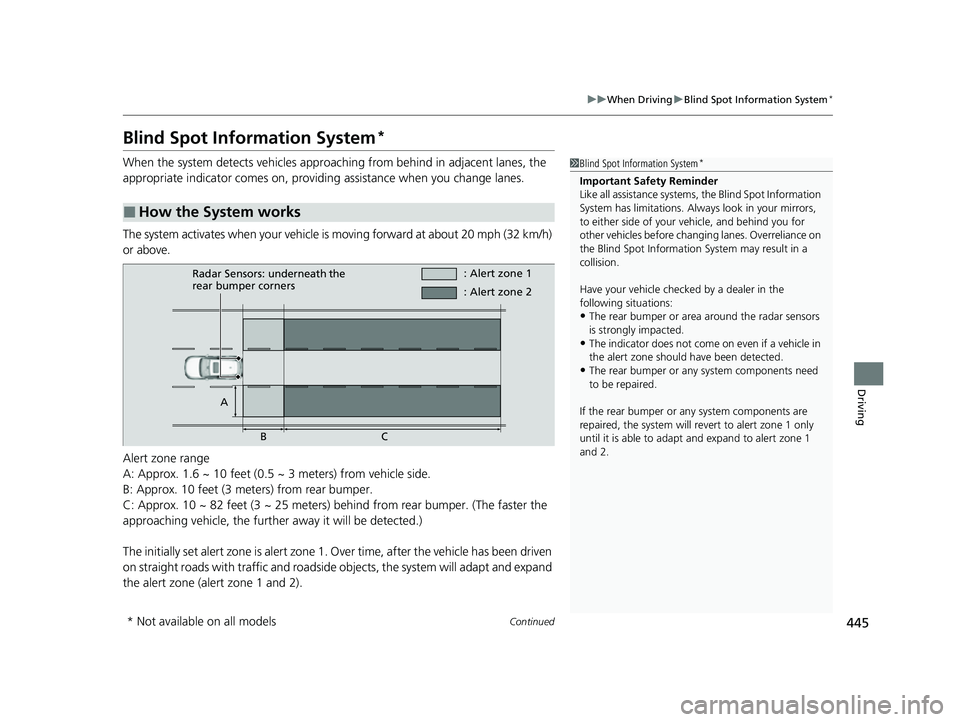
Alert zone range
A: Approx. 1.6 ~ 10 feet (0.5 ~ 3 meters) from vehicle side.
B: Approx. 10 feet (3 meters) from rear bumper.
C: Approx. 10 ~ 82 feet (3 ~ 25 meters) behind from rear bumper. (The faster the
approaching vehicle, the further away it will be detected.)
The initially set alert zone is alert zone 1. Over time, after the vehicle has been driven
on straight roads with traffic and roadside objects, the system will adapt and expand
the alert zone (alert zone 1 and 2).
■How the System works
1 Blind Spot Information System*
Important Safety Reminder
Like all assistance systems, the Blind Spot Information
System has limitations. Always look in your mirrors,
to either side of your vehicle, and behind you for
other vehicles before changing lanes. Overreliance on
the Blind Spot Information System may result in a
collision.
Have your vehicle checked by a dealer in the
following situations:
•The rear bumper or area around the radar sensors
is strongly impacted.
•The indicator does not come on even if a vehicle in
the alert zone should have been detected.
•The rear bumper or any system components need
to be repaired.
If the rear bumper or any system components are
repaired, the system will re vert to alert zone 1 only
until it is able to adapt and expand to alert zone 1
and 2.
Radar Sensors: underneath the
rear bumper corners : Alert zone 1
A BC : Alert zone 2
* Not available on all models
23 HR-V-313V06000_01.book 445 ページ 2022年4月4日 月曜日 午前10時49分
Page 449 of 664
Continued447
uuWhen Driving uBlind Spot Information System*
Driving
You can turn the system on and off using the driver information interface.
2 Switching the Display P. 107
2 Safety Support P. 118
The Blind Spot Information System will stay on the previously selected on (checked)
or off (unchecked) setting each time you start the engine.
■Blind Spot Information System On and Off1 Blind Spot Information System*
You can change the settings for the Blind Spot
Information System.
2 Settings
* P. 123
2 Customized Features P. 345
* Not available on all models
23 HR-V-313V06000_01.book 447 ページ 2022年4月4日 月曜日 午前10時49分
Page 479 of 664
Continued477
uuHonda Sensing ®u Adaptive Cruise Control (ACC) with Low Speed Follow
Driving
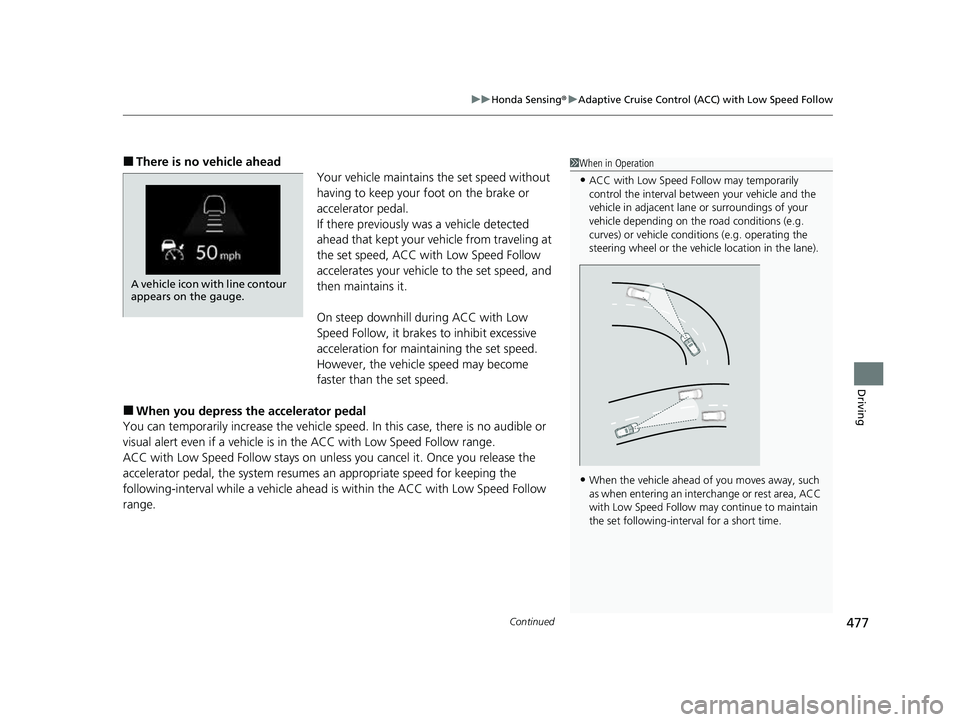
■There is no vehicle ahead
Your vehicle maintains the set speed without
having to keep your foot on the brake or
accelerator pedal.
If there previously was a vehicle detected
ahead that kept your ve hicle from traveling at
the set speed, ACC with Low Speed Follow
accelerates your vehicle to the set speed, and
then maintains it.
On steep downhill during ACC with Low
Speed Follow, it brakes to inhibit excessive
acceleration for maintaining the set speed.
However, the vehicle speed may become
faster than the set speed.
■When you depress the accelerator pedal
You can temporarily increase the vehicle speed . In this case, there is no audible or
visual alert even if a vehicle is in the ACC with Low Speed Follow range.
ACC with Low Speed Follow stays on unle ss you cancel it. Once you release the
accelerator pedal, the system resume s an appropriate speed for keeping the
following-interval while a vehicle ahead is within the ACC with Low Speed Follow
range.
1 When in Operation
•ACC with Low Speed Follow may temporarily
control the interval between your vehicle and the
vehicle in adjacent lane or surroundings of your
vehicle depending on the road conditions (e.g.
curves) or vehicle condi tions (e.g. operating the
steering wheel or the vehicle location in the lane).
•When the vehicle ahead of you moves away, such
as when entering an interchange or rest area, ACC
with Low Speed Follow may continue to maintain
the set following-interval for a short time.
A vehicle icon with line contour
appears on the gauge.
23 HR-V-313V06000_01.book 477 ページ 2022年4月4日 月曜日 午前10時49分
Page 486 of 664
484
uuHonda Sensing ®u Adaptive Cruise Control (ACC) with Low Speed Follow
Driving
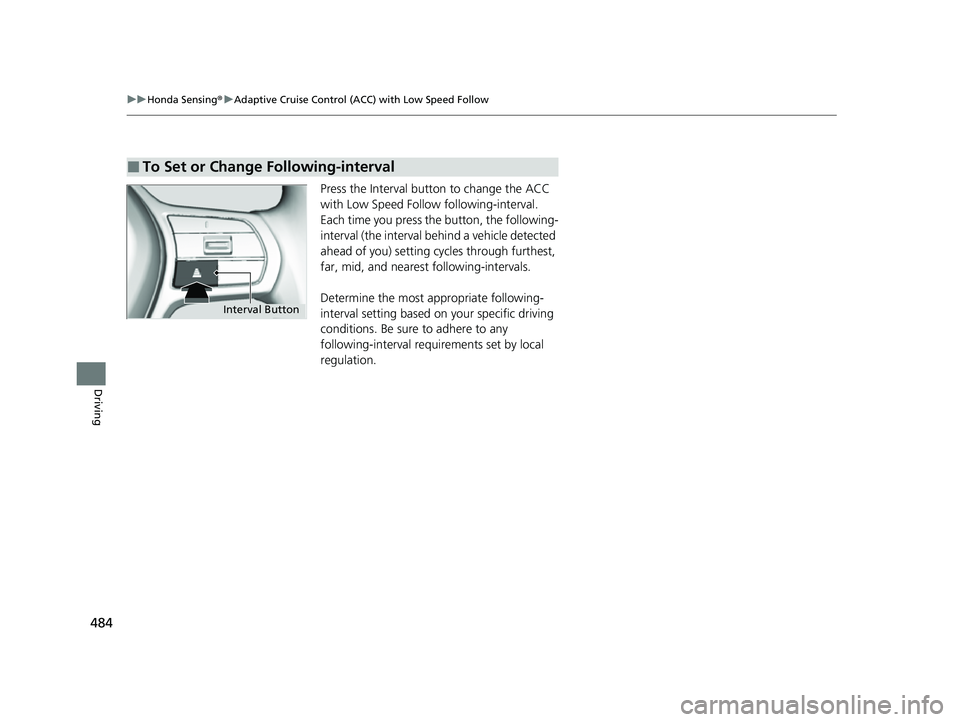
Press the Interval butt on to change the ACC
with Low Speed Follow following-interval.
Each time you press the button, the following-
interval (the interval behind a vehicle detected
ahead of you) setting cycles through furthest,
far, mid, and neares t following-intervals.
Determine the most appropriate following-
interval setting based on your specific driving
conditions. Be sure to adhere to any
following-interval requ irements set by local
regulation.
■To Set or Change Following-interval
Interval Button
23 HR-V-313V06000_01.book 484 ページ 2022年4月4日 月曜日 午前10時49分
Page 491 of 664
Continued489
uuHonda Sensing ®u Adaptive Cruise Control (ACC) with Low Speed Follow
Driving
• Each time you press the RES/+/SET/− switch up or down, the vehicle speed is
increased or decreased by about 1 mph or 1 km/h accordingly.
• If you keep the RES/+/SET/− switch pressed up or down, the vehicle speed
increases or decreases by about 5 mph or 5 km/h accordingly.
To cancel cruise control, do any of the following:
• Press the CANCEL button.
u The indicator (green) on the gauge changes to the indicator (white).
• Press the button.
u The indicator (green) goes off.
• Depress the brake pedal.
u The indicator (green) on the gauge changes to the indicator (white).
■To Adjust the Vehicle Speed
■To Cancel1To Cancel
Resuming the prior set speed: After you have canceled
cruise control, you can activa te the cruise control with
the prior set speed displayed on the gauge (in gray) by
pressing the RES/+/SET/− switch up while driving at a
speed of at least 25 mph (40 km/h) or more.
When you turn the cruise control off by pressing the
CANCEL button or depressing the brake pedal, the
prior set speed is displayed on the gauge in gray.
When pressing the RES/+/SET/− switch up, the
cruise control is activated with displayed speed.
If the indicator (white) is displayed and you press
the RES/+ /SET/− switch up, but no prior set speed (in
gray) is displayed, the sp eed will be set to your
vehicle's current speed.
23 HR-V-313V06000_01.book 489 ページ 2022年4月4日 月曜日 午前10時49分
Page 497 of 664
495
uuHonda Sensing ®u Lane Keeping Assist System (LKAS)
Continued
Driving
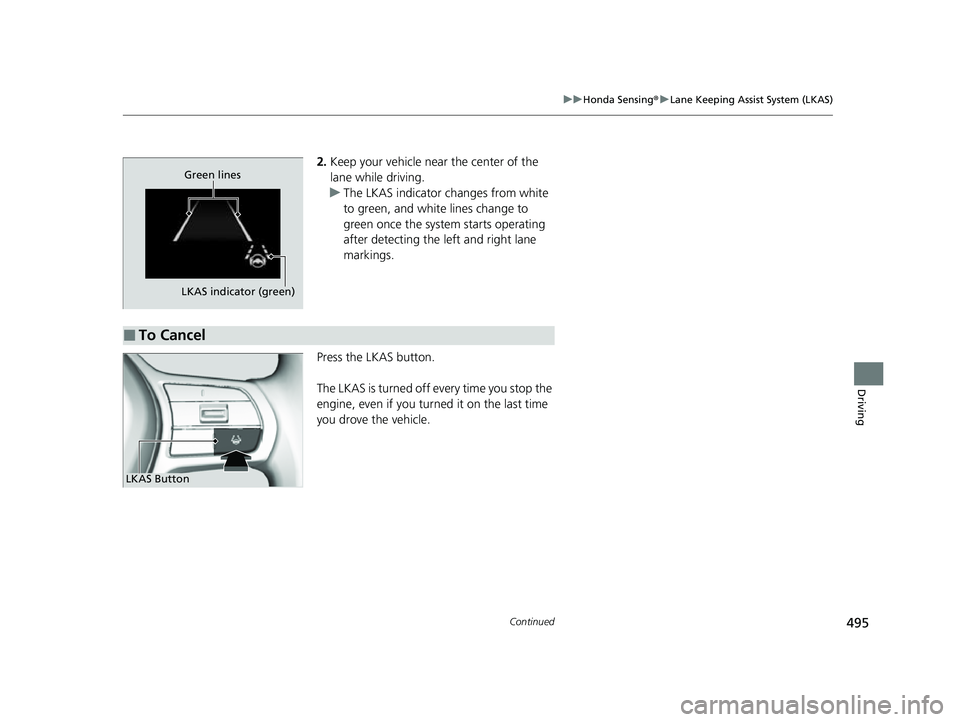
2. Keep your vehicle near the center of the
lane while driving.
u The LKAS indicator changes from white
to green, and white lines change to
green once the system starts operating
after detecting the left and right lane
markings.
Press the LKAS button.
The LKAS is turned off every time you stop the
engine, even if you turned it on the last time
you drove the vehicle.
LKAS indicator (green) Green lines
■To Cancel
LKAS Button
23 HR-V-313V06000_01.book 495 ページ 2022年4月4日 月曜日 午前10時49分
Page 514 of 664
uuHonda Sensing ®u Road Departure Mitigation System
512
Driving
The system cancels assisting operations wh en you turn the steering wheel to avoid
crossing over detected lane markings or approaching the outer edge of the
pavement (into grass or gravel border) or an oncoming vehicle.
If the system operates several times without detecting driver response, the system
beeps to alert you.1 Road Departure Mitigation System
There are times when you may not notice the Road
Departure Mitigation system functions due to your
operation of the vehicle, or road surface conditions.
You can change the settin gs for the Road Departure
Mitigation system.
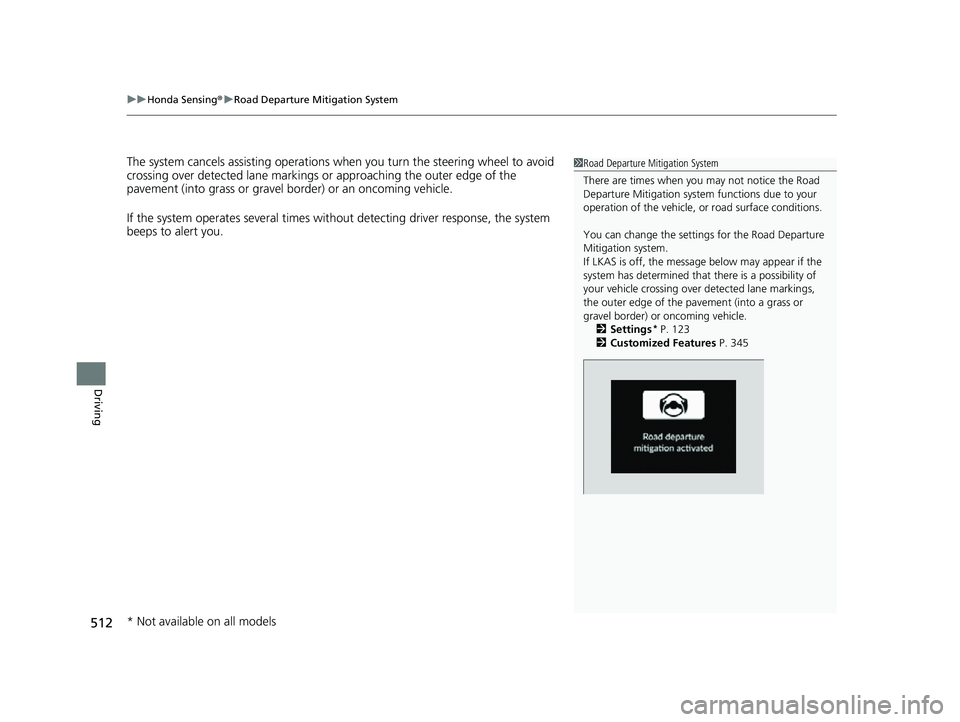
If LKAS is off, the message below may appear if the
system has determined that there is a possibility of
your vehicle crossing over detected lane markings,
the outer edge of the pa vement (into a grass or
gravel border) or oncoming vehicle.
2 Settings
* P. 123
2 Customized Features P. 345
* Not available on all models
23 HR-V-313V06000_01.book 512 ページ 2022年4月4日 月曜日 午前10時49分