phone HONDA HRV 2023 Owner's Guide
[x] Cancel search | Manufacturer: HONDA, Model Year: 2023, Model line: HRV, Model: HONDA HRV 2023Pages: 664, PDF Size: 20.2 MB
Page 295 of 664
293
uuAudio System Basic Operation uHondaLink ®
Continued
Features
HondaLink ®
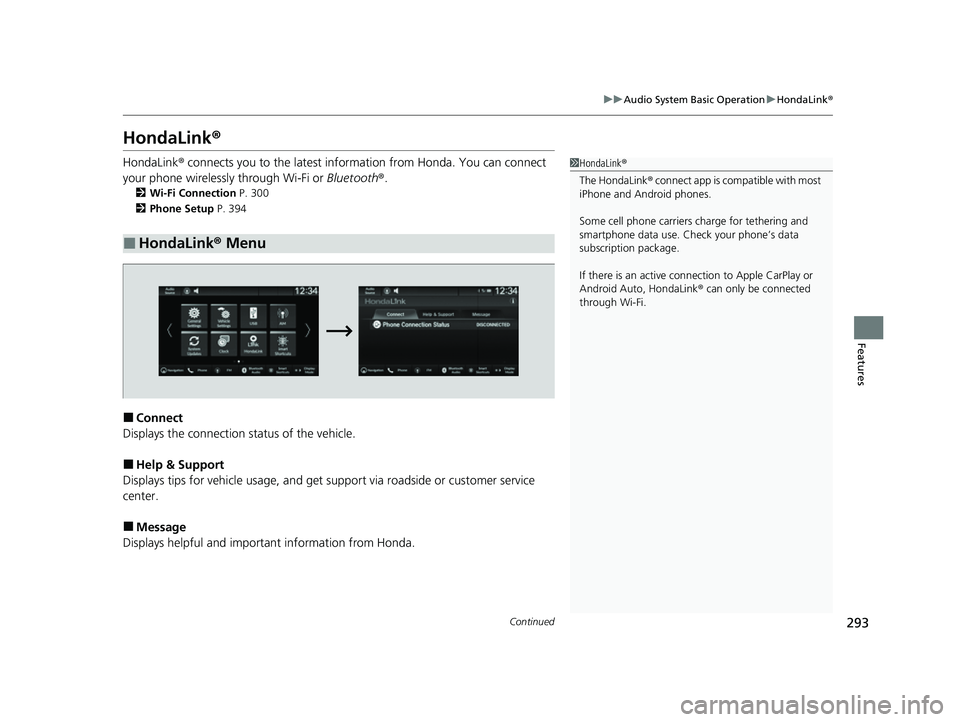
HondaLink® connects you to the latest info rmation from Honda. You can connect
your phone wirelessly through Wi-Fi or Bluetooth®.
2Wi-Fi Connection P. 300
2 Phone Setup P. 394
■Connect
Displays the connection status of the vehicle.
■Help & Support
Displays tips for vehicle us age, and get support via road side or customer service
center.
■Message
Displays helpful and important information from Honda.
■HondaLink® Menu
1HondaLink ®
The HondaLink® connect app is compatible with most
iPhone and Android phones.
Some cell phone carriers charge for tethering and
smartphone data use. Check your phone’s data
subscription package.
If there is an active connection to Appl e CarPlay or
Android Auto, HondaLink ® can only be connected
through Wi-Fi.
23 HR-V-313V06000_01.book 293 ページ 2022年4月4日 月曜日 午前10時49分
Page 299 of 664
297
uuAudio System Basic Operation uSmart Shortcuts
Continued
Features
Smart Shortcuts
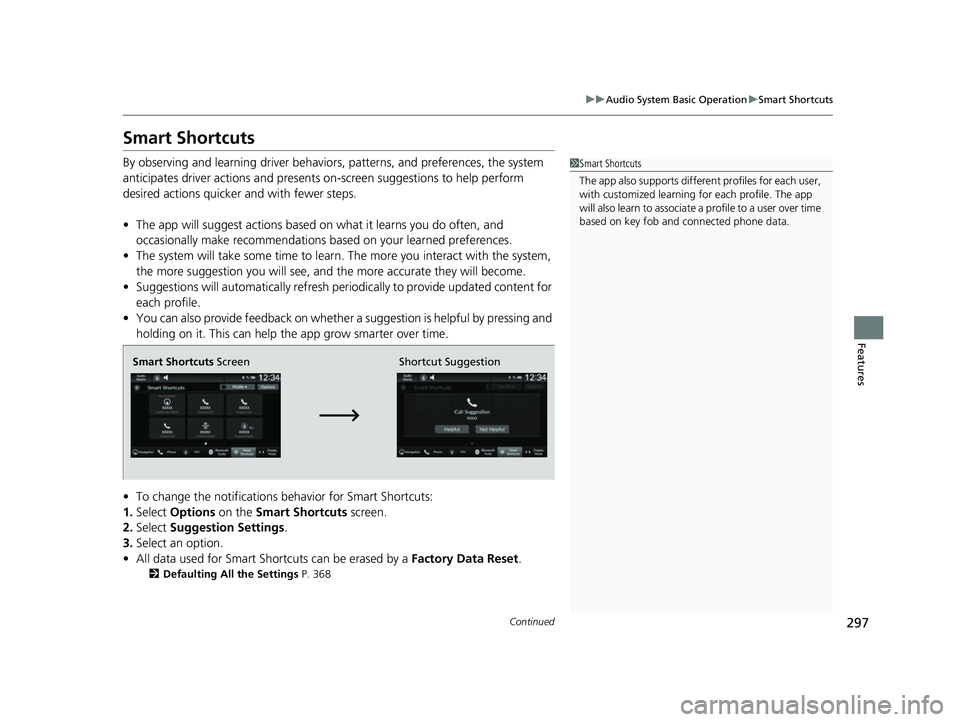
By observing and learning driver behavior s, patterns, and preferences, the system
anticipates driver actions and presents on-screen suggestions to help perform
desired actions quicker and with fewer steps.
• The app will suggest actions based on what it learns you do often, and
occasionally make recommendations ba sed on your learned preferences.
• The system will take some time to learn. The more you interact with the system,
the more suggestion you will see, and the more accurate they will become.
• Suggestions will automatically refresh periodically to provide updated content for
each profile.
• You can also provide feedback on whether a suggestion is helpful by pressing and
holding on it. This can help the app grow smarter over time.
• To change the notifications behavior for Smart Shortcuts:
1. Select Options on the Smart Shortcuts screen.
2. Select Suggestion Settings .
3. Select an option.
• All data used for Smart Shortcuts can be erased by a Factory Data Reset.
2Defaulting All the Settings P. 368
1Smart Shortcuts
The app also supports different profiles for each user,
with customized learning for each profile. The app
will also learn to associate a profile to a user over time
based on key fob and connected phone data.
Smart Shortcuts Screen Shortcut Suggestion
23 HR-V-313V06000_01.book 297 ページ 2022年4月4日 月曜日 午前10時49分
Page 300 of 664
uuAudio System Basic Operation uSmart Shortcuts
298
Features
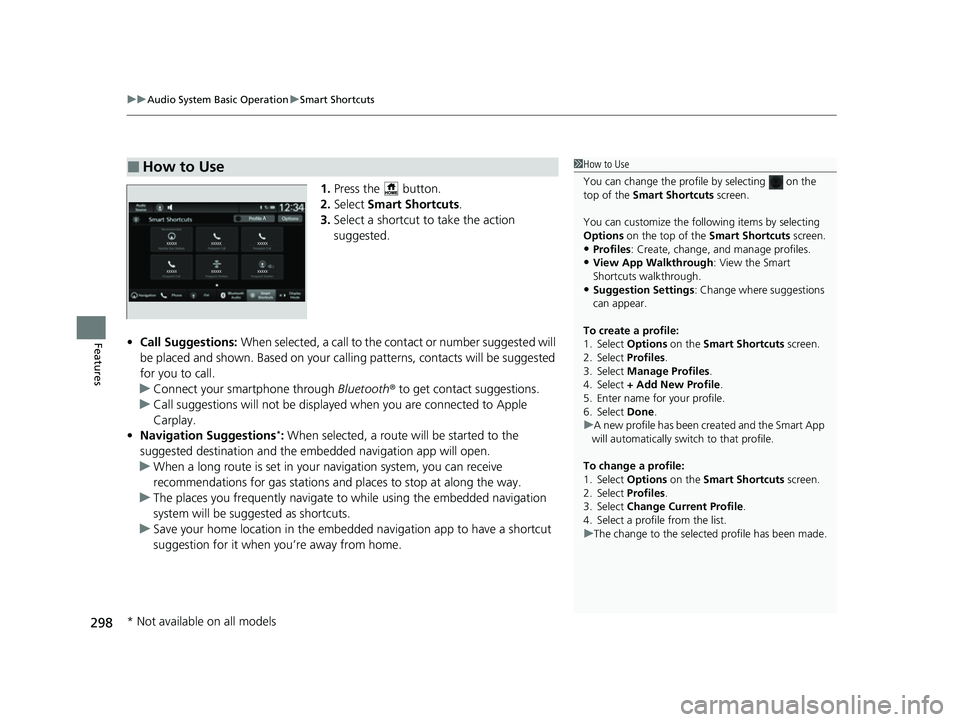
1. Press the button.
2. Select Smart Shortcuts .
3. Select a shortcut to take the action
suggested.
• Call Suggestions: When selected, a call to the c ontact or number suggested will
be placed and shown. Based on your cal ling patterns, contacts will be suggested
for you to call.
u Connect your smartphone through Bluetooth® to get contact suggestions.
u Call suggestions will not be displayed when you are connected to Apple
Carplay.
• Navigation Suggestions
*: When selected, a route will be started to the
suggested destination and the embedded navigation app will open.
u When a long route is set in your navigation system, you can receive
recommendations for gas stations and places to stop at along the way.
u The places you frequently navigate to while using the embedded navigation
system will be suggested as shortcuts.
u Save your home location in the embedded navigation app to have a shortcut
suggestion for it when you’re away from home.
■How to Use1How to Use
You can change the profile by selecting on the
top of the Smart Shortcuts screen.
You can customize the foll owing items by selecting
Options on the top of the Smart Shortcuts screen.
•Profiles: Create, change, a nd manage profiles.
•View App Walkthrough : View the Smart
Shortcuts walkthrough.
•Suggestion Settings : Change where suggestions
can appear.
To create a profile:
1. Select Options on the Smart Shortcuts screen.
2. Select Profiles .
3. Select Manage Profiles .
4. Select + Add New Profile .
5. Enter name for your profile.
6. Select Done .
u A new profile has been cr eated and the Smart App
will automatically switch to that profile.
To change a profile:
1. Select Options on the Smart Shortcuts screen.
2. Select Profiles .
3. Select Change Current Profile .
4. Select a profile from the list.
u The change to the selected profile has been made.
* Not available on all models
23 HR-V-313V06000_01.book 298 ページ 2022年4月4日 月曜日 午前10時49分
Page 302 of 664
300
uuAudio System Basic Operation uWi-Fi Connection
Features
Wi-Fi Connection
This vehicle is equipped with Wi-Fi connec tivity. You can connect to an external Wi-
Fi hotspot or communication device.
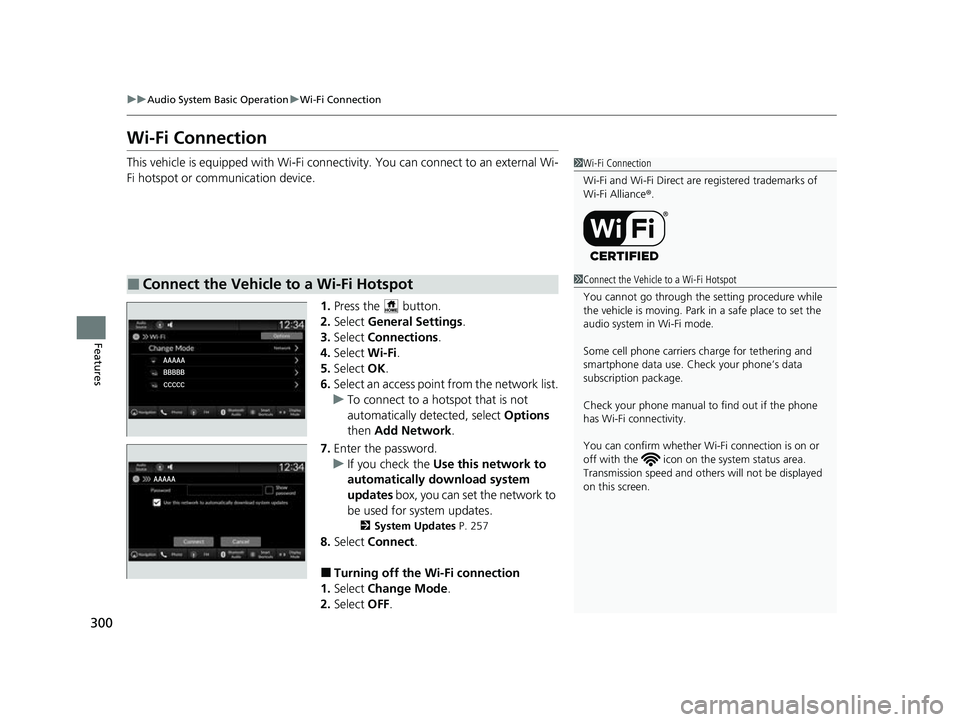
1.Press the button.
2. Select General Settings .
3. Select Connections .
4. Select Wi-Fi.
5. Select OK.
6. Select an access poin t from the network list.
u To connect to a hotspot that is not
automatically detected, select Options
then Add Network .
7. Enter the password.
u If you check the Use this network to
automatically download system
updates box, you can set the network to
be used for system updates.
2 System Updates P. 257
8.Select Connect .
■Turning off the Wi-Fi connection
1. Select Change Mode .
2. Select OFF.
■Connect the Vehicle to a Wi-Fi Hotspot
1Wi-Fi Connection
Wi-Fi and Wi-Fi Direct are registered trademarks of
Wi-Fi Alliance ®.
1 Connect the Vehicle to a Wi-Fi Hotspot
You cannot go through the setting procedure while
the vehicle is moving. Park in a safe place to set the
audio system in Wi-Fi mode.
Some cell phone carriers charge for tethering and
smartphone data use. Check your phone’s data
subscription package.
Check your phone manual to find out if the phone
has Wi-Fi connectivity.
You can confirm whether Wi -Fi connection is on or
off with the icon on th e system status area.
Transmission speed and others will not be displayed
on this screen.
23 HR-V-313V06000_01.book 300 ページ 2022年4月4日 月曜日 午前10時49分
Page 303 of 664
301
uuAudio System Basic Operation uApple CarPlay
Continued
Features
Apple CarPlay
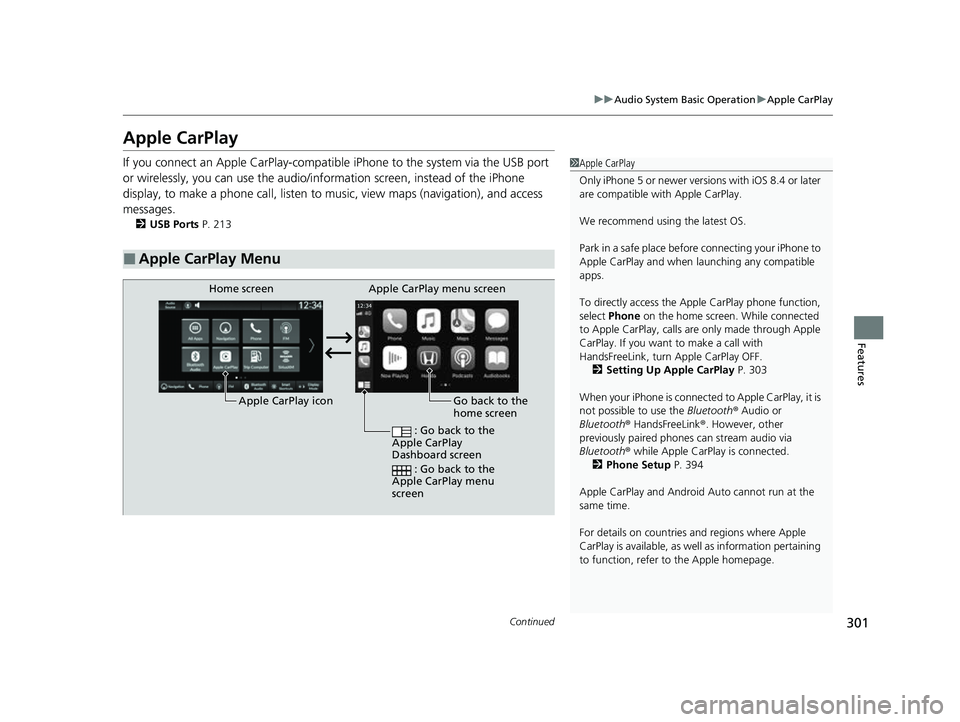
If you connect an Apple CarPlay-compatib le iPhone to the system via the USB port
or wirelessly, you can use the audio/information screen, instead of the iPhone
display, to make a phone call, listen to music, view maps (navigation), and access
messages.
2 USB Ports P. 213
■Apple CarPlay Menu
1Apple CarPlay
Only iPhone 5 or newer versi ons with iOS 8.4 or later
are compatible with Apple CarPlay.
We recommend using the latest OS.
Park in a safe place before connecting your iPhone to
Apple CarPlay and when launching any compatible
apps.
To directly access the Appl e CarPlay phone function,
select Phone on the home screen. While connected
to Apple CarPlay, calls are only made through Apple
CarPlay. If you want to make a call with
HandsFreeLink, turn Apple CarPlay OFF.
2 Setting Up Apple CarPlay P. 303
When your iPhone is connected to Apple CarPlay, it is
not possible to use the Bluetooth® Audio or
Bluetooth ® HandsFreeLink ®. However, other
previously paired phones can stream audio via
Bluetooth ® while Apple CarPlay is connected.
2 Phone Setup P. 394
Apple CarPlay and Android Auto cannot run at the
same time.
For details on c ountries and regions where Apple
CarPlay is available, as well as information pertaining
to function, refer to the Apple homepage.
Go back to the
home screen
Home screen
Apple CarPlay icon Apple CarPlay menu screen
: Go back to the
Apple CarPlay
Dashboard screen
: Go back to the
Apple CarPlay menu
screen
23 HR-V-313V06000_01.book 301 ページ 2022年4月4日 月曜日 午前10時49分
Page 304 of 664
uuAudio System Basic Operation uApple CarPlay
302
Features
■Phone
Access the contact list, make phone calls, or listen to voicemail.
■Messages
Check and reply to text messages, or have messages read to you.
■Music
Play music stored on your iPhone.
■Maps
Display Apple Maps and use the navigation function just as you would on your
iPhone.
Only one navigation system (pre-installed navigation or Apple CarPlay) can give
directions at a time. When you are using one system, directions to any prior
destination set on the other system will be canceled, and the system you are
currently using will direct you to your destination.
1 Apple CarPlay
Apple CarPlay Operating Requirements &
Limitations
Apple CarPlay requi res a compatible iPhone with an
active cellular connecti on and data plan. Your
carrier’s rate plans will apply.
Changes in operating systems, hardware, software,
and other technology integral to providing Apple
CarPlay functionality, as well as new or revised
governmental regulations, may result in a decrease or
cessation of Apple CarPlay functionality and services.
Honda cannot and does not pr ovide any warranty or
guarantee of future Appl e CarPlay performance or
functionality.
It is possible to use 3r d party apps if they are
compatible with Apple CarPlay. Refer to the Apple
homepage for information on compatible apps.
Models with navigation system
23 HR-V-313V06000_01.book 302 ページ 2022年4月4日 月曜日 午前10時49分
Page 305 of 664
Continued303
uuAudio System Basic Operation uApple CarPlay
Features
After you have connected your iPhone to the system via the USB port or wirelessly,
use the following procedure to set up Apple CarPlay. Use of Apple CarPlay will result
in the transmission of certain user and vehi cle information (such as vehicle location,
speed, and status) to your iPhone to enha nce the Apple CarPlay experience. You will
need to consent to the sharing of this information on the audio/information screen.
1. Connect the iPhone to the USB port using the USB cable.
2 USB Ports P. 213
uThe confirmation screen will be displayed.
2. Select Yes.
u If you do not want to connect Apple CarPlay, select No.
You may change the cons ent settings under the Smartphone Connection settings
menu.
■Setting Up Apple CarPlay
■Connecting Apple CarPlay Using the USB Cable to the USB Port
1 Setting Up Apple CarPlay
Only initialize Apple CarPlay when you are safely
parked.
When Apple CarPlay first detects your iPhone, you
will need to set up your iPhone. Refer to the
instruction manual that came with your iPhone.
You can use the following procedure to disconnect or
delete the devices conn ecting Apple CarPlay:
Press the button Select General Settings
Smartphone Connection Apple CarPlay
Select device
Use of user and vehicle information
The use and handling of user and vehicle information
transmitted to/from your iP hone by Apple CarPlay is
governed by the Apple iOS terms and conditions and
Apple’s Privacy Policy.
23 HR-V-313V06000_01.book 303 ページ 2022年4月4日 月曜日 午前10時49分
Page 306 of 664
304
uuAudio System Basic Operation uApple CarPlay
Features
■Connect Apple CarPlay wirele ssly on the home screen
1. Press the button.
2. Select Smartphone Connection .
3. Select + Connect New Device.
4. Pair the iPhone to the vehicle’s Bluetooth® HandsFreeLink ® (HFL) system.
2 Phone Setup P. 394
5.Select Yes.
u If your iPhone asks for permission to accept an Apple CarPlay connection,
accept to connect. A confirmation message for HondaLink Assist appears.
6. Select Yes or No.
■Connect Apple CarPlay wirelessly on the Apple CarPlay device list
1. Press the button.
2. Select General Settings .
3. Select Smartphone Connection .
4. Select Apple CarPlay .
5. Select + Connect New Device.
6. Pair the iPhone to the vehicle’s Bluetooth® HandsFreeLink ® (HFL) system.
2 Phone Setup P. 394
7.Select Yes.
u If your iPhone asks for permission to accept an Apple CarPlay connection,
accept to connect. A confirmation message for HondaLink Assist appears.
8. Select Yes or No.
■Connect Apple CarPlay Wirelessly
23 HR-V-313V06000_01.book 304 ページ 2022年4月4日 月曜日 午前10時49分
Page 307 of 664
305
uuAudio System Basic Operation uApple CarPlay
Continued
Features
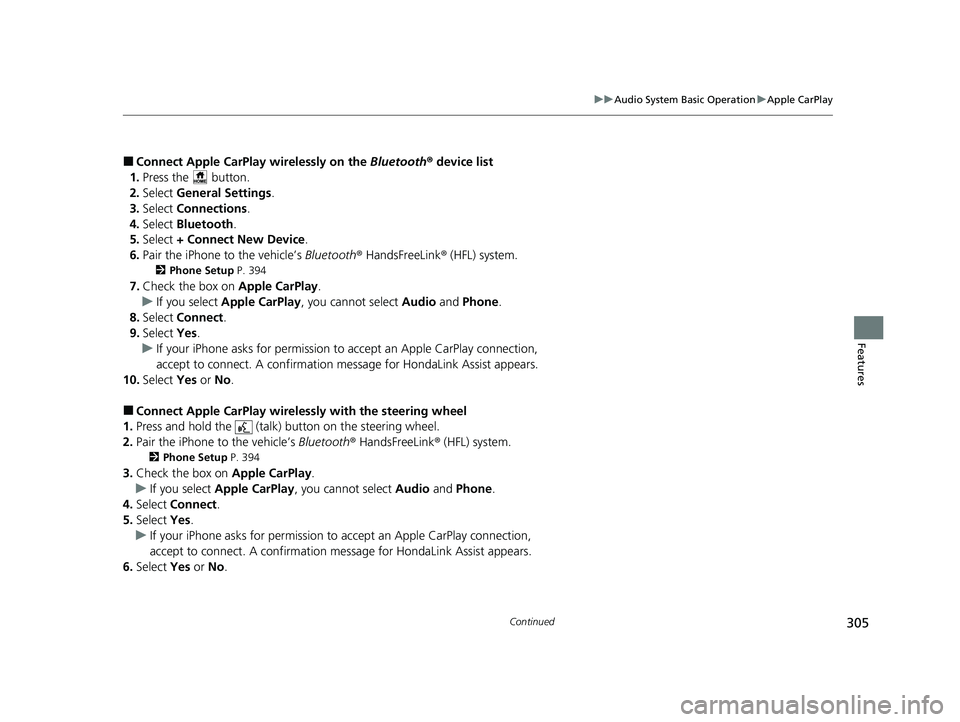
■Connect Apple CarPlay wirelessly on the Bluetooth® device list
1. Press the button.
2. Select General Settings .
3. Select Connections.
4. Select Bluetooth .
5. Select + Connect New Device.
6. Pair the iPhone to the vehicle’s Bluetooth® HandsFreeLink ® (HFL) system.
2 Phone Setup P. 394
7.Check the box on Apple CarPlay.
u If you select Apple CarPlay , you cannot select Audio and Phone .
8. Select Connect .
9. Select Yes.
u If your iPhone asks for permission to accept an Apple CarPlay connection,
accept to connect. A confirmation me ssage for HondaLink Assist appears.
10. Select Yes or No.
■Connect Apple CarPlay wirelessly with the steering wheel
1. Press and hold the (talk) button on the steering wheel.
2. Pair the iPhone to the vehicle’s Bluetooth® HandsFreeLink ® (HFL) system.
2Phone Setup P. 394
3.Check the box on Apple CarPlay.
u If you select Apple CarPlay , you cannot select Audio and Phone .
4. Select Connect .
5. Select Yes.
u If your iPhone asks for permission to accept an Apple CarPlay connection,
accept to connect. A confirmation me ssage for HondaLink Assist appears.
6. Select Yes or No .
23 HR-V-313V06000_01.book 305 ページ 2022年4月4日 月曜日 午前10時49分
Page 308 of 664
306
uuAudio System Basic Operation uApple CarPlay
Features
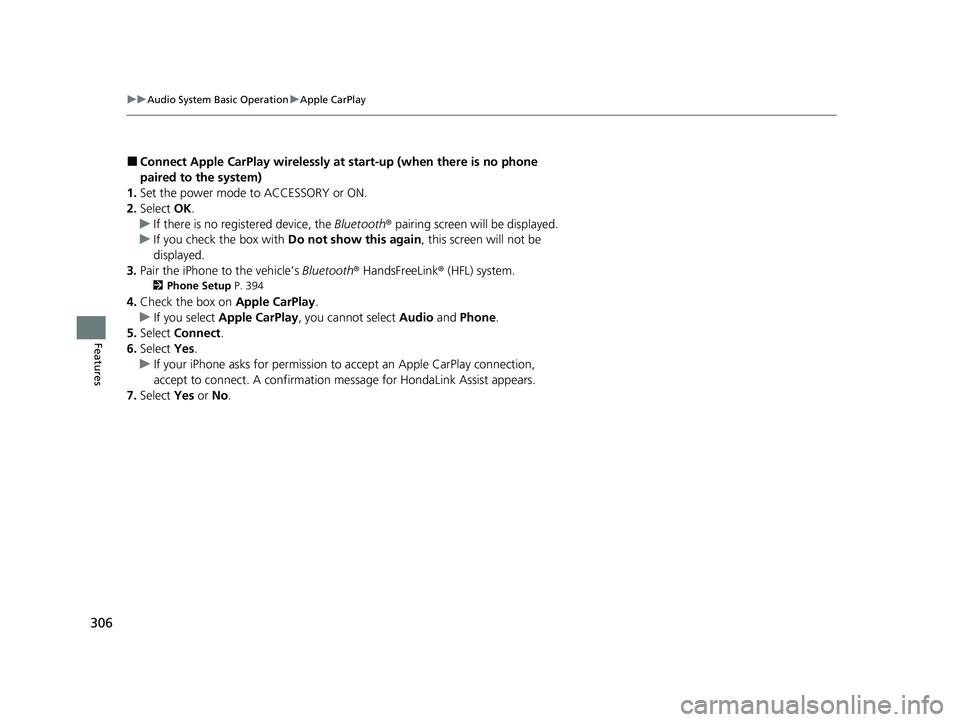
■Connect Apple CarPlay wirelessly at start-up (when there is no phone
paired to the system)
1. Set the power mode to ACCESSORY or ON.
2. Select OK.
u If there is no registered device, the Bluetooth® pairing screen will be displayed.
u If you check the box with Do not show this again, this screen will not be
displayed.
3. Pair the iPhone to the vehicle’s Bluetooth® HandsFreeLink ® (HFL) system.
2 Phone Setup P. 394
4.Check the box on Apple CarPlay.
u If you select Apple CarPlay , you cannot select Audio and Phone .
5. Select Connect .
6. Select Yes.
u If your iPhone asks for permission to accept an Apple CarPlay connection,
accept to connect. A confirmation message for HondaLink Assist appears.
7. Select Yes or No.
23 HR-V-313V06000_01.book 306 ページ 2022年4月4日 月曜日 午前10時49分