warning HONDA HRV 2023 Workshop Manual
[x] Cancel search | Manufacturer: HONDA, Model Year: 2023, Model line: HRV, Model: HONDA HRV 2023Pages: 664, PDF Size: 20.2 MB
Page 460 of 664
uuHonda Sensing ®u Collision Mitigation Braking SystemTM (CMBSTM)
458
Driving
The system may automatically shut off and the safety support indicator (amber) will
come on under certain conditions. Some ex amples of these conditions are listed
below. Other conditions may reduce some of the CMBS
TM functions.
2 Front Wide View Camera P. 525
■Environmental conditions
• Driving in bad weather (rain, fog, snow, etc.).
• Sudden changes between light and dark, such as the entrance or exit of a tunnel
or the shadows of trees, buildings, etc.
• Driving into low sunlight (e.g., at dawn or dusk).
• Strong light is reflected onto vehicles, pedestrians, moving bicycles, or road
surfaces.
• Water is sprayed by or snow blown from a vehicle ahead.
• Driving at night or in a dark place such as a tunnel (due to low-light conditions,
vehicles, pedestrians, or moving bicycles may not be illuminated).
■Roadway conditions
• Driving on curvy, winding, undulating, or sloping roads.
• There is a film of water or puddles on the road surface.
• Driving on rutted roads (snowy or unpaved roads, etc.).
• Your vehicle is strongly shaken on uneven road surfaces.
■CMBSTM Conditions and Limitations1CMBSTM Conditions and Limitations
Have your vehicle checked by a dealer if you find any
unusual behavior of the system (e.g., the warning
message appears too frequently).
23 HR-V-313V06000_01.book 458 ページ 2022年4月4日 月曜日 午前10時49分
Page 467 of 664
465
uuHonda Sensing ®u Low Speed Braking Control*
Continued
Driving
Low Speed Braking Control*
Using sonar sensors located on the front a nd rear bumpers, and the front grille, this
system can detect if there is danger of a potential collision with a wall or other
obstacle during normal driving or when the accelerator pedal is depressed with too
much force. The system then assists in avoiding collisions and reducing damage
from impact through assistive braking a nd/or assistive driving power suppression.1Low Speed Braking Control*
If the Low Speed Braking Control activates in a
situation where you do not want automatic brake
application (such as when the vehicle is between two
railroad crossing gates), simply press the brake pedal
to deactivate the system and then continue to drive
as intended.
3WARNING
The Low Speed Braking Control System
cannot avoid all collisions and may not
reduce damage in each situation where the
accelerator is mistakenly or aggressively
pressed. Overreliance on the system may
result in a collision with serious injury or
death. Always check your surroundings,
your shift position, and your pedal use.
Driver remains responsible for safely
operating the vehicle.
* Not available on all models
23 HR-V-313V06000_01.book 465 ページ 2022年4月4日 月曜日 午前10時49分
Page 473 of 664
471
uuHonda Sensing ®u Adaptive Cruise Control (ACC) with Low Speed Follow
Continued
Driving
Adaptive Cruise Control (ACC) with Low Speed Follow
Helps maintain a constant vehicle speed and a set following-interval behind a vehicle
detected ahead of yours and, if the detect ed vehicle comes to a stop, can decelerate
and stop your ve hicle, without you having to keep your foot on the brake or the
accelerator.
When ACC with Low Speed Follo w slows your vehicle by applying the brakes, your
vehicle’s brake lights will illuminate.
• Vehicle speed for ACC wi th Low Speed Follow: A vehicle is detected ahead
within ACC with Low Speed Follow range – ACC with Low Speed Follow
operates at speeds up to 90 mph (145 km/h).
No vehicle is detected within ACC with Low Speed Follow range – ACC
with Low Speed Follow operates at th e speed of 25 mph (40 km/h) or above.
• Shift position for ACC with Low Speed Follow: In
(D or (S.
1Adaptive Cruise Control (ACC) with Low Speed Follow
3WARNING
Improper use of ACC with Low Speed
Follow can lead to a crash.
Use ACC with Low Speed Follow only
when driving on expressways or freeways
and in good road and weather conditions.
3WARNING
ACC with Low Speed Follow has limited
braking capability and may not stop your
vehicle in time to avoid a collision with a
vehicle that quickly stops in front of you.
Always be prepared to apply the brake
pedal if the conditions require.
When to use
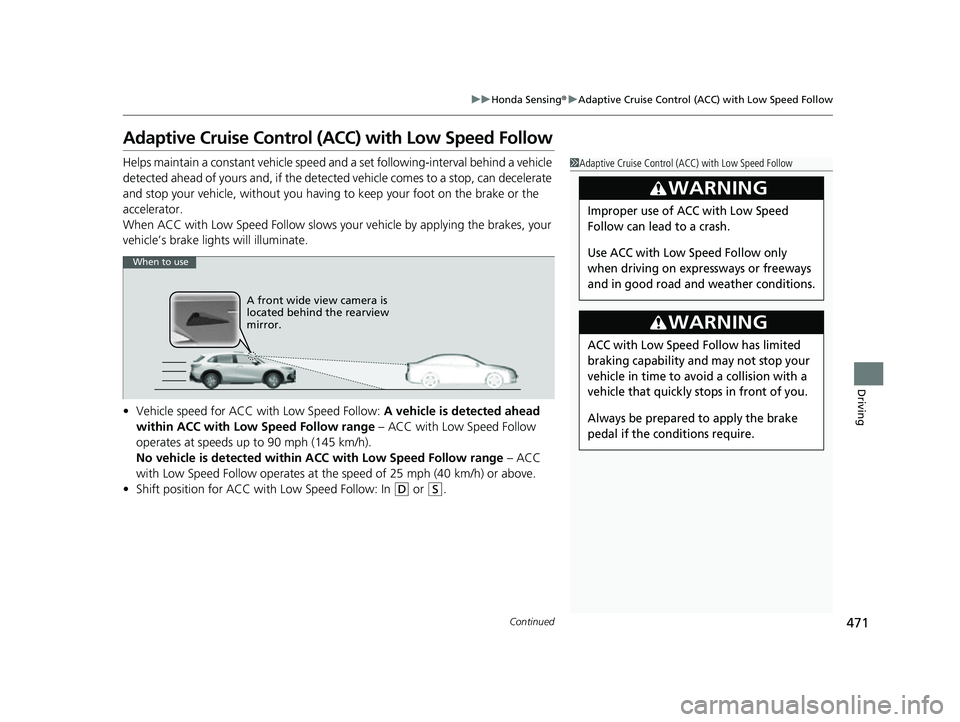
A front wide view camera is
located behind the rearview
mirror.
23 HR-V-313V06000_01.book 471 ページ 2022年4月4日 月曜日 午前10時49分
Page 474 of 664
uuHonda Sensing ®u Adaptive Cruise Control (ACC) with Low Speed Follow
472
Driving
■How to activate the system1Adaptive Cruise Control (ACC) with Low Speed Follow
Important Reminder
As with any system, there are limits to ACC with Low
Speed Follow. Use the brake pedal whenever
necessary, and always keep a safe interval between
your vehicle and other vehicles.
You can read about handling information for the
camera equipped with this system.
2 Front Wide View Camera P. 525
ACC with Low Speed Follow may not work properly
under certain conditions.
2 ACC with Low Speed Follow Conditions
and Limitations P. 479
When not using ACC with Low Speed Follow: Turn
off adaptive cruise by pressing the button.
3WARNING
Exiting a vehicle that has been stopped
while the ACC with Low Speed Follow
system is operating can result in the
vehicle moving without operator control.
A vehicle that moves without operator
control can cause a crash, resulting in
serious injury or death.
Never exit a vehicle when the vehicle is
stopped by ACC with Low Speed Follow.
How to use
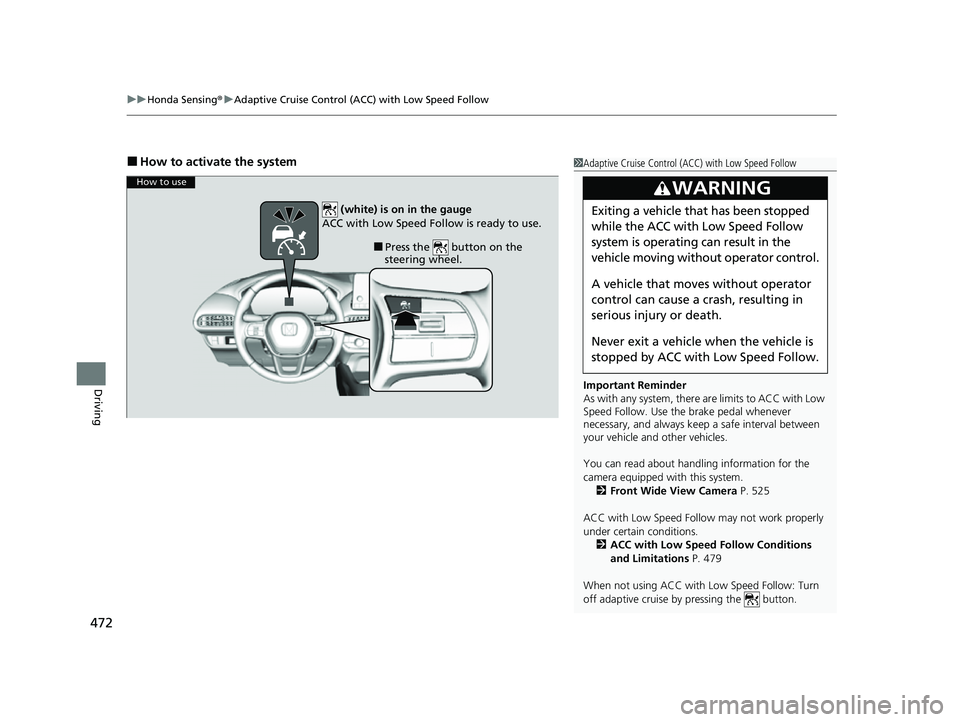
■Press the button on the
steering wheel.
(white) is on in the gauge
ACC with Low Speed Follow is ready to use.
23 HR-V-313V06000_01.book 472 ページ 2022年4月4日 月曜日 午前10時49分
Page 493 of 664
491
uuHonda Sensing ®u Lane Keeping Assist System (LKAS)
Continued
Driving
Lane Keeping Assist System (LKAS)
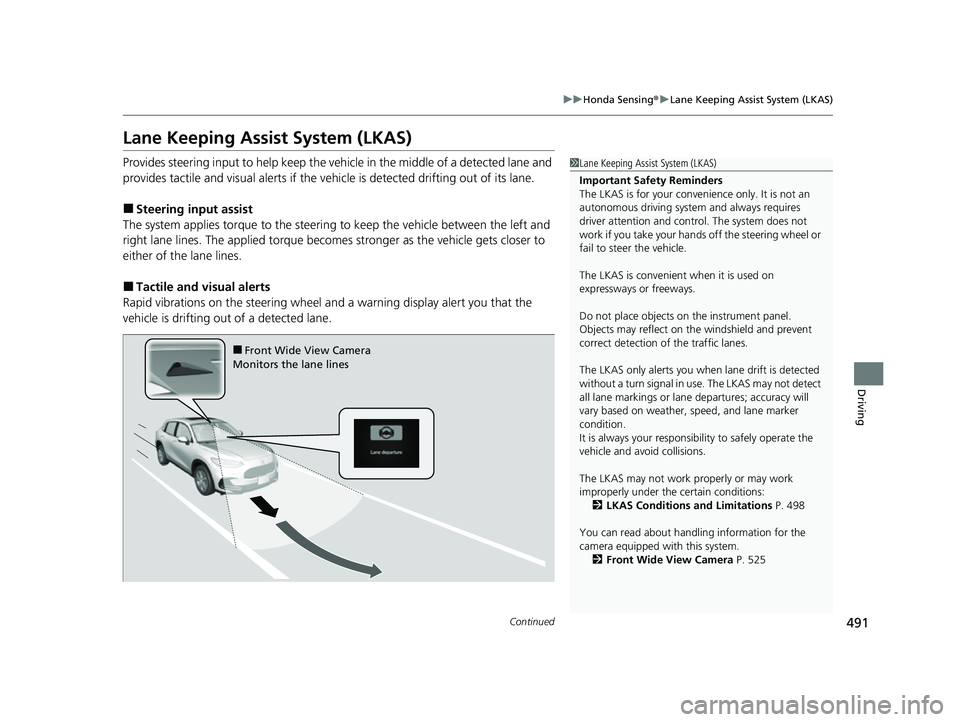
Provides steering input to help keep the vehicle in the middle of a detected lane and
provides tactile and visual al erts if the vehicle is detected drifting out of its lane.
■Steering input assist
The system applies torque to the steerin g to keep the vehicle between the left and
right lane lines. The applied torque becomes stronger as the vehicle gets closer to
either of the lane lines.
■Tactile and vi sual alerts
Rapid vibrations on the steering wheel and a warning display alert you that the
vehicle is drifting out of a detected lane.
1 Lane Keeping Assist System (LKAS)
Important Safety Reminders
The LKAS is for your convenience only. It is not an
autonomous driving system and always requires
driver attention and control. The system does not
work if you take your hands off the steering wheel or
fail to steer the vehicle.
The LKAS is convenient when it is used on
expressways or freeways.
Do not place objects on the instrument panel.
Objects may reflect on th e windshield and prevent
correct detection of the traffic lanes.
The LKAS only alerts you when lane drift is detected
without a turn signal in use. The LKAS may not detect
all lane markings or lane departures; accuracy will
vary based on weather, speed, and lane marker
condition.
It is always your responsibility to safely operate the
vehicle and avoid collisions.
The LKAS may not work properly or may work
improperly under the certain conditions:
2 LKAS Conditions and Limitations P. 498
You can read about handling information for the
camera equipped with this system. 2 Front Wide View Camera P. 525
■Front Wide View Camera
Monitors the lane lines
23 HR-V-313V06000_01.book 491 ページ 2022年4月4日 月曜日 午前10時49分
Page 495 of 664
493
uuHonda Sensing ®u Lane Keeping Assist System (LKAS)
Continued
Driving
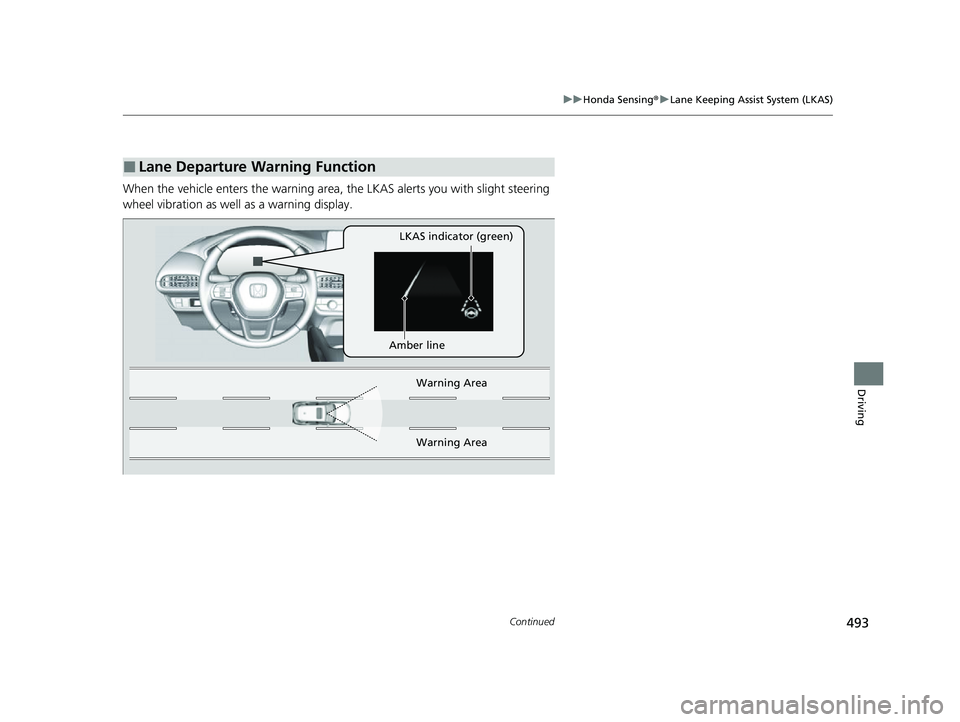
When the vehicle enters the warning area, the LKAS alerts you with slight steering
wheel vibration as well as a warning display.
■Lane Departure Warning Function
LKAS indicator (green)
Amber line Warning Area
Warn ing Ar
ea
23 HR-V-313V06000_01.book 493 ページ 2022年4月4日 月曜日 午前10時49分
Page 505 of 664
503
uuHonda Sensing ®u Traffic Jam Assist*
Continued
Driving
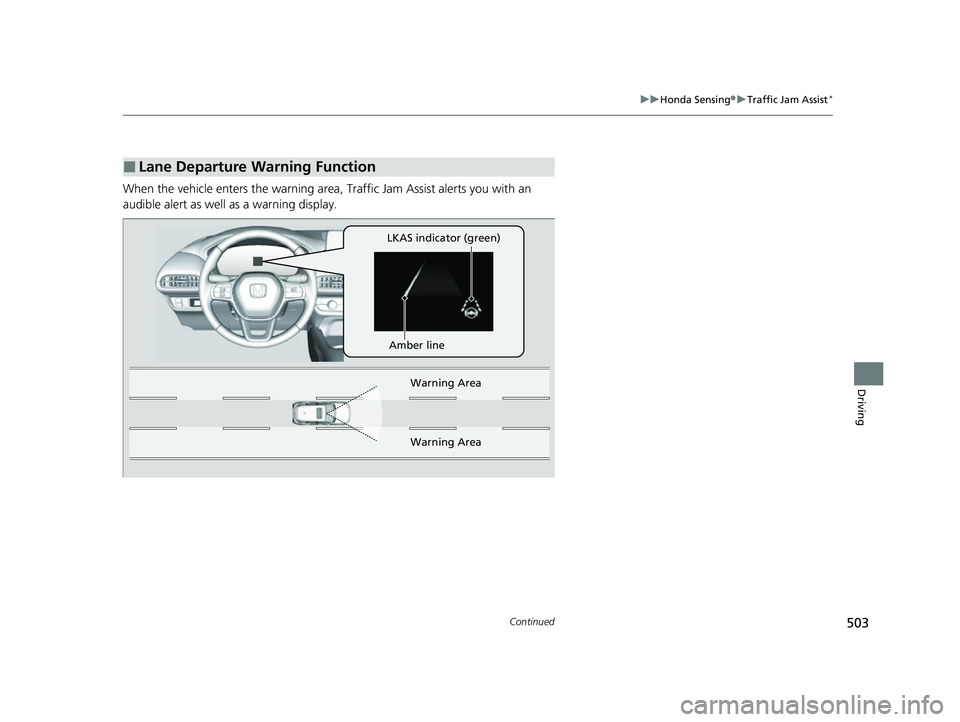
When the vehicle enters the warning area, Traffic Jam Assist alerts you with an
audible alert as well as a warning display.
■Lane Departure Warning Function
LKAS indicator (green)
Amber line Warning Area
Warni
ng Area
23 HR-V-313V06000_01.book 503 ページ 2022年4月4日 月曜日 午前10時49分
Page 507 of 664
Continued505
uuHonda Sensing ®u Traffic Jam Assist*
Driving
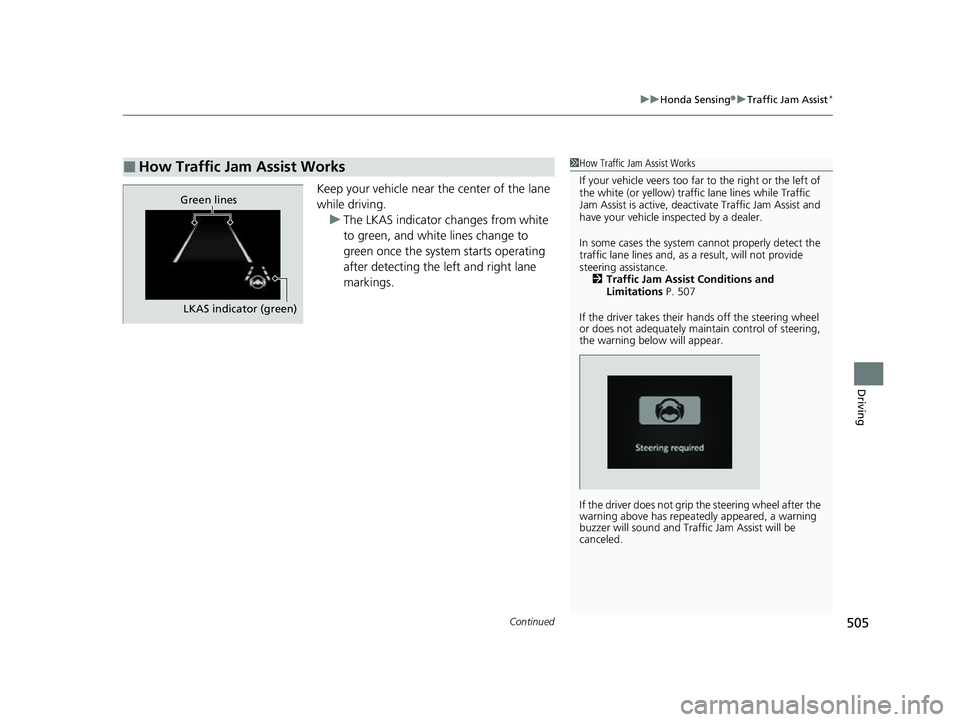
Keep your vehicle near the center of the lane
while driving.
u The LKAS indicator changes from white
to green, and white lines change to
green once the system starts operating
after detecting the left and right lane
markings.
■How Traffic Jam Assist Works1How Traffic Jam Assist Works
If your vehicle veers too far to the right or the left of
the white (or yellow) traffic lane lines while Traffic
Jam Assist is active, deactivate Traffic Jam Assist and
have your vehicle in spected by a dealer.
In some cases the system cannot properly detect the
traffic lane lines and, as a result, will not provide
steering assistance. 2 Traffic Jam Assist Conditions and
Limitations P. 507
If the driver takes their hands off the steering wheel
or does not adequately main tain control of steering,
the warning below will appear.
If the driver does not grip the steering wheel after the
warning above has repeatedly appeared, a warning
buzzer will sound and Traffi c Jam Assist will be
canceled.
Green lines
LKAS indicator (green)
23 HR-V-313V06000_01.book 505 ページ 2022年4月4日 月曜日 午前10時49分
Page 516 of 664
uuHonda Sensing ®u Road Departure Mitigation System
514
Driving
You can turn the system on and off us ing the driver information interface.
2Switching the Display P. 107
2 Safety Support P. 118
The Road Departure Mitigation system is in the previously selected on (checked) or
off (unchecked) setting each time you start the engine.
■Road Departure Mitigation system On and Off1Road Departure Mitigation system On and Off
When you have selected Warning only from the
customized options using the driver information
interface
* or audio/information screen*, the system
does not operate the steering wheel. 2 Settings
* P. 123
2 Customized Features P. 345
The Vehicle Stability Assist
TM (VSA ®) system, Vehicle
Stability AssistTM (VSA ®) OFF , Adaptive Cruise Control
(ACC) with Low Speed Follow, low tire pressure/
TPMS
*, parking brake and bra ke system and safety
support indicators may come on in amber along with
a message in the gauge when you set the power
mode to ON after re connecting the battery.
Drive a short distance at more than 12 mph (20 km/h).
Each indicator should go off. If any do not, have your
vehicle checked by a dealer.
* Not available on all models
23 HR-V-313V06000_01.book 514 ページ 2022年4月4日 月曜日 午前10時49分
Page 522 of 664
uuHonda Sensing ®u Traffic Sign Recognition System
520
Driving
1Traffic Sign Recognition System
To help reduce the likel ihood that high interior
temperatures will cause the camera’s sensing system
to shut off, when parking, find a shady area or face
the front of the vehicle away from the sun. If you use
a reflective sun shade, do not allow it to cover the
camera housing.
Covering the camera can concentrate heat on it.
If your vehicle exceeds the detected speed limit, an
icon representing the speed limit sign for the current
area will blink in the display. 2 Settings
* P. 123
2 Customized Features P. 345
The system’s ability to accurately notify the driver of
the speed limit is depend ent on certain conditions
such as the units displayed on the traffic sign as well
as the speed and direction of travel of the vehicle. In
some cases, the system may display false warnings or
other inaccurate information. 2 Traffic Sign Recognition System Conditions
and Limitations P. 521
The unit for speed limits (mph or km/h) varies from
country to country. Just after entering a country
whose unit differs to the one of the country from
which you came, Traffic Sign Recognition System
may not work correctly. 2 Settings
* P. 123
2 Speed/Distance Units P. 122
2 Customized Features P. 345
* Not available on all models
23 HR-V-313V06000_01.book 520 ページ 2022年4月4日 月曜日 午前10時49分