battery HONDA INSIGHT 2013 2.G User Guide
[x] Cancel search | Manufacturer: HONDA, Model Year: 2013, Model line: INSIGHT, Model: HONDA INSIGHT 2013 2.GPages: 411, PDF Size: 8.94 MB
Page 141 of 411
An improperly disposed of battery
can hurt the environment.
Always conf irm local regulations f or
battery disposal.This device complies with the
appropriate requirements or the
required standards. See
pagef or
more inf ormation. 392
Remote Transmitter
138
12/07/13 16:54:28 31TM8630_143
Inst rument s and Cont rolsTOC
2013 Insight
Page 222 of 411
If your vehicle’s battery is
disconnected or goes dead, the audio
system disables itself. If this
happens, you will see ‘‘ENTER
CODE’’ in the frequency display next
time you turn on the system. Use the
preset bars (icons on models with
navigation system) to enter the five-
digit code. The code is on the Anti-
theft Identification Card included
in your owner’s manual kit. When it
is entered correctly, the radio will
start playing.
The Anti-thef t Identif ication Card
also lists your audio serial number. It
is best to store the card in a saf e
place at home. In addition, you
should write the audio system’s
serial number in this owner’s manual.
If you make a mistake entering the
code, do not start over; complete the
f ive-digit sequence, then enter the
correct code. You have ten tries to
enter the correct code. If you areunsuccessful in ten attempts, you
must then leave the system on for
one hour bef ore trying again.
The system will retain your AM and
FM presets even if power is
disconnected.
We recommend that you register the
security code at Owner Link (owners.
honda.com). If you lose the Anti-
thef t Identif ication Card bef ore
registering the code at Owner Link,
you must obtain the code f rom your
dealer or
. To do this, you will need the
audio system’s serial number. If you
do not have the serial number with
you,askyourdealerorgoto for
inf ormation on how to retrieve it. If you lose the Anti-thef t
Identif ication Card, you must obtain
thecodefromyourdealer.Todothis,
you will need the audio system’s
serial number. If you do not have the
serial number with you, ask your
dealer how to retrieve it.
You need to enter a separate code
f or the navigation system to
reactivate. The Anti-theft Card also
lists the navigation system’s security
code and serial number. Follow the
same procedure to retrieve the serial
number and obtain the code, and
read the navigation system manual
f or details.
https://radio-navicode.honda.
com/
https://
radio-navicode.honda.com/ On models with navigation system
U.S. owners Canadian owners
Radio T hef t Protection
219
12/07/13 17:04:24 31TM8630_224
FeaturesTOC
2013 Insight
Page 230 of 411
CONT INUED
To hear general HFL inf ormation,
including help on pairing a phone
or setting up the system, say
‘‘Tutorial.’’
For help at any time, including a
list of available commands, say
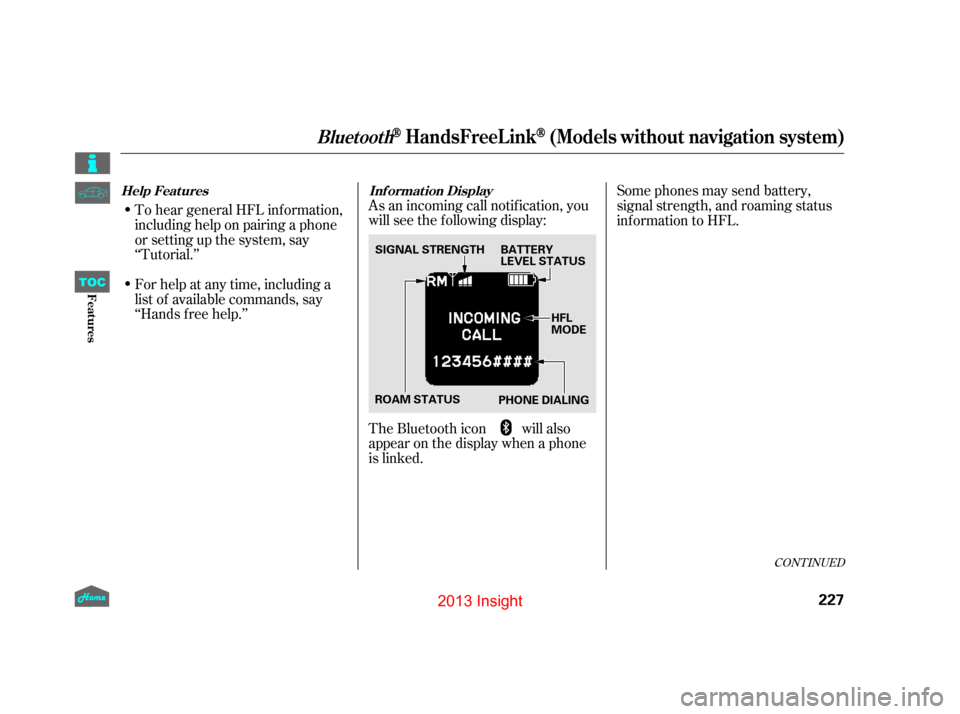
‘‘Hands f ree help.’’As an incoming call notif ication, you
will see the f ollowing display:
The Bluetooth icon will also
appear on the display when a phone
is linked. Some phones may send battery,
signal strength, and roaming status
inf ormation to HFL.
Help Features
Inf ormation Display
BluetoothHandsFreeL ink(Models without navigation system)
227
ROAM STATUSHFL
MODE
PHONE DIALING
SIGNAL STRENGTH BA
TTERY
LEVEL STATUS
12/07/13 17:05:26 31TM8630_232
FeaturesTOC
2013 Insight
Page 234 of 411

To use HFL, you need to pair your
Bluetooth-compatible cell phone to
the system.This command group is available f or
paired cell phones.
You cannot pair your phone while
the vehicle is moving.
Your phone must be in discovery
or search mode to pair. Ref er to
your phone’s manual.
Up to six phones can be paired.
Your phone’s battery may drain
f aster when it is paired to HFL.
If af ter three minutes your phone
is not ready to pair or a phone is
not f ound, the system will time out
andreturntoidle. Press and release the HFL Talk
button. If you are pairing a phone
f or the f irst time, HFL will give
you inf ormation about the pairing
process. If it is not the f irst phone
you are pairing, say ‘‘
’’ and say ‘‘ .’’
Follow the HFL prompts and put
your phone in discovery or search
mode. HFL will give you a 4-digit
pairing code and begin searching
foryourphone.
When your phone f inds a
Bluetooth device, select HFL f rom
the options and enter the 4-digit
code f rom the previous step.
Follow the HFL prompts and
name the newly paired phone.
1.
2.
3.
4.
CONT INUED
Phone Setup Phone
setup Pair
Phone pairing tips T o pair a cell phone:
BluetoothHandsFreeL ink(Models without navigation system)
231
12/07/13 17:05:59 31TM8630_236
FeaturesTOC
2013 Insight
Page 237 of 411

HFLusesaClass2Bluetooth,which
means, the maximum range between
your phone and vehicle is 30 feet
During a call, HFL allows you to talk
up to 30 minutes af ter you remove
the key from the ignition switch.
However, this may weaken the
vehicle’s battery. You can make calls using a name in
the HFL phonebook or any phone
number. You can also redial the last
number called.Once connected, you will hear the
person you called through the
audio speakers.
Say ‘‘ ’’ or ‘‘ .’’
Follow the HFL prompts and say
thenamestoredintheHFL
phonebook that you want to call.
Follow the HFL prompts to
confirm the name and make
Say ‘‘ ’’ or ‘‘ .’’
Follow the HFL prompts and say
the phone number you want to dial.
Follow the HFL prompts to
conf irm the number and say
‘‘ ’’ or ‘‘ .’’
Press and release the HFL Talk
button bef ore a command.
Press and release the HFL Talk
button bef ore a command.
1.
2.
3.
1.
2.
3.
Making a Call
Call DialCall Dial
Call Dial
Tomakeacallusinganameinthe HFL phonebook: T o make a call using a phone
number:
BluetoothHandsFreeL ink(Models without navigation system)
234
12/07/13 17:06:32 31TM8630_239
FeaturesTOC
the call.
(10 meters).
2013 Insight
Page 262 of 411
Store or secure all items that could
be thrown around and hurt
someone during a crash.
Be sure items placed on the f loor
behind the f ront seats cannot roll
under the seats and interf ere with
the driver’s ability to operate the
pedals, the operation of the seats,
or the operation of the sensors
under the seats.
Keep the glove box closed while
driving. If it is open, a passenger
could injure their knees during a
crash or sudden stop.Distribute cargo evenly on the
f loor of the hatch, placing the
heaviest items on the bottom and
as far forward as possible.
Trytosecuretheitemswithrope
or cord so they will not shif t while
you are driving.
If you carry large items that
prevent you f rom closing the
hatch, exhaust gas can enter the
passenger area. To avoid the
possibility of
, f ollow the instructions
on page .
If youfoldtherearseatsdown,tie
down items that could be thrown
about the vehicle during a crash or
sudden stop. Keep all cargo below
the bottom of the windows. If it is
higher, it could interf ere with
proper operation of the side
curtain airbags.
Refer to page for folding rear
seats.
Do not stack items higher than the
back of the rear seats. They can
block your view and be thrown
around the vehicle during a crash.
Do not spill any liquids on or
around the IMA battery. Spilled
liquids may damage the IMA
battery. If you accidentally spill
liquids on or around the battery,
ensure that the spill is completely
wiped up at the earliest
possible time. 56
145
Carrying Items in the
Passenger Compartment
Carrying Cargo in the Cargo A rea
carbon monoxide
poisoning
Carrying Cargo
259
12/07/13 17:10:10 31TM8630_264
Bef ore DrivingTOC
2013 Insight
Page 263 of 411
Do not spill any liquids over the air
intake or insert any f oreign objects
in it. This may damage the IMA
battery and the power control unit.
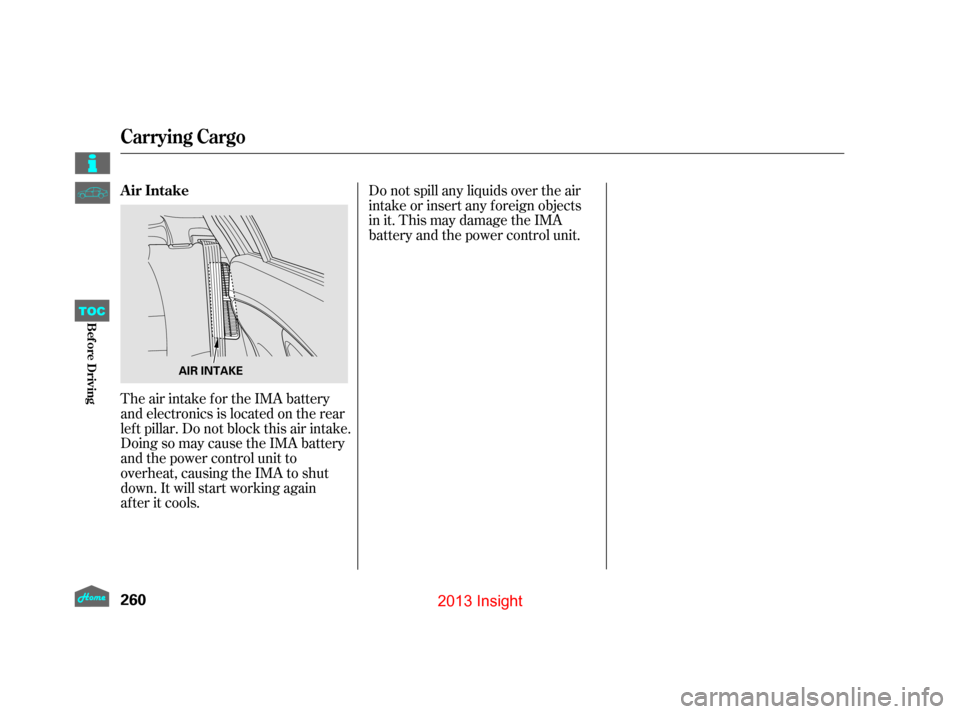
The air intake for the IMA battery
and electronics is located on the rear
lef t pillar. Do not block this air intake.
Doing so may cause the IMA battery
and the power control unit to
overheat, causing the IMA to shut
down. It will start working again
af ter it cools. Air Intake
Carrying Cargo
260
AIR INTAKE
12/07/13 17:10:14 31TM8630_265
Bef ore DrivingTOC
2013 Insight
Page 266 of 411
Apply the parking brake.
In cold weather, turn of f all
electrical accessories to reduce
the drain on the battery.In cold weather, the conventional
starter is used instead of the IMA
system starter. This is normal.
Make sure the shif t lever is in
Park. Press on the brake pedal.
Without touching the accelerator
pedal, turn the ignition key to the
START (III) position. Do not hold
the key in the START (III)
position f or more than 15 seconds
at a time. If the engine does not
start right away, pause for at least
10 seconds bef ore trying again.
1.
2.
3.
4.
Starting the Engine
Starting in Cold Weather
263
The engine is harder to start in cold
weather. Also, the thinner air f ound at
altitudes above 8,000 f eet (2,400
meters) adds to this problem.
T he immobilizer system protects your
vehicle f rom thef t. If an improperly
coded key (or other device) is used, the
engine’s f uel system is disabled. For
more inf ormation, see
page.
130
12/07/13 17:10:34 31TM8630_268
Bef ore DrivingTOC
2013 Insight
Page 284 of 411
To help maximize f uel economy,
your vehicle has an Auto Idle Stop
f unction. Depending on
environmental conditions and vehicle
operation, the engine will shut of f
when you come to a stop.The transmission f luid
temperature is low.
When the vehicle is stopped on an
incline.
The windshield def roster is on.
The f an speed is selected to high
(more than f our steps on the
horizontal f an speed indicators).
The IMA battery charge is low.
While the auto idle stop f unction is
activated, the auto idle stop indicator
in the instrument panel blinks (see
page
).
WhentheECONmodeison,the
engine is more likely to stop than
when it is of f (see page).
The engine will not stop automatically
under the f ollowing conditions:
The engine automatically stops when
the vehicle comes to a stop with the
shif t lever in the D position and the
brake pedal pressed.
The engine may also stop when
vehicle speed drops below 7 mph (11
km/h) with the brake pedal pressed.
Vehicle speed does not go above
starting the engine. The vehicle is stopped with the
shif t position in P, R, S, or L.
The engine coolant temperature
is low. The pointer of the charge/assist
gauge does not move when
accelerating or decelerating. 127
283
CONT INUED
Auto Idle Stop
281
12/07/13 17:12:59 31TM8630_286
Bef ore DrivingTOC
9 mph (15 km/h) after
2013 Insight
Page 285 of 411

The engine coolant temperature
becomes low.
Thepressureonthebrakepedalis
repeatedly applied and released
slightly during a stop.
The ECON button is off, and the
dif f erence between the ambient
temperature and the temperature
setting of the climate control
system becomes signif icant.
Theclimatecontrolsystemstarts
to dehumidif y the interior
The engine automatically
restarts when:
The brake pedal is released.
Under the f ollowing conditions, the
engine restarts even if the brake
pedal is pressed:
The shift position is changed
to R or L.
The accelerator pedal is pressed
The pressure to the brake pedal is
reduced and the vehicle starts
moving while stopped on an incline.
The IMA battery charge
becomes low.
The engine may not stop automatically
under the f ollowing conditions:
The windshield defroster button
is pressed.
TheECONbuttonisoff,andthere
is a signif icant dif f erence between
the ambient temperature and the
temperature setting of the climate
control system.
The climate control system is
dehumidif ying the air.
The vehicle is stopped by braking
suddenly.
When the ECON button is on, the
engine is more likely to stop. See
page f or the ECON button.
127
Auto Idle Stop
282
12/07/13 17:13:10 31TM8630_287
Bef ore DrivingTOC
2013 Insight