audio HONDA INSIGHT 2022 Owners Manual
[x] Cancel search | Manufacturer: HONDA, Model Year: 2022, Model line: INSIGHT, Model: HONDA INSIGHT 2022Pages: 609, PDF Size: 18.48 MB
Page 385 of 609
uuWhen Driving uTurning on the Power
384
Driving
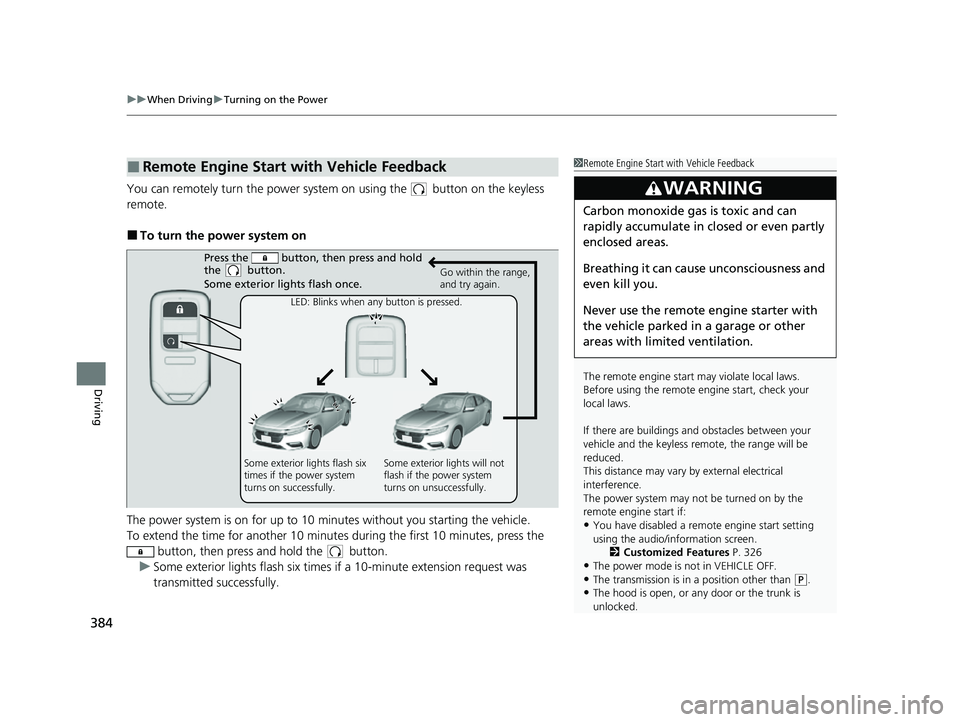
You can remotely turn the power system on using the button on the keyless
remote.
■To turn the power system on
The power system is on for up to 10 minutes without you starting the vehicle.
To extend the time for another 10 minute s during the first 10 minutes, press the
button, then press and hold the button.
u Some exterior lights flash six times if a 10-minute extension request was
transmitted successfully.
■Remote Engine Start with Vehicle Feedback1Remote Engine Start with Vehicle Feedback
The remote engine start may violate local laws.
Before using the remote e ngine start, check your
local laws.
If there are buildings an d obstacles between your
vehicle and the keyless re mote, the range will be
reduced.
This distance may vary by external electrical
interference.
The power system may not be turned on by the
remote engine start if:
•You have disabled a remo te engine start setting
using the audio/information screen. 2Customized Features P. 326
•The power mode is not in VEHICLE OFF.
•The transmission is in a position other than (P.•The hood is open, or any door or the trunk is
unlocked.
3WARNING
Carbon monoxide ga s is toxic and can
rapidly accumulate in closed or even partly
enclosed areas.
Breathing it can cause unconsciousness and
even kill you.
Never use the remote engine starter with
the vehicle parked in a garage or other
areas with limited ventilation.
Press the button, th en press and hold
the button.
Some exterior lights flash once.
Go within the range,
and try again.
LED: Blinks when any button is pressed.
Some exterior lights flash six
times if the power system
turns on successfully. Some exterior lights will not
flash if the power system
turns on unsuccessfully.
22 INSIGHT HMIN-31TXM6300.book 384 ページ 2021年2月24日 水曜日 午後3時45分
Page 408 of 609
Continued407
uuWhen Driving uTire Pressure Monitoring System (TPMS)
Driving
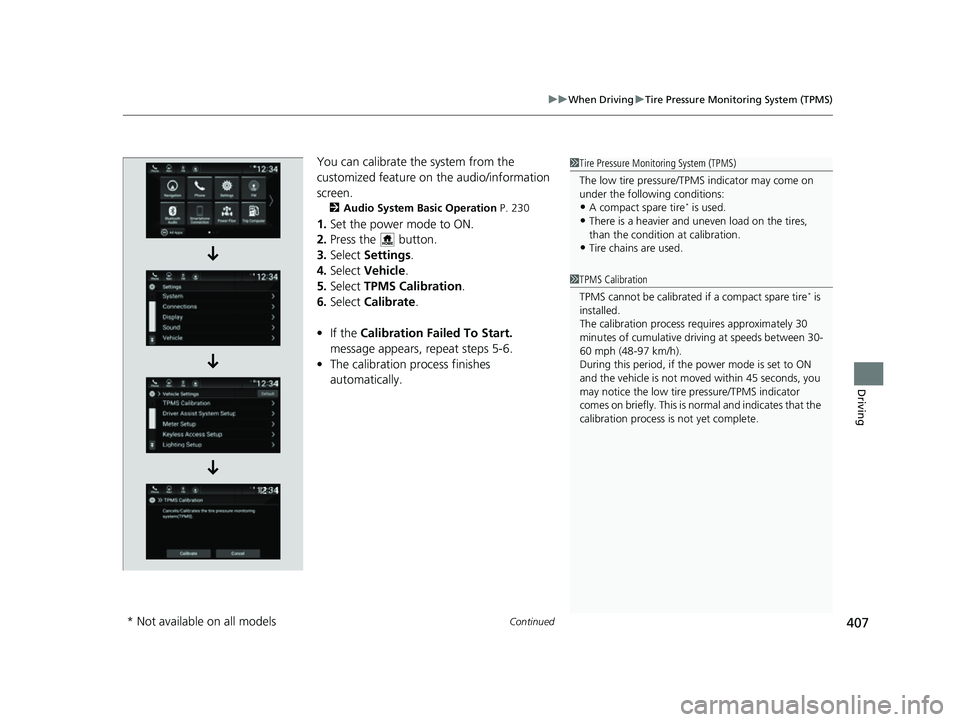
You can calibrate the system from the
customized feature on the audio/information
screen.
2 Audio System Basic Operation P. 230
1.Set the power mode to ON.
2. Press the button.
3. Select Settings .
4. Select Vehicle .
5. Select TPMS Calibration .
6. Select Calibrate .
• If the Calibration Failed To Start.
message appears, repeat steps 5-6.
• The calibration process finishes
automatically.
1Tire Pressure Monitoring System (TPMS)
The low tire pressure/TPMS indicator may come on
under the following conditions:
•A compact spare tire* is used.
•There is a heavier and une ven load on the tires,
than the condition at calibration.
•Tire chains are used.
1 TPMS Calibration
TPMS cannot be calibrated if a compact spare tire
* is
installed.
The calibration process requires approximately 30
minutes of cumulative driv ing at speeds between 30-
60 mph (48-97 km/h).
During this period, if the power mode is set to ON
and the vehicle is not moved within 45 seconds, you
may notice the low tire pressure/TPMS indicator
comes on briefly. This is no rmal and indicates that the
calibration process is not yet complete.
* Not available on all models
22 INSIGHT HMIN-31TXM6300.book 407 ページ 2021年2月24日 水曜日 午後3時45分
Page 421 of 609
420
uuHonda Sensing ®u Collision Mitigation Braking SystemTM (CMBSTM)
Driving
■When the system activates
You can change the distance ( Long/Normal /Short ) between vehicles at which the
system’s earliest collision alert will co me on through audio/information screen
setting options.
2 Customized Features P. 326
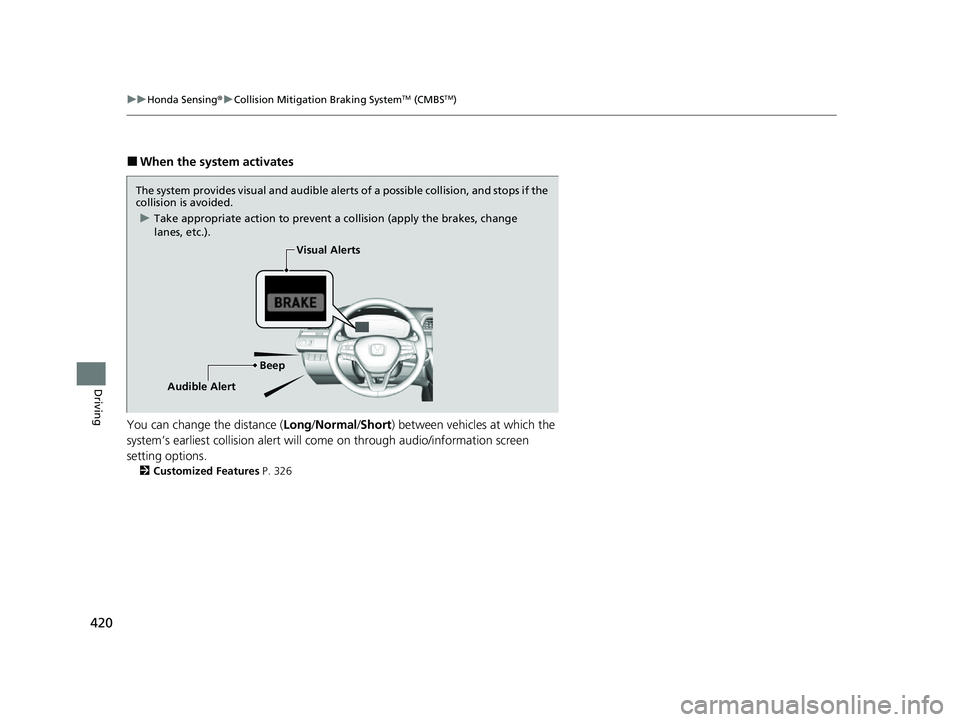
The system provides visual and audible alerts of a possible collision, and stops if the
collision is avoided.
u Take appropriate action to prevent a collision (apply the brakes, change
lanes, etc.).
BeepVisual Alerts
Audible Alert
22 INSIGHT HMIN-31TXM6300.book 420 ページ 2021年2月24日 水曜日 午後3時45分
Page 431 of 609
uuHonda Sensing ®u Adaptive Cruise Control (ACC) with Low Speed Follow
430
Driving
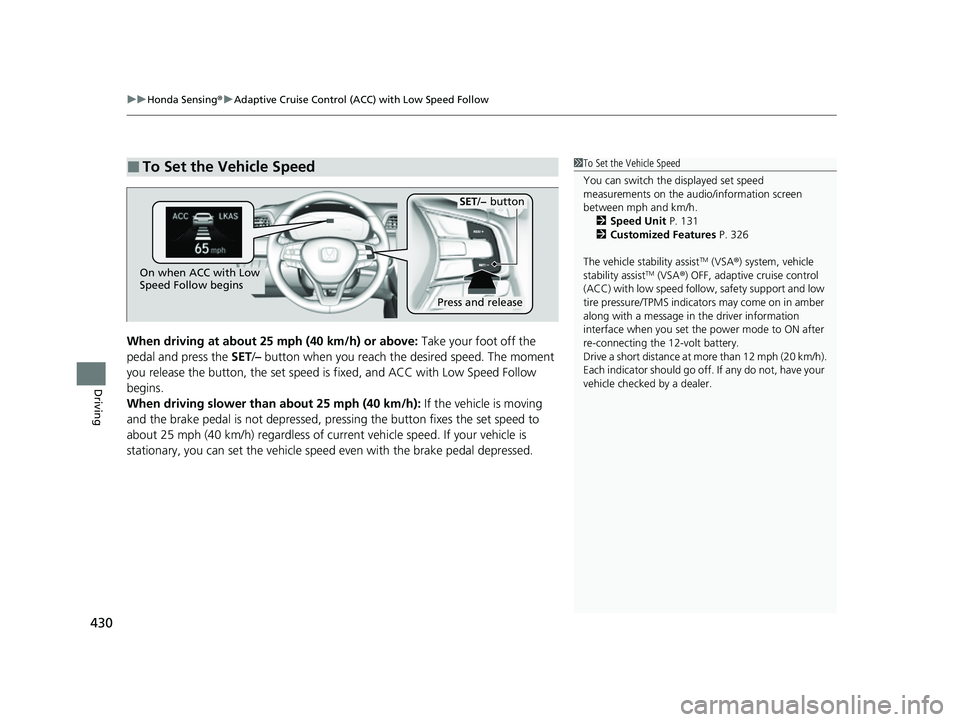
When driving at about 25 mph (40 km/h) or above: Take your foot off the
pedal and press the SET/– button when you reach the desired speed. The moment
you release the button, the set speed is fixed, and ACC with Low Speed Follow
begins.
When driving slower than about 25 mph (40 km/h): If the vehicle is moving
and the brake pedal is not depressed, pressing the button fixes the set speed to
about 25 mph (40 km/h) regardless of current vehicle speed. If your vehicle is
stationary, you can set the vehicle speed even with the brake pedal depressed.
■To Set the Vehicle Speed1 To Set the Vehicle Speed
You can switch the displayed set speed
measurements on the audio/information screen
between mph and km/h.
2 Speed Unit P. 131
2 Customized Features P. 326
The vehicle stability assist
TM (VSA ®) system, vehicle
stability assistTM (VSA ®) OFF, adaptive cruise control
(ACC) with low speed follow, safety support and low
tire pressure/TPMS indicato rs may come on in amber
along with a message in the driver information
interface when you set the power mode to ON after
re-connecting the 12-volt battery.
Drive a short distance at mo re than 12 mph (20 km/h).
Each indicator should go off. If any do not, have your
vehicle checked by a dealer.On when ACC with Low
Speed Follow begins
Press and release
SET/− button
22 INSIGHT HMIN-31TXM6300.book 430 ページ 2021年2月24日 水曜日 午後3時45分
Page 439 of 609
uuHonda Sensing ®u Adaptive Cruise Control (ACC) with Low Speed Follow
438
Driving
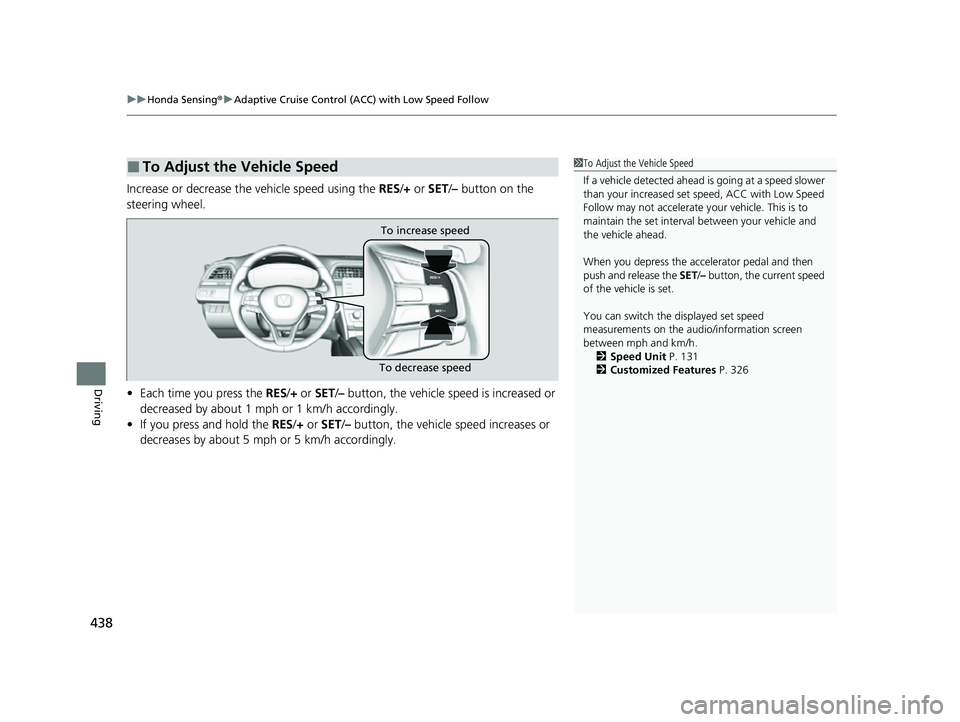
Increase or decrease the vehicle speed using the RES/+ or SET/– button on the
steering wheel.
• Each time you press the RES/+ or SET/ – button, the vehicle sp eed is increased or
decreased by about 1 mph or 1 km/h accordingly.
• If you press and hold the RES/+ or SET/– button, the vehicle speed increases or
decreases by about 5 mph or 5 km/h accordingly.
■To Adjust the Vehicle Speed1 To Adjust the Vehicle Speed
If a vehicle detected ahead is going at a speed slower
than your increased set speed, ACC with Low Speed
Follow may not accelerate y our vehicle. This is to
maintain the set interval between your vehicle and
the vehicle ahead.
When you depress the accelerator pedal and then
push and release the SET/– button, the current speed
of the vehicle is set.
You can switch the displayed set speed
measurements on the audio/information screen
between mph and km/h. 2 Speed Unit P. 131
2 Customized Features P. 326
To increase speed
To decrease speed
22 INSIGHT HMIN-31TXM6300.book 438 ページ 2021年2月24日 水曜日 午後3時45分
Page 445 of 609
uuHonda Sensing ®u Adaptive Cruise Control (ACC) with Low Speed Follow
444
Driving
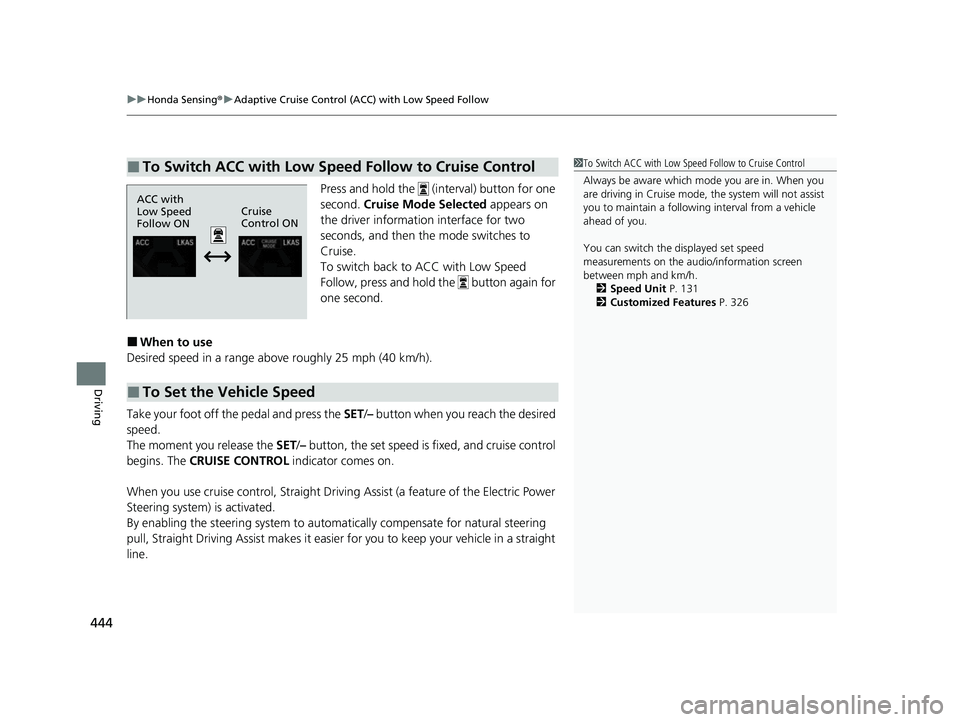
Press and hold the (interval) button for one
second. Cruise Mode Selected appears on
the driver information interface for two
seconds, and then the mode switches to
Cruise.
To switch back to ACC with Low Speed
Follow, press and hold the button again for
one second.
■When to use
Desired speed in a range above roughly 25 mph (40 km/h).
Take your foot off the pedal and press the SET/– button when you reach the desired
speed.
The moment you release the SET /– button, the set speed is fixed, and cruise control
begins. The CRUISE CONTROL indicator comes on.
When you use cruise control, Straight Driv ing Assist (a feature of the Electric Power
Steering system) is activated.
By enabling the steering system to automa tically compensate for natural steering
pull, Straight Driving Assist makes it easier for you to keep your vehicle in a straight
line.
■To Switch ACC with Low Speed Follow to Cruise Control1 To Switch ACC with Low Speed Follow to Cruise Control
Always be aware which mode you are in. When you
are driving in Cruise mode, the system will not assist
you to maintain a followi ng interval from a vehicle
ahead of you.
You can switch the displayed set speed
measurements on the audio/information screen
between mph and km/h. 2 Speed Unit P. 131
2 Customized Features P. 326
ACC with
Low Speed
Follow ONCruise
Control ON
■To Set the Vehicle Speed
22 INSIGHT HMIN-31TXM6300.book 444 ページ 2021年2月24日 水曜日 午後3時45分
Page 456 of 609
Continued455
uuHonda Sensing ®u Road Departure Mitigation (RDM) System
Driving
The system activates when all the following conditions are met:
• The vehicle is traveling between about 45 and 90 mph (72 and 145 km/h).
• The vehicle is on a straight or slightly curved road.
• The turn signals are off.
• The brake pedal is not depressed.
• The wipers are not in continuous operation.
• The system makes a determination that th e driver is not actively accelerating,
braking or steering.
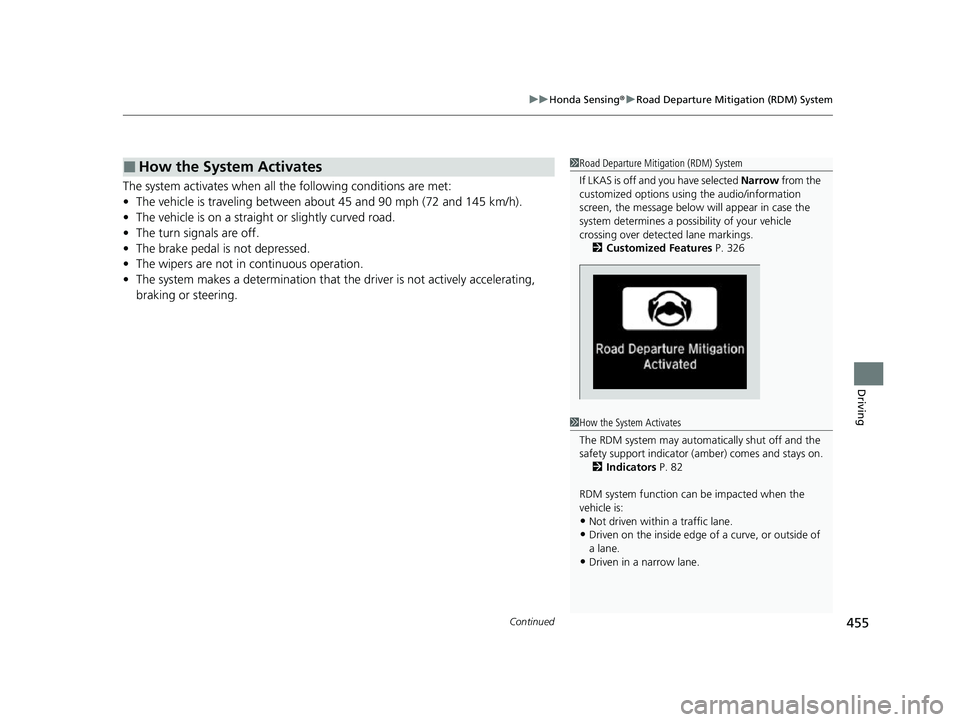
■How the System Activates1 Road Departure Mitigation (RDM) System
If LKAS is off and you have selected Narrow from the
customized options using the audio/information
screen, the message below will appear in case the
system determines a possibility of your vehicle
crossing over detect ed lane markings.
2 Customized Features P. 326
1How the System Activates
The RDM system may automa tically shut off and the
safety support indicator (a mber) comes and stays on.
2 Indicators P. 82
RDM system function can be impacted when the
vehicle is:
•Not driven within a traffic lane.
•Driven on the inside edge of a curve, or outside of
a lane.
•Driven in a narrow lane.
22 INSIGHT HMIN-31TXM6300.book 455 ページ 2021年2月24日 水曜日 午後3時45分
Page 457 of 609
uuHonda Sensing ®u Road Departure Mitigation (RDM) System
456
Driving
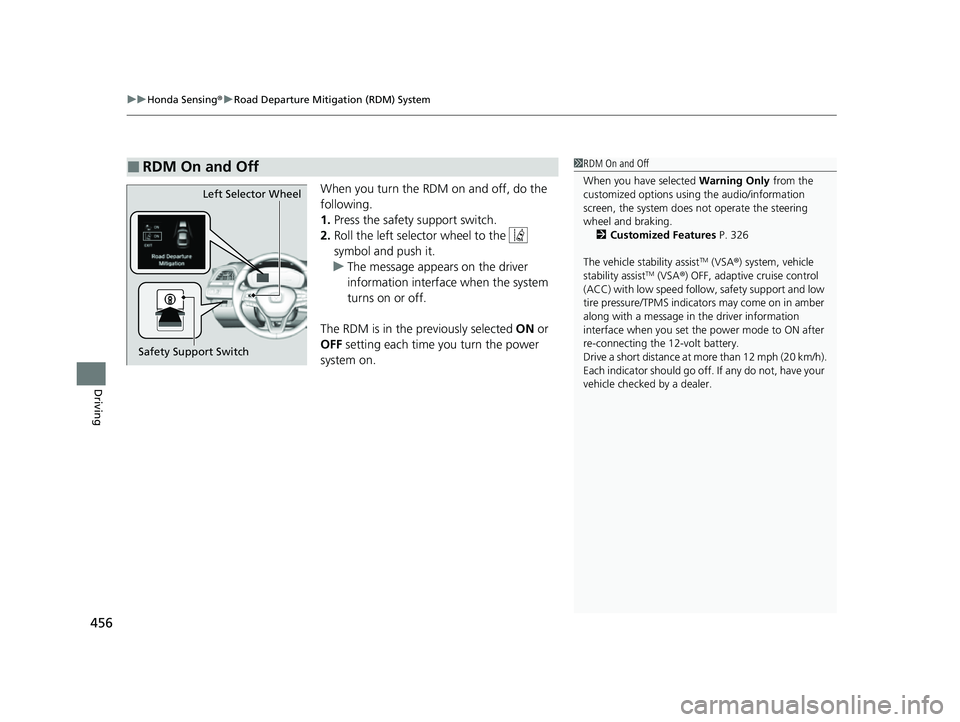
When you turn the RDM on and off, do the
following.
1. Press the safety support switch.
2. Roll the left selector wheel to the
symbol and push it.
u The message appears on the driver
information interface when the system
turns on or off.
The RDM is in the previously selected ON or
OFF setting each time you turn the power
system on.
■RDM On and Off1 RDM On and Off
When you have selected Warning Only from the
customized options using the audio/information
screen, the system does not operate the steering
wheel and braking. 2 Customized Features P. 326
The vehicle stability assist
TM (VSA ®) system, vehicle
stability assistTM (VSA ®) OFF, adaptive cruise control
(ACC) with low speed follow, safety support and low
tire pressure/TPMS indicato rs may come on in amber
along with a message in the driver information
interface when you set the power mode to ON after
re-connecting the 12-volt battery.
Drive a short distance at mo re than 12 mph (20 km/h).
Each indicator should go off. If any do not, have your
vehicle checked by a dealer.
Safety Support Switch Left Selector Wheel
22 INSIGHT HMIN-31TXM6300.book 456 ページ 2021年2月24日 水曜日 午後3時45分
Page 484 of 609
483Continued
Driving
Multi-View Rear Camera
About Your Multi-View Rear Camera
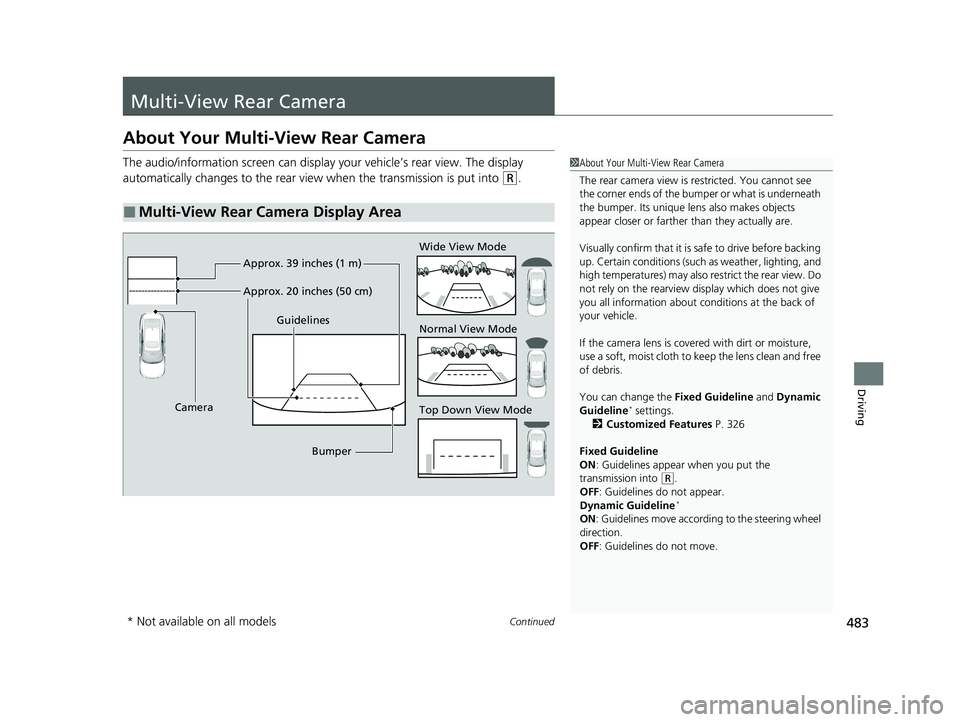
The audio/information screen can display your vehicle’s rear view. The display
automatically changes to the rear view when the transmission is put into
(R.
■Multi-View Rear Camera Display Area
1About Your Multi-View Rear Camera
The rear camera view is restricted. You cannot see
the corner ends of the bumper or what is underneath
the bumper. Its unique le ns also makes objects
appear closer or farther than they actually are.
Visually confirm that it is safe to drive before backing
up. Certain conditions (such as weather, lighting, and
high temperatures) may also restrict the rear view. Do
not rely on the rearview display which does not give
you all information about conditions at the back of
your vehicle.
If the camera lens is cove red with dirt or moisture,
use a soft, moist cloth to keep the lens clean and free
of debris.
You can change the Fixed Guideline and Dynamic
Guideline
* settings.
2 Customized Features P. 326
Fixed Guideline
ON : Guidelines appear when you put the
transmission into
( R.
OFF: Guidelines do not appear.
Dynamic Guideline
*
ON : Guidelines move accord ing to the steering wheel
direction.
OFF: Guidelines do not move.
Top Down View Mode Normal View Mode Wide View Mode
Guidelines
Bumper
Camera Approx. 39 inches (1 m)
Approx. 20 inches (50 cm)
* Not available on all models
22 INSIGHT HMIN-31TXM6300.book 483 ページ 2021年2月24日 水曜日 午後3時45分
Page 485 of 609
484
uuMulti-View Rear Camera uAbout Your Multi-View Rear Camera
Driving
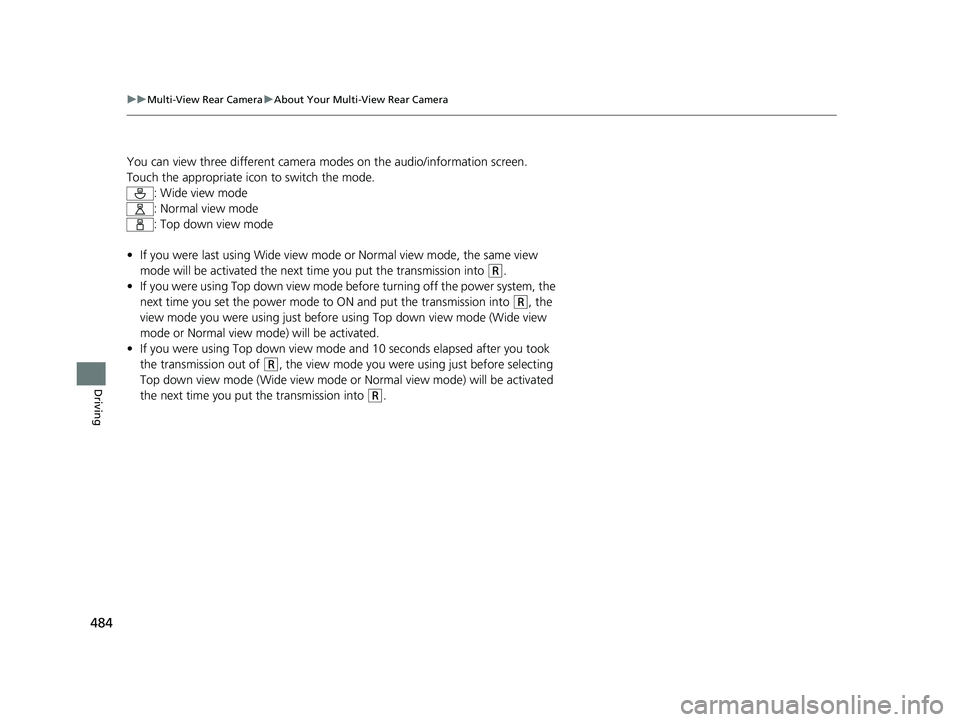
You can view three different camera mo des on the audio/information screen.
Touch the appropriate icon to switch the mode. : Wide view mode
: Normal view mode
: Top down view mode
• If you were last using Wide view mode or Normal view mode, the same view
mode will be activated the next time you put the transmission into
(R.
• If you were using Top down view mode before turning off the power system, the
next time you set the power mode to ON and put the transmission into
(R, the
view mode you were using just before using Top down view mode (Wide view
mode or Normal view mode) will be activated.
• If you were using Top down view mode and 10 seconds elapsed after you took
the transmission out of
(R, the view mode you were using just before selecting
Top down view mode (Wide view mode or Normal view mode) will be activated
the next time you put the transmission into
(R.
22 INSIGHT HMIN-31TXM6300.book 484 ページ 2021年2月24日 水曜日 午後3時45分