instrument panel HONDA ODYSSEY 1995 User Guide
[x] Cancel search | Manufacturer: HONDA, Model Year: 1995, Model line: ODYSSEY, Model: HONDA ODYSSEY 1995Pages: 240, PDF Size: 2.44 MB
Page 49 of 240
Steering Wheel Controls
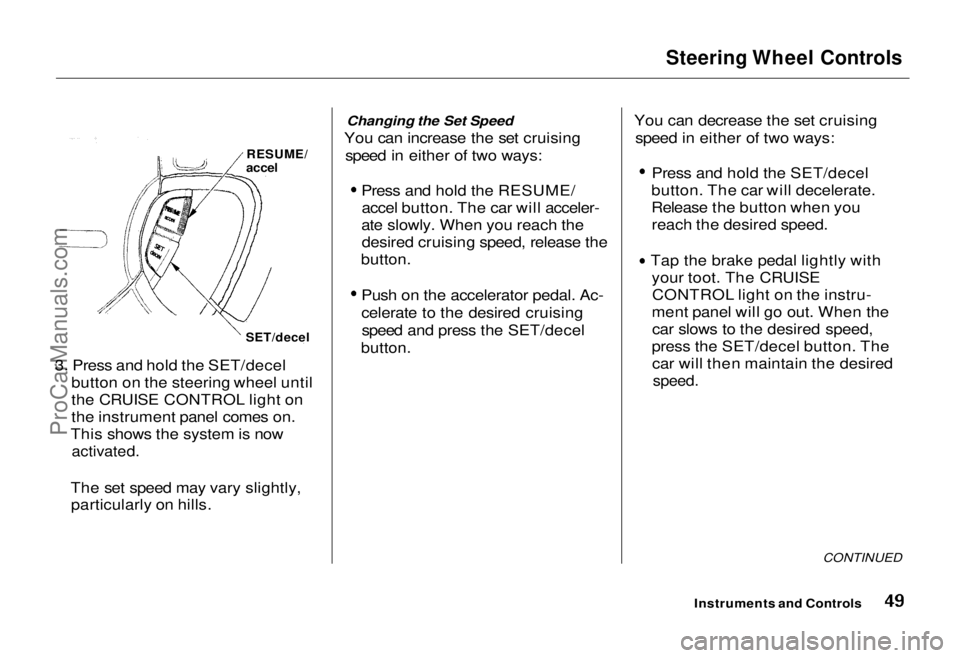
3. Press and hold the SET/decel button on the steering wheel until
the CRUISE CONTROL light on
the instrument panel comes on.
This shows the system is now
activated.
The set speed may vary slightly, particularly on hills. Changing the Set Speed
You can increase the set cruising speed in either of two ways:
Press and hold the RESUME/accel button. The car will acceler-
ate slowly. When you reach the desired cruising speed, release the
button.
Push on the accelerator pedal. Ac-
celerate to the desired cruisingspeed and press the SET/decel
button.
You can decrease the set cruising
speed in either of two ways:
Press and hold the SET/decel
button. The car will decelerate.
Release the button when you reach the desired speed.
Tap the brake pedal lightly with your toot. The CRUISECONTROL light on the instru-
ment panel will go out. When the car slows to the desired speed,
press the SET/decel button. The car will then maintain the desired
speed.
CONTINUED
Instruments and Controls
RESUME/
accel
SET/decelProCarManuals.comMain Menu Table of Contents s t
Page 50 of 240
Steering Wheel Controls
Even with the cruise control turned
on, you can still use the accelerator
pedal to speed up for passing. After
completing the pass, take your foot
off the accelerator pedal. The car
will return to the set cruising speed.
Resting your foot on the brake or
clutch pedal will cause the cruise
control to cancel.
Cancelling the Cruise Control
Any of these actions cause the cruise control to cancel.
Tap the brake pedal.Press the SET/decel and RE-
SUME/accel buttons at the same
time.
Press the Cruise Control Master
Switch.
When you tap the brake pedal, or press the SET and RESUME buttonsat the same time, the CRUISE
CONTROL light on the instrument
panel will go out and the car will
begin to slow down. You can use the
accelerator pedal in the normal way. If you use the brake pedal to cancel
cruise control, the system retains the
previously-set cruising speed. To
return to that speed, accelerate to
above 25 mph (40 km/h) and press
the RESUME/accel button until the CRUISE CONTROL light comes on.
The car will accelerate to the same cruising speed as before.
If you cancel cruise control by
pressing the SET and RESUME
buttons at the same time, the previously-set cruising speed iserased. To use the cruise control,
accelerate to the desired cruisingspeed and press the SET/decel
button.
Pressing the Cruise Control Master
Switch turns the system completely off and erases the previous cruising
speed from memory. To use the
system again, refer to Using the
Cruise Control.
Instruments and ControlsProCarManuals.comMain Menu Table of Contents s t
Page 52 of 240
Keys and Locks
Ignition Switch
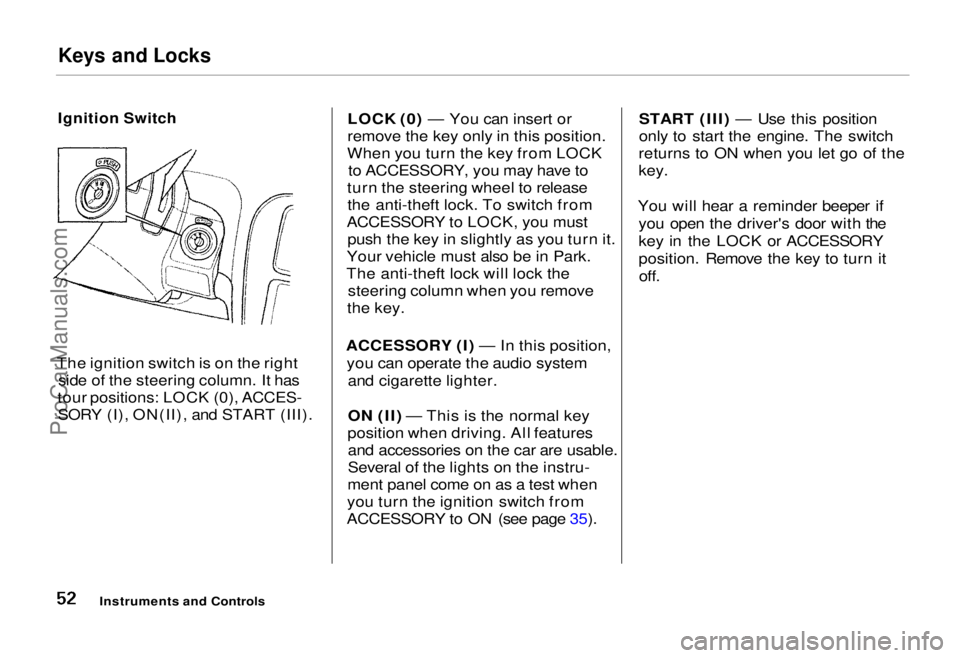
The ignition switch is on the right side of the steering column. It has
tour positions: LOCK (0), ACCES- SORY (I), ON(II), and START (III). LOCK (0) — You can insert or
remove the key only in this position.
When you turn the key from LOCK to ACCESSORY, you may have to
turn the steering wheel to release the anti-theft lock. To switch from
ACCESSORY to LOCK, you must push the key in slightly as you turn it.
Your vehicle must also be in Park.
The anti-theft lock will lock the steering column when you remove
the key.
ACCESSORY (I) — In this position, you can operate the audio system and cigarette lighter.
ON (II) — This is the normal key
position when driving. All features and accessories on the car are usable.
Several of the lights on the instru-
ment panel come on as a test when
you turn the ignition switch from
ACCESSORY to ON (see page 35). START (III) — Use this position
only to start the engine. The switch
returns to ON when you let go of the
key.
You will hear a reminder beeper if you open the driver's door with the
key in the LOCK or ACCESSORY
position. Remove the key to turn itoff.
Instruments and ControlsProCarManuals.comMain Menu Table of Contents s t
Page 61 of 240
Seats
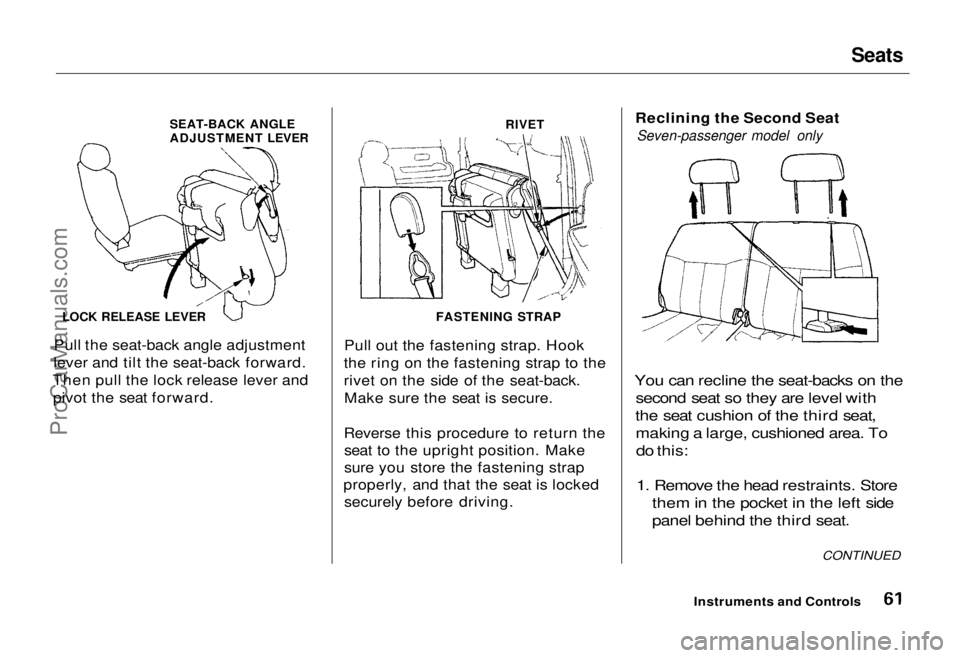
SEAT-BACK ANGLE
ADJUSTMENT LEVER
RIVET
LOCK RELEASE LEVER
Pull the seat-back angle adjustment
lever and tilt the seat-back forward.
Then pull the lock release lever and pivot the seat forward. Pull out the fastening strap. Hook
the ring on the fastening strap to the
rivet on the side of the seat-back. Make sure the seat is secure.
Reverse this procedure to return the seat to the upright position. Make
sure you store the fastening strap
properly, and that the seat is locked securely before driving. Reclining the Second Seat
Seven-passenger model only
You can recline the seat-backs on the second seat so they are level with
the seat cushion of the third seat, making a large, cushioned area. Todo this:
1. Remove the head restraints. Store them in the pocket in the left side
panel behind the third seat.
Instruments and Controls CONTINUED
FASTENING STRAPProCarManuals.comMain Menu Table of Contents s t
Page 62 of 240

Seats
ANGLE ADJUSTMENT LEVER
SLIDE LEVER
2. Lift the lever and slide the seat forward as far as it will go. Pull theseat-back angle adjustment lever
and pivot the seat-back backward.
Release the lever when the seat-
back is even with the cushion on
the third seat.
Reverse this procedure to return the second seat to the upright position.
Make sure you install the head
restraints before driving (see page 58). Folding the Third Seat in All
Models
To create more cargo space, you can fold the third seat into the floor
recess.
To fold the third seat:
1. Remove the head restraints. Store them in the pocket in the left side
panel.
KNOB
2. Unlock the seat-back by turning
the knob. Push the seat-back
forward.
Instruments and ControlsProCarManuals.comMain Menu Table of Contents s t
Page 64 of 240
Power Windows
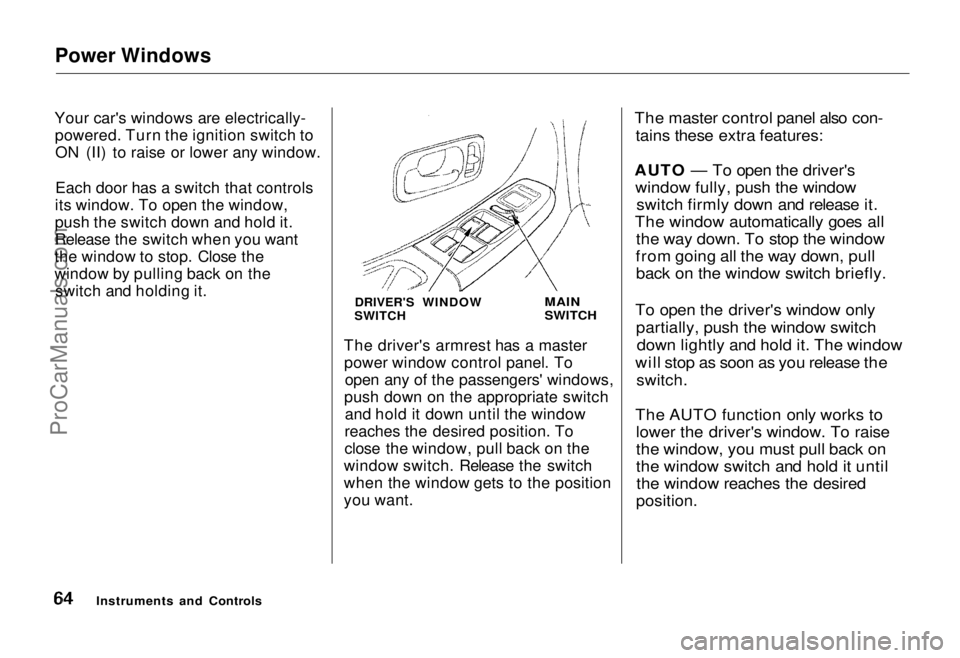
Your car's windows are electrically- powered. Turn the ignition switch toON (II) to raise or lower any window.
Each door has a switch that controls
its window. To open the window,
push the switch down and hold it.
Release the switch when you want
the window to stop. Close the
window by pulling back on the switch and holding it.
DRIVER'S WINDOW
SWITCH
MAIN
SWITCH
The driver's armrest has a master power window control panel. To open any of the passengers' windows,
push down on the appropriate switch and hold it down until the window
reaches the desired position. To
close the window, pull back on the
window switch. Release the switch
when the window gets to the position
you want.
The master control panel also con-
tains these extra features:
AUTO — To open the driver's window fully, push the window switch firmly down and release it.
The window automatically goes all the way down. To stop the window
from going all the way down, pull back on the window switch briefly.
To open the driver's window only partially, push the window switchdown lightly and hold it. The window
will stop as soon as you release the
switch.
The AUTO function only works to lower the driver's window. To raise
the window, you must pull back on
the window switch and hold it untilthe window reaches the desired
position.
Instruments and ControlsProCarManuals.comMain Menu Table of Contents s t
Page 66 of 240
Sunroof, Mirrors
If yon try to open the sunroof in below-
freezing temperatures, or when it is
covered with snow or ice, yon can
damage the sunroof panel or motor. Mirrors
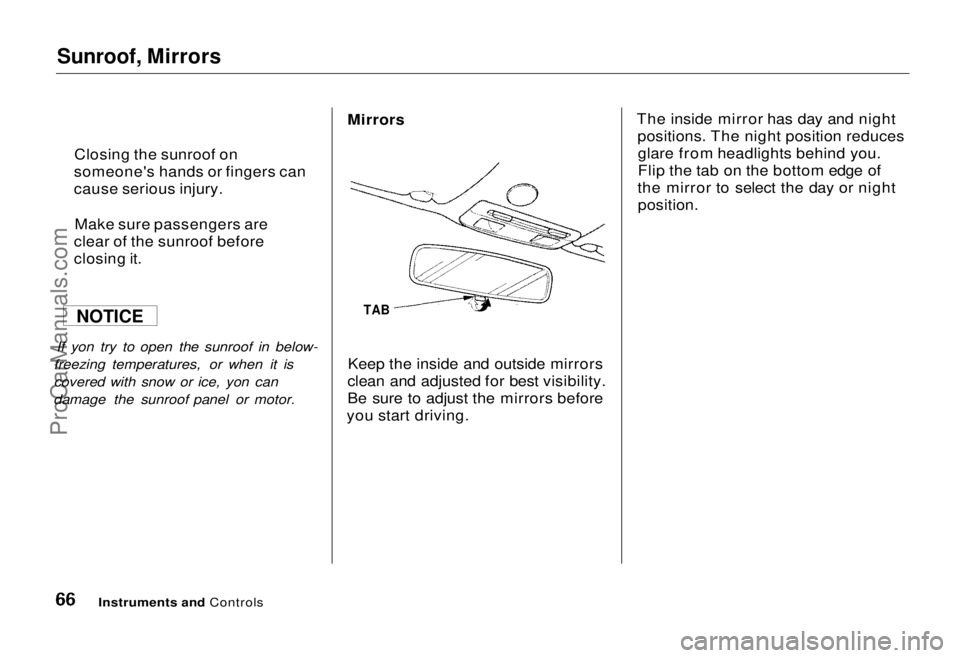
TAB
Keep the inside and outside mirrors
clean and adjusted for best visibility.
Be sure to adjust the mirrors before
you start driving. The inside mirror has day and night
positions. The night position reducesglare from headlights behind you.
Flip the tab on the bottom edge of
the mirror to select the day or night
position.
Instruments and Controls
Closing the sunroof on
someone's hands or fingers can
cause serious injury.
Make sure passengers are
clear of the sunroof before
closing it.
NOTICEProCarManuals.comMain Menu Table of Contents s t
Page 68 of 240
Parking Brake, Digital Clock
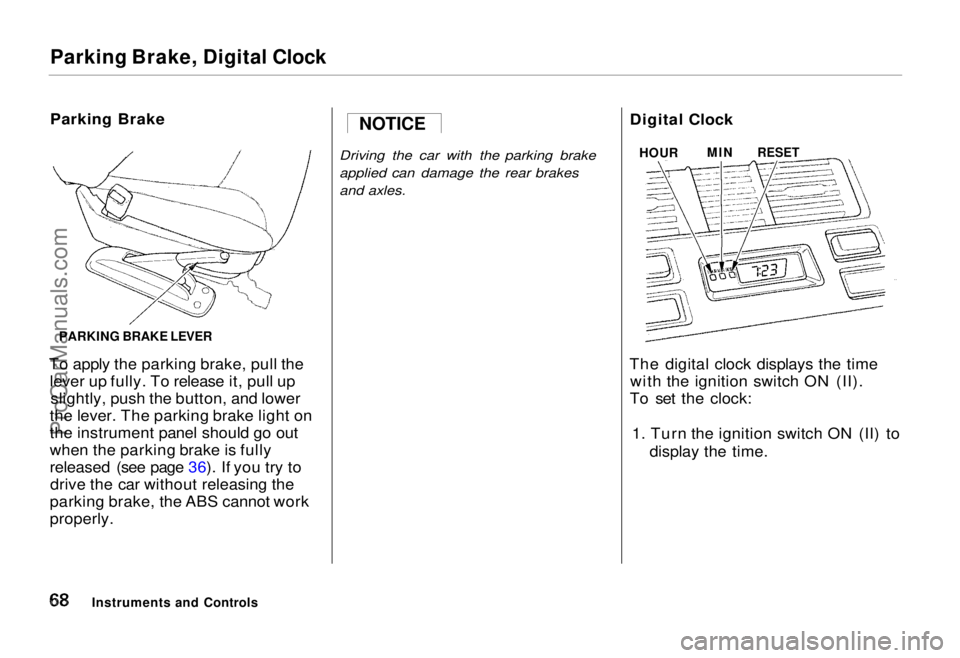
Parking Brake
To apply the parking brake, pull the lever up fully. To release it, pull upslightly, push the button, and lower
the lever. The parking brake light on
the instrument panel should go out
when the parking brake is fully
released (see page 36). If you try to drive the car without releasing the
parking brake, the ABS cannot work
properly.
Driving the car with the parking brake
applied can damage the rear brakes
and axles.
Digital Clock
The digital clock displays the time with the ignition switch ON (II).
To set the clock:
1. Turn the ignition switch ON (II) to display the time.
Instruments and Controls NOTICE
HOUR
MIN
RESET
PARKING BRAKE LEVERProCarManuals.comMain Menu Table of Contents s t
Page 69 of 240
Digital Clock, Beverage Holder
2. Press and hold the HOUR button until the hour advances to the
desired time.
3. Press and hold the MIN. button until the numbers advance to thedesired time.
You can use the RESET button to quickly set the time to the nearest
hour. If the displayed time is before
the half hour, pressing the RESET
button sets the clock back to the
previous hour. If the displayed time
is after the half hour, pressing the RESET button sets the clock for-
ward to the beginning of the next
hour. For example: 1:06 would RESET backward to
1:00.
1:52 would RESET forward to 2:00.
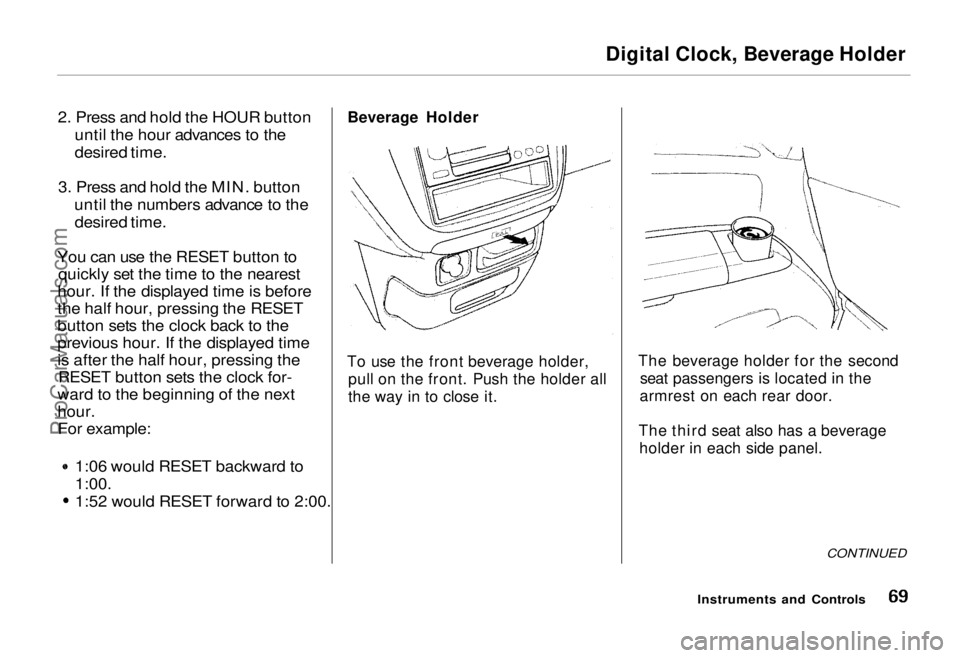
Beverage Holder
To use the front beverage holder, pull on the front. Push the holder all
the way in to close it. The beverage holder for the second
seat passengers is located in the
armrest on each rear door.
The third seat also has a beverage holder in each side panel.
CONTINUED
Instruments and ControlsProCarManuals.comMain Menu Table of Contents s t
Page 71 of 240
Center Pocket, Coin Box, Vanity Mirror
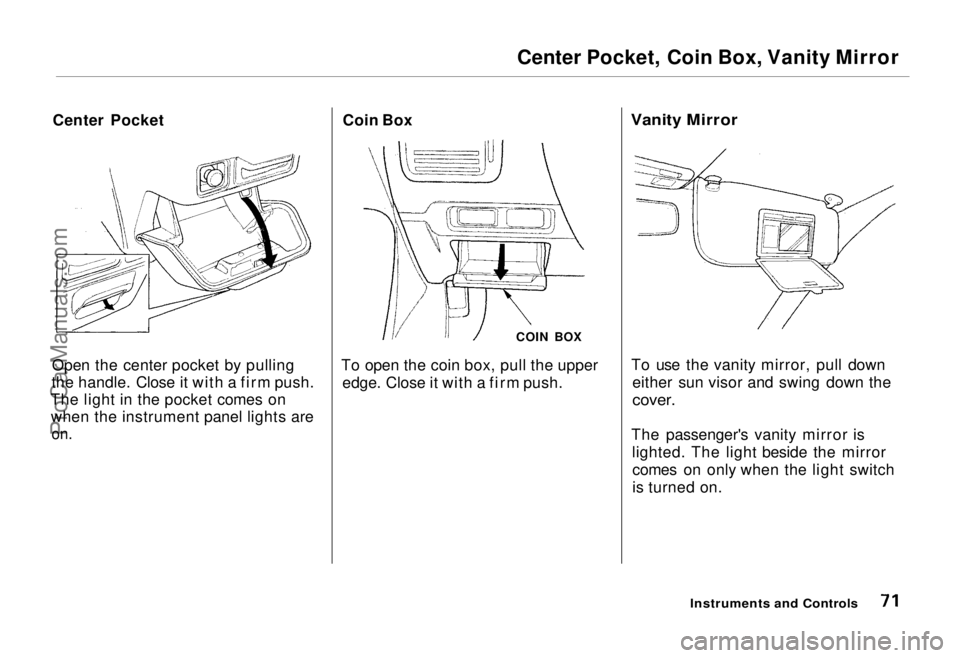
Center Pocket
Open the center pocket by pulling
the handle. Close it with a firm push.
The light in the pocket comes on when the instrument panel lights are
on.
Coin Box
COIN BOX
To open the coin box, pull the upper edge. Close it with a firm push.
Vanity Mirror
To use the vanity mirror, pull down either sun visor and swing down the
cover.
The passenger's vanity mirror is lighted. The light beside the mirrorcomes on only when the light switch
is turned on.
Instruments and ControlsProCarManuals.comMain Menu Table of Contents s t