ECO mode HONDA ODYSSEY 1998 Owner's Manual
[x] Cancel search | Manufacturer: HONDA, Model Year: 1998, Model line: ODYSSEY, Model: HONDA ODYSSEY 1998Pages: 272, PDF Size: 2.67 MB
Page 121 of 272
Audio System
Caring for the Cassette Player
The cassette player picks up dirt and oxides from the tape. This
contamination builds up over time
and causes the sound quality to
degrade. To prevent this, you should
clean the player after every 30 hours
of use.
If you do not clean the cassette
player regularly, it may eventually
become impossible to remove the contamination with a normal
cleaning kit.
Use 100-minute or shorter cassettes.
Cassettes longer than that use
thinner tape that may break or jam
the drive.
Look at the cassette before you
insert it. If the tape is loose, tighten
it by turning a hub with a pencil or
your finger.
If the label is peeling off, remove it
from the cassette or it could cause the cassette to jam in the player.
Never try to insert a warped or
damaged cassette in the player. The player automatically ejects
cassettes that do not play properly. If
it ejects a cassette before it begins to
play, it is probably defective and should not be inserted again. You
may have a cassette suddenly stop
playing, reverse directions once or
twice and then eject. This is normally an indication the tape is wound
unevenly. It should play after the
tape is manually rewound.
When they are not in use, store cassettes in their cases to protect
them from dust and moisture. Never place cassettes where they will be
exposed to direct sunlight, high heat,or high humidity. If a cassette is
exposed to extreme heat or cold, let
it reach a moderate temperature
before inserting it in the player.
Never try to insert foreign objects
into the cassette player.
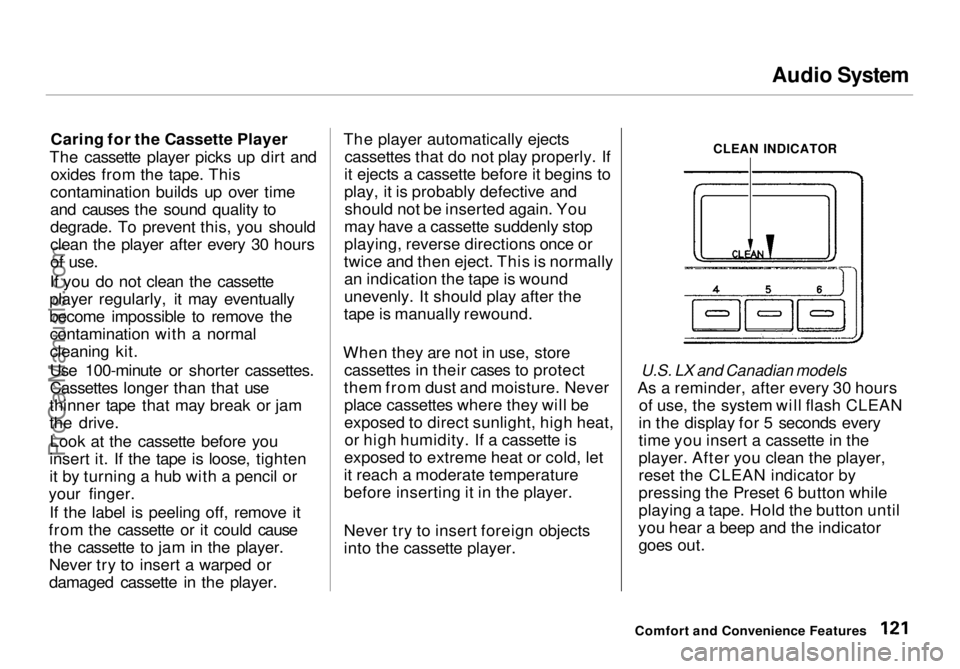
CLEAN INDICATOR
U.S. LX and Canadian models
As a reminder, after every 30 hours of use, the system will flash CLEAN
in the display for 5 seconds every
time you insert a cassette in the
player. After you clean the player,
reset the CLEAN indicator by
pressing the Preset 6 button while
playing a tape. Hold the button until
you hear a beep and the indicator goes out.
Comfort and Convenience FeaturesProCarManuals.comMain Menu Table of Contents s t
Page 123 of 272
Audio System
Press the CD button until "CD"
appears in the display. The system
will start to play the first track of the first disc in the magazine.
When that disc ends, the next disc in the magazine is loaded and played.
After the last disc finishes, the system returns to disc 1.
To select a different disc, press the appropriate preset button (1 — 6). If
you select an empty slot in the magazine, the changer will, after
finding that slot empty, try to load
the CD in the next slot. This continues until it finds a CD to load
and play.
You can use the TUNE/SEEK switch to select tracks within a disc.
If you push and release the TUNE/
SEEK switch, the system will move
to the beginning of a track. Push the switch up to move to the beginning
of the next track, and push the
switch down to move to the begin-
ning of the current track. If you push and hold the TUNE/
SEEK switch, you will hear a beep
and the system will continue to move
across tracks. Release the switch
when you think it has reached the desired place on the disc.
RPT — When you activate the Repeat feature by pressing the
A. SEL/RPT button, the system continuously replays the current
track. You will see RPT in the display as a reminder. Press the button
again to turn it off.
RANDOM PLAY — This feature,
when activated, plays the tracks on a CD in random order, rather than in
the order they are recorded on the CD. To activate Random Play, press
the A. SEL/RPT button until you see
A. SEL in the display. The system will then select and play tracksrandomly on the current disc. When
all tracks on that disc have been
played, the next disc is loaded and played randomly. This continues
until you deactivate Random Play by
pressing A. SEL/RPT again.
If the system is in Repeat mode, you
must turn it off by pressing A. SEL/RPT before you can select Random
Play. Then press the button again
until you see A. SEL displayed.
To take the system out of CD mode, press the AM or FM button, or inserta cassette in the player. When you
return to CD mode, play will contin-
ue at the same disc and track.
If you turn the system off while a CD
is playing, either with the PWR/VOL
knob or the ignition switch, play will
continue at the same point when you
turn it back on.
Comfort and Convenience FeaturesProCarManuals.comMain Menu Table of Contents s t
Page 128 of 272
Break-in Period, Gasoline
Break-in Period
Help assure your vehicle's future
reliability and performance by paying extra attention to how you drive
during the first 600 miles (1,000 km).
During this period:
Avoid full-throttle starts and rapid
acceleration.
Avoid hard braking. New brakes
need to be broken-in by moderate
use for the first 200 miles (300
km).
You should follow these same re- commendations with an overhauled
or exchanged engine, or when the
brakes are relined.
Gasoline
Your Honda is designed to operate on unleaded gasoline with a pump
octane number of 86 or higher. Use
of a lower octane gasoline can cause
a persistent, heavy metallic rapping
noise in the engine that can lead to
mechanical damage.
We recommend gasolines containing detergent additives that help prevent
fuel system and engine deposits.
Using gasoline containing lead will
damage your vehicle's emissions
controls. This contributes to air
pollution. In Canada, some gasolines contain
an octane-enhancing additive called
MMT. If you use such gasolines,
your emission control system performance may deteriorate and
the Malfunction Indicator Lamp on
your instrument panel may turn on. If this happens, contact your
authorized Honda dealer for service.
Before DrivingProCarManuals.comMain Menu Table of Contents s t
Page 133 of 272
Fuel Economy
The condition of your vehicle and
your driving habits are the two most important things that affect the fuel
mileage you get.
Vehicle Condition Always maintain your vehicle accord- ing to the maintenance schedule.
This will keep it in top operating condition.
An important part of that mainte- nance is the Owner Maintenance
Checks (see page 146). For
example, an underinflated tire
causes more "rolling resistance,"
which uses fuel. It also wears out faster, so check the tire pressure at
least monthly.
In winter, the build-up of snow on
your vehicle's underside adds weight and rolling resistance. Frequent
cleaning helps your fuel mileage and
reduces the chance of corrosion. Driving Habits
You can improve fuel economy by driving moderately. Rapid acceler-
ation, abrupt cornering, and hard
braking use more fuel.
Always drive in the highest gear that allows the engine to run and acceler-
ate smoothly.
Depending on traffic conditions, try
to maintain a constant speed. Every
time you slow down and speed up,
your vehicle uses extra fuel. Use the cruise control, when appropriate, to
increase fuel economy. A cold engine uses more fuel than a
warm engine. It is not necessary to"warm-up" a cold engine by letting it
idle for a long time. You can drive away in about a minute, no matter
how cold it is outside. The engine
will warm up faster, and you get
better fuel economy. To cut clown on the number of "cold starts," try tocombine several short trips into one.
The air conditioning puts an extra load on the engine which makes it
use more fuel. Turn off the A/C tocut down on air conditioning use.
Use the flow-through ventilation
when the outside air temperature is moderate.
Before DrivingProCarManuals.comMain Menu Table of Contents s t
Page 189 of 272
Battery
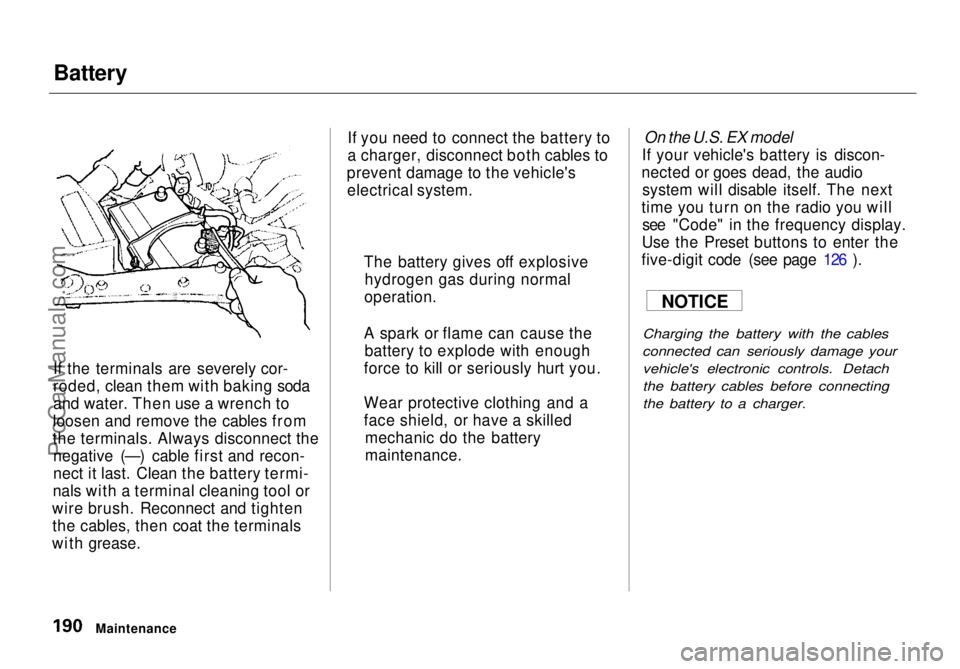
If the terminals are severely cor-
roded, clean them with baking soda
and water. Then use a wrench to
loosen and remove the cables from
the terminals. Always disconnect the negative (—) cable first and recon-
nect it last. Clean the battery termi-
nals with a terminal cleaning tool or
wire brush. Reconnect and tighten the cables, then coat the terminals
with grease. If you need to connect the battery to
a charger, disconnect both cables to
prevent damage to the vehicle's electrical system.
On the U.S. EX model
If your vehicle's battery is discon-
nected or goes dead, the audio system will disable itself. The next
time you turn on the radio you will see "Code" in the frequency display.
Use the Preset buttons to enter the
five-digit code (see page 126 ).
Charging the battery with the cables
connected can seriously damage your vehicle's electronic controls. Detach
the battery cables before connecting
the battery to a charger.
Maintenance The battery gives off explosive
hydrogen gas during normal
operation.
A spark or flame can cause the battery to explode with enough
force to kill or seriously hurt you.
Wear protective clothing and a
face shield, or have a skilled mechanic do the battery
maintenance. NOTICEProCarManuals.comMain Menu Table of Contents s t
Page 233 of 272
Malfunction Indicator Lamp
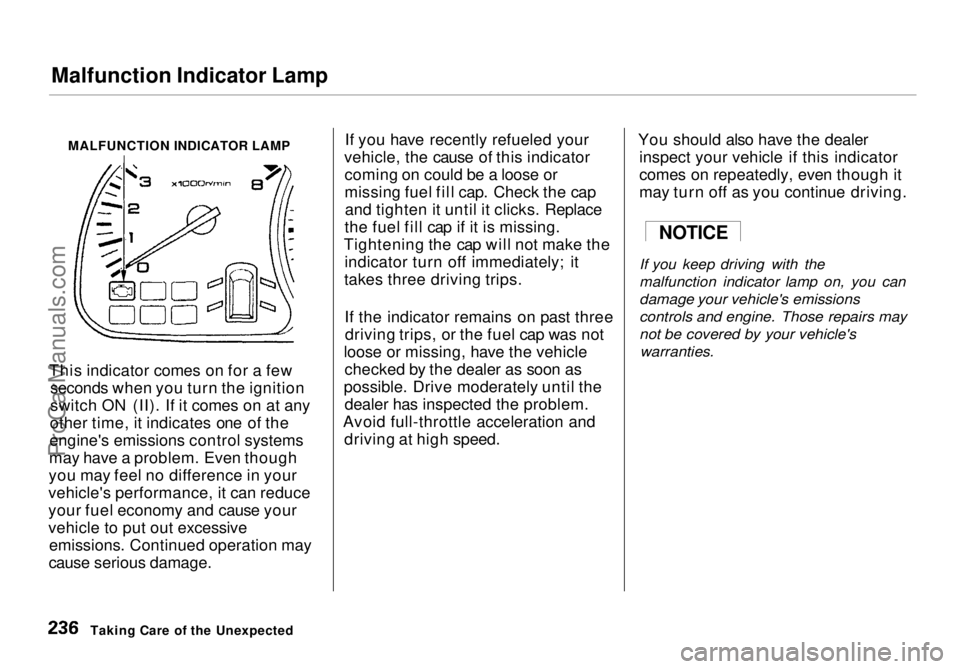
MALFUNCTION INDICATOR LAMP
This indicator comes on for a few seconds when you turn the ignition
switch ON (II). If it comes on at any
other time, it indicates one of the
engine's emissions control systems
may have a problem. Even though
you may feel no difference in your
vehicle's performance, it can reduce
your fuel economy and cause your
vehicle to put out excessive emissions. Continued operation may
cause serious damage. If you have recently refueled your
vehicle, the cause of this indicator coming on could be a loose or
missing fuel fill cap. Check the capand tighten it until it clicks. Replace
the fuel fill cap if it is missing.
Tightening the cap will not make the indicator turn off immediately; it
takes three driving trips.
If the indicator remains on past threedriving trips, or the fuel cap was not
loose or missing, have the vehicle checked by the dealer as soon as
possible. Drive moderately until the dealer has inspected the problem.
Avoid full-throttle acceleration and driving at high speed. You should also have the dealer
inspect your vehicle if this indicator
comes on repeatedly, even though it
may turn off as you continue driving.
If you keep driving with the
malfunction indicator lamp on, you can
damage your vehicle's emissions
controls and engine. Those repairs may
not be covered by your vehicle's
warranties.
Taking Care of the Unexpected
NOTICEProCarManuals.comMain Menu Table of Contents s t