parking brake HONDA ODYSSEY 1998 Owners Manual
[x] Cancel search | Manufacturer: HONDA, Model Year: 1998, Model line: ODYSSEY, Model: HONDA ODYSSEY 1998Pages: 272, PDF Size: 2.67 MB
Page 50 of 272
Instruments and Controls
This section gives information about
the controls and displays thatcontribute to the daily operation of
your Honda. All the essential
controls are within easy reach.
Control Locations............................ 50
Indicator Lights................................ 51
Gauges.............................................. 54
Tachometer.................................. 54
Trip Meter.................................... 54
Speedometer................................ 55
Odometer...................................... 55
Temperature Gauge.................... 55
Fuel Gauge................................... 55
Maintenance Required
Indicator.................................... 56
Controls Near the Steering
Wheel........................................ 57
Headlights.................................... 58
Daytime Running Lights............. 58
Instrument Panel Brightness..... 59
Turn Signals................................. 59
Windshield Wipers...................... 60
Windshield Washers................... 61
Rear Window Wiper and
Washer...................................... 61
Hazard Warning........................... 61
Rear Window Defogger.............. 62
Steering Wheel Adjustment....... 62
Steering Wheel Controls ................ 64
Cruise Control.............................. 64
Keys and Locks................................ 67
Keys............................................... 67
Immobilizer System..................... 68
Ignition Switch............................. 69
Power Door Locks....................... 70
Remote Transmitter.................... 71
Childproof Door Locks............... 72
Tailgate......................................... 72
Glove Box..................................... 73
Seats.................................................. 74
Passenger Seating....................... 74
Seat Adjustments......................... 74
Driver's Seat Power Height
Adjustment............................... 75
Armrests....................................... 76
Head Restraints........................... 76
Third Seat Access........................ 77
Removing the Second Seats
in the Six-Passenger Model.... 78
Folding the Second Seats
in the Seven-Passenger
Model.................................... 78
Reclining the Second Seat.......... 79
Folding the Third Seat
in All Models............................ 80
Power Windows............................... 82
Sunroof.............................................. 83
Mirrors.............................................. 84
Adjusting the Power Mirrors..... 84
Parking Brake.................................. 85
Digital Clock..................................... 86 Beverage Holder.............................. 86
Dashboard Compartment............... 88
Center Pocket.................................. 88
Vanity Mirror................................... 88
Cigarette Lighter............................. 89
Ashtrays............................................ 89 Interior Lights.................................. 90
Ceiling Lights............................... 90
Spotlights...................................... 90
Tailgate Light............................... 91 Courtesy Lights........................... 91
Instruments and ControlsProCarManuals.comMain Menu s t
Page 52 of 272
Indicator Lights
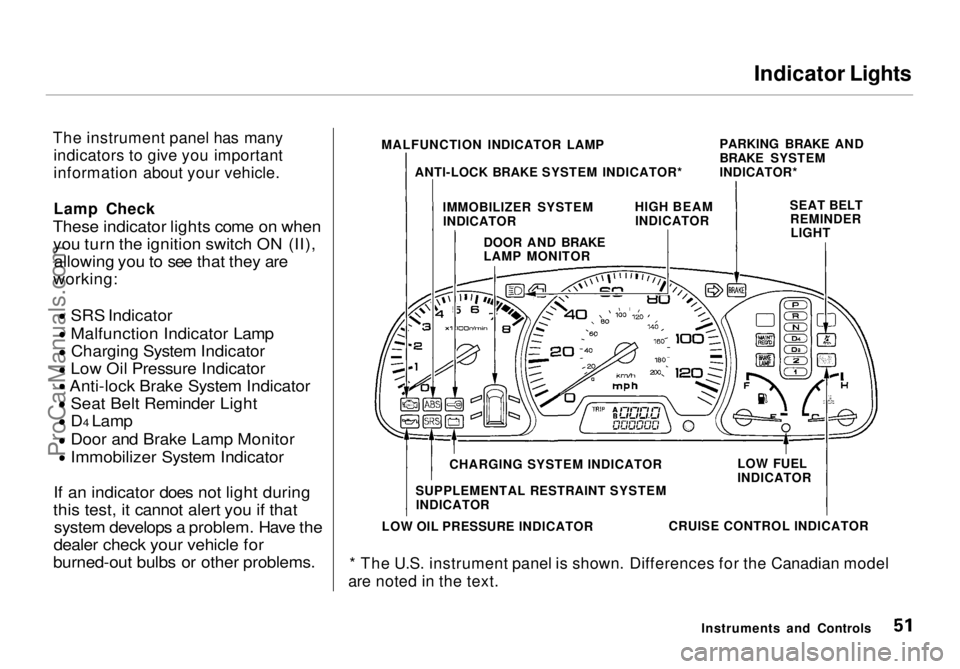
The instrument panel has many indicators to give you important
information about your vehicle.
Lamp Check
These indicator lights come on when you turn the ignition switch ON (II), allowing you to see that they are
working:
SRS Indicator
Malfunction Indicator Lamp
Charging System Indicator
Low Oil Pressure Indicator
Anti-lock Brake System Indicator
Seat Belt Reminder Light
D4 Lamp
Door and Brake Lamp Monitor
Immobilizer System Indicator
If an indicator does not light during
this test, it cannot alert you if that system develops a problem. Have the
dealer check your vehicle for
burned-out bulbs or other problems.
* The U.S. instrument panel is shown. Differences for the Canadian model
are noted in the text.
Instruments and Controls
MALFUNCTION INDICATOR LAMP
ANTI-LOCK BRAKE SYSTEM INDICATOR* PARKING BRAKE AND
BRAKE SYSTEM
INDICATOR*
IMMOBILIZER SYSTEM INDICATOR HIGH BEAM
INDICATOR SEAT BELT
REMINDERLIGHT
DOOR AND BRAKE
LAMP MONITOR
CHARGING SYSTEM INDICATOR
SUPPLEMENTAL RESTRAINT SYSTEM INDICATOR
LOW OIL PRESSURE INDICATOR CRUISE CONTROL INDICATORLOW FUEL
INDICATORProCarManuals.comMain Menu Table of Contents s t
Page 53 of 272
Indicator Lights
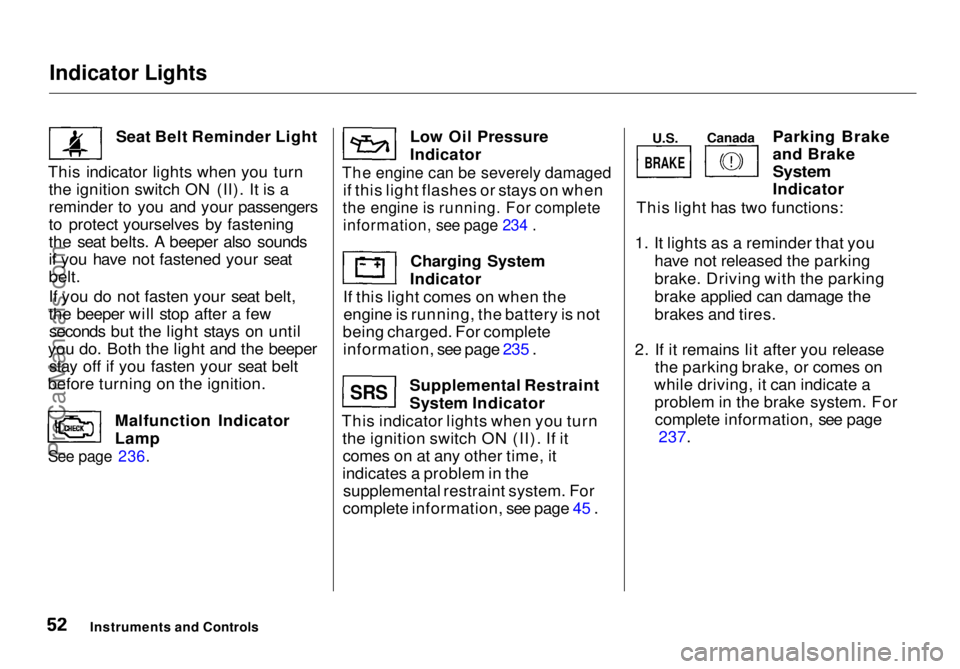
Seat Belt Reminder Light
This indicator lights when you turn the ignition switch ON (II). It is a
reminder to you and your passengers
to protect yourselves by fastening
the seat belts. A beeper also sounds
if you have not fastened your seat
belt.
If you do not fasten your seat belt,
the beeper will stop after a fewseconds but the light stays on until
you do. Both the light and the beeper stay off if you fasten your seat belt
before turning on the ignition.
Malfunction Indicator
Lamp
See page 236.
Low Oil Pressure
Indicator
The engine can be severely damaged
if this light flashes or stays on when
the engine is running. For complete
information, see page 234 .
Charging System
Indicator
If this light comes on when the engine is running, the battery is not
being charged. For complete information, see page 235 .
Supplemental Restraint
System Indicator
This indicator lights when you turn the ignition switch ON (II). If itcomes on at any other time, it
indicates a problem in the supplemental restraint system. For
complete information, see page 45 . Parking Brake
and Brake
System
Indicator
This light has two functions:
1. It lights as a reminder that you have not released the parking
brake. Driving with the parking
brake applied can damage the
brakes and tires.
2. If it remains lit after you release the parking brake, or comes on
while driving, it can indicate a problem in the brake system. Forcomplete information, see page 237.
Instruments and Controls
SRS
BRAKE
U.S.
Canada
ProCarManuals.comMain Menu Table of Contents s t
Page 55 of 272
Indicator Lights, Gauges
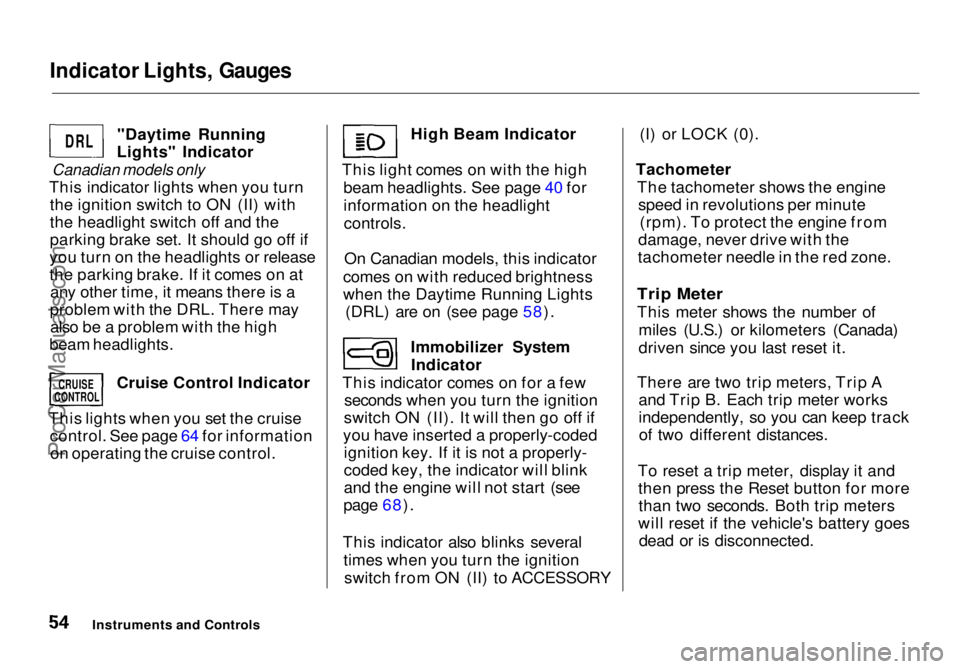
"Daytime Running
Lights" Indicator
Canadian models only
This indicator lights when you turn the ignition switch to ON (II) with
the headlight switch off and the
parking brake set. It should go off if
you turn on the headlights or release
the parking brake. If it comes on at any other time, it means there is a
problem with the DRL. There may also be a problem with the high
beam headlights.
Cruise Control Indicator
This lights when you set the cruise control. See page 64 for informationon operating the cruise control. High Beam Indicator
This light comes on with the high beam headlights. See page 40 for
information on the headlightcontrols.
On Canadian models, this indicator
comes on with reduced brightness
when the Daytime Running Lights (DRL) are on (see page 58).
Immobilizer SystemIndicator
This indicator comes on for a few seconds when you turn the ignition
switch ON (II). It will then go off if
you have inserted a properly-coded ignition key. If it is not a properly-
coded key, the indicator will blink
and the engine will not start (see
page 68).
This indicator also blinks several times when you turn the ignitionswitch from ON (II) to ACCESSORY (I) or LOCK (0).
Tachometer The tachometer shows the enginespeed in revolutions per minute (rpm). To protect the engine from
damage, never drive with the
tachometer needle in the red zone.
Trip Meter
This meter shows the number of miles (U.S.) or kilometers (Canada)
driven since you last reset it.
There are two trip meters, Trip A and Trip B. Each trip meter works
independently, so you can keep trackof two different distances.
To reset a trip meter, display it and then press the Reset button for morethan two seconds. Both trip meters
will reset if the vehicle's battery goes dead or is disconnected.
Instruments and Controls
DRL
CRUISE
CONTROL
ProCarManuals.comMain Menu Table of Contents s t
Page 59 of 272
Controls Near the Steering Wheel
Headlights
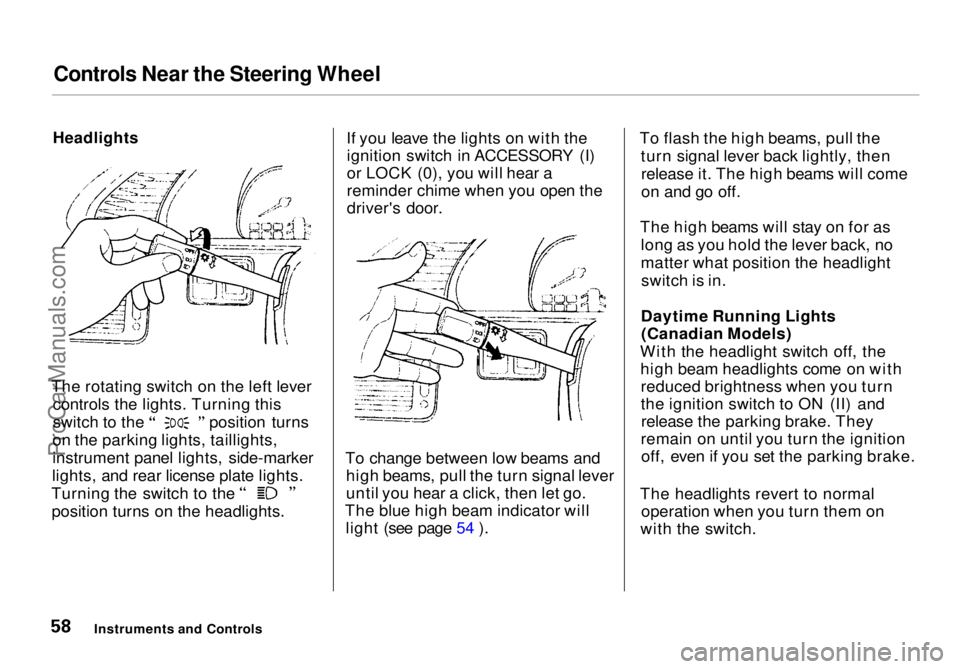
The rotating switch on the left lever controls the lights. Turning this switch to the position turns
on the parking lights, taillights,
instrument panel lights, side-marker
lights, and rear license plate lights. Turning the switch to the
position turns on the headlights. If you leave the lights on with the
ignition switch in ACCESSORY (I)
or LOCK (0), you will hear a
reminder chime when you open the
driver's door.
To change between low beams and high beams, pull the turn signal lever
until you hear a click, then let go.
The blue high beam indicator will light (see page 54 ). To flash the high beams, pull the
turn signal lever back lightly, thenrelease it. The high beams will come
on and go off.
The high beams will stay on for as long as you hold the lever back, no
matter what position the headlightswitch is in.
Daytime Running Lights (Canadian Models)
With the headlight switch off, the high beam headlights come on withreduced brightness when you turn
the ignition switch to ON (II) andrelease the parking brake. They
remain on until you turn the ignition off, even if you set the parking brake.
The headlights revert to normal operation when you turn them on
with the switch.
Instruments and ControlsProCarManuals.comMain Menu Table of Contents s t
Page 86 of 272
Parking Brake
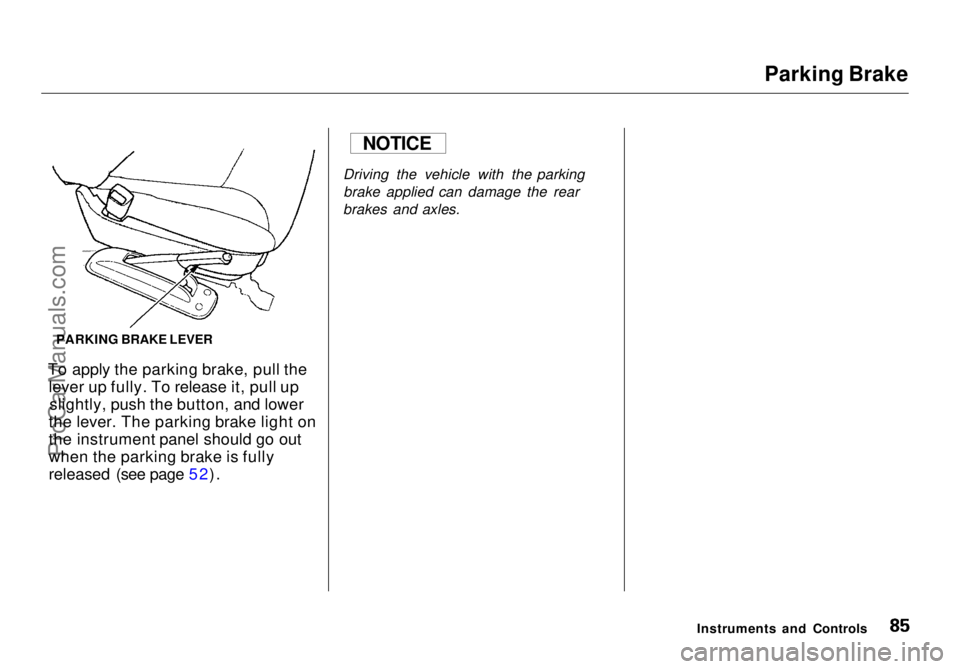
To apply the parking brake, pull the lever up fully. To release it, pull upslightly, push the button, and lower
the lever. The parking brake light on
the instrument panel should go out
when the parking brake is fully
released (see page 52). Driving the vehicle with the parking
brake applied can damage the rear
brakes and axles.
Instruments and Controls
NOTICE
PARKING BRAKE LEVERProCarManuals.comMain Menu Table of Contents s t
Page 130 of 272
Service Station Procedures
Opening the Hood
HOOD RELEASE HANDLE
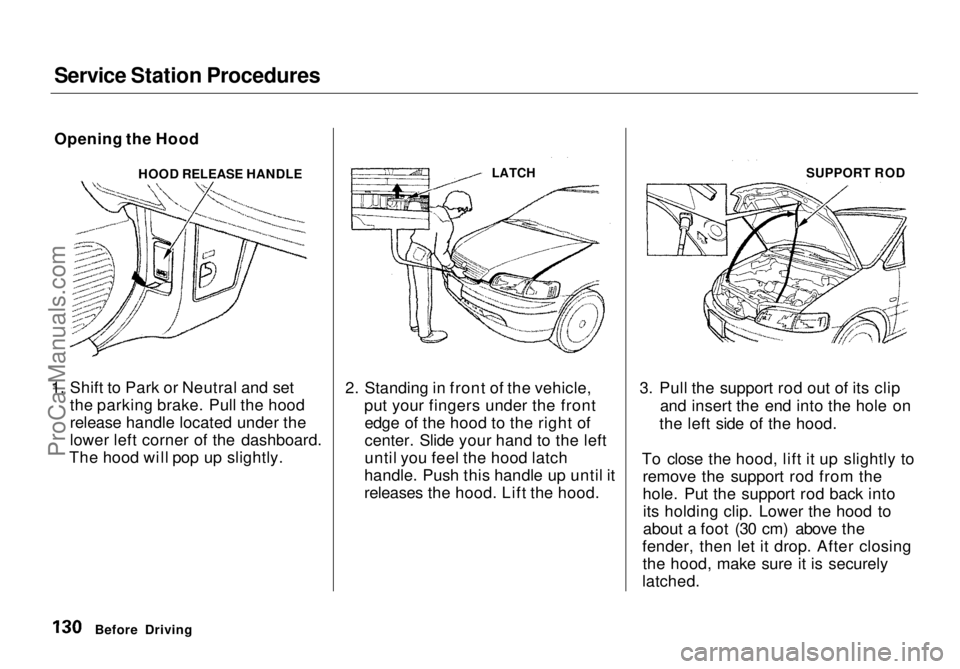
1. Shift to Park or Neutral and set the parking brake. Pull the hood
release handle located under the
lower left corner of the dashboard.
The hood will pop up slightly. 2. Standing in front of the vehicle,
put your fingers under the frontedge of the hood to the right of
center. Slide your hand to the left
until you feel the hood latch
handle. Push this handle up until it
releases the hood. Lift the hood. 3. Pull the support rod out of its clip
and insert the end into the hole on
the left side of the hood.
To close the hood, lift it up slightly to remove the support rod from the
hole. Put the support rod back intoits holding clip. Lower the hood to
about a foot (30 cm) above the
fender, then let it drop. After closing the hood, make sure it is securely
latched.
Before Driving
LATCH
SUPPORT RODProCarManuals.comMain Menu Table of Contents s t
Page 139 of 272
Driving
This section gives you tips on starting the engine under various
conditions, and how to operate the
automatic transmission. It also
includes important information on
parking your vehicle and the braking system, and facts you need if you are
planning to tow a trailer. Preparing to Drive......................... 140
Starting the Engine........................ 141
Starting in Cold Weatherat High Altitude ..................... 141
Automatic Transmission............... 142 Shift Lever Position Indicator.. 142
Shift Lever Positions................. 142
Maximum Allowable Speeds.... 145
Shift Lock Release..................... 145
Parking............................................ 146
The Braking System...................... 147 Brake Wear Indicators.............. 147
Brake System Design................ 147
Anti-lock Brakes........................ 148 Important SafetyReminders.......................... 149
ABS Indicator......................... 149
Driving in Bad Weather................ 150
Towing a Trailer............................ 152
DrivingProCarManuals.comMain Menu s t
Page 141 of 272

Starting the Engine
1. Apply the parking brake.
2. In cold weather, turn off all electrical accessories to reduce
the drain on the battery.
3. Make sure the shift lever is in Park. Press on the brake pedal.
4. Without touching the accelerator pedal, turn the ignition key to theSTART (III) position. If the enginedoes not start right away, do not
hold the key in START (III) for
more than 15 seconds at a time.
Pause for at least 10 seconds
before trying again.
5. If the engine does not start within 15 seconds, or starts but stalls
right away, repeat step 4 with the accelerator pedal pressed half-way
down. If the engine starts, release
pressure on the accelerator pedal so the engine does not race. 6. If the engine still does not start,
press the accelerator pedal all the
way down and hold it there while starting in order to clear flooding.
As before, keep the ignition key in the START (III) position for no
more than 15 seconds. Return tostep 5 if the engine does not start.
If it starts, lift your foot off the
accelerator pedal so the engine
does not race.
Starting in Cold Weather at High
Altitude (Above 8,000 feet/ 2,400 meters)
An engine is harder to start in cold weather. The thinner air found at
high altitude above 8,000 feet (2,400meters) adds to the problem.
Use the following procedure:
1. Turn off all electrical accessories to reduce the drain on the battery. 2. Push the accelerator pedal half-
way to the floor and hold it there
while starting the engine. Do nothold the ignition key in START (III) for more than 15 seconds.
When the engine starts, release the accelerator pedal gradually as
the engine speeds up and smooths out.
3. If the engine fails to start in step 2, push the accelerator pedal to the
floor and hold it there while you
try to start the engine for no more
than 15 seconds. If the enginedoes not start, return to step 2.
DrivingProCarManuals.comMain Menu Table of Contents s t
Page 145 of 272
Automatic Transmission
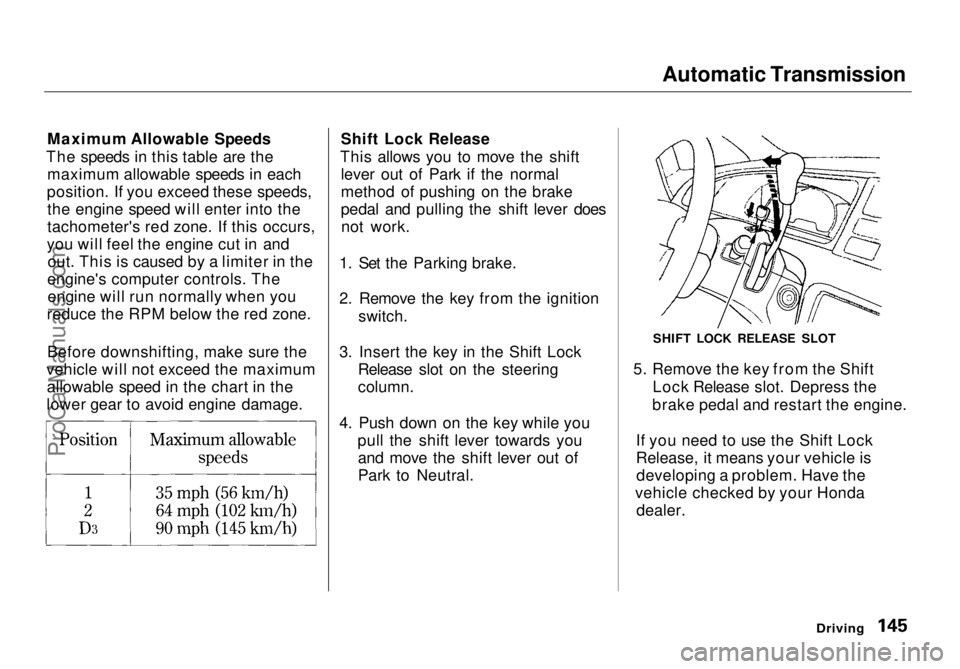
Maximum Allowable Speeds
The speeds in this table are the maximum allowable speeds in each
position. If you exceed these speeds, the engine speed will enter into the
tachometer's red zone. If this occurs,
you will feel the engine cut in and out. This is caused by a limiter in the
engine's computer controls. The engine will run normally when you
reduce the RPM below the red zone.
Before downshifting, make sure the
vehicle will not exceed the maximum allowable speed in the chart in the
lower gear to avoid engine damage. Shift Lock Release
This allows you to move the shift lever out of Park if the normal
method of pushing on the brake
pedal and pulling the shift lever doesnot work.
1. Set the Parking brake.
2. Remove the key from the ignition switch.
3. Insert the key in the Shift Lock Release slot on the steering
column.
4. Push down on the key while you pull the shift lever towards youand move the shift lever out of
Park to Neutral. 5. Remove the key from the Shift
Lock Release slot. Depress the
brake pedal and restart the engine.
If you need to use the Shift Lock
Release, it means your vehicle is developing a problem. Have the
vehicle checked by your Honda dealer.
Driving
SHIFT LOCK RELEASE SLOTProCarManuals.comMain Menu Table of Contents s t