instrument panel HONDA ODYSSEY 1999 Owner's Manual
[x] Cancel search | Manufacturer: HONDA, Model Year: 1999, Model line: ODYSSEY, Model: HONDA ODYSSEY 1999Pages: 343, PDF Size: 3.73 MB
Page 114 of 343
Power Windows
Your vehicle's front windows are electrically-powered. Turn the
ignition switch to ON (II) to raise or
lower either window.
The rear windows are also electrically-powered (see page 114).
Each front door has a switch that
controls its window. To open the
window, push the switch down and hold it. Release the switch when you
want the window to stop. Close the
window by pulling back on the switch and holding it.
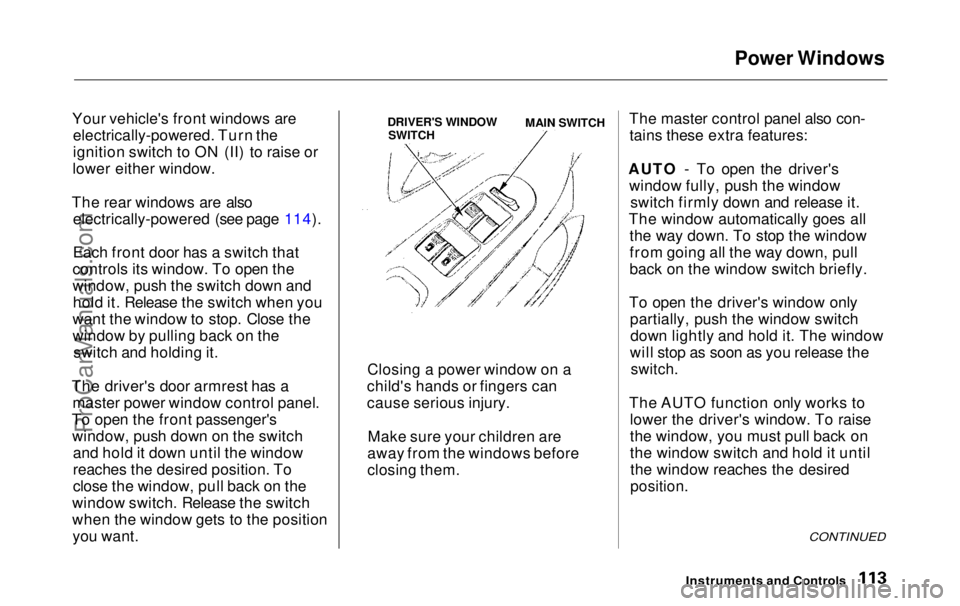
The driver's door armrest has a master power window control panel.
To open the front passenger's window, push down on the switch and hold it down until the window
reaches the desired position. To
close the window, pull back on the
window switch. Release the switch
when the window gets to the position you want. The master control panel also con-
tains these extra features:
AUTO - To open the driver's window fully, push the window switch firmly down and release it.
The window automatically goes all the way down. To stop the window
from going all the way down, pull
back on the window switch briefly.
To open the driver's window only partially, push the window switchdown lightly and hold it. The window
will stop as soon as you release the
switch.
The AUTO function only works to lower the driver's window. To raise
the window, you must pull back on
the window switch and hold it untilthe window reaches the desired
position.
CONTINUED
Instruments and Controls
Closing a power window on a
child's hands or fingers can
cause serious injury.
Make sure your children are
away from the windows before
closing them.
DRIVER'S WINDOW SWITCH MAIN SWITCH
ProCarManuals.comMain Menu Table of Contents s t
Page 117 of 343
Mirrors, Parking Brake
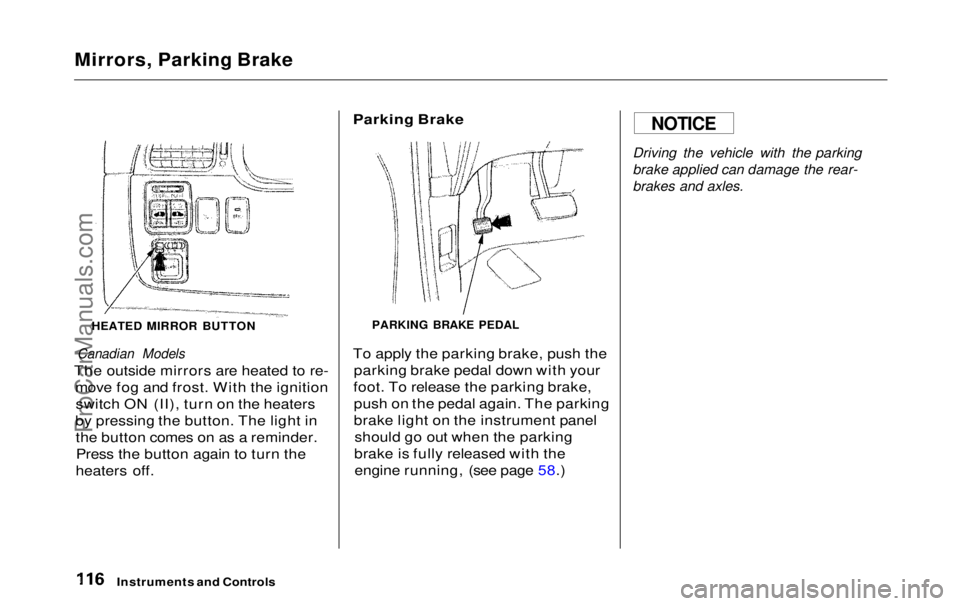
HEATED MIRROR BUTTON
Canadian Models
The outside mirrors are heated to re- move fog and frost. With the ignitionswitch ON (II), turn on the heaters
by pressing the button. The light in the button comes on as a reminder.Press the button again to turn the
heaters off.
Parking Brake
PARKING BRAKE PEDAL
To apply the parking brake, push the parking brake pedal down with your
foot. To release the parking brake, push on the pedal again. The parking
brake light on the instrument panel should go out when the parking
brake is fully released with the engine running, (see page 58.)
Driving the vehicle with the parking
brake applied can damage the rear-
brakes and axles.
Instruments and Controls
NOTICEProCarManuals.comMain Menu Table of Contents s t
Page 120 of 343
Beverage Holder
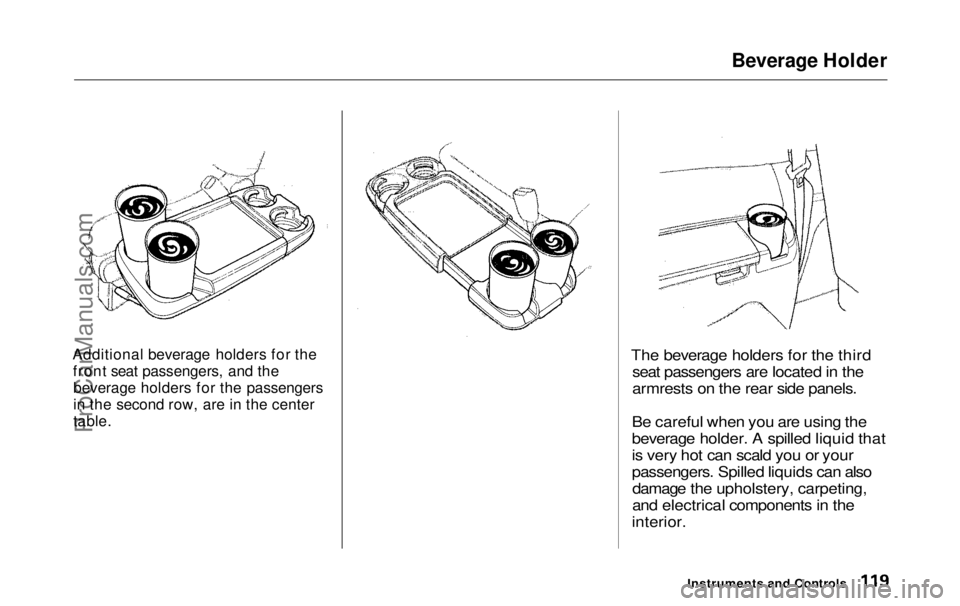
Additional beverage holders for the front seat passengers, and thebeverage holders for the passengers
in the second row, are in the center
table.
The beverage holders for the third
seat passengers are located in the
armrests on the rear side panels.
Be careful when you are using the
beverage holder. A spilled liquid that
is very hot can scald you or your
passengers. Spilled liquids can also damage the upholstery, carpeting,
and electrical components in the
interior.
Instruments and ControlsProCarManuals.comMain Menu Table of Contents s t
Page 123 of 343
Rear Compartment, Center Pocket, Coin Holder
Rear Compartment
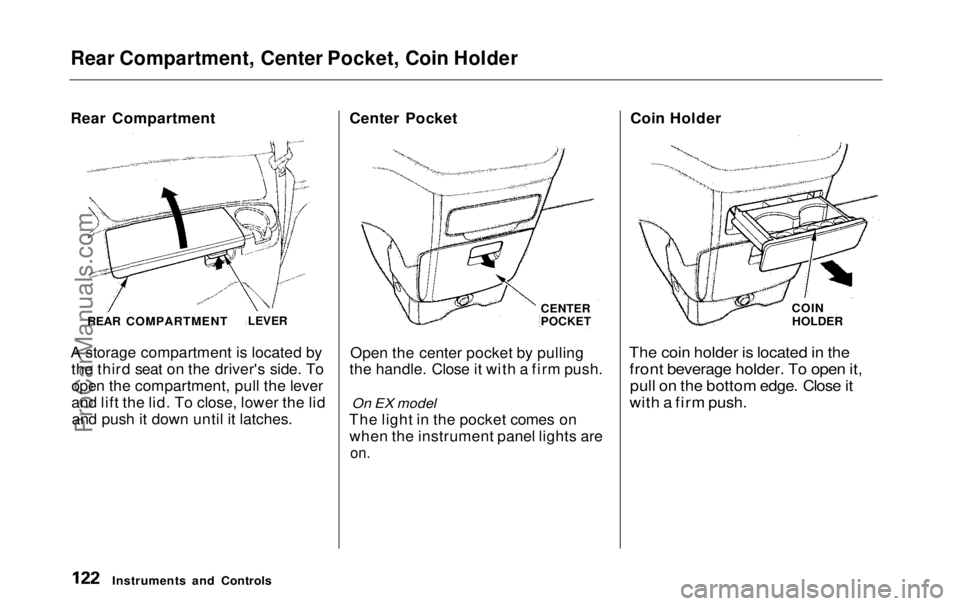
A storage compartment is located by
the third seat on the driver's side. To
open the compartment, pull the lever
and lift the lid. To close, lower the lidand push it down until it latches. Center Pocket
Open the center pocket by pulling
the handle. Close it with a firm push.
On EX model
The light in the pocket comes on when the instrument panel lights are
on.
Coin Holder
The coin holder is located in the
front beverage holder. To open it,
pull on the bottom edge. Close it
with a firm push.
Instruments and Controls
REAR COMPARTMENT
LEVER CENTER
POCKET
COIN
HOLDERProCarManuals.comMain Menu Table of Contents s t
Page 155 of 343
Audio System
Audio System LightingYou can use the instrument panelbrightness control knob to adjust theillumination of the audio system (see
page 67 ). The audio system
illuminates when the parking lightsare on, even if the radio is turned off.
Operating the Cassette Player
Turn the audio system ON. Make sure the tape opening on the cassette
is facing to the right, then insert the
cassette most of the way into the slot.
The system will pull it in the rest of the way, and begin to play.
The tape direction indicator will light to show you which side of the cassette is playing. The indicates
the side you inserted facing upward
is now playing. If you want to play
the other side, press the PROG
button. Dolby B noise reduction turns on
when you insert a cassette. If the
tape was not recorded with Dolby B noise reduction, turn it off by pressing the button.
When the system reaches the end of the tape, it will automatically reversedirection and play the other side. If
you want to remove the cassette from the drive, press the EJECT
button.
Tape Search Functions With a cassette playing, you can usethe FF, REW, SKIP, or REPEAT
function to find a desired program.
FF/REW — Fast Forward and Re-
wind move the tape rapidly. To re-
wind the tape, push the REW button.
You will see REW in the display. To fast forward the tape, push the FF
button. You will see FF displayed.Press the PLAY button to take thesystem out of rewind or fast forward. If the system reaches the end of the
tape while in fast forward or rewind,
it automatically stops that function,
reverses direction, and begins to play.
SKIP — The Skip Function allows
you to find the beginning of a song or passage. To find the beginning of
the song or passage currently
playing, push the SKIP switch down.
You will see REW flashing in the display as the tape rewinds. To find
the beginning of the next song, push
the SKIP switch up. You will see FF
flashing in the display as the tape
fast forwards. When the system
finds the beginning of a song or passage, it goes back to PLAY mode.
Comfort and Convenience FeaturesProCarManuals.comMain Menu Table of Contents s t
Page 168 of 343
Audio System
Audio System Lighting You can use the instrument panel brightness control knob to adjust the
illumination of the audio system (see
page 67). The audio systemilluminates when the parking lights
are on, even if the radio is turned off.
Radio Frequencies
Your Honda's radio can receive the complete AM and FM bands.
Those bands cover these frequen-
cies:
AM band: 530 to 1,710 kilohertz
FM band:
87.7 to 107.9 megahertz
Radio stations on the AM band are
assigned frequencies at least ten
kilohertz apart (530, 540, 550). Stations on the FM band are
assigned frequencies at least 0.2
megahertz apart (87.9, 88.1, 88.3).
Stations must use these exact
frequencies. It is fairly common for stations to round-off the frequency in
their advertising, so your radio could display a frequency of 100.9 even
though the announcer may identify
the station as "FM101."
Radio Reception How well your Honda's radio
receives stations is dependent on
many factors, such as the distance
from the station's transmitter, nearby large objects, and atmos-
pheric conditions.
A radio station's signal gets weaker as you get farther away from its
transmitter. If you are listening to an
AM station, you will notice the sound volume becoming weaker, and the station drifting in and out. If you are
listening to an FM station, you will see the stereo indicator flickering off
and on as the signal weakens. Eventually, the stereo indicator will
go off and the sound will fade completely as you get out of range of
the station's signal.
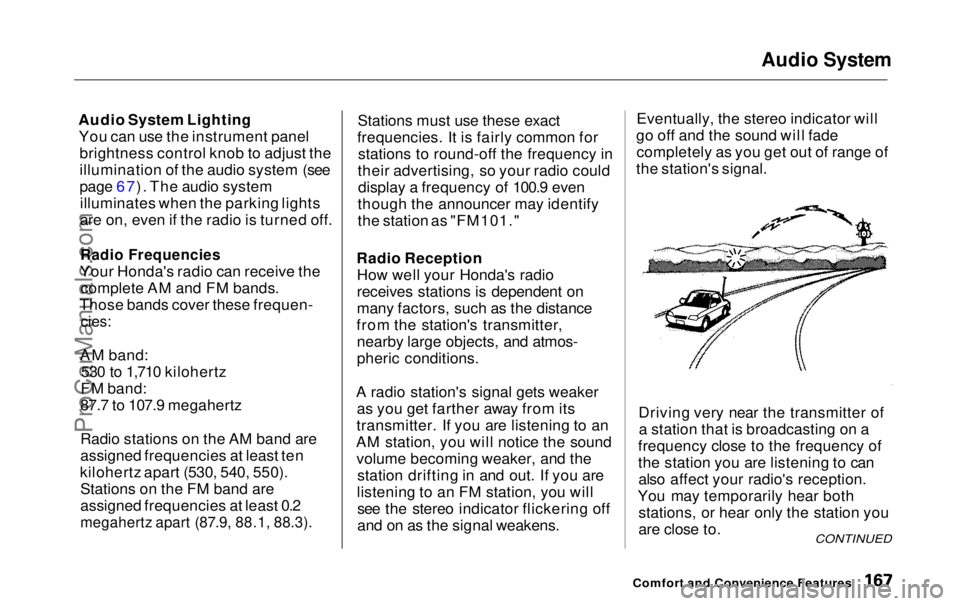
Driving very near the transmitter ofa station that is broadcasting on a
frequency close to the frequency of
the station you are listening to can also affect your radio's reception.
You may temporarily hear both stations, or hear only the station you
are close to.
Comfort and Convenience Features
CONTINUEDProCarManuals.comMain Menu Table of Contents s t
Page 184 of 343
Gasoline, Service Station Procedures
In Canada, some gasolines contain
an octane-enhancing additive called
MMT. If you use such gasolines,
your emission control system performance may deteriorate and
the Malfunction Indicator Lamp on
your instrument panel may turn on. If this happens, contact your
authorized Honda dealer for service.
Filling the Fuel Tank
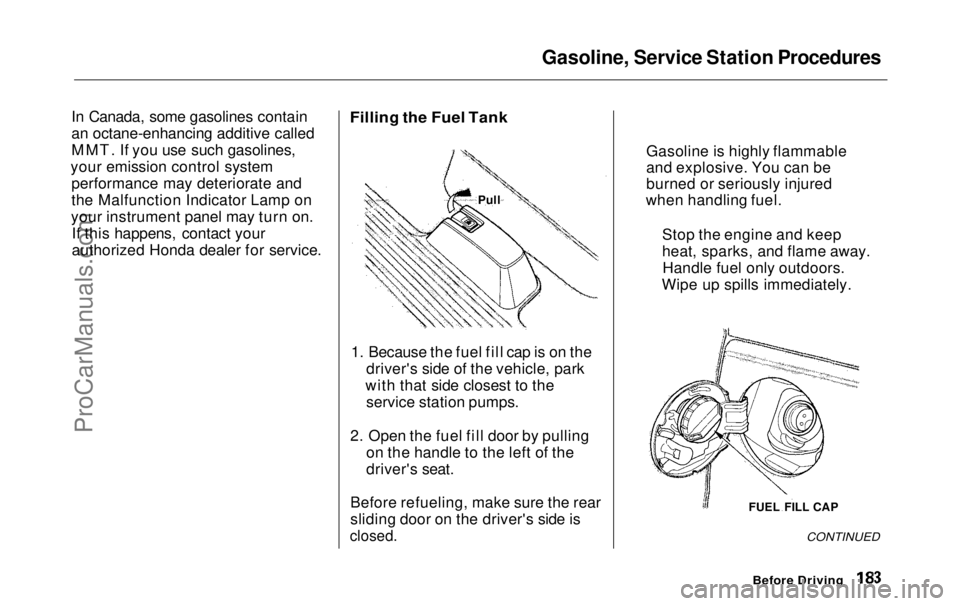
1. Because the fuel fill cap is on the driver's side of the vehicle, park
with that side closest to the service station pumps.
2. Open the fuel fill door by pulling on the handle to the left of the
driver's seat.
Before refueling, make sure the rear
sliding door on the driver's side is
closed.
CONTINUED
Before Driving
FUEL FILL CAP
Gasoline is highly flammable
and explosive. You can be
burned or seriously injured
when handling fuel.
Stop the engine and keep
heat, sparks, and flame away.Handle fuel only outdoors.
Wipe up spills immediately.
PullProCarManuals.comMain Menu Table of Contents s t
Page 197 of 343
Preparing to Drive
You should do the following checks and adjustments every day before
you drive your vehicle.
1. Make sure all windows, mirrors, and outside lights are clean and
unobstructed. Remove frost, snow, or ice.
2. Check that the hood and tailgate are fully closed.
3. Visually check the tires. If a tire looks low, use a gauge to check its
pressure.
4. Check that any items you may be carrying with you inside are storedproperly or fastened downsecurely. 5. Check the adjustment of the seat
(see page 100).
6. Check the adjustment of the inside and outside mirrors (see
page 115).
7. Check the adjustment of the steering wheel (see page 72 ).
8. Make sure the doors and tailgate are securely closed and locked.
9. Fasten your seat belt. Check that your passengers have fastenedtheir seat belts (see page 15). 10.Turn the ignition switch ON (II).
Check the indicator lights in the
instrument panel.
11.Start the engine (see page 197). 12. Check the gauges and indicator lights in the instrument panel (seepage 57).
DrivingProCarManuals.comMain Menu Table of Contents s t
Page 199 of 343
Automatic Transmission
Your Honda's transmission has fourforward speeds, and is electronicallycontrolled for smoother shifting. It
also has a "lock-up" torque converter
for better fuel economy. You may
feel what seems like another shift
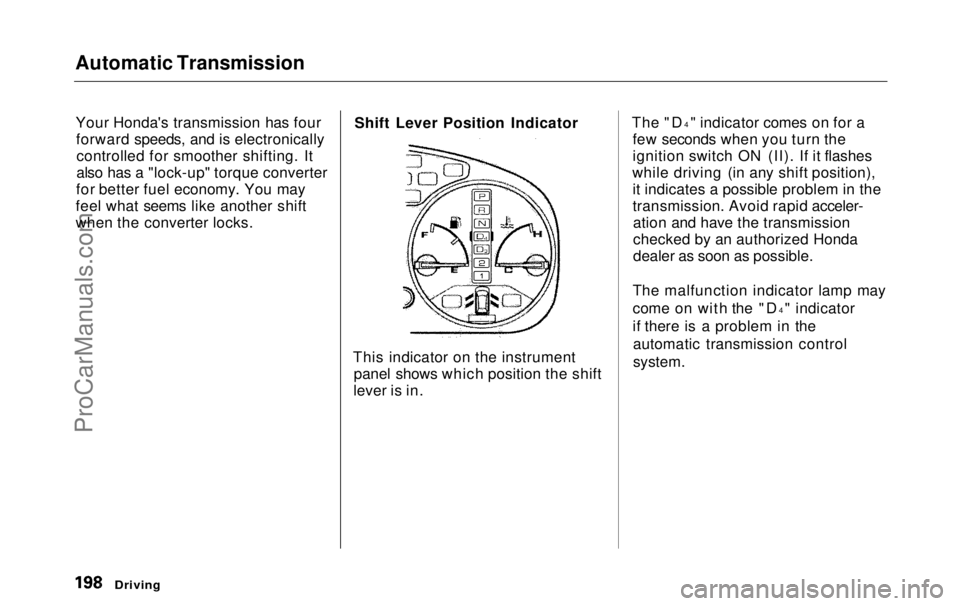
when the converter locks. Shift Lever Position Indicator
This indicator on the instrument panel shows which position the shift
lever is in. The "D
4
" indicator comes on for a
few seconds when you turn the
ignition switch ON (II). If it flashes
while driving (in any shift position), it indicates a possible problem in the
transmission. Avoid rapid acceler-ation and have the transmission
checked by an authorized Honda
dealer as soon as possible.
The malfunction indicator lamp may
come on with the "D 4
" indicator
if there is a problem in the automatic transmission control
system.
DrivingProCarManuals.comMain Menu Table of Contents s t
Page 204 of 343
Parking
Always use the parking brake when you park your vehicle. The indicator on the instrument panel shows that
the parking brake is not fully released; it does not indicate that the
parking brake is firmly set. Make sure the parking brake is set firmly
or your vehicle may roll if it is
parked on an incline.
Set the parking brake before you put
the transmission in Park. This keeps
the vehicle from moving and putting
pressure on the parking mechanism
in the transmission — making it easier to move the shift lever out of
Park when you want to drive away. If the vehicle is facing uphill, turn
the front wheels away from the curb.
If the vehicle is facing downhill, turn
the front wheels toward the curb.
Make sure the parking brake is fully
released before driving away.
Driving with the parking brake
partially set can overheat or damage
the rear brakes. Parking Tips
Make sure the windows are closed.
Turn off the lights.
Place any packages, valuables, etc.,
in the cargo area or take them
with you.
Lock the doors with the key or the
remote transmitter.
Never park over dry leaves, tall
grass, or other flammable
materials. The three way catalytic
converter gets very hot, and could
cause these materials to catch on
fire.
DrivingProCarManuals.comMain Menu Table of Contents s t