light HONDA ODYSSEY 2000 RA6-RA9 / 2.G Service Manual
[x] Cancel search | Manufacturer: HONDA, Model Year: 2000, Model line: ODYSSEY, Model: HONDA ODYSSEY 2000 RA6-RA9 / 2.GPages: 352, PDF Size: 4.43 MB
Page 118 of 352
Mirrors
Keep the inside and outside mirrors
clean and adjusted for best visibility.
Be sure to adjust the mirrors before
you start driving.
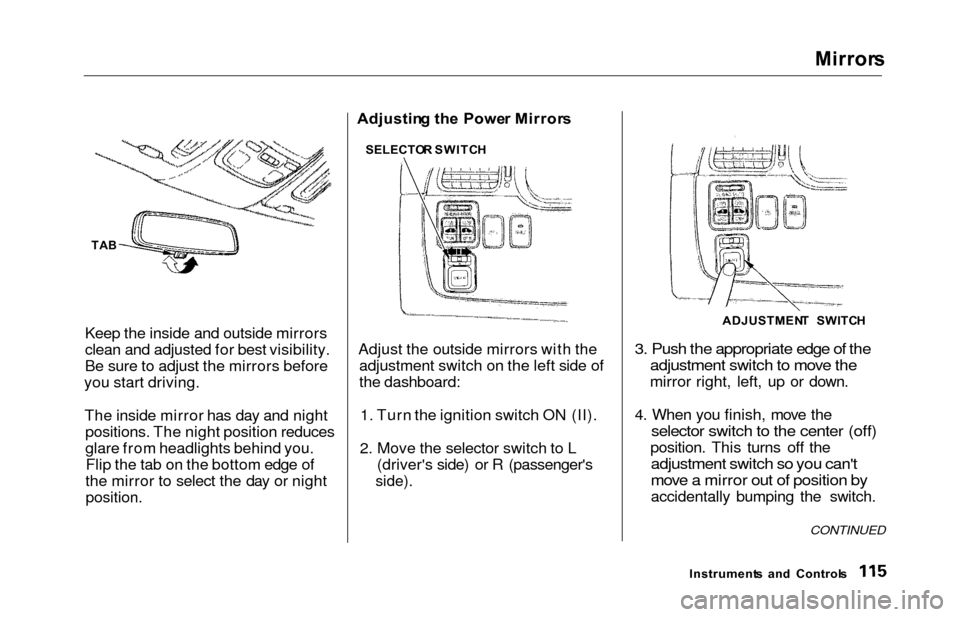
The inside mirror has day and night positions. The night position reduces
glare from headlights behind you.Flip the tab on the bottom edge of
the mirror to select the day or night
position.
Adjustin g th e Powe r Mirror s
Adjust the outside mirrors with the adjustment switch on the left side of
the dashboard:
1. Turn the ignition switch ON (II).
2. Move the selector switch to L (driver's side) or R (passenger's
side).
3. Push the appropriate edge of theadjustment switch to move the
mirror right, left, up or down.
4. When you finish, move the
selector switch to the center (off)
position. This turns off the
adjustment switch so you can't
move a mirror out of position by
accidentally bumping the switch.
Instrument s an d Control s
CONTINUED
SELECTO R SWITC H
ADJUSTMENT SWITC H
TAB
Page 119 of 352
Mirrors, Parkin g Brak e
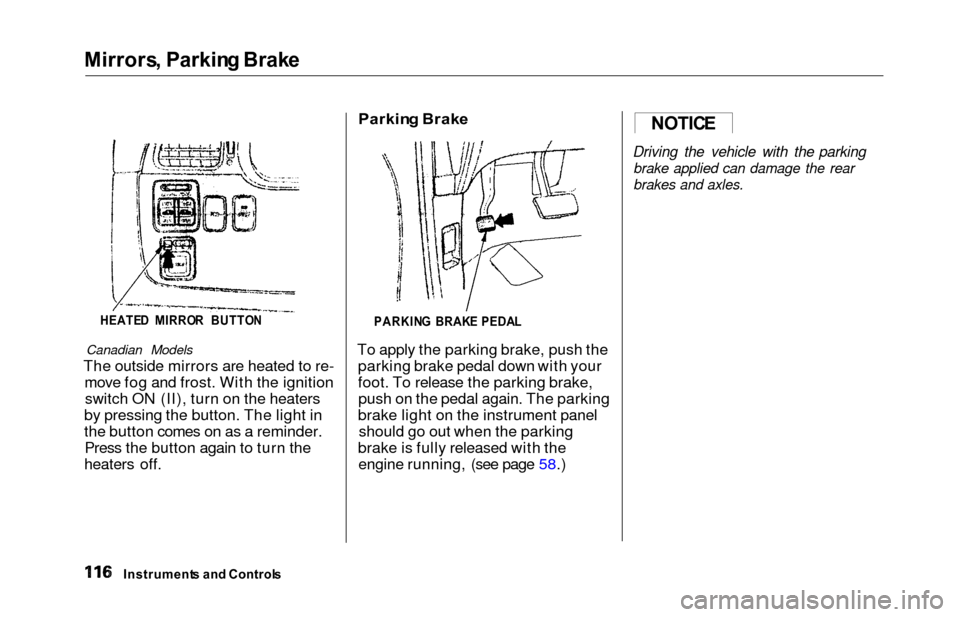
HEATE D MIRRO R BUTTO N
Canadian Models
The outside mirrors are heated to re-
move fog and frost. With the ignitionswitch ON (II), turn on the heaters
by pressing the button. The light in
the button comes on as a reminder. Press the button again to turn the
heaters off.
Parkin g Brak e
PARKIN G BRAK E PEDA L
To apply the parking brake, push the
parking brake pedal down with your
foot. To release the parking brake,push on the pedal again. The parking
brake light on the instrument panel should go out when the parking
brake is fully released with the engine running, (see page 58.)
Driving the vehicle with the parking
brake applied can damage the rear
brakes and axles.
Instrument s an d Control s
NOTICE
Page 124 of 352
Su
n Visor , Vanit y Mirro r
Su n Viso r
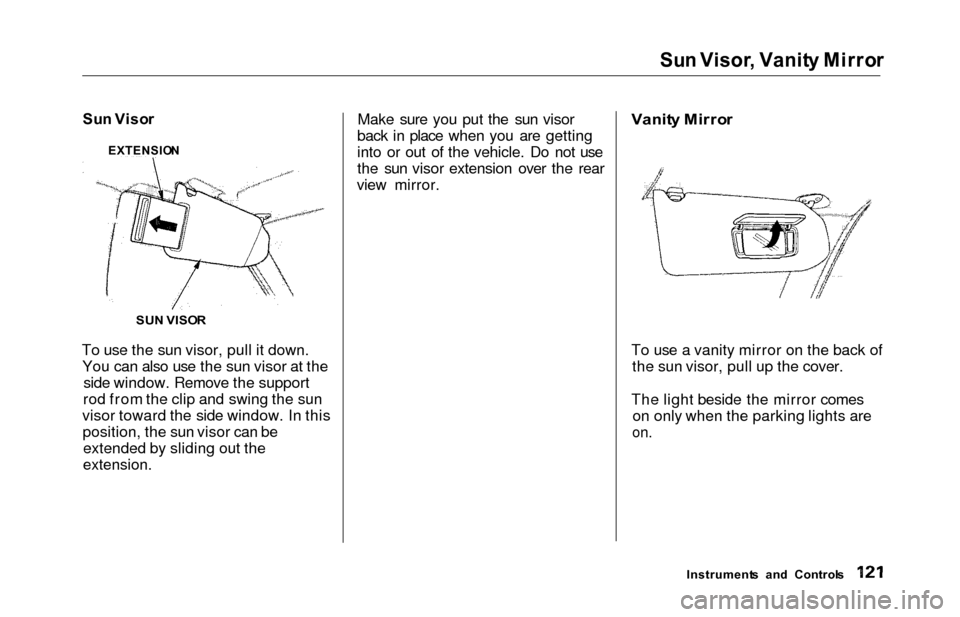
To use the sun visor, pull it down. You can also use the sun visor at the side window. Remove the support
rod from the clip and swing the sun
visor toward the side window. In this position, the sun visor can beextended by sliding out the
extension.
Make sure you put the sun visor
back in place when you are getting
into or out of the vehicle. Do not use
the sun visor extension over the rear
view mirror.
Vanit
y Mirro r
To use a vanity mirror on the back of the sun visor, pull up the cover.
The light beside the mirror comes on only when the parking lights are
on.
Instrument s an d Control s
SU
N VISO R
EXTENSIO
N
Page 125 of 352
Rear Compartment , Cente r Pocket , Coi n Holde r
Rear Compartmen t
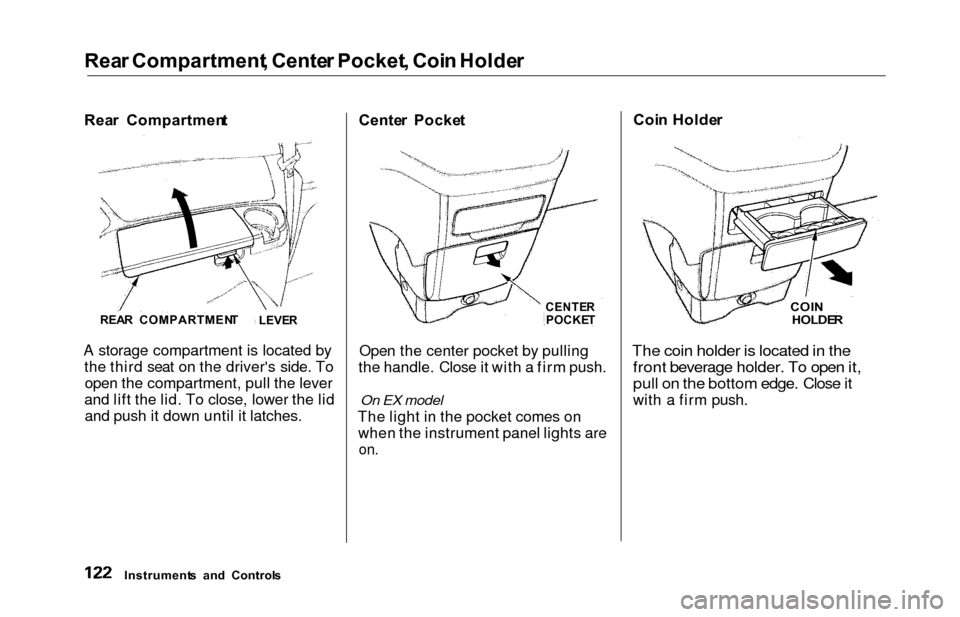
A storage compartment is located by the third seat on the driver's side. Toopen the compartment, pull the lever
and lift the lid. To close, lower the lid and push it down until it latches. Cente
r Pocke t
CENTER
POCKE T
Open the center pocket by pulling
the handle. Close it with a firm push.
On EX model
The light in the pocket comes on when the instrument panel lights are
on.
Coi n Holde r
COIN
HOLDE R
The coin holder is located in the
front beverage holder. To open it,
pull on the bottom edge. Close it
with a firm push.
Instrument s an d Control s
REA
R COMPARTMEN T
LEVER
Page 127 of 352
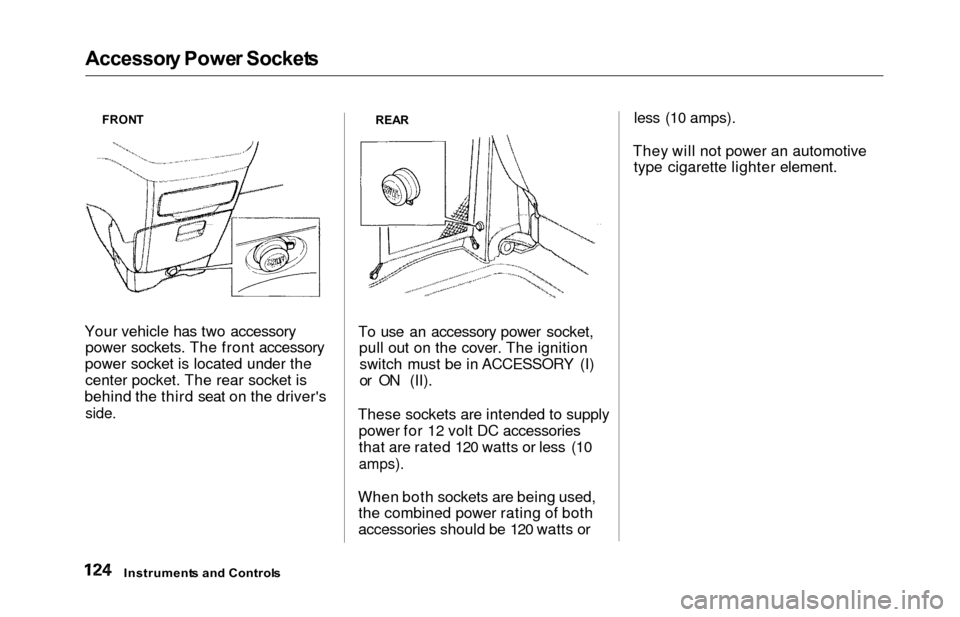
Accessory Powe r Socket s
FRONT
Your vehicle has two accessory
power sockets. The front accessory
power socket is located under the center pocket. The rear socket is
behind the third seat on the driver's
side.
REA R
To use an accessory power socket,
pull out on the cover. The ignitionswitch must be in ACCESSORY (I)
or ON (II).
These sockets are intended to supply power for 12 volt DC accessories
that are rated 120 watts or less (10
amps).
When both sockets are being used,the combined power rating of both
accessories should be 120 watts or less (10 amps).
They will not power an automotive type cigarette lighter element.
Instrument s an d Control s
Page 128 of 352
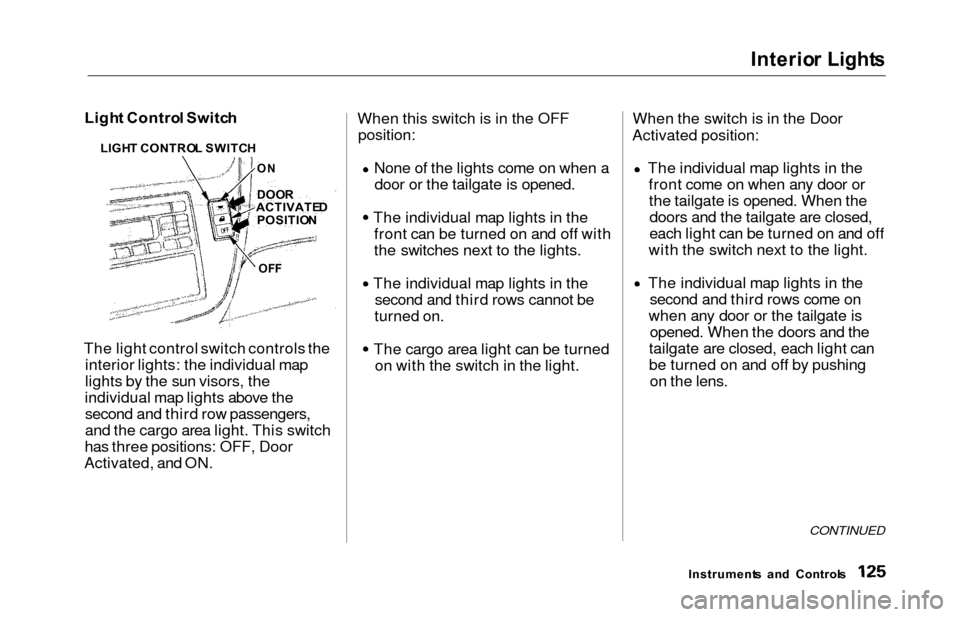
Interior Light s
Light Contro l Switc h
The light control switch controls the interior lights: the individual map
lights by the sun visors, the
individual map lights above the second and third row passengers,
and the cargo area light. This switch
has three positions: OFF, Door
Activated, and ON. When this switch is in the OFF
position:
None of the lights come on when a
door or the tailgate is opened.
The individual map lights in the front can be turned on and off with
the switches next to the lights.
The individual map lights in the second and third rows cannot be
turned on.
The cargo area light can be turned on with the switch in the light. When the switch is in the Door
Activated position:
The individual map lights in thefront come on when any door orthe tailgate is opened. When thedoors and the tailgate are closed,
each light can be turned on and off
with the switch next to the light.
The individual map lights in the second and third rows come on
when any door or the tailgate is opened. When the doors and the
tailgate are closed, each light can
be turned on and off by pushing on the lens.
CONTINUED
Instrument s an d Control s
LIGH
T CONTRO L SWITC H
DOO R
ACTIVATE D
POSITIO N
OFF
O
N
Page 129 of 352

Interio
r Light s
The cargo area light comes on when any door or the tailgate is opened if the switch in the light is
in the door activated (center)
position. When the doors and the
tailgate are closed, it can be turned on with the switch in the light. When the switch is in the ON
position:
All the individual map lights come
on and stay on as long as the
switch remains in the ON position. The cargo area light comes on and
stays on if the switch in the light is
in the door activated (center)
position.
On EX model
The lights go out about six seconds after all the doors and the tailgate
have closed.
With the light control switch in the Door Activated position, all the
individual map lights and the cargo
area light (with the switch in the
center position) come on when you
unlock the door with the remote
transmitter (see page 81).
With any door or the tailgate left open, the lights stay on about three
minutes, then go out.
Instrument s an d Control s
Page 130 of 352
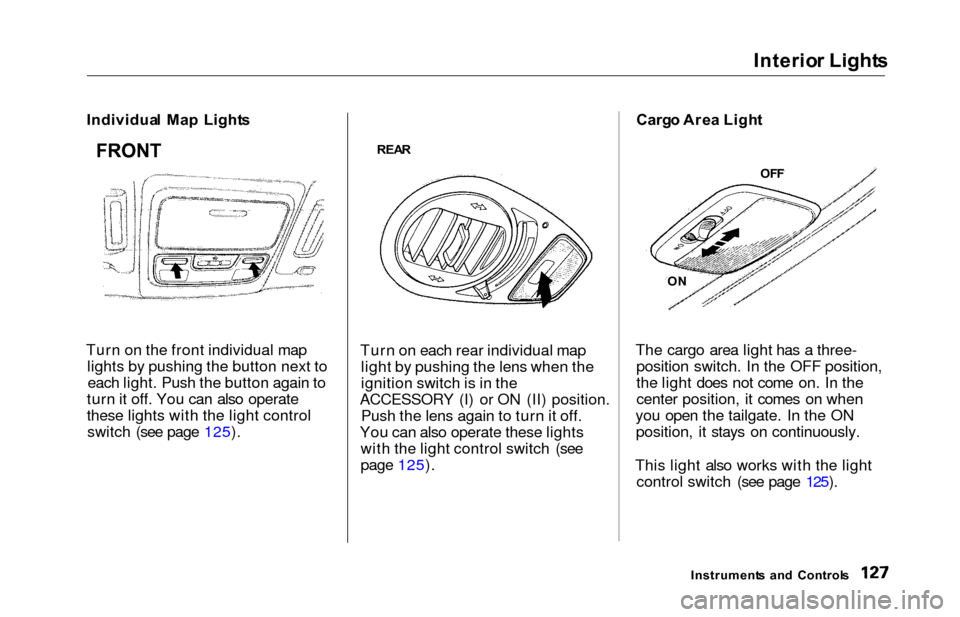
Interior Light s
Individua l Ma p Light s
Turn on the front individual map lights by pushing the button next toeach light. Push the button again to
turn it off. You can also operate
these lights with the light control switch (see page 125).
REA R
Turn on each rear individual map
light by pushing the lens when the
ignition switch is in the
ACCESSORY (I) or ON (II) position. Push the lens again to turn it off.
You can also operate these lights with the light control switch (see
page 125). Carg
o Are a Ligh t
The cargo area light has a three- position switch. In the OFF position,
the light does not come on. In the
center position, it comes on when
you open the tailgate. In the ON position, it stays on continuously.
This light also works with the light control switch (see page 125).
Instrument s an d Control s
FRONT
OFF
O N
Page 131 of 352
Interior Light s
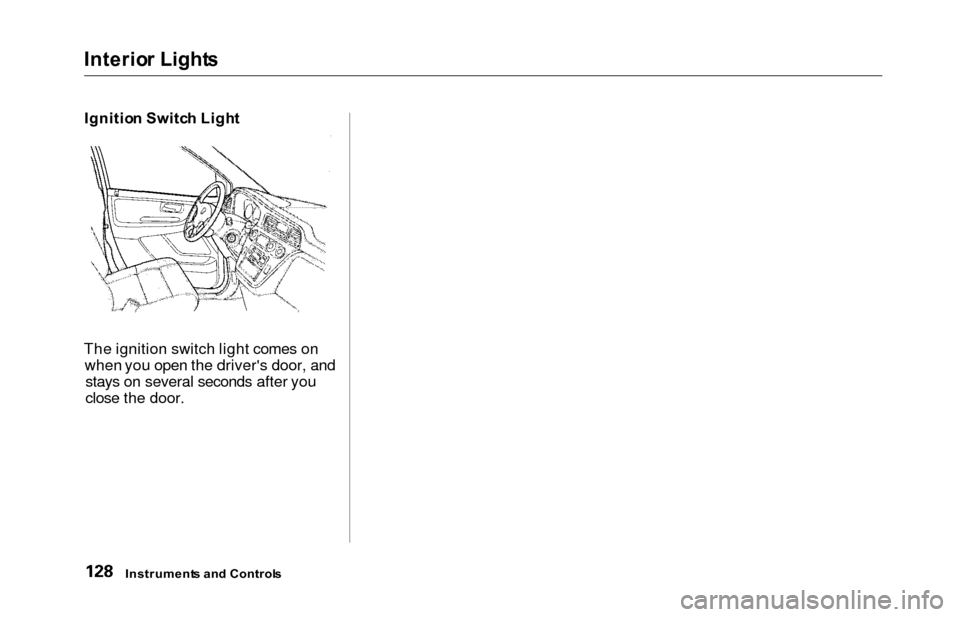
Ignitio n Switc h Ligh t
The ignition switch light comes on when you open the driver's door, andstays on several seconds after you
close the door.
Instrument s an d Control s
Page 132 of 352
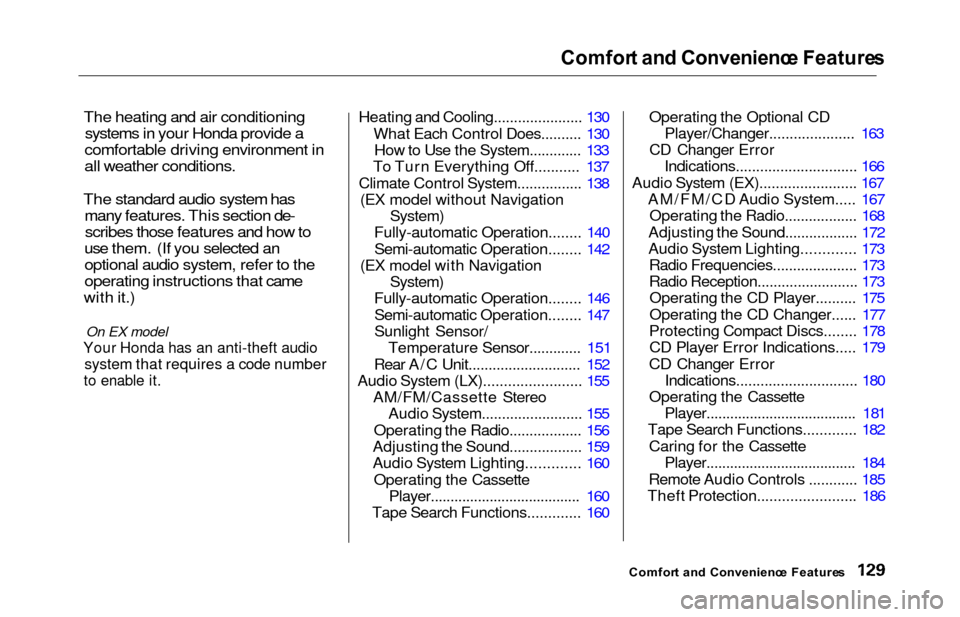
Comfort an d Convenienc e Feature s
The heating and air conditioning
systems in your Honda provide a
comfortable driving environment in
all weather conditions.
The standard audio system has
many features. This section de-
scribes those features and how to
use them. (If you selected an
optional audio system, refer to the
operating instructions that came
with it.)
On EX model
Your Honda has an anti-theft audio
system that requires a code number
to enable it.
Heating and Cooling...................... 130
What Each Control Does.......... 130How to Use the System............. 133
To Turn Everything Off........... 137
Climate Control System................ 138 (EX model without Navigation
System)
Fully-automatic Operation........ 140
Semi-automatic Operation........ 142
(EX model with Navigation
System)
Fully-automatic Operation........ 146
Semi-automatic Operation........ 147
Sunlight Sensor/ Temperature Sensor............. 151
Rear A/C Unit............................ 152
Audio System (LX)........................ 155 AM/FM/Cassette StereoAudio System......................... 155
Operating the Radio.................. 156
Adjusting the Sound.................. 159
Audio System Lighting............. 160
Operating the Cassette Player...................................... 160
Tape Search Functions............. 160 Operating the Optional CD
Player/Changer..................... 163
CD Changer Error Indications.............................. 166
Audio System (EX)........................ 167 AM/FM/CD Audio System..... 167Operating the Radio.................. 168
Adjusting the Sound.................. 172
Audio System Lighting............. 173 Radio Frequencies.................... . 173
Radio Reception......................... 173 Operating the CD Player.......... 175
Operating the CD Changer...... 177
Protecting Compact Discs........ 178 CD Player Error Indications..... 179
CD Changer Error Indications.............................. 180
Operating the Cassette Player..................................... . 181
Tape Search Functions............. 182
Caring for the Cassette Player...................................... 184
Remote Audio Controls ............ 185
Theft Protection........................ 186
Comfor t an d Convenienc e Feature s