high HONDA ODYSSEY 2000 RA6-RA9 / 2.G Owners Manual
[x] Cancel search | Manufacturer: HONDA, Model Year: 2000, Model line: ODYSSEY, Model: HONDA ODYSSEY 2000 RA6-RA9 / 2.GPages: 352, PDF Size: 4.43 MB
Page 9 of 352
Important Safet y Precaution s
You'll find many safety
recommendations throughout this
section, and throughout this manual.
The recommendations on this page are the ones we consider to be themost important.
Alway s Wea r You r Sea t Bel t
A seat belt is your best protection in
all types of collisions. Airbagssupplement seat belts, but airbags
are designed to inflate only in a
moderate to severe frontal collision.
So even though your vehicle is
equipped with airbags, make sure
you and your passengers always
wear your seat belts, and wear them properly. (See page 15.)
Restrai n Al l Childre n
Children are safest when they are
properly restrained in a back seat,
not the front seat. A child who is too small for a seat belt must be properly
restrained in a child safety seat. (See
page 22.) B
e Awar e o f Airba g Hazard s
While airbags can save lives, they can cause serious or fatal injuries to
occupants who sit too close to them,
or are not properly restrained.
Infants, young children, and short adults are at the greatest risk. Be
sure to follow all instructions and
warnings in this manual. (See page 9.)
Don' t Drin k an d Driv e
Alcohol and driving don't mix. Even
one drink can reduce your ability to
respond to changing conditions, and
your reaction time gets worse with every additional drink. So don't drink
and drive, and don't let your friends
drink and drive, either. Contro
l You r Spee d
Excessive speed is a major factor in
crash injuries and deaths. Generally,
the higher the speed the greater the
risk, but serious accidents can also occur at lower speeds. Never drive
faster than is safe for current conditions, regardless of the
maximum speed posted.
Kee p You r Vehicl e i n Saf e
Conditio n
Having a tire blowout or a
mechanical failure can be extremely
hazardous. To reduce the possibility of such problems, check your tire
pressures and condition frequently, and perform all regularly scheduled
maintenance. (See page 230.)
Drive r an d Passenge r Safet y
Page 17 of 352
Protecting Adult s
A front passenger should also adjust
the seat-back to an upright position,
but as far from the dashboard as possible. A passenger who sits tooclose to the dashboard could be
injured if the airbag inflates.
Reclining a seat-back so that the
shoulder part of the belt no longer
rests against the occupant's chest reduces the protective capability of
the belt. It also increases the chance
of sliding under the belt in a crashand being seriously injured. The
farther a seat-back is reclined, the greater the risk of injury.
See page 101 for how to adjust seat-
backs.
4.Adjus t th e Hea d Restraint s
Before driving, make sure everyone
with an adjustable head restraint has properly positioned the head
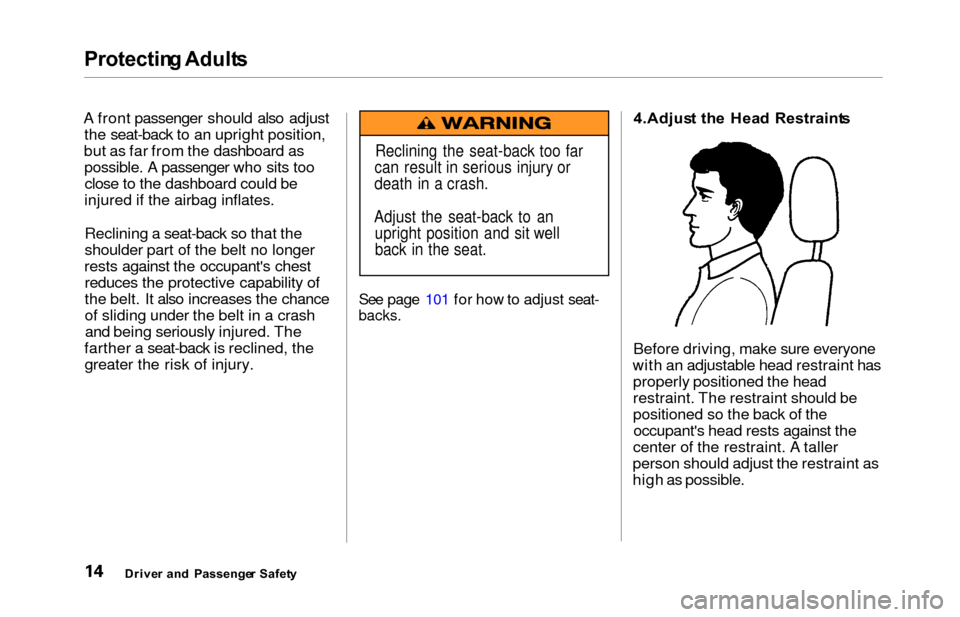
restraint. The restraint should be
positioned so the back of theoccupant's head rests against the
center of the restraint. A taller
person should adjust the restraint as
high as possible.
Drive r an d Passenge r Safet y
Reclining the seat-back too far
can result in serious injury or
death in a crash.
Adjust the seat-back to an upright position and sit well
back in the seat.
Page 26 of 352
Protecting Childre n
Children Shoul d Si t i n th e Bac k
Seat
According to accident statistics,
children of all ages and sizes ar e
safer when they are restrained in the
back seat, not the front seat. The National Highway Traffic Safety
Administration and Transport Canada recommend that all children
ages 12 and under be properly
restrained in a back seat.
In a back seat, children are less
likely to be injured by striking hard interior parts during a collision or
hard braking. Also, children cannot
be injured by an inflating airbag
when they ride in the back.
Th e Passenger' s Airba g Pose s
Seriou s Risk s t o Childre n
Airbags have been designed to help protect adults in a moderate tosevere frontal collision. To do this,
the passenger's airbag is quite large, and it inflates with tremendous
speed.
Infants
Never put a rear-facing child seat in the front seat of a vehicle equipped
with a passenger's airbag. If the
airbag inflates, it can hit the back of
the child seat with enough force to
kill or very seriously injure an infant.
Small Children
Placing a forward-facing child seat in the front seat of a vehicle equipped
with a passenger's airbag can be
hazardous. If the vehicle seat is too
far forward, or the child's head is thrown forward during a collision, an
inflating airbag can strike the child
with enough force to kill or very seriously injure a small child.
Larger Children
Children who have outgrown child
seats are also at risk of being injured or killed by an inflating passenger's
airbag. Whenever possible, larger
children should sit in a back seat,
properly restrained with a seat belt. (See page 39 for important
information about protecting larger children.)
CONTINUED
Drive r an d Passenge r Safet y
Page 44 of 352
Protectin
g Childre n
Using a Booster Seat
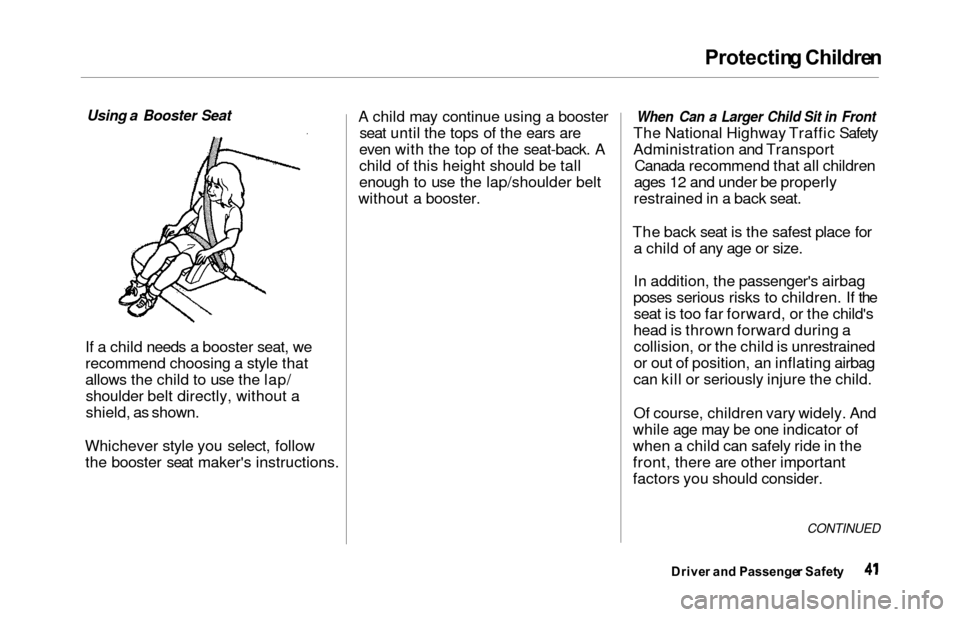
If a
child needs a booster seat, we
recommend choosing a style that
allows the child to use the lap/ shoulder belt directly, without a
shield, as shown.
Whichever style you select, follow the booster seat maker's instructions. A child may continue using a booster
seat until the tops of the ears are
even with the top of the seat-back. A
child of this height should be tall
enough to use the lap/shoulder belt
without a booster.
When Can a Larger Child Sit in Front
The Nationa
l Highway Traffic Safety
Administration and Transport Canada recommend that all children
ages 12 and under be properly
restrained in a back seat.
The back seat is the safest place for a child of any age or size.
In addition, the passenger's airbag
poses serious risks to children. If the seat is too far forward, or the child's
head is thrown forward during a collision, or the child is unrestrained
or out of position, an inflating airbag
can kill or seriously injure the child.
Of course, children vary widely. And
while age may be one indicator of
when a child can safely ride in the
front, there are other important
factors you should consider.
CONTINUED
Drive r an d Passenge r Safet y
Page 56 of 352
Carbon Monoxid e Hazar d
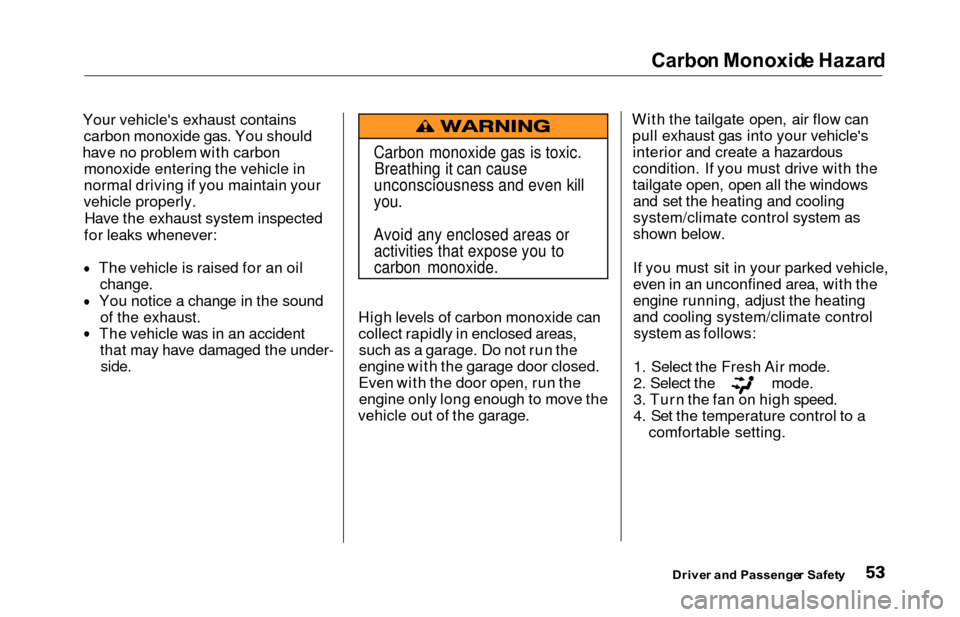
Your vehicle's exhaust contains
carbon monoxide gas. You should
hav e no problem with carbon
monoxide entering the vehicle in
normal driving if you maintain your
vehicle properly.
Have the exhaust system inspected
for leaks whenever:
The vehicle is raised for an oil
change.
You notice a change in the soundof the exhaust.
The vehicle was in an accident that may have damaged the under-
side.
High levels of carbon monoxide can
collect rapidly in enclosed areas,such as a garage. Do not run the
engine with the garage door closed.
Even with the door open, run the engine only long enough to move the
vehicle out of the garage. With the tailgate open, air flow can
pull exhaust gas into your vehicle'sinterior and create a hazardous
condition. If you must drive with the
tailgate open, open all the windowsand set the heating and cooling
system/climate control system as
shown below.
If you must sit in your parked vehicle,
even in an unconfined area, with the
engine running, adjust the heating
and cooling system/climate controlsystem as follows:
1. Select the Fresh Air mode.
2. Select the mode.
3. Turn the fan on high speed.
4. Set the temperature control to a comfortable setting.
Drive r an d Passenge r Safet y
Carbon monoxide gas is toxic.
Breathing it can cause
unconsciousness and even kill
you.
Avoid any enclosed areas or activities that expose you to
carbon monoxide.
Page 64 of 352
Indicator Light s
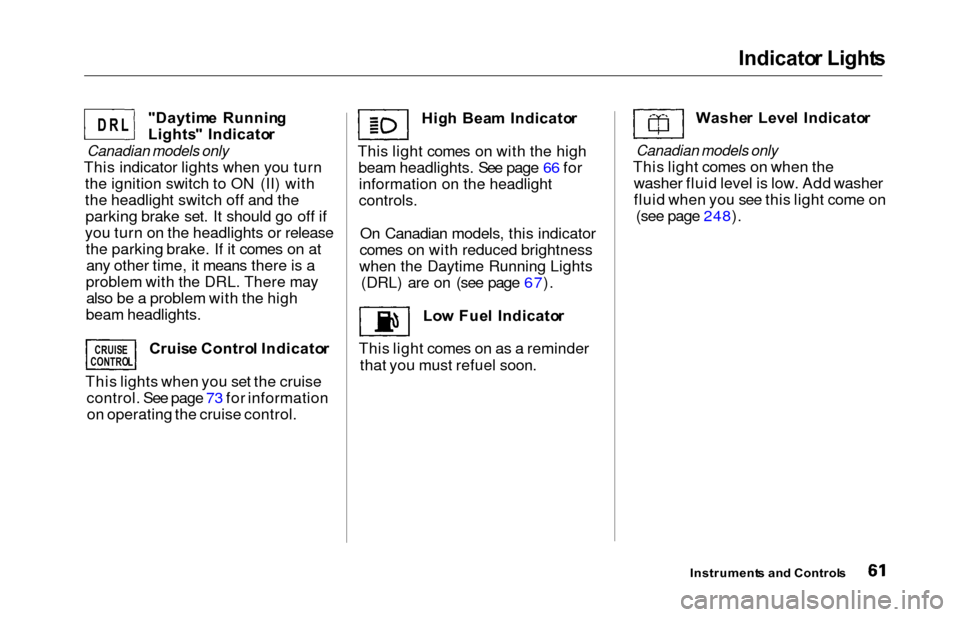
"Daytim e Runnin g
Lights " Indicato r
Canadian models only
This indicator lights when you turn
the ignition switch to ON (II) with
the headlight switch off and theparking brake set. It should go off if
you turn on the headlights or release the parking brake. If it comes on atany other time, it means there is a
problem with the DRL. There may also be a problem with the high
beam headlights.
Cruise Contro l Indicato r
This lights when you set the cruise control. See page 73 for informationon operating the cruise control. Hig
h Bea m Indicato r
This light comes on with the high beam headlights. See page 66 forinformation on the headlight
controls.
On Canadian models, this indicator
comes on with reduced brightness
when the Daytime Running Lights (DRL) are on (see page 67).
Low Fue l Indicato r
This light comes on as a reminder that you must refuel soon. Washe
r Leve l Indicato r
Canadian models only
This light comes on when the
washer fluid level is low. Add washer
fluid when you see this light come on (see page 248).
Instrument s an d Control s
D R L
CRUIS E
CONTRO L
Page 68 of 352
Controls Nea r th e Steerin g Whee l
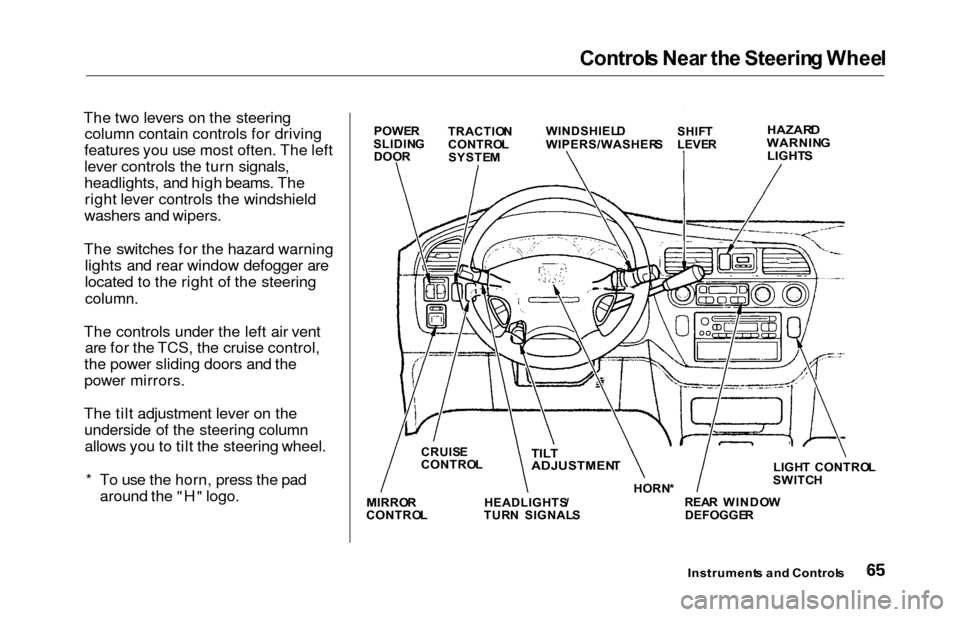
The two levers on the steering
column contain controls for driving
features you use most often. The left
lever controls the turn signals,
headlights, and high beams. The right lever controls the windshield
washers and wipers.
The switches for the hazard warning lights and rear window defogger are
located to the right of the steering
column.
The controls under the left air vent are for the TCS, the cruise control,
the power sliding doors and the
power mirrors.
The tilt adjustment lever on the underside of the steering columnallows you to tilt the steering wheel.
* To use the horn, press the pad around the "H" logo.
Instrument s an d Control s
POWER
SLIDIN G
DOO R TRACTIO
N
CONTRO L
SYSTE M WINDSHIEL
D
WIPERS/WASHER SSHIFT
LEVE RHAZAR DWARNIN G
LIGHT S
LIGHT CONTRO L
SWITC H
REA R WINDO W
DEFOGGE R
HORN
*TILT
ADJUSTMEN T
HEADLIGHTS /
TUR N SIGNAL S
CRUIS
E
CONTRO L
MIRRO R
CONTRO L
Page 69 of 352
Control
s Nea r th e Steerin g Whee l
Headlight s
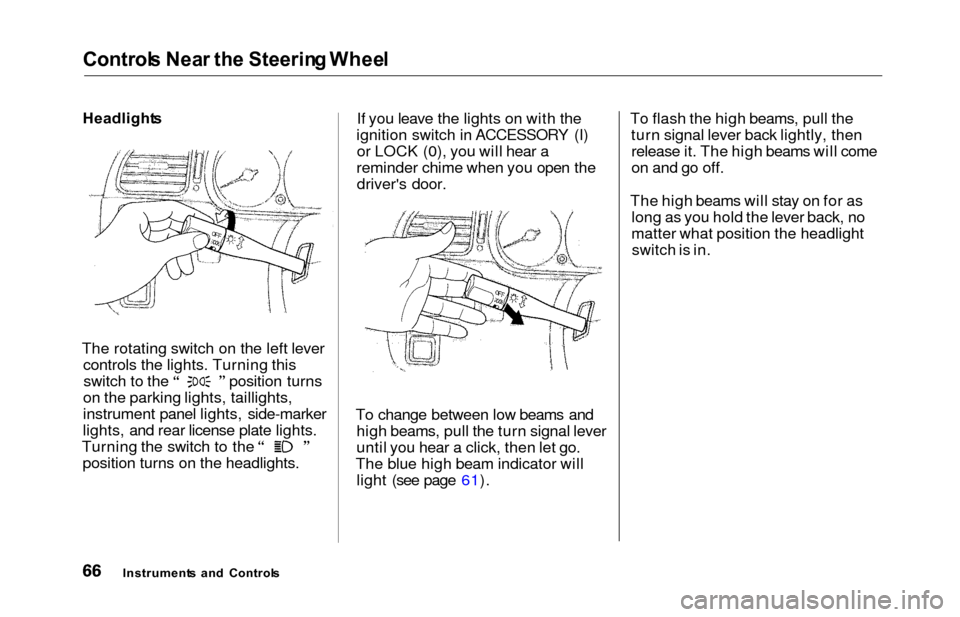
The rotating switch on the left lever controls the lights. Turning this switch to the position turns
on the parking lights, taillights,
instrument panel lights, side-marker
lights, and rear license plate lights. Turning the switch to the
position turns on the headlights. If you leave the lights on with the
ignition switch in ACCESSORY (I) or LOCK (0), you will hear a
reminder chime when you open the driver's door.
To change between low beams and high beams, pull the turn signal lever
until you hear a click, then let go.
The blue high beam indicator will light (see page 61). To flash the high beams, pull the
turn signal lever back lightly, thenrelease it. The high beams will come
on and go off.
The high beams will stay on for as long as you hold the lever back, no
matter what position the headlightswitch is in.
Instrument s an d Control s
Page 70 of 352
Control
s Nea r th e Steerin g Whee lAutomatic Lightin g Of f Featur e
On EX model
The Automatic Lighting Off feature
turns off the headlights, parking
lights, taillights, side marker lights,
license plate lights and instrument panel lights within 15 seconds of
removing the key from the ignition switch and closing the driver's door.
This feature activates if you leave
the headlight switch in the or
position, remove the key, open,
then close the driver's door. If you remove the key from the
ignition switch with the headlight switch on, but do not open the door
and get out, the lights will turn off
after 10 minutes. The lights will turn on again when
you unlock or open the driver's door.If you unlock the door, but do notopen it within 15 seconds, the lights
will go off. With the driver's door open, you will hear a lights-on
reminder chime.
Daytim e Runnin g Light s
(Canadia n Models )
With the headlight switch off, the
high beam headlights come on withreduced brightness when you turn
the ignition switch to ON (II) and
release the parking brake. They
remain on until you turn the ignitionoff, even if you set the parking brake.
The headlights revert to normal operation when you turn them on
with the switch. Instrumen
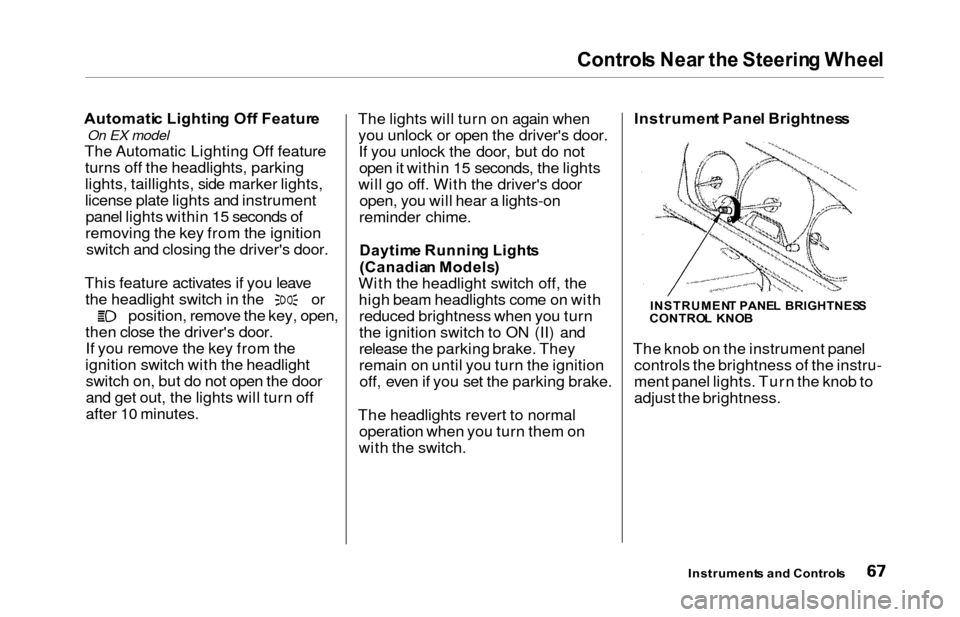
t Pane l Brightnes s
The knob on the instrument panel controls the brightness of the instru-
ment panel lights. Turn the knob to
adjust the brightness.
Instrument s an d Control s
INSTRUMEN T PANE L BRIGHTNES S
CONTRO L KNO B
Page 71 of 352
Controls Nea r th e Steerin g Whee l
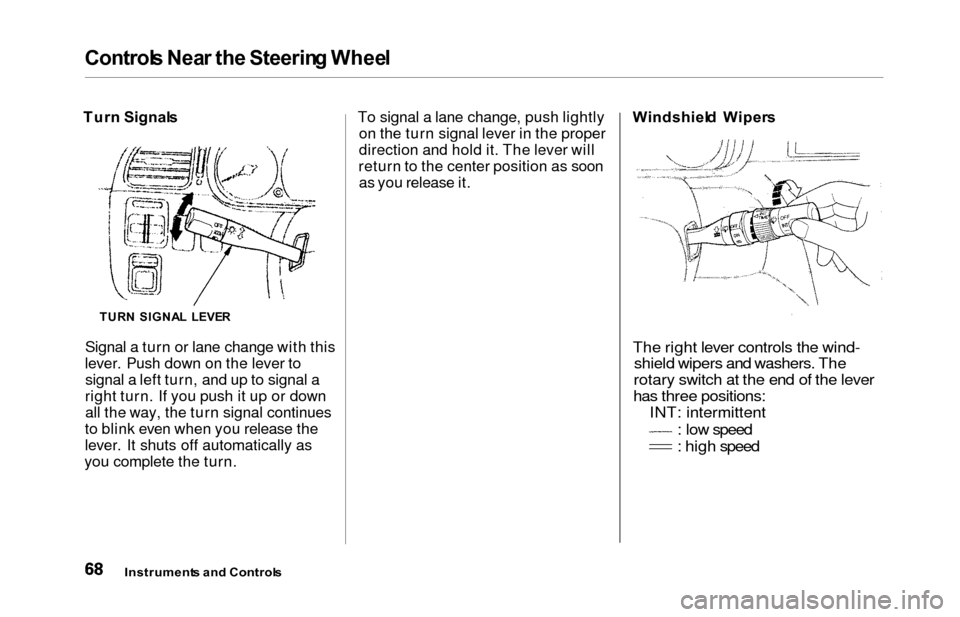
Turn Signal s
Signal a turn or lane change with this
lever. Push down on the lever to signal a left turn, and up to signal a
right turn. If you push it up or down all the way, the turn signal continues
to blink even when you release the
lever. It shuts off automatically as
you complete the turn. To signal a lane change, push lightly
on the turn signal lever in the proper
direction and hold it. The lever will
return to the center position as soon as you release it. Windshiel
d Wiper s
The right lever controls the wind-
shield wipers and washers. The
rotary switch at the end of the lever
has three positions: INT: intermittent
: low speed
: high speed
Instrument s an d Control s
TURN SIGNA L LEVE R