check engine HONDA ODYSSEY 2001 RA6-RA9 / 2.G Owners Manual
[x] Cancel search | Manufacturer: HONDA, Model Year: 2001, Model line: ODYSSEY, Model: HONDA ODYSSEY 2001 RA6-RA9 / 2.GPages: 363, PDF Size: 5.8 MB
Page 53 of 363
Thepurposeof theSRS
light is to alert you to a
potential problem with your
Supplemental Restraint System.
This light will also alert you to a
potential problem with your
automatic seat belt tensioners.
When you turn the ignition ON (II),
this indicator will light brief ly then
go out. This tells you that the system
is working properly.
If the light comes on at any other
time, or does not come on at all, you
should have the system checked by
your dealer. For example:
If the SRS indicator light does not
come on after you turn the ignition
ON (II).
If the light stays on after the
engine starts.
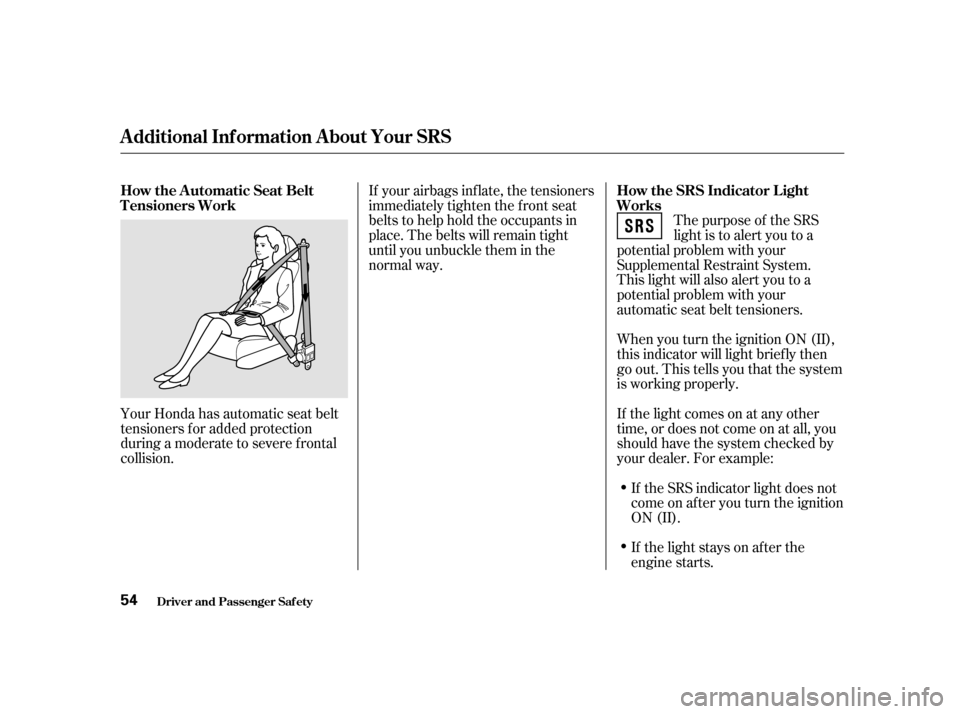
If your airbags inf late, the tensioners
immediately tighten the f ront seat
belts to help hold the occupants in
place. The belts will remain tight
until you unbuckle them in the
normal way.
Your Honda has automatic seat belt
tensioners f or added protection
during a moderate to severe frontal
collision. How the SRS Indicator L ight
Works
How the Automatic Seat Belt
T ensioners Work
Additional Inf ormation About Your SRS
Driver and Passenger Saf ety
54
Page 61 of 363
This light has two f unctions:This indicator comes on when you
turn the ignition switch ON (II). It
is a reminder to check the parking
brake. Driving with the parking
brake not f ully released can
damage the brakes and tires.
This indicator lights when you turn
the ignition switch ON (II). If it
comes on at any other time, it
indicates a problem in the
supplemental restraint system. For
complete inf ormation, see page .
If this light comes on when the
engine is running, the battery is not
being charged. For complete
inf ormation, see page .
The engine can be severely damaged
if this light f lashes or stays on when
the engine is running. For complete
inf ormation, see page .
See page .
The instrument panel has many
indicators to give you important
inf ormation about your vehicle.
This indicator lights when you turn
the ignition switch ON (II). It is a
reminder to you and your passengers
to protect yourselves by f astening
the seat belts. A beeper also sounds
if you have not fastened your seat
belt.
If you do not f asten your seat belt,
the beeper will stop af ter a f ew
seconds but the light stays on until
you do. Both the light and the beeper
stay of f if you f asten your seat belt
bef ore turning on the ignition. If the indicator remains lit af ter
you have fully released the
parking brake while the engine is
running, or if it comes on while
driving, it can indicate a problem
in the brake system. For complete
information, see page .
1. 2.
320
318
319
54 322
Indicator L ights
Inst rument s and Cont rols Parking Brake
and Brake
System
Indicator
Supplemental Restraint
System Indicator
Charging System
Indicator
L ow Oil Pressure
Indicator
Malf unction Indicator
Lamp
Seat Belt Reminder L ight
62 U.S. Canada
Page 62 of 363

This light normally comes on f or a
f ew seconds when you turn the
ignition switch ON (II), and when
the ignition switch is turned to
START (III). If this light comes on at
any other time, there is a problem in
theABS.If thishappens,takethe
vehicle to your dealer to have it
checked. With the light on, your
vehicle still has normal braking
ability but no anti-lock. For complete
inf ormation, see page .This indicator comes on f or a f ew
seconds when you turn the ignition
switch ON (II). It will then go of f if
you have inserted a properly-coded
ignition key. If it is not a properly-
coded key, the indicator will blink
and the engine will not start (see
page ).
This indicator also blinks several
times when you turn the ignition
switch f rom ON (II) to ACCESSORY
(I) or LOCK (0).
This indicator has three f unctions:
Itcomesonasareminderthatyou
have turned off the Traction
Control System.
It f lashes when the TCS is
regulating wheelspin.
If itcomesonandstaysonwhen
the Traction Control System is on,
it indicates that there is a problem
in the TCS.
This light also comes on when you
turn the ignition ON (II) and goes off
af ter the engine starts. See page f or more inf ormation on the
TCS.
1. 2. 3.
219 81
221
Indicator L ights
Inst rument s and Cont rols
Traction Control System
(T CS) Indicator
Anti-lock Brake System
(A BS) Indicator Immobilizer System
Indicator
63
U.S. Canada
Page 63 of 363
The lef t or right turn signal light
blinks when you signal a lane change
or turn. If the light does not blink or
blinks rapidly, it usually means one
of the turn signal bulbs is burned out
(see page ). Replace the bulb as
soon as possible, since other drivers
cannot see that you are signalling.
WhenyouturnontheHazard
Warning switch, both turn signal
lights blink. All turn signals on the
outside of the vehicle should f lash.
This indicator comes on f or a f ew
seconds when you turn the ignition
switch ON (II). If it comes on at any
other time, there is a problem in the
power sliding door system. With this
light on, move the main switch on
the dashboard to the OFF position,
and have the system checked by
your Honda dealer as soon as
possible. You can still open or close
each sliding door manually. For
more inf ormation on the power
sliding doors, see page .
All the lights in the monitor display
come on when you turn the ignition
switch ON (II). The lights go of f
after the engine starts and the
tailgate and all doors are closed
tightly.
A burned out brake light is a hazard
when drivers behind you cannot tell
you are braking. Have your brake
lights repaired right away.
The appropriate light comes on in
this display if the tailgate or any door
is not closed tightly. If a brake light
does not work, the
indicator comes on when you push
the brake pedal with the ignition
switch ON (II).
94 283
EX model only
Door and Brake L amp Monitor
Turn Signal and
Hazard Warning
Indicators
Power Sliding Door
Indicator
Indicator L ights
Inst rument s and Cont rols
64 BRAKE LAMP
Page 66 of 363

This shows how much f uel you have.
It is most accurate when the vehicle
is on level ground. It may show
slightly more or less than the actual
amount when you are driving on
curvy or hilly roads.
This shows the temperature of the
engine’s coolant. During normal
operation, the pointer should rise
from the bottom white mark to about
the middle of the gauge. In severe
driving conditions, such as very hot
weather or a long period of uphill
driving, the pointer may rise to near
the upper white mark. If it reaches
the red (Hot) mark, pull safely to the
side of the road. Turn to page f or
instructions and precautions on
checking the engine’s cooling
system.
This meter shows the number of
miles (U.S.) or kilometers (Canada)
driven since you last reset it.
There are two trip meters: Trip A
and Trip B. Switch between these
displays by pressing the Select/
Reset button repeatedly. Each trip
meter works independently, so you
can keep track of two dif f erent
distances.
To reset a trip meter, display it, and
then press and hold the Select/Reset
button until the number resets to‘‘0.0’’.
The needle returns to the bottom
after you turn off the ignition. The
gauge shows the f uel level reading
immediately af ter you turn the
ignition switch back ON (II).
315
Gauges
Inst rument s and Cont rols
Trip Meter Temperature Gauge Fuel Gauge
67
Page 194 of 363

Bef ore you begin driving your Honda,
youshouldknowwhatgasolineto
use, and how to check the levels of
important f luids. You also need to
know how to properly store luggage
or packages. The inf ormation in this
section will help you. If you plan to
add any accessories to your vehicle,
please read the inf ormation in this
section f irst..............................
Break-in Period . 196
.........................................
Gasoline . 196
.........
Service Station Procedures . 197
................
Filling the Fuel Tank . 197
....................
Opening the Hood . 198
...............................
Oil Check . 200
.........
Engine Coolant Check . 201
...............................
Fuel Economy . 202
.....................
Vehicle Condition . 202
...........................
Driving Habits . 202
...
Accessories and Modif ications . 203
.............................
Carrying Cargo . 205
Bef ore Driving
Bef ore Driving 195
Page 199 of 363
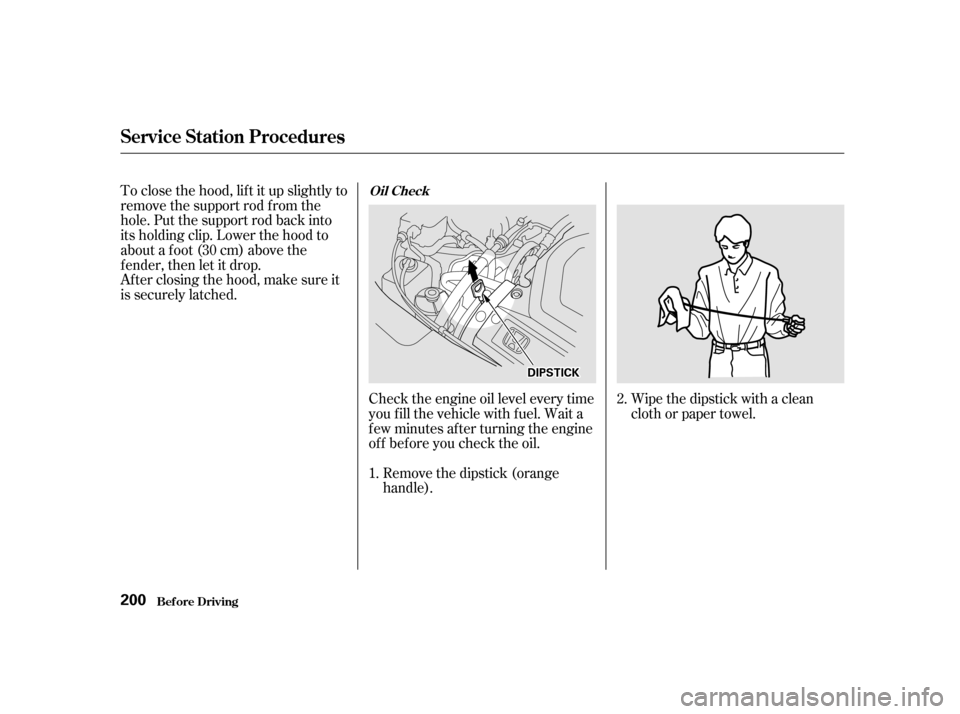
Wipe the dipstick with a clean
cloth or paper towel.
Check the engine oil level every time
you f ill the vehicle with f uel. Wait a
f ew minutes af ter turning the engine
of f bef ore you check the oil.
Remove the dipstick (orange
handle).
To close the hood, lif t it up slightly to
remove the support rod f rom the
hole. Put the support rod back into
its holding clip. Lower the hood to
about a f oot (30 cm) above the
fender,thenletitdrop.
Afterclosingthehood,makesureit
is securely latched.
2.
1.
Service Station Procedures
Bef ore Driving
Oil Check
200
DDIIPPSSTTIICCKK
Page 200 of 363
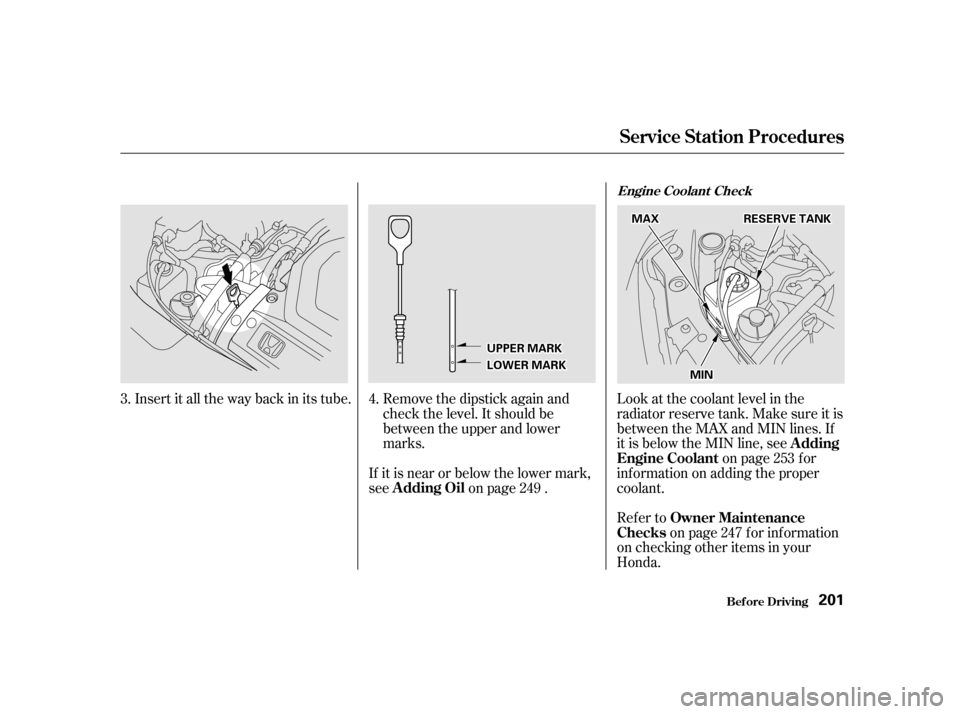
Refer toon page f or inf ormation
on checking other items in your
Honda.
Look at the coolant level in the
radiator reserve tank. Make sure it is
between the MAX and MIN lines. If
it is below the MIN line, see
on page f or
informationonaddingtheproper
coolant.
If it is near or below the lower mark,
see on page .
Insert it all the way back in its tube. Remove the dipstick again and
check the level. It should be
between the upper and lower
marks.
4.
3.
247
249
253
Bef ore Driving
Service Station Procedures
Owner Maintenance
Checks A dding
Engine Coolant
A dding Oil
Engine Coolant Check
201
UUPPPPEERRMMAARRKK
LLOOWWEERRMMAARRKK
MMAAXX
MMIINN
RREESSEERRVVEETTAANNKK
Page 201 of 363

The condition of your vehicle and
your driving habits are the two most
important things that affect the fuel
mileage you get.
Always maintain your vehicle accord-
ing to the maintenance schedule.
This will keep it in top operating
condition.A cold engine uses more f uel than a
warm engine. It is not necessary to
‘‘warm-up’’ a cold engine by letting it
idle f or a long time. You can drive
away in about a minute, no matter
how cold it is outside. The engine
will warm up f aster, and you get
better f uel economy. To cut down on
the number of ‘‘cold starts,’’ try to
combine several short trips into one.
You can improve f uel economy by
driving moderately. Rapid acceler-
ation, abrupt cornering, and hard
braking use more f uel.
Always drive in the highest gear that
allows the engine to run and acceler-
ate smoothly.
Depending on traf f ic conditions, try
to maintain a constant speed. Every
time you slow down and speed up,
your vehicle uses extra f uel. Use the
cruise control, when appropriate, to
increase f uel economy.
The air conditioning puts an extra
load on the engine which makes it
usemorefuel.Turnoff theA/Cto
cutdownonairconditioninguse.
Use the f low-through ventilation
when the outside air temperature is
moderate.
In winter, the build-up of snow on
your vehicle’s underside adds weight
and rolling resistance. Frequent
cleaning helps your f uel mileage and
reduces the chance of corrosion.
An important part of that mainte-
nance is the
(see page ). For
example, an underinf lated tire
causes more ‘‘rolling resistance,’’
which uses f uel. It also wears out
f aster, so check the tire pressure at
least monthly. 247
Vehicle Condition
Driving Habits
Owner Maintenance
Checks
Bef ore Driving
Fuel Economy
202
Page 209 of 363

Youshoulddothefollowingchecks
and adjustments every day bef ore
you drive your vehicle.Make sure all windows, mirrors,
and outside lights are clean and
unobstructed. Remove f rost, snow,
or ice. Check the adjustment of the seat
(see page ).
Check the adjustment of the
inside and outside mirrors (see
page ).
Check the adjustment of the
steering wheel (see page ).
Fasten your seat belt. Check that
your passengers have f astened
their seat belts (see page ).Turn the ignition switch ON (II).
Check the indicator lights in the
instrument panel.
Start the engine (see page ).
Check the gauges and indicator
lights in the instrument panel (see
page ).
Check that any items you may be
carrying with you inside are stored
properly or f astened down
securely.
Visually check the tires. If a tire
looks low, use a gauge to check its
pressure.
Check that the hood and tailgate
arefullyclosed. Makesurethedoorsandtailgate
are securely closed and locked.
3. 2.
1.
4. 5.
6. 7. 8. 9. 11.
12. 10.
15
105
121 76 211
61
Preparing to Drive
Driving
210