buttons HONDA ODYSSEY 2013 RC1-RC2 / 5.G Navigation Manual
[x] Cancel search | Manufacturer: HONDA, Model Year: 2013, Model line: ODYSSEY, Model: HONDA ODYSSEY 2013 RC1-RC2 / 5.GPages: 267, PDF Size: 8.64 MB
Page 143 of 267
141Audio
Playing a DiscSelecting Disc Mode1.Press the CD button to play a CD or other disc.
2. Insert a disc into the disc slot.
The disc automatically begins playing.
3. Select a track using the buttons (Preset, SCAN) and the bars (SKIP, CATEGORY).
The track number and elapsed time ar e displayed on the display. Title
information for audio CDs is displayed if found in the Gracenote® Album Info
(Gracenote® Media Database) stored on the built-in hard disc drive (HDD). Text
information stored on MP3/WMA/ AAC discs is also displayed.
Audio Screen ControlHAUDIO button (in DISC mode)
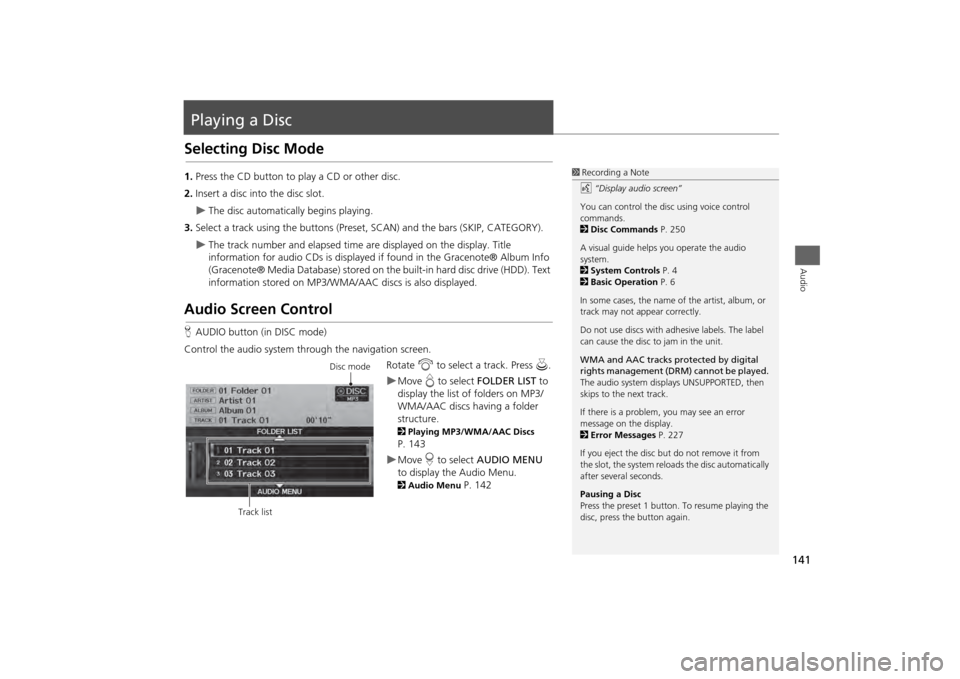
Control the audio system through the navigation screen. Rotate i to select a track. Press u .
Move e to select FOLDER LIST to
display the list of folders on MP3/
WMA/AAC discs having a folder
structure. 2 Playing MP3/WMA/AAC Discs P. 143Move r to select AUDIO MENU
to display the Audio Menu. 2 Audio Menu
P. 142
1Recording a Note
d “Display audio screen”
You can control the disc using voice control
commands.
2 Disc Commands P. 250
A visual guide helps you operate the audio
system.
2 System Controls P. 4
2 Basic Operation P. 6
In some cases, the name of the artist, album, or
track may not appear correctly.
Do not use discs with a dhesive labels. The label
can cause the disc to jam in the unit.
WMA and AAC tracks protected by digital
rights management (DRM) cannot be played.
The audio system displays UNSUPPORTED, then
skips to the next track.
If there is a problem, you may see an error
message on the display.
2 Error Messages P. 227
If you eject the disc but do not remove it from
the slot, the system reloads the disc automatically
after severa l seconds.
Pausing a Disc
Press the preset 1 button. To resume playing the
disc, press the button again.
Disc mode
Track list
Page 194 of 267
192Rear Entertainment System
Rear Control Panel OperationSelecting the Audio Source■RES
1. Press the audio source button.
2. Select a station, channel, track, or ch apter using the CH/FOLDER, TUNE/SKIP, or
CATEGORY bars.2 Overhead Screen and Rear Control Panel
P. 15
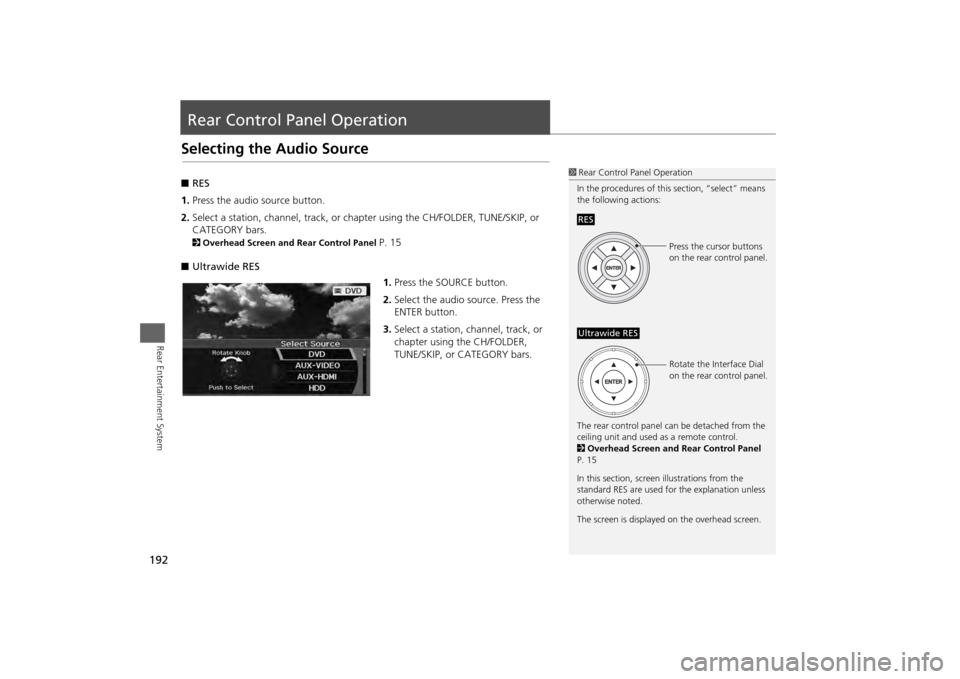
■ Ultrawide RES
1.Press the SOURCE button.
2. Select the audio source. Press the
ENTER button.
3. Select a station, channel, track, or
chapter using the CH/FOLDER,
TUNE/SKIP, or CATEGORY bars.
1Rear Control Panel Operation
In the procedures of this section, “select” means
the following actions:
The rear control panel ca n be detached from the
ceiling unit and used as a remote control.
2 Overhead Screen and Rear Control Panel
P. 15
In this section, screen illustrations from the
standard RES are used for the explanation unless
otherwise noted.
The screen is displayed on the overhead screen.RES
Press the cursor buttons
on the rear control panel.
Ultrawide RES
Rotate the Interface Dial
on the rear control panel.
Page 234 of 267
232Reference Information
System InitializationThe navigation system must be initialized if
power to the navigation system is
interrupted for any reason (e.g., the
battery was disconnected).Entering the Security CodeWhen you purchased the vehicle, you
should have received a card with the
navigation system security code and serial
number. Keep this card in a safe place. If
you lose the card, you must obtain the
security code from your dealer.
1.Press the VOLUME button to activate
the audio system.
2. Enter the 5-digit security code when
prompted using the radio preset
buttons.
Acquiring GPS InformationDepending on the length of time the
power was interrupted, your system may
require GPS initialization.
If initialization is not necessary, the system
proceeds directly to the Startup
Confirmation screen.
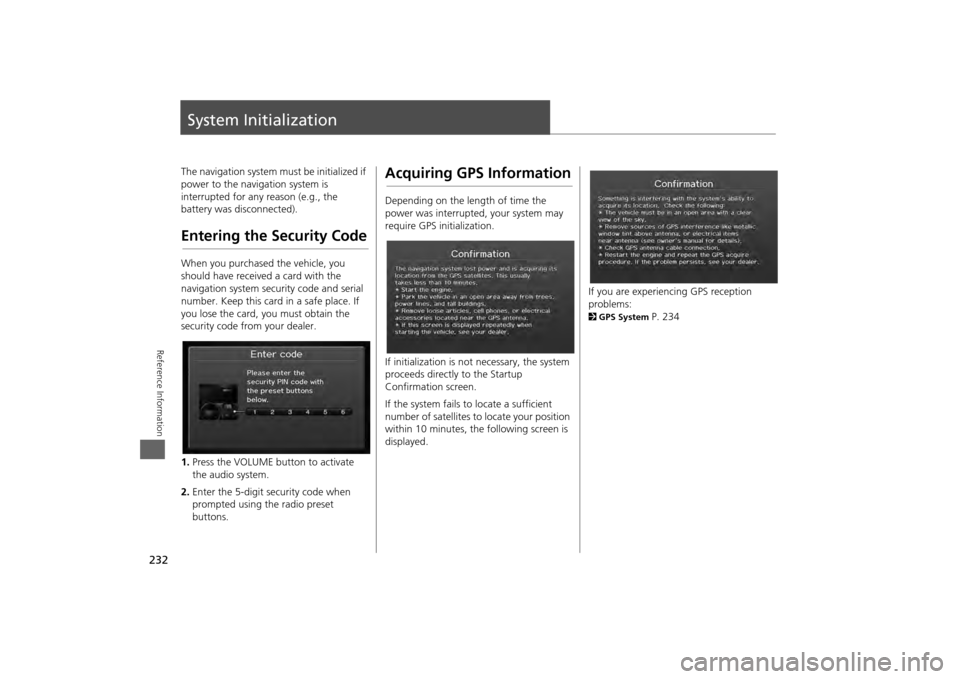
If the system fails to locate a sufficient
number of satellites to locate your position
within 10 minutes, th e following screen is
displayed.
If you are experiencing GPS reception
problems: 2 GPS System
P. 234
Page 265 of 267

263
Index
Index
KKey to ZAGAT Ratings
.............................. 216
LLanguage
...................................................... 31
Leisure (Place Category)
............................. 80
Lodging (Place Category)
........................... 80
MMap Color
..................................................... 28
Map Data Update
Checking Version
..................................... 215
Obtaining Update DVD
............................ 237
Viewing Upda te Status
............................. 216
Map Information
....................................... 105
Map Input
Editing Avoid Area
..................................... 54
Setting Destination
..................................... 88
Map Legend
......................................... 10
, 110
Map Menu
.................................................... 98
Map Screen
................................................... 93
Icon
............................................. 10
, 106
, 112
Orientation
............................................... 108
Scale
......................................................... 111
MAP/GUIDE Button
............................. 11
, 103
Menu (Dest. Menu 1)
.................................. 68
Menu (Dest. Menu 2)
.................................. 68
Menu (Route)
............................................. 116
MENU Button
Changing Route
....................................... 116
Entering a Destination
................................ 68
Menu Color
.................................................. 28
Mode
...........................................................137
MODE Button
.............................................167
More Speed Dial
........................................170
Music Search
.................................................45
HDD
..........................................................150
iPod®
........................................................158
Phonetic Modification
................................47
Song By Voice
.....................................46
, 159
Mute
............................................................185
NNight Mode
Map Color
...................................................28
Menu Color
................................................ 28
Switching Display Mode
.............................29
North-up
..................................................... 108
Note
.............................................................138
OOff-road Tracking
Driving
........................................................96
Setting
........................................................62
Open Map
...................................................102
PPair Phone
...................................................172
Pass-Key
.......................................................174
Personal Information
..................................37
Phone Setup
...............................................170
Phonebook
Importing
..................................................177
Making a Call
...........................................183
PIN Numbers
................................................ 43
Place Category
Editing Address Book
................................. 40
Place Category List
................................... 258
Setting Destination
.................................... 80
Place Name
Editing Address Book
................................. 40
Setting Destination
.............................. 77
, 81
Place Phone No.Editing Address Book
................................. 40
Setting Destination
.................................... 84
Preset Buttons
............................................... 6
Previous Destination
Deleting
...................................................... 44
Editing Address Book
................................. 40
Setting Destination
.................................... 76
RRadioFM/AM
..................................................... 132
XM®
........................................................ 136
RandomDisc
........................................................... 142
HDD
......................................................... 147
Pass-Key
................................................... 174
USB Flash Drive
........................................ 162
RDS Search
................................................. 134
Read Radio Text
........................................ 135
Rearview Camera
...................................... 217
Rec to HDD
................................................. 149
Recalculation
......................................... 50
, 95
Reminder
.............................................. 21
, 212