lock HONDA ODYSSEY 2013 RC1-RC2 / 5.G Owner's Manual
[x] Cancel search | Manufacturer: HONDA, Model Year: 2013, Model line: ODYSSEY, Model: HONDA ODYSSEY 2013 RC1-RC2 / 5.GPages: 433, PDF Size: 12.35 MB
Page 81 of 433
80
uuIndicatorsu
Instrument Panel
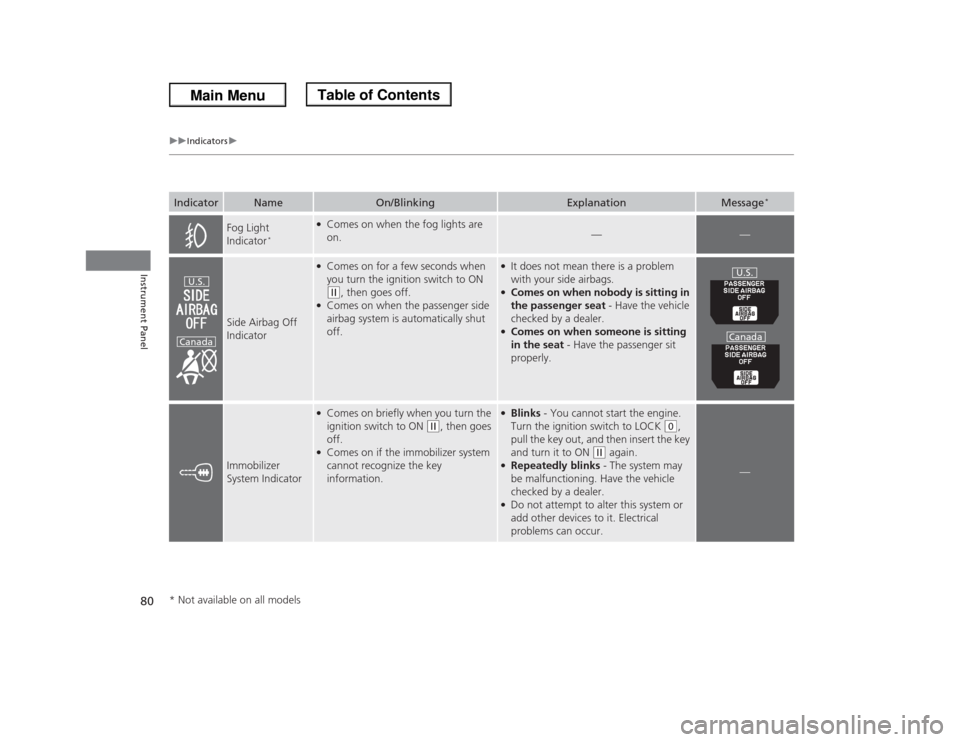
Fog Light
Indicator
*
●Comes on when the fog lights are
on.
—
—
Side Airbag Off
Indicator
●Comes on for a few seconds when
you turn the ignition switch to ON (w
, then goes off.
●Comes on when the passenger side
airbag system is automatically shut
off.
●It does not mean there is a problem
with your side airbags.●Comes on when nobody is sitting in
the passenger seat - Have the vehicle
checked by a dealer.●Comes on when someone is sitting
in the seat - Have the passenger sit
properly.
Immobilizer
System Indicator
●Comes on briefly when you turn the
ignition switch to ON
(w
, then goes
off.
●Comes on if the immobilizer system
cannot recognize the key
information.
●Blinks - You cannot start the engine.
Turn the ignition switch to LOCK
(0
,
pull the key out, and then insert the key
and turn it to ON
(w
again.
●Repeatedly blinks - The system may
be malfunctioning. Have the vehicle
checked by a dealer.●Do not attempt to alter this system or
add other devices to it. Electrical
problems can occur.
—
Indicator
Name
On/Blinking
Explanation
Message
*
U.S.
Canada
U.S.
Canada
* Not available on all models
Page 85 of 433
84
uuIndicatorsuMulti-Information Display Warning and Information Messages
*
Instrument Panel
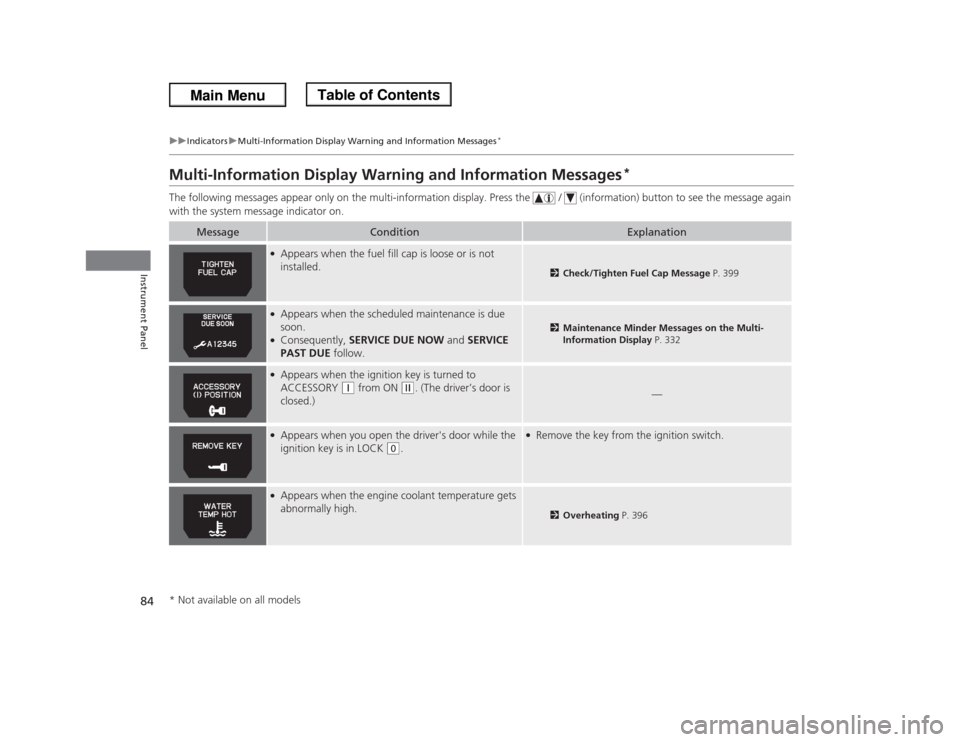
Multi-Information Display Warning and Information Messages
*
The following messages appear only on the multi-information display. Press the / (information) button to see the message again
with the system message indicator on.
Message
Condition
Explanation
●Appears when the fuel fill cap is loose or is not
installed.
2Check/Tighten Fuel Cap Message P. 399
●Appears when the scheduled maintenance is due
soon.●Consequently, SERVICE DUE NOW and SERVICE
PAST DUE follow.
2Maintenance Minder Messages on the Multi-
Information Display P. 332
●Appears when the ignition key is turned to
ACCESSORY
(q
from ON
(w
. (The driver’s door is
closed.)
—
●Appears when you open the driver's door while the
ignition key is in LOCK
(0
.
●Remove the key from the ignition switch.
●Appears when the engine coolant temperature gets
abnormally high.
2Overheating P. 396
* Not available on all models
Page 93 of 433
uuGauges and DisplaysuAudio/Information Screen
92Instrument Panel
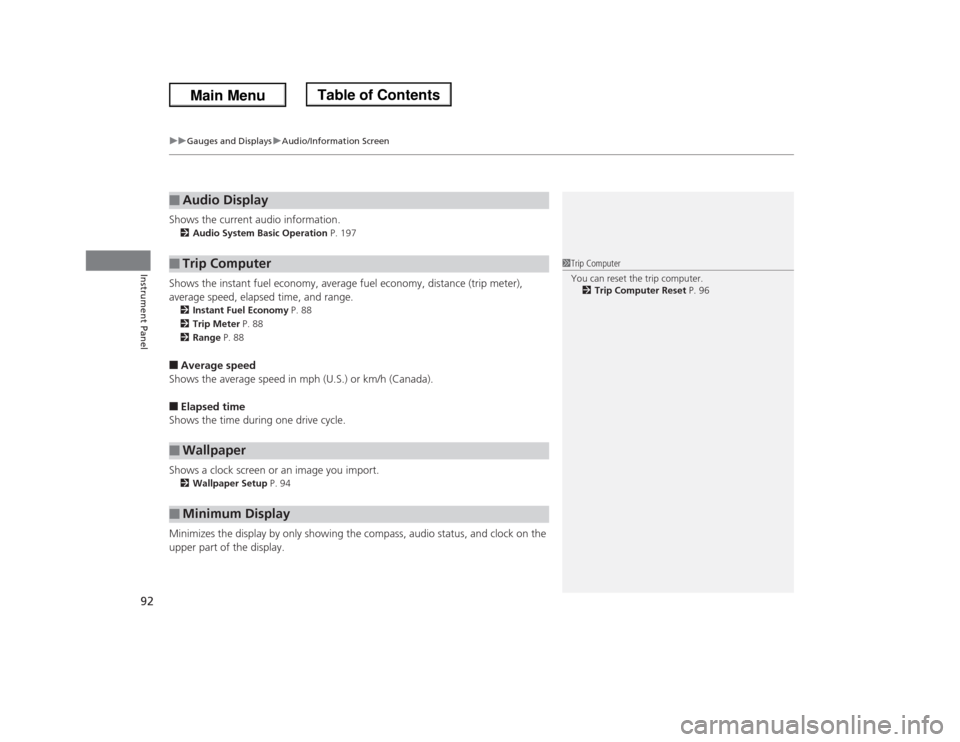
Shows the current audio information.2Audio System Basic Operation P. 197Shows the instant fuel economy, average fuel economy, distance (trip meter),
average speed, elapsed time, and range.2Instant Fuel Economy P. 88
2Trip Meter P. 88
2Range P. 88■Average speed
Shows the average speed in mph (U.S.) or km/h (Canada).■Elapsed time
Shows the time during one drive cycle.
Shows a clock screen or an image you import.2Wallpaper Setup P. 94Minimizes the display by only showing the compass, audio status, and clock on the
upper part of the display.■
Audio Display
■
Trip Computer
■
Wallpaper
■
Minimum Display
1Trip Computer
You can reset the trip computer.
2Trip Computer Reset P. 96
Page 96 of 433
95
uuGauges and DisplaysuAudio/Information Screen
Continued
Instrument Panel
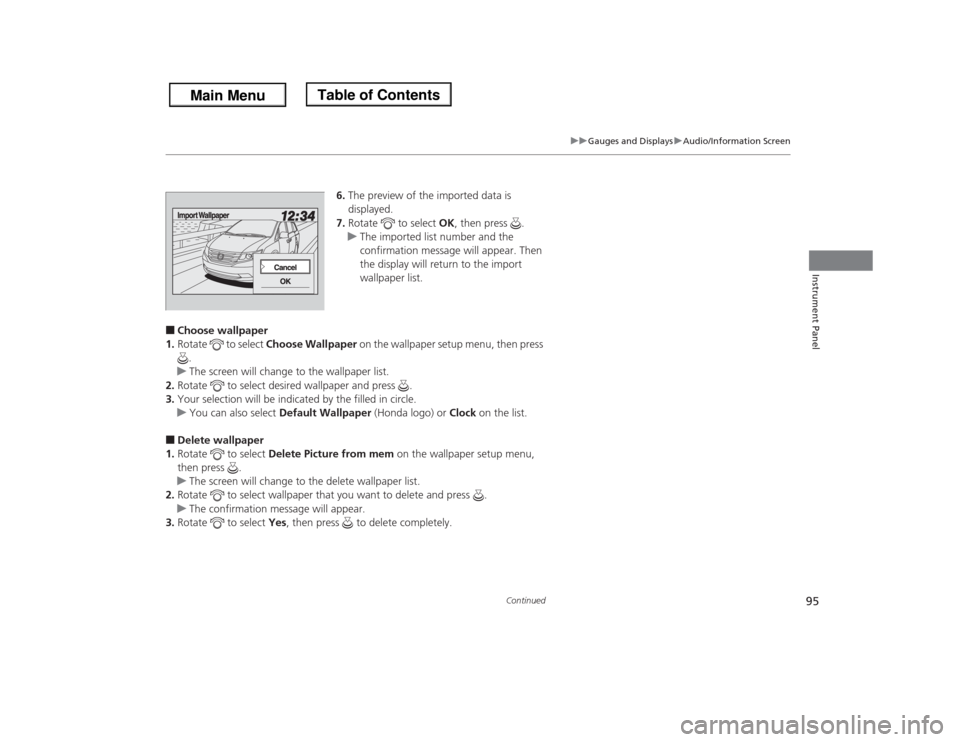
6.The preview of the imported data is
displayed.
7.Rotate to select OK, then press .
uThe imported list number and the
confirmation message will appear. Then
the display will return to the import
wallpaper list.
■Choose wallpaper
1.Rotate to select Choose Wallpaper on the wallpaper setup menu, then press
.
uThe screen will change to the wallpaper list.
2.Rotate to select desired wallpaper and press .
3.Your selection will be indicated by the filled in circle.
uYou can also select Default Wallpaper (Honda logo) or Clock on the list.■Delete wallpaper
1.Rotate to select Delete Picture from mem on the wallpaper setup menu,
then press .
uThe screen will change to the delete wallpaper list.
2.Rotate to select wallpaper that you want to delete and press .
uThe confirmation message will appear.
3.Rotate to select Yes, then press to delete completely.
Page 102 of 433
Continued
101
uuGauges and DisplaysuMulti-Information Display
*
Instrument Panel
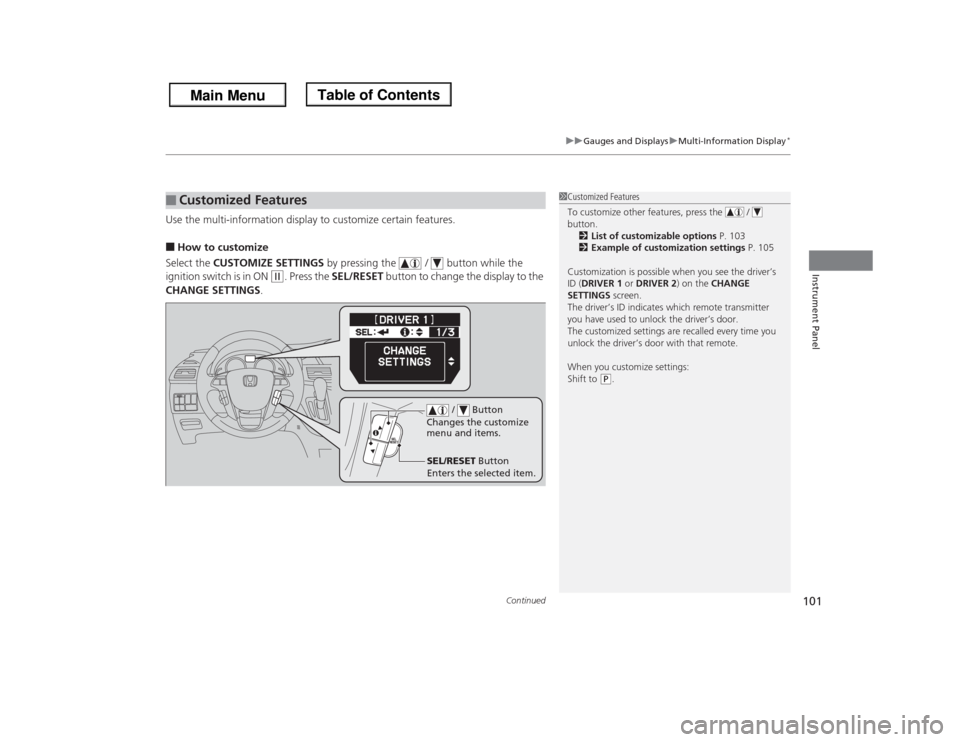
Use the multi-information display to customize certain features.■How to customize
Select the CUSTOMIZE SETTINGS by pressing the / button while the
ignition switch is in ON
(w
. Press the SEL/RESET button to change the display to the
CHANGE SETTINGS.
■
Customized Features
1Customized Features
To customize other features, press the /
button.
2List of customizable options P. 103
2Example of customization settings P. 105
Customization is possible when you see the driver’s
ID (DRIVER 1 or DRIVER 2) on the CHANGE
SETTINGS screen.
The driver’s ID indicates which remote transmitter
you have used to unlock the driver’s door.
The customized settings are recalled every time you
unlock the driver’s door with that remote.
When you customize settings:
Shift to
(P.
SEL/RESET Button
Enters the selected item. / Button
Changes the customize
menu and items.
Page 103 of 433
102
uuGauges and DisplaysuMulti-Information Display
*
Instrument Panel
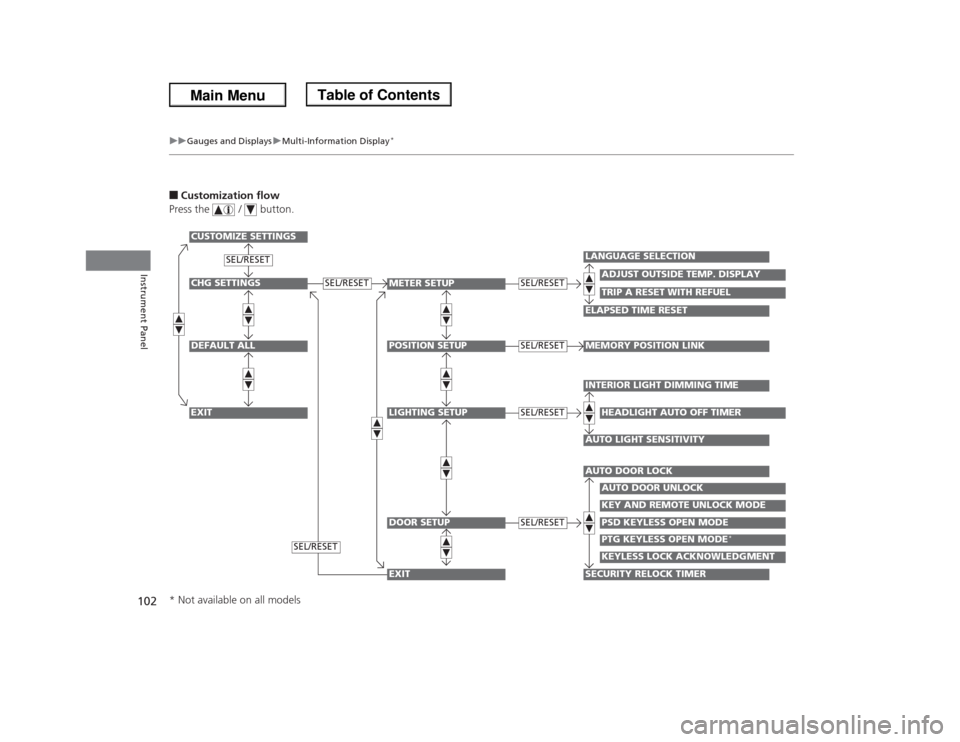
■Customization flow
Press the / button.CHG SETTINGSDEFAULT ALLEXIT
METER SETUPPOSITION SETUPLIGHTING SETUPDOOR SETUP
ADJUST OUTSIDE TEMP. DISPLAY
LANGUAGE SELECTIONELAPSED TIME RESET
TRIP A RESET WITH REFUEL
MEMORY POSITION LINKINTERIOR LIGHT DIMMING TIMEAUTO LIGHT SENSITIVITY
HEADLIGHT AUTO OFF TIMER
AUTO DOOR LOCKSECURITY RELOCK TIMER
AUTO DOOR UNLOCKKEY AND REMOTE UNLOCK MODEPSD KEYLESS OPEN MODE
SEL/RESET
SEL/RESETSEL/RESETSEL/RESETSEL/RESET
CUSTOMIZE SETTINGS
PTG KEYLESS OPEN MODE
*
KEYLESS LOCK ACKNOWLEDGMENT
SEL/RESET
SEL/RESET
EXIT
* Not available on all models
Page 105 of 433
104
uuGauges and DisplaysuMulti-Information Display
*
Instrument Panel
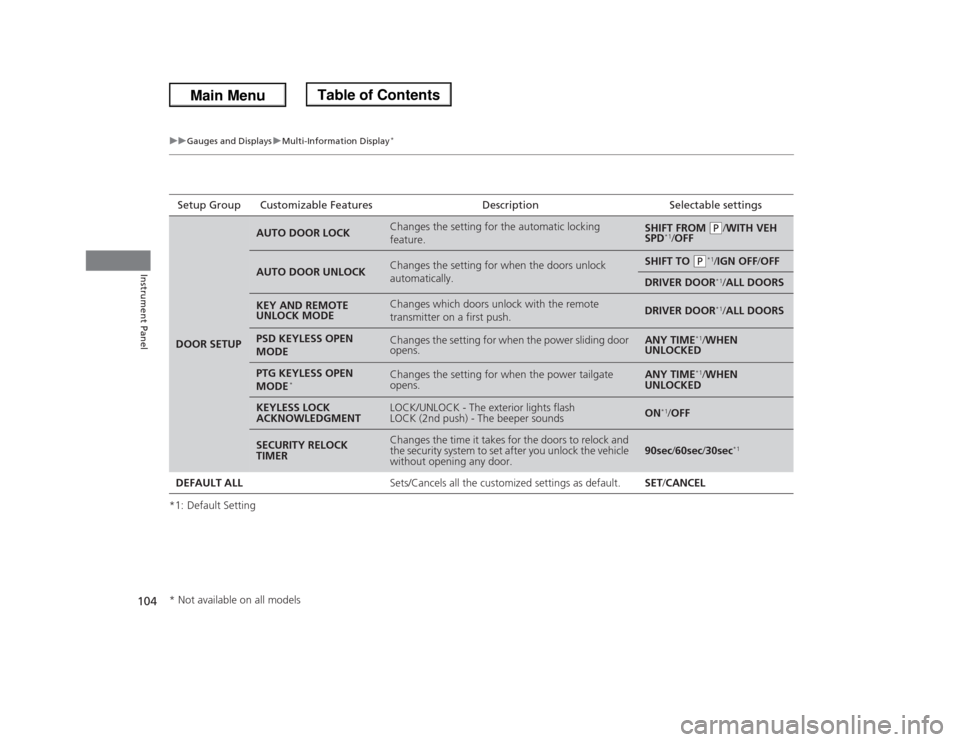
*1: Default SettingSetup Group Customizable Features Description Selectable settingsDOOR SETUP
AUTO DOOR LOCK
Changes the setting for the automatic locking
feature.
SHIFT FROM
(P
/WITH VEH
SPD
*1/OFF
AUTO DOOR UNLOCK
Changes the setting for when the doors unlock
automatically.
SHIFT TO
(P
*1/IGN OFF/OFF
DRIVER DOOR
*1/ALL DOORS
KEY AND REMOTE
UNLOCK MODE
Changes which doors unlock with the remote
transmitter on a first push.
DRIVER DOOR
*1/ALL DOORS
PSD KEYLESS OPEN
MODE
Changes the setting for when the power sliding door
opens.
ANY TIME
*1/WHEN
UNLOCKED
PTG KEYLESS OPEN
MODE
*
Changes the setting for when the power tailgate
opens.
ANY TIME
*1/WHEN
UNLOCKED
KEYLESS LOCK
ACKNOWLEDGMENT
LOCK/UNLOCK - The exterior lights flash
LOCK (2nd push) - The beeper sounds
ON
*1/OFF
SECURITY RELOCK
TIMER
Changes the time it takes for the doors to relock and
the security system to set after you unlock the vehicle
without opening any door.
90sec/60sec/30sec
*1
DEFAULT ALLSets/Cancels all the customized settings as default. SET/CANCEL* Not available on all models
Page 108 of 433
107
Controls
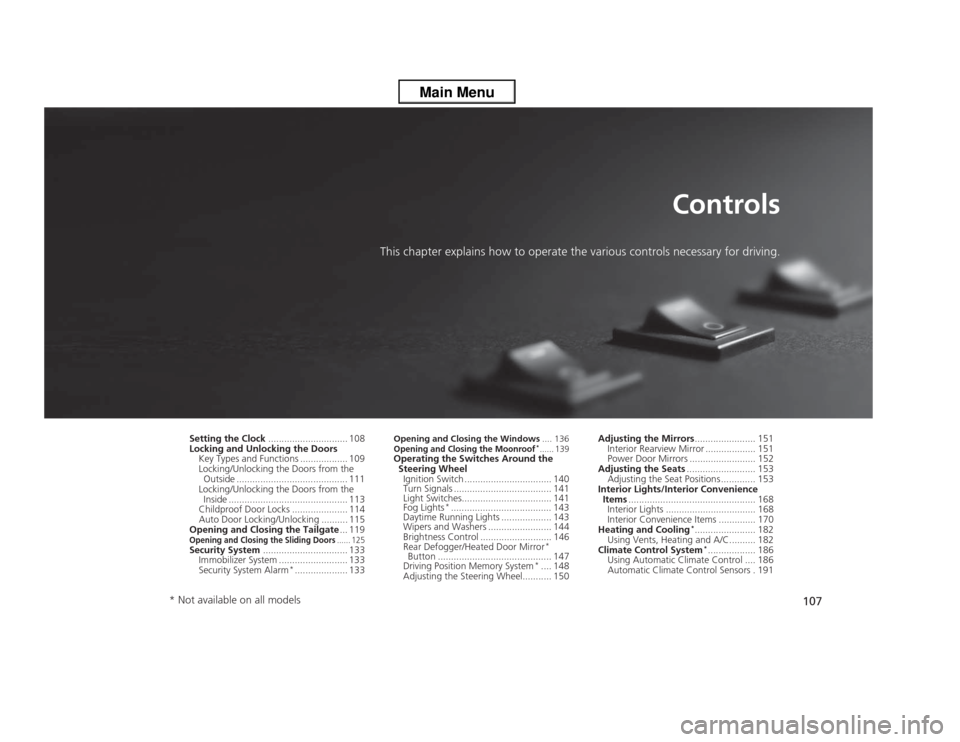
This chapter explains how to operate the various controls necessary for driving.
Setting the Clock.............................. 108
Locking and Unlocking the Doors
Key Types and Functions .................. 109
Locking/Unlocking the Doors from the
Outside .......................................... 111
Locking/Unlocking the Doors from the
Inside ............................................. 113
Childproof Door Locks ..................... 114
Auto Door Locking/Unlocking .......... 115
Opening and Closing the Tailgate... 119Opening and Closing the Sliding Doors
...... 125
Security System................................ 133
Immobilizer System .......................... 133
Security System Alarm
*.................... 133
Opening and Closing the Windows.... 136Opening and Closing the Moonroof
*...... 139
Operating the Switches Around the
Steering Wheel
Ignition Switch ................................. 140
Turn Signals ..................................... 141
Light Switches.................................. 141
Fog Lights
*...................................... 143
Daytime Running Lights ................... 143
Wipers and Washers ........................ 144
Brightness Control ........................... 146
Rear Defogger/Heated Door Mirror
*
Button ........................................... 147
Driving Position Memory System
*.... 148
Adjusting the Steering Wheel........... 150Adjusting the Mirrors....................... 151
Interior Rearview Mirror ................... 151
Power Door Mirrors ......................... 152
Adjusting the Seats.......................... 153
Adjusting the Seat Positions ............. 153
Interior Lights/Interior Convenience
Items................................................ 168
Interior Lights .................................. 168
Interior Convenience Items .............. 170
Heating and Cooling
*....................... 182
Using Vents, Heating and A/C.......... 182
Climate Control System*.................. 186
Using Automatic Climate Control .... 186
Automatic Climate Control Sensors . 191
* Not available on all models
Page 109 of 433
108Controls
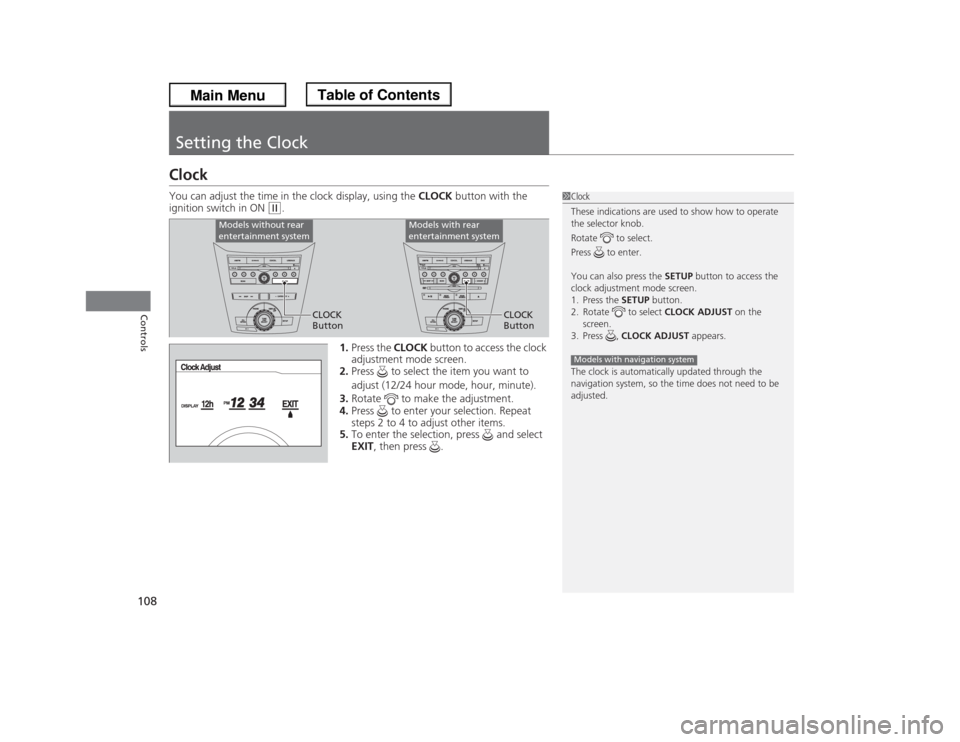
Setting the ClockClockYou can adjust the time in the clock display, using the CLOCK button with the
ignition switch in ON
(w
.
1.Press the CLOCK button to access the clock
adjustment mode screen.
2.Press to select the item you want to
adjust (12/24 hour mode, hour, minute).
3.Rotate to make the adjustment.
4.Press to enter your selection. Repeat
steps 2 to 4 to adjust other items.
5.To enter the selection, press and select
EXIT, then press .
1Clock
These indications are used to show how to operate
the selector knob.
Rotate to select.
Press to enter.
You can also press the SETUP button to access the
clock adjustment mode screen.
1. Press the SETUP button.
2. Rotate to select CLOCK ADJUST on the
screen.
3. Press , CLOCK ADJUST appears.
The clock is automatically updated through the
navigation system, so the time does not need to be
adjusted.Models with navigation system
Models without rear
entertainment system
Models with rear
entertainment system
CLOCK
ButtonCLOCK
Button
Page 110 of 433
109
Continued
Controls
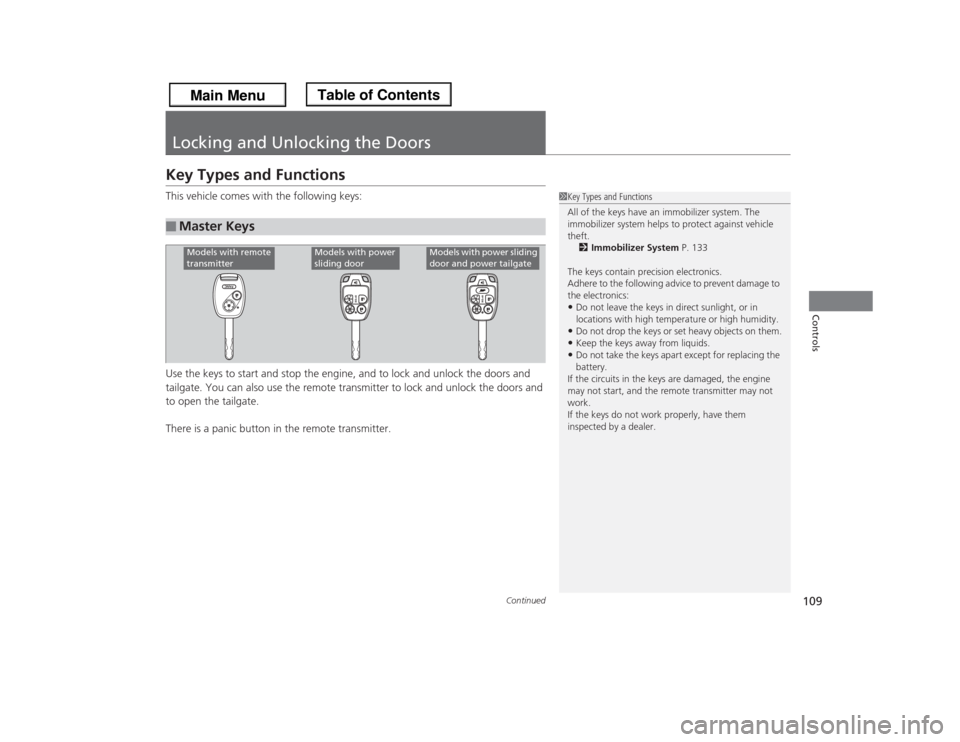
Locking and Unlocking the DoorsKey Types and FunctionsThis vehicle comes with the following keys:
Use the keys to start and stop the engine, and to lock and unlock the doors and
tailgate. You can also use the remote transmitter to lock and unlock the doors and
to open the tailgate.
There is a panic button in the remote transmitter.■
Master Keys
1Key Types and Functions
All of the keys have an immobilizer system. The
immobilizer system helps to protect against vehicle
theft.
2Immobilizer System P. 133
The keys contain precision electronics.
Adhere to the following advice to prevent damage to
the electronics:•Do not leave the keys in direct sunlight, or in
locations with high temperature or high humidity.•Do not drop the keys or set heavy objects on them.•Keep the keys away from liquids.•Do not take the keys apart except for replacing the
battery.
If the circuits in the keys are damaged, the engine
may not start, and the remote transmitter may not
work.
If the keys do not work properly, have them
inspected by a dealer.
Models with remote
transmitter
Models with power
sliding door
Models with power sliding
door and power tailgate