remote control HONDA ODYSSEY 2016 RC1-RC2 / 5.G Owner's Manual
[x] Cancel search | Manufacturer: HONDA, Model Year: 2016, Model line: ODYSSEY, Model: HONDA ODYSSEY 2016 RC1-RC2 / 5.GPages: 565
Page 142 of 565
141
Controls
Opening and Closing the Moonroof*
You can only operate the moonroof when the ignition switch is in ON (w*1. Use the
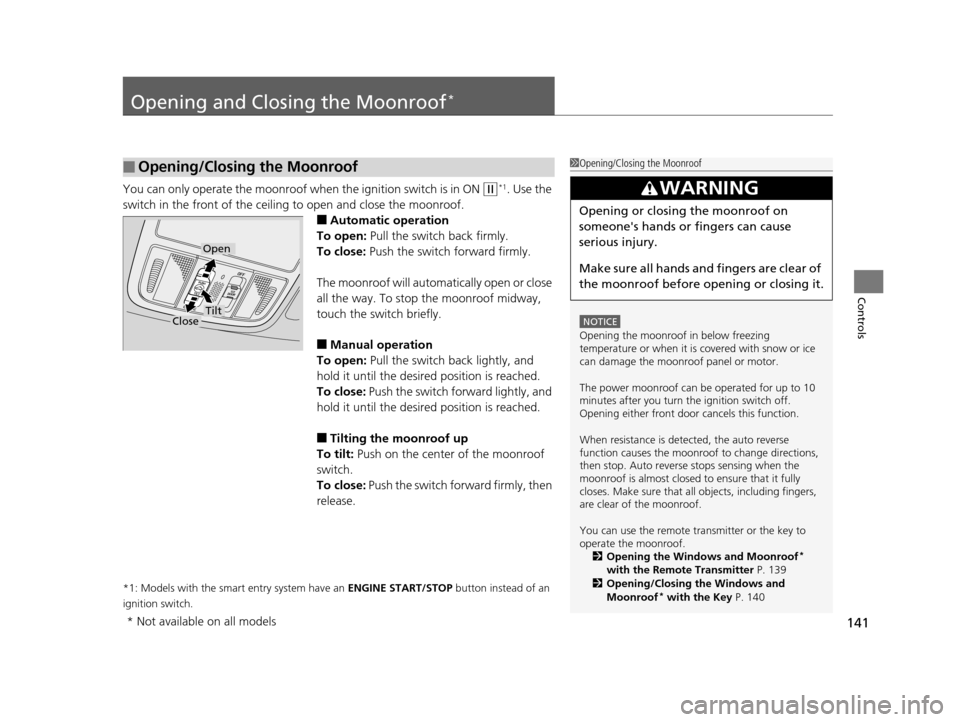
switch in the front of the ceiling to open and close the moonroof.
■Automatic operation
To open: Pull the switch back firmly.
To close: Push the switch forward firmly.
The moonroof will automatically open or close
all the way. To stop the moonroof midway,
touch the switch briefly.
■Manual operation
To open: Pull the switch back lightly, and
hold it until the desired position is reached.
To close: Push the switch forward lightly, and
hold it until the desired position is reached.
■Tilting the moonroof up
To tilt: Push on the center of the moonroof
switch.
To close: Push the switch forward firmly, then
release.
*1: Models with the smart entry system have an ENGINE START/STOP button instead of an
ignition switch.
■Opening/Closing the Moonroof1 Opening/Closing the Moonroof
NOTICE
Opening the moonroof in below freezing
temperature or when it is covered with snow or ice
can damage the moonr oof panel or motor.
The power moonroof can be operated for up to 10
minutes after you turn the ignition switch off.
Opening either front door cancels this function.
When resistance is detected, the auto reverse
function causes the moonroof to change directions,
then stop. Auto reverse stops sensing when the
moonroof is almost closed to ensure that it fully
closes. Make sure that al l objects, including fingers,
are clear of the moonroof.
You can use the remote transmitter or the key to
operate the moonroof. 2 Opening the Windows and Moonroof
*
with the Remote Transmitter P. 139
2 Opening/Closing the Windows and
Moonroof
* with the Key P. 140
3WARNING
Opening or closing the moonroof on
someone's hands or fingers can cause
serious injury.
Make sure all hands and fingers are clear of
the moonroof before opening or closing it.
Open
CloseTilt
* Not available on all models
16 US ODYSSEY-31TK86500.book 141 ページ 2015年6月24日 水曜日 午後3時0分
Page 144 of 565
143
uuOperating the Switches Around the Steering Wheel uENGINE START/STOP Button*
Continued
Controls
ENGINE START/STOP Button*
■Changing the Power Mode1ENGINE START/STOP Button*
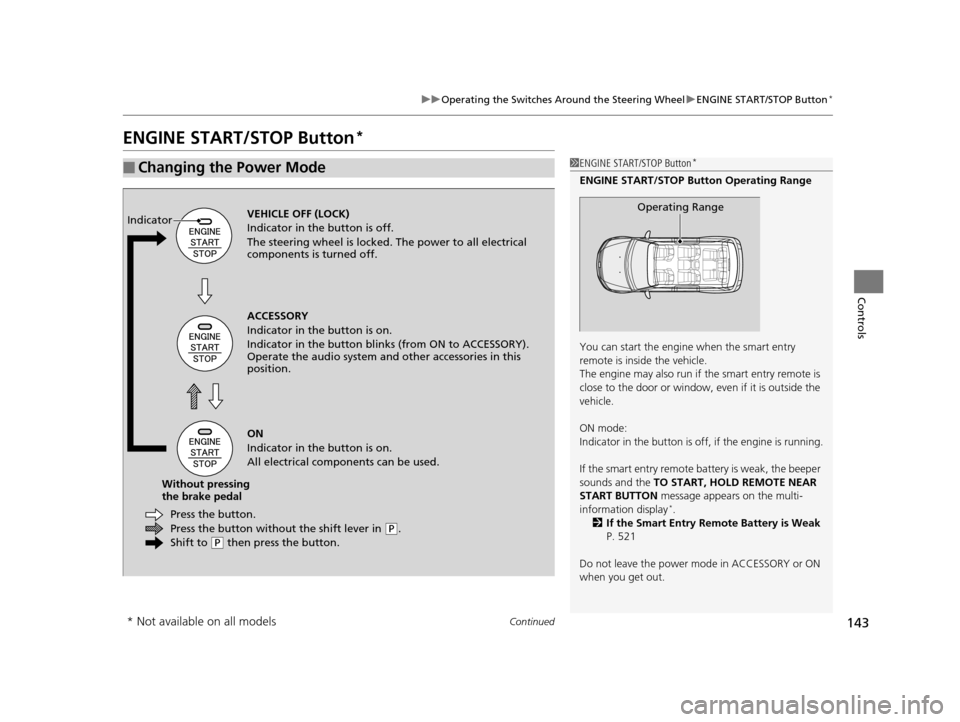
ENGINE START/STOP Button Operating Range
You can start the engine when the smart entry
remote is inside the vehicle.
The engine may also run if the smart entry remote is
close to the door or window, ev en if it is outside the
vehicle.
ON mode:
Indicator in the button is of f, if the engine is running.
If the smart entry remote battery is weak, the beeper
sounds and the TO START, HOLD REMOTE NEAR
START BUTTON message appears on the multi-
information display
*.
2 If the Smart Entry Remote Battery is Weak
P. 521
Do not leave the power mode in ACCESSORY or ON
when you get out.
Operating RangeVEHICLE OFF (LOCK)
Indicator in th e button is off.
The steering wheel is locked. The power to all electrical
components is turned off.
Press the button withou t the shift lever in
(P.
Shift to
( P then press the button.
Press the button.
Without pressing
the brake pedal ACCESSORY
Indicator in the button is on.
Indicator in the bu
tton blinks (from ON to ACCESSORY).
Operate the audio system and other accessories in this
position.
ON
Indicator in the button is on.
All electrical components can be used.
Indicator
* Not available on all models
16 US ODYSSEY-31TK86500.book 143 ページ 2015年6月24日 水曜日 午後3時0分
Page 145 of 565
144
uuOperating the Switches Around the Steering Wheel uENGINE START/STOP Button*
Controls
If you leave the vehicle for 30 to 60 minutes with the shift lever in (P and the power
mode in ACCESSORY, the vehicle automati cally goes into the mode similar to
VEHICLE OFF (LOCK) to avoid the battery drain.
When in this mode:
The steering wheel does not lock.
You cannot lock or unlock doors with th e remote transmitter or the smart entry
system.
Press the ENGINE START/STOP button twice to switch the mode to VEHICLE OFF
(LOCK).
■Automatic Power Off
16 US ODYSSEY-31TK86500.book 144 ページ 2015年6月24日 水曜日 午後3時0分
Page 146 of 565
145
uuOperating the Switches Around the Steering Wheel uENGINE START/STOP Button*
Controls
If you open the driver’s door when the power mode is set to ACCESSORY, a warning
buzzer sounds.
Warning buzzers may sound from inside or/
and outside the vehicle to remind you that the
smart entry remote is out of the vehicle. If the
buzzer continues even after the remote is put
back inside, place it to be within its
operational range.
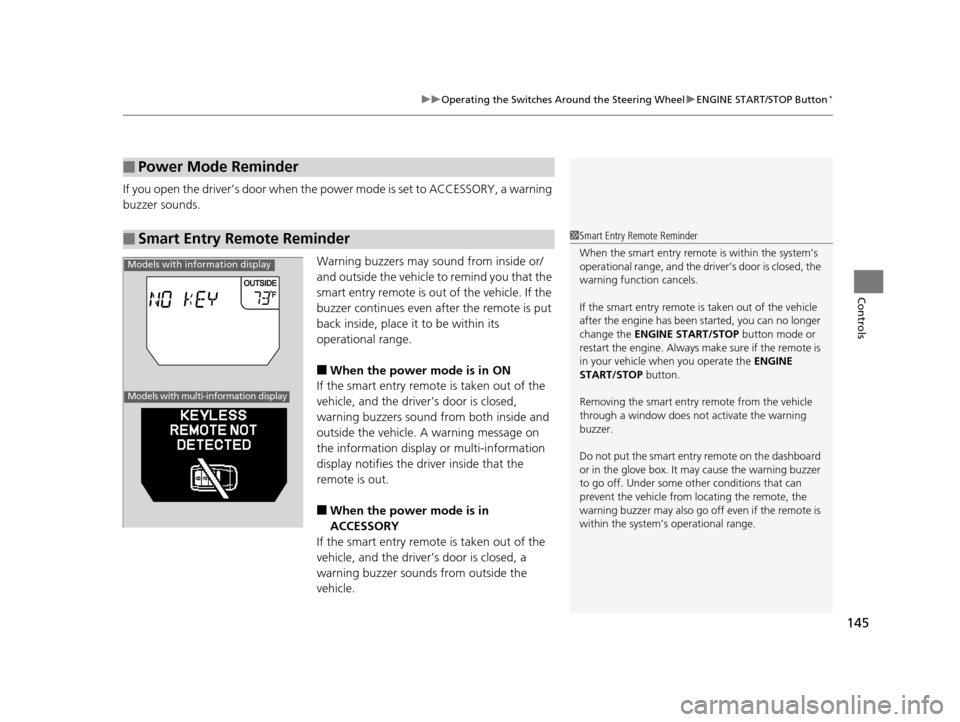
■When the power mode is in ON
If the smart entry remote is taken out of the
vehicle, and the driver’s door is closed,
warning buzzers sound from both inside and
outside the vehicle. A warning message on
the information display or multi-information
display notifies the driver inside that the
remote is out.
■When the power mode is in
ACCESSORY
If the smart entry remote is taken out of the
vehicle, and the driver’s door is closed, a
warning buzzer sounds from outside the
vehicle.
■Power Mode Reminder
■Smart Entry Remote Reminder1 Smart Entry Remote Reminder
When the smart entry remote is within the system’s
operational range, and the driv er’s door is closed, the
warning function cancels.
If the smart entry remote is taken out of the vehicle
after the engine has been started, you can no longer
change the ENGINE START/STOP button mode or
restart the engine. Always make sure if the remote is
in your vehicle when you operate the ENGINE
START/STOP button.
Removing the smart entry remote from the vehicle
through a window does not activate the warning
buzzer.
Do not put the smart entr y remote on the dashboard
or in the glove box. It may cause the warning buzzer
to go off. Under some other conditions that can
prevent the vehicle from locating the remote, the
warning buzzer may al so go off even if the remote is
within the system’s operational range.
Models with information display
Models with multi-information display
16 US ODYSSEY-31TK86500.book 145 ページ 2015年6月24日 水曜日 午後3時0分
Page 150 of 565
149
uuOperating the Switches Around the Steering Wheel uLight Switches
Controls
The headlights automatically come on when the wipers are used several times within
a certain intervals with the headlight switch in AUTO.
The headlights automatically go off a few mi nutes later if the wipers are stopped.
The headlights, all other exterior lights, and the instrument panel lights turn off 15
seconds after you remove the key or set the power mode to VEHICLE OFF (LOCK),
take the remote with you, and close the driver's door.
u You can change the headlight auto off timer setting.
2Customized Features P. 99, 295
If you turn the igniti on switch to LOCK (0*1 with the headlight switch on, but do
not open the door, the lights turn off afte r 10 minutes (three minutes, if the switch
is in the AUTO position).
The lights turn on again when you unlock or open the driver's door. If you unlock
the door, but do not open it within 15 seconds, the lights go off. If you open the
driver's door, you will hear a lights on reminder chime.
*1: Models with the smart entry system have an ENGINE START/STOP button instead of an
ignition switch.
■Headlight Integration with Wiper*
■Automatic Lighting Off Feature
1 Headlight Integration with Wiper*
This feature activates during the headlights are off in
AUTO .
The instrument panel br ightness does not change
when the headlights come on.
At dark ambient light leve ls, the automatic lighting
control feature turns on the headlights, regardless of
the number of wiper sweeps.
* Not available on all models
16 US ODYSSEY-31TK86500.book 149 ページ 2015年6月24日 水曜日 午後3時0分
Page 156 of 565
155
uuOperating the Switches Around the Steering Wheel uDriving Position Memory System*
Continued
Controls
Driving Position Memory System*
You can store two driver’s seat and outside mirrors position with the driving position
memory system.
When you unlock and open the driver’s door with a remote, the seat and outside
mirrors adjust automatically to one of the two preset positions.
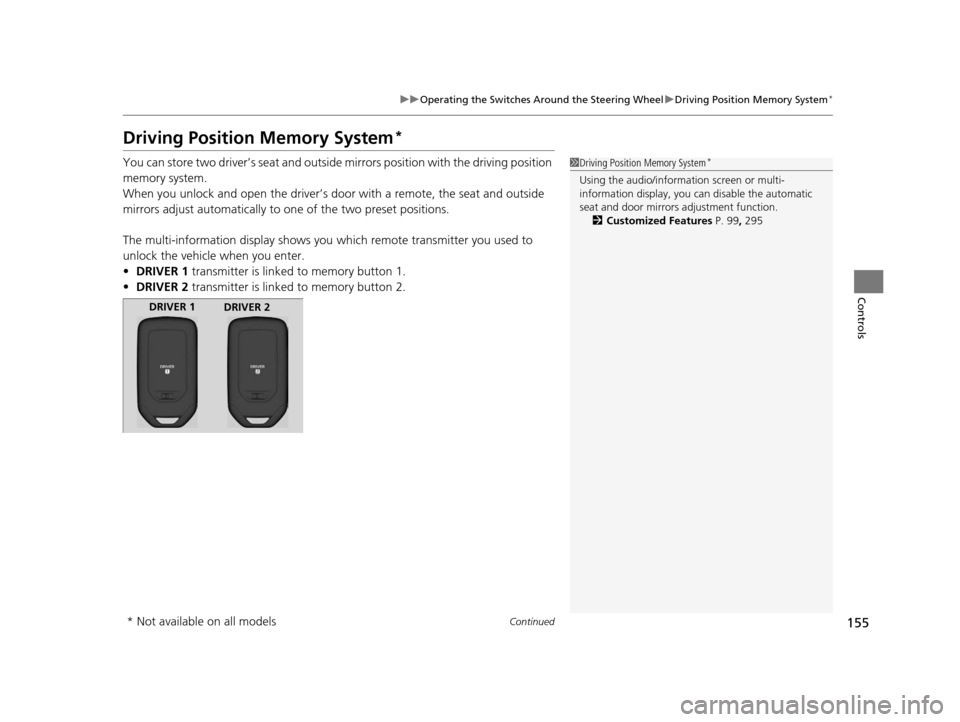
The multi-information display shows you which remote transmitter you used to
unlock the vehicle when you enter.
• DRIVER 1 transmitter is linked to memory button 1.
• DRIVER 2 transmitter is linked to memory button 2.1Driving Position Memory System*
Using the audio/information screen or multi-
information display, you can disable the automatic
seat and door mirrors adjustment function. 2 Customized Features P. 99, 295
DRIVER 1
DRIVER 2
* Not available on all models
16 US ODYSSEY-31TK86500.book 155 ページ 2015年6月24日 水曜日 午後3時0分
Page 206 of 565
205
Features
This chapter describes how to operate technology features.
Audio SystemAbout Your Audio System ................ 206
USB Port .......................................... 207
Auxiliary Input Jack .......................... 207
Audio System Theft Protection
*....... 208
Region Setting ................................. 209
Audio Remote Controls .................... 210
Audio System Basic Operation ........ 211
Audio/Information Screen ................ 212
Display Setup ................................... 217
Adjusting the Sound ........................ 216
Playing AM/FM Radio ....................... 218
Models with one display
Playing a CD .................................... 221
Playing an iPod ................................ 224
Playing Internet Radio ...................... 227
Playing a USB Flash Drive ................. 229
Playing Bluetooth ® Audio................. 232
Audio System Basic Operation ........ 234
Audio with Touch Screen ................. 235
Audio/Information Screen ................ 238
Display Setup ................................... 244
Adjusting the Sound ........................ 243
Playing AM/FM Radio ....................... 245
Playing SiriusXM ® Radio
*................. 249
Models with two displays
Playing a CD .................................... 252
Playing an iPod ................................ 255
Playing Internet Radio ...................... 259
Playing a USB Flash Drive ................. 262
Playing Bluetooth ® Audio ................ 265
Audio Error Messages ...................... 267
General Information on the Audio System ............................................. 272
Rear Entertainment System
*........... 276
Customized Features ........................ 295
HomeLink ® Universal Transceiver
*.. 325
Bluetooth® HandsFreeLink® ..... 327, 360
Compass
*.......................................... 392
* Not available on all models
16 US ODYSSEY-31TK86500.book 205 ページ 2015年6月24日 水曜日 午後3時0分
Page 207 of 565
206
Features
Audio System
About Your Audio System
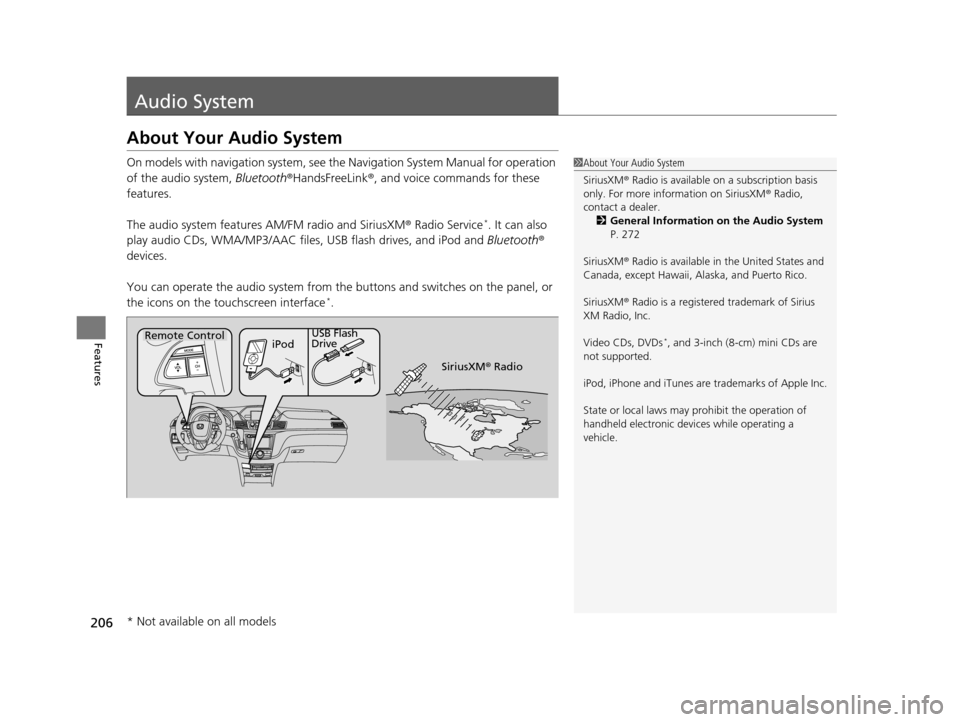
On models with navigation system, see the Navigation System Manual for operation
of the audio system, Bluetooth®HandsFreeLink ®, and voice commands for these
features.
The audio system features AM/FM radio and SiriusXM® Radio Service
*. It can also
play audio CDs, WMA/MP3/AAC files, USB flash drives, and iPod and Bluetooth®
devices.
You can operate the audio system from the buttons and switches on the panel, or
the icons on the touchscreen interface
*.
1 About Your Audio System
SiriusXM ® Radio is available on a subscription basis
only. For more information on SiriusXM ® Radio,
contact a dealer.
2 General Information on the Audio System
P. 272
SiriusXM ® Radio is available in the United States and
Canada, except Ha waii, Alaska, and Puerto Rico.
SiriusXM ® Radio is a registered trademark of Sirius
XM Radio, Inc.
Video CDs, DVDs
*, and 3-inch (8-cm) mini CDs are
not supported.
iPod, iPhone and iTunes are trademarks of Apple Inc.
State or local laws may prohibit the operation of
handheld electronic devices while operating a
vehicle.Remote Control iPodUSB Flash
Drive
SiriusXM® Radio
* Not available on all models
16 US ODYSSEY-31TK86500.book 206 ページ 2015年6月24日 水曜日 午後3時0分
Page 211 of 565
210
uuAudio System uAudio Remote Controls
Features
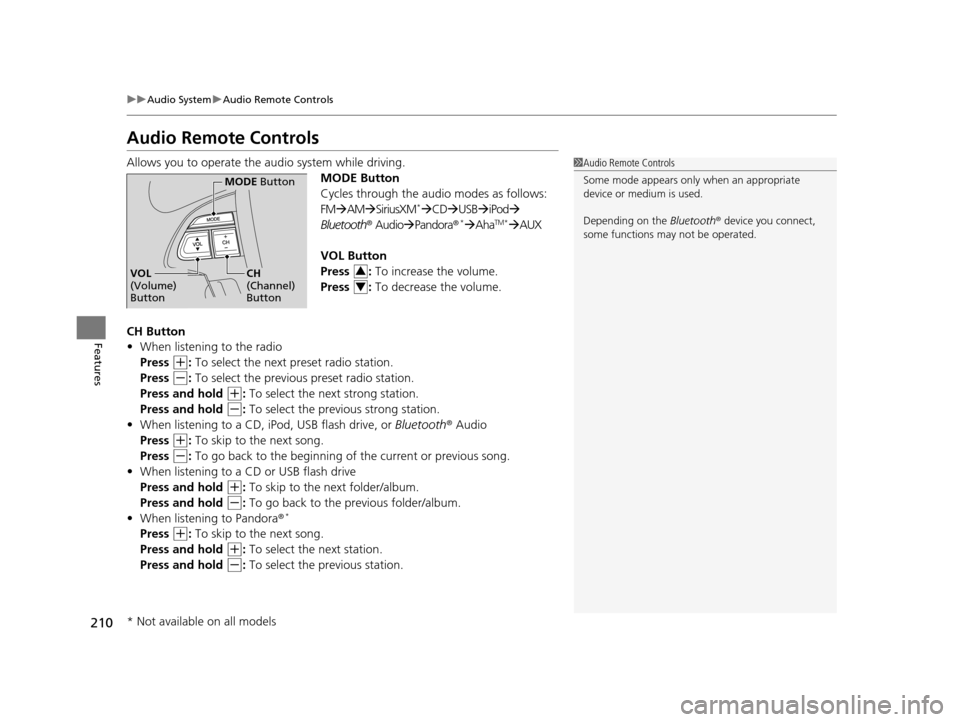
Audio Remote Controls
Allows you to operate the audio system while driving.
MODE Button
Cycles through the audio modes as follows:
FMAM SiriusXM
*CD USB iPod
Bluetooth ® AudioPandora ®*AhaTM*AUX
VOL Button
Press : To increase the volume.
Press : To decrease the volume.
CH Button
• When listening to the radio
Press
(+: To select the next preset radio station.
Press
(-: To select the previous preset radio station.
Press and hold
(+: To select the next strong station.
Press and hold
(-: To select the previous strong station.
• When listening to a CD, iPod, USB flash drive, or Bluetooth® Audio
Press
(+: To skip to the next song.
Press
(-: To go back to the beginning of the current or previous song.
• When listening to a CD or USB flash drive
Press and hold
(+: To skip to the next folder/album.
Press and hold
(-: To go back to the previous folder/album.
• When listening to Pandora ®*
Press (+: To skip to the next song.
Press and hold
(+: To select the next station.
Press and hold
(-: To select the previous station.
1 Audio Remote Controls
Some mode appears only when an appropriate
device or medium is used.
Depending on the Bluetooth® device you connect,
some functions ma y not be operated.
MODE Button
CH
(Channel)
ButtonVOL
(Volume)
Button3
4
* Not available on all models
16 US ODYSSEY-31TK86500.book 210 ページ 2015年6月24日 水曜日 午後3時0分
Page 220 of 565
Continued219
uuAudio System Basic Operation uPlaying AM/FM Radio
Features
Provides text data information related to your selected RDS-capable FM station.
■To find an RDS station from Station List
1. Press while listening to an FM station.
2. Rotate to select the station, then press .
■Manual update
Updates your available st ation list at any time.
1. Press while listening to an FM station.
2. Rotate to select Refresh, then press .
■Radio Data System (RDS)1Playing AM/FM Radio
The ST indicator appears on the display indicating
stereo FM broadcasts.
Stereo reproduction in AM is not available.
Switching the Audio Mode
Press the SOURCE button on the steering wheel.
2 Audio Remote Controls P. 210
You can also switch the mode by pressing the MENU
button and selecting Change Source on the MENU
screen.
You can store 6 AM stations and 12 FM stations into
the preset button memory. FM1 and FM2 let you
store 6 stations each.
1 Radio Data System (RDS)
When you select an RDS-capable FM station, the RDS
automatically turns on, and the frequency display
changes to the station name. However, when the
signals of that station become weak, the display
changes from the statio n name to the frequency.
16 US ODYSSEY-31TK86500.book 219 ページ 2015年6月24日 水曜日 午後3時0分