ad blue HONDA ODYSSEY 2016 RC1-RC2 / 5.G Service Manual
[x] Cancel search | Manufacturer: HONDA, Model Year: 2016, Model line: ODYSSEY, Model: HONDA ODYSSEY 2016 RC1-RC2 / 5.GPages: 565
Page 337 of 565
uuBluetooth ® HandsFreeLink ®u HFL Menus
336
Features
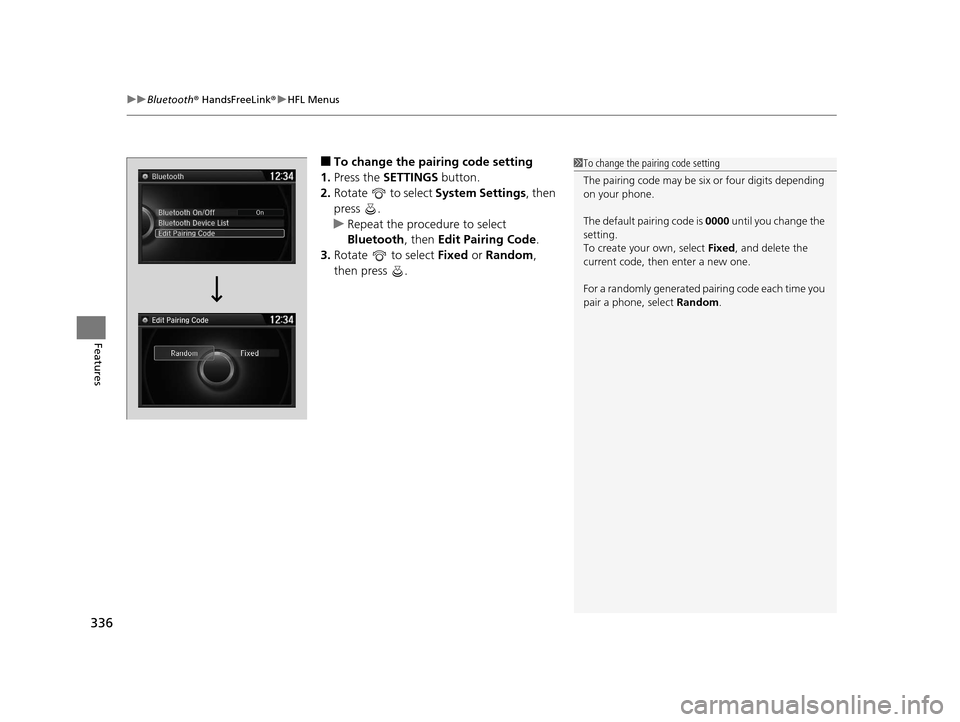
■To change the pairing code setting
1. Press the SETTINGS button.
2. Rotate to select System Settings, then
press .
u Repeat the procedure to select
Bluetooth , then Edit Pairing Code .
3. Rotate to select Fixed or Random ,
then press .1 To change the pairing code setting
The pairing code may be si x or four digits depending
on your phone.
The default pair ing code is 0000 until you change the
setting.
To create your own, select Fixed, and delete the
current code, then enter a new one.
For a randomly generated pa iring code each time you
pair a phone, select Random.
Edit Pairing Code
16 US ODYSSEY-31TK86500.book 336 ページ 2015年6月24日 水曜日 午後3時0分
Page 338 of 565
Continued337
uuBluetooth ® HandsFreeLink ®u HFL Menus
Features
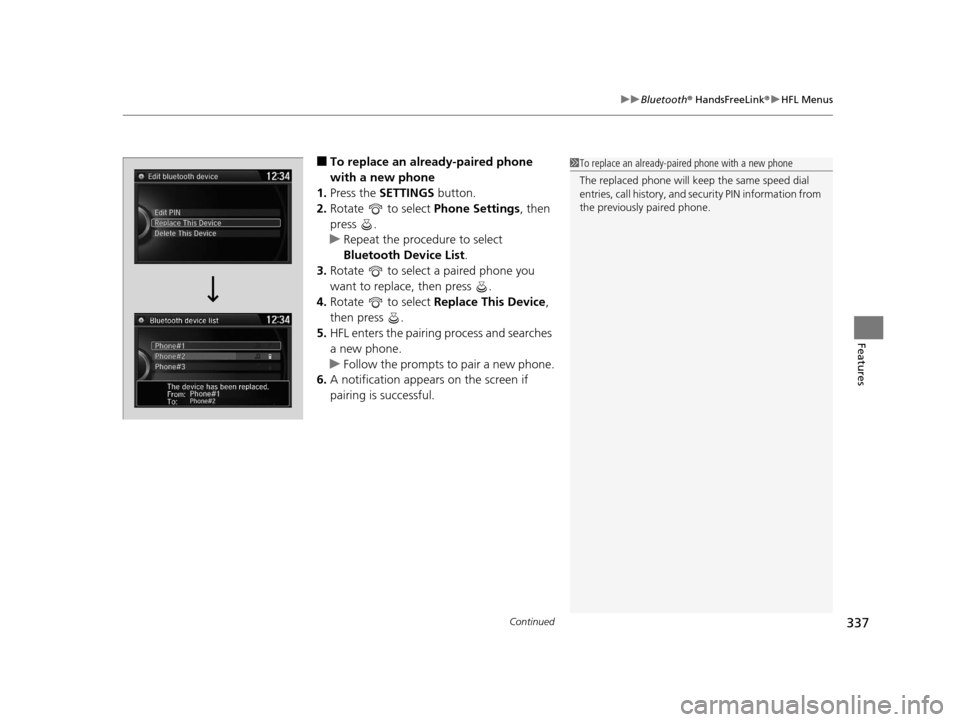
■To replace an already-paired phone
with a new phone
1. Press the SETTINGS button.
2. Rotate to select Phone Settings, then
press .
u Repeat the procedure to select
Bluetooth Device List .
3. Rotate to select a paired phone you
want to replace, then press .
4. Rotate to select Replace This Device ,
then press .
5. HFL enters the pairing process and searches
a new phone.
u Follow the prompts to pair a new phone.
6. A notification appears on the screen if
pairing is successful.1To replace an already-pair ed phone with a new phone
The replaced phone will keep the same speed dial
entries, call history, and security PIN information from
the previously paired phone.
16 US ODYSSEY-31TK86500.book 337 ページ 2015年6月24日 水曜日 午後3時0分
Page 339 of 565
338
uuBluetooth ® HandsFreeLink ®u HFL Menus
Features
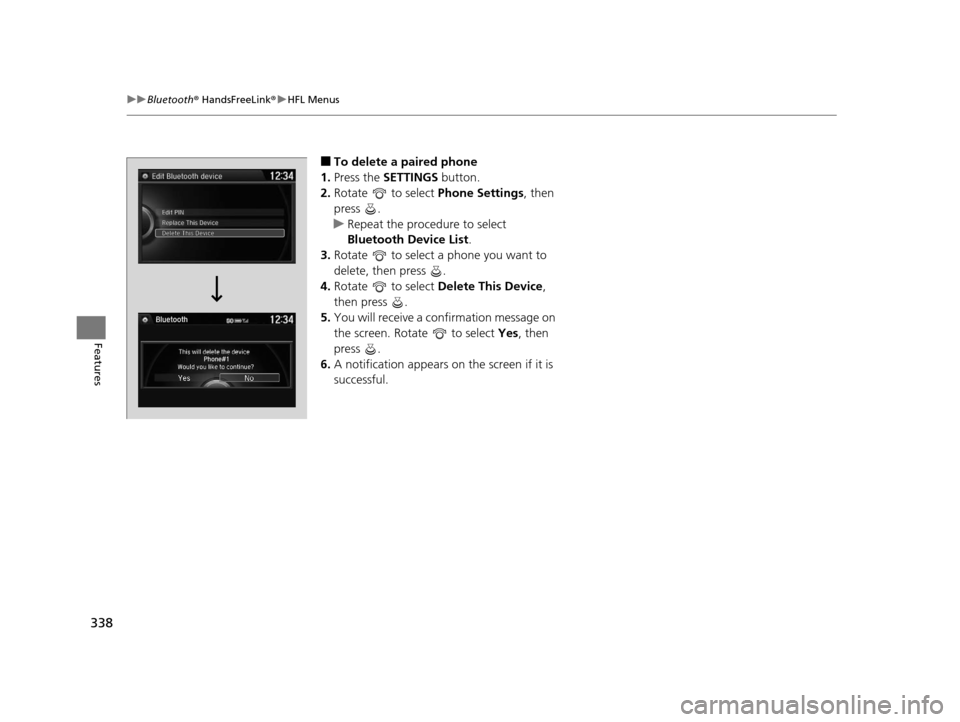
■To delete a paired phone
1. Press the SETTINGS button.
2. Rotate to select Phone Settings, then
press .
u Repeat the procedure to select
Bluetooth Device List.
3. Rotate to select a phone you want to
delete, then press .
4. Rotate to select Delete This Device ,
then press .
5. You will receive a confirmation message on
the screen. Rotate to select Yes, then
press .
6. A notification appears on the screen if it is
successful.
16 US ODYSSEY-31TK86500.book 338 ページ 2015年6月24日 水曜日 午後3時0分
Page 340 of 565
339
uuBluetooth ® HandsFreeLink ®u HFL Menus
Continued
Features
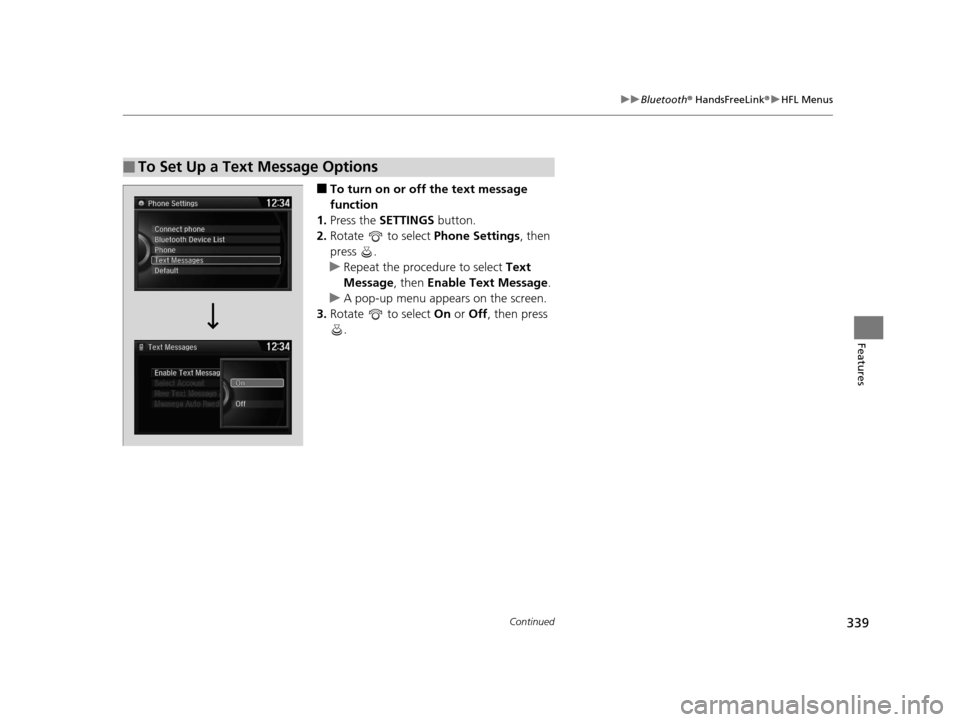
■To turn on or off the text message
function
1. Press the SETTINGS button.
2. Rotate to select Phone Settings, then
press .
u Repeat the procedure to select Text
Message , then Enable Text Message.
u A pop-up menu appears on the screen.
3. Rotate to select On or Off , then press
.
■To Set Up a Text Message Options
16 US ODYSSEY-31TK86500.book 339 ページ 2015年6月24日 水曜日 午後3時0分
Page 341 of 565
uuBluetooth ® HandsFreeLink ®u HFL Menus
340
Features
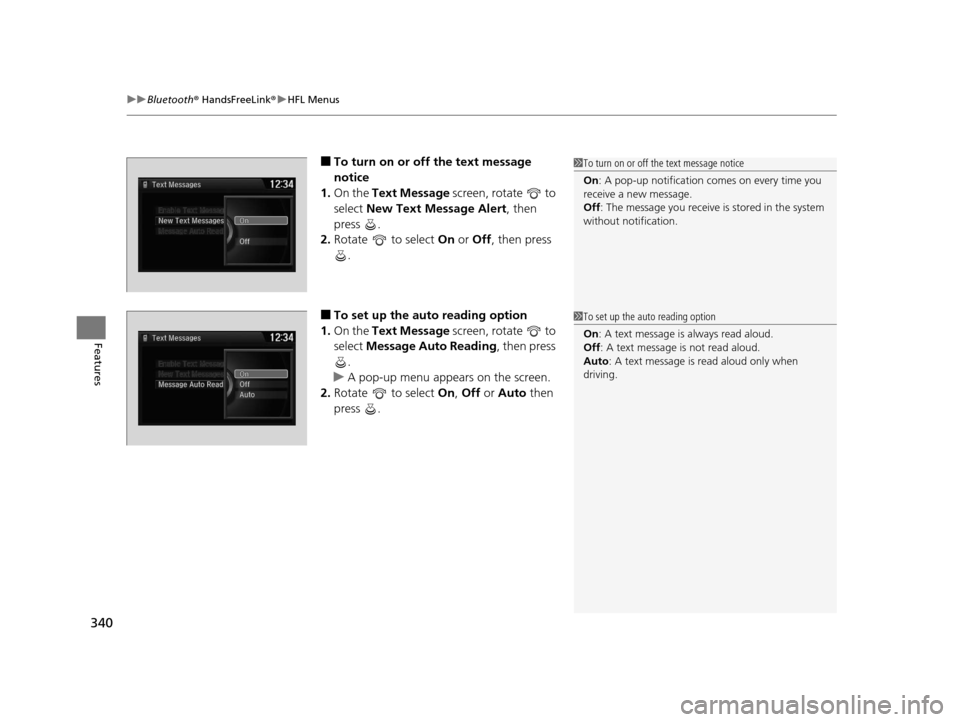
■To turn on or off the text message
notice
1. On the Text Message screen, rotate to
select New Text Message Alert , then
press .
2. Rotate to select On or Off , then press
.
■To set up the auto reading option
1. On the Text Message screen, rotate to
select Message Auto Reading , then press
.
u A pop-up menu appears on the screen.
2. Rotate to select On, Off or Auto then
press .
1 To turn on or off the text message notice
On : A pop-up notification comes on every time you
receive a new message.
Off : The message you receive is stored in the system
without not ification.
1To set up the auto reading option
On : A text message is always read aloud.
Off : A text message is not read aloud.
Auto : A text message is read aloud only when
driving.
16 US ODYSSEY-31TK86500.book 340 ページ 2015年6月24日 水曜日 午後3時0分
Page 342 of 565
Continued341
uuBluetooth ® HandsFreeLink ®u HFL Menus
Features
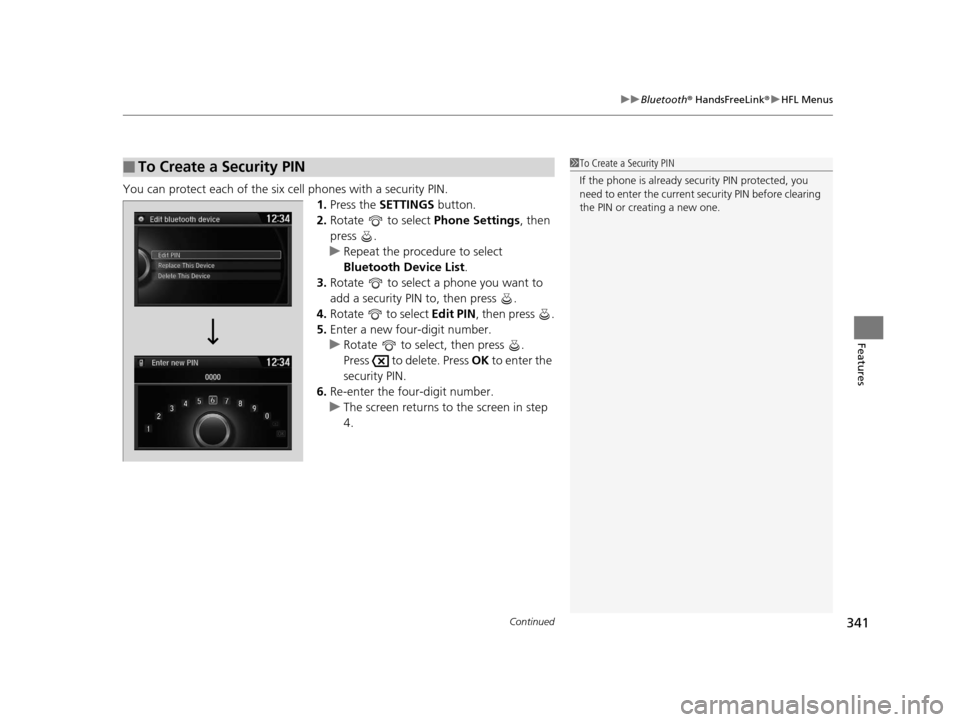
You can protect each of the six cell phones with a security PIN.
1.Press the SETTINGS button.
2. Rotate to select Phone Settings, then
press .
u Repeat the procedure to select
Bluetooth Device List .
3. Rotate to select a phone you want to
add a security PIN to, then press .
4. Rotate to select Edit PIN, then press .
5. Enter a new four-digit number.
u Rotate to select, then press .
Press to delete. Press OK to enter the
security PIN.
6. Re-enter the four-digit number.
u The screen returns to the screen in step
4.
■To Create a Security PIN1 To Create a Security PIN
If the phone is already secu rity PIN protected, you
need to enter the current security PIN before clearing
the PIN or creating a new one.
16 US ODYSSEY-31TK86500.book 341 ページ 2015年6月24日 水曜日 午後3時0分
Page 343 of 565
342
uuBluetooth ® HandsFreeLink ®u HFL Menus
Features
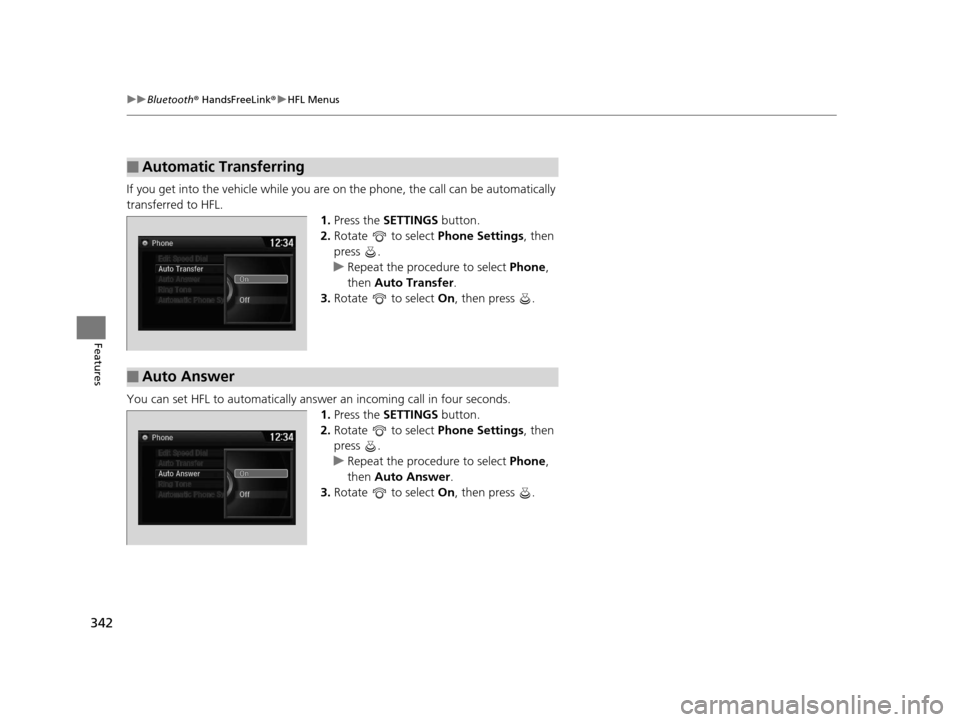
If you get into the vehicle while you are on the phone, the call can be automatically
transferred to HFL. 1.Press the SETTINGS button.
2. Rotate to select Phone Settings, then
press .
u Repeat the procedure to select Phone,
then Auto Transfer .
3. Rotate to select On, then press .
You can set HFL to automatically answer an incoming call in four seconds. 1.Press the SETTINGS button.
2. Rotate to select Phone Settings, then
press .
u Repeat the procedure to select Phone,
then Auto Answer .
3. Rotate to select On, then press .
■Automatic Transferring
■Auto Answer
16 US ODYSSEY-31TK86500.book 342 ページ 2015年6月24日 水曜日 午後3時0分
Page 344 of 565
Continued343
uuBluetooth ® HandsFreeLink ®u HFL Menus
Features
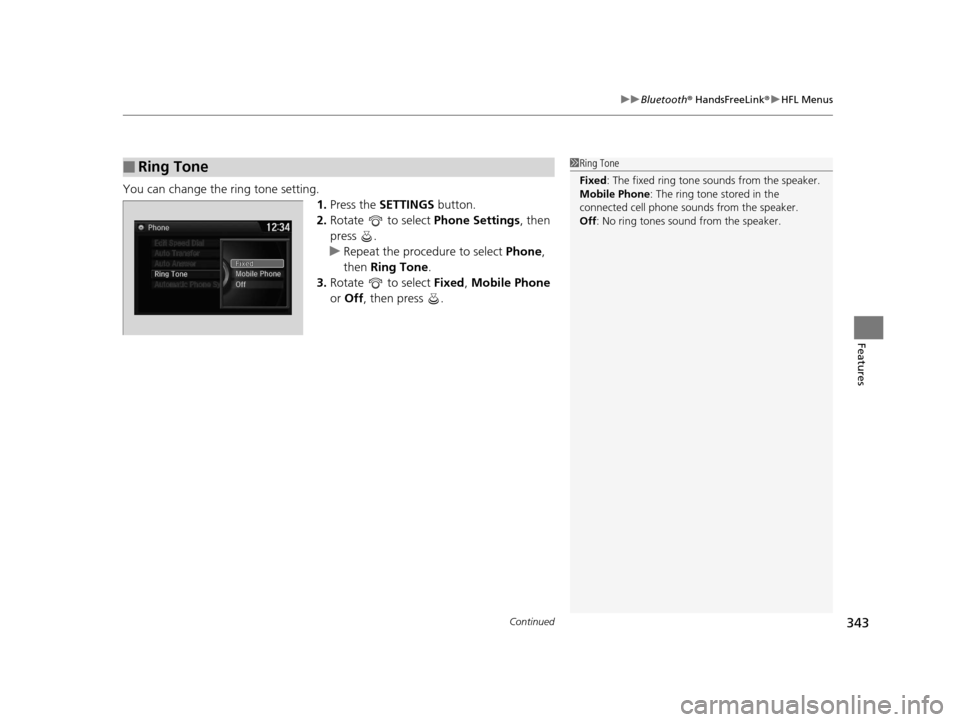
You can change the ring tone setting.
1.Press the SETTINGS button.
2. Rotate to select Phone Settings, then
press .
u Repeat the procedure to select Phone,
then Ring Tone .
3. Rotate to select Fixed, Mobile Phone
or Off , then press .
■Ring Tone1Ring Tone
Fixed: The fixed ring tone sounds from the speaker.
Mobile Phone: The ring tone stored in the
connected cell phone sounds from the speaker.
Off : No ring tones sound from the speaker.
16 US ODYSSEY-31TK86500.book 343 ページ 2015年6月24日 水曜日 午後3時0分
Page 345 of 565
uuBluetooth ® HandsFreeLink ®u HFL Menus
344
Features
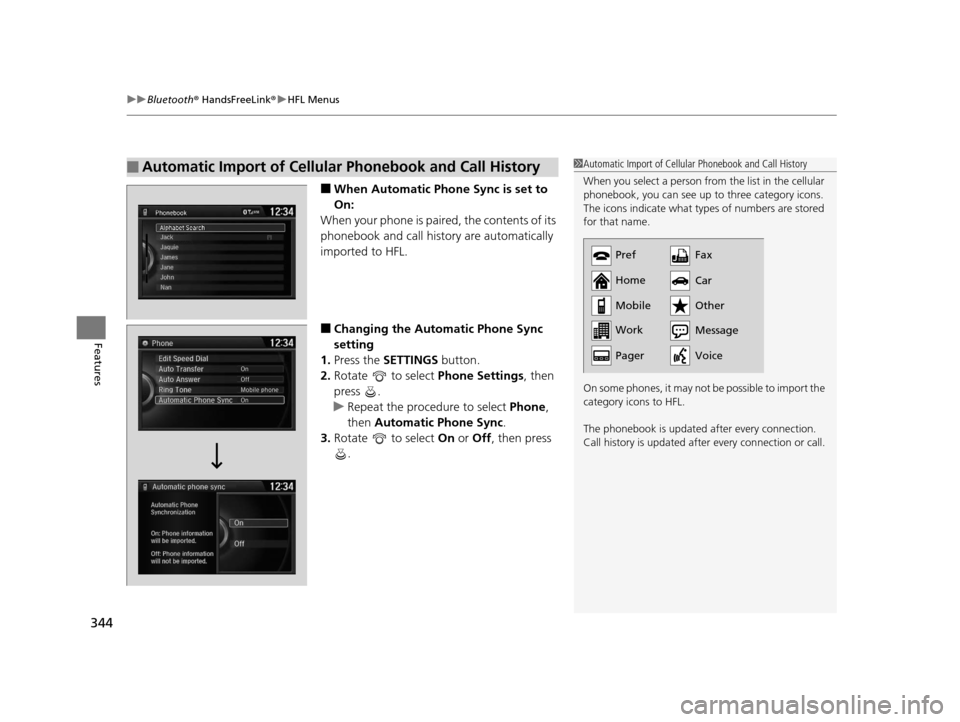
■When Automatic Phon e Sync is set to
On:
When your phone is paired, the contents of its
phonebook and call history are automatically
imported to HFL.
■Changing the Automatic Phone Sync
setting
1. Press the SETTINGS button.
2. Rotate to select Phone Settings, then
press .
u Repeat the procedure to select Phone,
then Automatic Phone Sync .
3. Rotate to select On or Off , then press
.
■Automatic Import of Cellular Phonebook and Call History1 Automatic Import of Cellular Phonebook and Call History
When you select a person from the list in the cellular
phonebook, you can see up to three category icons.
The icons indicate what types of numbers are stored
for that name.
On some phones, it may not be possible to import the
category icons to HFL.
The phonebook is updated after every connection.
Call history is updated after every connection or call.
Pref
Home
Mobile
Work
PagerFax
Car
Other
Message
Voice
16 US ODYSSEY-31TK86500.book 344 ページ 2015年6月24日 水曜日 午後3時0分
Page 346 of 565
Continued345
uuBluetooth ® HandsFreeLink ®u HFL Menus
Features
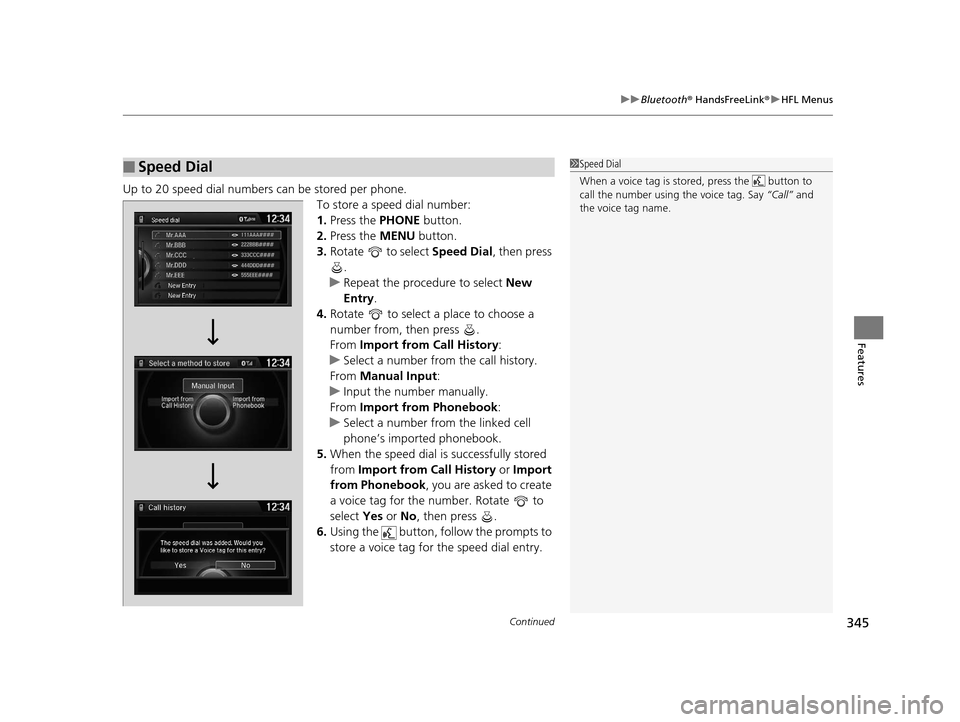
Up to 20 speed dial numbers can be stored per phone.
To store a speed dial number:
1.Press the PHONE button.
2. Press the MENU button.
3. Rotate to select Speed Dial, then press
.
u Repeat the procedure to select New
Entry .
4. Rotate to select a place to choose a
number from, then press .
From Import from Call History :
u Select a number from the call history.
From Manual Input :
u Input the number manually.
From Import from Phonebook :
u Select a number from the linked cell
phone’s imported phonebook.
5. When the speed dial is successfully stored
from Import from Call History or Import
from Phonebook, you are asked to create
a voice tag for the number. Rotate to
select Yes or No, then press .
6. Using the button, follow the prompts to
store a voice tag for the speed dial entry.
■Speed Dial1Speed Dial
When a voice tag is stored, press the button to
call the number using the voice tag. Say “Call” and
the voice tag name.
Mr.AAA111AAA####
555EEE#### 444DDD#### 333CCC####
222BBB####
Mr.EEE Mr.DDD
Mr.CCC
Mr.BBB
Select a method to store
16 US ODYSSEY-31TK86500.book 345 ページ 2015年6月24日 水曜日 午後3時0分