fuel HONDA ODYSSEY 2017 RC1-RC2 / 5.G User Guide
[x] Cancel search | Manufacturer: HONDA, Model Year: 2017, Model line: ODYSSEY, Model: HONDA ODYSSEY 2017 RC1-RC2 / 5.GPages: 565, PDF Size: 33.13 MB
Page 93 of 565
92
Instrument Panel
Gauges and Displays
Gauges
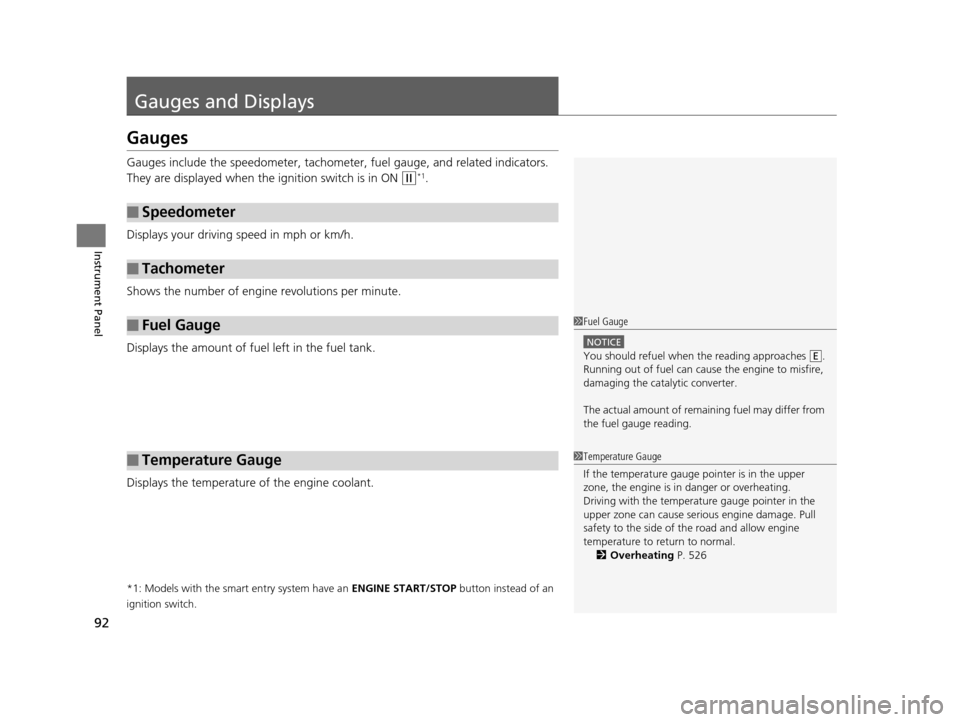
Gauges include the speedometer, tachometer, fuel gauge, and related indicators.
They are displayed when the ignition switch is in ON
(w*1.
Displays your driving speed in mph or km/h.
Shows the number of engine revolutions per minute.
Displays the amount of fuel left in the fuel tank.
Displays the temperature of the engine coolant.
*1: Models with the smart entry system have an ENGINE START/STOP button instead of an
ignition switch.
■Speedometer
■Tachometer
■Fuel Gauge
■Temperature Gauge
1 Fuel Gauge
NOTICE
You should refuel when the reading approaches .
Running out of fuel can cause the engine to misfire,
damaging the cata lytic converter.
The actual amount of remain ing fuel may differ from
the fuel gauge reading.E
1 Temperature Gauge
If the temperature gauge pointer is in the upper
zone, the engine is in danger or overheating.
Driving with the temperat ure gauge pointer in the
upper zone can cause serious engine damage. Pull
safety to the side of the road and allow engine
temperature to return to normal. 2 Overheating P. 526
17 US ODYSSEY (KA KC)-31TK86600.book 92 ページ 2016年10月24日 月曜日 午後4時2分
Page 94 of 565
93
uuGauges and Displays uInformation Display*
Continued
Instrument Panel
Information Display*
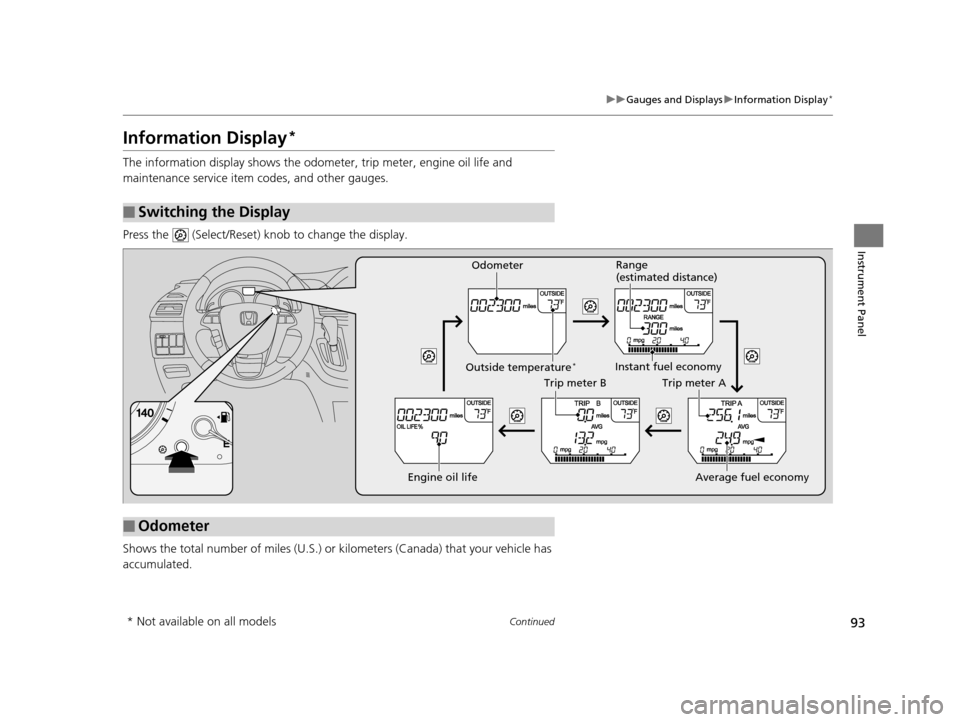
The information display shows the odom eter, trip meter, engine oil life and
maintenance service item codes, and other gauges.
Press the (Select/Reset) knob to change the display.
Shows the total number of miles (U.S.) or kilometers (Canada) that your vehicle has
accumulated.
■Switching the Display
■Odometer
Engine oil life
Trip meter B
Average fuel economy
Trip meter A
Instant fuel economy
Range
(estimated distance)
Outside temperature*
Odometer
* Not available on all models
17 US ODYSSEY (KA KC)-31TK86600.book 93 ページ 2016年10月24日 月曜日 午後4時2分
Page 95 of 565
uuGauges and Displays uInformation Display*
94
Instrument Panel
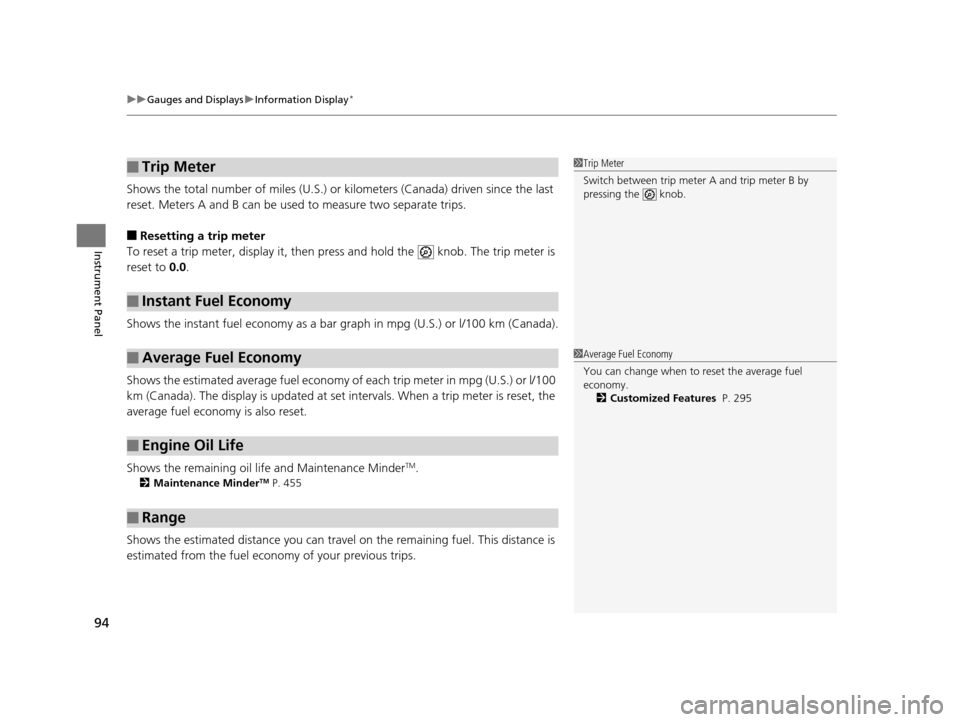
Shows the total number of miles (U.S.) or kilometers (Canada) driven since the last
reset. Meters A and B can be used to measure two separate trips.
■Resetting a trip meter
To reset a trip meter, display it, then pres s and hold the knob. The trip meter is
reset to 0.0 .
Shows the instant fuel economy as a bar gr aph in mpg (U.S.) or l/100 km (Canada).
Shows the estimated average fuel economy of each trip meter in mpg (U.S.) or l/100
km (Canada). The display is updated at set intervals. When a trip meter is reset, the
average fuel economy is also reset.
Shows the remaining oil life and Maintenance Minder
TM.
2 Maintenance MinderTM P. 455
Shows the estimated distance you can travel on the remaining fuel. This distance is
estimated from the fuel economy of your previous trips.
■Trip Meter
■Instant Fuel Economy
■Average Fuel Economy
■Engine Oil Life
■Range
1 Trip Meter
Switch between trip meter A and trip meter B by
pressing the knob.
1Average Fuel Economy
You can change when to reset the average fuel
economy.
2 Customized Features P. 295
17 US ODYSSEY (KA KC)-31TK86600.book 94 ページ 2016年10月24日 月曜日 午後4時2分
Page 97 of 565
96
uuGauges and Displays uMulti-Information Display*
Instrument Panel
Multi-Information Display*
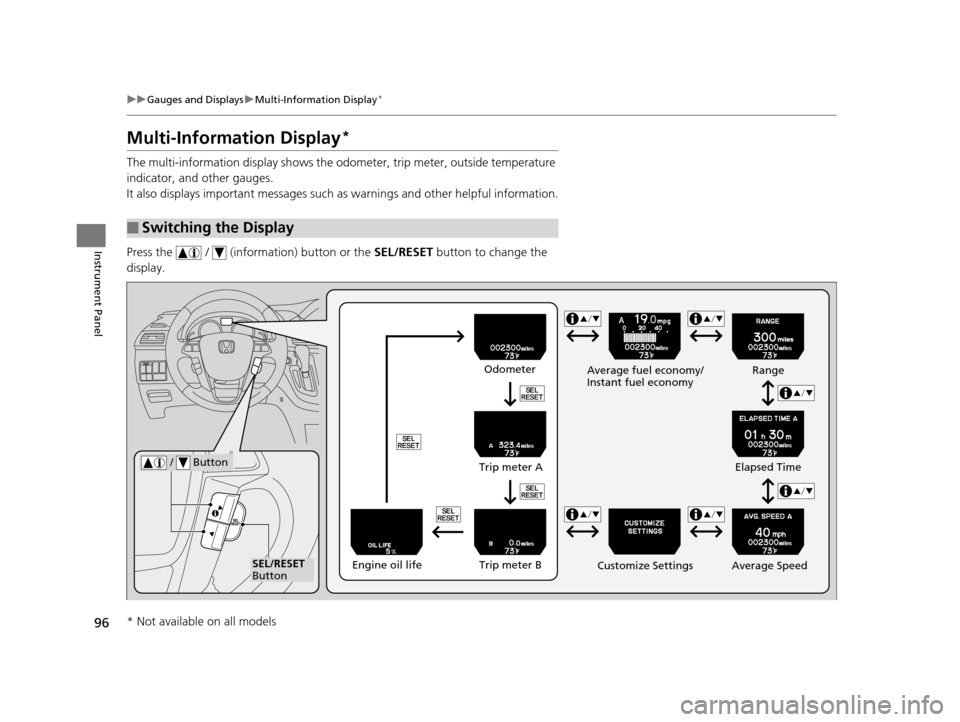
The multi-information display shows the od ometer, trip meter, outside temperature
indicator, and other gauges.
It also displays important messages such as warnings and other helpful information.
Press the / (information) button or the SEL/RESET button to change the
display.
■Switching the Display
SEL/RESET
Button Average fuel economy/
Instant fuel economy
Average Speed
/ Button
Engine oil lifeTrip meter B
Trip meter A
Odometer
Customize Settings Elapsed Time
Range
* Not available on all models
17 US ODYSSEY (KA KC)-31TK86600.book 96 ページ 2016年10月24日 月曜日 午後4時2分
Page 98 of 565
Continued97
uuGauges and Displays uMulti-Information Display*
Instrument Panel
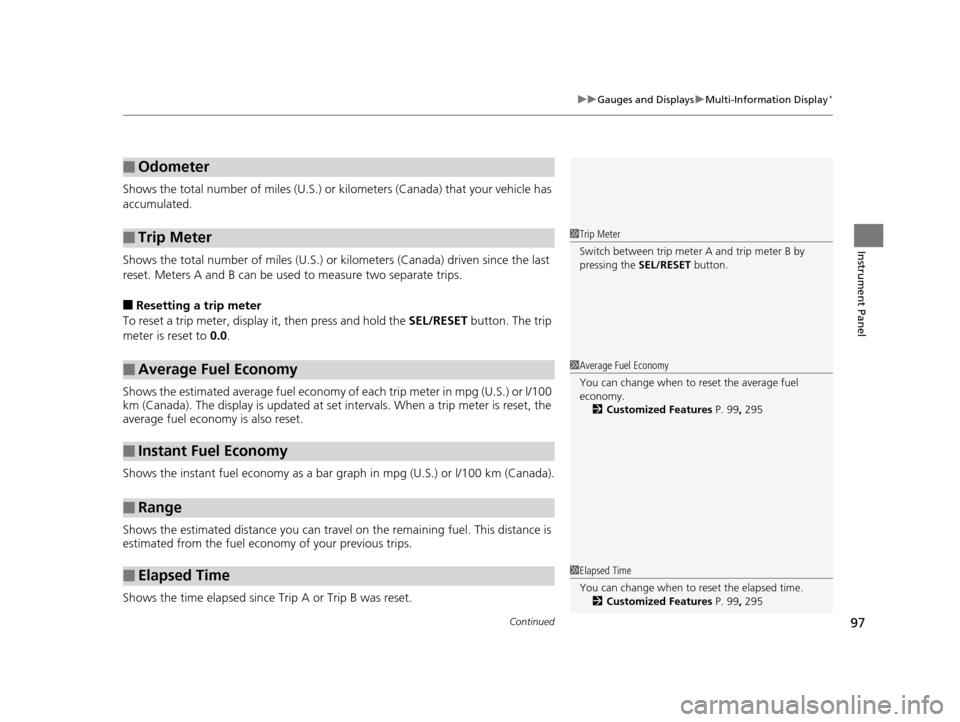
Shows the total number of miles (U.S.) or kilometers (Canada) that your vehicle has
accumulated.
Shows the total number of miles (U.S.) or k ilometers (Canada) driven since the last
reset. Meters A and B can be used to measure two separate trips.
■Resetting a trip meter
To reset a trip meter, display it, then press and hold the SEL/RESET button. The trip
meter is reset to 0.0.
Shows the estimated average fuel economy of each trip meter in mpg (U.S.) or l/100
km (Canada). The display is updated at set intervals. When a trip meter is reset, the
average fuel economy is also reset.
Shows the instant fuel economy as a bar gr aph in mpg (U.S.) or l/100 km (Canada).
Shows the estimated distance you can travel on the remaining fuel. This distance is
estimated from the fuel economy of your previous trips.
Shows the time elapsed since Trip A or Trip B was reset.
■Odometer
■Trip Meter
■Average Fuel Economy
■Instant Fuel Economy
■Range
■Elapsed Time
1 Trip Meter
Switch between trip meter A and trip meter B by
pressing the SEL/RESET button.
1Average Fuel Economy
You can change when to reset the average fuel
economy.
2 Customized Features P. 99, 295
1Elapsed Time
You can change when to reset the elapsed time.
2 Customized Features P. 99, 295
17 US ODYSSEY (KA KC)-31TK86600.book 97 ページ 2016年10月24日 月曜日 午後4時2分
Page 103 of 565
102
uuGauges and Displays uMulti-Information Display*
Instrument Panel
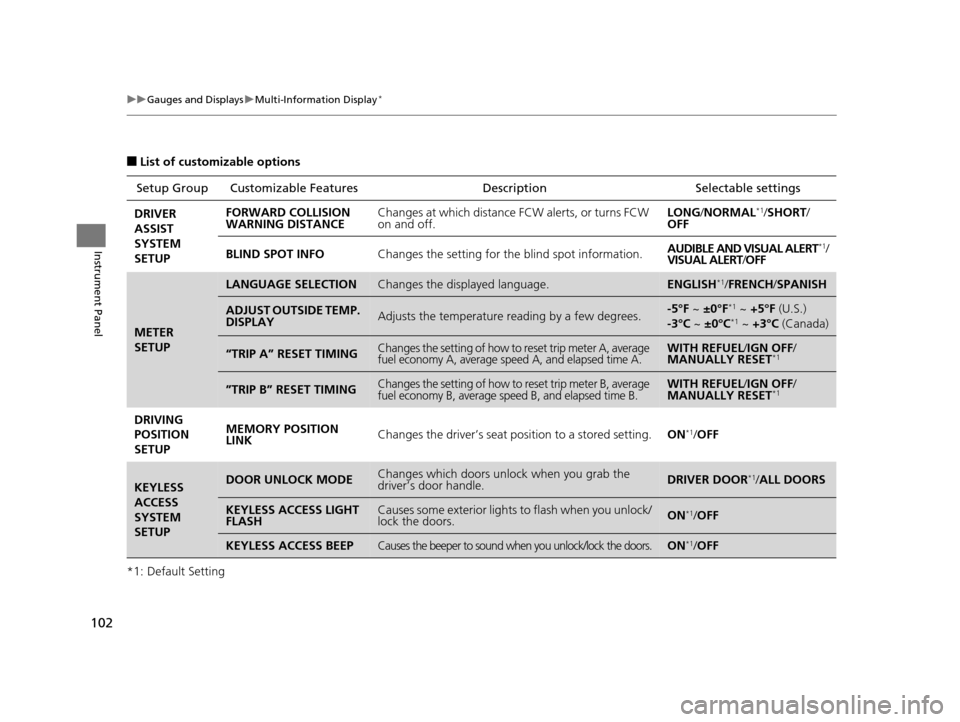
■List of customizable options
*1: Default Setting Setup Group Customizabl
e Features Description Selectable settings
DRIVER
ASSIST
SYSTEM
SETUP FORWARD COLLISION
WARNING DISTANCE
Changes at which distance FCW alerts, or turns FCW
on and off. LONG
/NORMAL
*1/SHORT /
OFF
BLIND SPOT INFO Changes the setting for the blind spot information. AUDIBLE AND VISUAL ALERT
*1/
VISUAL ALERT /OFF
METER
SETUP
LANGUAGE SELECTIONChanges the displayed language.ENGLISH*1/ FRENCH /SPANISH
ADJUST OUTSIDE TEMP.
DISPLAYAdjusts the temperature reading by a few degrees.-5°F ~ ±0°F*1 ~ +5°F (U.S.)
-3°C ~ ±0°C*1 ~ +3°C (Canada)
“TRIP A” RESET TIMINGChanges the setting of how to reset trip meter A, average
fuel economy A, average speed A, and elapsed time A.WITH REFUEL /IGN OFF /
MANUALLY RESET*1
”TRIP B” RESET TIMINGChanges the setting of how to reset trip meter B, average
fuel economy B, average speed B, and elapsed time B.WITH REFUEL /IGN OFF /
MANUALLY RESET*1
DRIVING
POSITION
SETUP MEMORY POSITION
LINK
Changes the driver’s seat po
sition to a stored setting.ON*1/OFF
KEYLESS
ACCESS
SYSTEM
SETUPDOOR UNLOCK MODEChanges which doors unlock when you grab the
driver’s door handle.DRIVER DOOR*1/ALL DOORS
KEYLESS ACCESS LIGHT
FLASHCauses some exterior lights to flash when you unlock/
lock the doors.ON*1/OFF
KEYLESS ACCESS BEEPCauses the beeper to sound when you unlock/lock the doors.ON*1/OFF
17 US ODYSSEY (KA KC)-31TK86600.book 102 ページ 2016年10月24日 月曜日 午後4時2分
Page 106 of 565
105
uuGauges and Displays uMulti-Information Display*
Continued
Instrument Panel
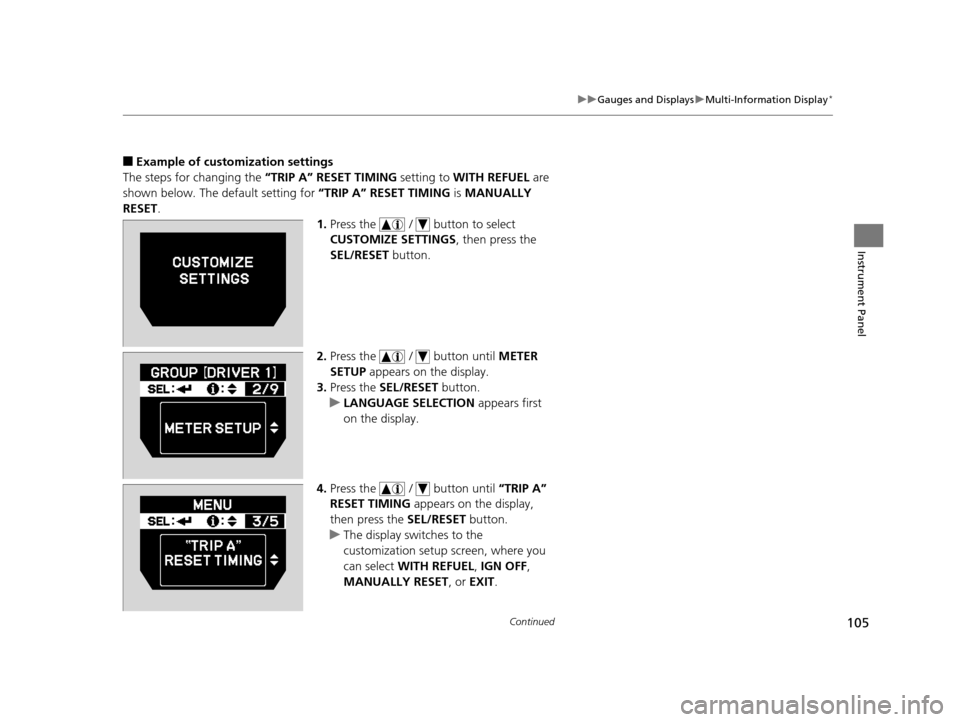
■Example of customization settings
The steps for changing the “TRIP A” RESET TIMING setting to WITH REFUEL are
shown below. The default setting for “TRIP A” RESET TIMING is MANUALLY
RESET .
1.Press the / button to select
CUSTOMIZE SETTINGS , then press the
SEL/RESET button.
2. Press the / button until METER
SETUP appears on the display.
3. Press the SEL/RESET button.
u LANGUAGE SELECTION appears first
on the display.
4. Press the / button until “TRIP A”
RESET TIMING appears on the display,
then press the SEL/RESET button.
u The display swit ches to the
customization setup screen, where you
can select WITH REFUEL , IGN OFF ,
MANUALLY RESET, or EXIT.
17 US ODYSSEY (KA KC)-31TK86600.book 105 ページ 2016年10月24日 月曜日 午後4時2分
Page 107 of 565
106
uuGauges and Displays uMulti-Information Display*
Instrument Panel
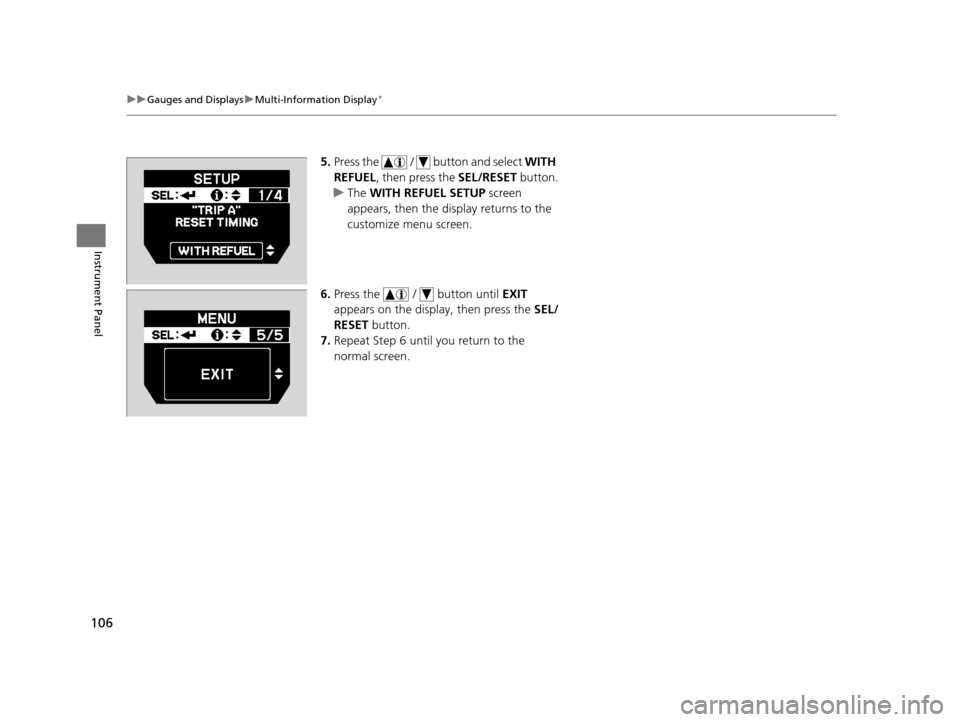
5. Press the / button and select WITH
REFUEL , then press the SEL/RESET button.
u The WITH REFUEL SETUP screen
appears, then the di splay returns to the
customize menu screen.
6. Press the / button until EXIT
appears on the display, then press the SEL/
RESET button.
7. Repeat Step 6 until you return to the
normal screen.
17 US ODYSSEY (KA KC)-31TK86600.book 106 ページ 2016年10月24日 月曜日 午後4時2分
Page 129 of 565
128
uuOpening and Closing the Sliding Doors uOpening/Closing a Sliding Door
Controls
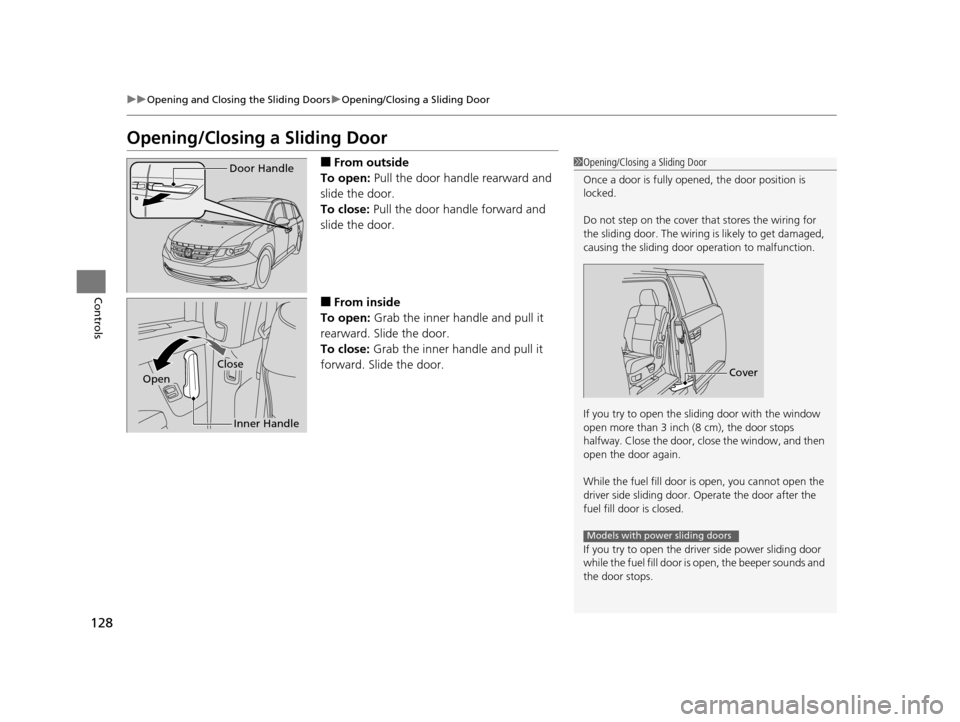
Opening/Closing a Sliding Door
■From outside
To open: Pull the door handle rearward and
slide the door.
To close: Pull the door handle forward and
slide the door.
■From inside
To open: Grab the inner handle and pull it
rearward. Slide the door.
To close: Grab the inner handle and pull it
forward. Slide the door.
1 Opening/Closing a Sliding Door
Once a door is fully opened, the door position is
locked.
Do not step on the cover that stores the wiring for
the sliding door. The wiring is likely to get damaged,
causing the sliding door operation to malfunction.
If you try to open the sliding door with the window
open more than 3 inch (8 cm), the door stops
halfway. Close the door, close the window, and then
open the door again.
While the fuel fill door is open, you cannot open the
driver side sliding door. Operate the door after the
fuel fill door is closed.
If you try to open the driv er side power sliding door
while the fuel fill door is open, the beeper sounds and
the door stops.
Cover
Models with power sliding doors
Door Handle
Inner Handle
Close
Open
17 US ODYSSEY (KA KC)-31TK86600.book 128 ページ 2016年10月24日 月曜日 午後4時2分
Page 130 of 565
129
uuOpening and Closing the Sliding Doors uOpening/Closing the Power Sliding Doors*
Continued
Controls
Opening/Closing the Power Sliding Doors*
The power sliding doors can be operated by pressing the power sliding door button
on the smart entry remote, pressing the power sliding door switches on the
dashboard or door pillars, or using the door handle.
The power sliding doors can be operated when:
• The sliding door main switch is in the ON position.
• The power sliding door is unlocked.
• The fuel fill door is closed (on the driver side sliding door only).
• The power mode is in VEHICLE OFF (LOC K) when using the smart entry remote.
• The shift lever is in
(P, the brake pedal is depressed, or the parking brake is
applied (with the power mode in ON) when using the power sliding door switches
on the dashboard.
1 Opening/Closing the Power Sliding Doors*
If you move the shift lever out of (P, and release the
brake pedal and the parking brake:
While opening – The sliding door stops and is left
ajar.
While closing – The beeper sounds until the door
closes.
Check that passengers, es pecially children, do not
have their hands on the sliding doors or on the door
pillars before its operation. If someone is caught in
the opening or closing sliding door, it can cause
serious injury.
Before replacing a rear ti re, turn the power sliding
door main switch to OFF.
Operate the power slidi ng doors only when the
vehicle is at a complete stop. Make sure you apply the
brake when rear passengers are boarding or exiting.
* Not available on all models
17 US ODYSSEY (KA KC)-31TK86600.book 129 ページ 2016年10月24日 月曜日 午後4時2分