Button HONDA ODYSSEY 2017 RC1-RC2 / 5.G Owners Manual
[x] Cancel search | Manufacturer: HONDA, Model Year: 2017, Model line: ODYSSEY, Model: HONDA ODYSSEY 2017 RC1-RC2 / 5.GPages: 565, PDF Size: 33.13 MB
Page 380 of 565

379
uuBluetooth ® HandsFreeLink ®u HFL Menus
Continued
Features
■To delete a voice tag
1. Press the SETTINGS button.
2. Rotate to select Phone Settings, then
press .
u Repeat the procedure to select Edit
Speed Dial .
3. Select an existing speed dial entry.
u From the pop-up menu, rotate to
select Edit , then press .
4. Rotate to select Voice Tag, then press
.
u From the pop-up menu, rotate to
select Clear , then press .
5. A confirmation message appears on the
screen. Rotate to select Yes, then press
.
■To delete a speed dial
1. Press the SETTINGS button.
2. Rotate to select Phone Settings, then
press .
u Repeat the procedure to select Edit
Speed Dial .
3. Select an existing speed dial entry.
u From the pop-up menu, rotate to
select Delete , then press .
4. A confirmation message appears on the
screen. Rotate to select Yes, then press
.
17 US ODYSSEY (KA KC)-31TK86600.book 379 ページ 2016年10月24日 月曜日 午後4時2分
Page 381 of 565
uuBluetooth ® HandsFreeLink ®u HFL Menus
380
Features
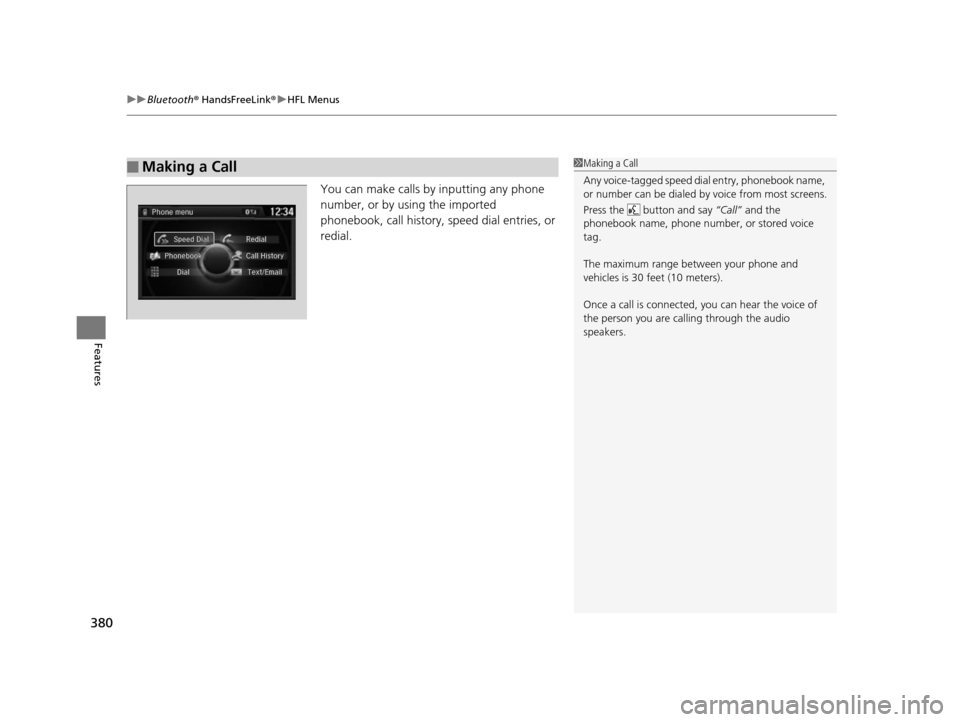
You can make calls by inputting any phone
number, or by using the imported
phonebook, call history, speed dial entries, or
redial.
■Making a Call1 Making a Call
Any voice-tagged speed di al entry, phonebook name,
or number can be dialed by voice from most screens.
Press the button and say “Call” and the
phonebook name, phone number, or stored voice
tag.
The maximum range be tween your phone and
vehicles is 30 fe et (10 meters).
Once a call is connected, you can hear the voice of
the person you are call ing through the audio
speakers.
17 US ODYSSEY (KA KC)-31TK86600.book 380 ページ 2016年10月24日 月曜日 午後4時2分
Page 382 of 565
Continued381
uuBluetooth ® HandsFreeLink ®u HFL Menus
Features
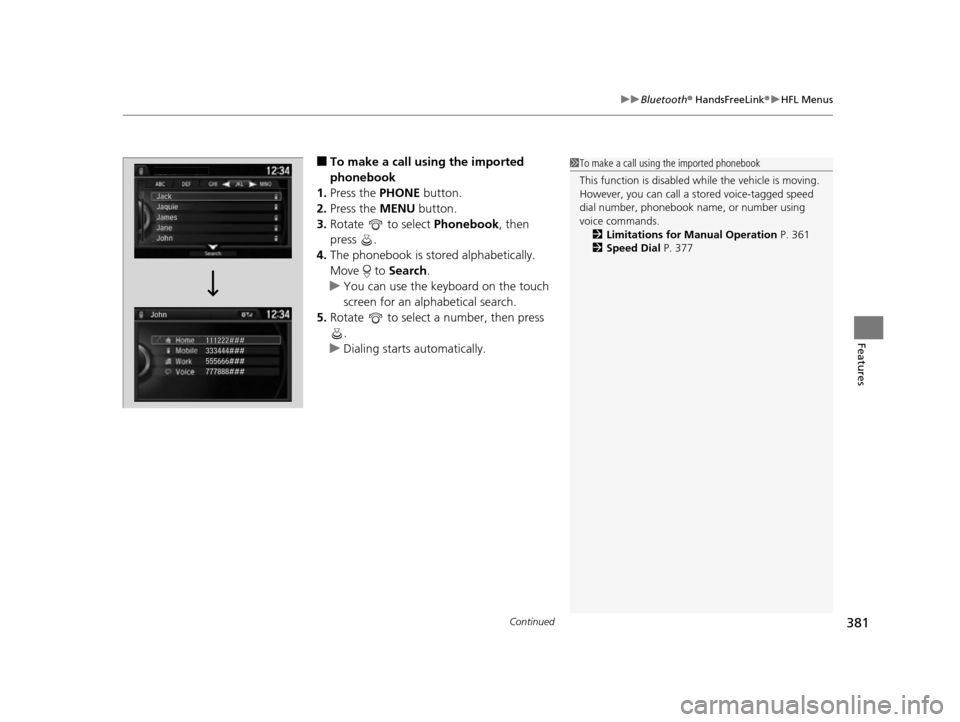
■To make a call us ing the imported
phonebook
1. Press the PHONE button.
2. Press the MENU button.
3. Rotate to select Phonebook, then
press .
4. The phonebook is stored alphabetically.
Move to Search.
u You can use the keyboard on the touch
screen for an alph abetical search.
5. Rotate to select a number, then press
.
u Dialing starts automatically.1To make a call using the imported phonebook
This function is disabled while the vehicle is moving.
However, you can call a stored voice-tagged speed
dial number, phonebook name, or number using
voice commands. 2 Limitations for Manual Operation P. 361
2 Speed Dial P. 377
17 US ODYSSEY (KA KC)-31TK86600.book 381 ページ 2016年10月24日 月曜日 午後4時2分
Page 383 of 565
uuBluetooth ® HandsFreeLink ®u HFL Menus
382
Features
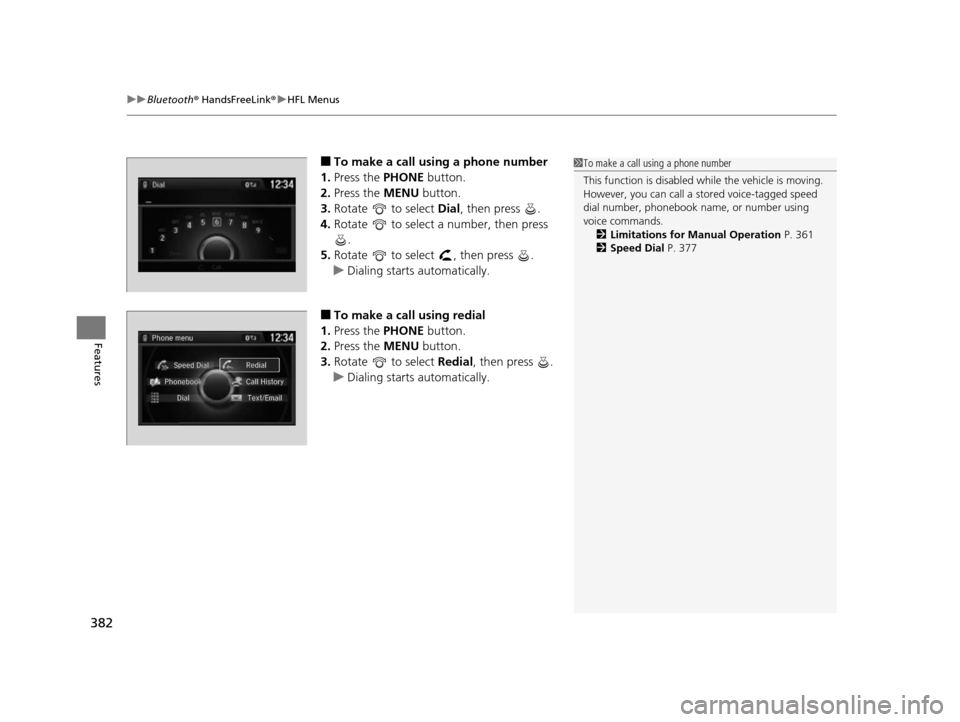
■To make a call using a phone number
1. Press the PHONE button.
2. Press the MENU button.
3. Rotate to select Dial, then press .
4. Rotate to select a number, then press
.
5. Rotate to select , then press .
u Dialing starts automatically.
■To make a call using redial
1. Press the PHONE button.
2. Press the MENU button.
3. Rotate to select Redial, then press .
u Dialing starts automatically.
1To make a call using a phone number
This function is disabled while the vehicle is moving.
However, you can call a stored voice-tagged speed
dial number, phonebook name, or number using
voice commands. 2 Limitations for Manual Operation P. 361
2 Speed Dial P. 377
17 US ODYSSEY (KA KC)-31TK86600.book 382 ページ 2016年10月24日 月曜日 午後4時2分
Page 384 of 565
Continued383
uuBluetooth ® HandsFreeLink ®u HFL Menus
Features
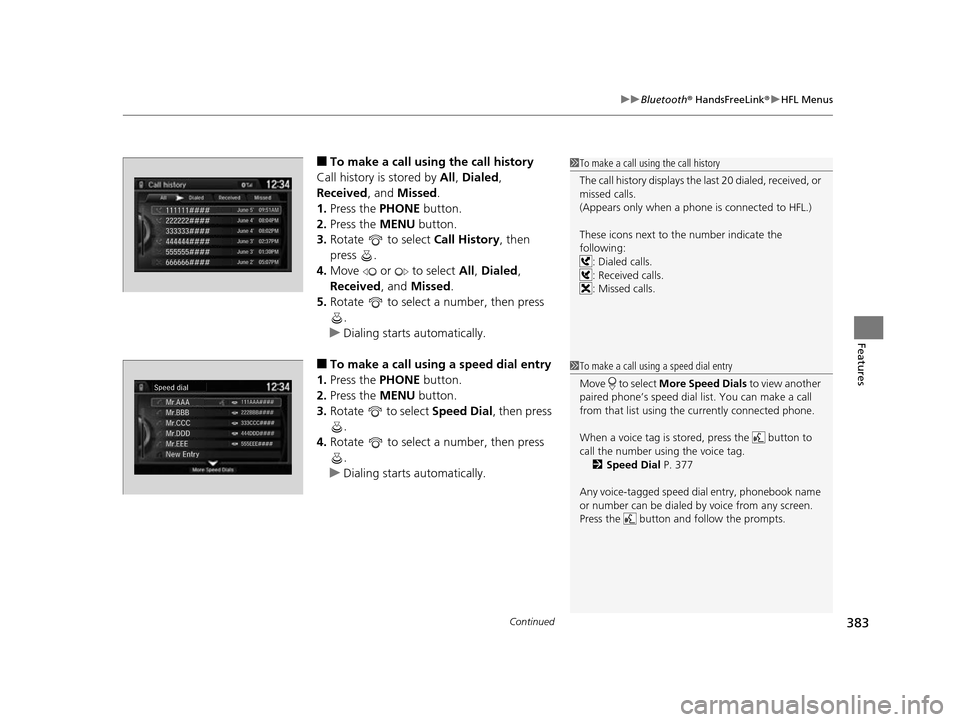
■To make a call usin g the call history
Call history is stored by All, Dialed ,
Received , and Missed .
1. Press the PHONE button.
2. Press the MENU button.
3. Rotate to select Call History, then
press .
4. Move or to select All, Dialed ,
Received , and Missed .
5. Rotate to select a number, then press
.
u Dialing starts automatically.
■To make a call using a speed dial entry
1. Press the PHONE button.
2. Press the MENU button.
3. Rotate to select Speed Dial, then press
.
4. Rotate to select a number, then press
.
u Dialing starts automatically.
1To make a call using the call history
The call history disp lays the last 20 dialed, received, or
missed calls.
(Appears only when a phone is connected to HFL.)
These icons next to the number indicate the
following:
: Dialed calls.
: Received calls.
: Missed calls.
1To make a call using a speed dial entry
Move to select More Speed Dials to view another
paired phone’s speed dial list. You can make a call
from that list using th e currently connected phone.
When a voice tag is stored, press the button to
call the number using the voice tag. 2 Speed Dial P. 377
Any voice-tagged speed di al entry, phonebook name
or number can be dialed by voice from any screen.
Press the button and follow the prompts.
17 US ODYSSEY (KA KC)-31TK86600.book 383 ページ 2016年10月24日 月曜日 午後4時2分
Page 385 of 565
uuBluetooth ® HandsFreeLink ®u HFL Menus
384
Features
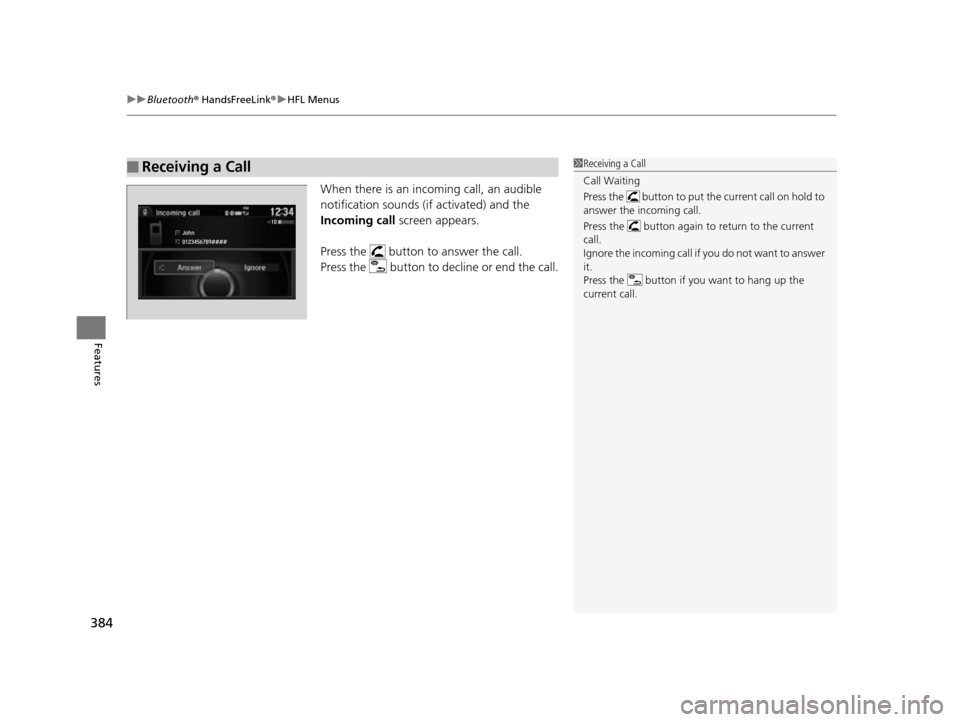
When there is an incoming call, an audible
notification sounds (i f activated) and the
Incoming call screen appears.
Press the button to answer the call.
Press the button to decline or end the call.
■Receiving a Call1 Receiving a Call
Call Waiting
Press the button to put the current call on hold to
answer the incoming call.
Press the button again to return to the current
call.
Ignore the incoming call if you do not want to answer
it.
Press the button if you want to hang up the
current call.
17 US ODYSSEY (KA KC)-31TK86600.book 384 ページ 2016年10月24日 月曜日 午後4時2分
Page 388 of 565
Continued387
uuBluetooth ® HandsFreeLink ®u HFL Menus
Features
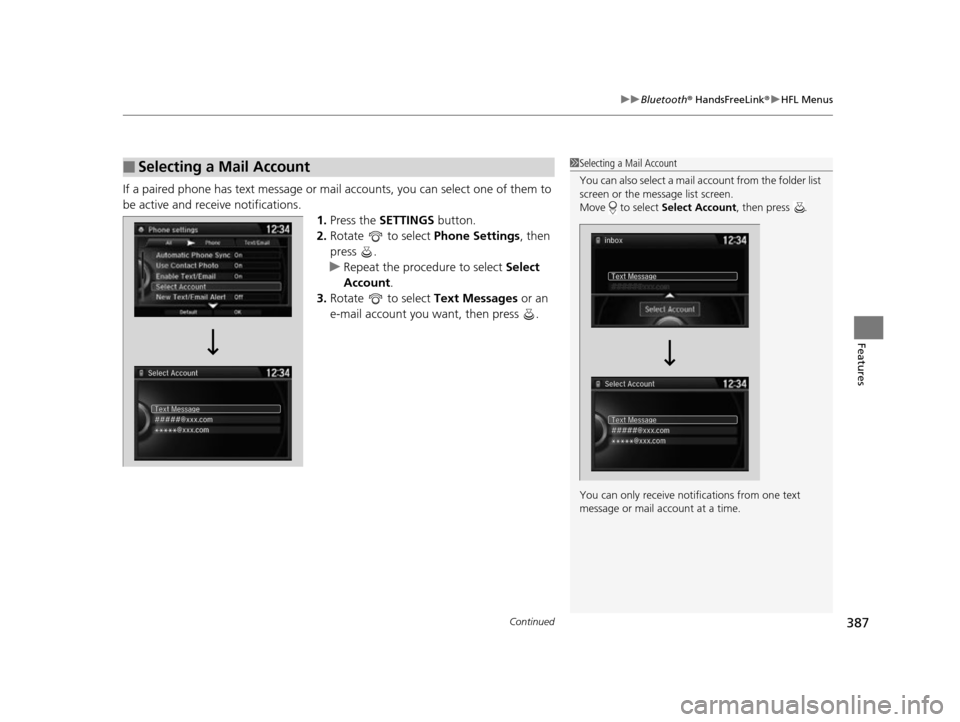
If a paired phone has text message or mail accounts, you can select one of them to
be active and receive notifications. 1.Press the SETTINGS button.
2. Rotate to select Phone Settings, then
press .
u Repeat the procedure to select Select
Account .
3. Rotate to select Text Messages or an
e-mail account you want, then press .
■Selecting a Mail Account1 Selecting a Mail Account
You can also select a mail account from the folder list
screen or the message list screen.
Move to select Select Account , then press .
You can only receive notif ications from one text
message or mail a ccount at a time.
17 US ODYSSEY (KA KC)-31TK86600.book 387 ページ 2016年10月24日 月曜日 午後4時2分
Page 389 of 565
uuBluetooth ® HandsFreeLink ®u HFL Menus
388
Features
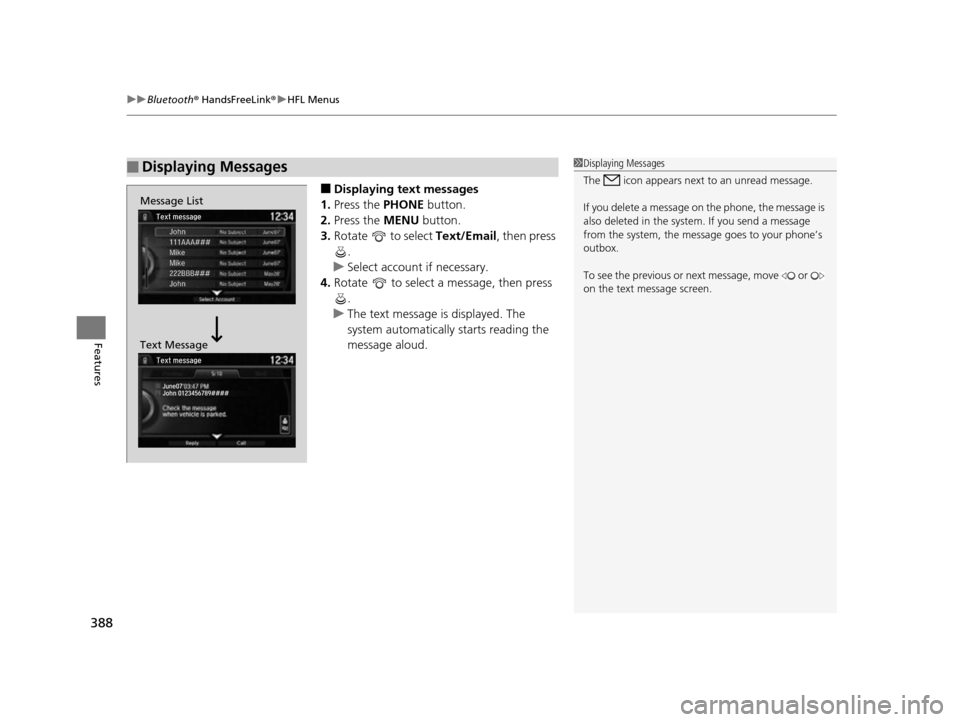
■Displaying text messages
1. Press the PHONE button.
2. Press the MENU button.
3. Rotate to select Text/Email, then press
.
u Select account if necessary.
4. Rotate to select a message, then press
.
u The text message is displayed. The
system automatically starts reading the
message aloud.
■Displaying Messages1Displaying Messages
The icon appears next to an unread message.
If you delete a message on the phone, the message is
also deleted in the system. If you send a message
from the system, the message goes to your phone’s
outbox.
To see the previous or ne xt message, move or
on the text message screen.
Message List
Text Message
17 US ODYSSEY (KA KC)-31TK86600.book 388 ページ 2016年10月24日 月曜日 午後4時2分
Page 390 of 565
Continued389
uuBluetooth ® HandsFreeLink ®u HFL Menus
Features
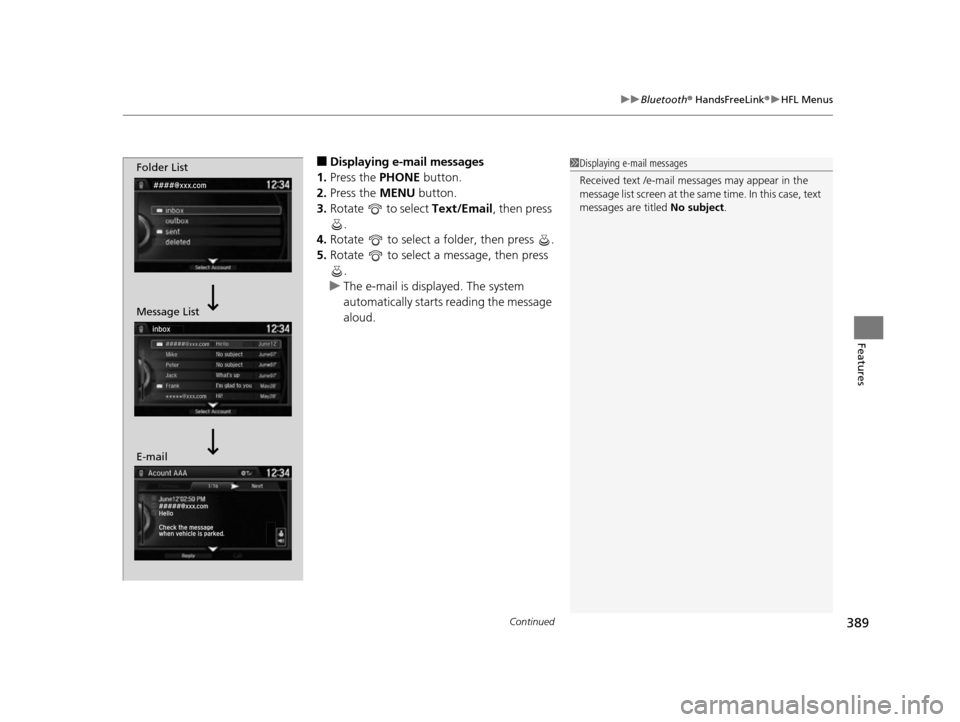
■Displaying e-mail messages
1. Press the PHONE button.
2. Press the MENU button.
3. Rotate to select Text/Email , then press
.
4. Rotate to select a folder, then press .
5. Rotate to select a message, then press
.
u The e-mail is displayed. The system
automatically starts reading the message
aloud.1Displaying e-mail messages
Received text /e-mail me ssages may appear in the
message list screen at the same time. In this case, text
messages are titled No subject.Folder List
Message List
E-mail
17 US ODYSSEY (KA KC)-31TK86600.book 389 ページ 2016年10月24日 月曜日 午後4時2分
Page 393 of 565
392
Features
Compass*
When you set the power mode to ON, the compass self-calibrates, and the compass
display appears.
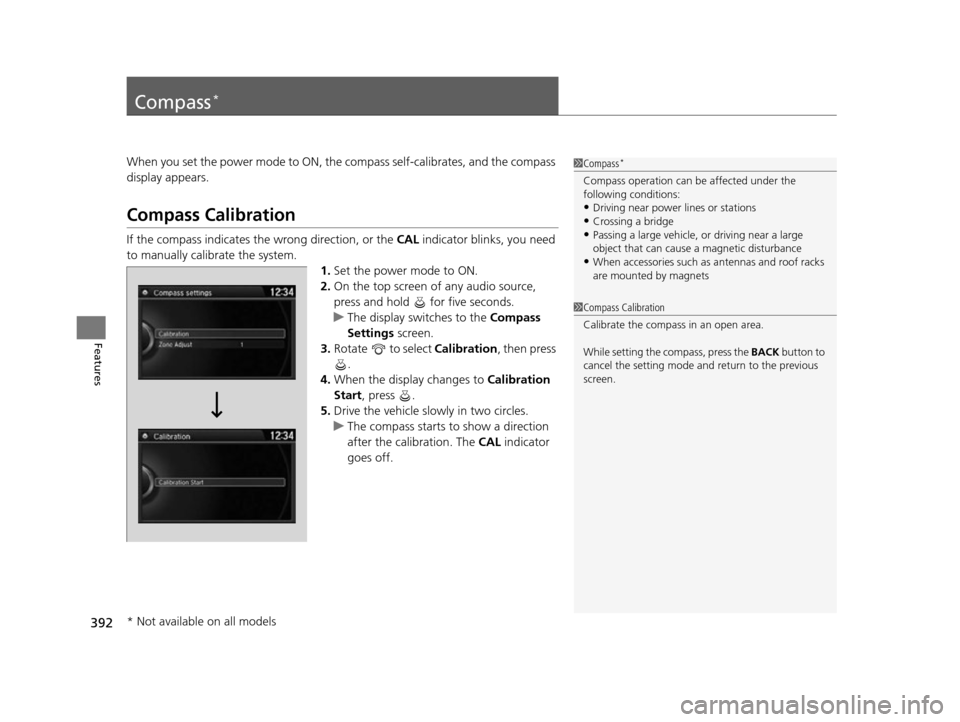
Compass Calibration
If the compass indicates the wrong direction, or the CAL indicator blinks, you need
to manually calibrate the system.
1.Set the power mode to ON.
2. On the top screen of any audio source,
press and hold for five seconds.
u The display switches to the Compass
Settings screen.
3. Rotate to select Calibration , then press
.
4. When the display changes to Calibration
Start, press .
5. Drive the vehicle slowly in two circles.
u The compass starts to show a direction
after the calibration. The CAL indicator
goes off.
1 Compass*
Compass operation can be affected under the
following conditions:
•Driving near power lines or stations•Crossing a bridge
•Passing a large vehicle, or driving near a large
object that can cause a magnetic disturbance
•When accessories such as antennas and roof racks
are mounted by magnets
1 Compass Calibration
Calibrate the compass in an open area.
While setting the compass, press the BACK button to
cancel the setting mode a nd return to the previous
screen.
* Not available on all models
17 US ODYSSEY (KA KC)-31TK86600.book 392 ページ 2016年10月24日 月曜日 午後4時2分