auto start HONDA ODYSSEY 2017 RC1-RC2 / 5.G Owners Manual
[x] Cancel search | Manufacturer: HONDA, Model Year: 2017, Model line: ODYSSEY, Model: HONDA ODYSSEY 2017 RC1-RC2 / 5.GPages: 565, PDF Size: 33.13 MB
Page 6 of 565
5
Quick Reference Guide
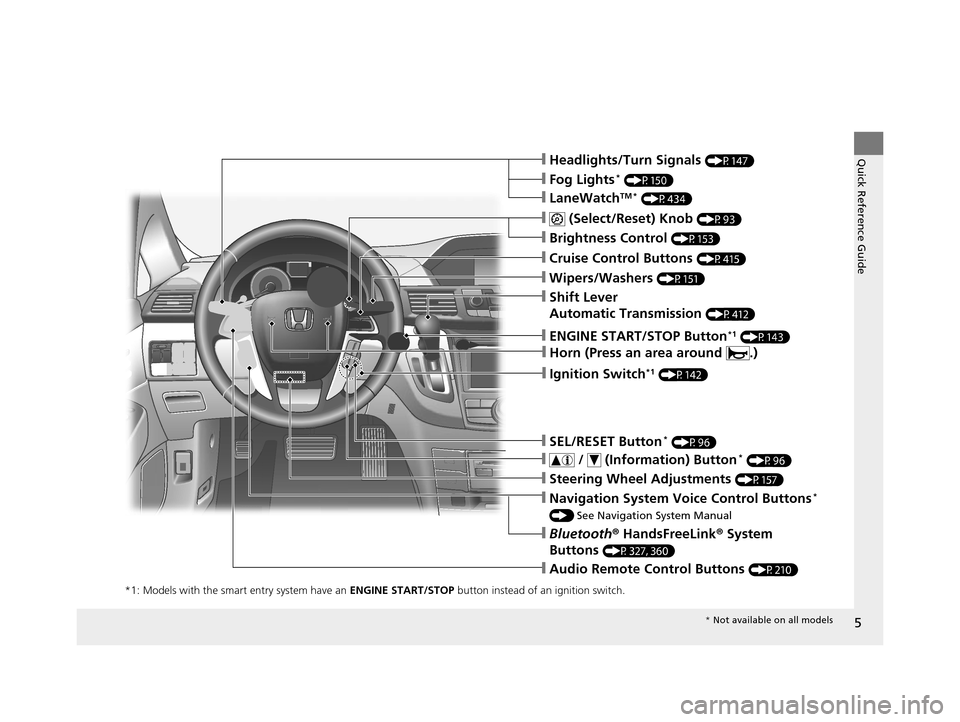
❙Navigation System Voice Control Buttons*
() See Navigation System Manual
❙Bluetooth® HandsFreeLink® System
Buttons
(P327, 360)
❙Audio Remote Control Buttons (P210)
❙Steering Wheel Adjustments (P157)
❙Cruise Control Buttons (P415)
❙Wipers/Washers (P151)
❙ (Select/Reset) Knob (P93)
❙Brightness Control (P153)
❙Shift Lever
Automatic Transmission
(P412)
❙SEL/RESET Button* (P96)
❙ / (Information) Button* (P96)
❙Headlights/Turn Signals (P147)
❙LaneWatchTM * (P434)
❙Fog Lights* (P150)
*1: Models with the smart entry system have an ENGINE START/STOP button instead of an ignition switch.
❙Horn (Press an area around .)
❙ENGINE START/STOP Button*1 (P143)
❙Ignition Switch*1 (P142)
* Not available on all models
17 US ODYSSEY (KA KC)-31TK86600.book 5 ページ 2016年10月24日 月曜日 午後4時2分
Page 12 of 565
11
Quick Reference Guide
Controls (P107)
Clock (P108)
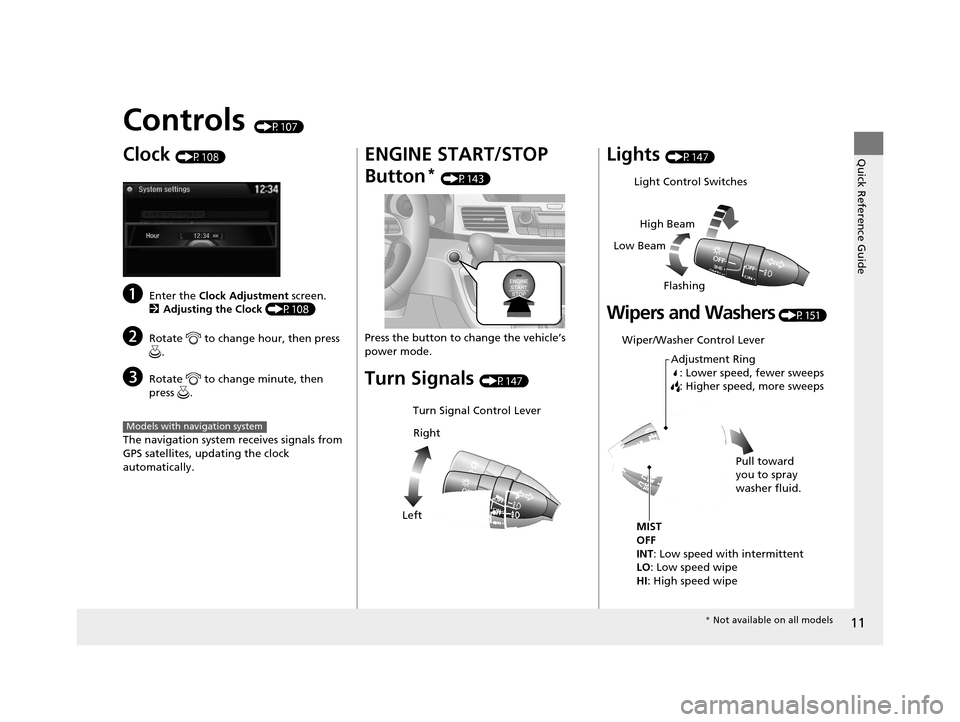
aEnter the Clock Adjustment screen.
2 Adjusting the Clock (P108)
bRotate to change hour, then press
.
cRotate to change minute, then
press .
The navigation system receives signals from
GPS satellites, updating the clock
automatically.
Models with navigation system
ENGINE START/STOP
Button
* (P143)
Press the button to ch ange the vehicle’s
power mode.
Turn Signals (P147)
Turn Signal Control Lever
Right
Left
Lights (P147)
Wipers and Washers (P151)
Light Control Switches
Low Beam High Beam
Flashing
Wiper/Washer Control Lever Adjustment Ring: Lower speed, fewer sweeps
: Higher speed, more sweeps
MIST
OFF
INT: Low speed with intermittent
LO: Low speed wipe
HI : High speed wipe Pull toward
you to spray
washer fluid.
*
Not available on all models
17 US ODYSSEY (KA KC)-31TK86600.book 11 ページ 2016年10月24日 月曜日 午後4時2分
Page 19 of 565
18
Quick Reference Guide
Driving (P395)
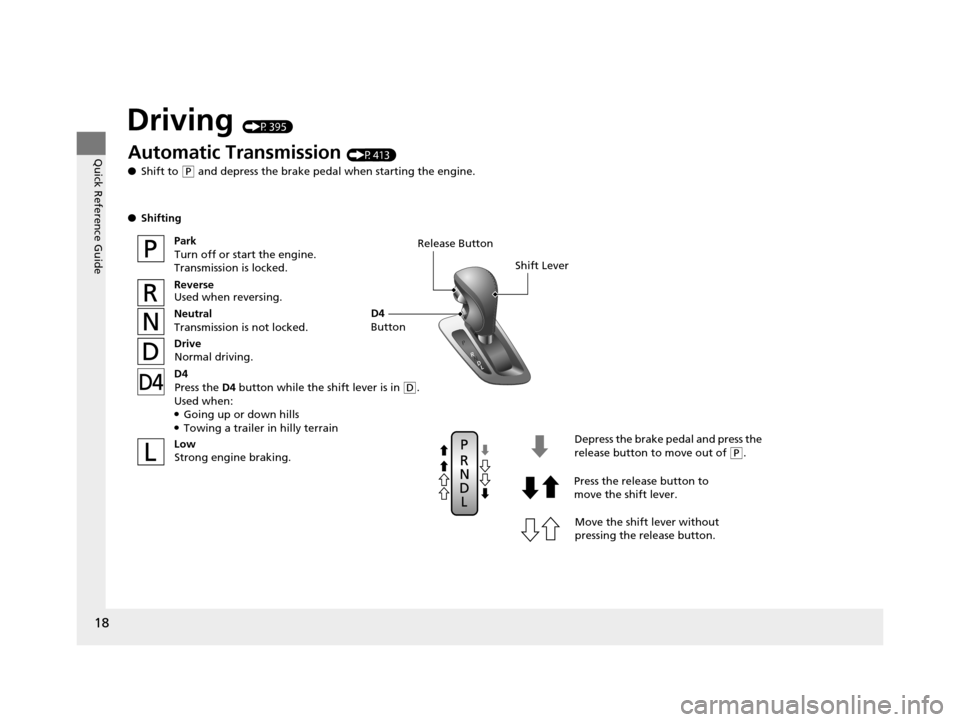
Release ButtonShift Lever
Depress the brake pedal and press the
release button to move out of
(P.
Move the shift lever without
pressing the release button.
Press the release button to
move the shift lever.
Automatic Transmission (P413)
● Shift to
(P and depress the brake pedal when starting the engine.
● Shifting
ParkTurn off or start the engine.
Transmission is locked.
Reverse
Used when reversing.
Neutral
Transmission is not locked.
Drive
Normal driving.
Low Strong engine braking.
D4
Press the D4 button while the shift lever is in
(D.
Used when:
●Going up or down hills●Towing a trailer in hilly terrain
D4
Button
17 US ODYSSEY (KA KC)-31TK86600.book 18 ページ 2016年10月24日 月曜日 午後4時2分
Page 20 of 565
19
Quick Reference Guide
VSA® OFF Button (P427)
● The vehicle stability assist (VSA® ) system
helps stabilize the vehicle during
cornering, and helps maintain traction
while accelerating on loose or slippery
road surfaces.
● VSA ® comes on automatically every time
you start the engine.
● To turn VSA ® on or off, press and hold
the button until you hear a beep.
Cruise Control (P415)
● Cruise control allows you to maintain a
set speed without keeping your foot on
the accelerator pedal.
● To use cruise control, press the CRUISE
button, then press once you
have achieved the desired speed (above
25 mph or 40 km/h).
Tire Pressure Monitoring
System (TPMS)
(P428)
● TPMS monitors tire pressure.
● TPMS is turned on automatically every
time you start the engine.
DECEL/SET
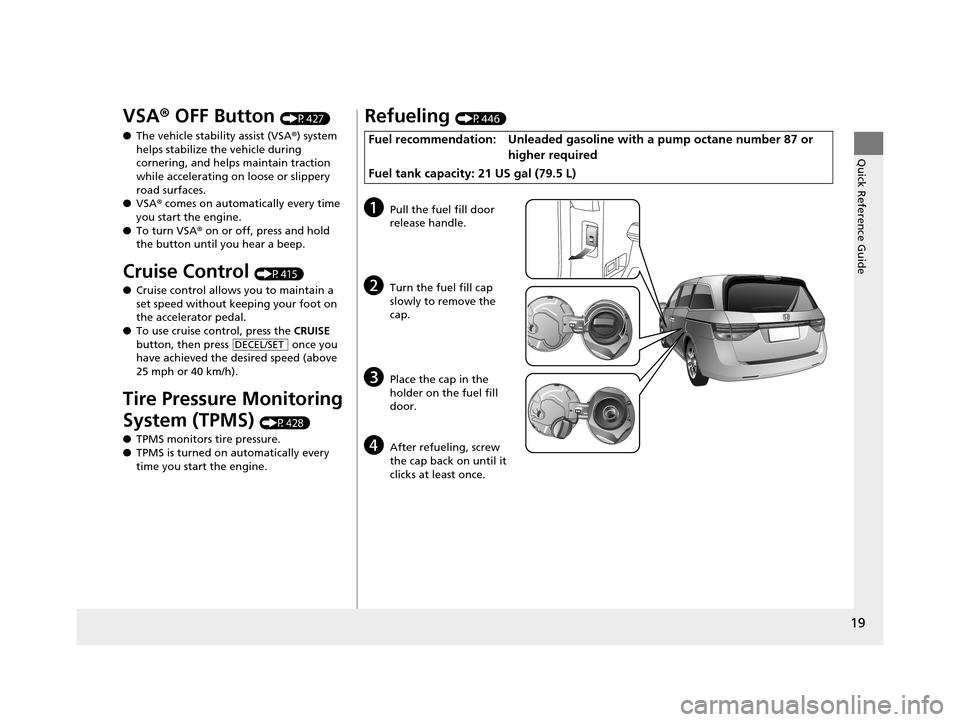
Refueling (P446)
Fuel recommendation: Unleaded gasoline with a pump octane number 87 or
higher required
Fuel tank capacity: 21 US gal (79.5 L)
aPull the fuel fill door
release handle.
bTurn the fuel fill cap
slowly to remove the
cap.
cPlace the cap in the
holder on the fuel fill
door.
dAfter refueling, screw
the cap back on until it
clicks at least once.
17 US ODYSSEY (KA KC)-31TK86600.book 19 ページ 2016年10月24日 月曜日 午後4時2分
Page 41 of 565
40
uuAirbags uAirbag System Components
Safe Driving
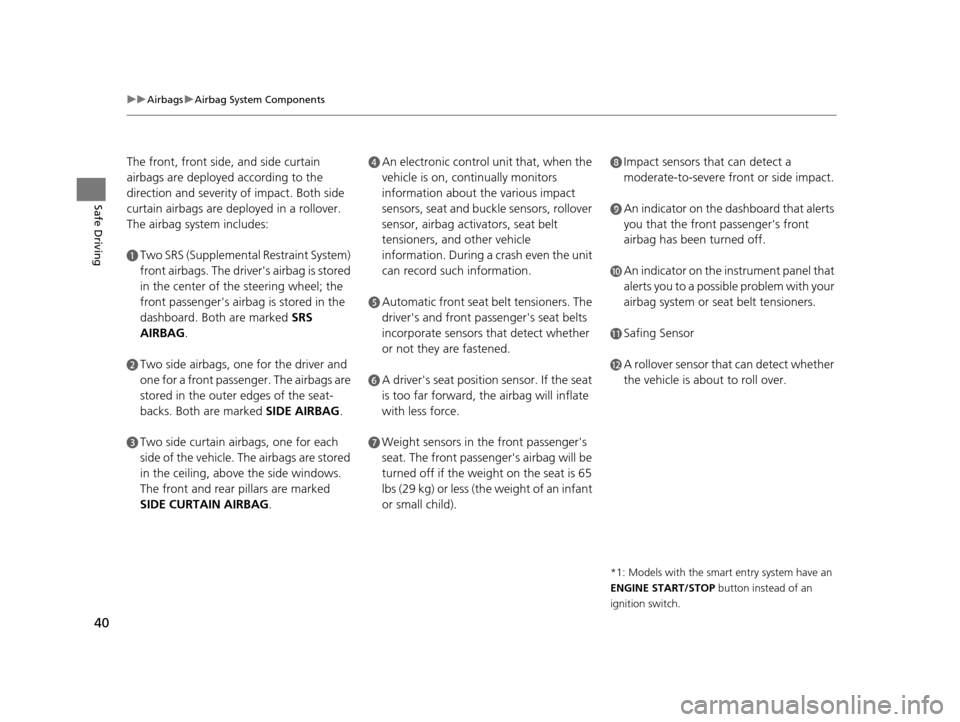
The front, front side, and side curtain
airbags are deployed according to the
direction and severity of impact. Both side
curtain airbags are deployed in a rollover.
The airbag system includes:
aTwo SRS (Supplemental Restraint System)
front airbags. The driver's airbag is stored
in the center of the steering wheel; the
front passenger's airbag is stored in the
dashboard. Both are marked SRS
AIRBAG.
bTwo side airbags, one for the driver and
one for a front passenger. The airbags are
stored in the outer edges of the seat-
backs. Both are marked SIDE AIRBAG .
cTwo side curtain airbags, one for each
side of the vehicle. The airbags are stored
in the ceiling, above the side windows.
The front and rear pillars are marked
SIDE CURTAIN AIRBAG.
dAn electronic control unit that, when the
vehicle is on, continually monitors
information about the various impact
sensors, seat and buckle sensors, rollover
sensor, airbag activators, seat belt
tensioners, and other vehicle
information. During a crash even the unit
can record such information.
eAutomatic front seat belt tensioners. The
driver's and front passenger's seat belts
incorporate sensors that detect whether
or not they are fastened.
fA driver's seat position sensor. If the seat
is too far forward, the airbag will inflate
with less force.
gWeight sensors in the front passenger's
seat. The front passenger's airbag will be
turned off if the weight on the seat is 65
lbs (29 kg) or less (the weight of an infant
or small child).
hImpact sensors that can detect a
moderate-to-severe front or side impact.
iAn indicator on the dashboard that alerts
you that the front passenger's front
airbag has been turned off.
jAn indicator on the instrument panel that
alerts you to a possible problem with your
airbag system or seat belt tensioners.
kSafing Sensor
lA rollover sensor that can detect whether
the vehicle is about to roll over.
*1: Models with the smart entry system have an
ENGINE START/STOP button instead of an
ignition switch.
17 US ODYSSEY (KA KC)-31TK86600.book 40 ページ 2016年10月24日 月曜日 午後4時2分
Page 78 of 565
77
uuIndicators u
Continued
Instrument Panel
*1:Models with the smart entry system have an ENGINE START/STOP button instead of an ignition switch.
IndicatorNameOn/BlinkingExplanationMessage*
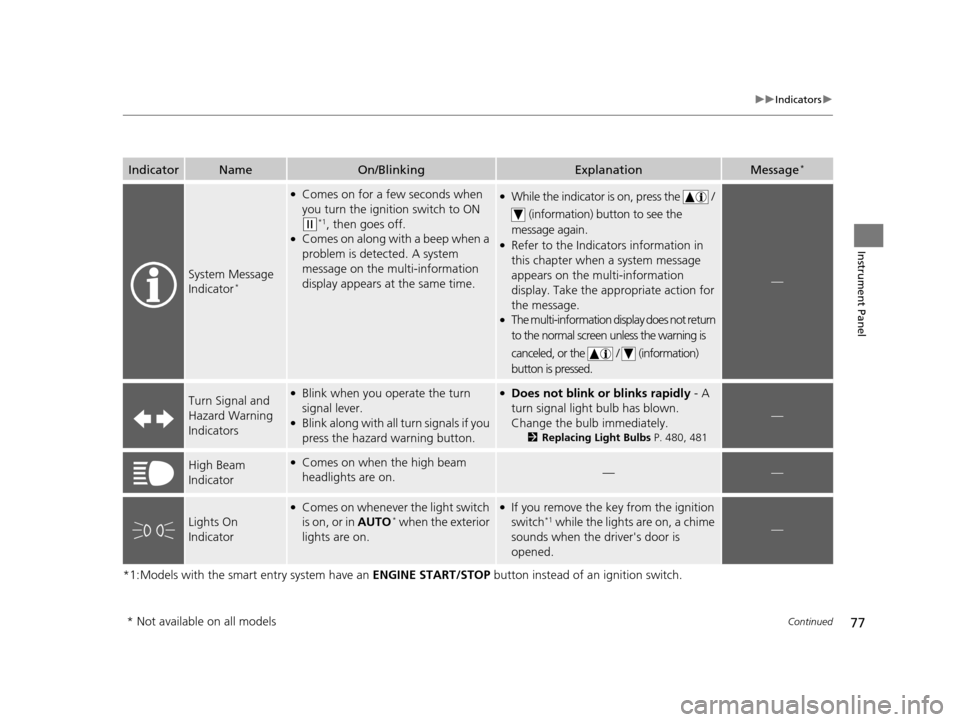
System Message
Indicator*
●Comes on for a few seconds when
you turn the ignition switch to ON
(w*1, then goes off.●Comes on along with a beep when a
problem is detected. A system
message on the multi-information
display appears at the same time.
●While the indicator is on, press the /
(information) button to see the
message again.
●Refer to the Indicators information in
this chapter when a system message
appears on the multi-information
display. Take the ap propriate action for
the message.
●The multi-information display does not return
to the normal screen unless the warning is
canceled, or the / (information)
button is pressed.
—
Turn Signal and
Hazard Warning
Indicators●Blink when you operate the turn
signal lever.
●Blink along with all turn signals if you
press the hazard warning button.
●Does not blink or blinks rapidly - A
turn signal light bulb has blown.
Change the bulb immediately.
2 Replacing Light Bulbs P. 480, 481
—
High Beam
Indicator●Comes on when the high beam
headlights are on.——
Lights On
Indicator
●Comes on whenever the light switch
is on, or in AUTO* when the exterior
lights are on.
●If you remove the key from the ignition
switch*1 while the lights are on, a chime
sounds when the driver's door is
opened.—
* Not available on all models
17 US ODYSSEY (KA KC)-31TK86600.book 77 ページ 2016年10月24日 月曜日 午後4時2分
Page 81 of 565
80
uuIndicators u
Instrument Panel
*1:Models with the smart entry system have an ENGINE START/STOP button instead of an ignition switch.
*2:On the left: Models with information display On the right: Models with multi-information display
IndicatorNameOn/BlinkingExplanationMessage*2
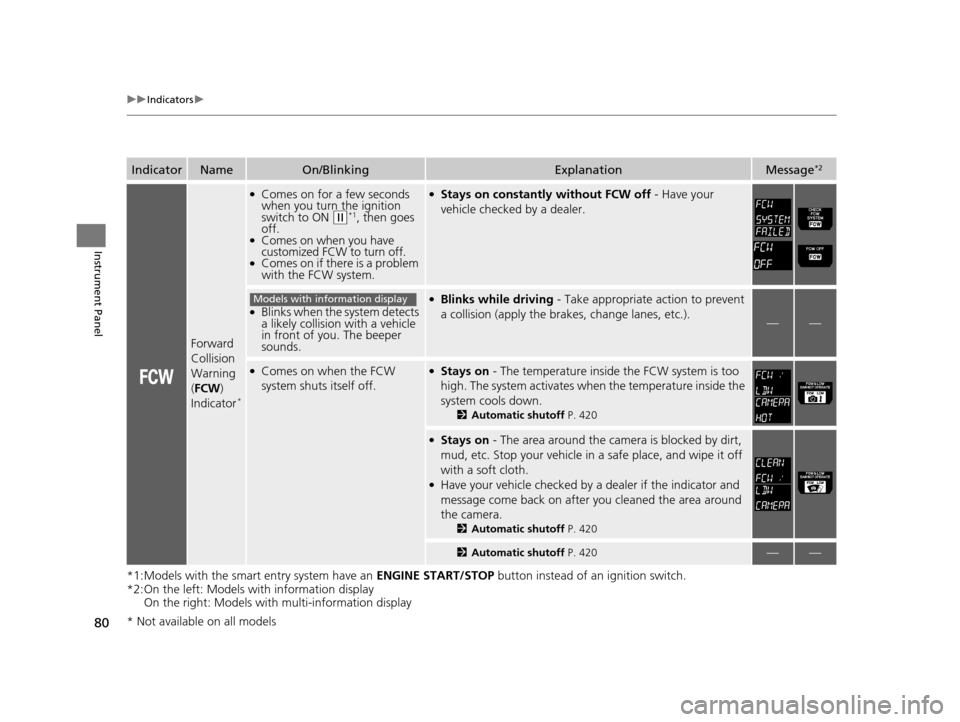
Forward
Collision
Warning
(FCW )
Indicator
*
●Comes on for a few seconds
when you turn the ignition
switch to ON
(w*1, then goes
off.
●Comes on when you have
customized FCW to turn off.
●Comes on if there is a problem
with the FCW system.
●Stays on constantly without FCW off - Have your
vehicle checked by a dealer.
●Blinks when the system detects
a likely collision with a vehicle
in front of you. The beeper
sounds.
●Blinks while driving - Take appropriate action to prevent
a collision (apply the br akes, change lanes, etc.).
——
●Comes on when the FCW
system shuts itself off.●Stays on - The temperature inside the FCW system is too
high. The system activates when the temperature inside the
system cools down.
2 Automatic shutoff P. 420
●Stays on - The area around the camera is blocked by dirt,
mud, etc. Stop your vehicle in a safe place, and wipe it off
with a soft cloth.
●Have your vehicle checked by a dealer if the indicator and
message come back on after you cleaned the area around
the camera.
2 Automatic shutoff P. 420
2Automatic shutoff P. 420——
Models with information display
* Not available on all models
17 US ODYSSEY (KA KC)-31TK86600.book 80 ページ 2016年10月24日 月曜日 午後4時2分
Page 108 of 565
107
Controls
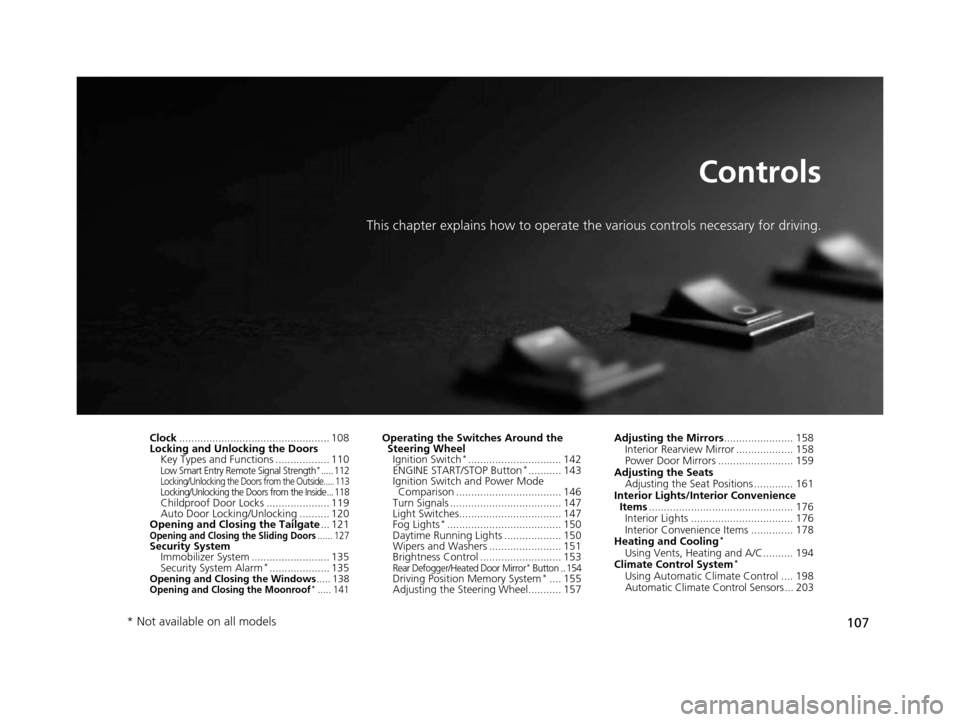
This chapter explains how to operate the various controls necessary for driving.
Clock.................................................. 108
Locking and Unlocking the Doors Key Types and Functions .................. 110
Low Smart Entry Remote Signal Strength*..... 112Locking/Unlocking the Doors from the Outside..... 113Locking/Unlocking the Doors from the Inside... 118Childproof Door Locks ..................... 119
Auto Door Locking/Unlocking .......... 120
Opening and Closing the Tailgate ... 121
Opening and Closing the Sliding Doors...... 127Security System
Immobilizer System .......................... 135
Security System Alarm
*.................... 135Opening and Closing the Windows ..... 138Opening and Closing the Moonroof*..... 141
Operating the Switches Around the
Steering Wheel Ignition Switch
*............................... 142
ENGINE START/STOP Button*........... 143
Ignition Switch and Power Mode Comparison ................................... 146
Turn Signals ..................................... 147
Light Switches.................................. 147
Fog Lights
*...................................... 150
Daytime Running Lights ................... 150
Wipers and Washers ........................ 151
Brightness Control ........................... 153
Rear Defogger/Heated Door Mirror* Button .. 154Driving Position Memory System*.... 155
Adjusting the Steering Wheel........... 157 Adjusting the Mirrors
....................... 158
Interior Rearview Mirror ................... 158
Power Door Mirrors ......................... 159
Adjusting the Seats Adjusting the Seat Positions ............. 161
Interior Lights/Interior Convenience Items ................................................ 176
Interior Lights .................................. 176
Interior Convenience Items .............. 178
Heating and Cooling
*
Using Vents, Heating and A/C.......... 194
Climate Control System*
Using Automatic Climate Control .... 198
Automatic Climate Control Sensors ... 203
* Not available on all models
17 US ODYSSEY (KA KC)-31TK86600.book 107 ページ 2016年10月24日 月曜日 午後4時2分
Page 109 of 565
108
Controls
Clock
Adjusting the Clock
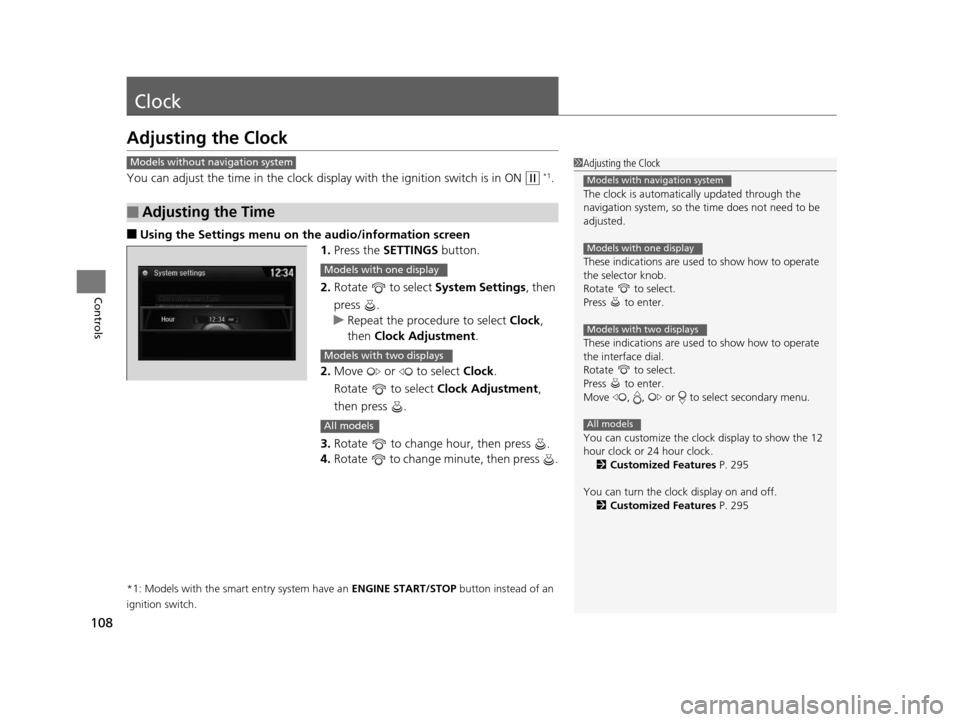
You can adjust the time in the clock display with the ignition switch is in ON (w *1.
■Using the Settings menu on the audio/information screen
1. Press the SETTINGS button.
2. Rotate to select System Settings, then
press .
u Repeat the procedure to select Clock,
then Clock Adjustment .
2. Move or to select Clock.
Rotate to select Clock Adjustment,
then press .
3. Rotate to change hour, then press .
4. Rotate to change minute, then press .
*1: Models with the smart entry system have an ENGINE START/STOP button instead of an
ignition switch.
■Adjusting the Time
1 Adjusting the Clock
The clock is automatica lly updated through the
navigation system, so the ti me does not need to be
adjusted.
These indications are used to show how to operate
the selector knob.
Rotate to select.
Press to enter.
These indications are used to show how to operate
the interface dial.
Rotate to select.
Press to enter.
Move , , or to select secondary menu.
You can customize the clock display to show the 12
hour clock or 24 hour clock.
2 Customized Features P. 295
You can turn the clock display on and off. 2 Customized Features P. 295
Models with navigation system
Models with one display
Models with two displays
All models
Models without navigation system
Models with one display
Models with two displays
All models
17 US ODYSSEY (KA KC)-31TK86600.book 108 ページ 2016年10月24日 月曜日 午後4時2分
Page 115 of 565
uuLocking and Unlocking the Doors uLocking/Unlocking the Doors from the Outside
114
Controls
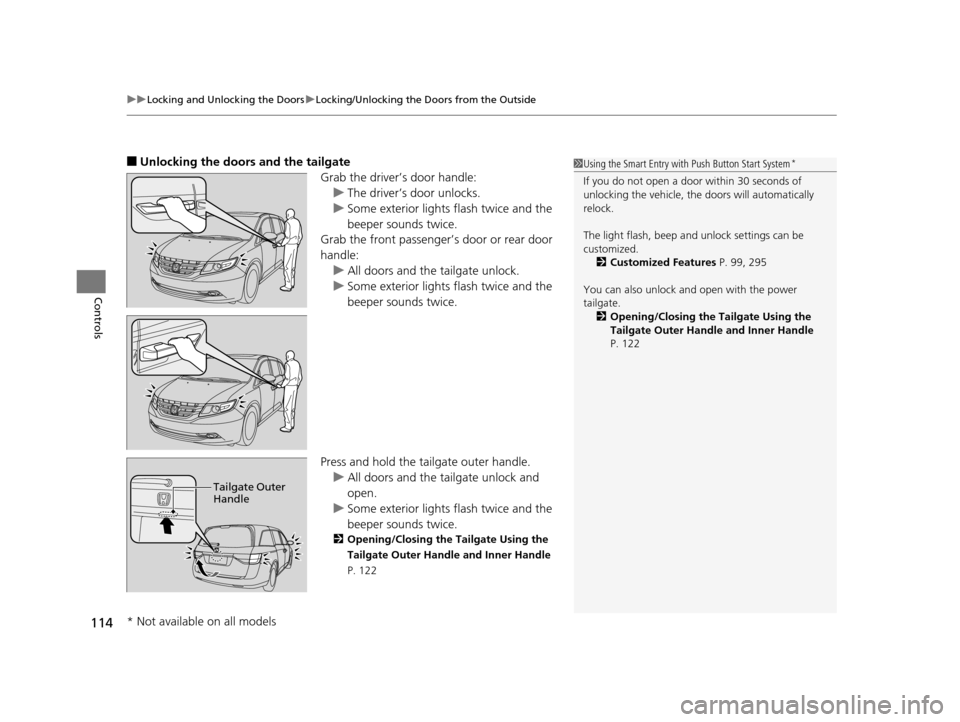
■Unlocking the doors and the tailgate
Grab the driver’s door handle:u The driver’s door unlocks.
u Some exterior lights flash twice and the
beeper sounds twice.
Grab the front passenger’s door or rear door
handle:
u All doors and the tailgate unlock.
u Some exterior lights flash twice and the
beeper sounds twice.
Press and hold the tailgate outer handle. u All doors and the tailgate unlock and
open.
u Some exterior lights flash twice and the
beeper sounds twice.
2 Opening/Closing the Tailgate Using the
Tailgate Outer Handle and Inner Handle
P. 122
1Using the Smart Entry with Push Button Start System*
If you do not open a door within 30 seconds of
unlocking the vehicle, th e doors will automatically
relock.
The light flash, beep a nd unlock settings can be
customized. 2 Customized Features P. 99, 295
You can also unlock and open with the power
tailgate. 2 Opening/Closing the Tailgate Using the
Tailgate Outer Handle and Inner Handle
P. 122
Tailgate Outer
Handle
* Not available on all models
17 US ODYSSEY (KA KC)-31TK86600.book 114 ページ 2016年10月24日 月曜日 午後4時2分