engine HONDA ODYSSEY 2018 (in English) Owner's Guide
[x] Cancel search | Manufacturer: HONDA, Model Year: 2018, Model line: ODYSSEY, Model: HONDA ODYSSEY 2018Pages: 763, PDF Size: 47.02 MB
Page 107 of 763
105
uuIndicators uDriver Information Interface Wa rning and Information Messages
Continued
Instrument Panel
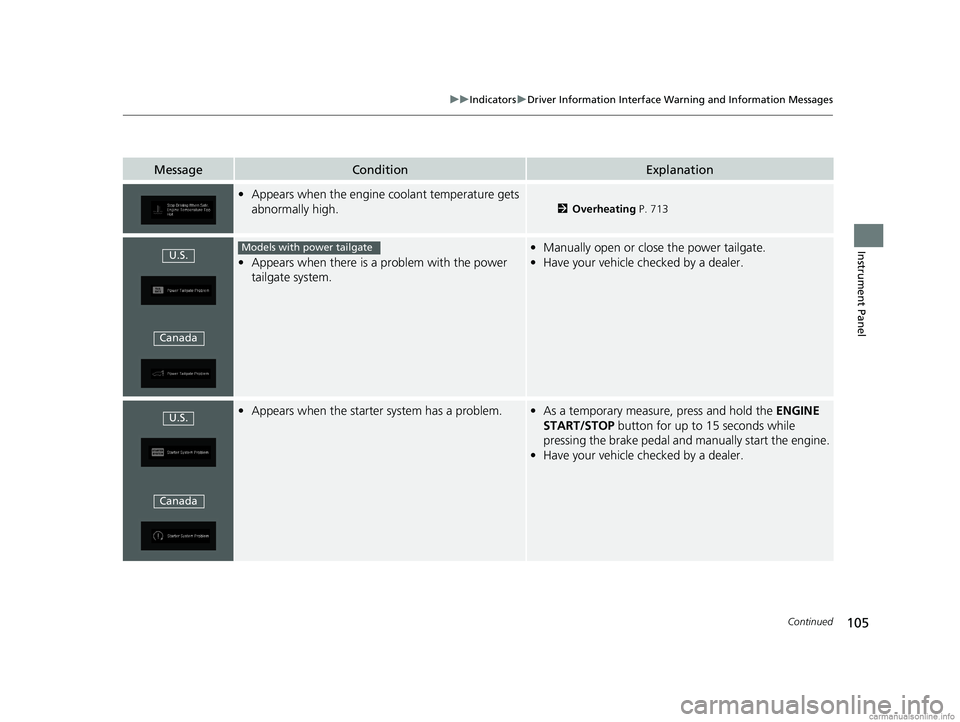
MessageConditionExplanation
•Appears when the engine coolant temperature gets
abnormally high.
2 Overheating P. 713
•Appears when there is a problem with the power
tailgate system.
• Manually open or close the power tailgate.
• Have your vehicle checked by a dealer.
•Appears when the starter system has a problem.•As a temporary measure, press and hold the ENGINE
START/STOP button for up to 15 seconds while
pressing the brake pedal and manually start the engine.
• Have your vehicle checked by a dealer.
U.S.
CanadaModels with power tailgate
U.S.
Canada
18 US ODYSSEY-31THR6010.book 105 ページ 2018年12月6日 木曜日 午後4時18分
Page 108 of 763
106
uuIndicators uDriver Information Interface Wa rning and Information Messages
Instrument Panel
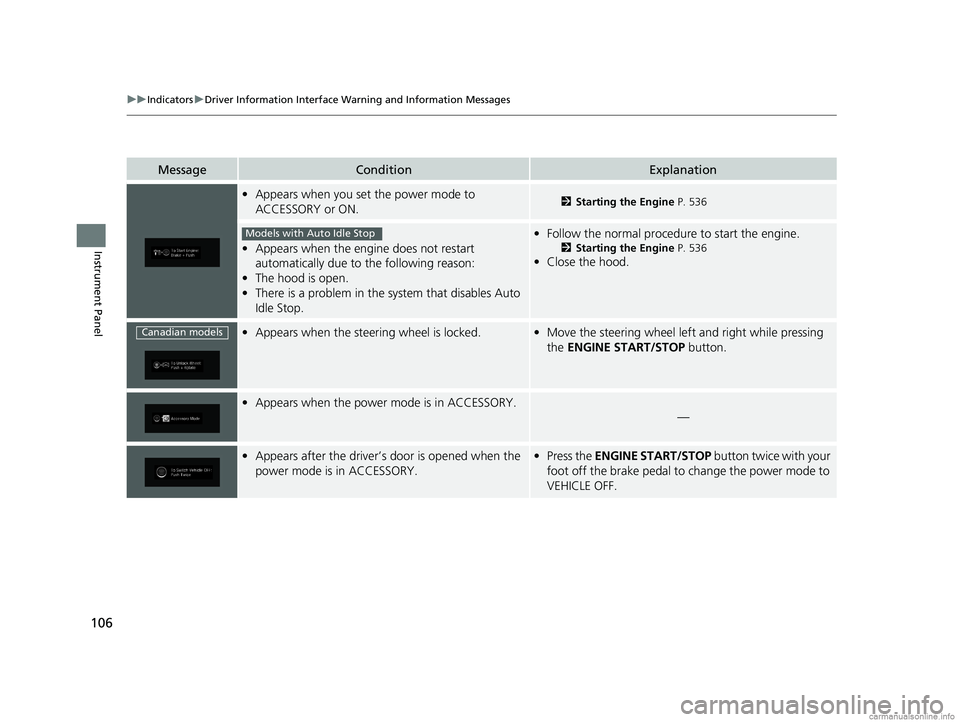
MessageConditionExplanation
•Appears when you set the power mode to
ACCESSORY or ON.2 Starting the Engine P. 536
•Appears when the engine does not restart
automatically due to the following reason:
• The hood is open.
• There is a problem in the sy stem that disables Auto
Idle Stop.
• Follow the normal procedure to start the engine.
2 Starting the Engine P. 536
•Close the hood.
•Appears when the steering wheel is locked.•Move the steering wheel left and right while pressing
the ENGINE START/STOP button.
•Appears when the power mode is in ACCESSORY.
—
•Appears after the driver’s door is opened when the
power mode is in ACCESSORY.•Press the ENGINE START/STOP button twice with your
foot off the brake pedal to change the power mode to
VEHICLE OFF.
Models with Auto Idle Stop
Canadian models
18 US ODYSSEY-31THR6010.book 106 ページ 2018年12月6日 木曜日 午後4時18分
Page 109 of 763
107
uuIndicators uDriver Information Interface Wa rning and Information Messages
Continued
Instrument Panel
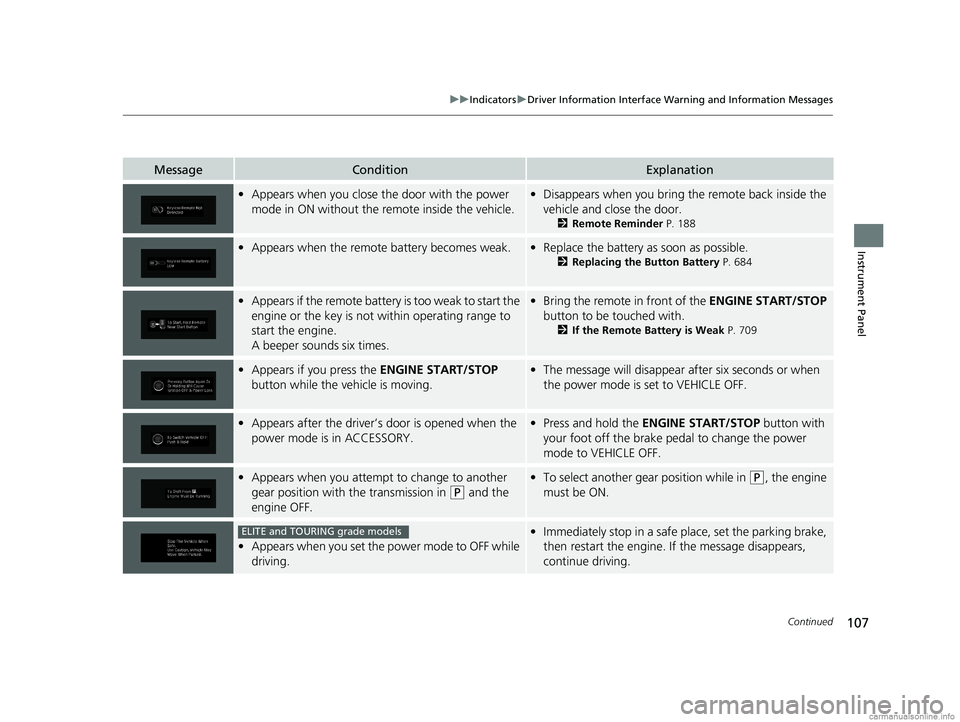
MessageConditionExplanation
•Appears when you close th e door with the power
mode in ON without the remote inside the vehicle.• Disappears when you bring the remote back inside the
vehicle and close the door.
2 Remote Reminder P. 188
•Appears when the remote battery becomes weak.•Replace the battery as soon as possible.
2 Replacing the Button Battery P. 684
•Appears if the remote battery is too weak to start the
engine or the key is not within operating range to
start the engine.
A beeper sounds six times.•Bring the remote in front of the ENGINE START/STOP
button to be touched with.
2 If the Remote Battery is Weak P. 709
•Appears if you press the ENGINE START/STOP
button while the vehicle is moving.• The message will disappear after six seconds or when
the power mode is set to VEHICLE OFF.
•Appears after the driver’s door is opened when the
power mode is in ACCESSORY.• Press and hold the ENGINE START/STOP button with
your foot off the brake pedal to change the power
mode to VEHICLE OFF.
• Appears when you attempt to change to another
gear position with the transmission in
(P and the
engine OFF.
• To select another gear position while in (P, the engine
must be ON.
• Appears when you set the power mode to OFF while
driving.
•Immediately stop in a safe place, set the parking brake,
then restart the engine. If the message disappears,
continue driving.ELITE and TOURING grade models
18 US ODYSSEY-31THR6010.book 107 ページ 2018年12月6日 木曜日 午後4時18分
Page 110 of 763
108
uuIndicators uDriver Information Interface Wa rning and Information Messages
Instrument Panel
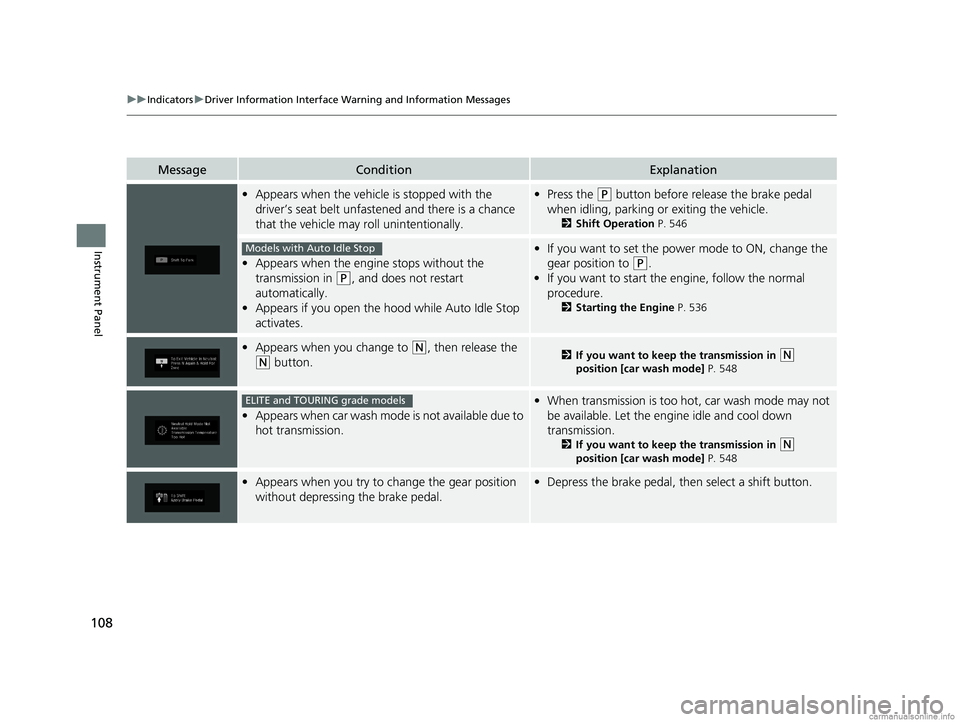
MessageConditionExplanation
•Appears when the vehicle is stopped with the
driver’s seat belt unfastened and there is a chance
that the vehicle may roll unintentionally.•Press the (P button before release the brake pedal
when idling, parking or exiting the vehicle.
2 Shift Operation P. 546
•Appears when the engine stops without the
transmission in
(P, and does not restart
automatically.
• Appears if you open the hood while Auto Idle Stop
activates.
•If you want to set the power mode to ON, change the
gear position to
(P.
• If you want to start the engine, follow the normal
procedure.
2 Starting the Engine P. 536
•Appears when you change to (N, then release the
(N button.2 If you want to keep the transmission in (N
position [car wash mode] P. 548
•Appears when car wash mode is not available due to
hot transmission.
•When transmission is too hot, car wash mode may not
be available. Let the engine idle and cool down
transmission.
2 If you want to keep the transmission in (N
position [car wash mode] P. 548
•Appears when you try to change the gear position
without depressing the brake pedal.• Depress the brake pedal, then select a shift button.
Models with Auto Idle Stop
ELITE and TOURING grade models
18 US ODYSSEY-31THR6010.book 108 ページ 2018年12月6日 木曜日 午後4時18分
Page 115 of 763
113
uuIndicators uDriver Information Interface Wa rning and Information Messages
Continued
Instrument Panel
MessageConditionExplanation
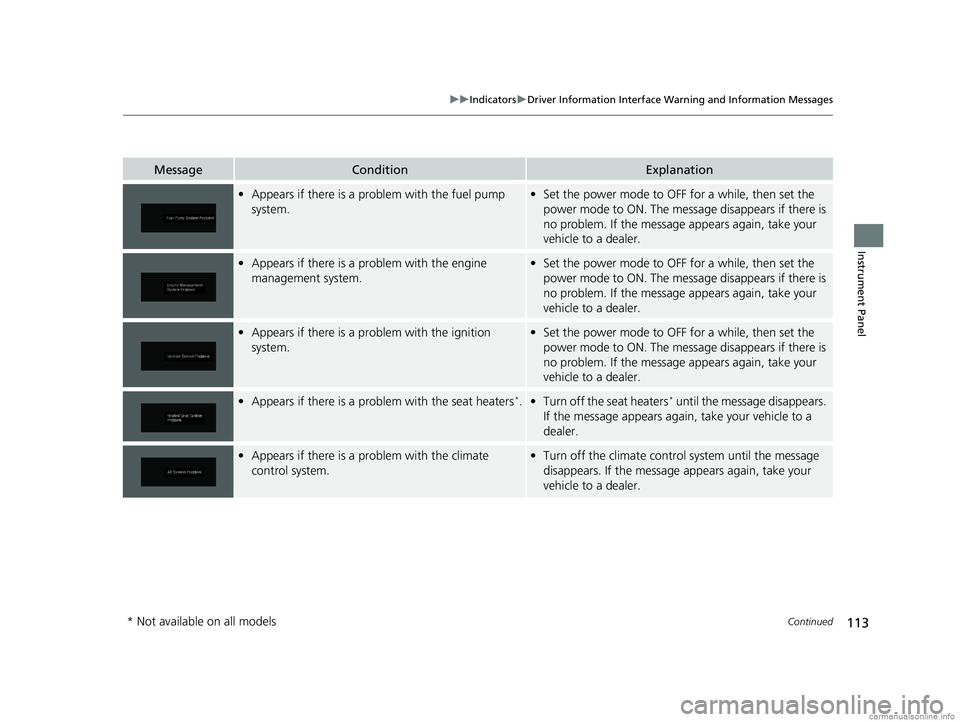
•Appears if there is a problem with the fuel pump
system.•Set the power mode to OFF for a while, then set the
power mode to ON. The message disappears if there is
no problem. If the message appears again, take your
vehicle to a dealer.
• Appears if there is a problem with the engine
management system.•Set the power mode to OFF for a while, then set the
power mode to ON. The message disappears if there is
no problem. If the message appears again, take your
vehicle to a dealer.
• Appears if there is a pr oblem with the ignition
system.• Set the power mode to OFF for a while, then set the
power mode to ON. The message disappears if there is
no problem. If the message appears again, take your
vehicle to a dealer.
• Appears if there is a problem with the seat heaters*.•Turn off the seat heaters* until the message disappears.
If the message appears again, take your vehicle to a
dealer.
• Appears if there is a problem with the climate
control system.•Turn off the climate contro l system until the message
disappears. If the message appears again, take your
vehicle to a dealer.
* Not available on all models
18 US ODYSSEY-31THR6010.book 113 ページ 2018年12月6日 木曜日 午後4時18分
Page 116 of 763
114
uuIndicators uDriver Information Interface Wa rning and Information Messages
Instrument Panel
MessageConditionExplanation
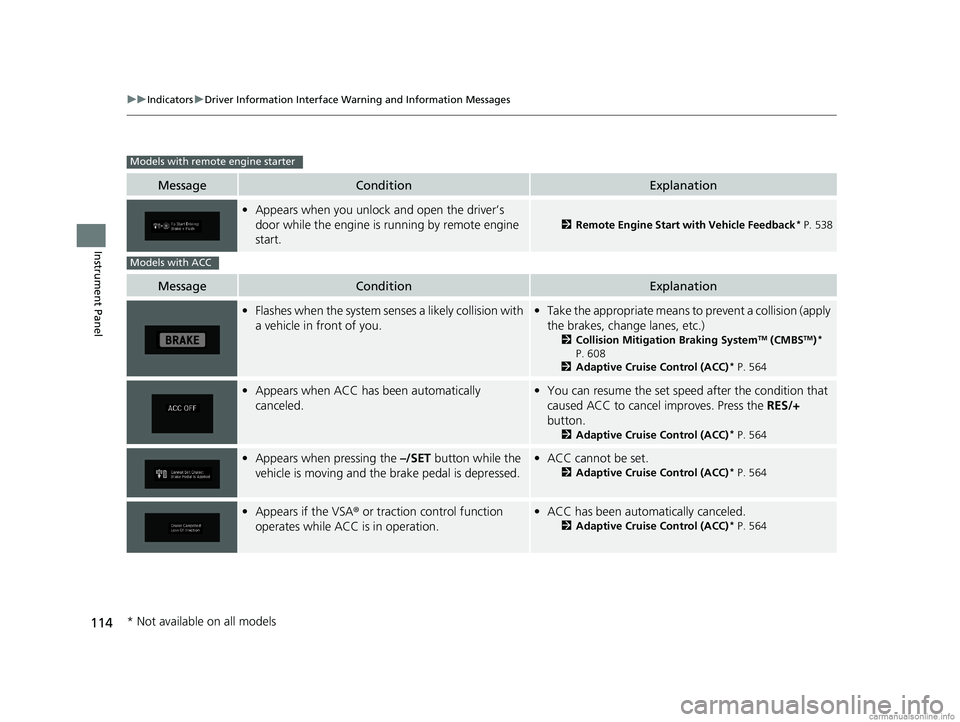
•Appears when you unlock and open the driver’s
door while the engine is running by remote engine
start.
2 Remote Engine Start with Vehicle Feedback* P. 538
MessageConditionExplanation
•Flashes when the system senses a likely collision with
a vehicle in front of you.•Take the appropriate means to prevent a collision (apply
the brakes, change lanes, etc.)
2 Collision Mitigation Braking SystemTM (CMBSTM)*
P. 608
2 Adaptive Cruise Control (ACC)
* P. 564
•Appears when ACC has been automatically
canceled.•You can resume the set speed after the condition that
caused ACC to cancel improves. Press the RES/+
button.
2 Adaptive Cruise Control (ACC)* P. 564
•Appears when pressing the –/SET button while the
vehicle is moving and the brake pedal is depressed.• ACC cannot be set.
2 Adaptive Cruise Control (ACC)* P. 564
•Appears if the VSA ® or traction control function
operates while ACC is in operation.• ACC has been automa tically canceled.
2Adaptive Cruise Control (ACC)* P. 564
Models with remote engine starter
Models with ACC
* Not available on all models
18 US ODYSSEY-31THR6010.book 114 ページ 2018年12月6日 木曜日 午後4時18分
Page 119 of 763
117
uuIndicators uDriver Information Interface Wa rning and Information Messages
Continued
Instrument Panel
MessageConditionExplanation
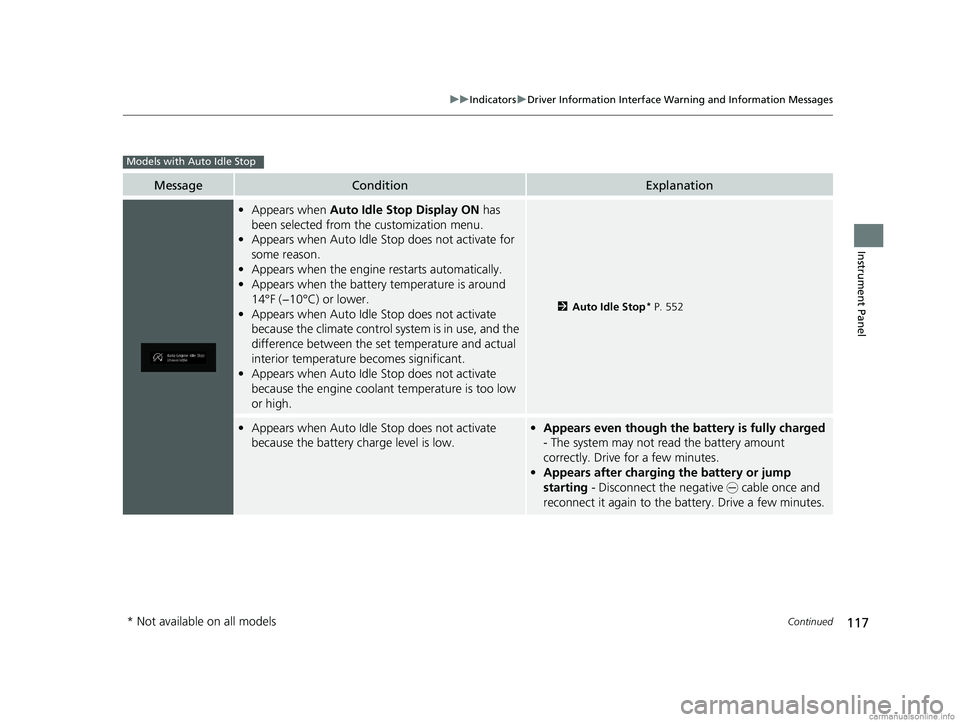
•Appears when Auto Idle Stop Display ON has
been selected from the customization menu.
• Appears when Auto Idle Stop does not activate for
some reason.
• Appears when the engine restarts automatically.
• Appears when the battery temperature is around
14°F (−10°C) or lower.
• Appears when Auto Idle Stop does not activate
because the climate control sy stem is in use, and the
difference between the set temperature and actual
interior temperature becomes significant.
• Appears when Auto Idle Stop does not activate
because the engine coolant temperature is too low
or high.
2 Auto Idle Stop* P. 552
•Appears when Auto Idle Stop does not activate
because the battery charge level is low.•Appears even though the battery is fully charged
- The system may not read the battery amount
correctly. Drive for a few minutes.
• Appears after charging the battery or jump
starting - Disconnect the negative - cable once and
reconnect it again to the ba ttery. Drive a few minutes.
Models with Auto Idle Stop
* Not available on all models
18 US ODYSSEY-31THR6010.book 117 ページ 2018年12月6日 木曜日 午後4時18分
Page 120 of 763
118
uuIndicators uDriver Information Interface Wa rning and Information Messages
Instrument Panel
MessageConditionExplanation
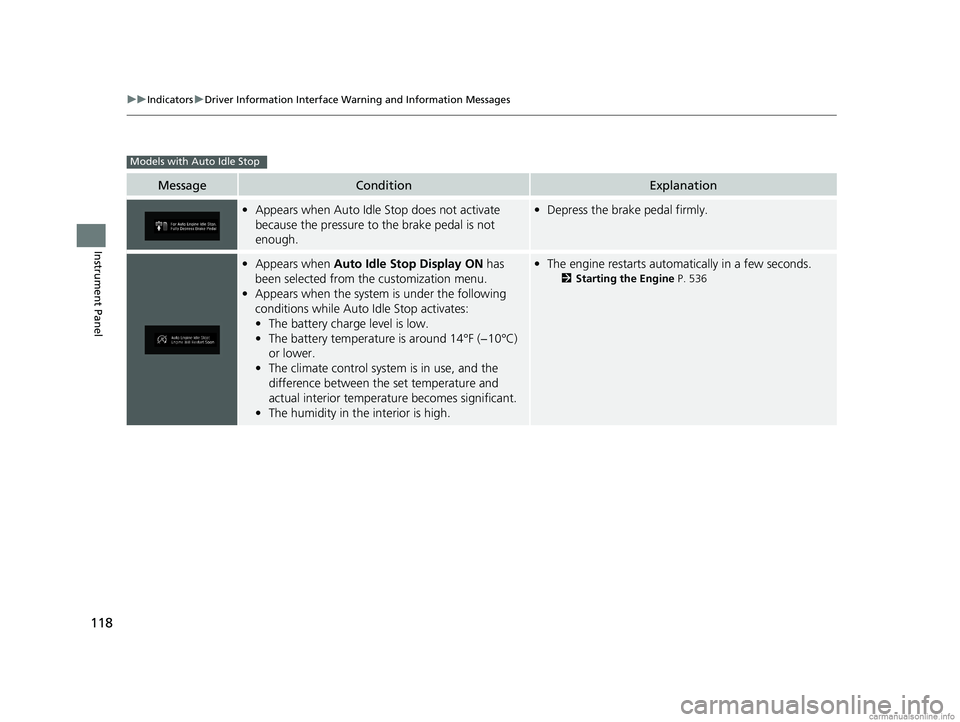
•Appears when Auto Idle Stop does not activate
because the pressure to the brake pedal is not
enough.•Depress the brake pedal firmly.
•Appears when Auto Idle Stop Display ON has
been selected from the customization menu.
• Appears when the system is under the following
conditions while Auto Idle Stop activates:
• The battery charge level is low.
• The battery temperature is around 14°F (−10°C)
or lower.
• The climate control system is in use, and the
difference between the set temperature and
actual interior temperature becomes significant.
• The humidity in the interior is high.•The engine restarts automatically in a few seconds.
2 Starting the Engine P. 536
Models with Auto Idle Stop
18 US ODYSSEY-31THR6010.book 118 ページ 2018年12月6日 木曜日 午後4時18分
Page 121 of 763
119
Instrument Panel
Gauges and Displays
Gauges
Gauges include the fuel gauge, temperature gauge, and related indicators. They are
displayed when the power mode is set to ON.
Displays the amount of fuel left in the fuel tank.
Displays the temperature of the engine coolant.
■Fuel Gauge
■Temperature Gauge
1 Fuel Gauge
NOTICE
You should refuel when the reading approaches .
Running out of fuel can cause the engine to misfire,
damaging the cata lytic converter.
The actual amount of remain ing fuel may differ from
the fuel gauge reading.E
1 Temperature Gauge
NOTICE
Driving with the temperat ure gauge pointer in the
upper zone can cause serious engine damage. Pull
safely to the side of th e road and allow engine
temperature to return to normal. 2 Overheating P. 713
18 US ODYSSEY-31THR6010.book 119 ページ 2018年12月6日 木曜日 午後4時18分
Page 122 of 763
120
uuGauges and Displays uDriver Information Interface
Instrument Panel
Driver Information Interface
The driver information interface displays the speedometer, tachometer, odometer,
trip computer, outside temperature, and ot her gauges. It also displays important
messages such as warnings and other helpful information.
Displays your driving speed in mph or km/h.
Shows the number of engine revolutions per minute.
■Speedometer
■Tachometer
1 Speedometer
You can set the speedometer and the displayed
measurements to read in either mph and km/h.
2 Units P. 128
1Tachometer
You can turn on or off the tachometer display.
2 Show Tachometer P. 132
18 US ODYSSEY-31THR6010.book 120 ページ 2018年12月6日 木曜日 午後4時18分