interior lights HONDA ODYSSEY 2019 Owner's Manual (in English)
[x] Cancel search | Manufacturer: HONDA, Model Year: 2019, Model line: ODYSSEY, Model: HONDA ODYSSEY 2019Pages: 767, PDF Size: 47.46 MB
Page 5 of 767
Contents
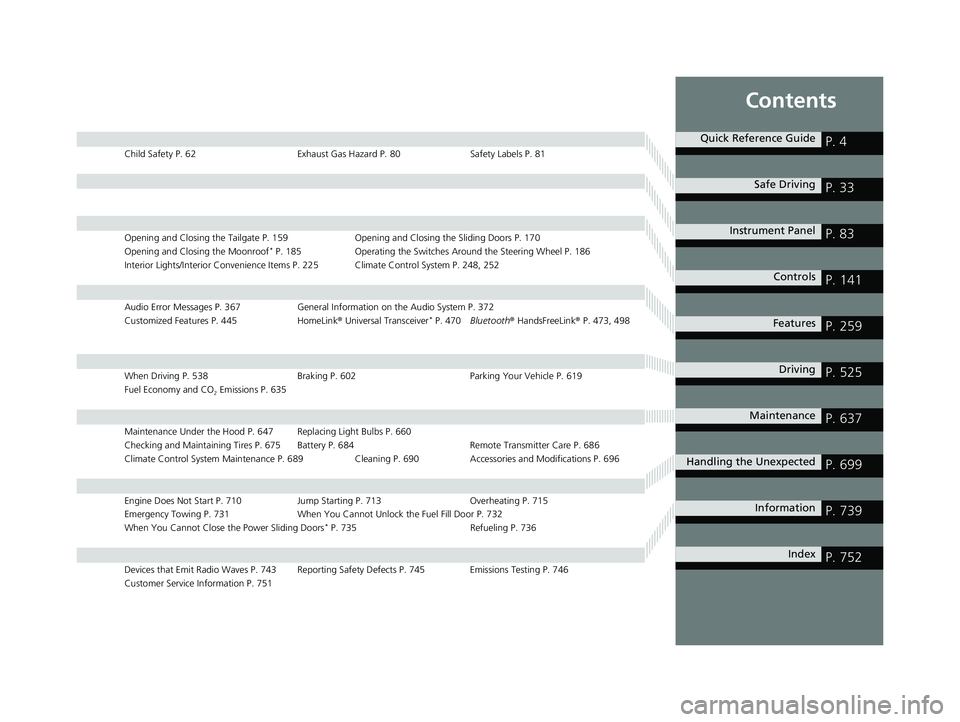
Child Safety P. 62Exhaust Gas Hazard P. 80Safety Labels P. 81
Opening and Closing the Tailgate P. 159 Opening and Closing the Sliding Doors P. 170
Opening and Closing the Moonroof* P. 185 Operating the Switches Around the Steering Wheel P. 186
Interior Lights/Interior Convenience Items P. 225 Climate Control System P. 248, 252
Audio Error Messages P. 367 General Information on the Audio System P. 372
Customized Features P. 445 HomeLink® Universal Transceiver* P. 470 Bluetooth ® HandsFreeLink ® P. 473, 498
When Driving P. 538 Braking P. 602Parking Your Vehicle P. 619
Fuel Economy and CO
2 Emissions P. 635
Maintenance Under the Hood P. 647 Replacing Light Bulbs P. 660
Checking and Maintaining Tires P. 675 Battery P. 684 Remote Transmitter Care P. 686
Climate Control System Maintenance P. 689 Cleaning P. 690 Accessories and Modifications P. 696
Engine Does Not Start P. 710 Jump Starting P. 713Overheating P. 715
Emergency Towing P. 731 When You Cannot Unlock the Fuel Fill Door P. 732
When You Cannot Close the Power Sliding Doors
* P. 735 Refueling P. 736
Devices that Emit Radio Waves P. 743 Reporting Safety Defects P. 745 Emissions Testing P. 746
Customer Service Information P. 751
Quick Reference GuideP. 4
Safe DrivingP. 33
Instrument PanelP. 83
ControlsP. 141
FeaturesP. 259
DrivingP. 525
MaintenanceP. 637
Handling the UnexpectedP. 699
InformationP. 739
IndexP. 752
19 ODYSSEY-31THR6120.book 3 ページ 2018年12月6日 木曜日 午後4時35分
Page 138 of 767
136
uuGauges and Displays uDriver Information Interface
Instrument Panel
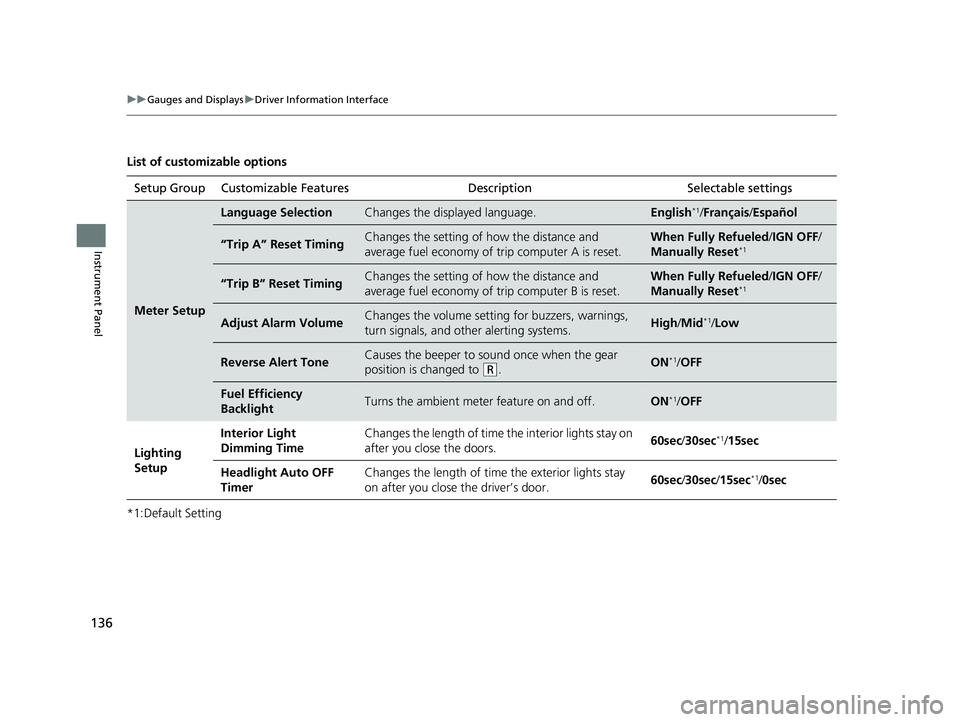
List of customizable options
*1:Default SettingSetup Group Customizable Features
Description Selectable settings
Meter Setup
Language SelectionChanges the displayed language.English*1/Français /Español
“Trip A” Reset TimingChanges the setting of how the distance and
average fuel economy of trip computer A is reset.When Fully Refueled /IGN OFF /
Manually Reset*1
“Trip B” Reset TimingChanges the setting of how the distance and
average fuel economy of trip computer B is reset.When Fully Refueled/IGN OFF /
Manually Reset*1
Adjust Alarm VolumeChanges the volume setting for buzzers, warnings,
turn signals, and other alerting systems.High /Mid*1/Low
Reverse Alert ToneCauses the beeper to s ound once when the gear
position is changed to
( R.ON*1/ OFF
Fuel Efficiency
BacklightTurns the ambient meter feature on and off.ON*1/OFF
Lighting
Setup Interior Light
Dimming Time
Changes the length of time the interior lights stay on
after you close the doors.
60sec
/30sec
*1/15sec
Headlight Auto OFF
Timer Changes the length of time the exterior lights stay
on after you close the driver’s door.
60sec
/30sec/ 15sec
*1/0sec
19 ODYSSEY-31THR6120.book 136 ページ 2018年12月6日 木曜日 午後4時35分
Page 143 of 767
141
Controls
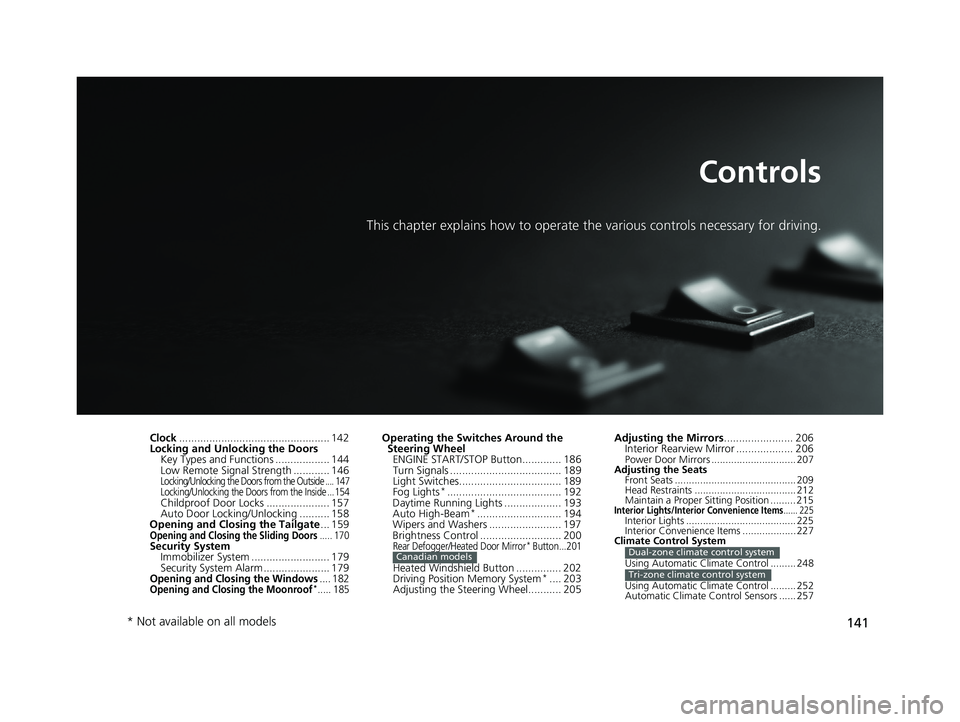
This chapter explains how to operate the various controls necessary for driving.
Clock.................................................. 142
Locking and Unlocking the Doors Key Types and Functions .................. 144
Low Remote Signal Strength ............ 146
Locking/Unlocking the Doors from the Outside .... 147
Locking/Unlocking the Doors from the Inside ...154
Childproof Door Locks ..................... 157
Auto Door Locking/Unlocking .......... 158
Opening and Closing the Tailgate ... 159
Opening and Closing the Sliding Doors..... 170Security System
Immobilizer System .......................... 179
Security System Alarm ...................... 179
Opening and Closing the Windows.... 182Opening and Closing the Moonroof*..... 185
Operating the Switches Around the Steering Wheel ENGINE START/STOP Button............. 186
Turn Signals ..................................... 189
Light Switches.................................. 189
Fog Lights
*...................................... 192
Daytime Running Lights ................... 193
Auto High-Beam
*............................ 194
Wipers and Washers ........................ 197
Brightness Control ........................... 200
Rear Defogger/Heated Door Mirror* Button...201
Heated Windshield Button ............... 202
Driving Position Memory System*.... 203
Adjusting the Steering Wheel........... 205
Canadian models
Adjusting the Mirrors ....................... 206
Interior Rearview Mirror ................... 206
Power Door Mirrors .............................. 207
Adjusting the Seats Front Seats ........................................... 209
Head Restraints .................................... 212
Maintain a Proper Sitting Position ......... 215
Interior Lights/Interior Convenience Items...... 225Interior Lights ....................................... 225
Interior Convenience Items ................... 227
Climate Control System
Using Automatic Climate Control ......... 248
Using Automatic Climate Control ......... 252
Automatic Climate Control Sensors ...... 257
Dual-zone climate control system
Tri-zone climate control system
* Not available on all models
19 ODYSSEY-31THR6120.book 141 ページ 2018年12月6日 木曜日 午後4時35分
Page 149 of 767
147
uuLocking and Unlocking the Doors uLocking/Unlocking the Doors from the Outside
Continued
Controls
Locking/Unlocking the Doors from the Outside
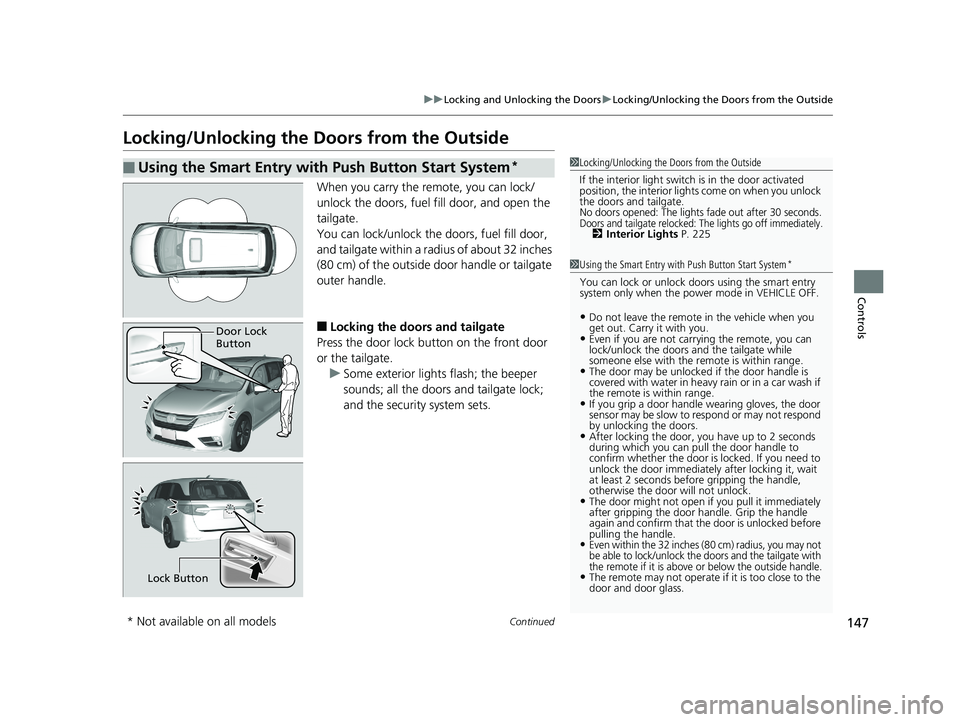
When you carry the re mote, you can lock/
unlock the doors, fuel fill door, and open the
tailgate.
You can lock/unlock the doors, fuel fill door,
and tailgate within a radi us of about 32 inches
(80 cm) of the outside door handle or tailgate
outer handle.
■Locking the doors and tailgate
Press the door lock button on the front door
or the tailgate. u Some exterior lights flash; the beeper
sounds; all the doors and tailgate lock;
and the security system sets.
■Using the Smart Entry with Push Button Start System*1Locking/Unlocking the Doors from the Outside
If the interior light switch is in the door activated
position, the interior lights come on when you unlock
the doors and tailgate.
No doors opened: The lights fade out after 30 seconds.Doors and tailgate relocked: The lights go off immediately.2 Interior Lights P. 225
1Using the Smart Entry with Push Button Start System*
You can lock or unlock doors using the smart entry
system only when the power mode in VEHICLE OFF.
•Do not leave the remote in the vehicle when you
get out. Carry it with you.
•Even if you are not carr ying the remote, you can
lock/unlock the doors and the tailgate while
someone else with the remote is within range.
•The door may be unlocked if the door handle is
covered with water in heavy rain or in a car wash if
the remote is within range.
•If you grip a door handle wearing gloves, the door
sensor may be slow to respond or may not respond
by unlocking the doors.
•After locking the door, you have up to 2 seconds
during which you can pull the door handle to
confirm whether the door is locked. If you need to
unlock the door immediately after locking it, wait
at least 2 seconds befo re gripping the handle,
otherwise the door will not unlock.
•The door might not open if you pull it immediately
after gripping the door handle. Grip the handle
again and confirm that th e door is unlocked before
pulling the handle.
•Even within the 32 inches (80 cm) radius, you may not
be able to lock/unlock the doors and the tailgate with
the remote if it is above or below the outside handle.
•The remote may not operate if it is too close to the
door and door glass.
Door Lock
Button
Lock Button
* Not available on all models
19 ODYSSEY-31THR6120.book 147 ページ 2018年12月6日 木曜日 午後4時35分
Page 197 of 767
Continued195
uuOperating the Switches Around the Steering Wheel uAuto High-Beam*
Controls
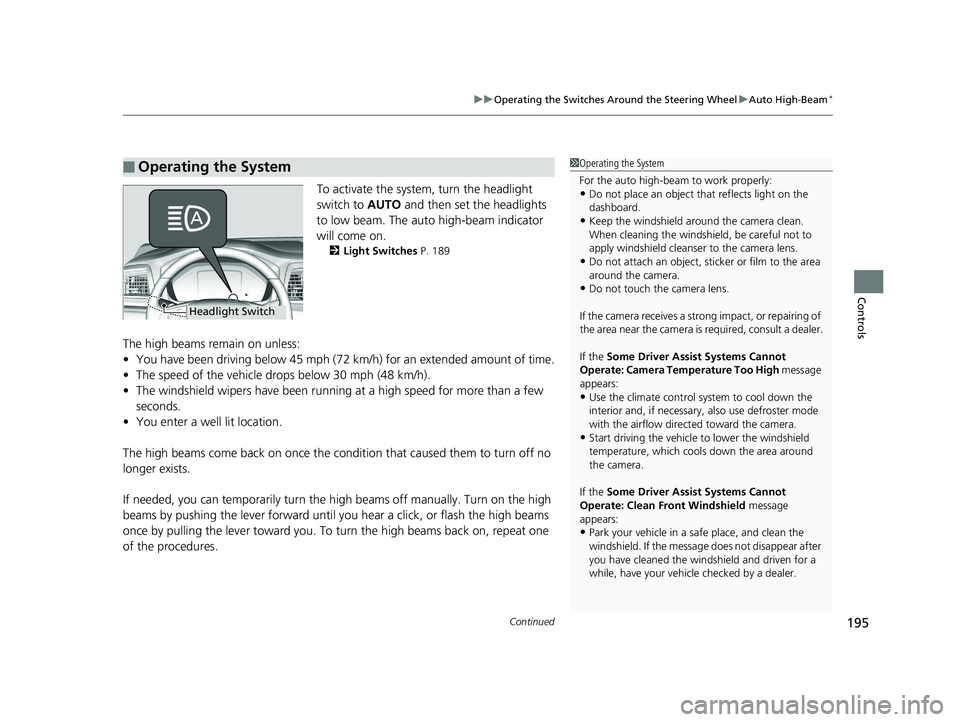
To activate the system , turn the headlight
switch to AUTO and then set the headlights
to low beam. The auto high-beam indicator
will come on.
2 Light Switches P. 189
The high beams remain on unless:
•You have been driving below 45 mph (72 km/h) for an extended amount of time.
• The speed of the vehicle drops below 30 mph (48 km/h).
• The windshield wipers have been runnin g at a high speed for more than a few
seconds.
• You enter a well lit location.
The high beams come back on once the condi tion that caused them to turn off no
longer exists.
If needed, you can temporarily turn the hi gh beams off manually. Turn on the high
beams by pushing the lever forward until you hear a click, or flash the high beams
once by pulling the lever toward you. To turn the high beams back on, repeat one
of the procedures.
■Operating the System1 Operating the System
For the auto high-beam to work properly:
•Do not place an object that reflects light on the
dashboard.
•Keep the windshield around the camera clean.
When cleaning the windshield, be careful not to
apply windshield cleanser to the camera lens.
•Do not attach an object, sticker or film to the area
around the camera.
•Do not touch the camera lens.
If the camera receives a st rong impact, or repairing of
the area near the camera is required, consult a dealer.
If the Some Driver Assist Systems Cannot
Operate: Camera Temperature Too High message
appears:
•Use the climate control system to cool down the
interior and, if necessary, also use defroster mode
with the airflow directed toward the camera.
•Start driving the vehicle to lower the windshield
temperature, which cool s down the area around
the camera.
If the Some Driver Assist Systems Cannot
Operate: Clean Front Windshield message
appears:
•Park your vehicle in a sa fe place, and clean the
windshield. If the message does not disappear after
you have cleaned the winds hield and driven for a
while, have your vehicle checked by a dealer.
Headlight Switch
19 ODYSSEY-31THR6120.book 195 ページ 2018年12月6日 木曜日 午後4時35分
Page 208 of 767
206
Controls
Adjusting the Mirrors
Interior Rearview Mirror
Adjust the angle of the rearview mirror when you are sitting in the correct driving
position.
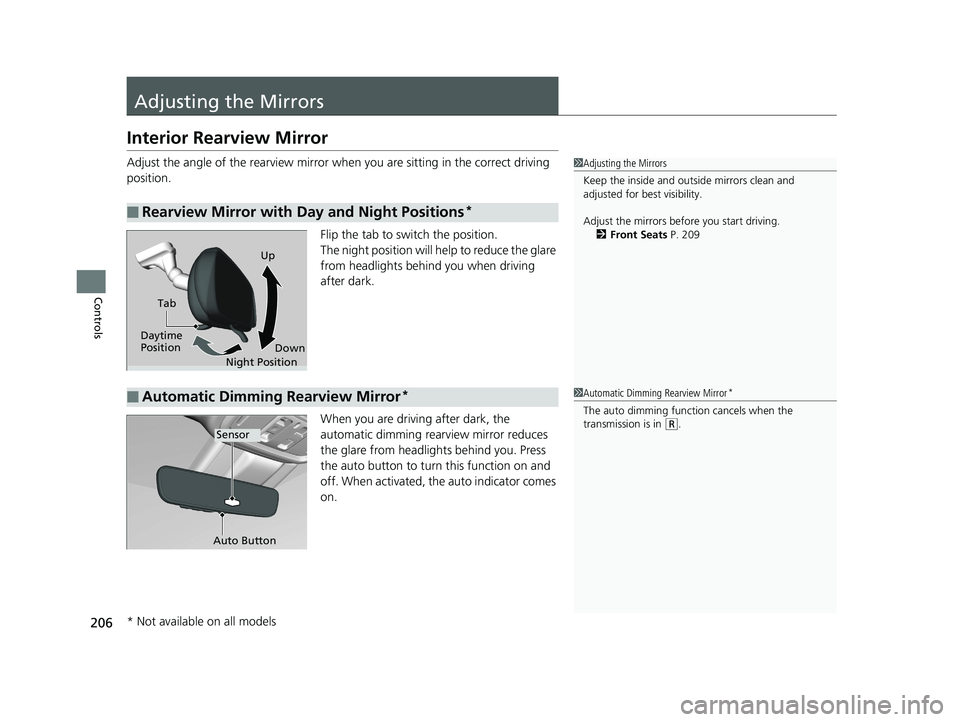
Flip the tab to switch the position.
The night position will help to reduce the glare
from headlights behind you when driving
after dark.
When you are driving after dark, the
automatic dimming rearview mirror reduces
the glare from headlights behind you. Press
the auto button to turn this function on and
off. When activated, the auto indicator comes
on.
■Rearview Mirror with Day and Night Positions*
1Adjusting the Mirrors
Keep the inside and out side mirrors clean and
adjusted for best visibility.
Adjust the mirrors befo re you start driving.
2 Front Seats P. 209
Tab
Daytime
Position Night PositionUp
Down
■Automatic Dimming Rearview Mirror*1Automatic Dimming Rearview Mirror*
The auto dimming function cancels when the
transmission is in
(R.Sensor
Auto Button
* Not available on all models
19 ODYSSEY-31THR6120.book 206 ページ 2018年12月6日 木曜日 午後4時35分
Page 227 of 767
225Continued
Controls
Interior Lights/Interior Convenience Items
Interior Lights
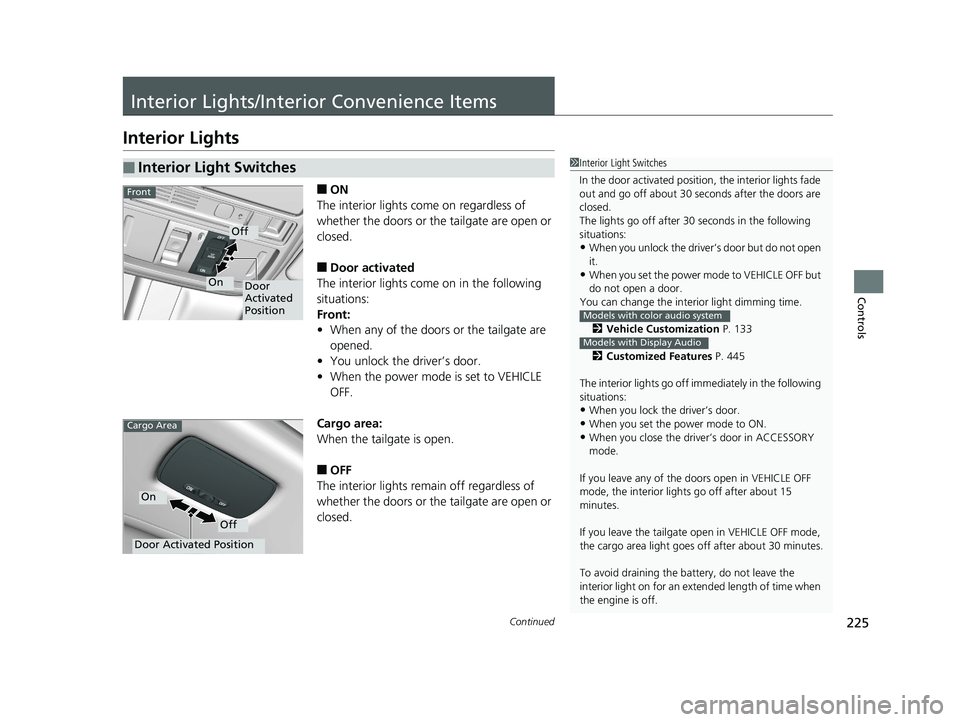
■ON
The interior lights come on regardless of
whether the doors or the tailgate are open or
closed.
■Door activated
The interior lights come on in the following
situations:
Front:
• When any of the doors or the tailgate are
opened.
• You unlock the driver’s door.
• When the power mode is set to VEHICLE
OFF.
Cargo area:
When the tailgate is open.
■OFF
The interior lights remain off regardless of
whether the doors or the tailgate are open or
closed.
■Interior Light Switches1 Interior Light Switches
In the door activated position, the interior lights fade
out and go off about 30 se conds after the doors are
closed.
The lights go off after 30 seconds in the following
situations:
•When you unlock the driver’s door but do not open
it.
•When you set the power mode to VEHICLE OFF but
do not open a door.
You can change the inte rior light dimming time.
2 Vehicle Customization P. 133
2 Customized Features P. 445
The interior lights go off i mmediately in the following
situations:
•When you lock the driver’s door.
•When you set the power mode to ON.
•When you close the driver’s door in ACCESSORY
mode.
If you leave any of the doors open in VEHICLE OFF
mode, the interior light s go off after about 15
minutes.
If you leave the tailgate open in VEHICLE OFF mode,
the cargo area light goes of f after about 30 minutes.
To avoid draining the ba ttery, do not leave the
interior light on for an extended length of time when
the engine is off.
Models with color audio system
Models with Display Audio
Door
Activated
Position
Off
On
Front
Door Activated Position
Off
On
Cargo Area
19 ODYSSEY-31THR6120.book 225 ページ 2018年12月6日 木曜日 午後4時35分
Page 228 of 767
uuInterior Lights/Interior Convenience Items uInterior Lights
226
Controls
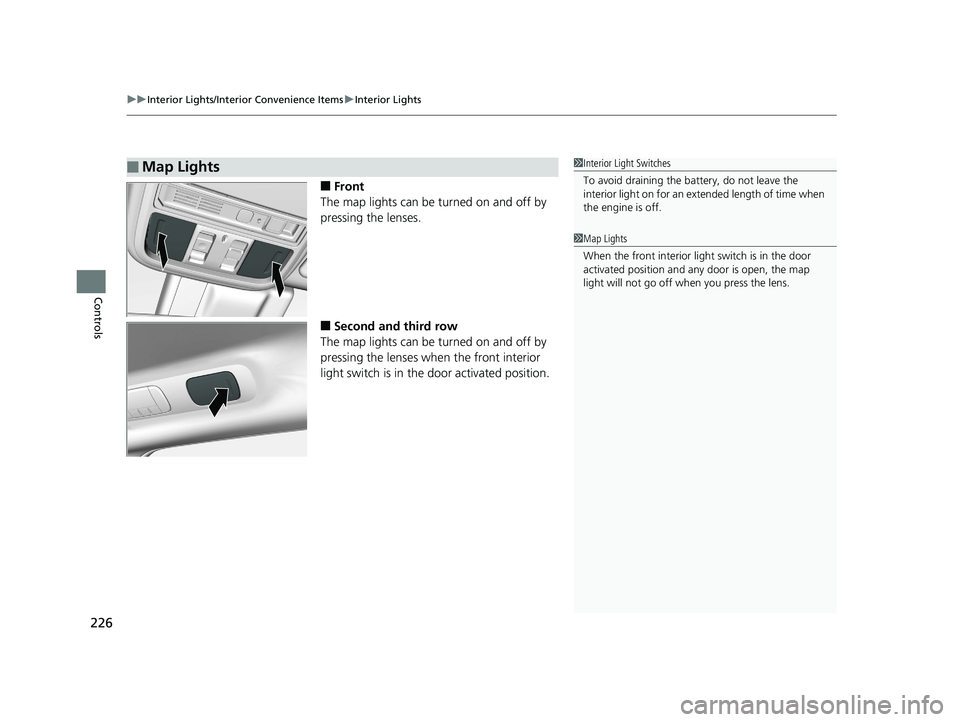
■Front
The map lights can be turned on and off by
pressing the lenses.
■Second and third row
The map lights can be turned on and off by
pressing the lenses when the front interior
light switch is in the door activated position.
■Map Lights1Interior Light Switches
To avoid draining the ba ttery, do not leave the
interior light on for an extended length of time when
the engine is off.
1 Map Lights
When the front interior li ght switch is in the door
activated position and any door is open, the map
light will not go off when you press the lens.
19 ODYSSEY-31THR6120.book 226 ページ 2018年12月6日 木曜日 午後4時35分
Page 229 of 767
227
uuInterior Lights/Interior Convenience Items uInterior Convenience Items
Continued
Controls
Interior Convenience Items
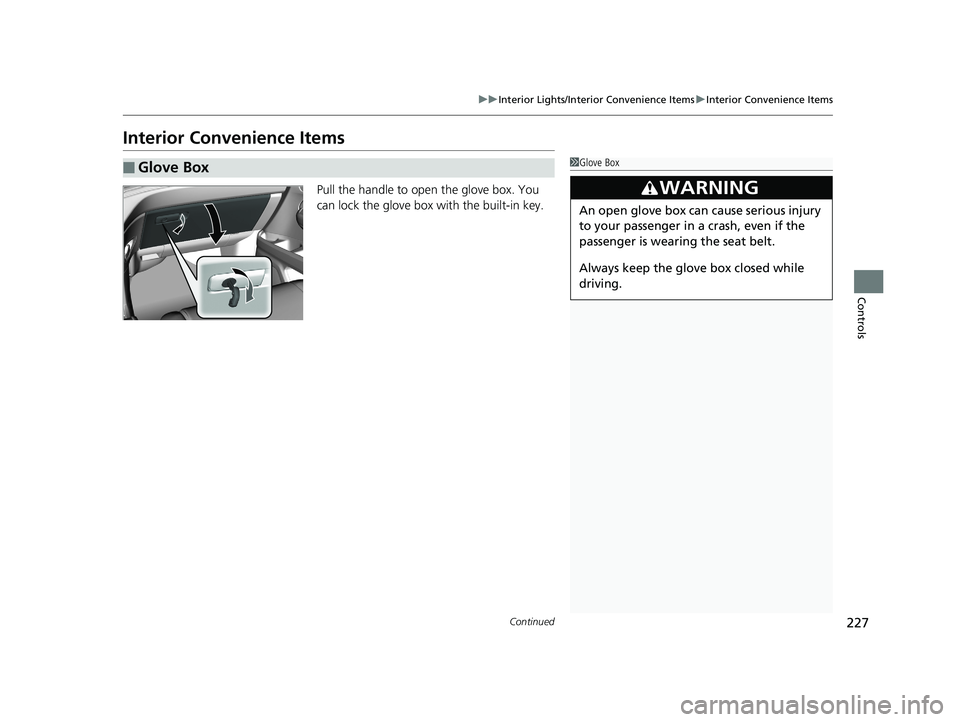
Pull the handle to open the glove box. You
can lock the glove box with the built-in key.
■Glove Box1Glove Box
3WARNING
An open glove box can cause serious injury
to your passenger in a crash, even if the
passenger is wearing the seat belt.
Always keep the glove box closed while
driving.
19 ODYSSEY-31THR6120.book 227 ページ 2018年12月6日 木曜日 午後4時35分
Page 230 of 767
228
uuInterior Lights/Interior Convenience Items uInterior Convenience Items
Controls
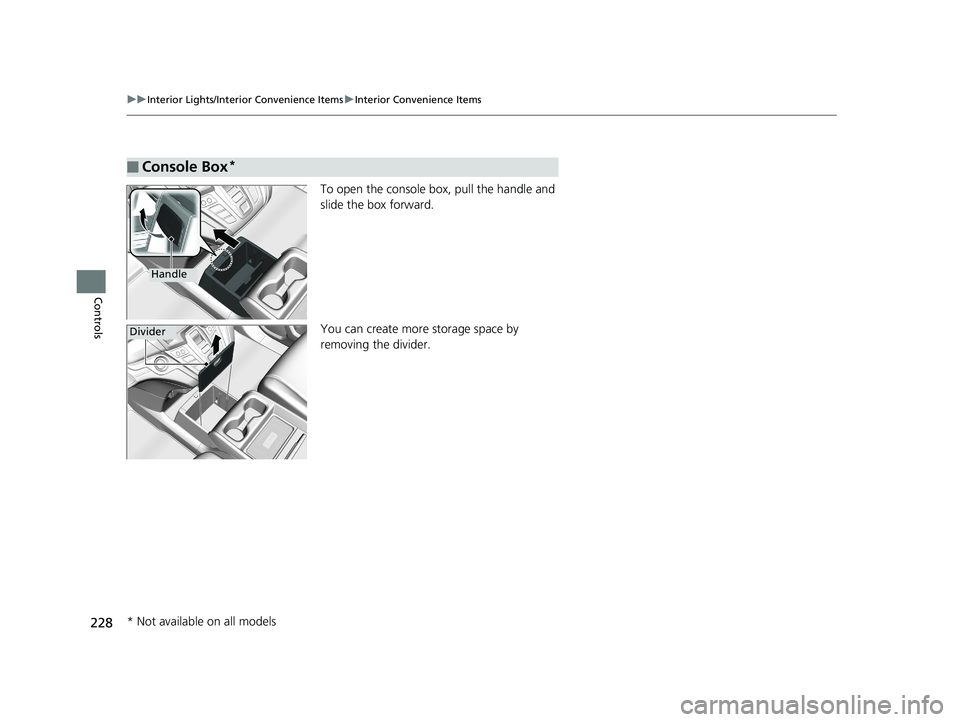
To open the console box, pull the handle and
slide the box forward.
You can create more storage space by
removing the divider.
■Console Box*
Handle
Divider
* Not available on all models
19 ODYSSEY-31THR6120.book 228 ページ 2018年12月6日 木曜日 午後4時35分