rear entertainment HONDA ODYSSEY 2019 (in English) User Guide
[x] Cancel search | Manufacturer: HONDA, Model Year: 2019, Model line: ODYSSEY, Model: HONDA ODYSSEY 2019Pages: 767, PDF Size: 47.46 MB
Page 401 of 767
399
uuBlu-ray/DVD Rear Entertainment System*uHDMITM Port
Features
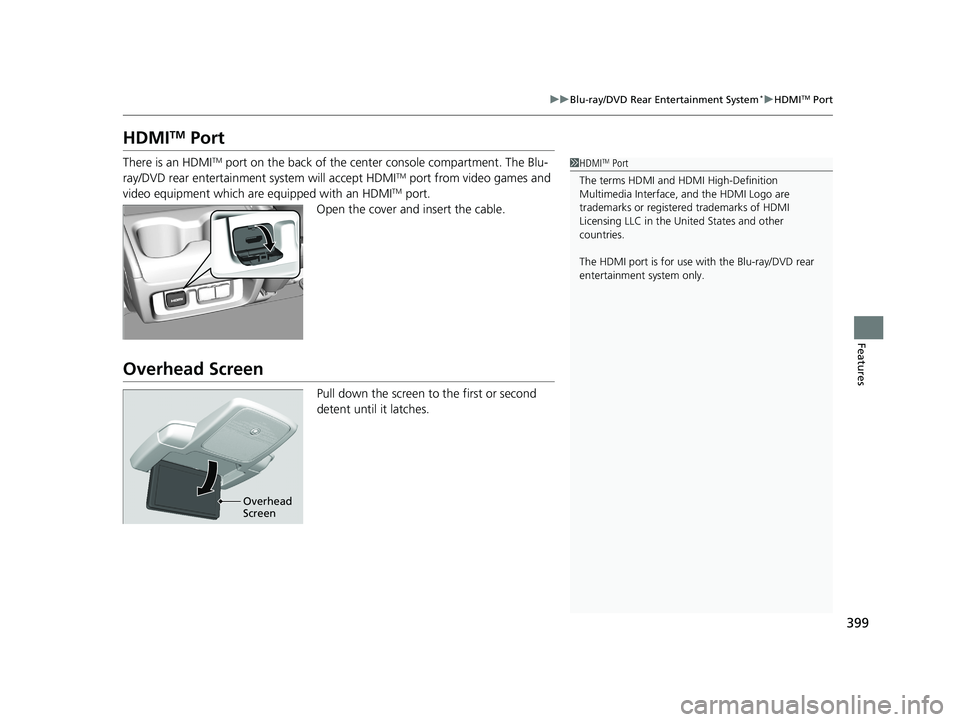
HDMITM Port
There is an HDMITM port on the back of the center console compartment. The Blu-
ray/DVD rear entertainment system will accept HDMITM port from video games and
video equipment which are equipped with an HDMITM port.
Open the cover and insert the cable.
Overhead Screen
Pull down the screen to the first or second
detent until it latches.
1 HDMITM Port
The terms HDMI and HDMI High-Definition
Multimedia Interface, and the HDMI Logo are
trademarks or registered trademarks of HDMI
Licensing LLC in the United States and other
countries.
The HDMI port is for use with the Blu-ray/DVD rear
entertainment system only.
Overhead
Screen
19 ODYSSEY-31THR6120.book 399 ページ 2018年12月6日 木曜日 午後4時35分
Page 402 of 767
400
uuBlu-ray/DVD Rear Entertainment System*uOperating the System
Features
Operating the System
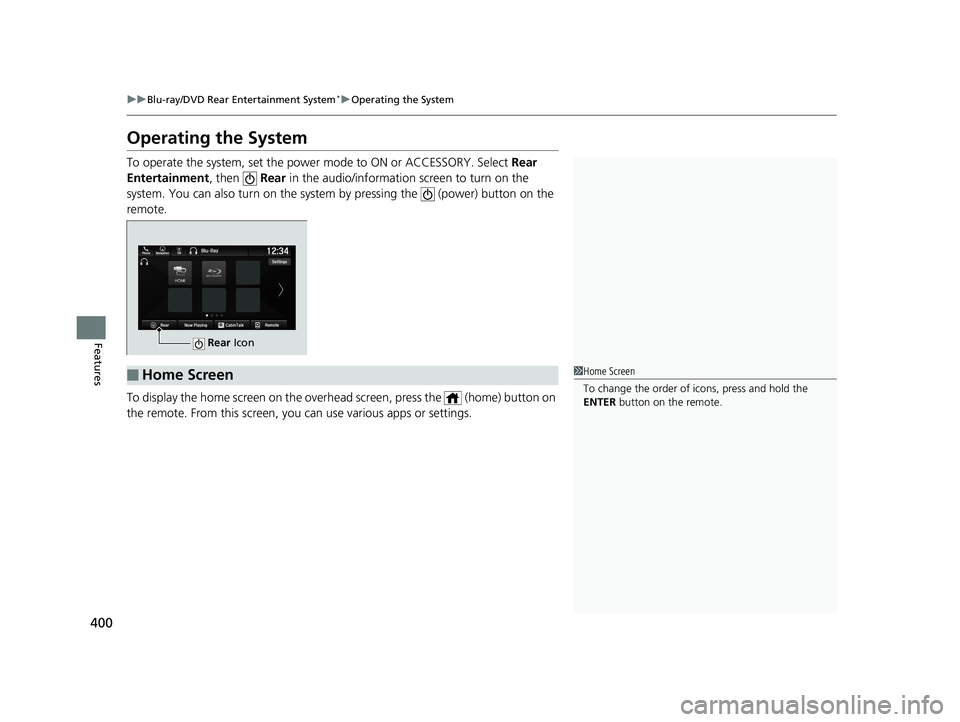
To operate the system, set the power mode to ON or ACCESSORY. Select Rear
Entertainment , then Rear in the audio/information screen to turn on the
system. You can also turn on the system by pressing the (power) button on the
remote.
To display the home screen on the overh ead screen, press the (home) button on
the remote. From this screen, you can use various apps or settings.
Rear Icon
■Home Screen1Home Screen
To change the order of icons, press and hold the
ENTER button on the remote.
19 ODYSSEY-31THR6120.book 400 ページ 2018年12月6日 木曜日 午後4時35分
Page 403 of 767
401
uuBlu-ray/DVD Rear Entertainment System*uVideo Accessibility
Continued
Features
Video Accessibility
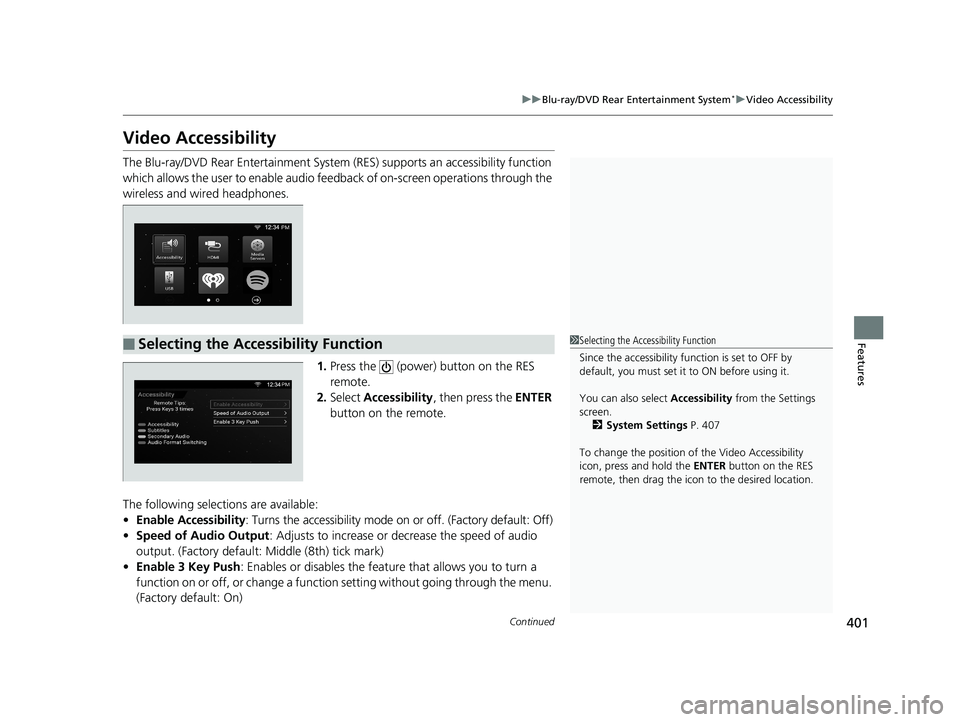
The Blu-ray/DVD Rear Entertainment System (RES) supports an accessibility function
which allows the user to enable audio fee dback of on-screen operations through the
wireless and wired headphones.
1.Press the (power) button on the RES
remote.
2. Select Accessibility , then press the ENTER
button on the remote.
The following selections are available:
• Enable Accessibility : Turns the accessibility mode on or off. (Factory default: Off)
• Speed of Audio Output : Adjusts to increase or decrease the speed of audio
output. (Factory default: Middle (8th) tick mark)
• Enable 3 Key Push : Enables or disables the featur e that allows you to turn a
function on or off, or change a function setting without going through the menu.
(Factory default: On)
■Selecting the Accessibility Function1 Selecting the Accessibility Function
Since the accessibility function is set to OFF by
default, you must set it to ON before using it.
You can also select Accessibility from the Settings
screen. 2 System Settings P. 407
To change the position of the Video Accessibility
icon, press and hold the ENTER button on the RES
remote, then drag the icon to the desired location.
19 ODYSSEY-31THR6120.book 401 ページ 2018年12月6日 木曜日 午後4時35分
Page 404 of 767
402
uuBlu-ray/DVD Rear Entertainment System*uVideo Accessibility
Features
Press any of the following colored buttons on the RES remote three times to turn a
function on or off, or to change a function setting.
Red button: Accessibility
Green button: Subtitles
Yellow button: Secondary Audio
Blue button: Audio Format Switching
■Changing Function Status
19 ODYSSEY-31THR6120.book 402 ページ 2018年12月6日 木曜日 午後4時35分
Page 405 of 767
403
uuBlu-ray/DVD Rear Entertainment System*uPlaying a DVD/Blu-rayTM
Continued
Features
Playing a DVD/Blu-rayTM
To play a DVD or Blu-rayTM, insert a DVD or Blu-rayTM into the lower slot of the front
audio system, and select Rear in the audio/information screen.
u The system automatically st arts the DVD or Blu-ray
TM. DVD or Blu-rayTM is
available for the rear seat passenger only.
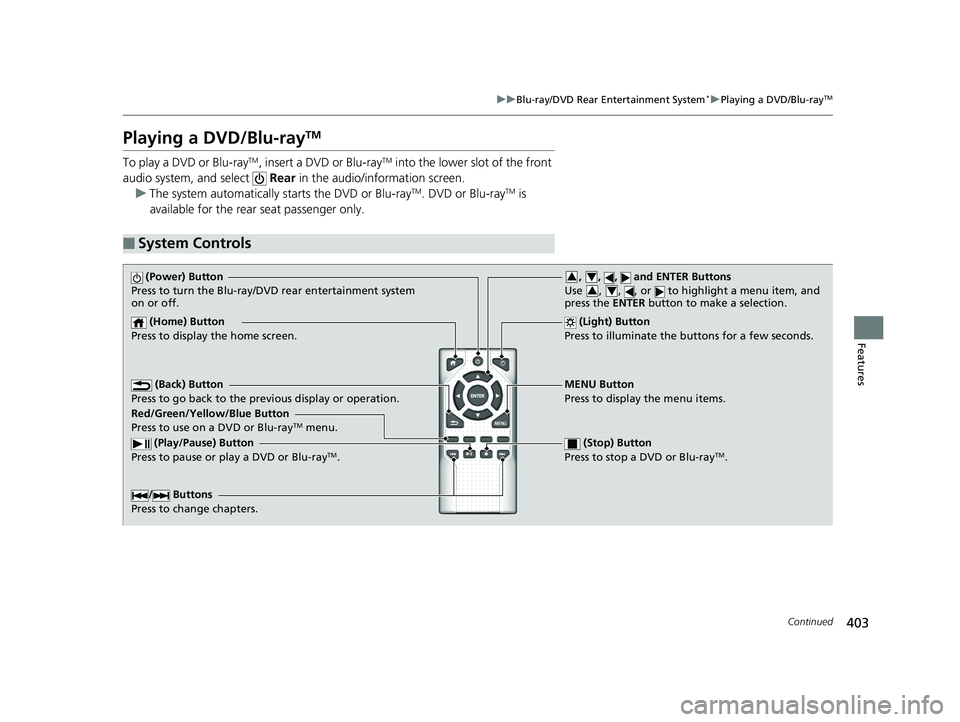
■System Controls
(Power) Button
Press to turn the Blu-ray/DVD rear entertainment system
on or off.
(Home) Button
Press to display the home screen. (Light) Button
Press to illuminate the buttons for a few seconds.
/ Buttons
Press to change chapters.
(Play/Pause) Button
Press to pause or play a DVD or Blu-rayTM.
(Stop) Button
Press to stop a DVD or Blu-rayTM.
MENU Button
Press to display the menu items.
Red/Green/Yellow/Blue Button
Press to use on a DVD or Blu-ray
TM menu.
(Back) Button
Press to go back to the pr evious display or operation.
, , , and ENTER Buttons
Use , , , or to highlight a menu item, and
press the ENTER button to make a selection.34
34
19 ODYSSEY-31THR6120.book 403 ページ 2018年12月6日 木曜日 午後4時35分
Page 406 of 767
uuBlu-ray/DVD Rear Entertainment System*uPlaying a DVD/Blu-rayTM
404
Features
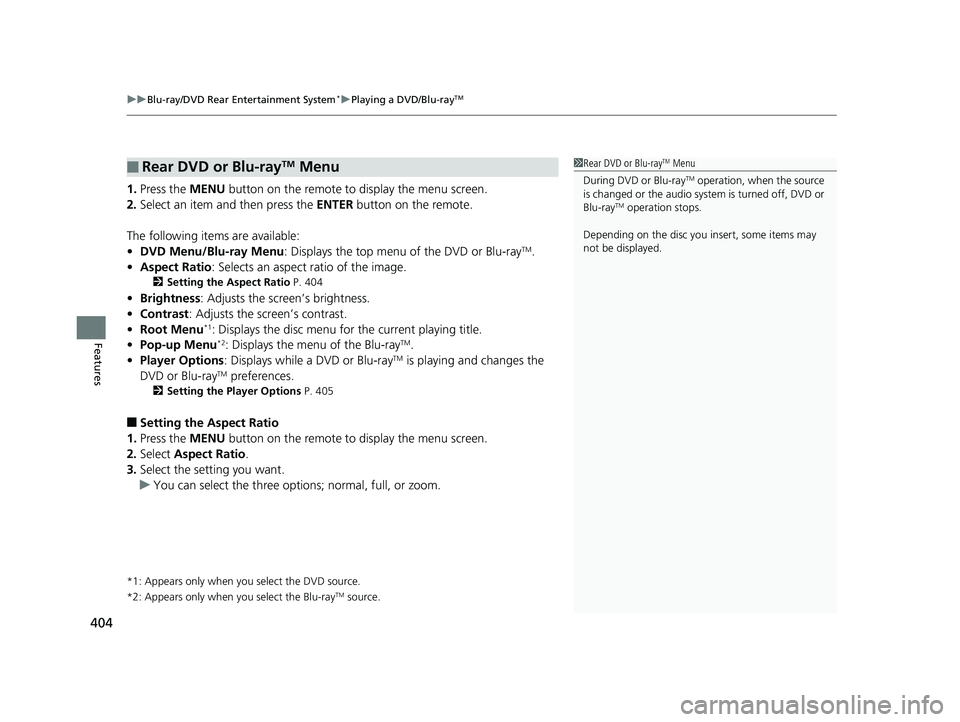
1. Press the MENU button on the remote to display the menu screen.
2. Select an item and then press the ENTER button on the remote.
The following items are available:
• DVD Menu/Blu-ray Menu : Displays the top menu of the DVD or Blu-ray
TM.
• Aspect Ratio : Selects an aspect ratio of the image.
2Setting the Aspect Ratio P. 404
•Brightness : Adjusts the screen’s brightness.
• Contrast : Adjusts the screen’s contrast.
• Root Menu
*1: Displays the disc menu fo r the current playing title.
• Pop-up Menu*2: Displays the menu of the Blu-rayTM.
• Player Options : Displays while a DVD or Blu-rayTM is playing and changes the
DVD or Blu-rayTM preferences.
2 Setting the Player Options P. 405
■Setting the Aspect Ratio
1. Press the MENU button on the remote to display the menu screen.
2. Select Aspect Ratio .
3. Select the setting you want.
u You can select the three opti ons; normal, full, or zoom.
*1: Appears only when you select the DVD source.
*2: Appears only when you select the Blu-rayTM source.
■Rear DVD or Blu-rayTM Menu1Rear DVD or Blu-rayTM Menu
During DVD or Blu-ray
TM operation, when the source
is changed or the audio syst em is turned off, DVD or
Blu-ray
TM operation stops.
Depending on the disc you insert, some items may
not be displayed.
19 ODYSSEY-31THR6120.book 404 ページ 2018年12月6日 木曜日 午後4時35分
Page 407 of 767
405
uuBlu-ray/DVD Rear Entertainment System*uPlaying a DVD/Blu-rayTM
Continued
Features
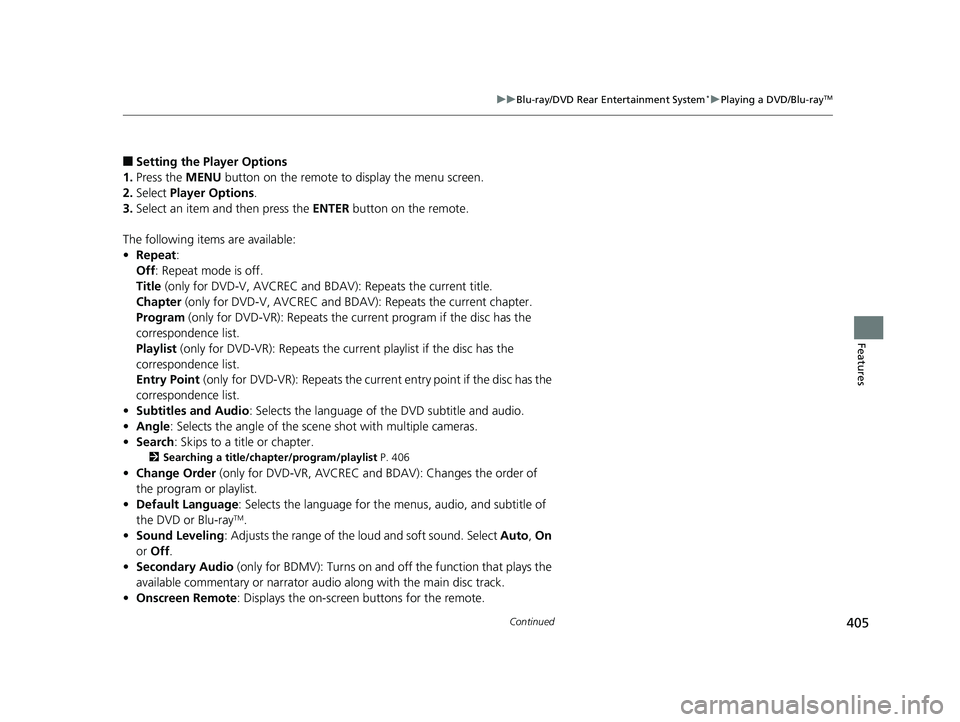
■Setting the Player Options
1. Press the MENU button on the remote to display the menu screen.
2. Select Player Options .
3. Select an item and then press the ENTER button on the remote.
The following items are available:
• Repeat :
Off : Repeat mode is off.
Title (only for DVD-V, AVCREC and B DAV): Repeats the current title.
Chapter (only for DVD-V, AVCREC and B DAV): Repeats the current chapter.
Program (only for DVD-VR): Repeats the curre nt program if the disc has the
correspondence list.
Playlist (only for DVD-VR): Repeats the cu rrent playlist if the disc has the
correspondence list.
Entry Point (only for DVD-VR): Repeats the curre nt entry point if the disc has the
correspondence list.
• Subtitles and Audio : Selects the language of the DVD subtitle and audio.
• Angle : Selects the angle of the scen e shot with multiple cameras.
• Search : Skips to a title or chapter.
2Searching a title/chapter/program/playlist P. 406
•Change Order (only for DVD-VR, AVCREC and BDAV): Changes the order of
the program or playlist.
• Default Language : Selects the language for the menus, audio, and subtitle of
the DVD or Blu-ray
TM.
• Sound Leveling : Adjusts the range of the loud and soft sound. Select Auto, On
or Off .
• Secondary Audio (only for BDMV): Turns on and o ff the function that plays the
available commentary or narrator audi o along with the main disc track.
• Onscreen Remote : Displays the on-screen buttons for the remote.
19 ODYSSEY-31THR6120.book 405 ページ 2018年12月6日 木曜日 午後4時35分
Page 408 of 767
406
uuBlu-ray/DVD Rear Entertainment System*uPlaying a DVD/Blu-rayTM
Features
■Searching a title/chapter/program/playlist
1. Press the MENU button on the remote to display the menu screen.
2. Select Player Options .
3. Select Search .
4. Enter a number of a title, chapter, prog ram or playlist to skip, and then select
enter .
The following items are available:
• Title : Skips to a title you specify.
• Chapter : Skips to a chapter you specify.
• Program (only for DVD-VR): Skips to a prog ram you specify while playing with
the program list.
• Playlist (only for DVD-VR): Skips to a playlist you specify while pl aying with the
playlist.
19 ODYSSEY-31THR6120.book 406 ページ 2018年12月6日 木曜日 午後4時35分
Page 409 of 767
407
uuBlu-ray/DVD Rear Entertainment System*uPlaying a DVD/Blu-rayTM
Continued
Features
1. Press the (home) button on the remote.
2. Select Settings and then press the ENTER button on the remote to display the
Settings screen.
3. Select an item.
The following items are available:
• Display : Adjusts the screen’s preferences.
2Adjusting the screen P. 408
•Language : Sets the system language used on all screens.
2Setting the Language P. 408
•Headphones : Sets the surround of the wireless headphones.
2Setting the Headphones P. 408
•Accessibility : With On selected, the Blu-ray/DVD rear entertainment system
provides audio feedback through the headphones to assist the user with on-
screen operations.
• About My System : Displays the information of the Blu-ray/DVD rear
entertainment system.
• System Reset : Resets the Blu-ray/DVD rear entertainment system settings and
erases all login information.
After you make all the adjustments, press the (back) or (home) button to
return.
■System Settings
19 ODYSSEY-31THR6120.book 407 ページ 2018年12月6日 木曜日 午後4時35分
Page 410 of 767
408
uuBlu-ray/DVD Rear Entertainment System*uPlaying a DVD/Blu-rayTM
Features
■Adjusting the screen
1. Press the (home) button on the remote.
2. Select Settings and then press the ENTER button on the remote to display the
Settings screen.
3. Select Display and then press the ENTER button on the remote.
4. Select the setting you want.
The following items are available:
• Brightness : Adjusts the screen’s brightness.
• Contrast : Adjusts the screen’s contrast.
• Tint : Adjusts the screen’s hue.
• Color : Adjusts the screen’s color strength.
■Setting the Language
1. Press the (home) button on the remote.
2. Select Settings and then press the ENTER button on the remote to display the
Settings screen.
3. Select Language and then press the ENTER button on the remote.
4. Select the setting you want.
u You can select the language from US English, UK English , Spanish,
Canadian French , Arabic , or Korean .
■Setting the Headphones
1. Press the (home) button on the remote.
2. Select Settings and then press the ENTER button on the remote to display the
Settings screen.
3. Select Headphones and then press the ENTER button on the remote.
4. Select the setting you want.
u You can select the options from Off or On. Select Off to disable the feature.
19 ODYSSEY-31THR6120.book 408 ページ 2018年12月6日 木曜日 午後4時35分