tail gate HONDA ODYSSEY 2019 (in English) Owner's Guide
[x] Cancel search | Manufacturer: HONDA, Model Year: 2019, Model line: ODYSSEY, Model: HONDA ODYSSEY 2019Pages: 767, PDF Size: 47.46 MB
Page 167 of 767
165
uuOpening and Closing the Tailgate uOpening/Closing the Power Tailgate*
Continued
Controls
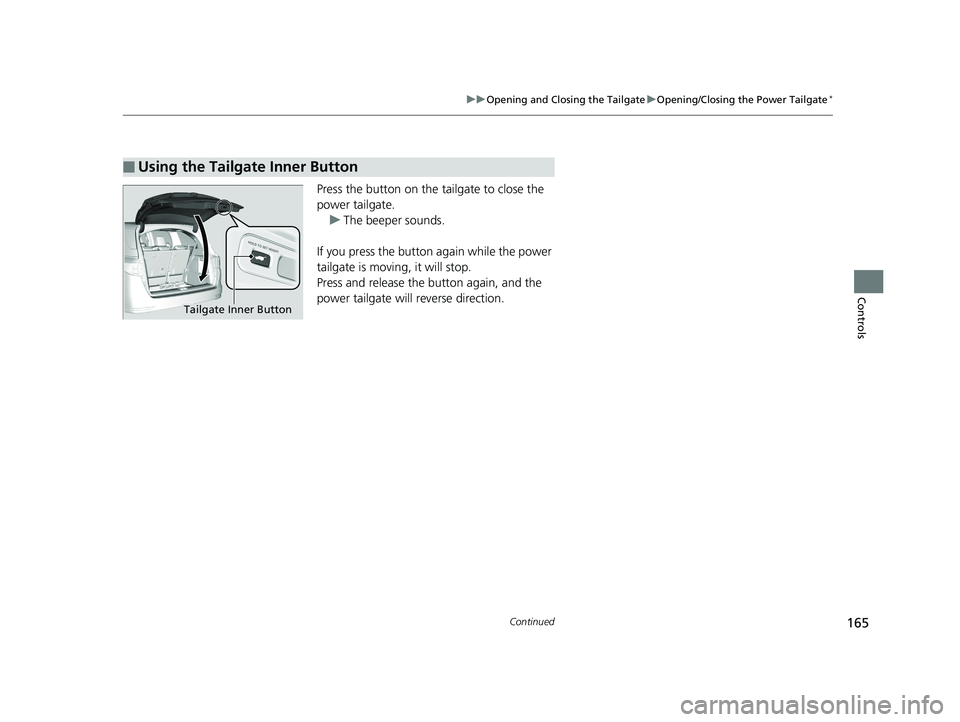
Press the button on the tailgate to close the
power tailgate.
u The beeper sounds.
If you press the button again while the power
tailgate is moving, it will stop.
Press and release the button again, and the
power tailgate will reverse direction.
■Using the Tailgate Inner Button
Tailgate Inner Button
19 ODYSSEY-31THR6120.book 165 ページ 2018年12月6日 木曜日 午後4時35分
Page 168 of 767
uuOpening and Closing the Tailgate uOpening/Closing the Power Tailgate*
166
Controls
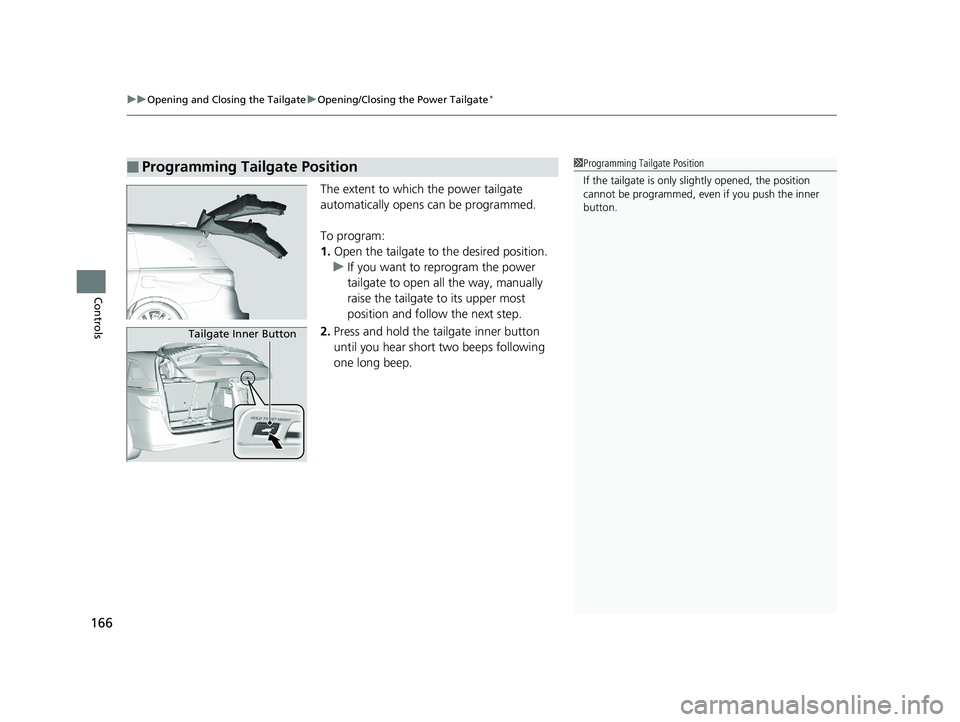
The extent to which the power tailgate
automatically opens can be programmed.
To program:
1. Open the tailgate to the desired position.
u If you want to reprogram the power
tailgate to open all the way, manually
raise the tailgate to its upper most
position and follow the next step.
2. Press and hold the tailgate inner button
until you hear short two beeps following
one long beep.
■Programming Tailgate Position1Programming Tailgate Position
If the tailgate is only sl ightly opened, the position
cannot be programmed, even if you push the inner
button.
Tailgate Inner Button
19 ODYSSEY-31THR6120.book 166 ページ 2018年12月6日 木曜日 午後4時35分
Page 169 of 767
167
uuOpening and Closing the Tailgate uOpening/Closing the Power Tailgate*
Controls
If you manually close the power tailgate, it latches automatically.
Automatically lowers the power tailgate wh en there is a possibility that the fully
opened power tailgate can fall down by its own weight (for example, by snow on
the tailgate). The beeper sounds while the power tailgate lowers.
■Auto-Closer
■Power Tailgate Fall Detection
1Auto-Closer
The auto-closer feature does not activate if you press
the tailgate outer handle while the power tailgate is
closing.
Do not put any force on the tailgate while the power
tailgate is latching.
Keep your hands away from the tailgate when you
manually close the tailga te and let it latch
automatically. It is dange rous to put your hands
around the tailgate as it st arts to latch itself.
1Power Tailgate Fall Detection
If you try to manually close the power tailgate
immediately after it full y opens, the power tailgate
fall detection may activate.
Once the power tailgate fall detection activates, wait
until the power tailgate full y closes. Keep away from
the power tailgate when it is in motion.
If the power tailgate fa ll detection constantly
activates, consult at a dealer.
19 ODYSSEY-31THR6120.book 167 ページ 2018年12月6日 木曜日 午後4時35分
Page 170 of 767
168
uuOpening and Closing the Tailgate uOpening/Closing the Tailgate
Controls
Opening/Closing the Tailgate
When all the doors are unlocked or press the
tailgate unlock button on the remote
transmitter, the tailgate is unlocked.
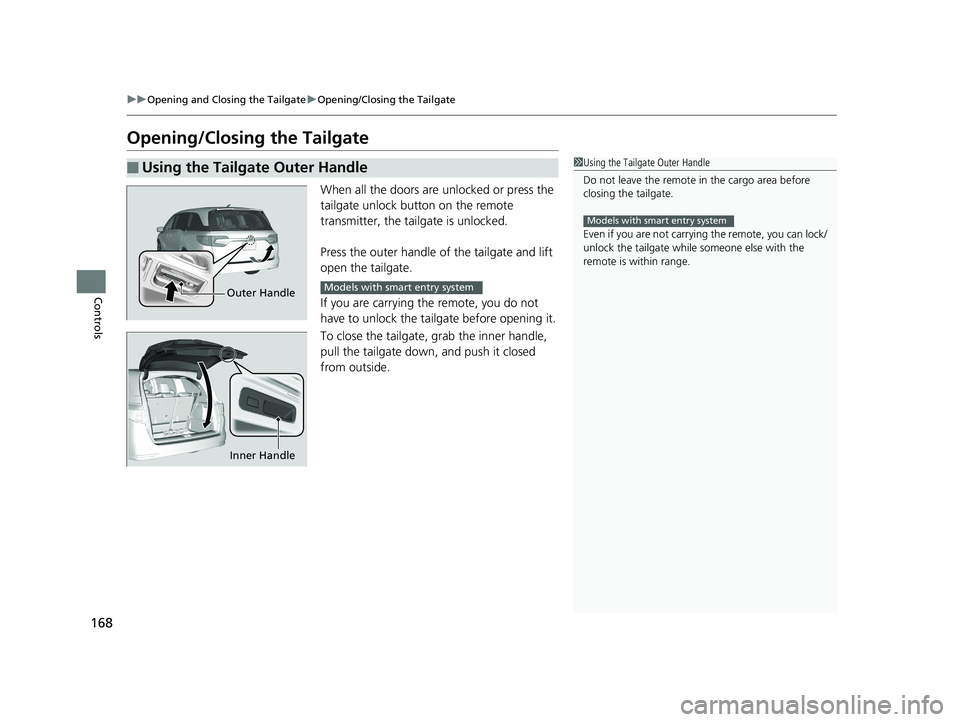
Press the outer handle of the tailgate and lift
open the tailgate.
If you are carrying the remote, you do not
have to unlock the tailgate before opening it.
To close the tailgate, grab the inner handle,
pull the tailgate down, and push it closed
from outside.
■Using the Tailgate Outer Handle1 Using the Tailgate Outer Handle
Do not leave the remote in the cargo area before
closing the tailgate.
Even if you are not carrying the remote, you can lock/
unlock the tailgate while someone else with the
remote is within range.
Models with smart entry system
Outer HandleModels with smart entry system
Inner Handle
19 ODYSSEY-31THR6120.book 168 ページ 2018年12月6日 木曜日 午後4時35分
Page 171 of 767
169
uuOpening and Closing the Tailgate uOpening/Closing the Tailgate
Controls
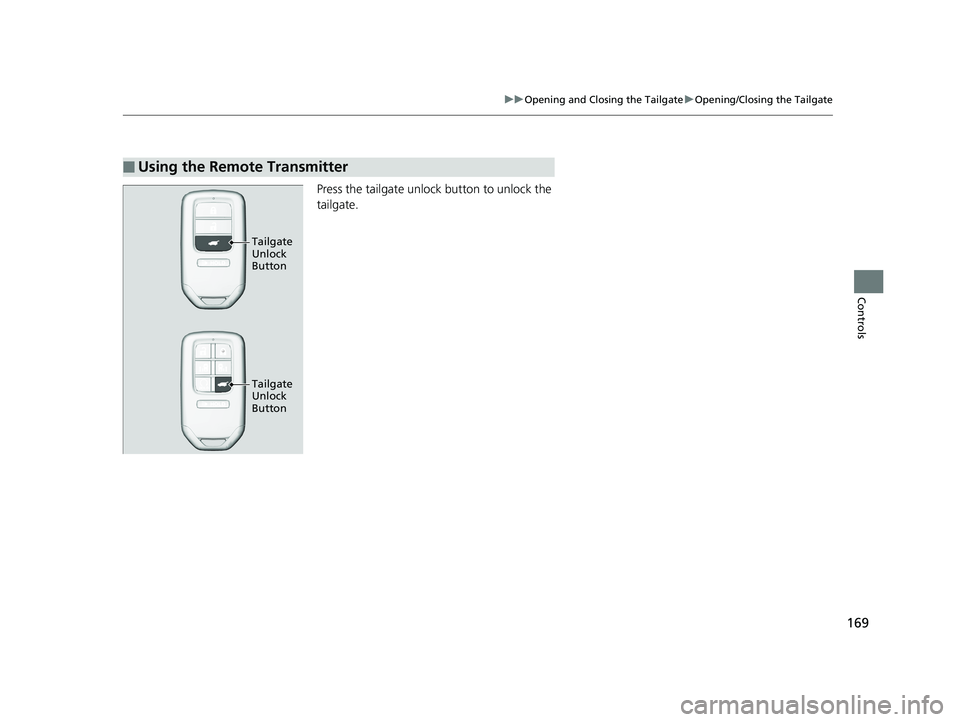
Press the tailgate unlock button to unlock the
tailgate.
■Using the Remote Transmitter
Tailgate
Unlock
Button
Tailgate
Unlock
Button
19 ODYSSEY-31THR6120.book 169 ページ 2018年12月6日 木曜日 午後4時35分
Page 178 of 767
uuOpening and Closing the Sliding Doors uOpening/Closing the Power Sliding Doors*
176
Controls
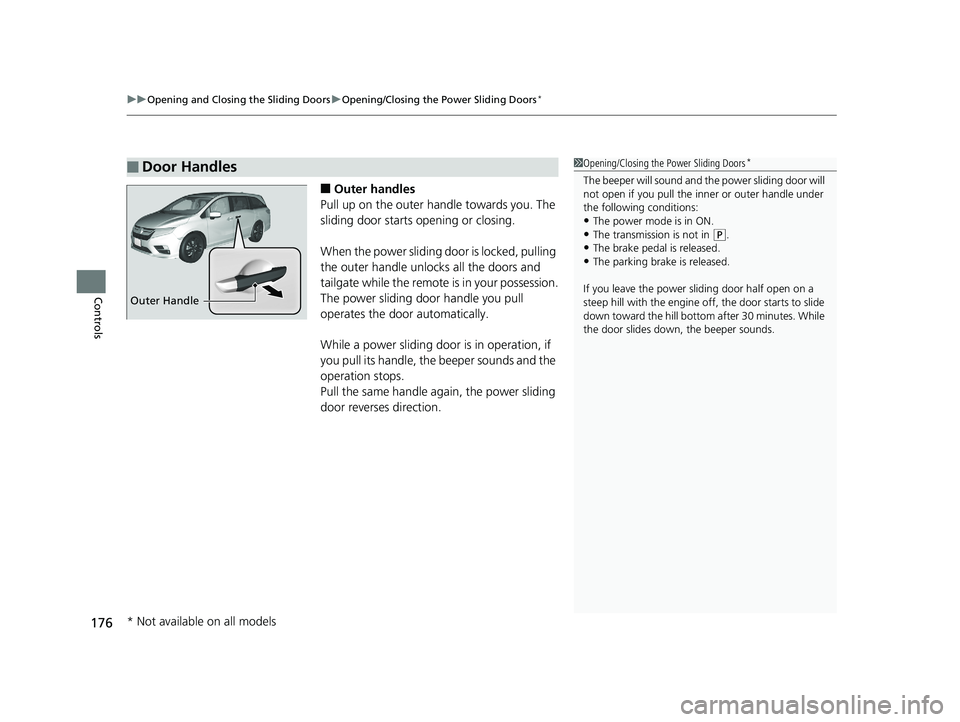
■Outer handles
Pull up on the outer handle towards you. The
sliding door starts opening or closing.
When the power sliding door is locked, pulling
the outer handle unlocks all the doors and
tailgate while the remote is in your possession.
The power sliding door handle you pull
operates the door automatically.
While a power sliding door is in operation, if
you pull its handle, the beeper sounds and the
operation stops.
Pull the same handle ag ain, the power sliding
door reverses direction.
■Door Handles1 Opening/Closing the Power Sliding Doors*
The beeper will sound and th e power sliding door will
not open if you pull the inner or outer handle under
the following conditions:
•The power mode is in ON. •The transmission is not in ( P.
•The brake pedal is released.
•The parking brake is released.
If you leave the power sliding door half open on a
steep hill with the engine off, the door starts to slide
down toward the hill bottom after 30 minutes. While
the door slides down, the beeper sounds.
Outer Handle
* Not available on all models
19 ODYSSEY-31THR6120.book 176 ページ 2018年12月6日 木曜日 午後4時35分
Page 181 of 767
179Continued
Controls
Security System
Immobilizer System
The immobilizer system prevents a key that has not been pre-registered from
starting the engine. Each key contains electronic transmitters that use electronic
signals to verify the key.
Pay attention to the follo wing when pressing the ENGINE START/STOP button:
• Do not allow objects that emit strong radio waves near the ENGINE START/
STOP button.
• Make sure the key is not covered by or touching a metal object.
• Do not bring a key from another vehicle’s immobilizer system near the ENGINE
START/STOP button.
• Do not put the key near magnetic items. Electronic devices, such as televisions
and audio systems emit strong magnetic fields. Note that even a key chain can
become magnetic.
Security System Alarm
The security system alarm activates when the tailgate, hood, or doors are forcibly
opened.
The alarm does not activate if the tailgate or doors are opened with the key, remote
transmitter or smart entry system
*.
However, the alarm activates if a door is opened with the key, then the hood is
opened before the power mode is set to ON.
■When the security system alarm activates
The horn sounds intermittently, and some exterior lights flash.
1 Immobilizer System
NOTICE
Leaving the key in the vehicl e can result in theft or
accidental movement of the vehicle.
Always take the key with you whenever you leave the
vehicle unattended.
Do not alter the system or add other devices to it.
Doing so may damage the system and make your
vehicle inoperable.
Canadian models only: Apply and hold the brake
pedal before turning the vehicle on the first time after
the battery has been disconnected.
1 Security System Alarm
The security alarm continues for a maximum of two
minutes until the security system deactivates.
* Not available on all models
19 ODYSSEY-31THR6120.book 179 ページ 2018年12月6日 木曜日 午後4時35分
Page 182 of 767
uuSecurity System uSecurity System Alarm
180
Controls
■To deactivate the security system alarm
Unlock the vehicle using remote transmitter or smart entry system*, or set the power
mode to ON. The system, along with the ho rn and flashing lights, is deactivated.
■Setting the security system alarm
The security system alarm automatically sets when the following conditions have
been met:
• The power mode is set to VEHICLE OFF.
• The hood is closed.
• All doors and the tailgate are locked with the key, the remote transmitter or smart
entry system
*.
■When the security system alarm sets
The security system alarm indicator in the instrument panel blinks. When the
blinking interval changes after about 15 seconds, the security system alarm is set.
■To cancel the security system alarm
The security system alarm is canceled when the vehicle is unlocked using the remote
transmitter, or smart entry system
*, or the power mode is set to ON. The security
system alarm indicator goe s off at the same time.
1Security System Alarm
Do not set the security system alarm when someone
is in the vehicle or a window is open. The system can
accidentally activate when:
•Unlocking the door with the lock tab.•Opening the hood with the hood release.
•Opening the tailgate with the power tailgate
button on the dashboard.
If the battery goes dead after you have set the
security system alarm, the security alarm may activate
once the battery is re charged or replaced.
If this occurs, deactivate the security system alarm by
unlocking a door using the remote transmitter or
smart entry system
*.
Do not alter the system or add other devices to it.
Doing so may damage the system and make your
vehicle inoperable.
Models with power tailgate
* Not available on all models
19 ODYSSEY-31THR6120.book 180 ページ 2018年12月6日 木曜日 午後4時35分
Page 227 of 767
225Continued
Controls
Interior Lights/Interior Convenience Items
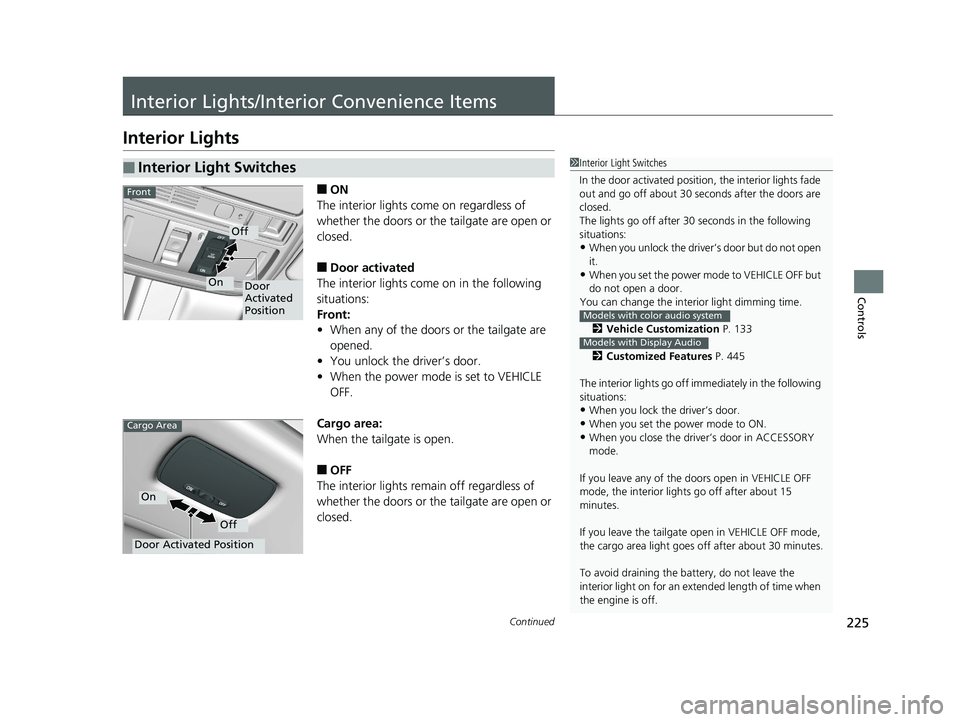
Interior Lights
■ON
The interior lights come on regardless of
whether the doors or the tailgate are open or
closed.
■Door activated
The interior lights come on in the following
situations:
Front:
• When any of the doors or the tailgate are
opened.
• You unlock the driver’s door.
• When the power mode is set to VEHICLE
OFF.
Cargo area:
When the tailgate is open.
■OFF
The interior lights remain off regardless of
whether the doors or the tailgate are open or
closed.
■Interior Light Switches1 Interior Light Switches
In the door activated position, the interior lights fade
out and go off about 30 se conds after the doors are
closed.
The lights go off after 30 seconds in the following
situations:
•When you unlock the driver’s door but do not open
it.
•When you set the power mode to VEHICLE OFF but
do not open a door.
You can change the inte rior light dimming time.
2 Vehicle Customization P. 133
2 Customized Features P. 445
The interior lights go off i mmediately in the following
situations:
•When you lock the driver’s door.
•When you set the power mode to ON.
•When you close the driver’s door in ACCESSORY
mode.
If you leave any of the doors open in VEHICLE OFF
mode, the interior light s go off after about 15
minutes.
If you leave the tailgate open in VEHICLE OFF mode,
the cargo area light goes of f after about 30 minutes.
To avoid draining the ba ttery, do not leave the
interior light on for an extended length of time when
the engine is off.
Models with color audio system
Models with Display Audio
Door
Activated
Position
Off
On
Front
Door Activated Position
Off
On
Cargo Area
19 ODYSSEY-31THR6120.book 225 ページ 2018年12月6日 木曜日 午後4時35分
Page 239 of 767
Continued237
uuInterior Lights/Interior Convenience Items uInterior Convenience Items
Controls
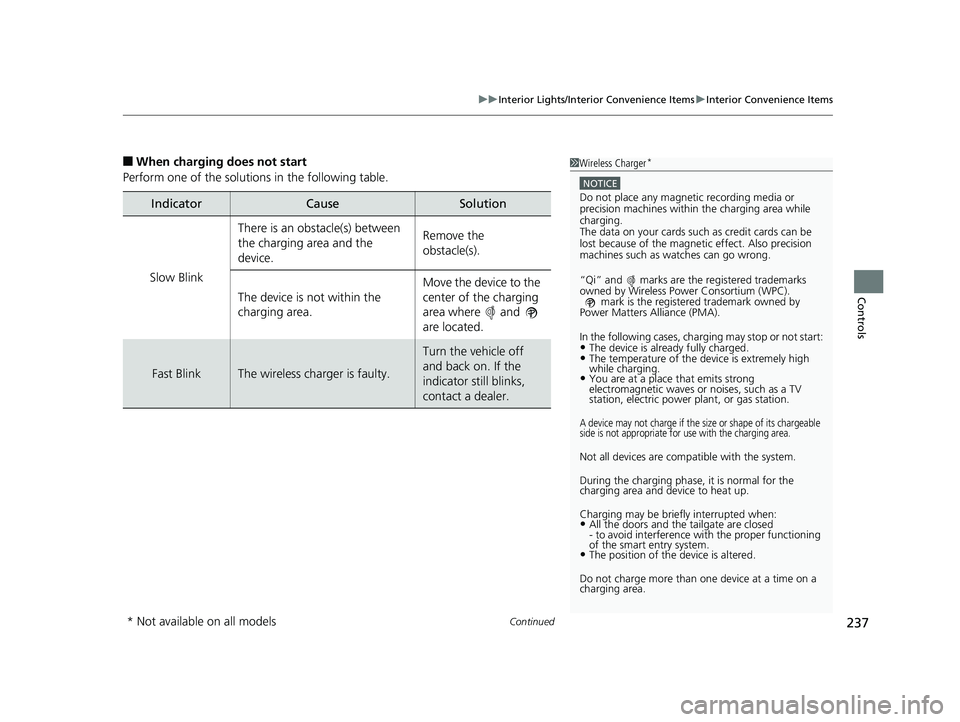
■When charging does not start
Perform one of the solutions in the following table.
IndicatorCauseSolution
Slow Blink
There is an obstacle(s) between
the charging area and the
device.Remove the
obstacle(s).
The device is not within the
charging area. Move the device to the
center of the charging
area where and
are located.
Fast BlinkThe wireless charger is faulty.
Turn the vehicle off
and back on. If the
indicator still blinks,
contact a dealer.
1
Wireless Charger*
NOTICE
Do not place any magneti c recording media or
precision machines within the charging area while
charging.
The data on your cards such as credit cards can be
lost because of the magneti c effect. Also precision
machines such as watches can go wrong.
“Qi” and marks are the registered trademarks
owned by Wire less Power Consortium (WPC).
mark is the registered trademark owned by
Power Matters Alliance (PMA).
In the following cases, ch arging may stop or not start:
•The device is already fully charged.•The temperature of the device is extremely high
while charging.
•You are at a place that emits strong
electromagnetic waves or noises, such as a TV
station, electric power plant, or gas station.
A device may not charge if the si ze or shape of its chargeable
side is not appropriate for use with the charging area.
Not all devices are compatible with the system.
During the charging phase, it is normal for the
charging area and de vice to heat up.
Charging may be briefl y interrupted when:
•All the doors and the tailgate are closed
- to avoid interference with the proper functioning
of the smart entry system.
•The position of the device is altered.
Do not charge more than one device at a time on a
charging area.
* Not available on all models
19 ODYSSEY-31THR6120.book 237 ページ 2018年12月6日 木曜日 午後4時35分