clock setting HONDA ODYSSEY 2022 User Guide
[x] Cancel search | Manufacturer: HONDA, Model Year: 2022, Model line: ODYSSEY, Model: HONDA ODYSSEY 2022Pages: 782, PDF Size: 27.17 MB
Page 292 of 782
291
uuAudio System Basic Operation uPlaying an iPod
Continued
Features
Playing an iPod
Connect the iPod using your USB connector to the USB port, then press the MEDIA
button.
2 USB Ports P. 275
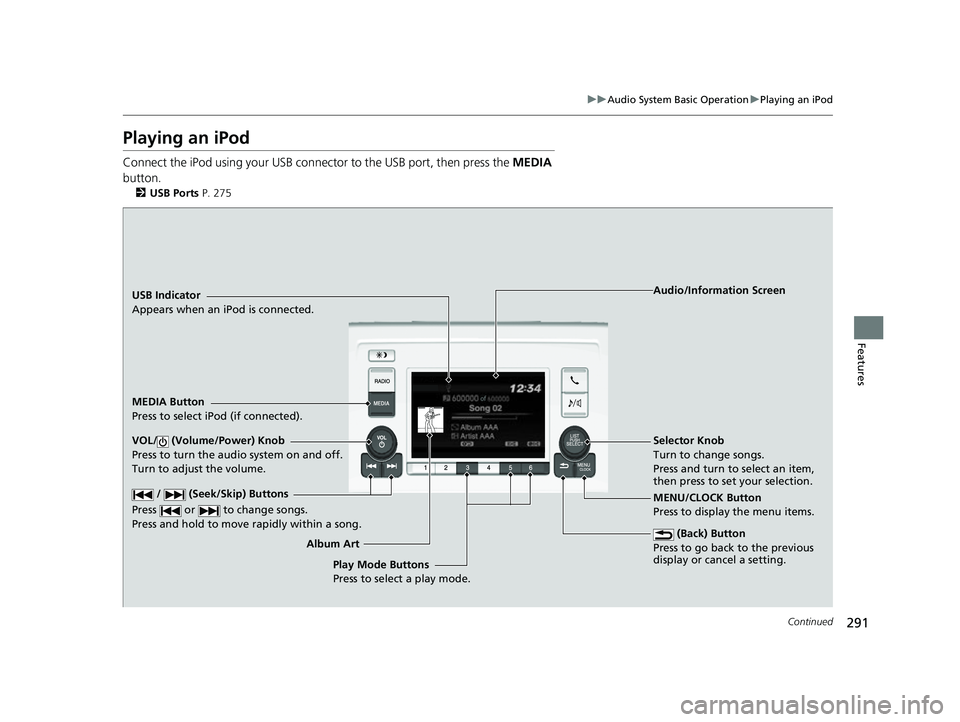
USB Indicator
Appears when an iPod is connected.
MEDIA Button
Press to select iPod (if connected).
(Back) Button
Press to go back to the previous
display or cancel a setting.
/ (Seek/Skip) Buttons
Press or to change songs.
Press and hold to move rapidly within a song.
VOL/ (Volume/Power) Knob
Press to turn the audio system on and off.
Turn to adjust the volume.Selector Knob
Turn to change songs.
Press and turn to select an item,
then press to set your selection.
MENU/CLOCK Button
Press to display the menu items. Audio/Information Screen
Album A r
t
Play Mode Buttons
Press to select a play mode.
22 US ODYSSEY-31THR6400.book 291 ページ 2020年11月16日 月曜日 午後1時41分
Page 303 of 782
302
uuAudio System Basic Operation uAudio/Information Screen
Features
■Phone
Displays the HFL information.
2 Bluetooth ® HandsFreeLink ® P. 510
■Trip Computer
Displays the trip computer information.
• Current Drive tab: Displays the current trip information.
• Trip A /Trip B tab: Displays information for the current and three previous drives.
The information is stored every time you reset Trip A/B.
To reset Trip A/B, select Reset.
To change the setting of how to reset Trip A/B, select Settings, then select Trip
A Reset Method or Trip B Reset Method .
■Clock
Displays the clock.
■System Updates
Updates the software versi on of the audio system.
2System Updates P. 315
■FM/AM/Sirius XM*/CD*/USB/Bluetooth Audio/AUX Input/My Honda
Music/Social Playlist
Displays the each audio information.
■Settings
Enters the customiz ing menu screen.
2Customized Features P. 463
* Not available on all models
22 US ODYSSEY-31THR6400.book 302 ページ 2020年11月16日 月曜日 午後1時41分
Page 306 of 782
Continued305
uuAudio System Basic Operation uAudio/Information Screen
Features
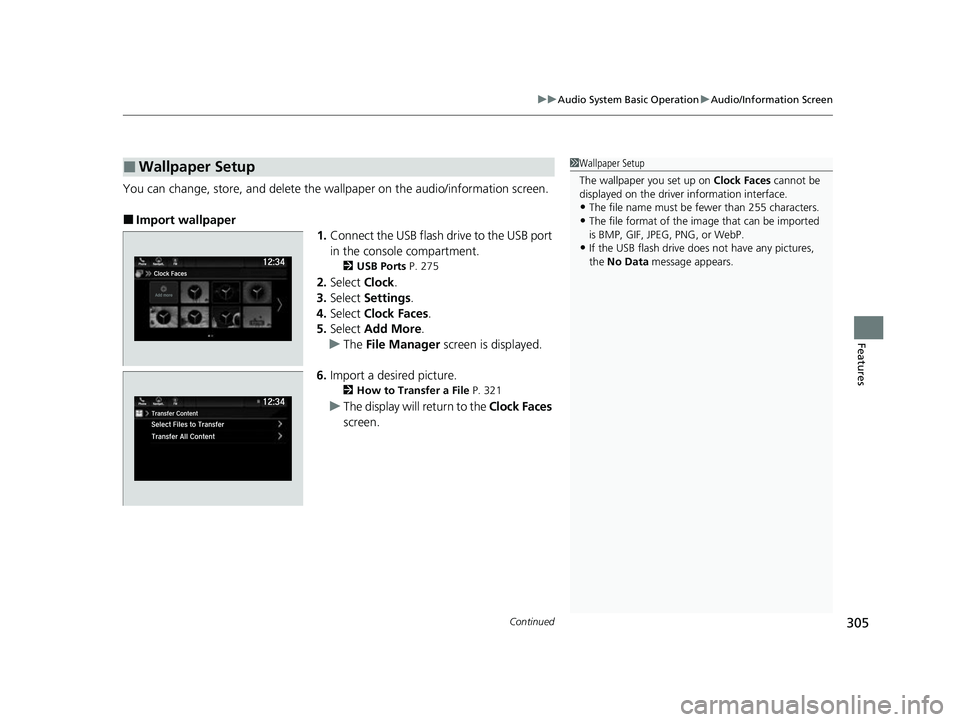
You can change, store, and delete the wallpaper on the audio/ information screen.
■Import wallpaper
1.Connect the USB flash drive to the USB port
in the console compartment.
2 USB Ports P. 275
2.Select Clock.
3. Select Settings .
4. Select Clock Faces .
5. Select Add More .
u The File Manager screen is displayed.
6. Import a desired picture.
2 How to Transfer a File P. 321
uThe display will return to the Clock Faces
screen.
■Wallpaper Setup1 Wallpaper Setup
The wallpaper you set up on Clock Faces cannot be
displayed on the driver information interface.
•The file name must be fewer than 255 characters.
•The file format of the im age that can be imported
is BMP, GIF, JPEG, PNG, or WebP.
•If the USB flash drive doe s not have any pictures,
the No Data message appears.
22 US ODYSSEY-31THR6400.book 305 ページ 2020年11月16日 月曜日 午後1時41分
Page 307 of 782
306
uuAudio System Basic Operation uAudio/Information Screen
Features
■Select wallpaper
1. Select Clock.
2. Select Settings .
3. Select Clock Faces .
4. Select a desired wallpaper.
u The preview is displayed on the screen.
5. Select Save.
u The display will return to the clock screen.
■To view wallpaper once it is set
1. Select .
2. Select Clock.
■Delete wallpaper
1. Select Clock.
2. Select Settings .
3. Select Clock Faces .
4. Select Delete Photos .
u The File Manager screen is displayed.
5. Delete a picture.
2 How to Delete a File P. 324
uThe display will return to the Clock Faces screen.
22 US ODYSSEY-31THR6400.book 306 ページ 2020年11月16日 月曜日 午後1時41分
Page 458 of 782
457Continued
Features
Customized Features
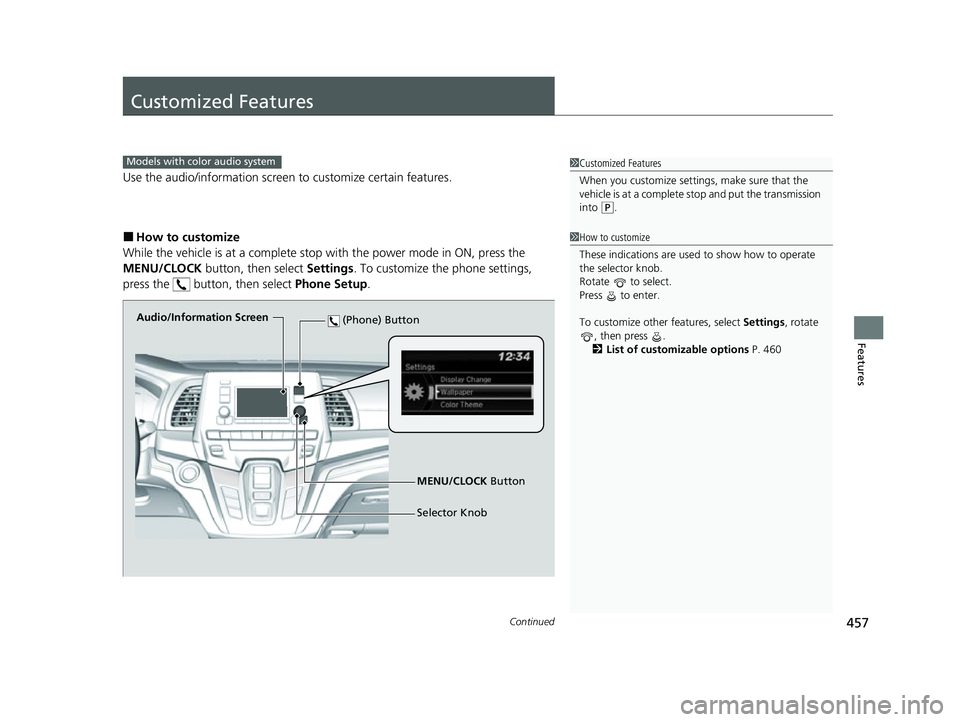
Use the audio/information screen to customize certain features.
■How to customize
While the vehicle is at a complete stop with the power mode in ON, press the
MENU/CLOCK button, then select Settings. To customize the phone settings,
press the button, then select Phone Setup.
1Customized Features
When you customize settings, make sure that the
vehicle is at a complete stop and put the transmission
into
( P.
Models with color audio system
1 How to customize
These indications are used to show how to operate
the selector knob.
Rotate to select.
Press to enter.
To customize other features, select Settings, rotate
, then press .
2 List of customizable options P. 460
Audio/Information Screen
MENU/CLOCK Button
Selector Knob
(Phone) Button
22 US ODYSSEY-31THR6400.book 457 ページ 2020年11月16日 月曜日 午後1時41分
Page 459 of 782
458
uuCustomized Features u
Features
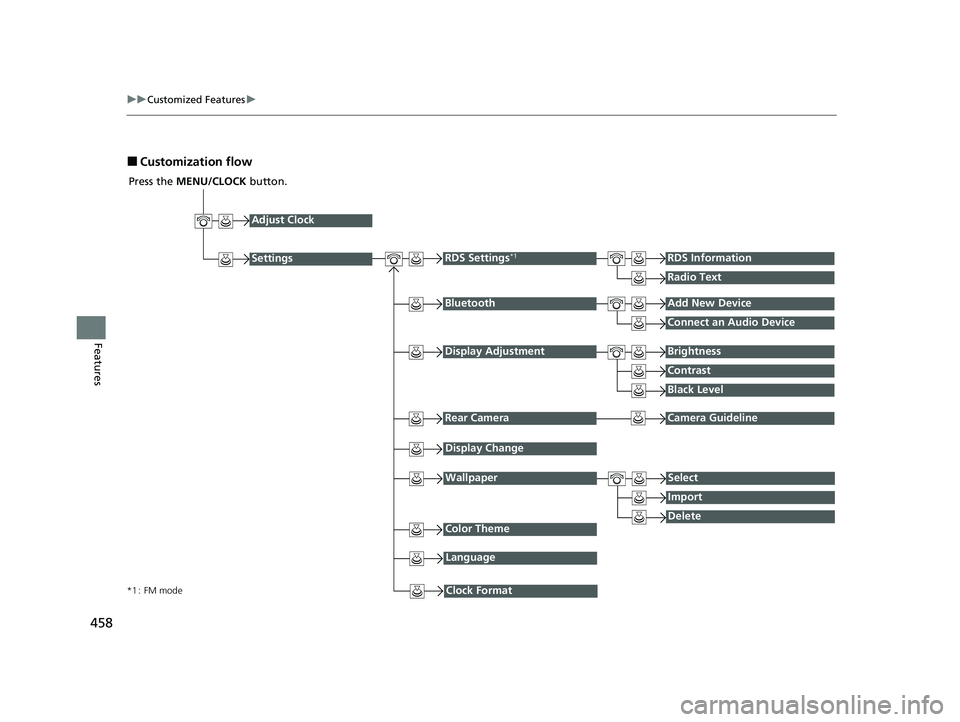
■Customization flow
Press the MENU/CLOCK button.
Adjust Clock
BluetoothAdd New Device
Connect an Audio Device
Display AdjustmentBrightness
Contrast
Black Level
Rear CameraCamera Guideline
RDS Settings*1RDS Information
Radio Text
Display Change
WallpaperSelect
Import
DeleteColor Theme
Language
Clock Format*1 : FM mode
Settings
22 US ODYSSEY-31THR6400.book 458 ページ 2020年11月16日 月曜日 午後1時41分
Page 461 of 782
460
uuCustomized Features u
Features
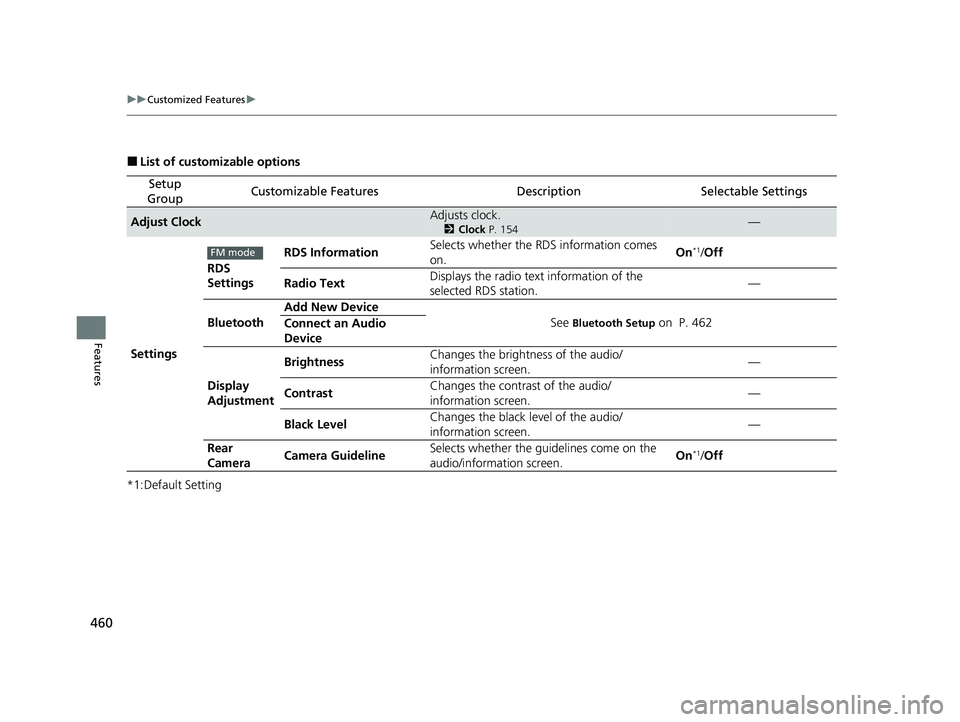
■List of customizable options
*1:Default Setting
Setup
GroupCustomizable FeaturesDescriptionSelectable Settings
Adjust ClockAdjusts clock.
2 Clock P. 154—
Settings RDS
Settings
RDS Information
Selects whether the RDS information comes
on. On
*1/
Off
Radio Text Displays the radio text information of the
selected RDS station. —
Bluetooth Add New Device
See
Bluetooth Setup on P. 462
Connect an Audio
Device
Display
Adjustment Brightness
Changes the brightness of the audio/
information screen. —
Contrast Changes the contrast of the audio/
information screen. —
Black Level Changes the black level of the audio/
information screen.
—
Rear
Camera Camera Guideline Selects whether the guidelines come on the
audio/information screen. On
*1/
Off
FM mode
22 US ODYSSEY-31THR6400.book 460 ページ 2020年11月16日 月曜日 午後1時41分
Page 462 of 782
461
uuCustomized Features u
Continued
Features
*1:Default Setting
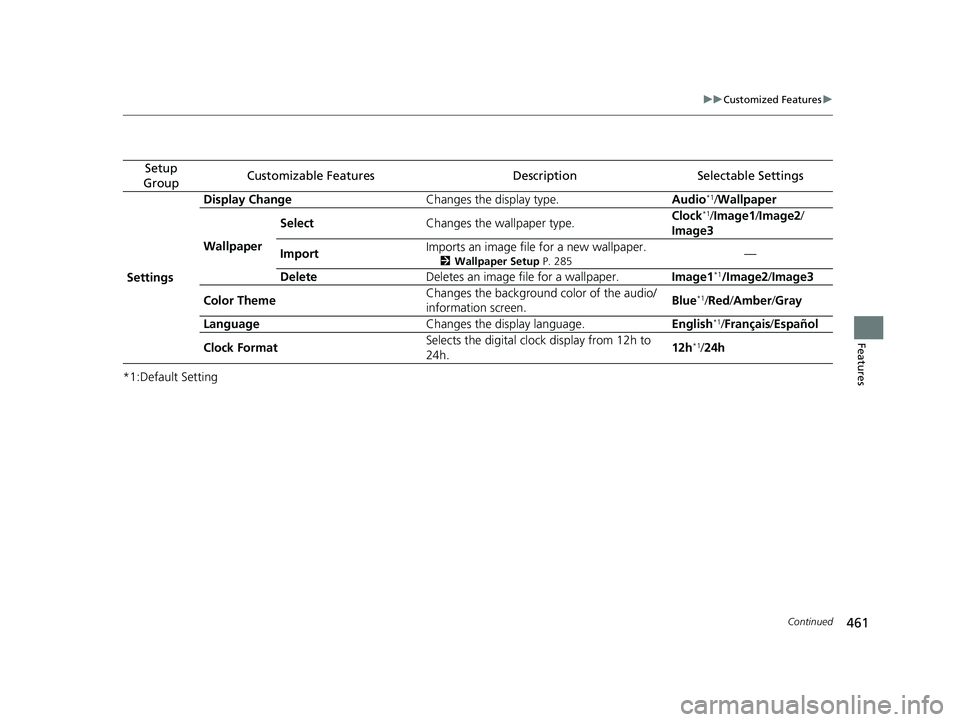
Setup
GroupCustomizable FeaturesDescriptionSelectable Settings
Settings Display Change
Changes the display type. Audio
*1/Wallpaper
Wallpaper Select
Changes the wallpaper type. Clock*1/
Image1/ Image2/
Image3
Import Imports an image file for a new wallpaper.
2
Wallpaper Setup P. 285—
Delete Deletes an image file for a wallpaper. Image1
*1/Image2/Image3
Color Theme Changes the background color of the audio/
information screen.
Blue
*1/
Red /Amber /Gray
Language Changes the display language. English
*1/Français /Español
Clock Format Selects the digital clock display from 12h to
24h. 12h
*1/
24h
22 US ODYSSEY-31THR6400.book 461 ページ 2020年11月16日 月曜日 午後1時41分
Page 471 of 782
470
uuCustomized Features u
Features
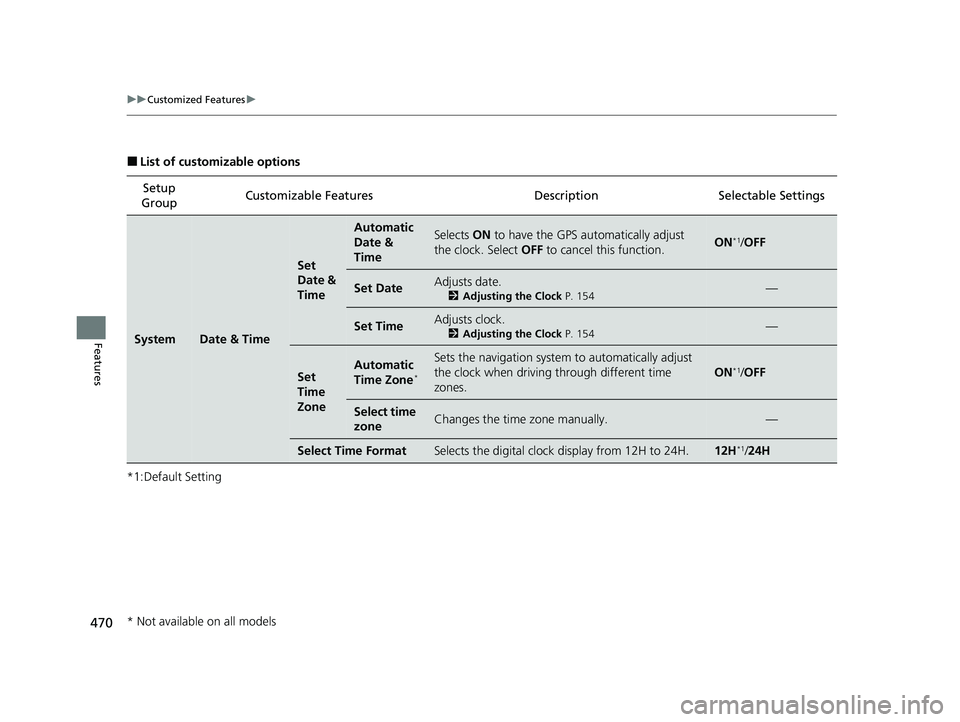
■List of customizable options
*1:Default Setting Setup
Group Customizable Features Description Selectable Settings
SystemDate & Time
Set
Date &
Time
Automatic
Date &
TimeSelects
ON to have the GPS automatically adjust
the clock. Select OFF to cancel this function.ON*1/OFF
Set DateAdjusts date.
2 Adjusting the Clock P. 154—
Set TimeAdjusts clock.
2Adjusting the Clock P. 154—
Set
Time
ZoneAutomatic
Time Zone*
Sets the navigation system to automatically adjust
the clock when driving through different time
zones.
ON*1/ OFF
Select time
zoneChanges the time zone manually.—
Select Time FormatSelects the digital clock display from 12H to 24H.12H*1/24H
* Not available on all models
22 US ODYSSEY-31THR6400.book 470 ページ 2020年11月16日 月曜日 午後1時41分
Page 775 of 782
774
Index
Child Safety................................................. 67
Childproof Door Locks ............................. 169
Child Seat .................................................... 67
Booster Seats ............................................. 84
Child Seat for Infants ................................. 69
Child Seat for Small Children ..................... 70
Installing a Child Seat wi th a Lap/Shoulder Seat
Belt .......................................................... 77
Larger Children .......................................... 83
Rear-facing Child Seat ............................... 69
Selecting a Child Seat ................................ 71
Using a Tether ........................................... 79
Childproof Door Locks .............................. 169
Cleaning the Exterior ............................... 715
Cleaning the Interior ................................ 712
Climate Control System .................... 260, 265
Changing the Mode ........................ 260, 265
Defrosting the Windshield and Windows ....................................... 261, 267
Dust and Pollen Filter ............................... 711
Recirculation/Fresh Air Mode ........... 260, 267
Sensors ............................................ 264, 271
Using Automatic Climate Control .... 260, 265
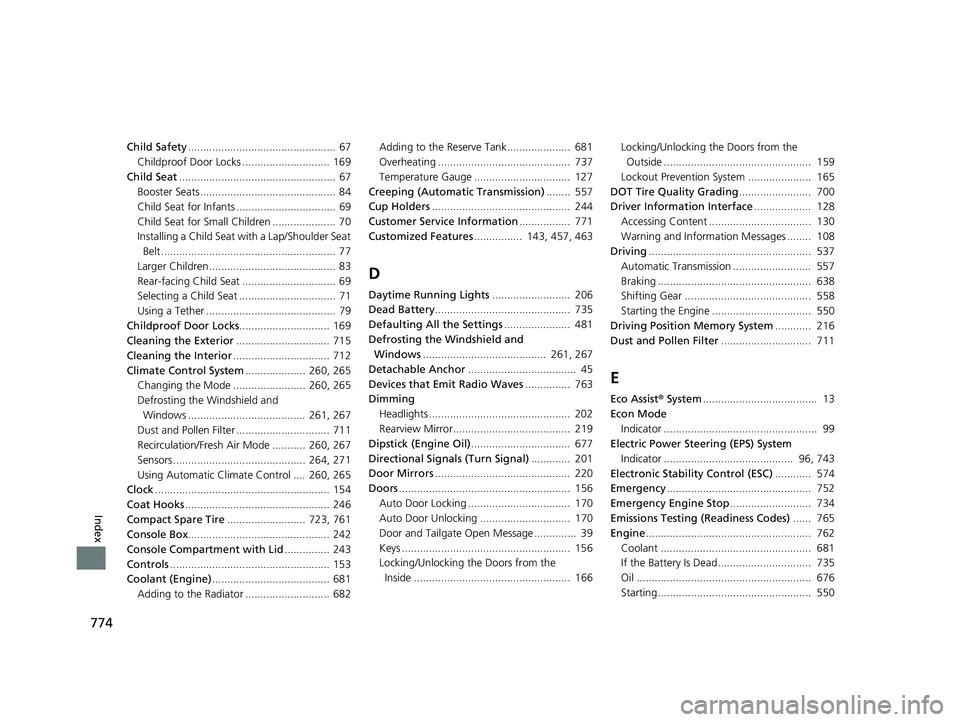
Clock .......................................................... 154
Coat Hooks ................................................ 246
Compact Spare Tire .......................... 723, 761
Console Box ............................................... 242
Console Compartment with Lid ............... 243
Controls ..................................................... 153
Coolant (Engine) ....................................... 681
Adding to the Radiator ............................ 682 Adding to the Reserve Tank..................... 681
Overheating ............................................ 737
Temperature Gauge ................................ 127
Creeping (Automatic Transmission) ........ 557
Cup Holders .............................................. 244
Customer Service Information ................. 771
Customized Features ................ 143, 457, 463
D
Daytime Running Lights .......................... 206
Dead Battery ............................................. 735
Defaulting All the Settings ...................... 481
Defrosting the Windshield and Windows ......................................... 261, 267
Detachable Anchor .................................... 45
Devices that Emit Radio Waves ............... 763
Dimming
Headlights ............................................... 202
Rearview Mirror....................................... 219
Dipstick (Engine Oil) ................................. 677
Directional Signals (Turn Signal) ............. 201
Door Mirrors ............................................. 220
Doors ......................................................... 156
Auto Door Locking .................................. 170
Auto Door Unlocking .............................. 170
Door and Tailgate Open Message .............. 39
Keys ........................................................ 156
Locking/Unlocking the Doors from the Inside .................................................... 166 Locking/Unlocking the Doors from the
Outside ................................................. 159
Lockout Prevention System ..................... 165
DOT Tire Quality Grading ........................ 700
Driver Information Interface ................... 128
Accessing Content .................................. 130
Warning and Information Messages ........ 108
Driving ...................................................... 537
Automatic Transmission .......................... 557
Braking ................................................... 638
Shifting Gear .......................................... 558
Starting the Engine ................................. 550
Driving Position Memory System ............ 216
Dust and Pollen Filter .............................. 711
E
Eco Assist® System ...................................... 13
Econ Mode Indicator ................................................... 99
Electric Power Steering (EPS) System
Indicator ........................................... 96, 743
Electronic Stability Control (ESC) ............ 574
Emergency ................................................ 752
Emergency Engine Stop ........................... 734
Emissions Testing (Readiness Codes) ...... 765
Engine ....................................................... 762
Coolant .................................................. 681
If the Battery Is Dead............................... 735
Oil .......................................................... 676
Starting................................................... 550
22 US ODYSSEY-31THR6400.book 774 ページ 2020年11月16日 月曜日 午後1時41分