wipers HONDA ODYSSEY 2022 User Guide
[x] Cancel search | Manufacturer: HONDA, Model Year: 2022, Model line: ODYSSEY, Model: HONDA ODYSSEY 2022Pages: 782, PDF Size: 27.17 MB
Page 621 of 782
uuHonda Sensing ®u Lane Keeping Assist System (LKAS)
620
Driving
■The system operation is suspended if
you:
• Set the wipers to high speed.
u Turning the wipers off, setting it to LO,
or the wipers are operating intermittently
resumes the LKAS.
• Decrease the vehicle speed to about 40
mph (64 km/h) or less.
u Increasing the vehicle speed to about 45
mph (72 km/h) or more resumes the
LKAS.
• Depress the brake pedal.
u The LKAS resumes and starts detecting
the lane lines again once you release the
brake pedal.
• Your vehicle is driving to the right or the left
of the lane.1The system operation is suspended if you:
You can change the setting for the LKAS.
LKAS suspended beep ON and OFF can be selected.
2 Vehicle Customization P. 143
2 Customized Features P. 463
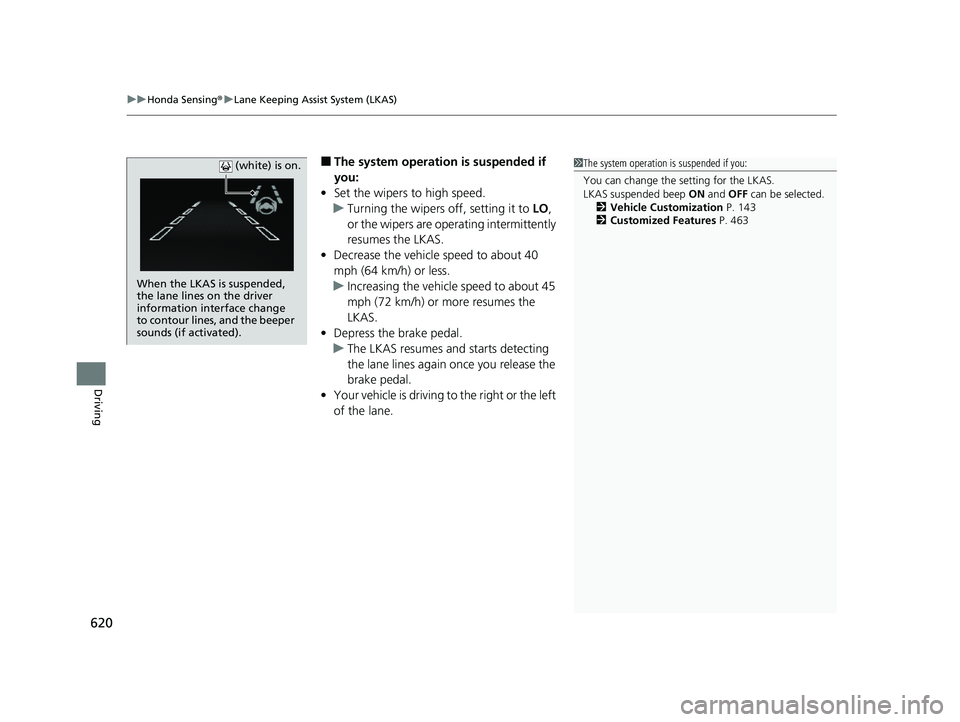
When the LKAS is suspended,
the lane lines on the driver
information interface change
to contour lines, and the beeper
sounds (if activated). (white) is on.
22 US ODYSSEY-31THR6400.book 620 ページ 2020年11月16日 月曜日 午後1時41分
Page 627 of 782
uuHonda Sensing ®u Road Departure Mitigation (RDM) System
626
Driving
The system becomes ready to start sear ching for lane markings when all the
following conditions are met:
• The vehicle is traveling between about 45 and 90 mph (72 and 145 km/h).
• The vehicle is on a straight or slightly curved road.
• The turn signals are off.
• The brake pedal is not depressed.
• The wipers are not in high speed operation.
• The vehicle is not accelerating or braking, and the steering wheel is not being
turned.
• The system makes a determination that th e driver is not actively accelerating,
braking or steering.
■How the System Activates1 Road Departure Mitigation (RDM) System
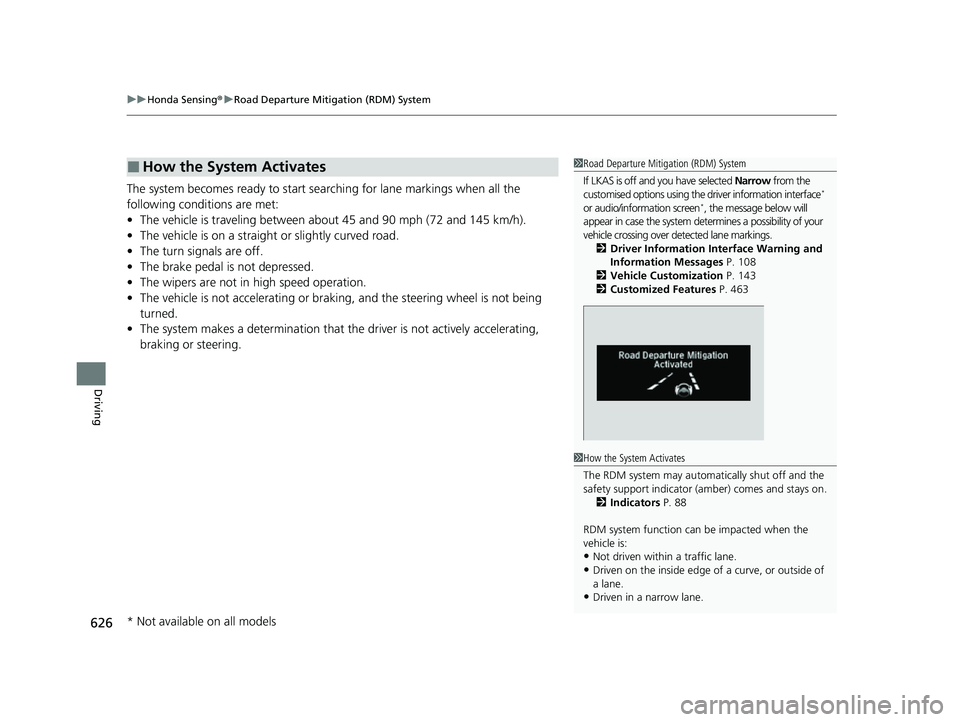
If LKAS is off and you have selected Narrow from the
customised options using the driver information interface
*
or audio/information screen*, the message below will
appear in case the system dete rmines a possibility of your
vehicle crossing over de tected lane markings.
2 Driver Information Interface Warning and
Information Messages P. 108
2 Vehicle Customization P. 143
2 Customized Features P. 463
1How the System Activates
The RDM system may automa tically shut off and the
safety support indicator (a mber) comes and stays on.
2 Indicators P. 88
RDM system function can be impacted when the
vehicle is:
•Not driven within a traffic lane.
•Driven on the inside edge of a curve, or outside of
a lane.
•Driven in a narrow lane.
* Not available on all models
22 US ODYSSEY-31THR6400.book 626 ページ 2020年11月16日 月曜日 午後1時41分
Page 675 of 782
674
uuMaintenance Under the Hood uOpening the Hood
Maintenance
Opening the Hood
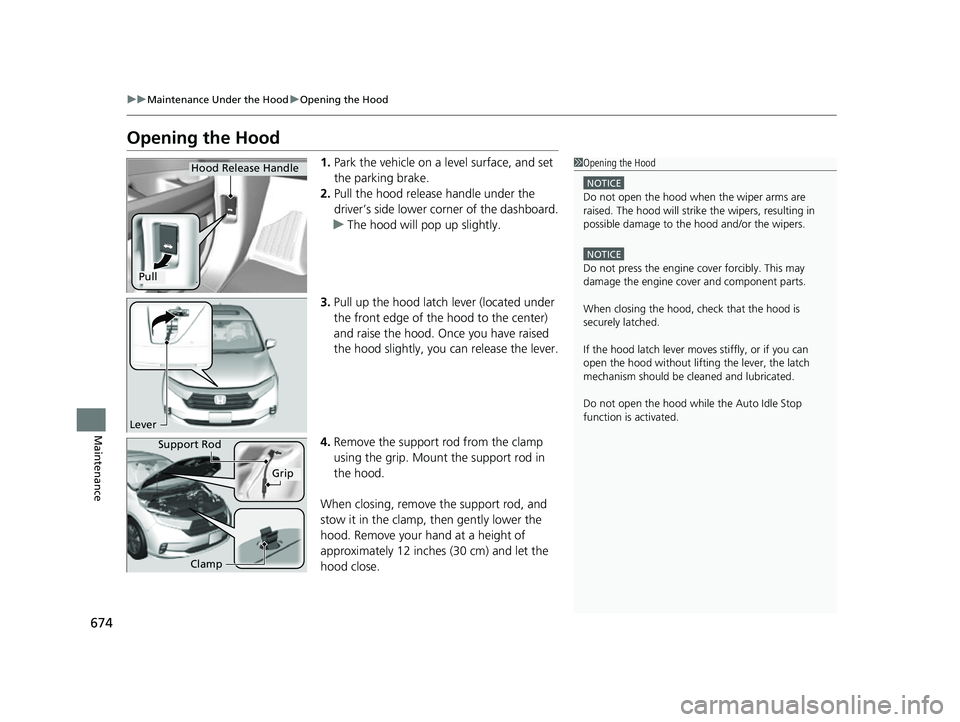
1. Park the vehicle on a level surface, and set
the parking brake.
2. Pull the hood release handle under the
driver’s side lower corner of the dashboard.
u The hood will pop up slightly.
3. Pull up the hood latch lever (located under
the front edge of the hood to the center)
and raise the hood. Once you have raised
the hood slightly, you can release the lever.
4. Remove the support rod from the clamp
using the grip. Mount the support rod in
the hood.
When closing, remove the support rod, and
stow it in the clamp, then gently lower the
hood. Remove your hand at a height of
approximately 12 inches (30 cm) and let the
hood close.1 Opening the Hood
NOTICE
Do not open the hood when the wiper arms are
raised. The hood will strike the wipers, resulting in
possible damage to the hood and/or the wipers.
NOTICE
Do not press the engine cover forcibly. This may
damage the engine cover and component parts.
When closing the hood, check that the hood is
securely latched.
If the hood latch lever moves stiffly, or if you can
open the hood without lifti ng the lever, the latch
mechanism should be cl eaned and lubricated.
Do not open the hood while the Auto Idle Stop
function is activated.
Hood Release Handle
Pull
Lever
Support Rod
Grip
Clamp
22 US ODYSSEY-31THR6400.book 674 ページ 2020年11月16日 月曜日 午後1時41分
Page 717 of 782
uuCleaning uExterior Care
716
Maintenance
• Make sure to follow the instructions indicated on the automated car wash.
• Fold in the door mirrors.
• For models equipped with automatic inte rmittent wipers, turn the wipers off.
• Keep sufficient distance between the cleaning nozzl e and the vehicle body.
• Take particular care around the windows. St anding too close may cause water to
enter the vehicle interior.
• Do not spray high pressure water directly into the engine compartment. Instead,
use low pressure water and a mild detergent.
A good coat of automotive body wax helps protect your vehicle’s paint from the
elements. Wax will wear off over time and expose your vehicle’s paint to the
elements, so reapply as necessary.
If you get gasoline, oil, engine coolant, or battery fluid on resin coated parts, they
may be stained or the coating may peel. Prom ptly wipe it away using a soft cloth and
clean water.
■Using an Automated Car Wash
■Using High Pressure Cleaners
■Applying Wax
■Maintaining the Bumpers and Other Resin Coated Parts
1 Using an Automated Car Wash
When using an automated car wash that pulls the
vehicle through with a c onveyor, make sure the
transmission in
( N position.
2 If you want to keep the transmission in
(N
position [car wash mode] P. 562
1Applying Wax
NOTICE
Chemical solvents and st rong cleaners can damage
the paint, metal, and plasti c on your vehicle. Wipe
away spills immediately.
1 Maintaining the Bumpers an d Other Resin Coated Parts
Ask a dealer about the corr ect coating material when
you want to repair the painted surface of the parts
made of resin.
22 US ODYSSEY-31THR6400.book 716 ページ 2020年11月16日 月曜日 午後1時41分
Page 781 of 782
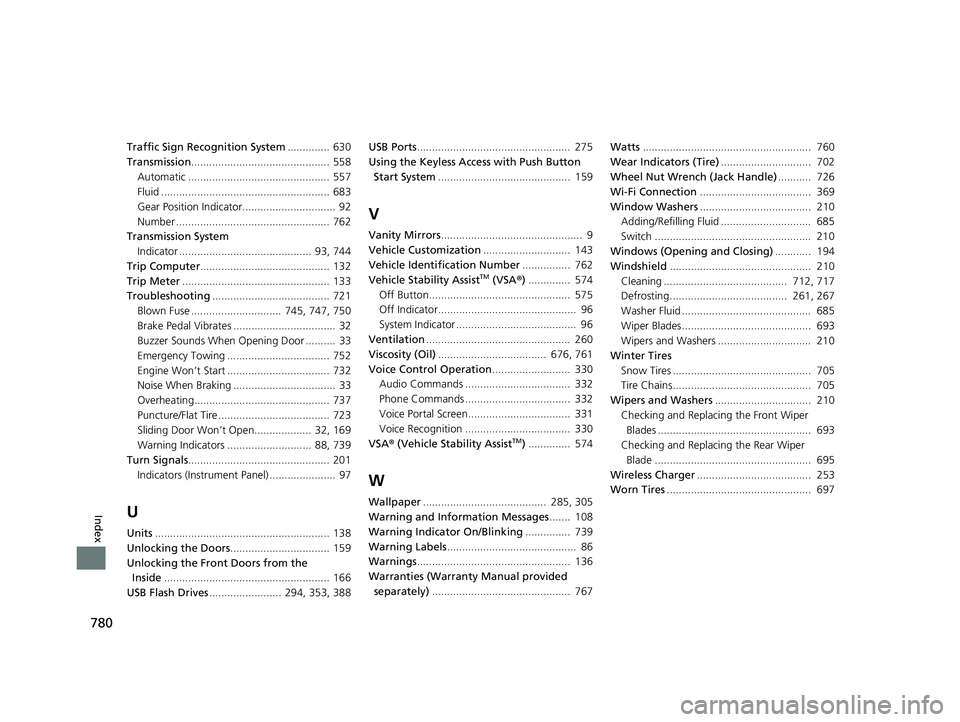
780
Index
Traffic Sign Recognition System.............. 630
Transmission .............................................. 558
Automatic ............................................... 557
Fluid ........................................................ 683
Gear Position Indicator............................... 92
Number ................................................... 762
Transmission System Indicator ............................................ 93, 744
Trip Computer ........................................... 132
Trip Meter ................................................. 133
Troubleshooting ....................................... 721
Blown Fuse .............................. 745, 747, 750
Brake Pedal Vibrates .................................. 32
Buzzer Sounds When Opening Door .......... 33
Emergency Towing .................................. 752
Engine Won’t Start .................................. 732
Noise When Braking .................................. 33
Overheating............................................. 737
Puncture/Flat Tire ..................................... 723
Sliding Door Won’t Open................... 32, 169
Warning Indicators ............................ 88, 739
Turn Signals ............................................... 201
Indicators (Instrum ent Panel) ...................... 97
U
Units.......................................................... 138
Unlocking the Doors ................................. 159
Unlocking the Fron t Doors from the
Inside ....................................................... 166
USB Flash Drives ........................ 294, 353, 388 USB Ports
................................................... 275
Using the Keyless Access with Push Button
Start System ............................................ 159
V
Vanity Mirrors ............................................... 9
Vehicle Customization ............................. 143
Vehicle Identification Number ................ 762
Vehicle Stability Assist
TM (VSA ®) .............. 574
Off Button............................................... 575
Off Indicator.............................................. 96
System Indicator ........................................ 96
Ventilation ................................................ 260
Viscosity (Oil) .................................... 676, 761
Voice Control Operation .......................... 330
Audio Commands ................................... 332
Phone Commands ................................... 332
Voice Portal Screen.................................. 331
Voice Recognition ................................... 330
VSA ® (Vehicle Stability Assist
TM) .............. 574
W
Wallpaper ......................................... 285, 305
Warning and Information Messages ....... 108
Warning Indicator On/Blinking ............... 739
Warning Labels ........................................... 86
Warnings ................................................... 136
Warranties (Warranty Manual provided separately) .............................................. 767 Watts
........................................................ 760
Wear Indicators (Tire) .............................. 702
Wheel Nut Wrench (Jack Handle) ........... 726
Wi-Fi Connection ..................................... 369
Window Washers ..................................... 210
Adding/Refilling Fluid .............................. 685
Switch .................................................... 210
Windows (Opening and Closing) ............ 194
Windshield ............................................... 210
Cleaning ......................................... 712, 717
Defrosting....................................... 261, 267
Washer Fluid ........................................... 685
Wiper Blades........................................... 693
Wipers and Washers ............................... 210
Winter Tires Snow Tires .............................................. 705
Tire Chains.............................................. 705
Wipers and Washers ................................ 210
Checking and Replaci ng the Front Wiper
Blades ................................................... 693
Checking and Replaci ng the Rear Wiper
Blade .................................................... 695
Wireless Charger ...................................... 253
Worn Tires ................................................ 697
22 US ODYSSEY-31THR6400.book 780 ページ 2020年11月16日 月曜日 午後1時41分