ECO mode HONDA ODYSSEY 2022 Repair Manual
[x] Cancel search | Manufacturer: HONDA, Model Year: 2022, Model line: ODYSSEY, Model: HONDA ODYSSEY 2022Pages: 782, PDF Size: 27.17 MB
Page 205 of 782
uuOperating the Switches Around the Steering Wheel uLight Switches
204
Controls
The headlights automatically come on when the wipers are used several times within
a certain number of intervals wi th the headlight switch in AUTO.
The headlights automatically go off a few minutes later if the wipers are stopped.
The headlights, all other exterior lights, an d the instrument panel lights turn off 15
seconds after you set the power mode to VE HICLE OFF, take the remote with you,
and close the driver’s door.
If you set the power mode to VEHICLE OFF with the headlight switch on, but do not
open the door, the lights turn off after 10 minutes (3 minutes, if the switch is in the
AUTO position).
The lights turn on again when you unlock or open the driver’s door. If you unlock
the door, but do not open it within 15 seconds, the lights go off. If you open the
driver’s door, you will hear a reminder chime alerting you that the lights are on.
■Headlight Integration with Wiper
■Automatic Lighting Off Feature
1Automatic Operation (aut omatic lighting control)
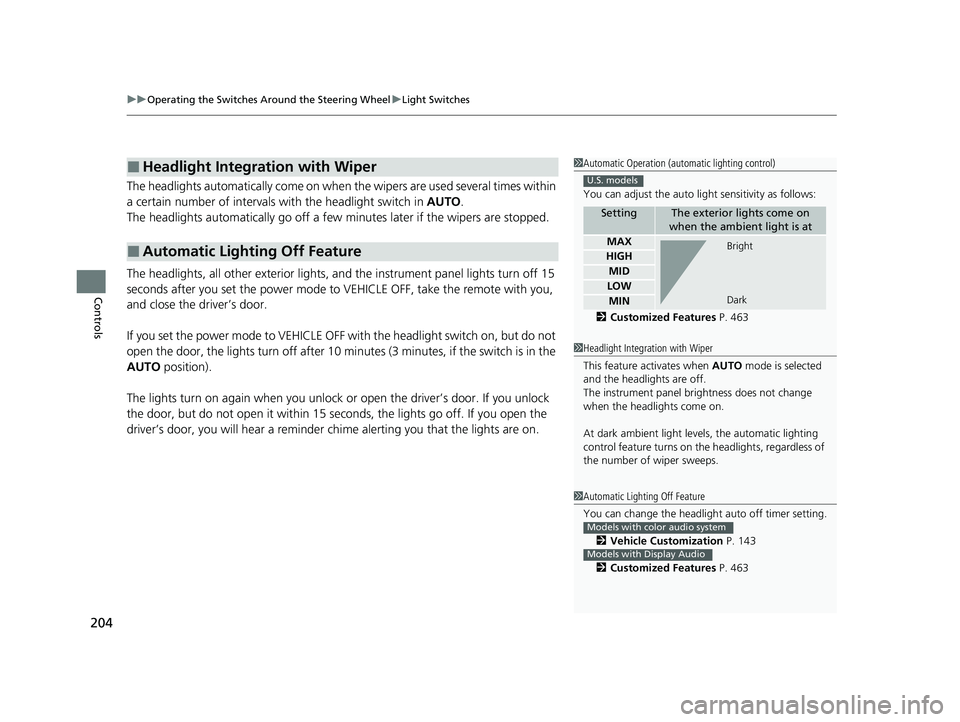
You can adjust the auto li ght sensitivity as follows:
2 Customized Features P. 463
SettingThe exterior lights come on
when the ambient light is at
MAX
HIGH
MID
LOW
MIN
U.S. models
Bright
Dark
1 Headlight Integration with Wiper
This feature activates when AUTO mode is selected
and the headlights are off.
The instrument panel br ightness does not change
when the headlights come on.
At dark ambient light leve ls, the automatic lighting
control feature turns on the headlights, regardless of
the number of wiper sweeps.
1 Automatic Lighting Off Feature
You can change the headlight auto off timer setting.
2 Vehicle Customization P. 143
2 Customized Features P. 463
Models with color audio system
Models with Display Audio
22 US ODYSSEY-31THR6400.book 204 ページ 2020年11月16日 月曜日 午後1時41分
Page 208 of 782
207
uuOperating the Switches Around the Steering Wheel uAuto High-Beam
Continued
Controls
Auto High-Beam
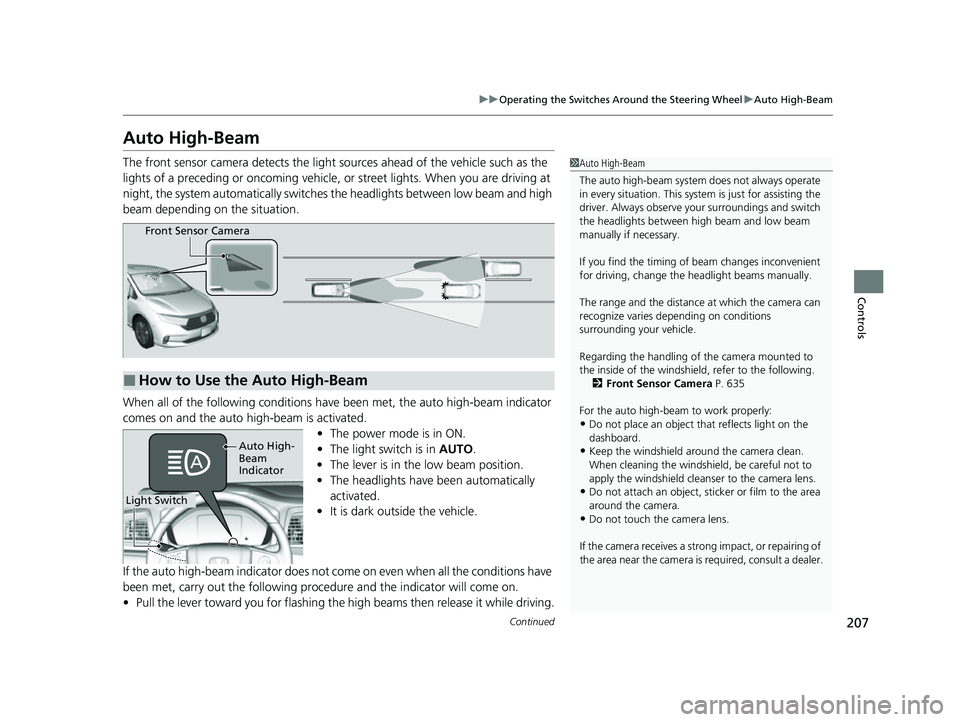
The front sensor camera detects the light sources ahead of the vehicle such as the
lights of a preceding or oncoming vehicle, or street lights. When you are driving at
night, the system automatically switches the headlights between low beam and high
beam depending on the situation.
When all of the following conditions have been met, the auto high-beam indicator
comes on and the auto high-beam is activated.
•The power mode is in ON.
• The light switch is in AUTO.
• The lever is in the low beam position.
• The headlights have been automatically
activated.
• It is dark outside the vehicle.
If the auto high-beam indica tor does not come on even when all the conditions have
been met, carry out the following procedure and the indicator will come on.
• Pull the lever toward you for flashing the high beams then release it while driving.1Auto High-Beam
The auto high-beam system does not always operate
in every situation. This syst em is just for assisting the
driver. Always observe your surroundings and switch
the headlights between high beam and low beam
manually if necessary.
If you find the timing of beam changes inconvenient
for driving, change the headlight beams manually.
The range and the distance at which the camera can
recognize varies de pending on conditions
surrounding your vehicle.
Regarding the handling of the camera mounted to
the inside of the windshiel d, refer to the following.
2 Front Sensor Camera P. 635
For the auto high-beam to work properly:
•Do not place an object that reflects light on the
dashboard.
•Keep the windshield around the camera clean.
When cleaning the windshield, be careful not to
apply the windshield cleans er to the camera lens.
•Do not attach an object, sticker or film to the area
around the camera.
•Do not touch the camera lens.
If the camera receives a st rong impact, or repairing of
the area near the camera is required, consult a dealer.
■How to Use the Auto High-Beam
Front Sensor Camera
Light Switch
Auto High-
Beam
Indicator
22 US ODYSSEY-31THR6400.book 207 ページ 2020年11月16日 月曜日 午後1時41分
Page 210 of 782
209
uuOperating the Switches Around the Steering Wheel uAuto High-Beam
Controls
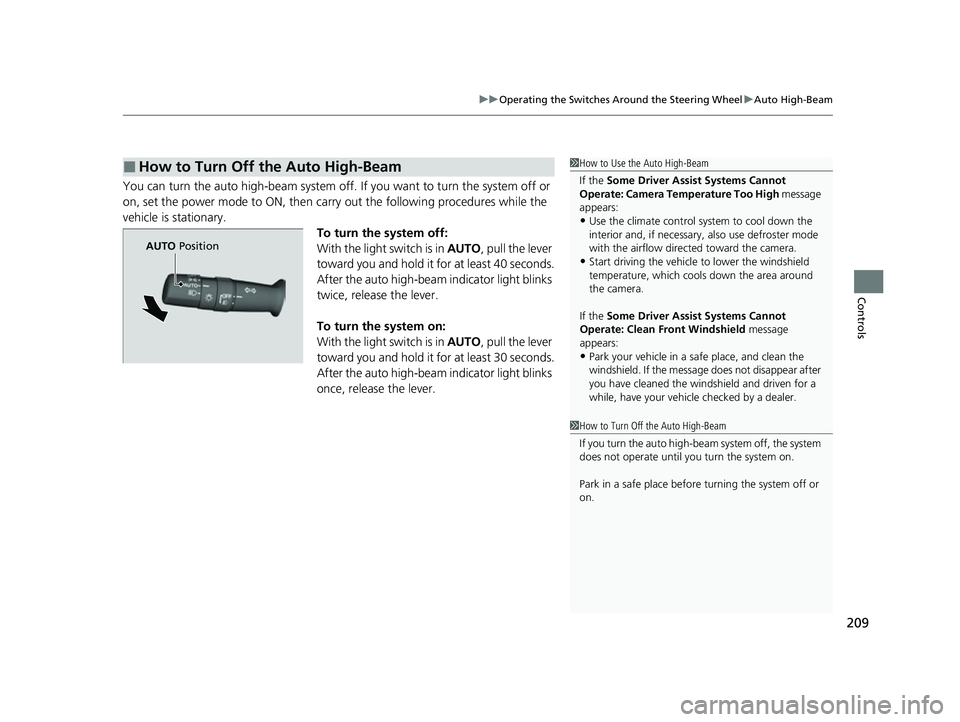
You can turn the auto high-beam system off. If you want to turn the system off or
on, set the power mode to ON, then carry out the following procedures while the
vehicle is stationary. To turn the system off:
With the light switch is in AUTO, pull the lever
toward you and hold it for at least 40 seconds.
After the auto high-beam indicator light blinks
twice, release the lever.
To turn the system on:
With the light switch is in AUTO, pull the lever
toward you and hold it for at least 30 seconds.
After the auto high-beam indicator light blinks
once, release the lever.
■How to Turn Off the Auto High-Beam1 How to Use the Auto High-Beam
If the Some Driver Assist Systems Cannot
Operate: Camera Temperature Too High message
appears:
•Use the climate control system to cool down the
interior and, if necessary, also use defroster mode
with the airflow directed toward the camera.
•Start driving the vehicle to lower the windshield
temperature, which cool s down the area around
the camera.
If the Some Driver Assist Systems Cannot
Operate: Clean Front Windshield message
appears:
•Park your vehicle in a sa fe place, and clean the
windshield. If the message does not disappear after
you have cleaned the windshield and driven for a
while, have your vehicle checked by a dealer.
1 How to Turn Off the Auto High-Beam
If you turn the au to high-beam system off, the system
does not operate until you turn the system on.
Park in a safe place before turning the system off or
on.
AUTO Position
22 US ODYSSEY-31THR6400.book 209 ページ 2020年11月16日 月曜日 午後1時41分
Page 211 of 782
210
uuOperating the Switches Around the Steering Wheel uWipers and Washers
Controls
Wipers and Washers
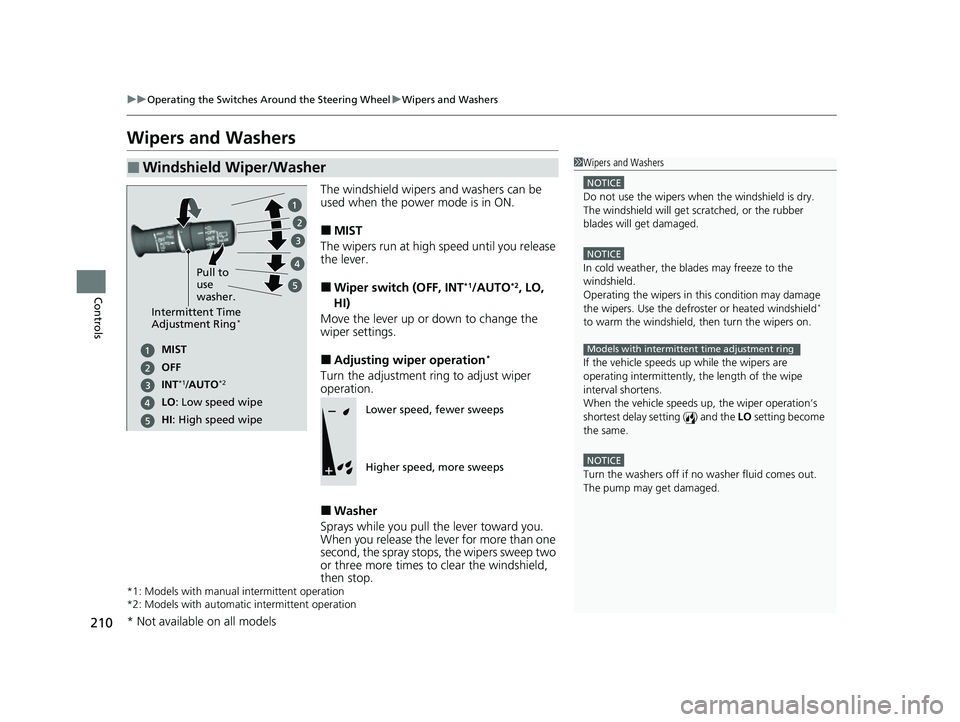
The windshield wipers and washers can be
used when the power mode is in ON.
■MIST
The wipers run at high speed until you release
the lever.
■Wiper switch (OFF, INT*1/AUTO*2, LO,
HI)
Move the lever up or down to change the
wiper settings.
■Adjusting wiper operation*
Turn the adjustment ri ng to adjust wiper
operation.
■Washer
Sprays while you pull the lever toward you.
When you release the lever for more than one
second, the spray stops, the wipers sweep two
or three more times to clear the windshield,
then stop.
*1: Models with manual intermittent operation
*2: Models with automati c intermittent operation
■Windshield Wiper/Washer1Wipers and Washers
NOTICE
Do not use the wipers when the windshield is dry.
The windshield will get sc ratched, or the rubber
blades will get damaged.
NOTICE
In cold weather, the blades may freeze to the
windshield.
Operating the wipers in th is condition may damage
the wipers. Use the defrost er or heated windshield
*
to warm the windshield, then turn the wipers on.
If the vehicle speeds up while the wipers are
operating intermittently, the length of the wipe
interval shortens.
When the vehicle speeds up, the wiper operation’s
shortest delay setting ( ) and the LO setting become
the same.
NOTICE
Turn the washers off if no washer fluid comes out.
The pump may get damaged.
Models with intermittent time adjustment ring
Intermittent Time
Adjustment Ring*
MIST
INT
*1/AUTO*2
OFF
LO: Low speed wipe
HI: High speed wipe Pull to
use
washer.
Lower speed, fewer sweeps
Higher speed, more sweeps
* Not available on all models
22 US ODYSSEY-31THR6400.book 210 ページ 2020年11月16日 月曜日 午後1時41分
Page 216 of 782
215
uuOperating the Switches Around the Steering Wheel uBrightness Control
Controls
Brightness Control
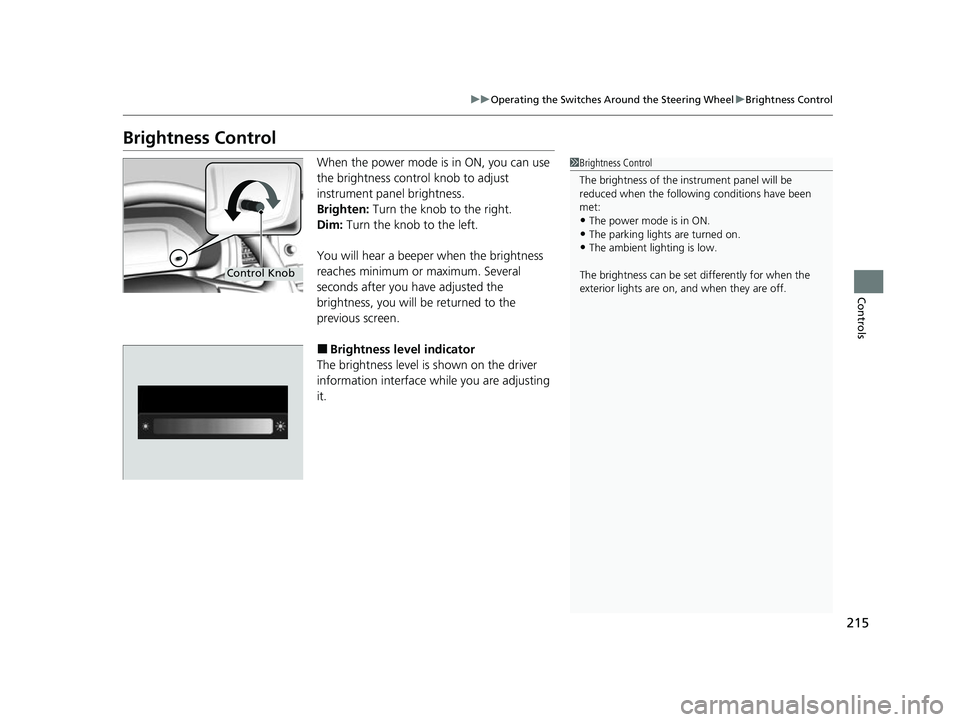
When the power mode is in ON, you can use
the brightness control knob to adjust
instrument panel brightness.
Brighten: Turn the knob to the right.
Dim: Turn the knob to the left.
You will hear a beeper when the brightness
reaches minimum or maximum. Several
seconds after you have adjusted the
brightness, you will be returned to the
previous screen.
■Brightness level indicator
The brightness level is shown on the driver
information interface while you are adjusting
it.
1 Brightness Control
The brightness of the in strument panel will be
reduced when the followi ng conditions have been
met:
•The power mode is in ON.
•The parking lights are turned on.•The ambient lighting is low.
The brightness can be set differently for when the
exterior lights are on, and when they are off.
Control Knob
22 US ODYSSEY-31THR6400.book 215 ページ 2020年11月16日 月曜日 午後1時41分
Page 218 of 782
217
uuOperating the Switches Around the Steering Wheel uDriving Position Memory System*
Controls
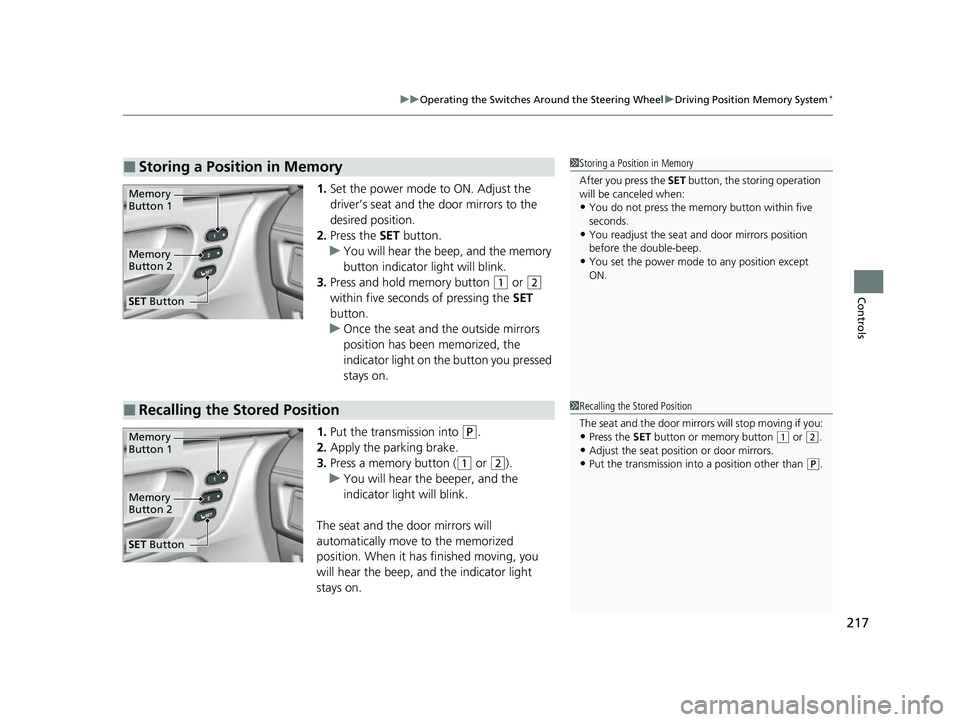
1. Set the power mode to ON. Adjust the
driver’s seat and the door mirrors to the
desired position.
2. Press the SET button.
u You will hear the beep, and the memory
button indicator light will blink.
3. Press and hold memory button
(1 or (2
within five seconds of pressing the SET
button.
u Once the seat and the outside mirrors
position has been memorized, the
indicator light on the button you pressed
stays on.
1. Put the transmission into
(P.
2. Apply the parking brake.
3. Press a memory button (
(1 or (2).
u You will hear the beeper, and the
indicator light will blink.
The seat and the door mirrors will
automatically move to the memorized
position. When it has finished moving, you
will hear the beep, and the indicator light
stays on.
■Storing a Position in Memory1 Storing a Position in Memory
After you press the SET button, the storing operation
will be canceled when:
•You do not press the memory button within five
seconds.
•You readjust the seat and door mirrors position
before the double-beep.
•You set the power mode to any position except
ON.
Memory
Button 1
Memory
Button 2
SET Button
■Recalling the Stored Position1Recalling the Stored Position
The seat and the door mirrors will stop moving if you:
•Press the SET button or memory button (1 or (2.
•Adjust the seat position or door mirrors.•Put the transmission into a position other than (P.
Memory
Button 1
Memory
Button 2
SET Button
22 US ODYSSEY-31THR6400.book 217 ページ 2020年11月16日 月曜日 午後1時41分
Page 226 of 782
225
uuSeats uSecond Row Seats
Continued
Controls
Second Row Seats
■Adjusting the Seat Positions1Second Row Seats
3WARNING
An unsecured seat or seat-back can move
out of position or collapse without warning
if there is sudden acce leration or stop or in
a crash.
A seat or seat-back that suddenly moves or
collapses can result in severe injury or
death.
Always make sure all seats and seat-backs
are securely locked in to position before
driving.
1 Adjusting the Seat Positions
Once the desired seat posit ion and seat-back angles
are made, rock the seat-back and forth to make sure
they are locked into position.
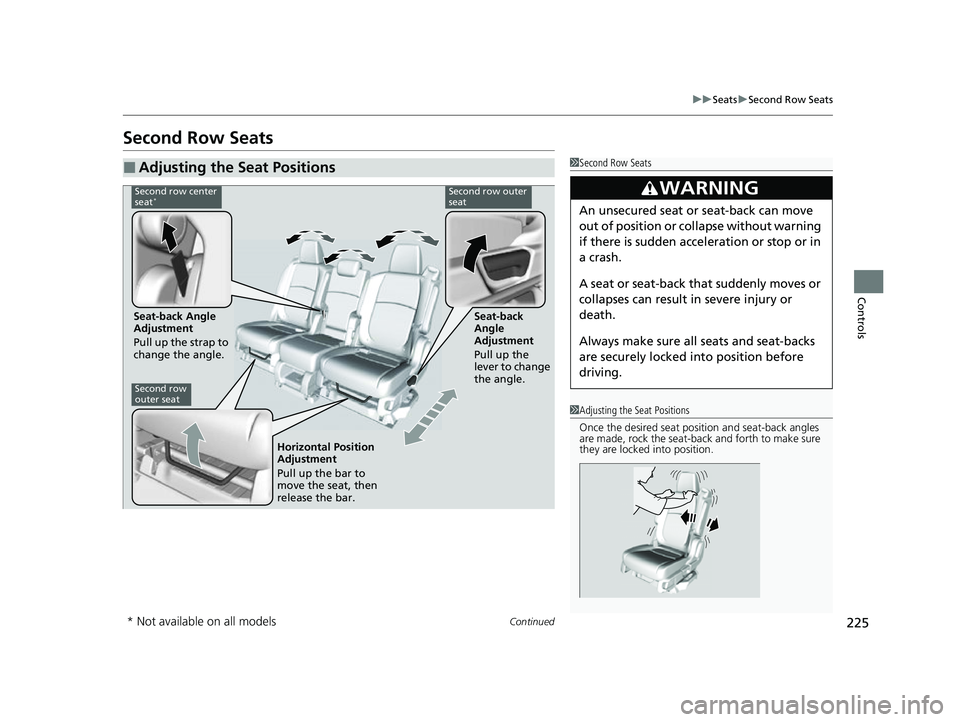
Second row center
seat*Second row outer
seat
Seat-back Angle
Adjustment
Pull up the strap to
change the angle. Seat-back
Angle
Adjustment
Pull up the
lever to change
the angle.
Second row
outer seat
Horizontal Position
Adjustment
Pull up the bar to
move the seat, then
release the bar.
* Not available on all models
22 US ODYSSEY-31THR6400.book 225 ページ 2020年11月16日 月曜日 午後1時41分
Page 228 of 782
Continued227
uuSeats uSecond Row Seats
Controls
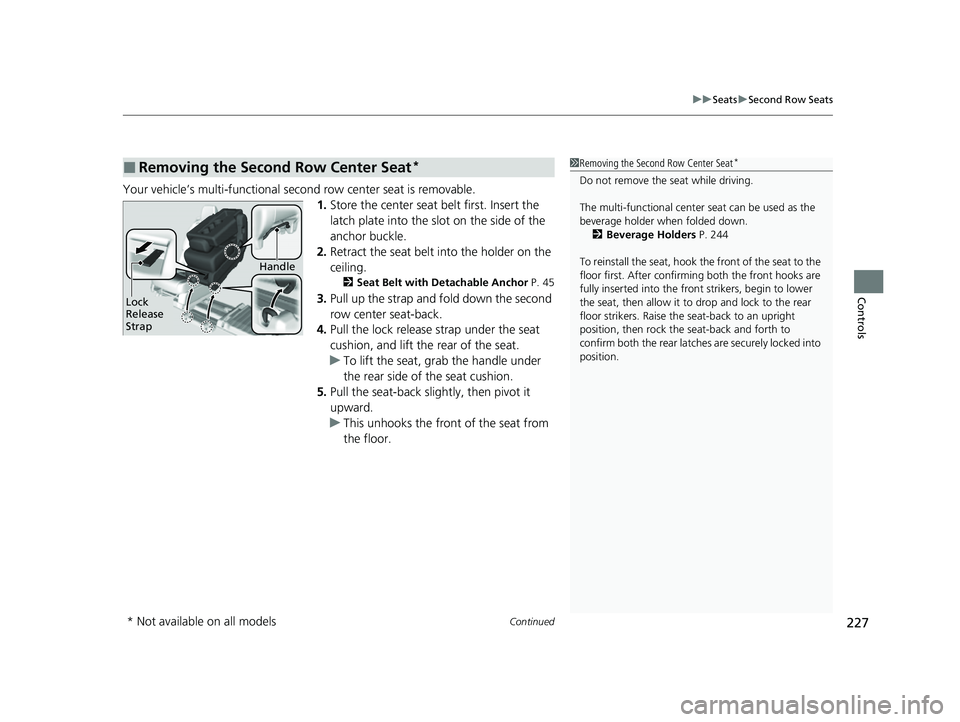
Your vehicle’s multi-functional second row center seat is removable.
1.Store the center seat belt first. Insert the
latch plate into the slot on the side of the
anchor buckle.
2. Retract the seat belt into the holder on the
ceiling.
2 Seat Belt with Detachable Anchor P. 45
3.Pull up the strap and fold down the second
row center seat-back.
4. Pull the lock release strap under the seat
cushion, and lift the rear of the seat.
u To lift the seat, gr ab the handle under
the rear side of the seat cushion.
5. Pull the seat-back slightly, then pivot it
upward.
u This unhooks the front of the seat from
the floor.
■Removing the Second Row Center Seat*1Removing the Second Row Center Seat*
Do not remove the seat while driving.
The multi-functional center seat can be used as the
beverage holder when folded down. 2 Beverage Holders P. 244
To reinstall the seat, hook the front of the seat to the
floor first. Afte r confirming both the front hooks are
fully inserted into the front strikers, begin to lower
the seat, then allow it to drop and lock to the rear
floor strikers. Raise the seat-back to an upright
position, then rock the seat-back and forth to
confirm both the rear latches are securely locked into
position.
Lock
Release
Strap
Handle
* Not available on all models
22 US ODYSSEY-31THR6400.book 227 ページ 2020年11月16日 月曜日 午後1時41分
Page 230 of 782
229
uuSeats uSecond Row Seats
Controls
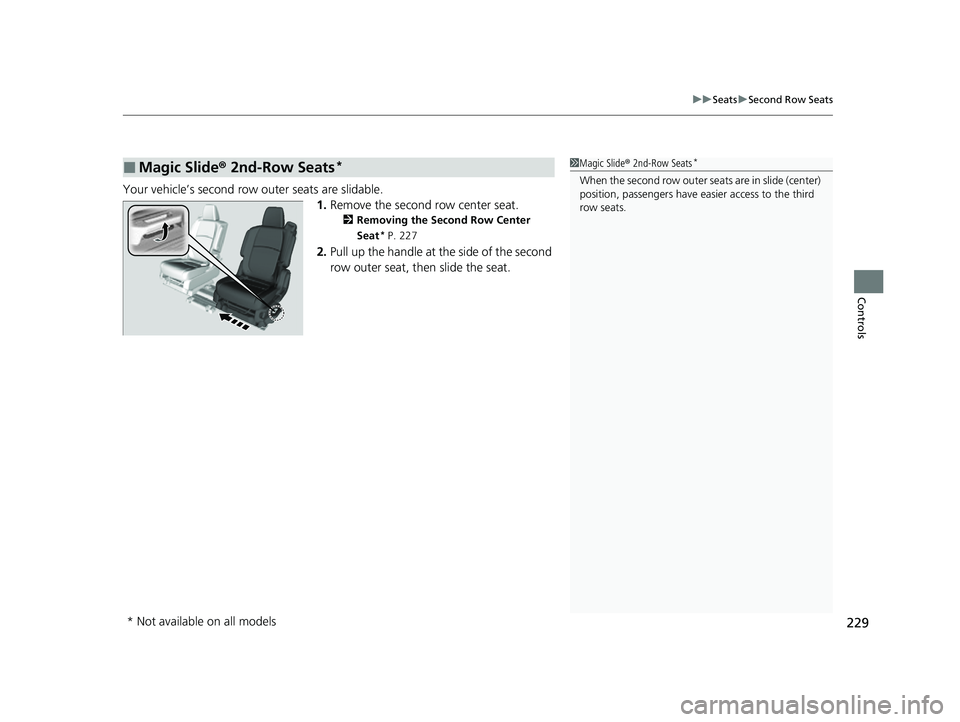
Your vehicle’s second row outer seats are slidable.
1.Remove the second row center seat.
2 Removing the Second Row Center
Seat
* P. 227
2.Pull up the handle at the side of the second
row outer seat, then slide the seat.
■Magic Slide® 2nd-Row Seats*1Magic Slide ® 2nd-Row Seats*
When the second row outer seats are in slide (center)
position, passengers have eas ier access to the third
row seats.
* Not available on all models
22 US ODYSSEY-31THR6400.book 229 ページ 2020年11月16日 月曜日 午後1時41分
Page 234 of 782
233
uuSeats uRear Seat Reminder
Controls
Rear Seat Reminder
This feature alerts you to th e possible presence of passengers or items in the second
row or third row seats before you exit the ve hicle. It activates when the vehicle is set
to VEHICLE OFF if the rear doors were open ed shortly before or after the vehicle was
set to ON.
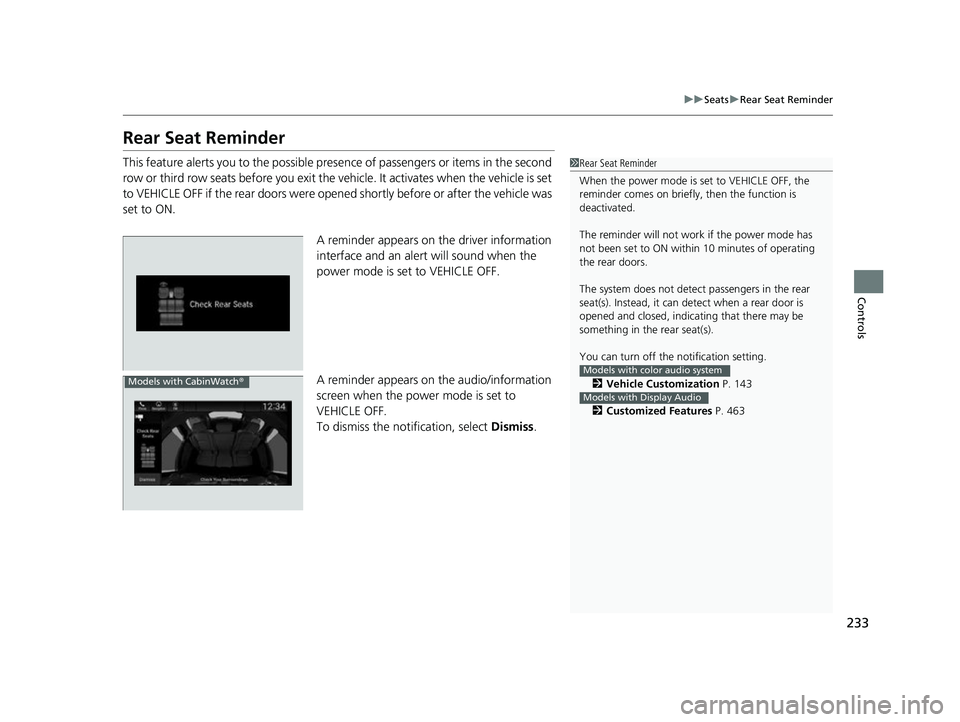
A reminder appears on the driver information
interface and an alert will sound when the
power mode is set to VEHICLE OFF.
A reminder appears on the audio/information
screen when the power mode is set to
VEHICLE OFF.
To dismiss the notification, select Dismiss.1Rear Seat Reminder
When the power mode is set to VEHICLE OFF, the
reminder comes on briefly, then the function is
deactivated.
The reminder will not work if the power mode has
not been set to ON within 10 minutes of operating
the rear doors.
The system does not detect passengers in the rear
seat(s). Instead, it can detect when a rear door is
opened and closed, indica ting that there may be
something in the rear seat(s).
You can turn off the notification setting.
2 Vehicle Customization P. 143
2 Customized Features P. 463
Models with color audio system
Models with Display Audio
Models with CabinWatch ®
22 US ODYSSEY-31THR6400.book 233 ページ 2020年11月16日 月曜日 午後1時41分