transmission fluid HONDA ODYSSEY 2022 Owners Manual
[x] Cancel search | Manufacturer: HONDA, Model Year: 2022, Model line: ODYSSEY, Model: HONDA ODYSSEY 2022Pages: 782, PDF Size: 27.17 MB
Page 110 of 782
109
uuIndicators uDriver Information Interface Wa rning and Information Messages
Continued
Instrument Panel
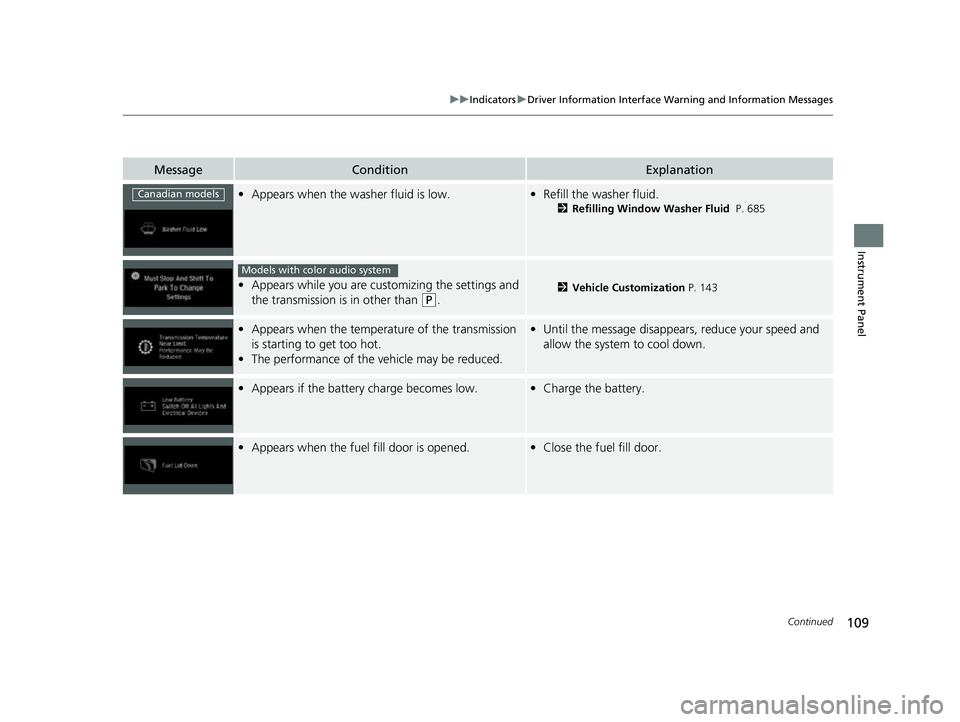
MessageConditionExplanation
•Appears when the washer fluid is low.•Refill the washer fluid.
2 Refilling Window Washer Fluid P. 685
•Appears while you are customizing the settings and
the transmission is in other than
(P.2 Vehicle Customization P. 143
•Appears when the temperature of the transmission
is starting to get too hot.
• The performance of the vehicle may be reduced.•Until the message disappears, reduce your speed and
allow the system to cool down.
•Appears if the battery charge becomes low.•Charge the battery.
•Appears when the fuel fill door is opened.•Close the fuel fill door.
Canadian models
Models with color audio system
22 US ODYSSEY-31THR6400.book 109 ページ 2020年11月16日 月曜日 午後1時41分
Page 557 of 782
556
uuWhen Driving uPrecautions While Driving
Driving
Precautions While Driving
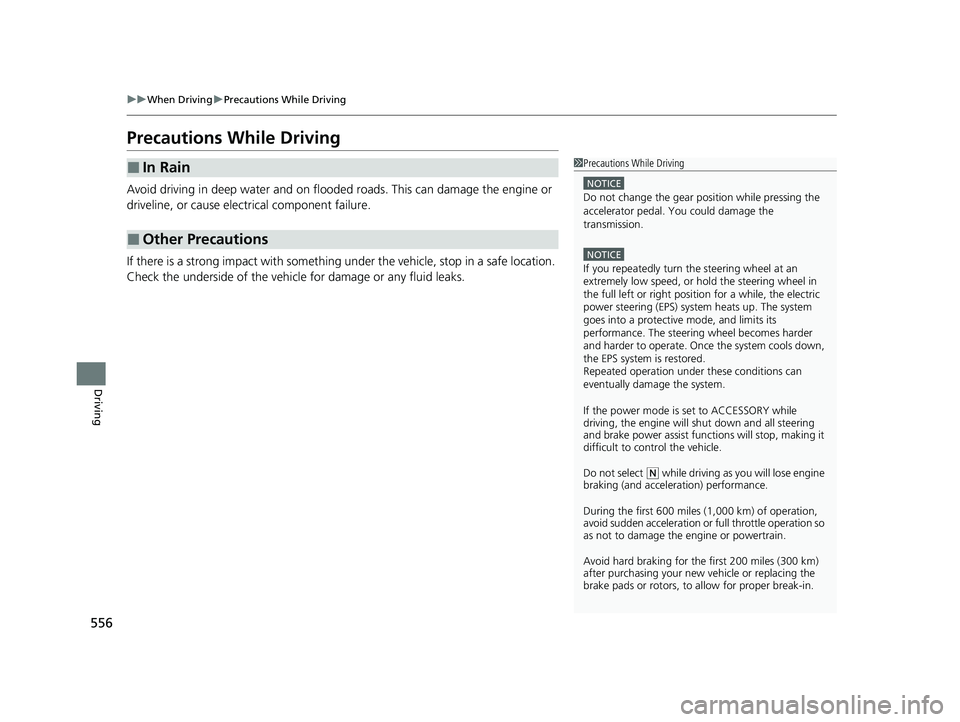
Avoid driving in deep water and on flooded roads. This can damage the engine or
driveline, or cause electrical component failure.
If there is a strong impact with something under the vehicle, stop in a safe location.
Check the underside of the vehicle for damage or any fluid leaks.
■In Rain
■Other Precautions
1 Precautions While Driving
NOTICE
Do not change the gear position while pressing the
accelerator pedal. You could damage the
transmission.
NOTICE
If you repeatedly turn the steering wheel at an
extremely low speed, or hold the steering wheel in
the full left or right position for a while, the electric
power steering (EPS) system heats up. The system
goes into a protective mode, and limits its
performance. The steering wheel becomes harder
and harder to operate. Once the system cools down,
the EPS system is restored.
Repeated operation under these conditions can
eventually damage the system.
If the power mode is set to ACCESSORY while
driving, the engine will shut down and all steering
and brake power assist functi ons will stop, making it
difficult to control the vehicle.
Do not select
( N while driving as you will lose engine
braking (and accelera tion) performance.
During the first 600 miles (1,000 km) of operation,
avoid sudden acceleration or full throttle operation so
as not to damage the engine or powertrain.
Avoid hard braking for the first 200 miles (300 km)
after purchasing your new vehicle or replacing the
brake pads or rotors, to allow for proper break-in.
22 US ODYSSEY-31THR6400.book 556 ページ 2020年11月16日 月曜日 午後1時41分
Page 569 of 782
uuWhen Driving uAuto Idle Stop
568
Driving
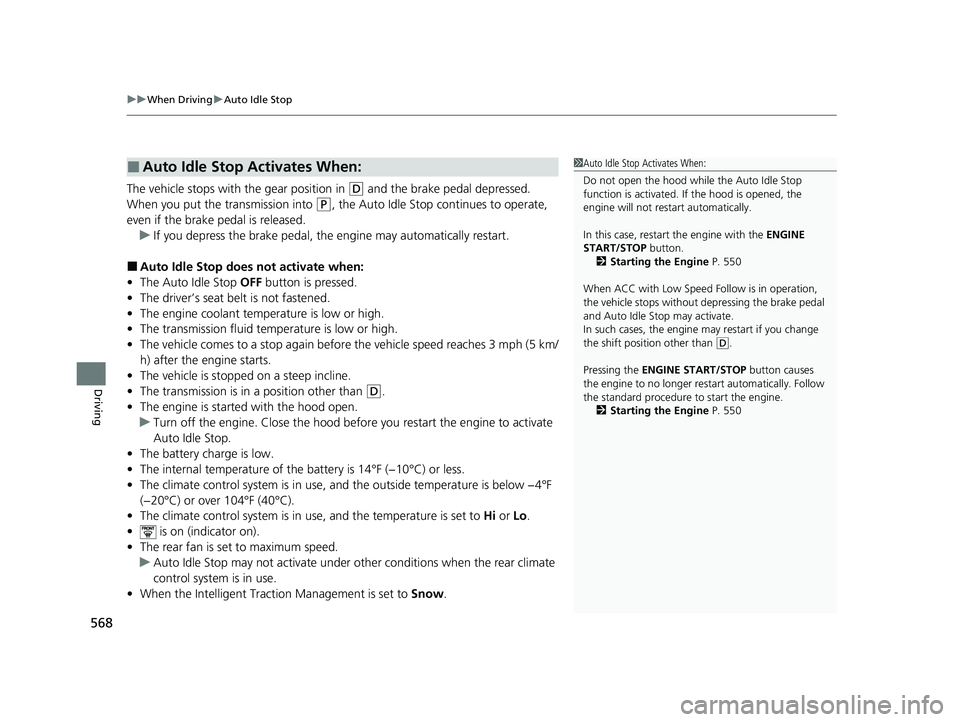
The vehicle stops with the gear position in (D and the brake pedal depressed.
When you put the transmission into
(P, the Auto Idle Stop continues to operate,
even if the brake pedal is released. u If you depress the brake pedal, the engine may automatically restart.
■Auto Idle Stop does not activate when:
• The Auto Idle Stop OFF button is pressed.
• The driver’s seat belt is not fastened.
• The engine coolant temperature is low or high.
• The transmission fluid temperature is low or high.
• The vehicle comes to a stop again before the vehicle speed reaches 3 mph (5 km/
h) after the engine starts.
• The vehicle is stopped on a steep incline.
• The transmission is in a position other than
(D.
• The engine is started with the hood open.
u Turn off the engine. Close the hood before you restart the engine to activate
Auto Idle Stop.
• The battery charge is low.
• The internal temperature of the battery is 14°F (−10°C) or less.
• The climate control system is in use, an d the outside temperature is below −4°F
(−20°C) or over 104°F (40°C).
• The climate control system is in us e, and the temperature is set to Hi or Lo.
• is on (indicator on).
• The rear fan is set to maximum speed.
u Auto Idle Stop may not ac tivate under other conditions when the rear climate
control system is in use.
• When the Intelligent Traction Management is set to Snow.
■Auto Idle Stop Activates When:1Auto Idle Stop Activates When:
Do not open the hood while the Auto Idle Stop
function is activated. If the hood is opened, the
engine will not re start automatically.
In this case, restart the engine with the ENGINE
START/STOP button.
2 Starting the Engine P. 550
When ACC with Low Speed Follow is in operation,
the vehicle stops without de pressing the brake pedal
and Auto Idle Stop may activate.
In such cases, the engine may restart if you change
the shift position other than
( D.
Pressing the ENGINE START/STOP button causes
the engine to no longer rest art automatically. Follow
the standard procedure to start the engine.
2 Starting the Engine P. 550
22 US ODYSSEY-31THR6400.book 568 ページ 2020年11月16日 月曜日 午後1時41分
Page 664 of 782
663
Maintenance
This chapter discusses basic maintenance.
Before Performing MaintenanceInspection and Maintenance ............ 664
Safety When Performing Maintenance .... 665
Parts and Fluids Used in Maintenance Service ........................................... 666
Maintenance Minder
TM..................... 667
Maintenance Under the Hood
Maintenance Items Un der the Hood .... 673
Opening the Hood ........................... 674
Recommended Engine Oil ................ 676
Oil Check ......................................... 677
Adding Engine Oil ............................ 678
Changing the Engine Oil and Oil Filter ..... 679
Engine Coolant ................................ 681
Transmission Fluid ............................ 683
Brake Fluid ....................................... 684
Refilling Window Washer Fluid......... 685
Replacing Light Bulbs ....................... 686
Checking and Maintaining Wiper Blades.... 693Checking and Maintaining Tires
Checking Tires ................................. 697
Tire and Loading Information Label ..... 698Tire Labeling .................................... 698DOT Tire Quality Grading (U.S. Vehicles) ...... 700Wear Indicators................................ 702 Tire Service Life ................................ 702
Tire and Wheel Replacement ........... 703
Tire Rotation .................................... 704
Winter Tires ..................................... 705
Battery ............................................... 706
Remote Transmitter Care ................. 708
Remote Control and Wireless Headphone Care
*........................... 709Climate Control System Maintenance.... 711Cleaning Interior Care .................................... 712
Exterior Care.................................... 715
Accessories and Modifications ........ 718
* Not available on all models
22 US ODYSSEY-31THR6400.book 663 ページ 2020年11月16日 月曜日 午後1時41分
Page 671 of 782
670
uuMaintenance MinderTMuTo Use Maintenance MinderTM
Maintenance
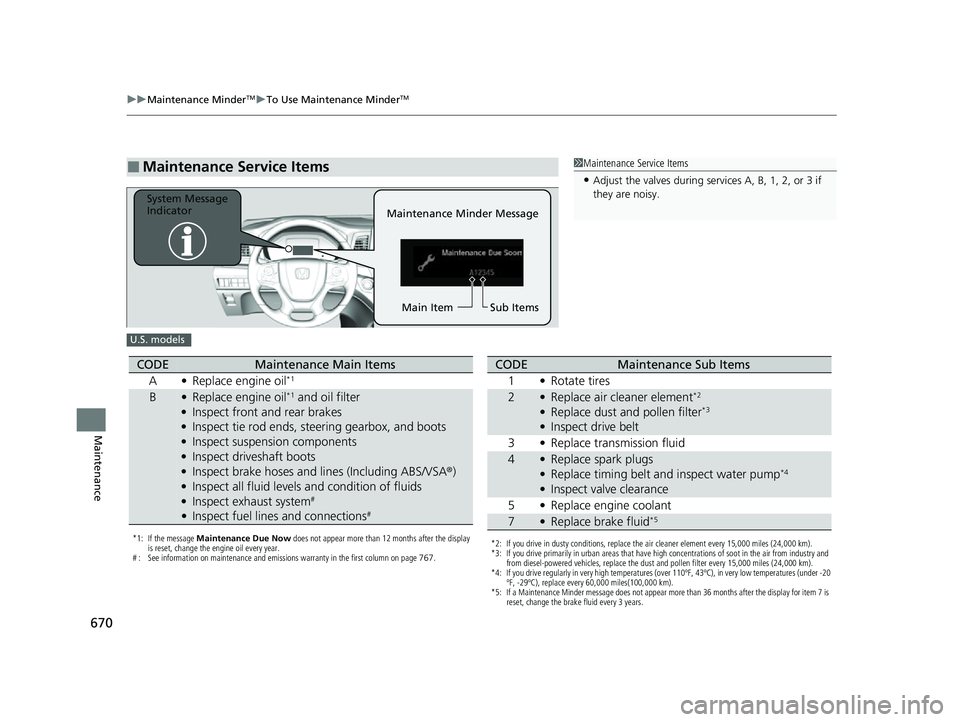
■Maintenance Service Items1Maintenance Service Items
•Adjust the valves during services A, B, 1, 2, or 3 if
they are noisy.
Maintenance Minder Message
System Message
Indicator
Sub Items
Main Item
U.S. models
*1: If the message Maintenance Due Now does not appear more than 12 months after the display
is reset, change the engine oil every year.
# : See information on maintenance and emissions warranty in the first column on page 767.
CODEMaintenance Main Items
A •Replace engine oil*1
B•Replace engine oil*1 and oil filter
• Inspect front and rear brakes
• Inspect tie rod ends, steering gearbox, and boots
• Inspect suspension components
• Inspect driveshaft boots
• Inspect brake hoses and li nes (Including ABS/VSA®)
• Inspect all fluid levels and condition of fluids
• Inspect exhaust system
#
•Inspect fuel lines and connections#
*2: If you drive in dusty conditions, replace the air cleaner element every 15,000 miles (24,000 km).
*3: If you drive primarily in urban areas that have high concentrations of soot in the air from industry and
from diesel-powered vehicles, replace the dust and pollen filter every 15,000 miles (24,000 km).
*4: If you drive regularly in very high temperatures (over 110ºF, 43ºC), in very low temperatures (under -20 ºF, -29ºC), replace every 60,000 miles(100,000 km).
*5: If a Maintenance Minder message does not appear more than 36 months after the display for item 7 is reset, change the brake fluid every 3 years.
CODEMaintenance Sub Items
1 •Rotate tires
2•Replace air cleaner element*2
•Replace dust and pollen filter*3
•Inspect drive belt
3 •Replace transmission fluid
4•Replace spark plugs
• Replace timing belt and inspect water pump*4
•Inspect valve clearance
5 •Replace engine coolant
7•Replace brake fluid*5
22 US ODYSSEY-31THR6400.book 670 ページ 2020年11月16日 月曜日 午後1時41分
Page 672 of 782
671
uuMaintenance MinderTMuTo Use Maintenance MinderTM
Continued
Maintenance
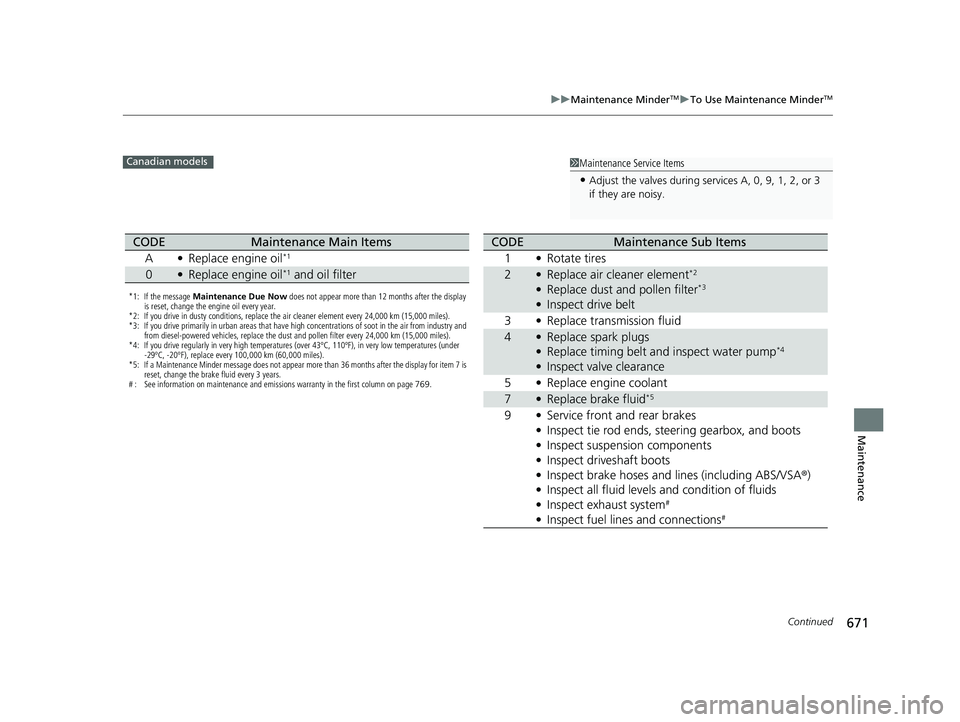
1Maintenance Service Items
•Adjust the valves during services A, 0, 9, 1, 2, or 3
if they are noisy.
Canadian models
*1: If the message Maintenance Due Now does not appear more than 12 months after the display
is reset, change the engine oil every year.
*2: If you drive in dusty conditions, replace the air cleaner element every 24,000 km (15,000 miles).
*3: If you drive primarily in urban areas that have high concentrations of soot in the air from industry and from diesel-powered vehicles, replace the dust and pollen filter every 24,000 km (15,000 miles).
*4: If you drive regularly in very high temperatures (over 43ºC, 110ºF), in very low temperatures (under -29ºC, -20ºF), replace every 100,000 km (60,000 miles).
*5: If a Maintenance Minder message does not appear more than 36 months after the display for item 7 is reset, change the brake fluid every 3 years.
# : See information on maintenance and emissions warranty in the first column on page 769.
CODEMaintenance Main Items
A •Replace engine oil*1
0•Replace engine oil*1 and oil filter
CODEMaintenance Sub Items
1 •Rotate tires
2•Replace air cleaner element*2
•Replace dust and pollen filter*3
•Inspect drive belt
3 •Replace transmission fluid
4•Replace spark plugs
• Replace timing belt and inspect water pump*4
•Inspect valve clearance
5 •Replace engine coolant
7•Replace brake fluid*5
9 •Service front and rear brakes
• Inspect tie rod ends, steering gearbox, and boots
• Inspect suspension components
• Inspect driveshaft boots
• Inspect brake hoses and lines (including ABS/VSA ®)
• Inspect all fluid levels and condition of fluids
• Inspect exhaust system
#
•Inspect fuel lines and connections#
22 US ODYSSEY-31THR6400.book 671 ページ 2020年11月16日 月曜日 午後1時41分
Page 684 of 782
683
uuMaintenance Under the Hood uTransmission Fluid
Maintenance
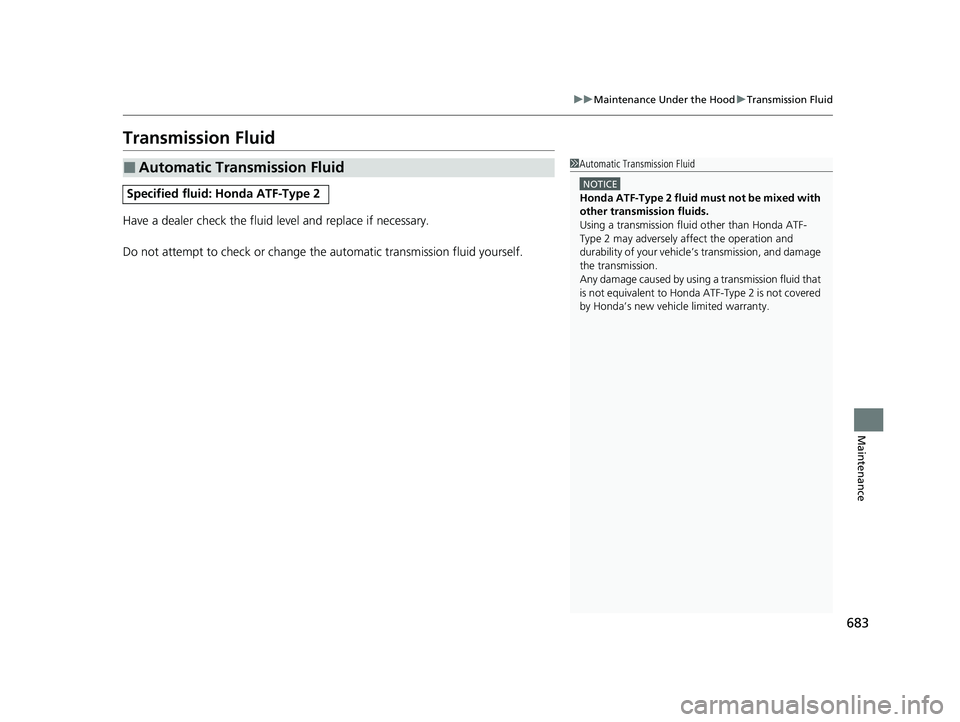
Transmission Fluid
Have a dealer check the fluid level and replace if necessary.
Do not attempt to check or change th e automatic transmission fluid yourself.
■Automatic Transmission Fluid
Specified fluid: Honda ATF-Type 2
1Automatic Transmission Fluid
NOTICE
Honda ATF-Type 2 fluid must not be mixed with
other transmission fluids.
Using a transmission flui d other than Honda ATF-
Type 2 may adversely affect the operation and
durability of your vehicle’ s transmission, and damage
the transmission.
Any damage caused by using a transmission fluid that
is not equivalent to Honda ATF-Type 2 is not covered
by Honda’s new vehicle limited warranty.
22 US ODYSSEY-31THR6400.book 683 ページ 2020年11月16日 月曜日 午後1時41分
Page 717 of 782
uuCleaning uExterior Care
716
Maintenance
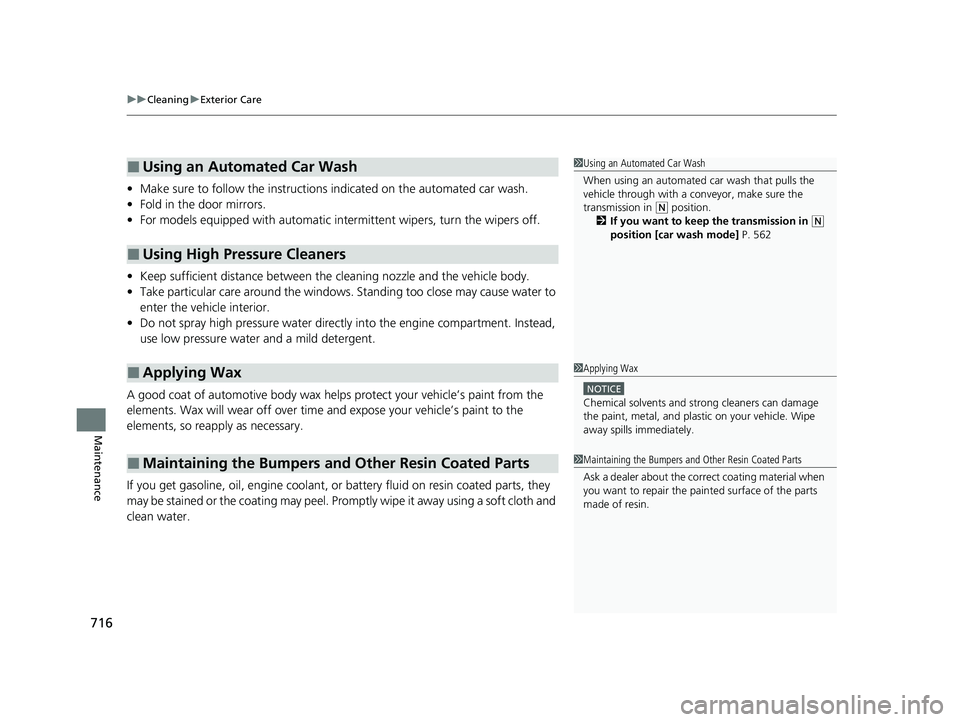
• Make sure to follow the instructions indicated on the automated car wash.
• Fold in the door mirrors.
• For models equipped with automatic inte rmittent wipers, turn the wipers off.
• Keep sufficient distance between the cleaning nozzl e and the vehicle body.
• Take particular care around the windows. St anding too close may cause water to
enter the vehicle interior.
• Do not spray high pressure water directly into the engine compartment. Instead,
use low pressure water and a mild detergent.
A good coat of automotive body wax helps protect your vehicle’s paint from the
elements. Wax will wear off over time and expose your vehicle’s paint to the
elements, so reapply as necessary.
If you get gasoline, oil, engine coolant, or battery fluid on resin coated parts, they
may be stained or the coating may peel. Prom ptly wipe it away using a soft cloth and
clean water.
■Using an Automated Car Wash
■Using High Pressure Cleaners
■Applying Wax
■Maintaining the Bumpers and Other Resin Coated Parts
1 Using an Automated Car Wash
When using an automated car wash that pulls the
vehicle through with a c onveyor, make sure the
transmission in
( N position.
2 If you want to keep the transmission in
(N
position [car wash mode] P. 562
1Applying Wax
NOTICE
Chemical solvents and st rong cleaners can damage
the paint, metal, and plasti c on your vehicle. Wipe
away spills immediately.
1 Maintaining the Bumpers an d Other Resin Coated Parts
Ask a dealer about the corr ect coating material when
you want to repair the painted surface of the parts
made of resin.
22 US ODYSSEY-31THR6400.book 716 ページ 2020年11月16日 月曜日 午後1時41分
Page 742 of 782
741
uuIndicator, Comi ng On/BlinkinguIf the Brake System Indicator (Red) Comes On or Blinks
Handling the Unexpected
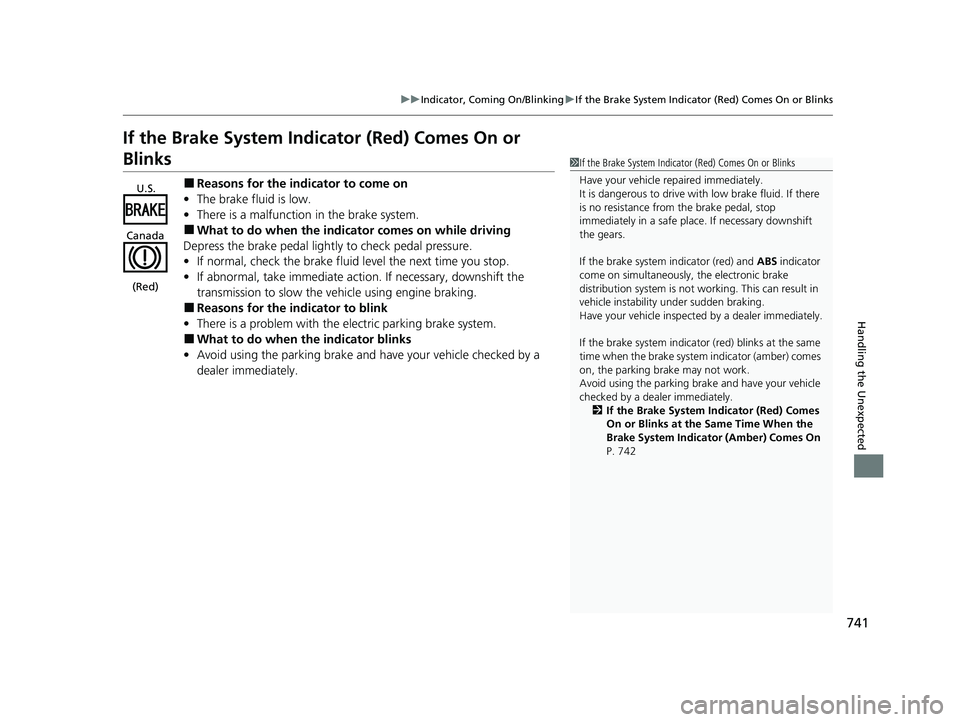
If the Brake System Indicator (Red) Comes On or
Blinks
■Reasons for the indicator to come on
• The brake fluid is low.
• There is a malfunction in the brake system.
■What to do when the indicator comes on while driving
Depress the brake pedal lightly to check pedal pressure.
• If normal, check the brake fluid level the next time you stop.
• If abnormal, take immediate acti on. If necessary, downshift the
transmission to slow the vehicle using engine braking.
■Reasons for the indicator to blink
• There is a problem with the electric parking brake system.
■What to do when the indicator blinks
• Avoid using the parking brake and have your vehicle checked by a
dealer immediately.
1If the Brake System Indicator (Red) Comes On or Blinks
Have your vehicle re paired immediately.
It is dangerous to drive with low brake fluid. If there
is no resistance from the brake pedal, stop
immediately in a safe plac e. If necessary downshift
the gears.
If the brake system indicator (red) and ABS indicator
come on simultaneously , the electronic brake
distribution system is not wo rking. This can result in
vehicle instability under sudden braking.
Have your vehicle inspecte d by a dealer immediately.
If the brake system indicator (red) blinks at the same
time when the brake system indicator (amber) comes
on, the parking br ake may not work.
Avoid using the parking brak e and have your vehicle
checked by a dealer immediately.
2 If the Brake System Indicator (Red) Comes
On or Blinks at the Same Time When the
Brake System Indicator (Amber) Comes On
P. 742
U.S.
Canada
(Red)
22 US ODYSSEY-31THR6400.book 741 ページ 2020年11月16日 月曜日 午後1時41分
Page 774 of 782
773
Index
Automatic Brake Hold SystemIndicator ................................................... 91
Automatic Operation (automatic lighting control) ................................................... 203
Automatic Transmission .......................... 557
Creeping................................................. 557
Fluid ....................................................... 683
Kickdown ............................................... 557
Shift Operation ....................................... 560
Shifting ................................................... 558
Auxiliary Input Jack ................................. 277
Average Fuel Economy ............................ 133
B
Battery...................................................... 706
Charging System Indicator ................ 92, 740
If the Battery Is Dead............................... 735
Maintenance (Checking the Battery) ....... 706
Maintenance (Replacing) ................. 708, 709
Belts (Seat) .................................................. 40
Beverage Holders ..................................... 244
Blank ......................................................... 139
Blind spot information System ................ 581
Bluetooth ® Audio ............................. 297, 360
Bluetooth ® HandsFreeLink ®........... 485, 510
Blu-ray/DVD Rear Entertainment
System ..................................................... 409
Audio Sources for Front and Rear Seats... 430
Auxiliary Console Panels.......................... 411
DVD or Blu-ray
TM Player Error Messages... 455 Front Control Panel Operation ................. 422
HDMI
TM Port ............................................ 412
How Much Farther?TM.............................. 429
Media Servers .......................................... 429
Operating the System .............................. 413
Overhead Screen ..................................... 412
Playable Disc Region Codes ..................... 453
Playable Disc Types .................................. 453
Playable Discs .......................................... 431
Playing a Disc in the Rear ......................... 427
Playing a DVD/Blu-ray
TM........................... 416
Playing a Video Using the HDMITM........... 428
Playing an iPod and a USB Flash Drive in the Rear....................................................... 427
Playing Apps ............................................ 425
Rear DVD or Blu-ray
TM Menu .................... 417
Rear System Setup ................................... 423
Recommended Discs ................................ 454
Selecting the Audio Sour ce using Front Control
Panel ..................................................... 422
Setting the DVD or Blu-ray
TM Menu .......... 424
System Controls .............................. 416, 426
System Settings ....................................... 420
Video Accessibility ................................... 414
Wireless Headphones .............................. 410
Booster Seats (For Children) ...................... 84
Brake System ............................................. 638
Anti-lock Brake System (ABS) ................... 644
Brake Assist System ................................. 645
Fluid ........................................................ 684
Foot Brake ............................................... 641 Indicator (Amber) ........................ 89, 90, 742
Indicator (Red) ........................... 88, 741, 742
Parking Brake .......................................... 638
Brightness Control (Instrument Panel) .... 215
Built-in Key ............................................... 157
Bulb Replacement .................................... 686
Back-Up Lights/Taillights .......................... 691
Brake, Rear Turn Signal Lights, and Rear Side
Marker/Taillights .................................... 689
Front Side Marker Lights.......................... 688
Front Turn Signal Lights ........................... 687
High-Mount Brake Light .......................... 692
Parking/Daytime Running Lights .............. 686
Rear License Plate Light ........................... 692
Side Turn Signal/Emergency Indicator Lights .................................................... 688
Bulb Specifications ................................... 760
C
CabinTalk®.............................................. 536
CabinWatch ®........................................... 535
Car Wash Mode ........................................ 562
Carbon Monoxide Gas ............................... 85
Cargo Hooks ............................................. 247
Carrying Cargo ................................. 539, 541
CD Player ................................................... 347
Center Pocket ........................................... 243
Certification Label .................................... 762
Changing Bulbs ........................................ 686
Charging System Indicator ................. 92, 740
22 US ODYSSEY-31THR6400.book 773 ページ 2020年11月16日 月曜日 午後1時41分