cruise control HONDA ODYSSEY 2023 User Guide
[x] Cancel search | Manufacturer: HONDA, Model Year: 2023, Model line: ODYSSEY, Model: HONDA ODYSSEY 2023Pages: 707, PDF Size: 23.9 MB
Page 465 of 707
463
Driving
This chapter discusses driving and refueling.
Before DrivingDriving Preparation .......................... 464
Maximum Load Limit........................ 467
Towing a Trailer
Towing Preparation .......................... 470
Driving Safely with a Trailer .............. 474
Towing Behind a Motorhome .......... 475
When Driving
Starting the Engine .......................... 476
Precautions While Driving................. 482
Automatic Transmission ................... 483
Shifting ............................................ 484
Auto Idle Stop .................................. 492
ECON Button ................................... 497 Intelligent Traction Management ..... 498Vehicle Stability AssistTM (VSA®), aka Electronic
Stability Control (ESC), System .............. 499
Agile Handling Assist ....................... 501
Tire Pressure Monitoring System (TPMS) with Tire Fill Assist .......................... 502
Tire Pressure Monitoring System (TPMS) - Required Federal Explanation ......... 504
Blind spot information System.......... 506
Honda Sensing ®................................ 509
Collision Mitigation Braking SystemTM (CMBSTM) .... 512Adaptive Cruise Control (ACC) with Low Speed Follow ....... 523Lane Keeping Assist System (LKAS) .. 539Road Departure Mitigation (RDM) System.... 548Traffic Sign Recognition System ....... 553 Front Sensor Camera ....................... 558
Radar Sensor ................................... 560
Braking Brake System ................................... 561
Anti-lock Brake System (ABS) ........... 567
Brake Assist System ......................... 568
Parking Your Vehicle When Stopped ................................ 569
Parking Sensor System
*................... 571
Cross Traffic Monitor ....................... 576
Multi-View Rear Camera .................. 580
Refueling
Fuel Information .............................. 582
How to Refuel ................................. 583
Fuel Economy and CO
2 Emissions .... 585
* Not available on all models
23 US ODYSSEY-31THR6500.book 463 ページ 2022年1月24日 月曜日 午前11時35分
Page 499 of 707
497
uuWhen Driving uECON Button
Driving
ECON Button
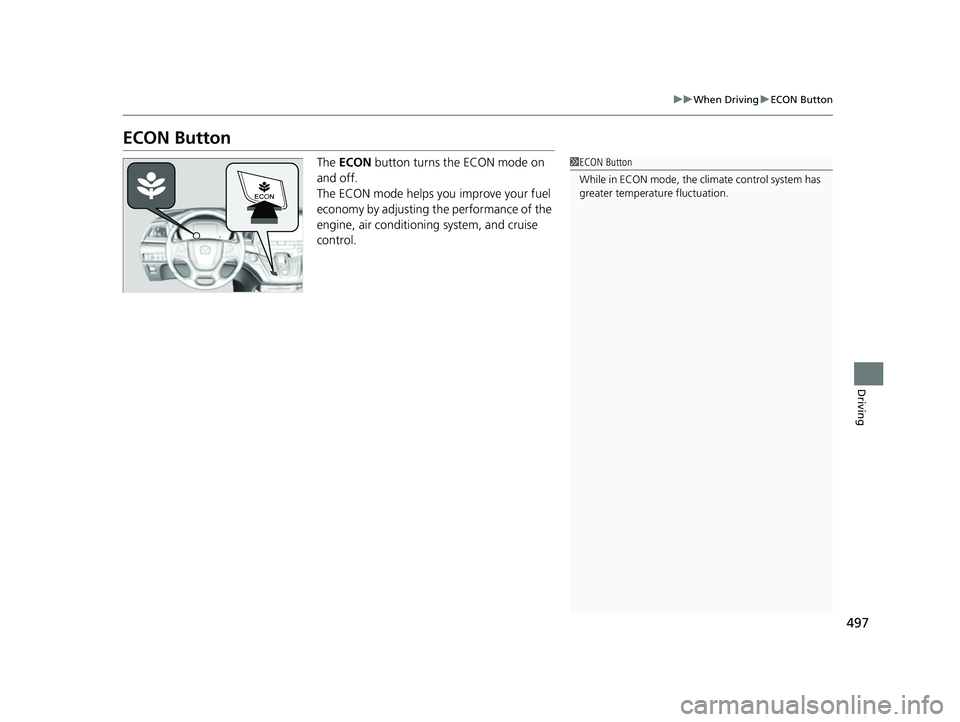
The ECON button turns the ECON mode on
and off.
The ECON mode helps you improve your fuel
economy by adjusting the performance of the
engine, air conditioning system, and cruise
control.1 ECON Button
While in ECON mode, the climate control system has
greater temperature fluctuation.
23 US ODYSSEY-31THR6500.book 497 ページ 2022年1月24日 月曜日 午前11時35分
Page 511 of 707
509Continued
Driving
Honda Sensing®
Honda Sensing® is a driver support system which employs the use of two distinctly
different kinds of sensors: a radar sensor located inside the front grille and a front
sensor camera mounted to the interior side of the windshield, behind the rearview
mirror.
Honda Sensing ® has following functions.
■The functions which do not requir e switch operations to activate
• Collision Mitigation Braking SystemTM (CMBSTM) 2 P. 512
• Road Departure Mitigation (RDM) System 2 P. 548
• Traffic Sign Recognition System 2 P. 553
■The functions wh ich require switch operations to activate
• Adaptive Cruise Control ( ACC) with Low Speed Follow
2 P. 523
• Lane Keeping Assist System (LKAS) 2 P. 539
23 US ODYSSEY-31THR6500.book 509 ページ 2022年1月24日 月曜日 午前11時35分
Page 525 of 707
523
uuHonda Sensing ®u Adaptive Cruise Control (ACC) with Low Speed Follow
Continued
Driving
Adaptive Cruise Control (ACC) with Low Speed
Follow
Helps maintain a constant vehicle speed and a set following-interval behind a vehicle
detected ahead of yours and, if the detect ed vehicle comes to a stop, can decelerate
and stop your ve hicle, without you having to keep your foot on the brake or the
accelerator.
When ACC with Low Speed Follo w slows your vehicle by applying the brakes, your
vehicle’s brake lights will illuminate.
1 Adaptive Cruise Control (ACC) with Low Speed Follow
Important Reminder
As with any system, there are limits to ACC with Low
Speed Follow. Use the brake pedal whenever
necessary, and always keep a safe interval between
your vehicle and other vehicles.
3WARNING
Improper use of ACC with Low Speed
Follow can lead to a crash.
Use ACC with Low Speed Follow only when
driving on expressways or freeways and in
good road and weather conditions.
3WARNING
ACC with Low Speed Follow has limited
braking capability and may not stop your
vehicle in time to avoid a collision with a
vehicle that quickly stops in front of you.
Always be prepared to apply the brake
pedal if the conditions require.
When to use
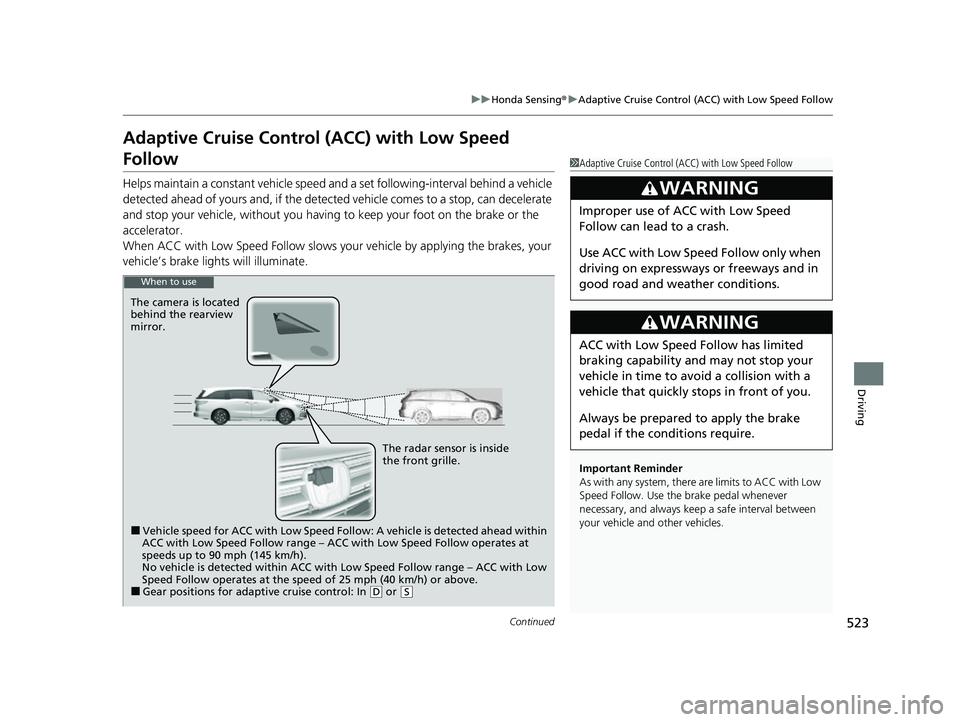
The camera is located
behind the rearview
mirror.
The radar sensor is inside
the front grille.
■Vehicle speed for ACC with Low Speed Follow: A vehicle is detected ahead within
ACC with Low Speed Follow range – ACC with Low Speed Follow operates at
speeds up to 90 mph (145 km/h).
No vehicle is detected within ACC with Low Speed Follow range – ACC with Low
Speed Follow operates at the speed of 25 mph (40 km/h) or above.
■Gear positions for adaptive cruise control: In ( D or (S
23 US ODYSSEY-31THR6500.book 523 ページ 2022年1月24日 月曜日 午前11時35分
Page 526 of 707
uuHonda Sensing ®u Adaptive Cruise Control (ACC) with Low Speed Follow
524
Driving
■How to activate the system1Adaptive Cruise Control (ACC) with Low Speed Follow
For directions on the prop er handling of the radar
sensor, refer to the following page.
2 Radar Sensor P. 560
You can read about handling information for the
camera equipped with this system. 2 Front Sensor Camera P. 558
The radar sensor for ACC with Low Speed Follow is
shared with the Collision Mitigation Braking System
TM
(CMBSTM).
2 Collision Mitigation Braking SystemTM
(CMBSTM) P. 512
ACC with Low Speed Follow may not work properly
under certain conditions.
2 ACC with Low Speed Follow Conditions
and Limitations P. 530
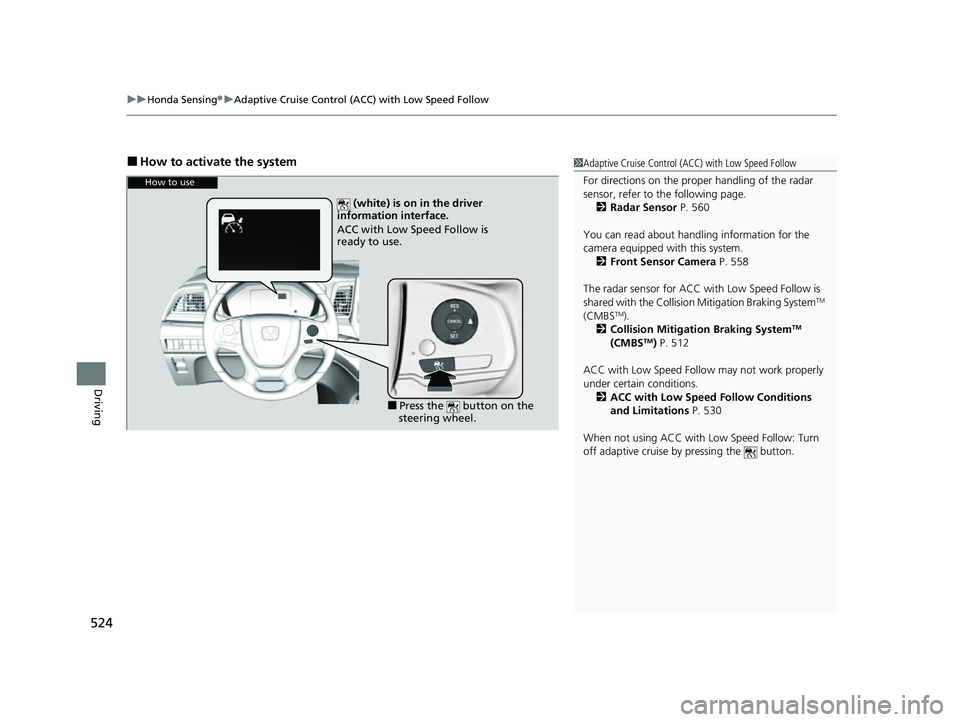
When not using ACC with Low Speed Follow: Turn
off adaptive cruise by pressing the button.
How to use
(white) is on in the driver
information interface.
ACC with Low Speed Follow is
ready to use.
■Press the button on the
steering wheel.
23 US ODYSSEY-31THR6500.book 524 ページ 2022年1月24日 月曜日 午前11時35分
Page 527 of 707
Continued525
uuHonda Sensing ®u Adaptive Cruise Control (ACC) with Low Speed Follow
Driving
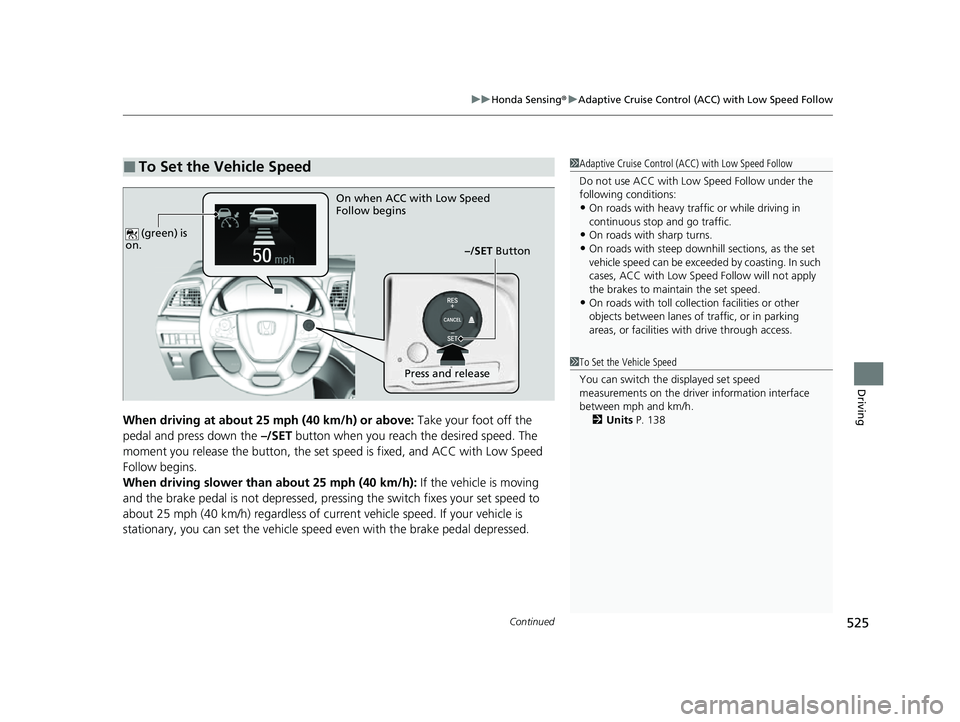
When driving at about 25 mph (40 km/h) or above: Take your foot off the
pedal and press down the –/SET button when you reach the desired speed. The
moment you release the button, the set sp eed is fixed, and ACC with Low Speed
Follow begins.
When driving slower than about 25 mph (40 km/h): If the vehicle is moving
and the brake pedal is not depressed, pressing the switch fixes your set speed to
about 25 mph (40 km/h) regardless of current vehicle speed. If your vehicle is
stationary, you can set the vehicle speed even with the brake pedal depressed.
■To Set the Vehicle Speed1 Adaptive Cruise Control (ACC) with Low Speed Follow
Do not use ACC with Low Speed Follow under the
following conditions:
•On roads with heavy traf fic or while driving in
continuous stop and go traffic.
•On roads with sharp turns.•On roads with steep downhill sections, as the set
vehicle speed can be exceeded by coasting. In such
cases, ACC with Low Speed Follow will not apply
the brakes to maintain the set speed.
•On roads with toll collection facilities or other
objects between lanes of traffic, or in parking
areas, or faci lities with driv e through access.
On when ACC with Low Speed
Follow begins
–/SET Button
Press and release
(green) is
on.1 To Set the Vehicle Speed
You can switch the displayed set speed
measurements on the driver information interface
between mph and km/h.
2 Units P. 138
23 US ODYSSEY-31THR6500.book 525 ページ 2022年1月24日 月曜日 午前11時35分
Page 528 of 707
526
uuHonda Sensing ®u Adaptive Cruise Control (ACC) with Low Speed Follow
Driving
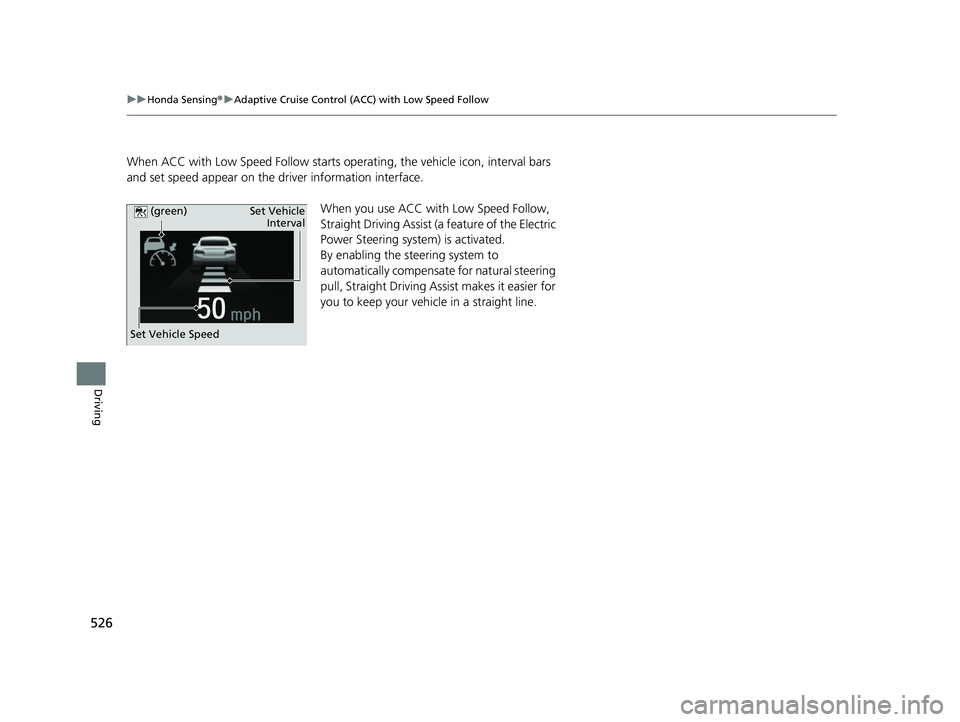
When ACC with Low Speed Follow starts ope rating, the vehicle icon, interval bars
and set speed appear on the driver information interface.
When you use ACC with Low Speed Follow,
Straight Driving Assist (a feature of the Electric
Power Steering system) is activated.
By enabling the steering system to
automatically compensate for natural steering
pull, Straight Driving Assist makes it easier for
you to keep your vehicl e in a straight line.
Set Vehicle Speed Set Vehicle
Interval
(green)
23 US ODYSSEY-31THR6500.book 526 ページ 2022年1月24日 月曜日 午前11時35分
Page 529 of 707
Continued527
uuHonda Sensing ®u Adaptive Cruise Control (ACC) with Low Speed Follow
Driving
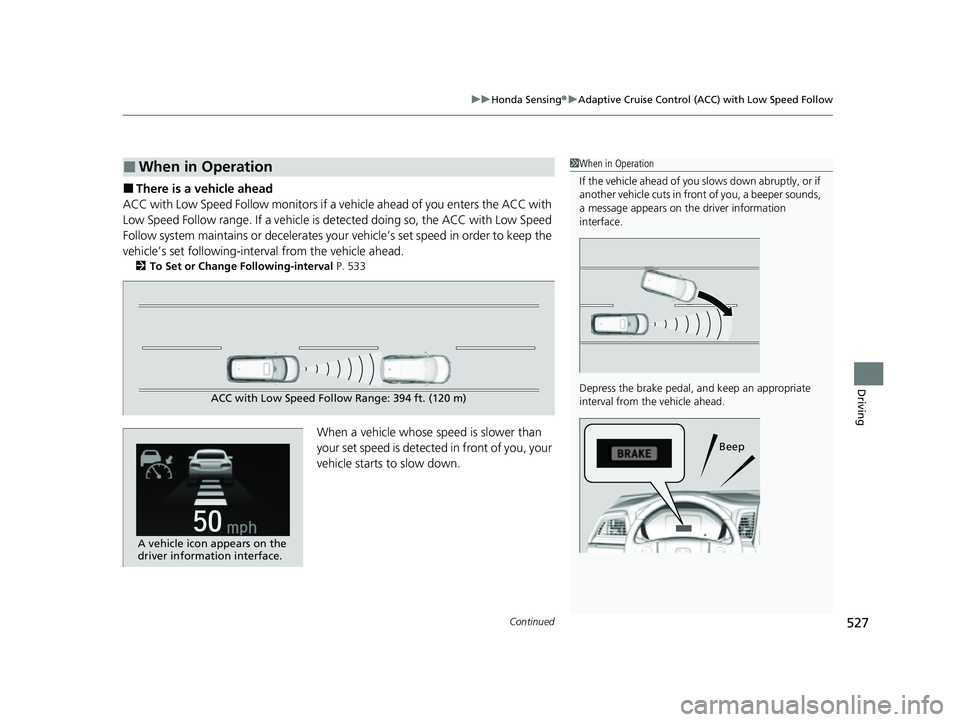
■There is a vehicle ahead
ACC with Low Speed Follow m onitors if a vehicle ahead of you enters the ACC with
Low Speed Follow range. If a vehicle is de tected doing so, the ACC with Low Speed
Follow system maintains or decelerates your vehicle’s set speed in order to keep the
vehicle’s set following-interval from the vehicle ahead.
2 To Set or Change Following-interval P. 533
When a vehicle whose speed is slower than
your set speed is detected in front of you, your
vehicle starts to slow down.
■When in Operation1 When in Operation
If the vehicle ahead of you slows down abruptly, or if
another vehicle cuts in front of you, a beeper sounds,
a message appears on th e driver information
interface.
Depress the brake pedal, and keep an appropriate
interval from the vehicle ahead.
Beep
ACC with Low Speed Follow Range: 394 ft. (120 m)
A vehicle icon appears on the
driver information interface.
23 US ODYSSEY-31THR6500.book 527 ページ 2022年1月24日 月曜日 午前11時35分
Page 530 of 707
uuHonda Sensing ®u Adaptive Cruise Control (ACC) with Low Speed Follow
528
Driving
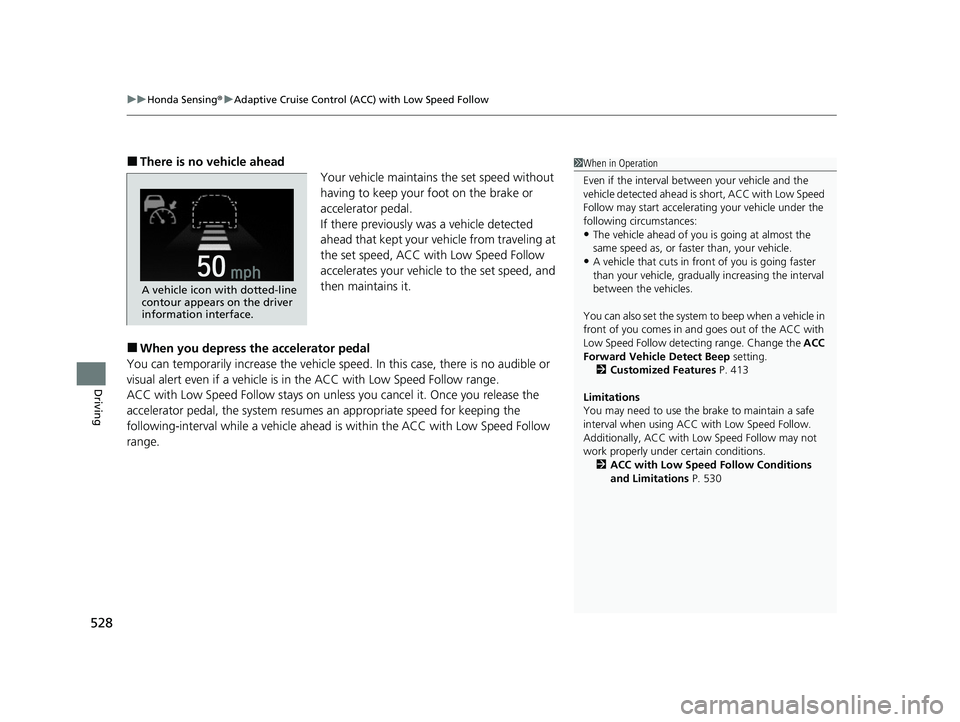
■There is no vehicle ahead
Your vehicle maintains the set speed without
having to keep your foot on the brake or
accelerator pedal.
If there previously was a vehicle detected
ahead that kept your vehicle from traveling at
the set speed, ACC with Low Speed Follow
accelerates your vehicle to the set speed, and
then maintains it.
■When you depress the accelerator pedal
You can temporarily increase th e vehicle speed. In this case, there is no audible or
visual alert even if a vehicle is in the ACC with Low Speed Follow range.
ACC with Low Speed Follow stays on unless you cancel it. Once you release the
accelerator pedal, the system resume s an appropriate speed for keeping the
following-interval wh ile a vehicle ahead is within the ACC with Low Speed Follow
range.
1 When in Operation
Even if the interval betw een your vehicle and the
vehicle detected ahead is short, ACC with Low Speed
Follow may start accelerati ng your vehicle under the
following circumstances:
•The vehicle ahead of you is going at almost the
same speed as, or faster than, your vehicle.
•A vehicle that cuts in front of you is going faster
than your vehicle, gradua lly increasing the interval
between the vehicles.
You can also set the system to beep when a vehicle in
front of you comes in and goes out of the ACC with
Low Speed Follow detect ing range. Change the ACC
Forward Vehicle Detect Beep setting.
2 Customized Features P. 413
Limitations
You may need to use the brake to maintain a safe
interval when using ACC with Low Speed Follow.
Additionally, ACC with Lo w Speed Follow may not
work properly under certain conditions.
2 ACC with Low Speed Follow Conditions
and Limitations P. 530
A vehicle icon with dotted-line
contour appears on the driver
information interface.
23 US ODYSSEY-31THR6500.book 528 ページ 2022年1月24日 月曜日 午前11時35分
Page 531 of 707
Continued529
uuHonda Sensing ®u Adaptive Cruise Control (ACC) with Low Speed Follow
Driving
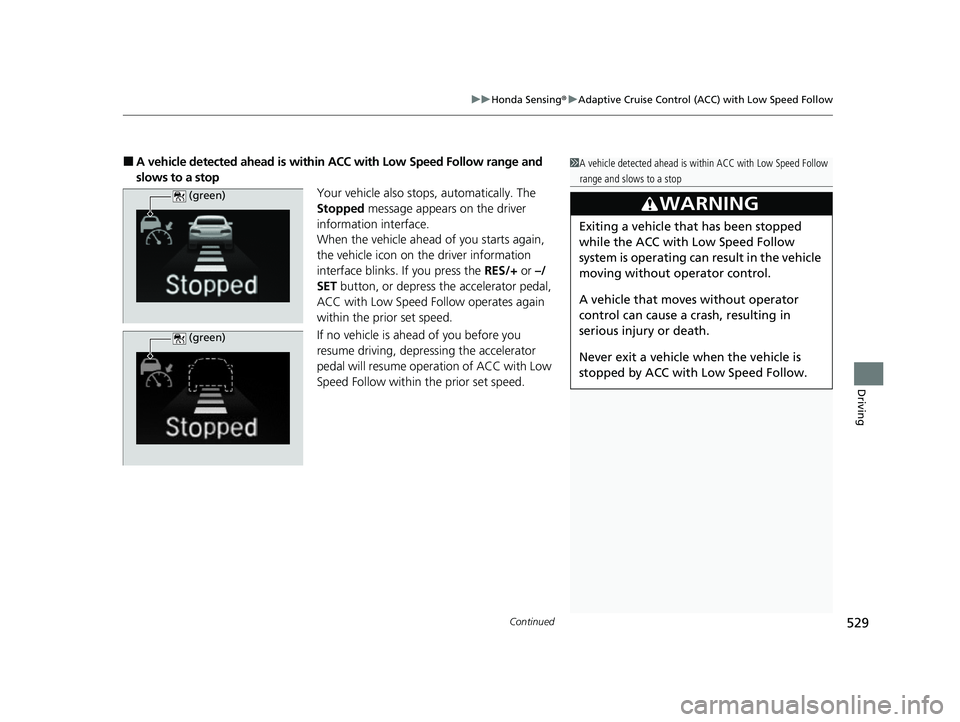
■A vehicle detected ahead is within ACC with Low Speed Follow range and
slows to a stop Your vehicle also stops, automatically. The
Stopped message appears on the driver
information interface.
When the vehicle ahead of you starts again,
the vehicle icon on the driver information
interface blinks. If you press the RES/+ or –/
SET button, or depress the accelerator pedal,
ACC with Low Speed Follow operates again
within the prior set speed.
If no vehicle is ahead of you before you
resume driving, depressing the accelerator
pedal will resume operation of ACC with Low
Speed Follow within the prior set speed.1A vehicle detected ahead is within ACC with Low Speed Follow
range and slows to a stop
3WARNING
Exiting a vehicle that has been stopped
while the ACC with Low Speed Follow
system is operating can result in the vehicle
moving without operator control.
A vehicle that moves without operator
control can cause a crash, resulting in
serious injury or death.
Never exit a vehicle when the vehicle is
stopped by ACC with Low Speed Follow.
(green)
(green)
23 US ODYSSEY-31THR6500.book 529 ページ 2022年1月24日 月曜日 午前11時35分