warning HONDA ODYSSEY 2023 Owner's Manual
[x] Cancel search | Manufacturer: HONDA, Model Year: 2023, Model line: ODYSSEY, Model: HONDA ODYSSEY 2023Pages: 707, PDF Size: 23.9 MB
Page 99 of 707
97
uuIndicators u
Continued
Instrument Panel
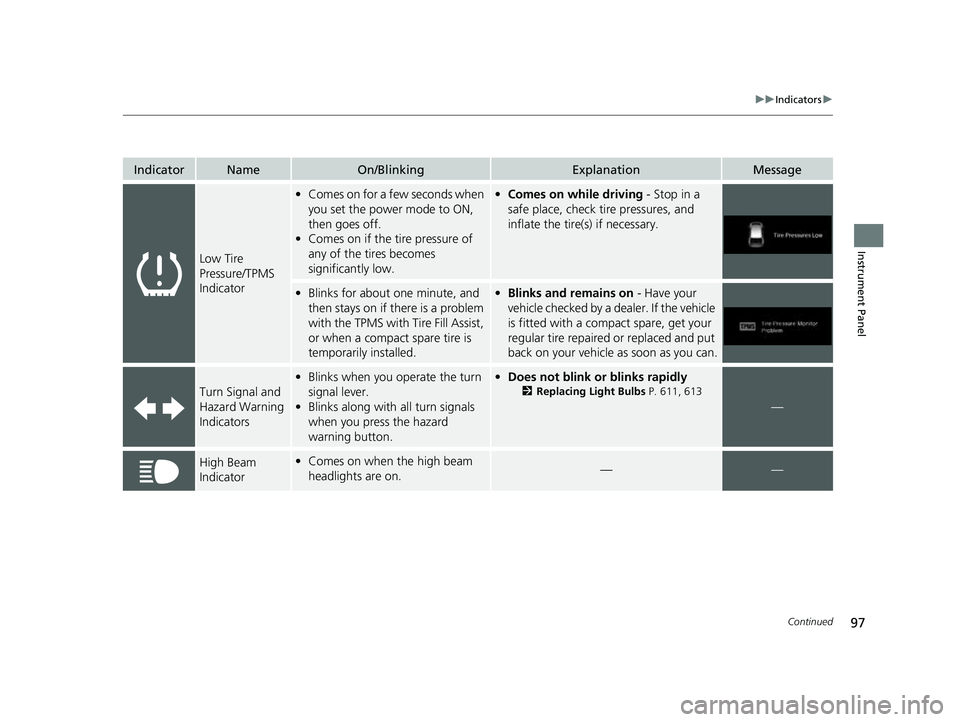
IndicatorNameOn/BlinkingExplanationMessage
Low Tire
Pressure/TPMS
Indicator
•Comes on for a few seconds when
you set the power mode to ON,
then goes off.
• Comes on if the tire pressure of
any of the tires becomes
significantly low.•Comes on while driving - Stop in a
safe place, check tire pressures, and
inflate the tire(s) if necessary.
• Blinks for about one minute, and
then stays on if there is a problem
with the TPMS with Tire Fill Assist,
or when a compact spare tire is
temporarily installed.•Blinks and remains on - Have your
vehicle checked by a dealer. If the vehicle
is fitted with a compact spare, get your
regular tire repaired or replaced and put
back on your vehicle as soon as you can.
Turn Signal and
Hazard Warning
Indicators
• Blinks when you operate the turn
signal lever.
• Blinks along with all turn signals
when you press the hazard
warning button.•Does not blink or blinks rapidly
2 Replacing Light Bulbs P. 611, 613
—
High Beam
Indicator•Comes on when the high beam
headlights are on.——
23 US ODYSSEY-31THR6500.book 97 ページ 2022年1月24日 月曜日 午前11時35分
Page 101 of 707
99
uuIndicators u
Continued
Instrument Panel
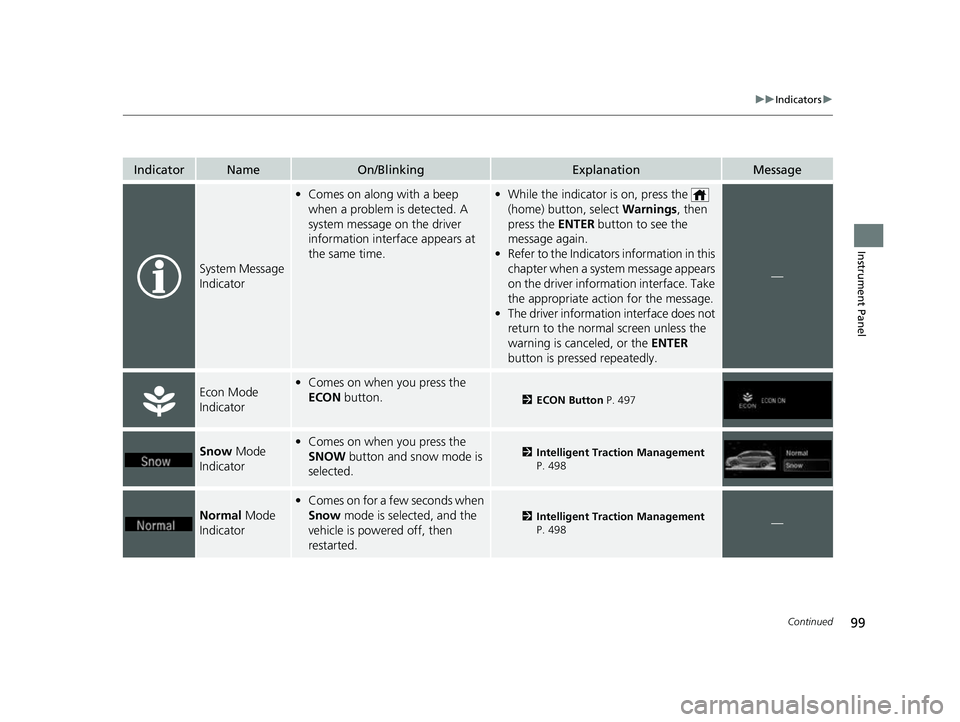
IndicatorNameOn/BlinkingExplanationMessage
System Message
Indicator
•Comes on along with a beep
when a problem is detected. A
system message on the driver
information interface appears at
the same time.•While the indicator is on, press the
(home) button, select Warnings, then
press the ENTER button to see the
message again.
• Refer to the Indicators information in this
chapter when a system message appears
on the driver information interface. Take
the appropriate action for the message.
• The driver information interface does not
return to the norma l screen unless the
warning is canceled, or the ENTER
button is pressed repeatedly.
—
Econ Mode
Indicator• Comes on when you press the
ECON button.
2ECON Button P. 497
Snow Mode
Indicator• Comes on when you press the
SNOW button and snow mode is
selected.2 Intelligent Traction Management
P. 498
Normal Mode
Indicator
• Comes on for a few seconds when
Snow mode is selected, and the
vehicle is powered off, then
restarted.
2 Intelligent Traction Management
P. 498—
23 US ODYSSEY-31THR6500.book 99 ページ 2022年1月24日 月曜日 午前11時35分
Page 110 of 707
108
uuIndicators uDriver Information Interface Wa rning and Information Messages
Instrument Panel
Driver Information Interface Warning and Information Messages
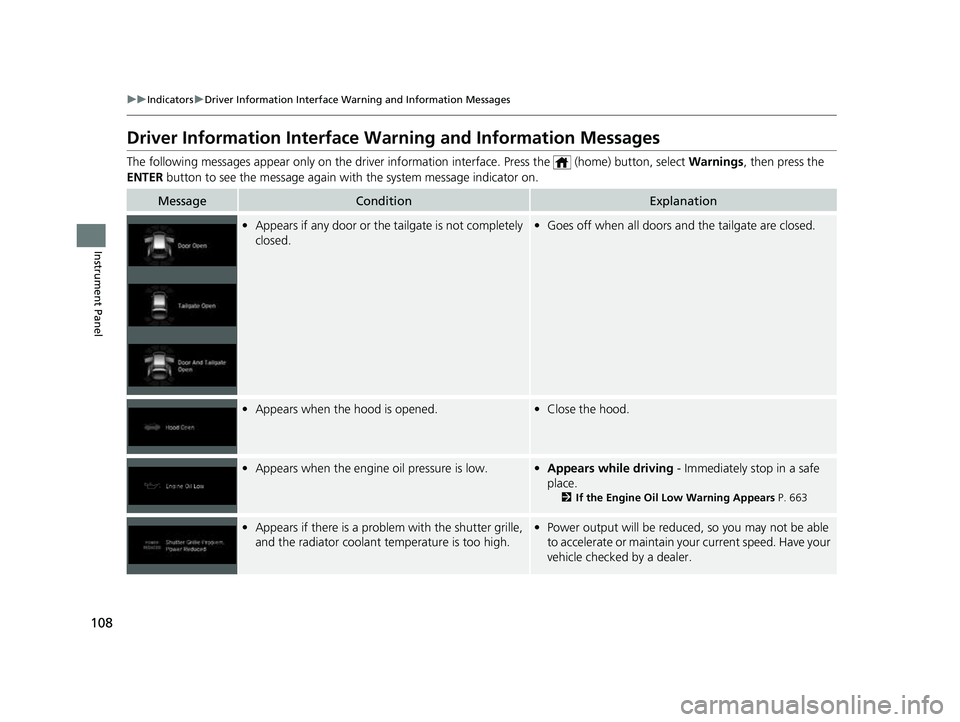
The following messages appear only on the driver information interface. Press the (home) button, select Warnings, then press the
ENTER button to see the message again with the system message indicator on.
MessageConditionExplanation
•Appears if any door or the tailgate is not completely
closed.•Goes off when all doors and the tailgate are closed.
•Appears when the hood is opened.•Close the hood.
•Appears when the engine oil pressure is low.•Appears while driving - Immediately stop in a safe
place.
2 If the Engine Oil Low Warning Appears P. 663
•Appears if there is a problem with the shutter grille,
and the radiator coolant temperature is too high.• Power output will be reduce d, so you may not be able
to accelerate or maintain your current speed. Have your
vehicle checked by a dealer.
23 US ODYSSEY-31THR6500.book 108 ページ 2022年1月24日 月曜日 午前11時35分
Page 127 of 707
125
uuIndicators uDriver Information Interface Wa rning and Information Messages
Continued
Instrument Panel
MessageConditionExplanation
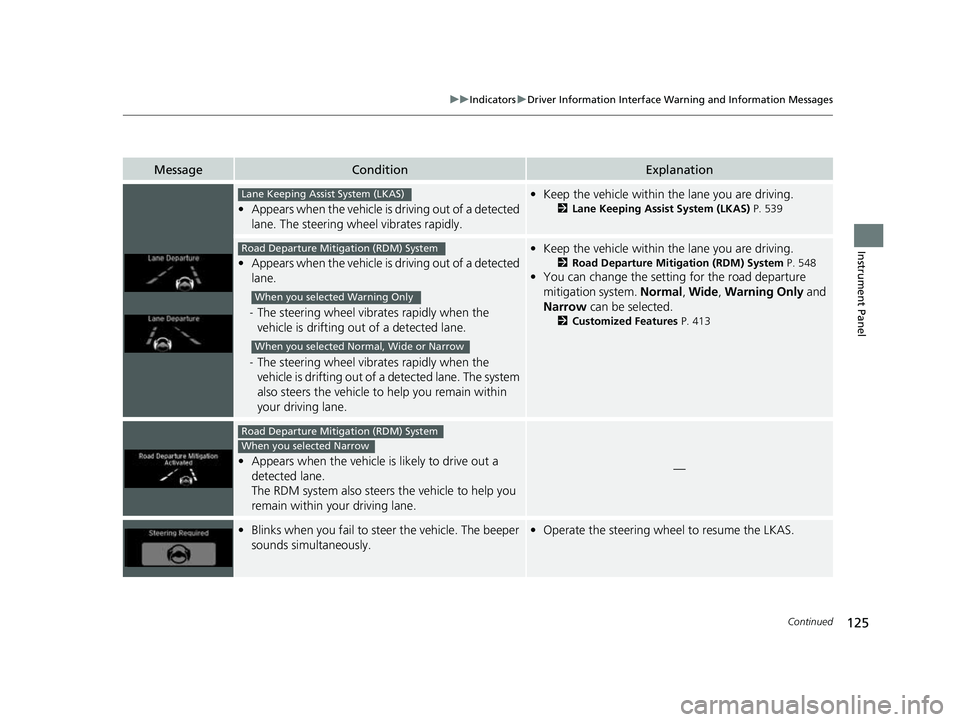
•Appears when the vehicle is driving out of a detected
lane. The steering wheel vibrates rapidly.
•Keep the vehicle within the lane you are driving.
2Lane Keeping Assist System (LKAS) P. 539
•Appears when the vehicle is driving out of a detected
lane.
- The steering wheel vibr ates rapidly when the
vehicle is drifting out of a detected lane.
- The steering wheel vibr ates rapidly when the
vehicle is drifting out of a detected lane. The system
also steers the vehicle to help you remain within
your driving lane.
• Keep the vehicle within the lane you are driving.
2Road Departure Mitigation (RDM) System P. 548
•You can change the setting for the road departure
mitigation system. Normal, Wide , Warning Only and
Narrow can be selected.
2Customized Features P. 413
•Appears when the vehicle is likely to drive out a
detected lane.
The RDM system also steers the vehicle to help you
remain within your driving lane.—
•Blinks when you fail to steer the vehicle. The beeper
sounds simultaneously.•Operate the steering wheel to resume the LKAS.
Lane Keeping Assist System (LKAS)
Road Departure Mitigation (RDM) System
When you selected Warning Only
When you selected Normal, Wide or Narrow
Road Departure Mitigation (RDM) System
When you selected Narrow
23 US ODYSSEY-31THR6500.book 125 ページ 2022年1月24日 月曜日 午前11時35分
Page 130 of 707
128
uuGauges and Driver Information Interface uDriver Information Interface
Instrument Panel
Driver Information Interface
The driver information interface shows in formation such as the estimated travelable
distance and fuel economy of the vehicle. It also displays messages such as warnings
and other helpful information.
Displays your driving speed in mph or km/h.
Shows the number of engine revolutions per minute.
■Speedometer
■Tachometer
1 Speedometer
You can set the speedometer and the displayed
measurements to read in either mph or km/h.
2 Units P. 138
1Tachometer
You can turn on or off the tachometer display.
2 Show Tachometer P. 142
23 US ODYSSEY-31THR6500.book 128 ページ 2022年1月24日 月曜日 午前11時35分
Page 133 of 707
131
uuGauges and Driver Information Interface uDriver Information Interface
Continued
Instrument Panel
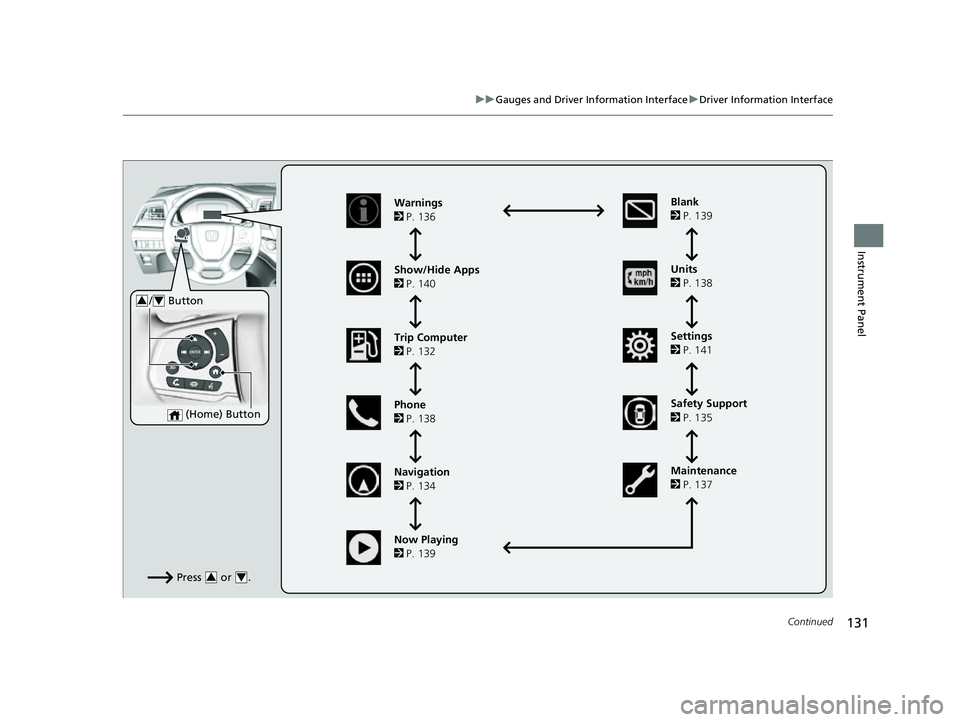
Press or .34
Warnings
2 P. 136
Show/Hide Apps
2 P. 140
Trip Computer
2 P. 132
Phone
2 P. 138
Navigation
2 P. 134 Units
2
P. 138
Settings
2 P. 141
Maintenance
2 P. 137
Now Playing
2 P. 139 Blank
2
P. 139
(Home) Button
/ Button34
Safety Support
2 P. 135
23 US ODYSSEY-31THR6500.book 131 ページ 2022年1月24日 月曜日 午前11時35分
Page 138 of 707
uuGauges and Driver Information Interface uDriver Information Interface
136
Instrument Panel
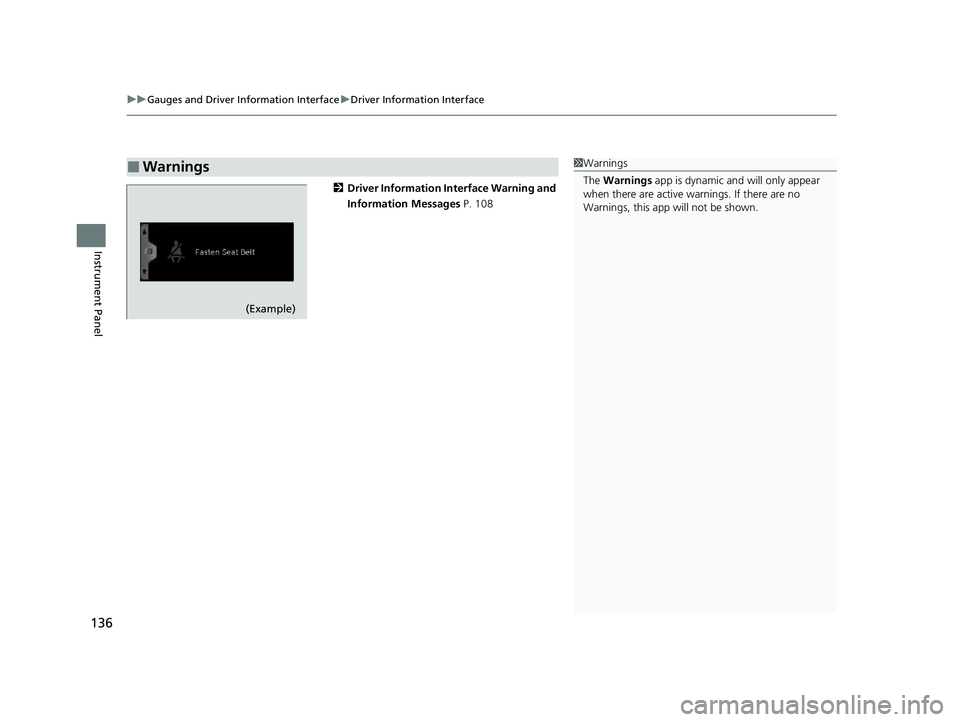
2 Driver Information Interface Warning and
Information Messages P. 108
■Warnings1Warnings
The Warnings app is dynamic a nd will only appear
when there are active warnings. If there are no
Warnings, this app will not be shown.
(Example)
23 US ODYSSEY-31THR6500.book 136 ページ 2022年1月24日 月曜日 午前11時35分
Page 154 of 707
uuLocking and Unlocking the Doors uLocking/Unlocking the Doors from the Outside
152
Controls
To temporarily deactivate the function:
1. Set the power mode to OFF.
2. Open the driver’s door.
3. Using the master door lock switch, operate
the lock as follows:
Lock Unlock Lock Unlock.
u The beeper sounds and the function is
deactivated.
To restore the function:
• Set the power mode to ON.
• Lock the vehicle without using the auto lock
function.
• With the keyless remote on you, move out
of the auto lock function operation range.
• Open any door.1Locking the doors and tailg ate (Walk away auto lock®)
The auto lock function does not operate when any of
the following conditions are met.
•The keyless remote is inside the vehicle.
•A door, tailgate or th e hood is not closed.•The power mode is set to any mode other than
OFF.
•The keyless remote is not located within a radius of
about 5 feet (1.5 m) from the vehicle when you get
out of the vehicle and cl ose the doors and tailgate.
Auto lock function operation stop beeper
After the auto lock function has been activated, the
auto lock operation stop beeper sounds for
approximately two seconds in the following cases.
•The keyless remote is put inside the vehicle through
a window.
•You are located too close to the vehicle.
•The keyless remote is put inside the tailgate.
If the warning beeper sounds, check that you are
carrying the keyless remote. Then, open/close a door
and confirm the auto lock activation beeper sounds
once.
If equipped, the user mu st wait until the power
tailgate fully closes before the auto lock function will
be activated.
Models with power tailgate
23 US ODYSSEY-31THR6500.book 152 ページ 2022年1月24日 月曜日 午前11時35分
Page 163 of 707
161
Controls
Tailgate
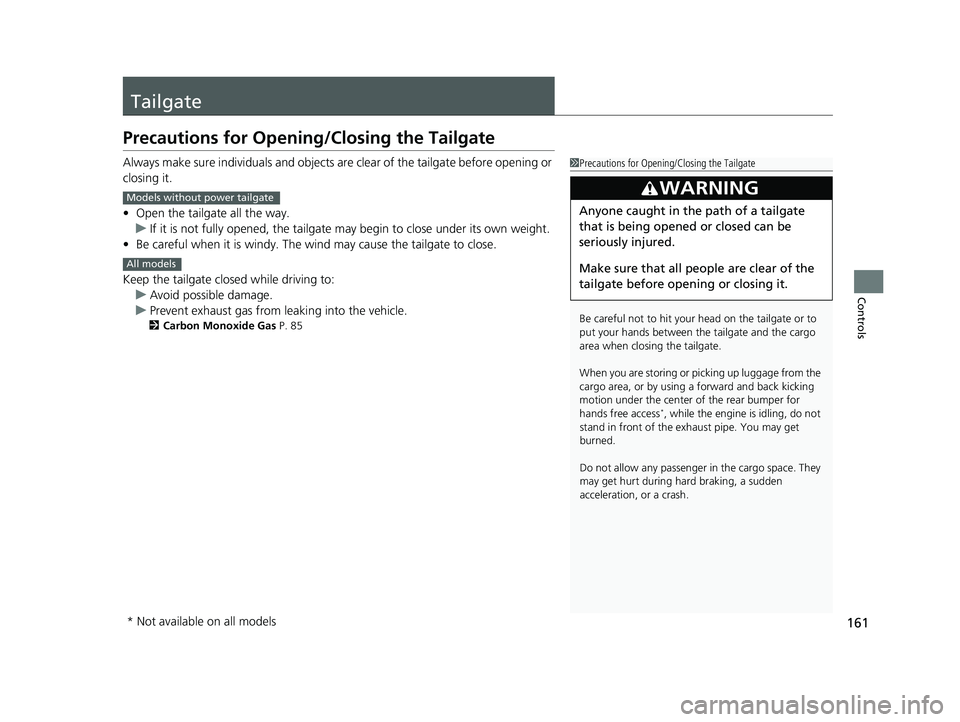
Precautions for Opening/Closing the Tailgate
Always make sure individuals and objects are clear of the tailgate before opening or
closing it.
• Open the tailgate all the way.
u If it is not fully opened, the tailgate may begin to close under its own weight.
• Be careful when it is windy. The wi nd may cause the tailgate to close.
Keep the tailgate closed while driving to: u Avoid possible damage.
u Prevent exhaust gas from leaking into the vehicle.
2 Carbon Monoxide Gas P. 85
1Precautions for Opening/Closing the Tailgate
Be careful not to hit your head on the tailgate or to
put your hands between th e tailgate and the cargo
area when closing the tailgate.
When you are storing or picking up luggage from the
cargo area, or by using a forward and back kicking
motion under the center of the rear bumper for
hands free access
*, while the engine is idling, do not
stand in front of the ex haust pipe. You may get
burned.
Do not allow any passenger in the cargo space. They
may get hurt during hard braking, a sudden
acceleration, or a crash.
3WARNING
Anyone caught in the path of a tailgate
that is being opened or closed can be
seriously injured.
Make sure that all people are clear of the
tailgate before opening or closing it.
Models without power tailgate
All models
* Not available on all models
23 US ODYSSEY-31THR6500.book 161 ページ 2022年1月24日 月曜日 午前11時35分
Page 166 of 707
164
uuTailgate uOpening/Closing the Power Tailgate*
Controls
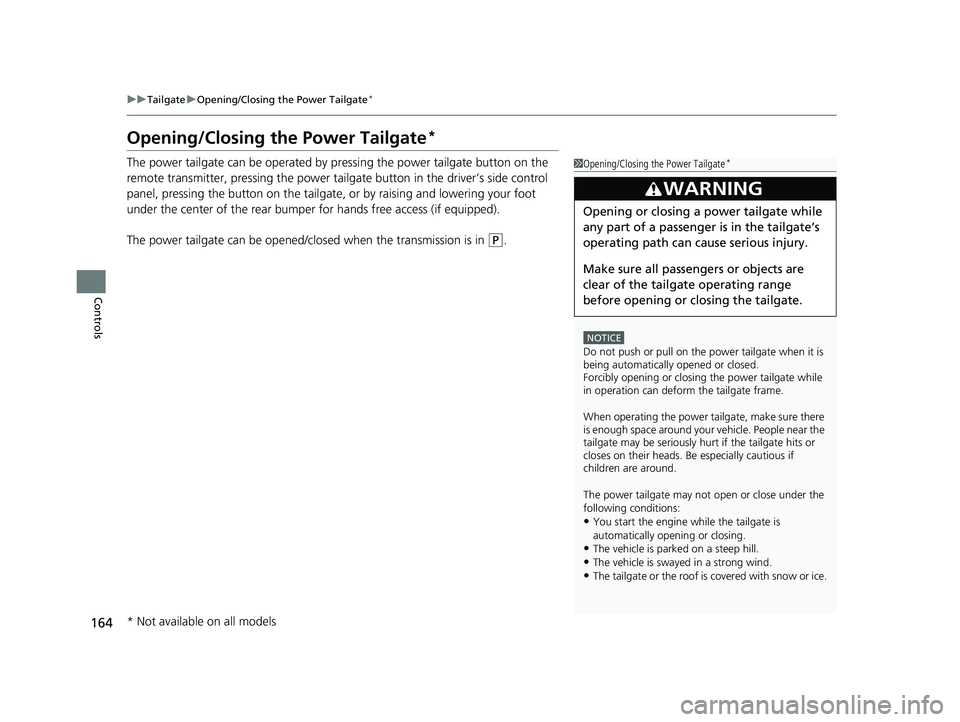
Opening/Closing the Power Tailgate*
The power tailgate can be operated by pressing the power tailgate button on the
remote transmitter, pressing the power tail gate button in the driver’s side control
panel, pressing the button on the tailgate, or by raising and lowering your foot
under the center of the rear bumper for hands free access (if equipped).
The power tailgate can be opened/c losed when the transmission is in
(P.
1Opening/Closing the Power Tailgate*
NOTICE
Do not push or pull on the power tailgate when it is
being automatically opened or closed.
Forcibly opening or closing the power tailgate while
in operation can deform the tailgate frame.
When operating the power tailgate, make sure there
is enough space around your ve hicle. People near the
tailgate may be se riously hurt if the tailgate hits or
closes on their heads. Be especially cautious if
children are around.
The power tailgate may not open or close under the
following conditions:
•You start the engine while the tailgate is
automatically openi ng or closing.
•The vehicle is parked on a steep hill.
•The vehicle is swayed in a strong wind.
•The tailgate or the roof is covered with snow or ice.
3WARNING
Opening or closing a power tailgate while
any part of a passenger is in the tailgate’s
operating path can cause serious injury.
Make sure all passengers or objects are
clear of the tailgate operating range
before opening or closing the tailgate.
* Not available on all models
23 US ODYSSEY-31THR6500.book 164 ページ 2022年1月24日 月曜日 午前11時35分