change wheel HONDA PASSPORT 2000 2.G Owners Manual
[x] Cancel search | Manufacturer: HONDA, Model Year: 2000, Model line: PASSPORT, Model: HONDA PASSPORT 2000 2.GPages: 267, PDF Size: 3.03 MB
Page 76 of 267
Tur
n Signa l Leve r
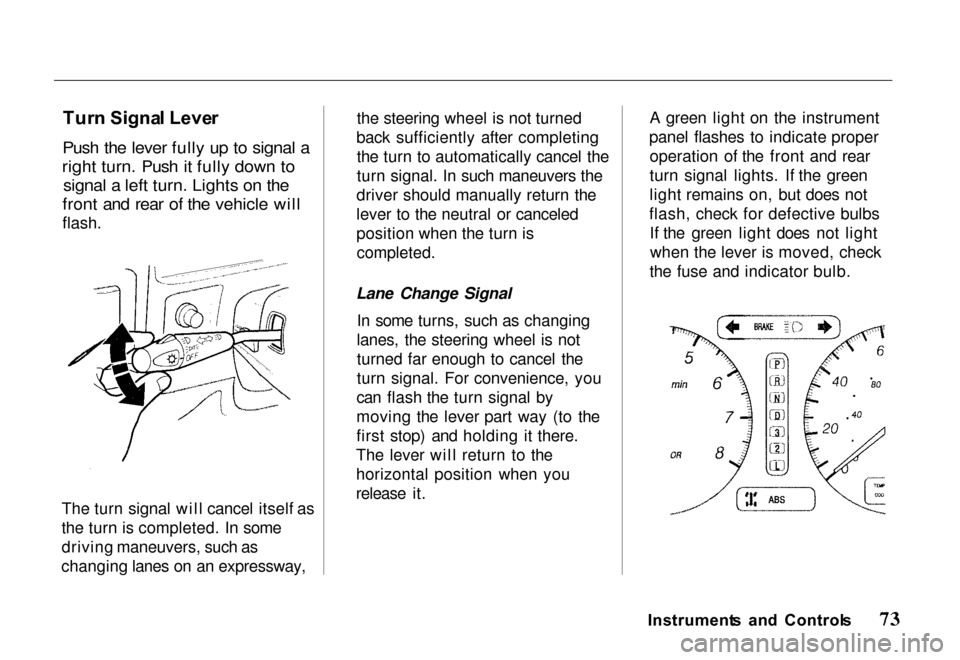
Push the lever fully up to signal a
right turn. Push it fully down to signal a left turn. Lights on the
front and rear of the vehicle will
flash.
The turn signal will cancel itself as
the turn is completed. In some
driving maneuvers, such as
changing lanes on an expressway, the steering wheel is not turned
back sufficiently after completing the turn to automatically cancel the
turn signal. In such maneuvers the
driver should manually return the
lever to the neutral or canceled
position when the turn is
completed.
Lane Change Signal In some turns, such as changing
lanes, the steering wheel is not
turned far enough to cancel the
turn signal. For convenience, you
can flash the turn signal by
moving the lever part way (to the
first stop) and holding it there.
The lever will return to the
horizontal position when you
release it. A green light on the instrument
panel flashes to indicate proper operation of the front and rear
turn signal lights. If the green
light remains on, but does not
flash, check for defective bulbs If the green light does not lightwhen the lever is moved, check
the fuse and indicator bulb.
Instrument s an d Control s
Page 159 of 267
hazard. This is sometimes referred
to as "stomp and steer."
You will feel a pulsation in the
brake pedal when the ABS activates, and you may hear some
noise. This is normal, it is theABS rapidly pumping the brakes.
Activation varies with the amount
of traction your tires have. On dry
pavement, you will need to press on the brake pedal very hard
before you activate the ABS. However, you may feel the ABSactivate immediately if you are
trying to stop on snow or ice.
Important Safety Reminders AB S doe s no t reduc e th e tim e
o r distanc e it take s t o sto p th e
vehicle , it only helps with steering
control during braking. You
should always maintain a safe following distance from other
vehicles.
AB
S wil l no t preven t a ski d tha t
result s fro m changin g directio n
abruptly , such as trying to take a
corner too fast or making a sudden lane change. Always drive
at a safe, prudent speed for the
road and weather conditions.
AB S canno t preven t a los s o f
stability . Always steer moderately
when you are braking hard. Severe or sharp steering wheel
movement can still cause your
vehicle to veer into oncoming traffic or off the road.
A vehicl e wit h AB S ma y requir e
a longe r distanc e t o sto p o n
loose or uneven surfaces, such as
gravel or snow, than a vehicle
without anti-lock. Slow down and allow a greater distance between
vehicles under those conditions.
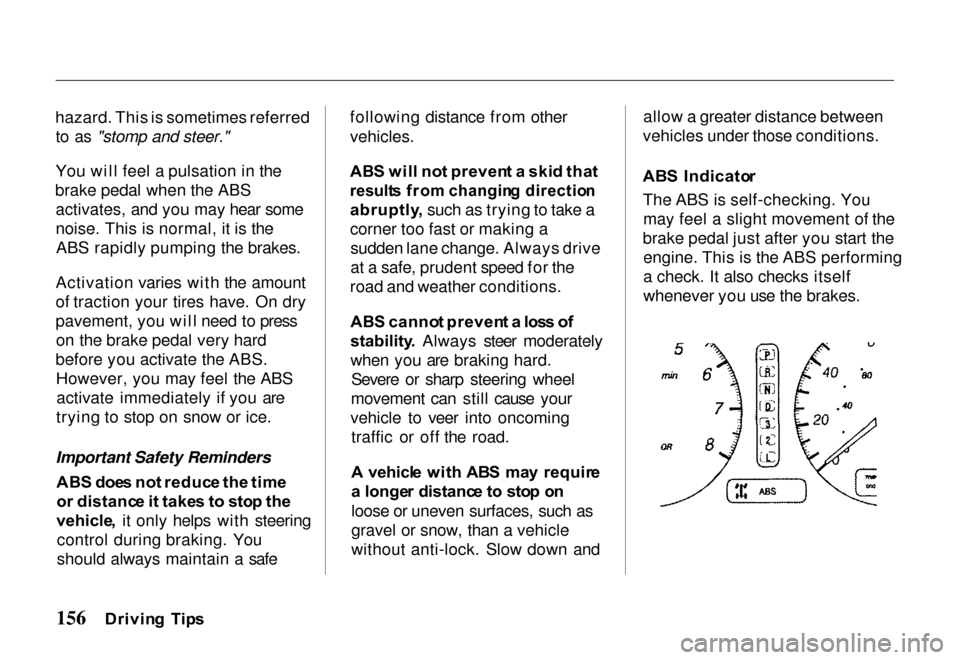
AB S Indicato r
The ABS is self-checking. You may feel a slight movement of the
brake pedal just after you start the engine. This is the ABS performing
a check. It also checks itself
whenever you use the brakes.
Drivin g Tip s
Page 166 of 267
We urge you not to install
oversize tires and wheels that
would change your vehicle's
ride height and possibly affect
handling and stability. It is best to replace all four tires at
the same time. If that is not
possible or necessary, then replace the two front tires or the two rear
tires as a pair. Replacing just one
tire can seriously affect your
vehicle's handling.
The ABS works by comparing the speed of the wheels. When
replacing tires, use the same size originally supplied with the
vehicle. Tire size and construction
can affect wheel speed and may
cause the system to work inconsistently.
If you ever need to replace a
wheel, make sure the
replacement's specifications
match the wheels that originally
came on your Honda. Replacement wheels are available
at your Honda dealer.
Wheel
s an d Tire s
Wheels:
16 x 7 JJ
Tires:
Standard on LX 2WD 225/75R16
Standard on all other models 245/70R16
See page 247 for information
about DOT Tire Quality Grading.
Driving Tip s
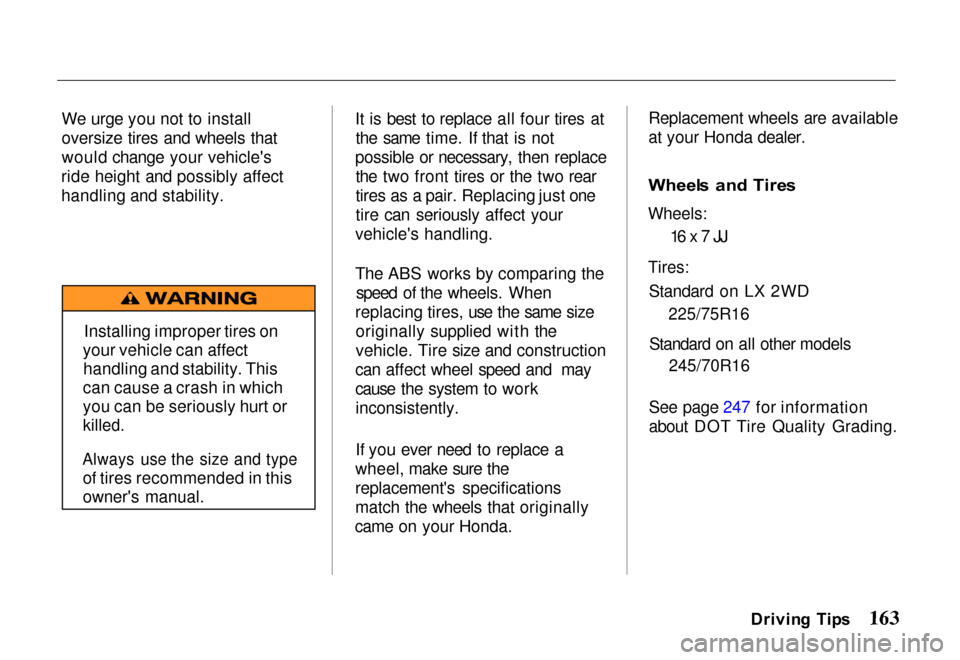
Installing improper tires on
your vehicle can affect handling and stability. This
can cause a crash in which
you can be seriously hurt or
killed.
Always use the size and type
of tires recommended in this
owner's manual.
Page 173 of 267
systems, such as the SRS and
anti-lock brake system.
However, if electronic accessories
are improperly installed, or
exceed your vehicle's electrical
system capacity, they can interfere with the operation of your vehicle,
or even cause the airbags to
deploy.
Before installing any accessory: Make sure the accessory does
not obscure any lights, or interfere with proper vehicle
operation or performance. Be sure electronic accessories
do not overload electrical
circuits (see page 236). Have the installer contact your
Honda dealer for assistance
before installing any electronic
accessory.
If possible, have your dealer
inspect the final installation.
Modification s
Do not remove any original
equipment or modify your vehicle in any way that would alter its
design or operation. This could
make your vehicle unsafe and illegal to drive.
For example, do not make any modifications that would change
the ride height of your vehicle, or
install wheels and tires with a
different overall diameter.
Such modifications can adversely
affect handling, and interfere with
the operation of the vehicle's
anti-lock brakes and other
systems.
In addition, any modifications that
decrease ground clearance increase the chance of
undercarriage parts striking a
curb, speed bump, or other raised object, which could cause your
airbags to deploy.
Do not modify your steering wheel or any other part of your
Supplemental Restraint System.Modifications could make the
system ineffective.
Additiona l Safet y Precautio n
Do not attach or place objects on
the airbag covers. Any object
attached to, or placed on, the
covers marked "SRS," in the
center of the steering wheel and on top of the dashboard, could
interfere with the proper operation
of the airbags. Or, if the airbags
inflate, the objects could be
propelled inside the vehicle and hurt someone.
Drivin g Tip s
Page 185 of 267
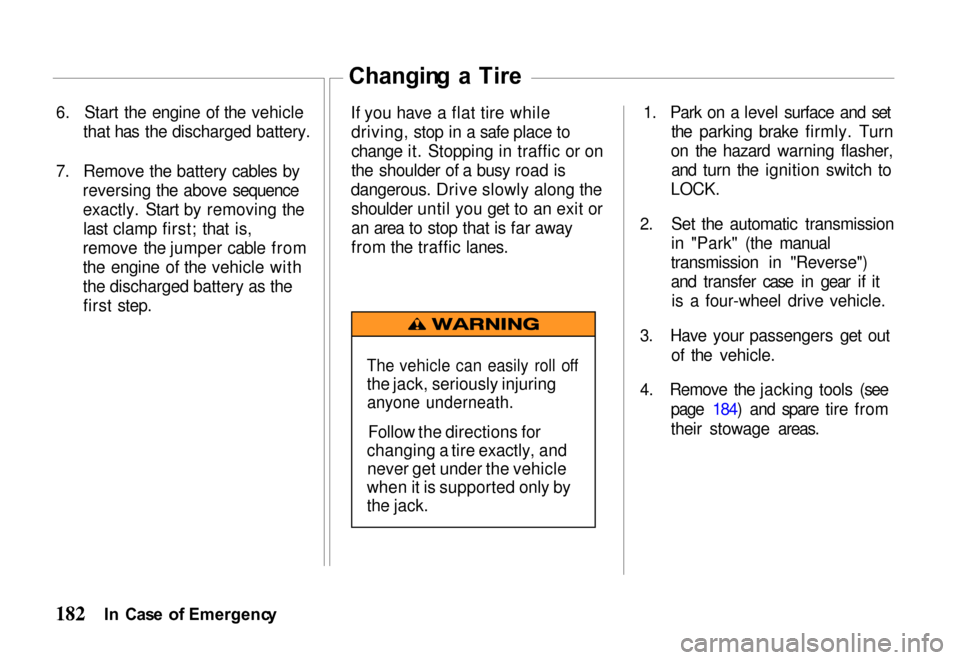
6. Start the engine of the vehicle
that has the discharged battery.
7. Remove the battery cables by reversing the above sequence
exactly. Start by removing thelast clamp first; that is,
remove the jumper cable from
the engine of the vehicle with
the discharged battery as the first step. Changin
g a Tir e
If you have a flat tire while driving, stop in a safe place to
change it. Stopping in traffic or on
the shoulder of a busy road is
dangerous. Drive slowly along the shoulder until you get to an exit or
an area to stop that is far away
from the traffic lanes. 1. Park on a level surface and set
the parking brake firmly. Turn
on the hazard warning flasher, and turn the ignition switch to
LOCK.
2. Set the automatic transmission in "Park" (the manual
transmission in "Reverse")
and transfer case in gear if it is a four-wheel drive vehicle.
3. Have your passengers get out
of th
e vehicle.
4. Remove the jacking tools (see page 184) and spare tire from
their stowage areas.
I n Cas e o f Emergenc y
The vehicle can easily roll off
the jack, seriously injuring
anyone underneath.
Follow the directions for
changing a tire exactly, and never get under the vehicle
when it is supported only by
the jack.
Page 186 of 267
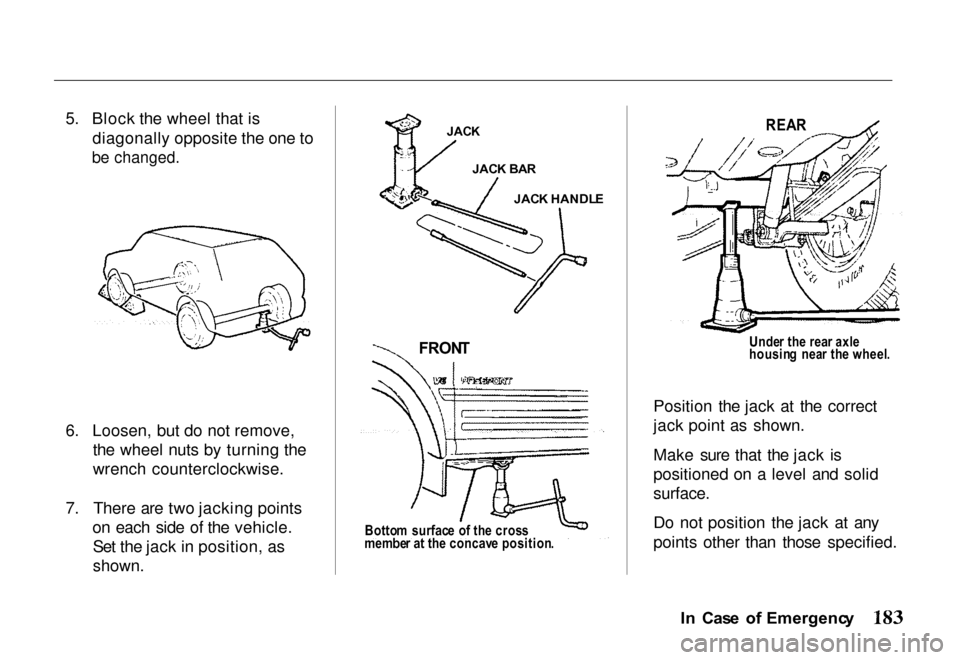
5. Block the wheel that is
diagonally opposite the one to
be changed.
6. Loosen, but do not remove, the wheel nuts by turning the
wrench counterclockwise.
7. There are two jacking points on each side of the vehicle.Set the jack in position, as
shown.
REA
R
Unde r th e rea r axl e
housin g nea r th e wheel .
Position the jack at the correct
jack point as shown.
Make sure that the jack is
positioned on a level and solid
surface.
Do not position the jack at any
points other than those specified.
In Cas e o f Emergenc y
JAC K
JAC K BA R
JAC K
HANDL
E
FRON T
Bottom surfac e o f th e cros s
membe r a t th e concav e position .
Page 207 of 267
Owne
r Safet y Check s
Promptly take any safety
problems to your Honda dealer for service advice.
Parkin g brak e — Park on a fairly
steep hill and hold the vehicle
with the parking brake only. This
checks its holding ability.
Starte r safet y switc h (automati c
transmission ) — Check the safety
switch by trying to start the
engine in each gear. The starter should work only with the shift
lever in the "P" (Park) or "N" (Neutral) position.
Starte r safet y switc h (manua l
transmission ) — To check the
safety switch, place the shift lever
in "Neutral," push the clutch
pedal halfway and try to start the engine. The starter should not
work. The starter should work only when the clutch pedal is fully
depressed.
Transmissio n shif t indicato r
(automati c transmission ) —
Check that the indicator points to
the gear chosen.
Steerin g — Be alert for any
changes in steering action. An inspection or service is needed
when the steering wheel is harder
to turn or has too much free play,
or if there are unusual sounds when turning or parking.
Whee l alignment , balanc e an d
tire s — Uneven or abnormal tire
wear, or pulling to the right or left
on a straight and level road may show the need for a wheel
alignment. A vibration of the
steering wheel or seat at normal
highway speeds means wheel balancing is needed. Check tire
pressures (including the spare) at
least monthly and whenever the
vehicle is serviced (see page 159).
Brake s — Watch for the
"BRAKE" light coming on. Other signs of possible brake trouble are
such things as repeated pulling to
one side when braking, unusual sounds when braking or between
brake applications, or increased
brake pedal travel. If you note one
of these conditions, have the system checked at once and
repaired if needed.
Car e an d Maintenanc e
Page 256 of 267
Change Oil
How to ................ 208
When ......... 200, 201, 207
Changing a Flat Tire ....... 182 Lifting Points ........... 183
Changing Engine Coolant .. . 214
Charging System Indicator ... 60
Check Engine Light ......... 61
Checking Battery Condition ....... 194
Brake Fluid ............ 219
Clutch Fluid ............ 219
Engine Belts ............ 218
Engine Coolant ..... 213, 214
Engine Oil ............ 209 5-Speed Manual Transmission Fluid .... 211
Fuses .............
189, 236
Power Steering Fluid .....
219
Radiator Coolan
t ....... 213
Shift-on-the-Fly
System Fluid .......... 216
Tire Pressure ........... 194
Windshield Wipers ..... 205
Checklist, Before Driving ... 152
Children, Protecting .......... 18
Child-Safe Door Locks .... 101
Child Seats, General Guidelines ......... 21
Cigarette Lighter .......... 112
Circuit Breaker, Checking the 104
Cleaner, Air ............. 210
Cleaning Exterior ............... 220
Interior ................ 222Seat Belts .............. 225
Vinyl ................. 225 Clock, Setting the .......... 149
Clutch Fluid .............. 219
CO in the Exhaust ......
44, 245
Consumer Information ...... 242 Control Locations .......... 54
Controls, Instruments and .... 53
Controls Near the Steering Wheel
Hazard Warning .......... 74
Headlights ............. 70
Illumination Control ..... 71
Rear Window Defogger .... 72
Steering Wheel Adjustment 111
Turn Signals ............. 73
Windshield Wiper/Washer . 68
Rear Window Wiper/
Washer ............. 72
Page 262 of 267
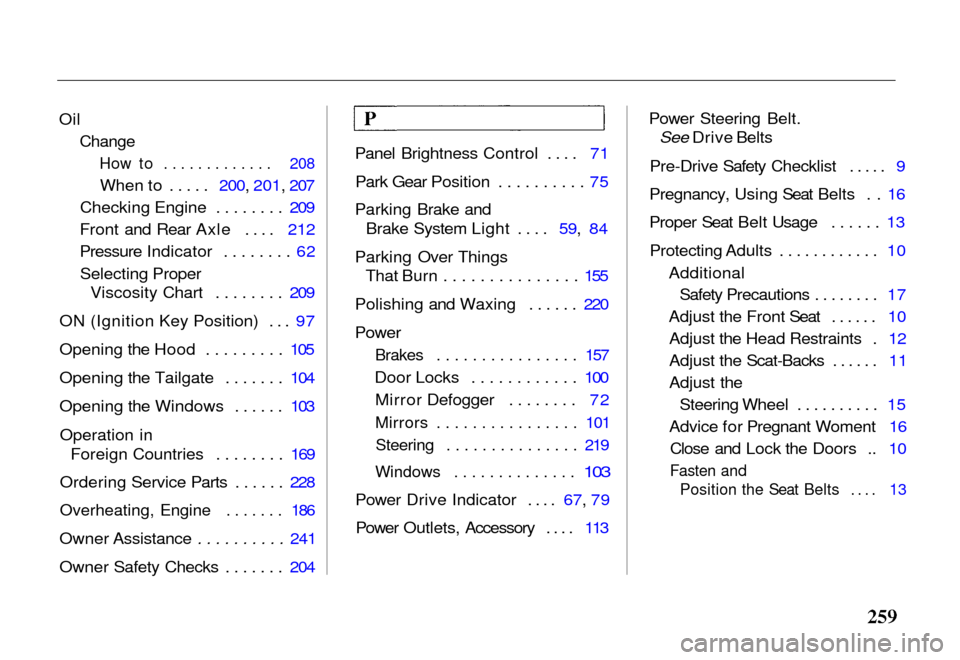
Oil
Change
How to ............. 208
When to ..... 200, 201, 207
Checking Engine ........ 209
Front and Rear Axle .... 212
Pressure Indicator ........ 62
Selecting Proper Viscosity Chart ........ 209
ON (Ignition Key Position) ... 97
Opening the Hood ......... 105
Opening the Tailgate ....... 104
Opening the Windows ...... 103
Operation in Foreign Countries ........ 169
Ordering Service Parts ...... 228
Overheating, Engine ....... 186
Owner Assistance .......... 241
Owner Safety Checks ....... 204 Panel Brightness Control .... 71
Park Gear Position .......... 75
Parking Brake and Brake System Light .... 59, 84
Parking Over Things That Burn ............... 155
Polishing and Waxing ...... 220
Power
Brakes ................ 157
Door Locks ............ 100 Mirror Defogger ........ 72
Mirrors ................ 101Steering ............... 219
Windows .............. 103
Power Drive Indicator .... 67, 79
Power Outlets, Accessory .... 113 Power Steering Belt.
See Drive Belts
Pre-Drive Safety Checklist ..... 9
Pregnancy, Using Seat Belts . . 16
Proper Seat Belt Usage ...... 13
Protecting Adults ............ 10 AdditionalSafety Precautions ........ 17
Adjust the Front Seat ...... 10 Adjust the Head Restraints . 12
Adjust the Scat-Backs ...... 11
Adjust the Steering Wheel .......... 15
Advice for Pregnant Woment 16 Close and Lock the Doors .. 10
Fasten and Position the Seat Belts .... 13
Page 265 of 267
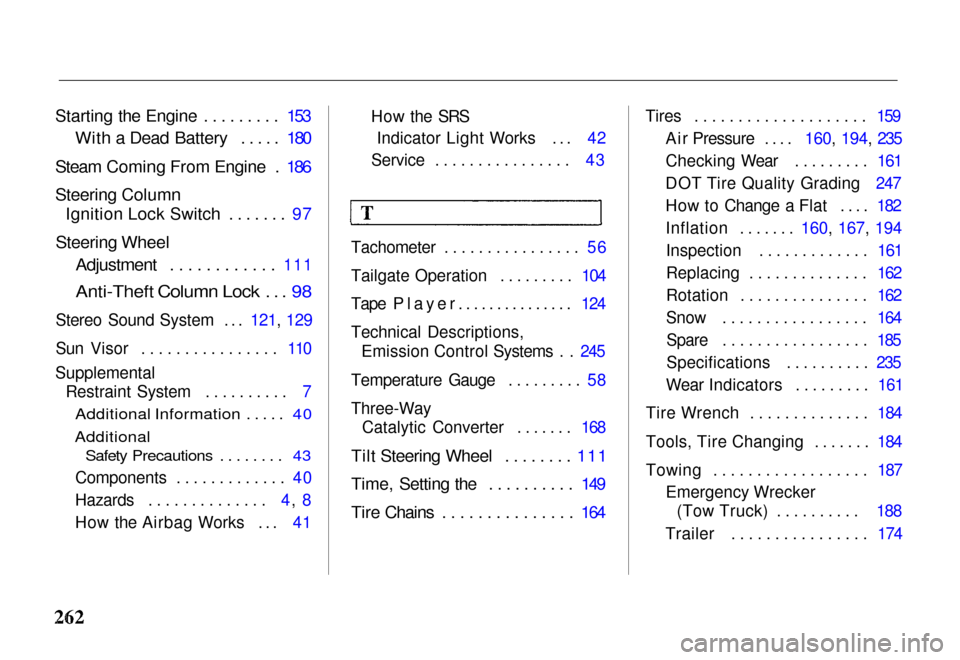
Starting the Engine ......... 153
With a Dead Battery ..... 180
Steam Coming From Engine . 186
Steering Column
Ignition Lock Switch ....... 97
Steering Wheel
Adjustment ............ 111
Anti-Theft Column Lock ... 98
Stereo Sound System ...
121, 129
Sun Visor ................ 110
Supplemental Restraint System .......... 7
Additional Information ..... 40
Additional
Safety Precautions ........ 43
Components ............. 40
Hazards .............. 4, 8
How the Airbag Works ... 41 How the SRS
Indicator Light Works ... 42
Service ................ 43
Tachometer ................ 56
Tailgate Operation ......... 104
Tape Player............... 124
Technical Descriptions, Emission Control Systems . . 245
Temperature Gauge ......... 58
Three-Way Catalytic Converter ....... 168
Tilt Steering Wheel ........ 111
Time, Setting the .......... 149
Tire Chains ............... 164
Tires .................... 159
Air Pressure ....
160, 194, 235
Checking Wear ......... 161
DOT Tire Quality Grading 247
How to Change a Flat .... 182
Inflation .......
160, 167, 194
Inspection ............. 161
Replacing .............. 162
Rotation ............... 162
Snow ................. 164 Spare ................. 185
Specifications .......... 235
Wear Indicators ......... 161
Tire Wrench .............. 184
Tools, Tire Changing ....... 184
Towing .................. 187 Emergency Wrecker(Tow Truck) .......... 188
Trailer ................ 174