instrument panel HONDA PASSPORT 2000 2.G Owners Manual
[x] Cancel search | Manufacturer: HONDA, Model Year: 2000, Model line: PASSPORT, Model: HONDA PASSPORT 2000 2.GPages: 267, PDF Size: 3.03 MB
Page 1 of 267
 to navigate through\
this reference.
For a printed owners manual, click on authorized manuals or go")
2000 Passport Online Reference Owner's Manual
Use these links (and links throughout this manual) to navigate through\
this reference.
For a printed owner's manual, click on authorized manuals or go to www.h\
elminc.com. Contents
Owner's Identification Form
A Word to the Owner
........................................................................\
................................................... i
Important Handling Information ........................................................................\
.............................. ii
A Few Words About Safety
........................................................................\
........................................ iv
Driver and Passenger Safety ........................................................................\
...................................... 3
Proper use and care of your vehicle's seat belts, and Supplemental Restr\
aint System.
Off to a Good Start
........................................................................\
..................................................... 47
Instruments and Controls
........................................................................\
......................................... 53
Instrument panel indicator and gauge, and how to use dashboard and steering co\
lumn controls.
Seats
........................................................................\
........................................................................\
.... 87
Interior Features
........................................................................\
....................................................... 95
Comfort and Convenience Features
........................................................................\
...................... 115
How to operate the climate control system, the audio system, and other c\
onvenience features.
Driving Tips
........................................................................\
.............................................................. 151
The proper way to start the engine, shift the transmission, and park, wh\
at gasoline to use, how to
break -in your new vehicle, and how to load luggage and other cargo.
In Case of Emergency
........................................................................\
.............................................. 179
This section covers several problems motorists sometimes experience, and how to handle them.
Care and Maintenance
........................................................................\
............................................ 191
The Maintenance Schedule shows you when you need to take your vehicle to\
the dealer and
tips on cleaning and protecting your vehicle. Things to look for if your\
car ever needs body
repairs.
Technical Data
........................................................................\
......................................................... 227
ID numbers, dimensions, capacities, and technical information.
Owner Assistance
........................................................................\
..................................................... 241
A summary of the warranties covering your new Honda, and how to contact \
us.
Authorized Manuals
........................................................................\
................................................ 249
How to order manuals and other technical literature.
Index ............................................................................................................................................... .....
251
Page 9 of 267
some safety features can
contribute to injuries if they are
not used properly.
Sea t Belt s
For your safety, and the safety of
your passengers, your vehicle is equipped with seat belts in allseating positions.
Your seat belt systemalso includes a light on
the instrument panel to remind
you and your passengers to fasten
your seat belts.
Why Wear Seat Belts
Seat belts are the single most
effective safety device for adults
and larger children. (Infants and smaller children must be
restrained in child seats.) Not wearing a seat belt properly
increases the chance of serious
injury or death in a crash, even
though your vehicle has airbags.
In addition, most states and Canadian provinces require you to
wear seat belts.
When properly worn, seat belts:
Keep you connected to the
vehicle so you can take
advantage of the vehicle's
built-in safety features.
Help protect you in almost
every type of crash, includingside and rear impacts and
rollovers. In a rollover crash, an unbelted person is more
likely to die than a person wearing a seat belt. Your airbag
can only be helpful in a
moderate to severe frontal
collision.
Help keep you from being
thrown against the inside of the
vehicle and against other
occupants.
Keep you from being thrown
out of the vehicle.
Drive r an d Passenge r Safet y Not wearing a seat belt
properly increases the chance
of serious injury or death in a
crash, even if you have
airbags.
Be sure you and your
passengers always wear seat belts and wear them properly.
Page 10 of 267
Help keep you in a good
position should the airbags ever
deploy. A good position
reduces the risk of injury froman inflating airbag, and allows
you to get the best advantage
from the airbag.
Of course, seat belts cannot
completely protect you in every crash. But in most cases, seat belts
can reduce your risk of seriousinjury.
What you should do: Always
wear your seat belt, and make
sure you wear it properly. Airbag
s
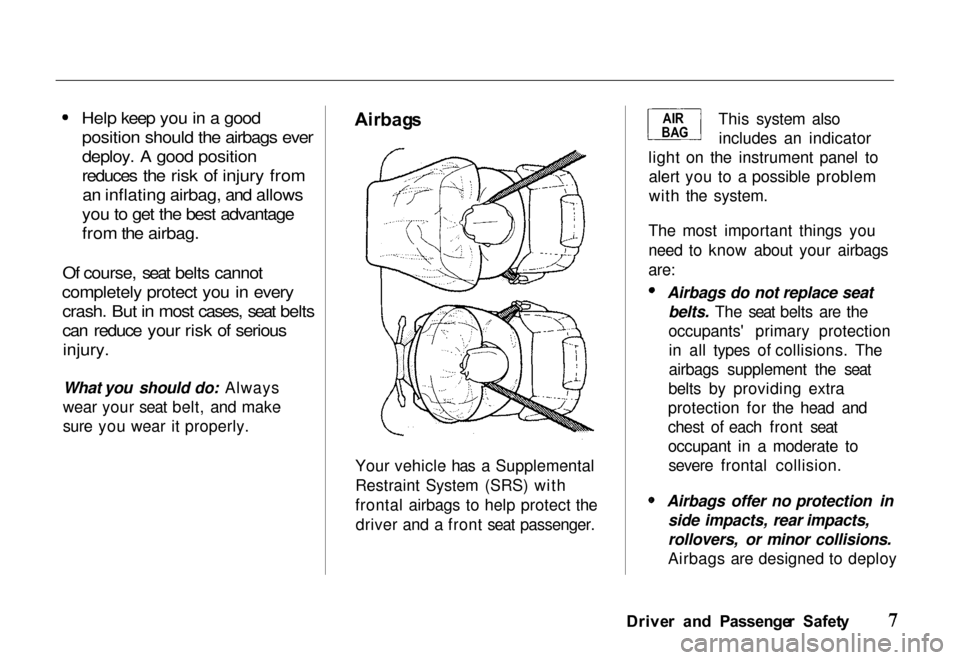
Your vehicle has a Supplemental
Restraint System (SRS) with
frontal airbags to help protect the driver and a front seat passenger. This system also
includes an indicator
light on the instrument panel to alert you to a possible problem
with the system.
The most important things you
need to know about your airbags
are: Airbags do not replace seat
belts. The seat belts are the
occupants' primary protectionin all types of collisions. The
airbags supplement the seat
belts by providing extra
protection for the head and
chest of each front seat
occupant in a moderate to severe frontal collision. Airbags offer no protection in
side impacts, rear impacts,
rollovers, or minor collisions.
Airbags are designed to deploy
Drive r an d Passenge r Safet y
AI
R
BA G
Page 41 of 267
To fasten the belt, insert the latch
plate into the buckle, then tug on
the belt to make sure the buckle is
latched.
To unlock the belt, push the red PRESS button on the buckle.
Guide the belt across your body to
the door pillar. After exiting the
vehicle, be sure the belt is out of
the way and will not get closed in
the door.
All lap/shoulder belts have an emergency locking retractor. In
normal driving, the retractor lets
you move freely in your seat while it keeps some tension on the
belt. During a collision or suddenstop, the retractor automatically
locks the belt to help restrain your
body.
Drive r an d Passenge r Safet y
Additiona
l Informatio n Abou t You r Sea t Belt s
Sea t Bel t Syste m
Component s
Your seat belt system includes
lap/shoulder belts in the front seats and the outer back seats, and
a lap belt in the center back seat.
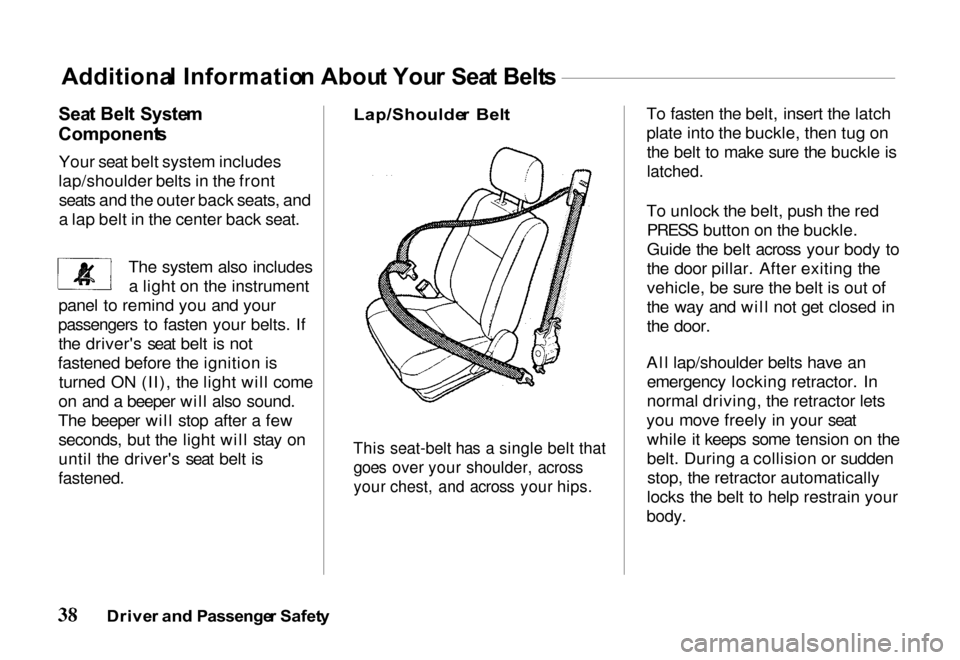
Lap/Shoulde
r Bel t
This seat-belt has a single belt that
goes over your shoulder, across
your chest, and across your hips.
The system also includes
a light on the instrument
panel to remind you and your
passengers to fasten your belts. If the driver's seat belt is not
fastened before the ignition is turned ON (II), the light will come
on and a beeper will also sound.
The beeper will stop after a few seconds, but the light will stay on
until the driver's seat belt is
fastened.
Page 44 of 267
Sensors that can detect a
moderate to severe frontal
collision.
A sophisticated electronic system that continually
monitors the sensors, control unit, the airbag activators and
all related wiring when the
ignition is ON (II).
An indicator light on the instrument panel to alert you to
a possible problem with the
system (see page 42).
Emergency backup power in
case your vehicle's electrical system is disconnected in a
crash.
Ho
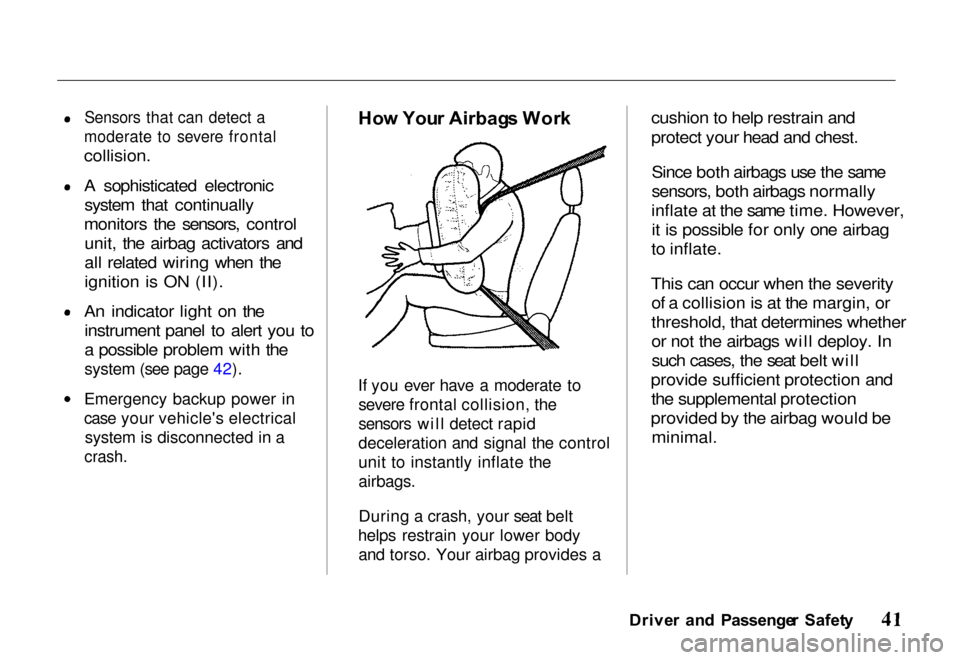
w You r Airbag s Wor k
If you ever have a moderate to severe frontal collision, the
sensors will detect rapid
deceleration and signal the control
unit to instantly inflate the
airbags.
During a crash, your seat belt
helps restrain your lower body and torso. Your airbag provides a
cushion to help restrain and
protect your head and chest.
Since both airbags use the same
sensors, both airbags normally
inflate at the same time. However, it is possible for only one airbag
to inflate.
This can occur when the severity of a collision is at the margin, or
threshold, that determines whether
or not the airbags will deploy. Insuch cases, the seat belt will
provide sufficient protection and the supplemental protection
provided by the airbag would be minimal.
Drive r an d Passenge r Safet y
Page 65 of 267
If you keep driving with the
malfunction indicator lamp on,
you can damage your vehicle's emissions controls and engine.Those repairs may not be covered
by your vehicle's warranties.
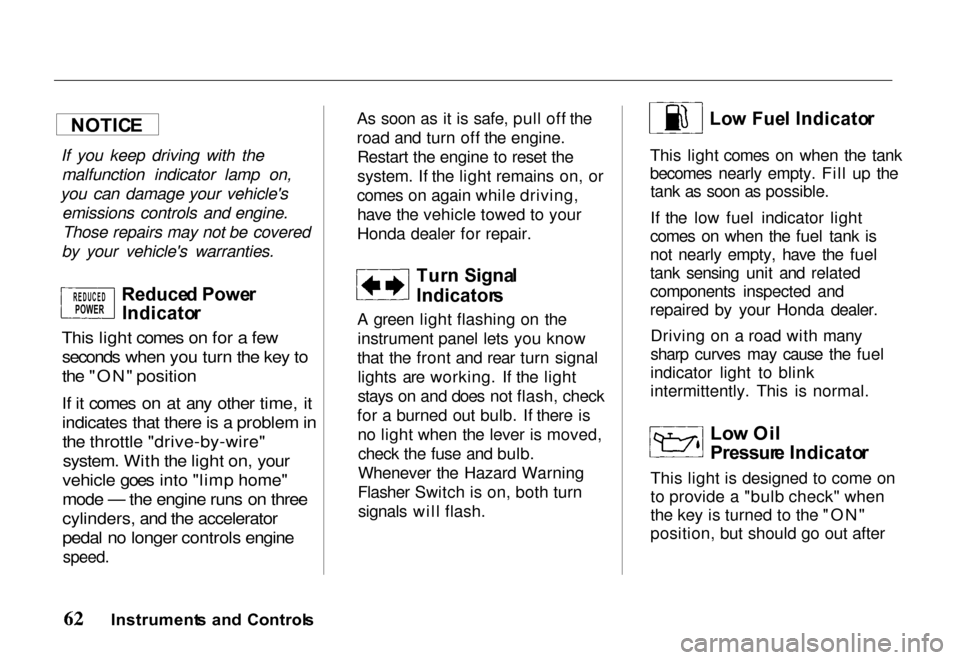
Reduce d Powe r
Indicato r
This light comes on for a few seconds when you turn the key to
the "ON" position
If it comes on at any other time, it
indicates that there is a problem in
the throttle "drive-by-wire"
system. With the light on, your
vehicle goes into "limp home"
mode — the engine runs on three
cylinders, and the accelerator
pedal no longer controls engine
speed.
As soon as it is safe, pull off the
road and turn off the engine.
Restart the engine to reset the
system. If the light remains on, or
comes on again while driving, have the vehicle towed to your
Honda dealer for repair.
Turn Signa l
Indicator s
A green light flashing on the instrument panel lets you know
that the front and rear turn signal lights are working. If the light
stays on and does not flash, check
for a burned out bulb. If there is no light when the lever is moved,check the fuse and bulb.
Whenever the Hazard Warning
Flasher Switch is on, both turn signals will flash.
Lo
w Fue l Indicato r
This light comes on when the tank
becomes nearly empty. Fill up the tank as soon as possible.
If the low fuel indicator light
comes on when the fuel tank is
not nearly empty, have the fuel
tank sensing unit and related
components inspected and
repaired by your Honda dealer.
Driving on a road with many
sharp curves may cause the fuel
indicator light to blink
intermittently. This is normal.
Low Oi l
Pressur e Indicato r
This light is designed to come on
to provide a "bulb check" when
the key is turned to the "ON"
position, but should go out after
Instrument s an d Control s
NOTIC
E
REDUCEDPOWER
Page 68 of 267
as indicated by the "U/S" (upshift)
light on the instrument panel.
If vehicle speed drops below
20 mph (30 km/h), or if the
engine is not running smoothly,
you should downshift to the next lower gear. You may need to
downshift two or more gears to
keep the engine running smoothly or for satisfactory performance.
This indicator comes on for a fewseconds when you turn the
ignition switch to the "ON"
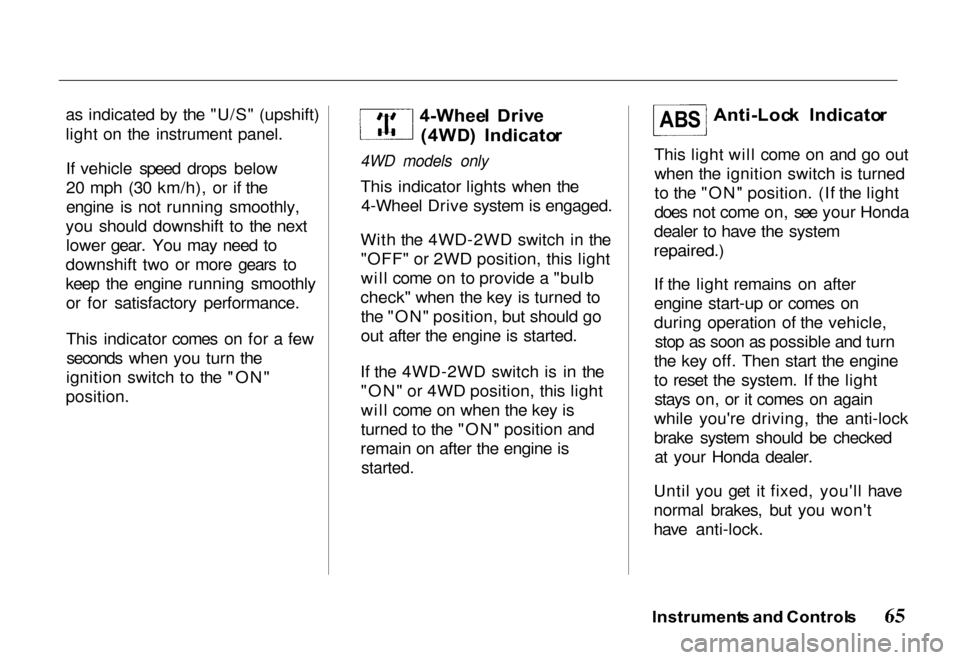
position. 4-Whee
l Driv e
(4WD ) Indicato r
4WD models only
This indicator lights when the 4-Wheel Drive system is engaged.
With the 4WD-2WD switch in the "OFF" or 2WD position, this light
will come on to provide a "bulb
check" when the key is turned to the "ON" position, but should go
out after the engine is started.
If the 4WD-2WD switch is in the "ON" or 4WD position, this light
will come on when the key is
turned to the "ON" position and
remain on after the engine is
started.
Anti-Loc
k Indicato r
This light will come on and go out when the ignition switch is turned
to the "ON" position. (If the light
does not come on, see your Honda
dealer to have the system
repaired.)
If the light remains on after
engine start-up or comes on
during operation of the vehicle, stop as soon as possible and turn
the key off. Then start the engine
to reset the system. If the light stays on, or it comes on again
while you're driving, the anti-lock
brake system should be checked at your Honda dealer.
Until you get it fixed, you'll have
normal brakes, but you won't
have anti-lock.
Instrument s an d Control s
AB
S
Page 73 of 267
Do not use engine antifreeze or
a vinegar/water solution in the
windshield washer reservoir.
Antifreeze can damage your vehicle's paint, while a
vinegar/water solution can
damage the windshield washer
pump. Use only commercially available windshield washer fluid.
In cold weather, warm the
windshield with the defrosters
before using the washers. This
will help prevent icing of the
windshield that may block your
vision.
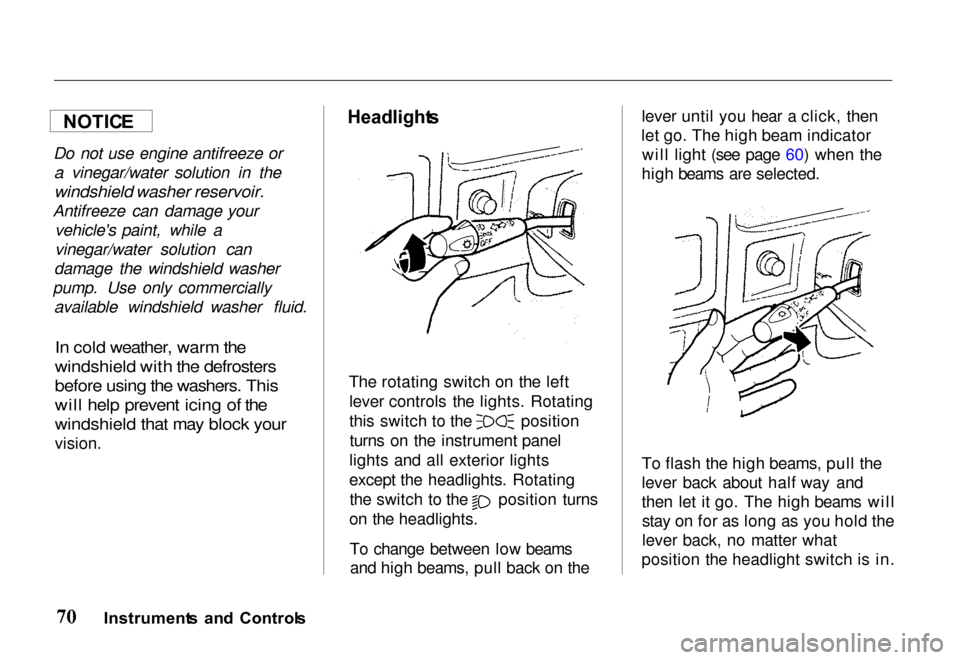
Headlight
s
The rotating switch on the left lever controls the lights. Rotating this switch to the position
turns on the instrument panel
lights and all exterior lights
except the headlights. Rotating the switch to the position turns
on the headlights.
To change between low beamsand high beams, pull back on the lever until you hear a click, then
let go. The high beam indicator will light (see page 60) when the
high beams are selected.
To flash the high beams, pull the
lever back about half way and
then let it go. The high beams will stay on for as long as you hold the
lever back, no matter what
position the headlight switch is in.
Instrument s an d Control s
NOTIC
E
Page 74 of 267
Headlights-On Reminder
You will hear a continuous tone
when the key is out of the ignitionswitch and the driver's door is
opened with the headlight switch in the "ON" position. This will
remind you to turn the headlights off. Never leave the headlights onwhen the engine is not running.
They can rapidly discharge the
battery.
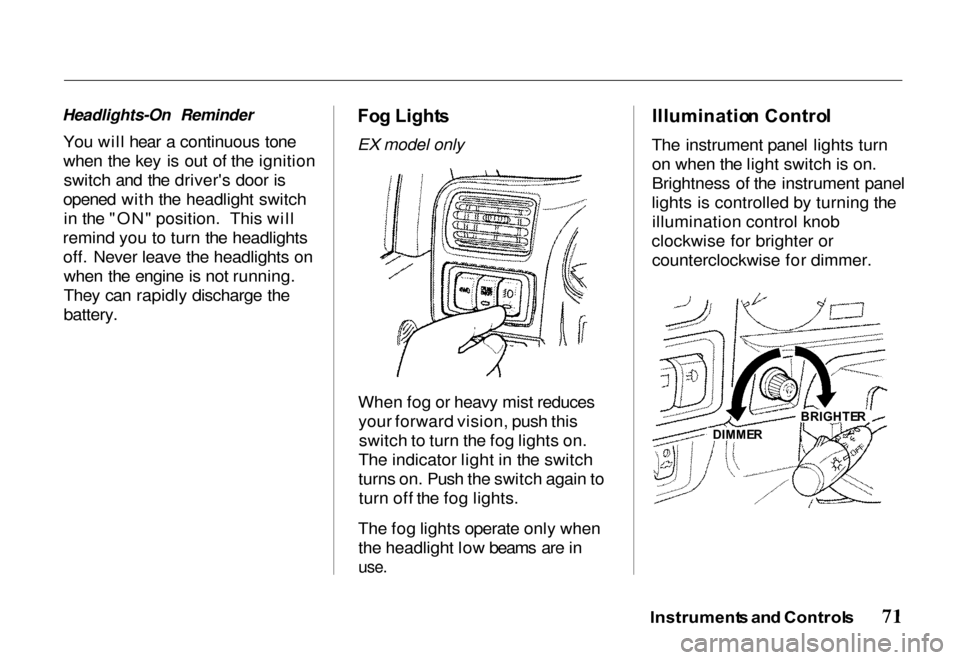
Fo
g Light s
EX model only
When fog or heavy mist reducesyour forward vision, push thisswitch to turn the fog lights on.
The indicator light in the switch
turns on. Push the switch again to turn off the fog lights.
The fog lights operate only when the headlight low beams are in
use.
Illuminatio
n Contro l
The instrument panel lights turn on when the light switch is on.
Brightness of the instrument panel
lights is controlled by turning the illumination control knob
clockwise for brighter or counterclockwise for dimmer.
Instrument s an d Control s
DIMMER BRIGHTE
R
Page 76 of 267
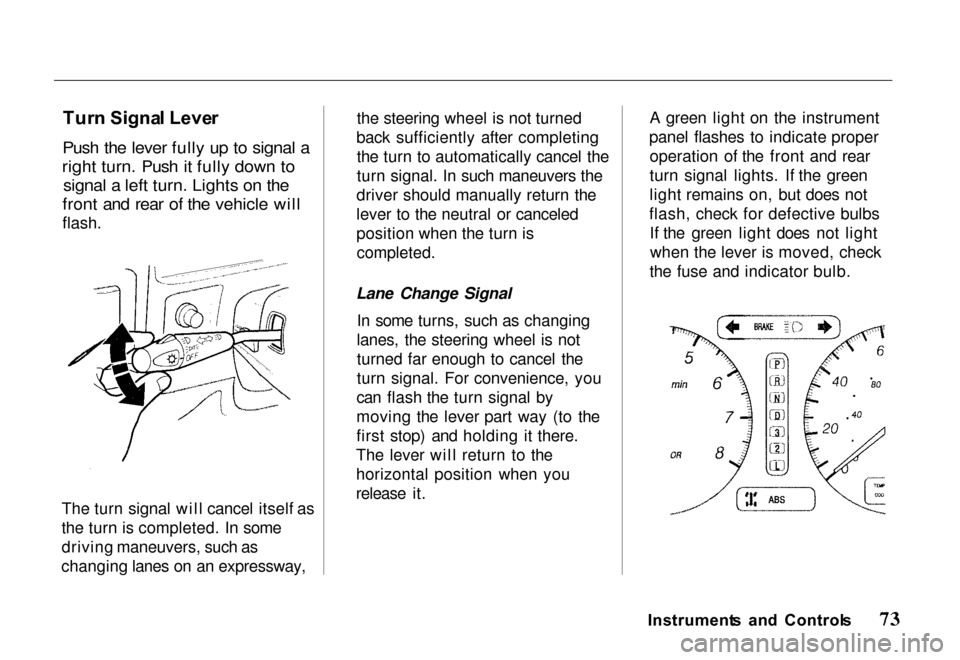
Tur
n Signa l Leve r
Push the lever fully up to signal a
right turn. Push it fully down to signal a left turn. Lights on the
front and rear of the vehicle will
flash.
The turn signal will cancel itself as
the turn is completed. In some
driving maneuvers, such as
changing lanes on an expressway, the steering wheel is not turned
back sufficiently after completing the turn to automatically cancel the
turn signal. In such maneuvers the
driver should manually return the
lever to the neutral or canceled
position when the turn is
completed.
Lane Change Signal In some turns, such as changing
lanes, the steering wheel is not
turned far enough to cancel the
turn signal. For convenience, you
can flash the turn signal by
moving the lever part way (to the
first stop) and holding it there.
The lever will return to the
horizontal position when you
release it. A green light on the instrument
panel flashes to indicate proper operation of the front and rear
turn signal lights. If the green
light remains on, but does not
flash, check for defective bulbs If the green light does not lightwhen the lever is moved, check
the fuse and indicator bulb.
Instrument s an d Control s